radar SUZUKI GRAND VITARA 2022 User Guide
[x] Cancel search | Manufacturer: SUZUKI, Model Year: 2022, Model line: GRAND VITARA, Model: SUZUKI GRAND VITARA 2022Pages: 482, PDF Size: 21 MB
Page 179 of 482
3-39
OPERATING YOUR VEHICLE
54P00-01E
Frontal collision warning
54P000353
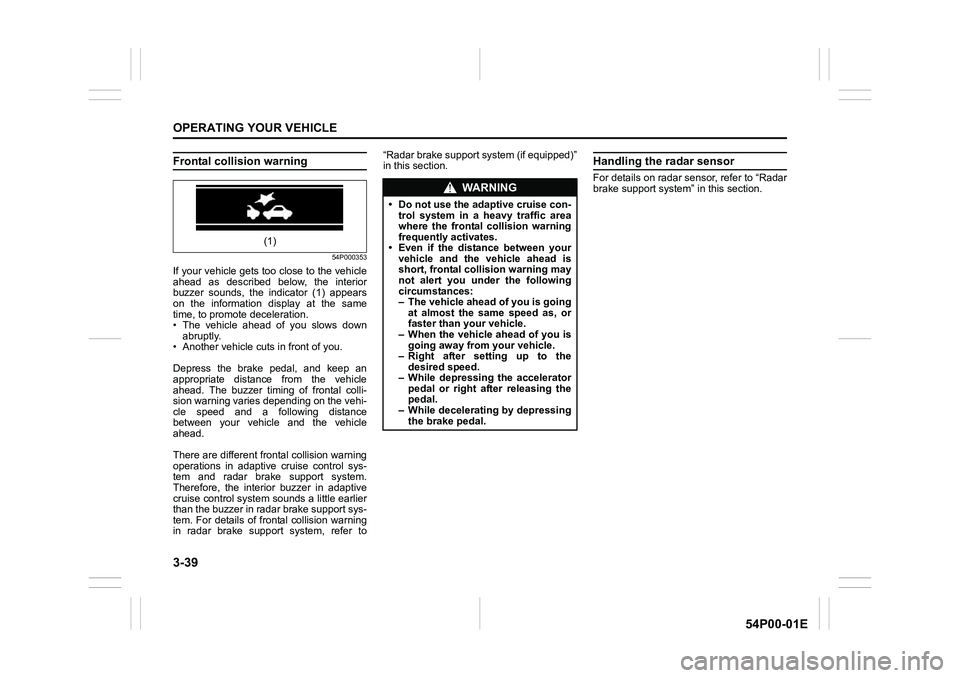
If your vehicle gets too close to the vehicle
ahead as described below, the interior
buzzer sounds, the indicator (1) appears
on the information display at the same
time, to promote deceleration.
• The vehicle ahead of you slows down
abruptly.
• Another vehicle cuts in front of you.
Depress the brake pedal, and keep an
appropriate distance from the vehicle
ahead. The buzzer timing of frontal colli-
sion warning varies depending on the vehi-
cle speed and a following distance
between your vehicle and the vehicle
ahead.
There are different frontal collision warning
operations in adaptive cruise control sys-
tem and radar brake support system.
Therefore, the interior buzzer in adaptive
cruise control system sounds a little earlier
than the buzzer in radar brake support sys-
tem. For details of frontal collision warning
in radar brake support system, refer to“Radar brake support system (if equipped)”
in this section.
Handling the radar sensor
For details on radar sensor, refer to “Radar
brake support system” in this section.
(1)
WA R N I N G
• Do not use the adaptive cruise con-
trol system in a heavy traffic area
where the frontal collision warning
frequently activates.
• Even if the distance between your
vehicle and the vehicle ahead is
short, frontal collision warning may
not alert you under the following
circumstances:
– The vehicle ahead of you is going
at almost the same speed as, or
faster than your vehicle.
– When the vehicle ahead of you is
going away from your vehicle.
– Right after setting up to the
desired speed.
– While depressing the accelerator
pedal or right after releasing the
pedal.
– While decelerating by depressing
the brake pedal.
Page 180 of 482
3-40
OPERATING YOUR VEHICLE
54P00-01E
Warning and indicator messages
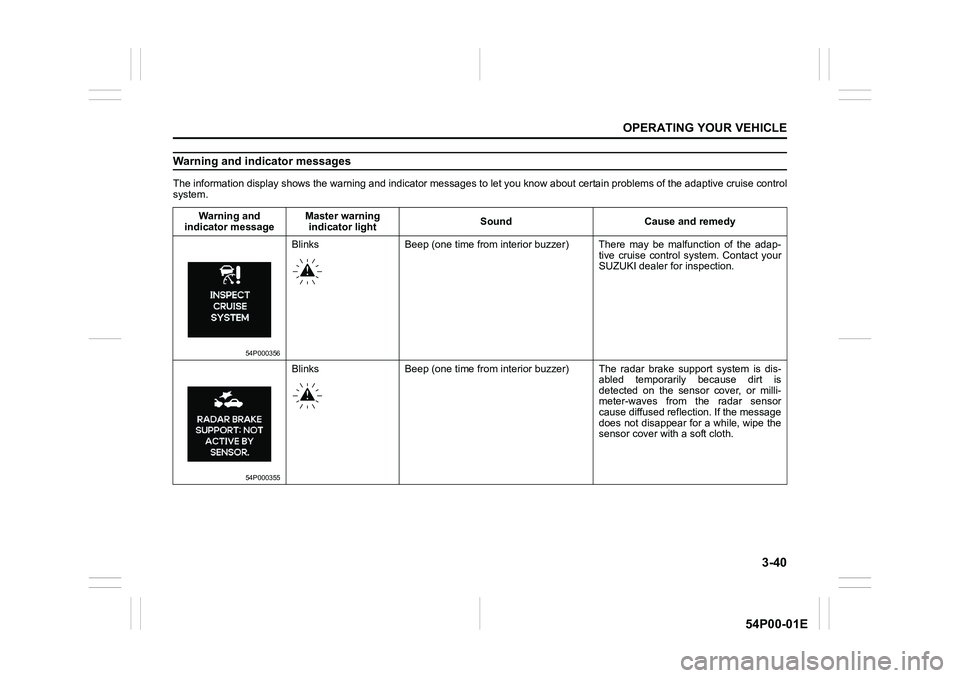
The information display shows the warning and indicator messages to let you know about certain problems of the adaptive cruise control
system.
Warning and
indicator messageMaster warning
indicator lightSound Cause and remedy
54P000356
Blinks Beep (one time from interior buzzer) There may be malfunction of the adap-
tive cruise control system. Contact your
SUZUKI dealer for inspection.
54P000355
Blinks Beep (one time from interior buzzer) The radar brake support system is dis-
abled temporarily because dirt is
detected on the sensor cover, or milli-
meter-waves from the radar sensor
cause diffused reflection. If the message
does not disappear for a while, wipe the
sensor cover with a soft cloth.
Page 181 of 482
3-41
OPERATING YOUR VEHICLE
54P00-01E
Warning and indicator
messageMaster warning
indicator LightSound Cause and remedy
54P000357
Blinks Beep (one time from interior
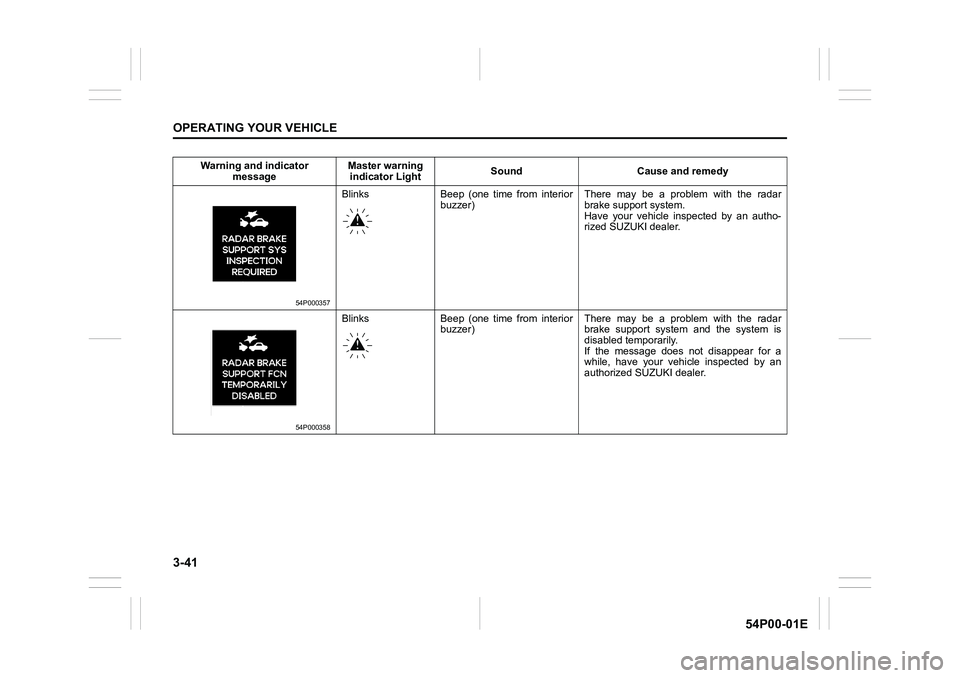
buzzer)There may be a problem with the radar
brake support system.
Have your vehicle inspected by an autho-
rized SUZUKI dealer.
54P000358
Blinks Beep (one time from interior
buzzer)There may be a problem with the radar
brake support system and the system is
disabled temporarily.
If the message does not disappear for a
while, have your vehicle inspected by an
authorized SUZUKI dealer.
Page 187 of 482
3-47
OPERATING YOUR VEHICLE
54P00-01E
Cancelling speed limiter
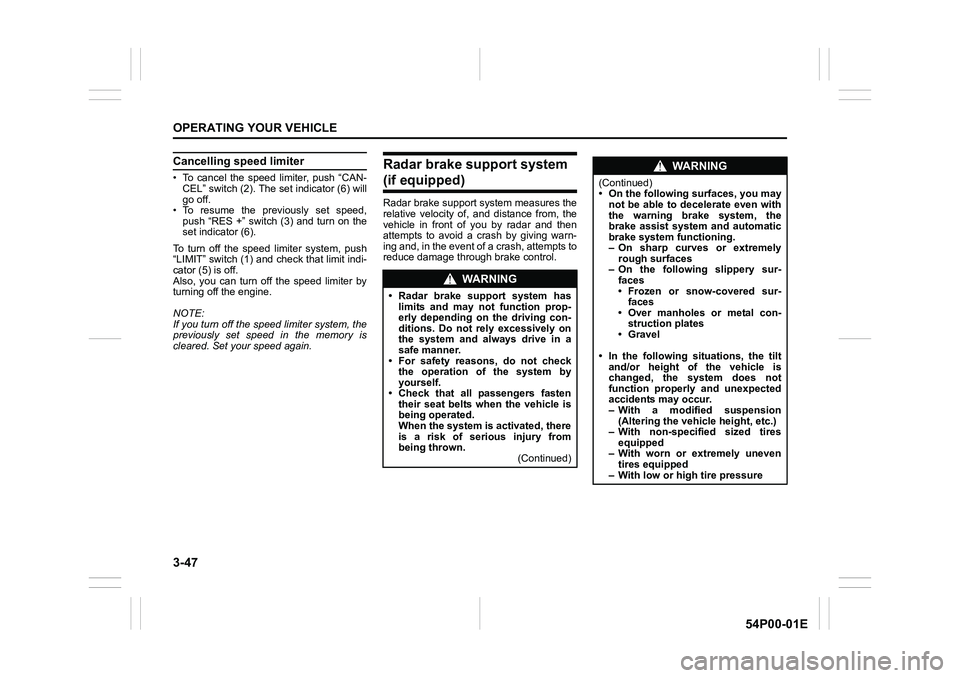
• To cancel the speed limiter, push “CAN-
CEL” switch (2). The set indicator (6) will
go off.
• To resume the previously set speed,
push “RES +” switch (3) and turn on the
set indicator (6).
To turn off the speed limiter system, push
“LIMIT” switch (1) and check that limit indi-
cator (5) is off.
Also, you can turn off the speed limiter by
turning off the engine.
NOTE:
If you turn off the speed limiter system, the
previously set speed in the memory is
cleared. Set your speed again.
Radar brake support system
(if equipped)
Radar brake support system measures the
relative velocity of, and distance from, the
vehicle in front of you by radar and then
attempts to avoid a crash by giving warn-
ing and, in the event of a crash, attempts to
reduce damage through brake control.
WA R N I N G
• Radar brake support system has
limits and may not function prop-
erly depending on the driving con-
ditions. Do not rely excessively on
the system and always drive in a
safe manner.
• For safety reasons, do not check
the operation of the system by
yourself.
• Check that all passengers fasten
their seat belts when the vehicle is
being operated.
When the system is activated, there
is a risk of serious injury from
being thrown.
(Continued)
WA R N I N G
(Continued)
• On the following surfaces, you may
not be able to decelerate even with
the warning brake system, the
brake assist system and automatic
brake system functioning.
– On sharp curves or extremely
rough surfaces
– On the following slippery sur-
faces
• Frozen or snow-covered sur-
faces
• Over manholes or metal con-
struction plates
• Gravel
• In the following situations, the tilt
and/or height of the vehicle is
changed, the system does not
function properly and unexpected
accidents may occur.
– With a modified suspension
(Altering the vehicle height, etc.)
– With non-specified sized tires
equipped
– With worn or extremely uneven
tires equipped
– With low or high tire pressure
Page 188 of 482
3-48
OPERATING YOUR VEHICLE
54P00-01E
NOTE:
• While the system is working, if a vehicle
in front of you moves outside of the
radar’s detection field or the vehicle can
no longer be detected, the system may
stop functioning.
• While the system is working, a braking
sound may be heard even if you do not
depress the brake pedal, but this is nor-
mal.
The radar brake support system, model
MRR1Plus is in compliance with the
essential requirements and other relevant
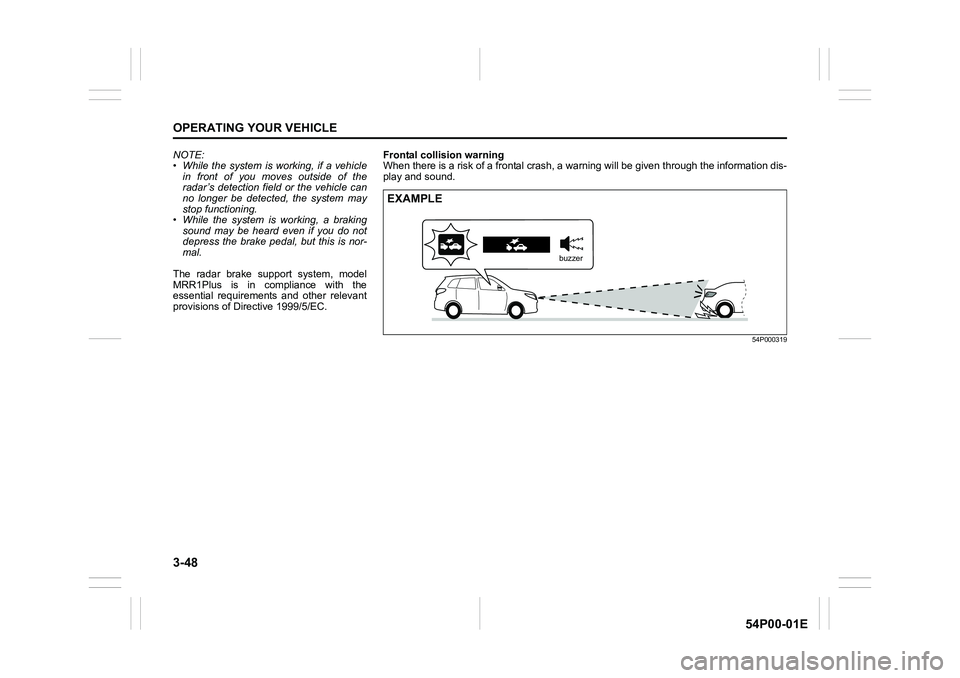
provisions of Directive 1999/5/EC.Frontal collision warning
When there is a risk of a frontal crash, a warning will be given through the information dis-
play and sound.
54P000319
EXAMPLE
buzzer
Page 189 of 482
3-49
OPERATING YOUR VEHICLE
54P00-01E
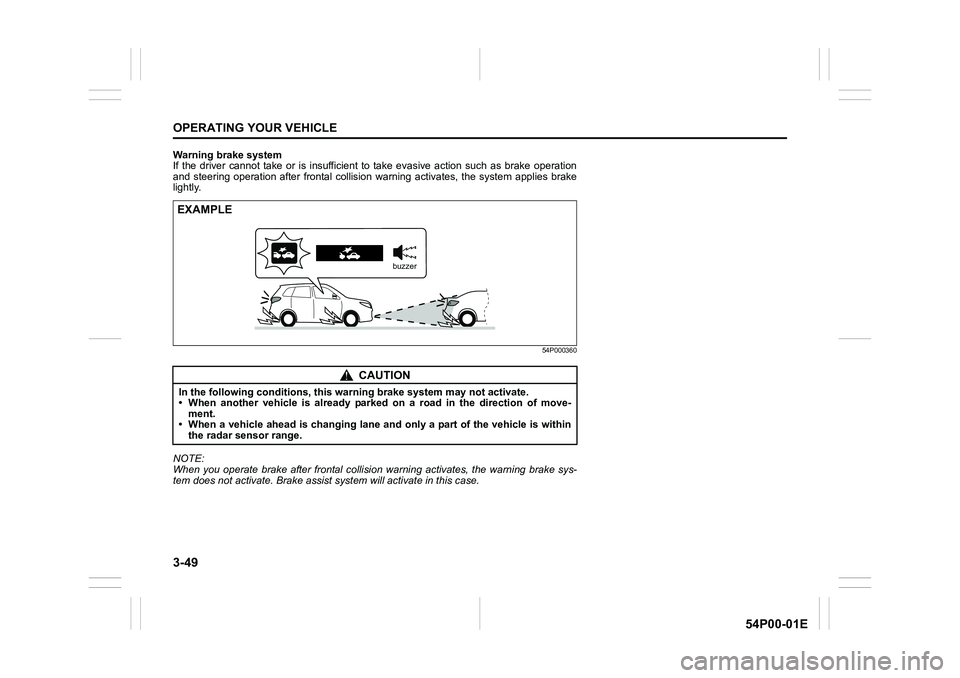
Warning brake system
If the driver cannot take or is insufficient to take evasive action such as brake operation
and steering operation after frontal collision warning activates, the system applies brake
lightly.
54P000360
NOTE:
When you operate brake after frontal collision warning activates, the warning brake sys-
tem does not activate. Brake assist system will activate in this case.
CAUTION
In the following conditions, this warning brake system may not activate.
• When another vehicle is already parked on a road in the direction of move-
ment.
• When a vehicle ahead is changing lane and only a part of the vehicle is within
the radar sensor range.
EXAMPLE
buzzer
Page 191 of 482
3-51
OPERATING YOUR VEHICLE
54P00-01E
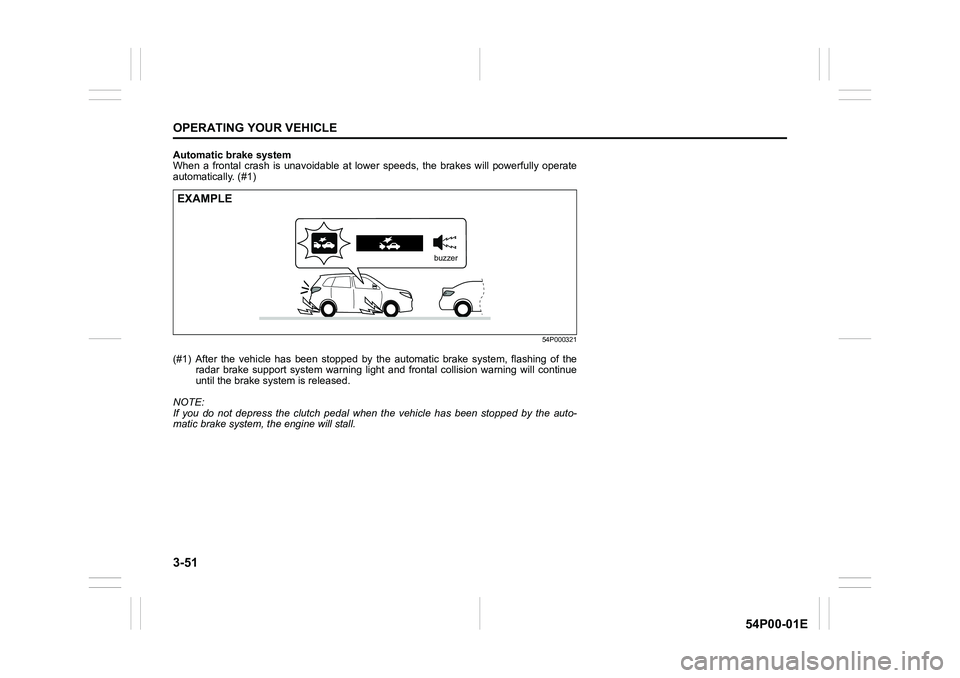
Automatic brake system
When a frontal crash is unavoidable at lower speeds, the brakes will powerfully operate
automatically. (#1)
54P000321
(#1) After the vehicle has been stopped by the automatic brake system, flashing of the
radar brake support system warning light and frontal collision warning will continue
until the brake system is released.
NOTE:
If you do not depress the clutch pedal when the vehicle has been stopped by the auto-
matic brake system, the engine will stall.
EXAMPLE
buzzer
Page 192 of 482
3-52
OPERATING YOUR VEHICLE
54P00-01E
Situations where radar will not acti-vate properly
Under the following situations, there is a
high possibility that the system will not acti-
vate.
• When the engine is off (except when the
engine is automatically stopped by the
ENG A-STOP system)
• When the gearshift lever is in the reverse
gear
• When facing an oncoming vehicle
• When the following switches are pushed
and the system is turned off:
– Radar brake support OFF switch
– ESP
® OFF switch
• When the system is temporarily stopped
or malfunctioning, some of the following
indicator and messages will come on:
– The radar brake support system warn-
ing light
– “RADAR BRAKE SUPPORT SYS
INSPECTION REQUIRED” message
– “RADAR BRAKE SUPPORT FCN
TEMPORARILY DISABLED” message
– “RADAR BRAKE SUPPORT: NOT
ACTIVE BY SENSOR.” message
Situations where radar may not activate properly
Under the following situations, the radar
may not detect a vehicle in front of you cor-
rectly and the system may not activate.
• When the radar sensor cover is covered
in snow, water or dirt
• When there is bad weather such as
heavy rain or fog, a blizzard or sand-
storm or when the vehicle in front of you
is surrounded by water, snow or sand
• When you are operating on a narrow
road
• When another vehicle jumps out sud-
denly
• When you suddenly accelerate and
approach the vehicle in front of you,
such as when you overtake the vehicle
in front of you
• When swerving
• When the vehicle cannot move in a
straight manner without consistently
steering, due to an accident or break-
down
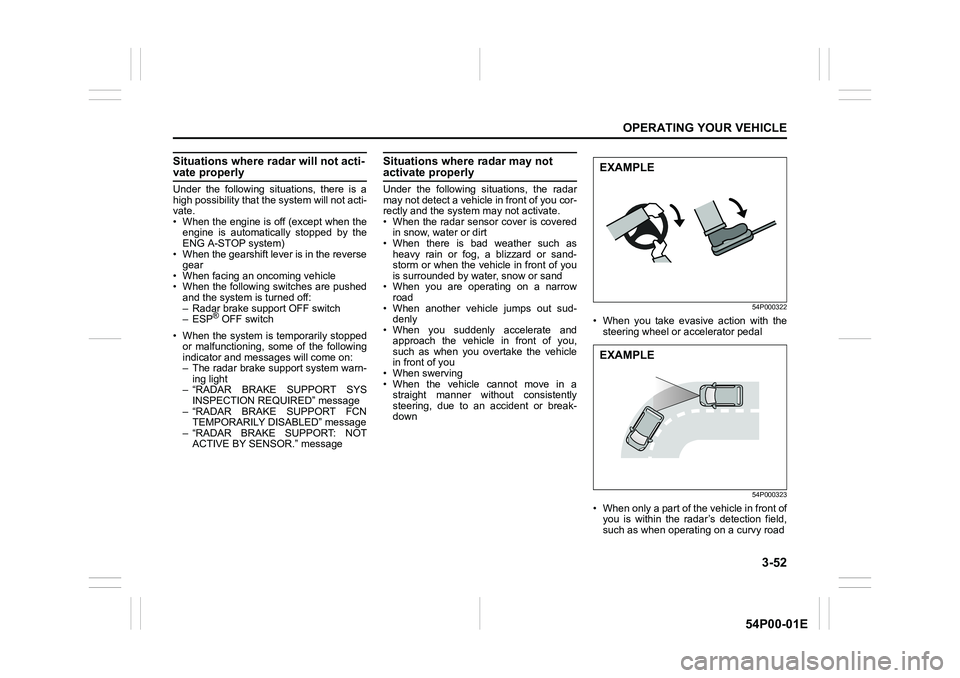
54P000322
• When you take evasive action with the
steering wheel or accelerator pedal
54P000323
• When only a part of the vehicle in front of
you is within the radar’s detection field,
such as when operating on a curvy road
EXAMPLE
EXAMPLE
Page 193 of 482
3-53
OPERATING YOUR VEHICLE
54P00-01E
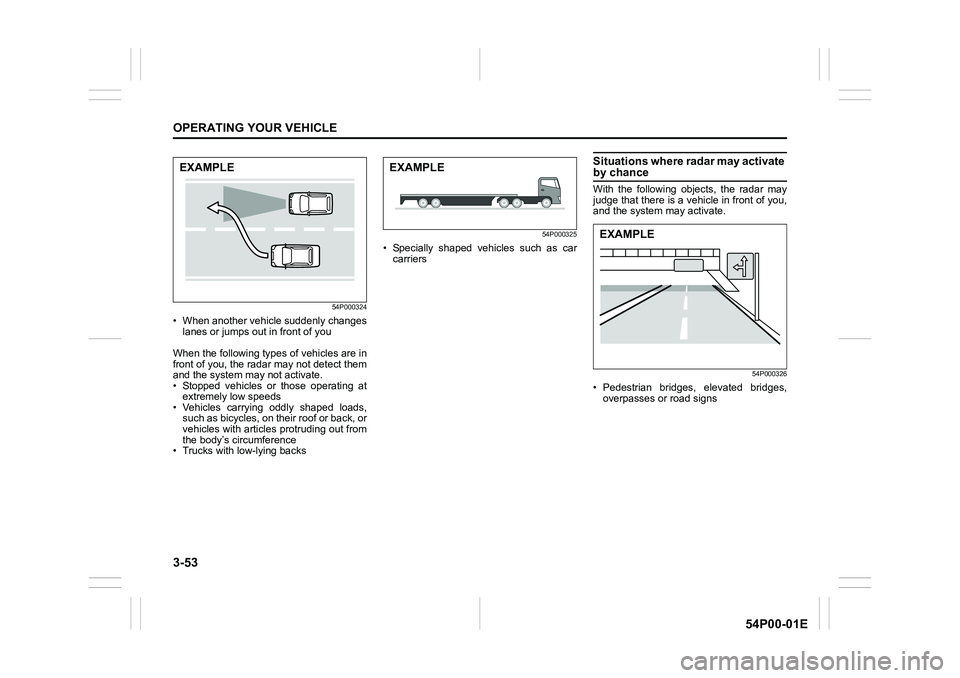
54P000324
• When another vehicle suddenly changes
lanes or jumps out in front of you
When the following types of vehicles are in
front of you, the radar may not detect them
and the system may not activate.
• Stopped vehicles or those operating at
extremely low speeds
• Vehicles carrying oddly shaped loads,
such as bicycles, on their roof or back, or
vehicles with articles protruding out from
the body’s circumference
• Trucks with low-lying backs
54P000325
• Specially shaped vehicles such as car
carriers
Situations where radar may activate by chance
With the following objects, the radar may
judge that there is a vehicle in front of you,
and the system may activate.
54P000326
• Pedestrian bridges, elevated bridges,
overpasses or road signs
EXAMPLEEXAMPLE
EXAMPLE
Page 194 of 482
3-54
OPERATING YOUR VEHICLE
54P00-01E
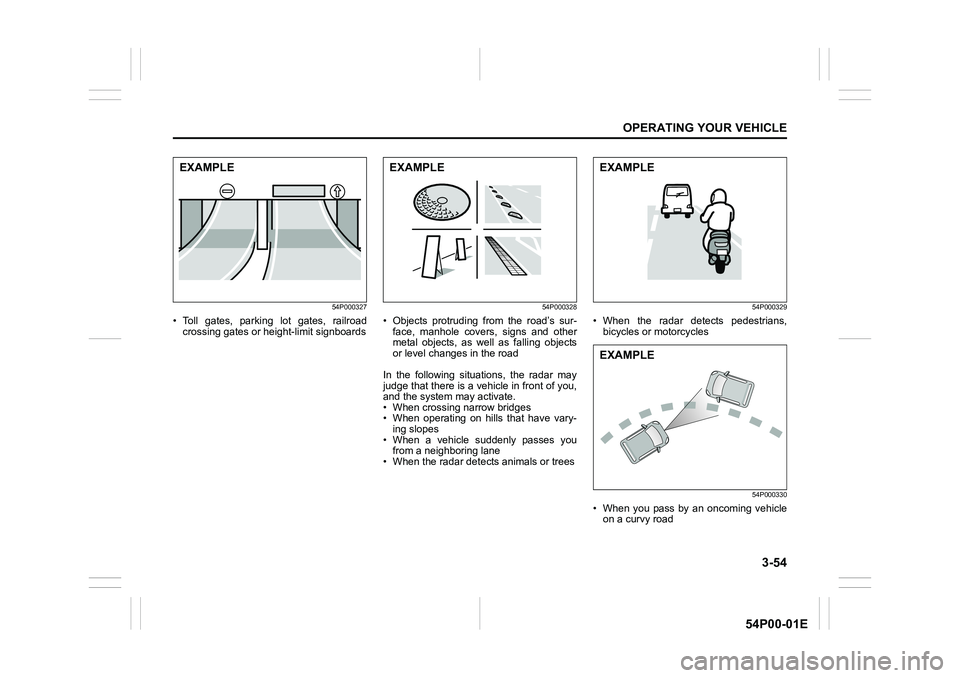
54P000327
• Toll gates, parking lot gates, railroad
crossing gates or height-limit signboards
54P000328
• Objects protruding from the road’s sur-
face, manhole covers, signs and other
metal objects, as well as falling objects
or level changes in the road
In the following situations, the radar may
judge that there is a vehicle in front of you,
and the system may activate.
• When crossing narrow bridges
• When operating on hills that have vary-
ing slopes
• When a vehicle suddenly passes you
from a neighboring lane
• When the radar detects animals or trees
54P000329
• When the radar detects pedestrians,
bicycles or motorcycles
54P000330
• When you pass by an oncoming vehicle
on a curvy road
EXAMPLEEXAMPLEEXAMPLE
EXAMPLE