AVE speed SUZUKI IGNIS 2018 User Guide
[x] Cancel search | Manufacturer: SUZUKI, Model Year: 2018, Model line: IGNIS, Model: SUZUKI IGNIS 2018Pages: 505, PDF Size: 8.36 MB
Page 155 of 505
3-2
OPERATING YOUR VEHICLE
75RM4-01E
NOTE:
It is normal for water to drip from the air
conditioning system after use.
4) Check that the hood is fully closed andlatched.
5) Check the headlights, turn signal lights, brake lights and horn for proper opera-
tion.
6) Adjust the seat and head restraint.
7) Check the brake pedal and the parking brake lever.
8) Adjust the mirrors.
9) Check that you and all passengers have properly fastened your seat belts.
10)Check that all warning lights come on as the ignition switch is turned to “ON”
position or the engine switch is pressed
to change the ignition mode to ON.
11)Check all gauges.
12)Check that the brake system warning light turns off when the parking brake is
released.
Once a week, or each time you fill your fuel
tank, perform the following under-hood
checks:
1) Engine oil level
2) Coolant level
3) Brake fluid level
4) Lead-acid battery solution level
5) Windshield washer fluid level
6) Hood latch operation Pull the hood release handle inside the
vehicle. Check that you cannot open the hood all the way without releasing
the secondary latch. Close the hood
securely after checking for proper latch
operation. See the item “All latches,
hinges and locks” of “Chassis, body
and others” in “Maintenance schedule”
in the “INSPECTION AND MAINTE-
NANCE” section for lubrication sched-
ule.
Once a month, or each time you fill your
fuel tank, check the tire pressure using a
tire pressure gauge. Also check the tire
pressure of the spare tire.
Engine oil consumptionIt is normal for the engine to consume
some engine oil during normal vehicle
operation.
The amount of engine oil consumption
depends on viscosity and quality of the oil
and your driving conditions.
More oil is consumed during high-speed
driving and when there is frequent acceler-
ation and deceleration. Under high loads,
your engine also will consume more oil.
A new engine also consumes more oil,
since its pistons, piston rings and cylinder
walls have not yet become conditioned.
New engines reach the normal level of oil
consumption only after approximately
5000 km (3000 miles) driving.
Oil consumption:
Max. 1.0 L per 1000 km
(1 Qt. per 600 miles)
When judging the amount of oil consump-
tion, note that the oil may become diluted
and it is difficult to judge the accurate oil
level.
As an example, if a vehicle is used for
repeated short trips, and consumes a nor-
mal amount of oil, the dipstick may not
show any drop in the oil level at all, even
after 1000 km (600 miles) or more of driv-
ing. This is because the oil gradually
becomes diluted with fuel or moisture,
WA R N I N G
Check that the hood is fully closed
and latched before d riving. If it is not,
it can fly up unexpectedly during
driving, obstructing your view and
resulting in an accident.
Page 165 of 505
3-12
OPERATING YOUR VEHICLE
75RM4-01E
PedalManual transaxle
80J2121
Auto Gear Shift or CVT
80J2122
Clutch pedal (1)A clutch pedal is used to disengage the
drive to the wheels when starting the
engine, stopping, or shifting the gearshift
lever. Depressing the pedal disengages
the clutch.Brake pedal (2)Your SUZUKI vehicle is equipped with front
disc brakes and rear drum brakes.
Depressing a brake pedal applies both
sets of brakes.
You may hear occasional brake squeal
when you apply the brakes. This is a nor-
mal condition caused by environmental
factors such as cold, wet, snow, etc.
Accelerator pedal (3)An accelerator pedal controls the speed of
the engine. Depressing the accelerator
pedal increases power output and speed.
(2)
(1)(3)EXAMPLE
(3)
(2)
EXAMPLE
WA R N I N G
Do not drive with your foot resting on
the clutch pedal. It could result in
excessive clutch wear, clutch dam-
age, or unexpected loss of engine
braking.
WA R N I N G
If brake squeal is excessive and
occurs each time the brakes are
applied, you should have the brakes
checked by your SUZUKI dealer.
WA R N I N G
Do not apply brakes continuously or
rest your foot on the brake pedal.
This will result in overheating of the
brakes which could cause unpredict-
able braking action, longer stopping
distances, or permanent brake dam-
age.
Page 179 of 505
3-26
OPERATING YOUR VEHICLE
75RM4-01E
Starting the engine
When starting the engine, always place the
gearshift lever in the “N” position and
depress the brake pedal firmly. The engine
cannot be started unless the gearshift
lever is in the “N” position and the brake
pedal is depressed.
If you parked vehicle with gear engaged on
last time (if you can see “1” or “R”), shift
into “N” (Neutral) and depress the brake
pedal. Hold the brake pedal while starting
the engine. You can hear buzzer in short
time.
NOTE:
If you start the engine without the gearshift
lever in the “N” position, the gear position
indicator in the instrument cluster will blink.
Clutch operation
You can select either the Drive (D) mode or
the Manual (M) mode. Since this vehicle
controls clutch operation electronically in
either mode, you do not need to operate
the clutch.Creeping function
This vehicle has a creeping function that
helps the vehicle to start smoothly by
engaging the clutch. When the gearshift
lever is in any of the positions “D”, “M” or
“R”, and you release your foot from the
brake pedal, the vehicle starts slowly with-
out depressing the accelerator pedal. The
creeping function is disabled if you
depress the brake pedal or pull up the
parking brake lever.
NOTE:
If the driver’s door is opened and/or the
parking brake lever is engaged with the
gear in the “M”, “D” or “R” position, the
creeping function will not operate.
Parking and Stopping the vehicle
Auto Gear Shift does not have a parking
position. Park the vehicle with a gear
engaged. Make sure that the gearshift
lever is “D”, “M”, or “R”.
Also, check the instrument cluster to make
sure that the transaxle is engaged in “1” or
“R” position.Drive (D) mode
When the Drive (D) mode is activated, the
most appropriate gear
position is automati-
cally selected upon operation of the accel-
erator pedal and variation of vehicle
speed.
Normal driving:
1) Start the engine as instructed in “Start- ing the engine” in this section.
2) With your foot on the brake pedal, shift the gearshift lever to the “D” position.
When the gearshift lever is shifted to
the “D” position, the gear will be shifted
to 1st.
NOTE:
• If 1st gear cannot be engaged even though the gearshift lever has been
shifted from the “N” to the “D” position,
the system will re-try shifting automati-
cally. This will take some time, noise
may be heard from the gears, and shift-
ing gear shock may occur. However,
they do not indicate malfunction.
• The “N” indicator will flush, the depress brake pedal indicator will come on and a
warning buzzer (long pulse sound) will
sound if any of the following cases
occur;
– If you shift the gearshift lever from the
“N” to the “D” position without depress-
ing the brake pedal
– If the system is unable to re-try shifting
You should depress the brake pedal and
shift the gearshift lever to “N” position,
then shift to “D” again.
NOTICE
A buzzer will sound continuously if
the vehicle is operated with the gear-
shift lever in-between of each shift
positions. The vehicle will become
inoperative if you continue to operate
the vehicle with the gearshift lever in-
between shift positions.
Page 184 of 505
3-31OPERATING YOUR VEHICLE
75RM4-01E
• The system will not allow shifting to the“R” position if the vehicle speed is over
about 3 km/h (2 mph). If the gearshift
lever is operated under this condition,
the “N” indicator in the instrument cluster
will blink. However, when the vehicle
speed drops below about 3 km/h (2
mph), the gear will be shifted to reverse.
Make sure that the vehicle has stopped
completely before shifting to the “R”
position. Stopping
The vehicle can be stopped by depressing
the brake pedal regardless of the gear
position. This is because the clutch is auto-
matically disengaged to prevent the engine
from stopping.
• If the gearshift lever is in the “D” position,
the gear will be downshifted to 1st when
the vehicle stops.
• If the gearshift lever is in the “M” posi- tion, the gear will be downshifted to 1st
when the vehicle stops.
NOTICE
On a downhill slope, never hold the
vehicle at a stop using only the accel-
erator pedal or the creeping function.
If you perform this operation for a
certain period of time, a warning
buzzer will sound, and in some cases
the engine will stall. This can also
cause excessive damage to the
clutch.
WA R N I N G
• When stopping, for example, at a
traffic light, be sure to depress the
brake pedal firmly. For your safety,
apply the parking brake, too, when
stopping on a hill.
• When racing the engine, make sure that the gear is in the “N” position
by checking the gear position indi-
cator. If the accelerator is operated
with the gear in any other position,
the vehicle may move resulting in
an unexpected accident.
• Do not leave your vehicle unat-
tended while the engine is running. (Continued)
WA R N I N G
(Continued)
• When leaving the vehicle, stop the
engine and park the vehicle with a
gear engaged. If you need to leave
the vehicle with the engine running,
apply the parking brakes firmly,
and shift the gearshift lever to the
“N” position. Otherwise, the vehi-
cle may move unexpectedly and
may cause an accident.
NOTICE
• On a slope, never hold the vehicleat a stop using only the accelerator
pedal or the creeping function. If
you perform this operation for a
certain period of time, a warning
buzzer will sound, and in some
cases the engine will stall. This can
also cause excessive damage to
the clutch.
• If the gearshift lever is operated
more than necessary, the system
may not allow operation of the
gearshift lever for a certain period
of time, and the gear may not be
shifted appropriately. Therefore, do
not operate the gearshift lever if not
necessary.
Page 189 of 505
3-36
OPERATING YOUR VEHICLE
75RM4-01E
Automatically stopping/restarting of the engineManual transaxle vehicles
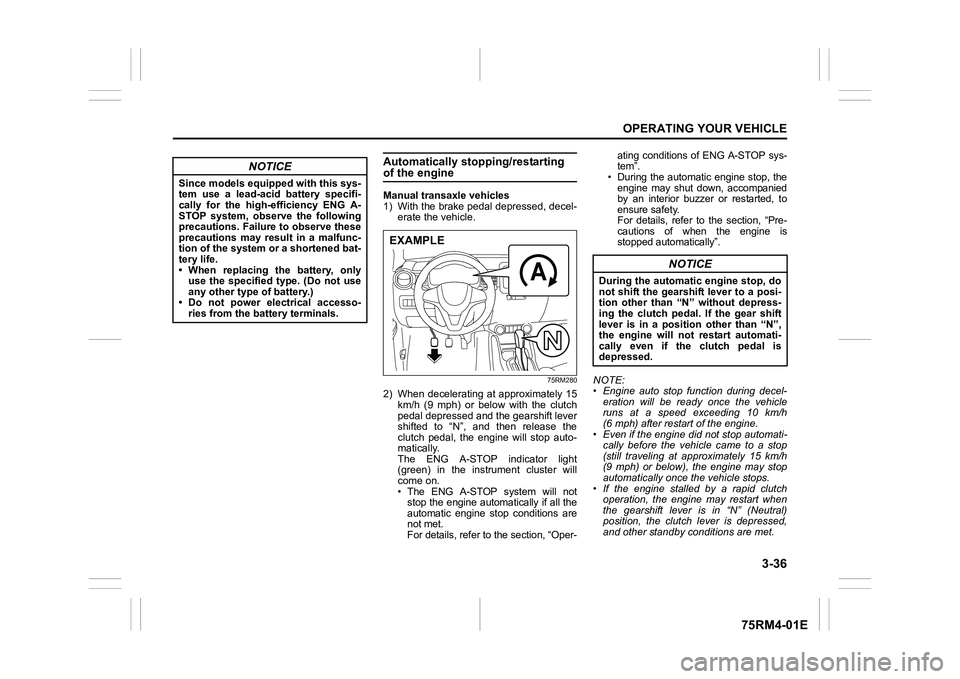
1) With the brake pedal depressed, decel-erate the vehicle.
75RM280
2) When decelerating at approximately 15km/h (9 mph) or below with the clutch
pedal depressed and the gearshift lever
shifted to “N”, and then release the
clutch pedal, the engine will stop auto-
matically.
The ENG A-STOP indicator light
(green) in the instrument cluster will
come on.
• The ENG A-STOP system will notstop the engine automatically if all the
automatic engine stop conditions are
not met.
For details, refer to the section, “Oper- ating conditions of ENG A-STOP sys-
tem”.
• During the automatic engine stop, the
engine may shut down, accompanied
by an interior buzzer or restarted, to
ensure safety.
For details, refer to the section, “Pre-
cautions of when the engine is
stopped automatically”.
NOTE:
• Engine auto stop function during decel- eration will be ready once the vehicle
runs at a speed exceeding 10 km/h
(6 mph) after restart of the engine.
• Even if the engine di d not stop automati-
cally before the vehicle came to a stop
(still traveling at approximately 15 km/h
(9 mph) or below), the engine may stop
automatically once the vehicle stops.
• If the engine stalled by a rapid clutch operation, the engine may restart when
the gearshift lever is in “N” (Neutral)
position, the clutch lever is depressed,
and other standby conditions are met.
NOTICE
Since models equipped with this sys-
tem use a lead-acid battery specifi-
cally for the high-efficiency ENG A-
STOP system, observe the following
precautions. Failure to observe these
precautions may result in a malfunc-
tion of the system or a shortened bat-
tery life.
• When replacing the battery, onlyuse the specified type. (Do not use
any other type of battery.)
• Do not power electrical accesso- ries from the battery terminals.
EXAMPLE
NOTICE
During the automatic engine stop, do
not shift the gearshift lever to a posi-
tion other than “N” without depress-
ing the clutch pedal. If the gear shift
lever is in a position other than “N”,
the engine will not restart automati-
cally even if the clutch pedal is
depressed.
Page 203 of 505
3-50
OPERATING YOUR VEHICLE
75RM4-01E
Be careful of the following when operat-
ing with the cruise control
Even if your vehicle is equipped with the
dual camera brake support, it cannot auto-
matically adjust to the speed of the vehicle
in front of you. Turn off the cruise control
system if you cannot operate safely at a
cruising speed.
Even in the following conditions, the set
indicator (5) will not go off and the cruising
speed will not be canceled.
• When the frontal collision warning isworking. If you depress the brake pedal,
the cruise speed will be canceled tempo-
rarily.
• When the stereo camera detects dirt on
the windshield and the dual camera
brake support stops functioning. For
safety purposes, push the cruise switch
(1) to turn off the cru ise indicator (4).
If the automatic brake system is working,
the cruise indicator (4) will turn off and the
cruise control system will be canceled.
Once you have determined that the condi-
tions are once again safe, reset the cruise
speed.
Changing speed temporarilyWhen the cruising speed is maintained,
you can temporarily accelerate or deceler-
ate.
To accelerate, depre ss the accelerator
pedal. When you take your foot off the
pedal, your vehicle will return to the set
speed.
To decelerate, depress the brake pedal.
The set speed will be canceled and the set
indicator (5) or “SET” indicator light (7) will
go off.
To resume the previously set speed, push
up the “RES +/SET –” switch (3) and turn
on the set indicator (5) or “SET” indicator
light (7) again when vehicle speed is
above 45 km/h (28 mph). The vehicle will
accelerate to and maintain the previously
set speed.
NOTE:
For CVT with manual mode or Auto Gear
Shift vehicle, when the cruising speed is
maintained, you cannot decelerate by
using the engine brake even if you down-
shift from higher gear to 3rd in the manual
mode.
To decelerate while the cruise control is
on, depress the brake pedal or push down
the “RES +/SET –” switch (3).
Changing cruising speedUsing the accelerator pedal
To reset at a faster cruising speed, accel-
erate to the desired speed using the accel-
erator pedal and push down the “RES +/
SET –” switch (3). The new speed will be
maintained.
Using the brake pedal
To reset at a slower cruising speed, decel-
erate to the desired speed using the brake
pedal and push down the “RES +/SET –”
switch (3). The new speed will be main-
tained.
NOTE:
When the brake pedal is depressed, the
set indicator (5) or “ SET” indicator light (7)
goes off until the cruising speed is reset.
Using “RES +/ SET –” switch
To reset at a faster cruising speed, press
repeatedly or hold push up the “RES +/
SET –” switch (3). Vehicle speed will
steadily increase. When you release the
switch, the new speed will be maintained.
To reset at a slower cruising speed, press
repeatedly or hold push down the “RES +/
SET –” switch (3) until the vehicle has
slowed to the desired speed, and then
release the switch. The new speed will be
maintained.
Page 209 of 505
3-56
OPERATING YOUR VEHICLE
75RM4-01E
Situations where the system does not activateUnder the following situations, the system
does not activate.
• When the engine is off (except when theengine is automatically stopped by the
ENG A-STOP system)
• After several seconds from starting the
engine
• When the gearshift lever is in reverse gear
• When the ESP
® system is activated
(except the frontal collision warning)
• When the following switches are pushed
and the system is turned off:
– Dual camera brake support OFFswitch
– ESP
® OFF switch
• When the stereo camera is temporarily stopped or malfunctioning
Situations where the system may not activate properlyUnder the following situations, the system
may not activate.
• When the stereo camera cannot detectobstacles in front of your vehicle
• When you take evasive action with the
steering wheel or a ccelerator pedal
Situations where the vehicle may not decelerate properlyUnder the following situations, the vehicle
may not decelerate properly even when
the system is activated.
• When the outside temperature is low, or
when the temperature of the brake is low
such as right after starting
• When the brake is overheating and the brake effect is deteriorated due to con-
tinuing to travel on a downhill road
• When the brake effect is deteriorated due to passing over puddles or washing
the vehicle
• When driving on the following roads – On sharp curves or extremely roughsurfaces
– On a steep slope
• When driving on the following slippery surfaces
– Frozen or snow-covered surfaces
– Over manholes or metal constructionplates
–Gravel
• When driving in a rainy day
Situations where the system may activate by chanceUnder the following situations, the stereo
camera may judge that there is an obstacle
in front of you, and the system may acti-
vate. Drive carefully and calmly.
• When passing through a toll booth with more than recommended speeds
• Before the parking lot gates or railroad crossing gates are opened fully
• When operating on hills that have vary-
ing slopes
• When you suddenly accelerate and approach the vehicle in front of you or on
neighboring lane
• Front visibility is poor due to that there is water vapor, sand or smoke or when the
vehicle in front of you or on oncoming
lane is surrounded by exhaust, water or
snow
• When passing through masses of water vapor or smoke
• When stopping close to an obstacle in
front of you
• When passing through near a vehicle or obstacle
Page 214 of 505
3-61OPERATING YOUR VEHICLE
75RM4-01E
Situations where the system may not
activate properly
Under the following situations, the system
may not activate.
• When driving on continuous curves
• When the vehicle speed changes
extremely
• Right after lane changing
If the stereo camera cannot detect partition
lines except for above situations, the sys-
tem may also not activ ate. Refer to “Situa-
tions where the stereo camera may not
activate properly” in this section for details.
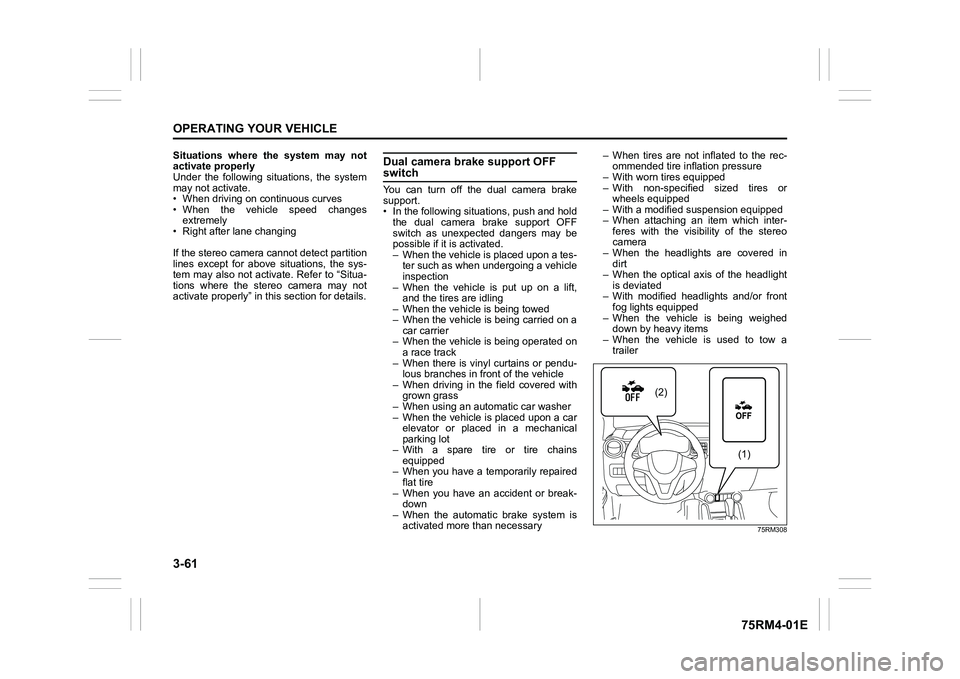
Dual camera brake support OFF switchYou can turn off the dual camera brake
support.
• In the following situations, push and hold the dual camera brake support OFF
switch as unexpected dangers may be
possible if it is activated.
– When the vehicle is placed upon a tes-ter such as when undergoing a vehicle
inspection
– When the vehicle is put up on a lift, and the tires are idling
– When the vehicle is being towed
– When the vehicle is being carried on a car carrier
– When the vehicle is being operated on
a race track
– When there is vinyl curtains or pendu- lous branches in front of the vehicle
– When driving in the field covered with grown grass
– When using an aut omatic car washer
– When the vehicle is placed upon a car elevator or placed in a mechanical
parking lot
– With a spare tire or tire chains equipped
– When you have a temporarily repaired
flat tire
– When you have an accident or break- down
– When the automatic brake system is activated more than necessary – When tires are not inflated to the rec-
ommended tire inflation pressure
– With worn tires equipped
– With non-specified sized tires or wheels equipped
– With a modified su spension equipped
– When attaching an item which inter- feres with the visibility of the stereo
camera
– When the headlights are covered in dirt
– When the optical axis of the headlight
is deviated
– With modified headlights and/or front fog lights equipped
– When the vehicle is being weighed down by heavy items
– When the vehicle is used to tow a trailer
75RM308
(2)
(1)
Page 221 of 505
3-68
OPERATING YOUR VEHICLE
75RM4-01E
72M20405
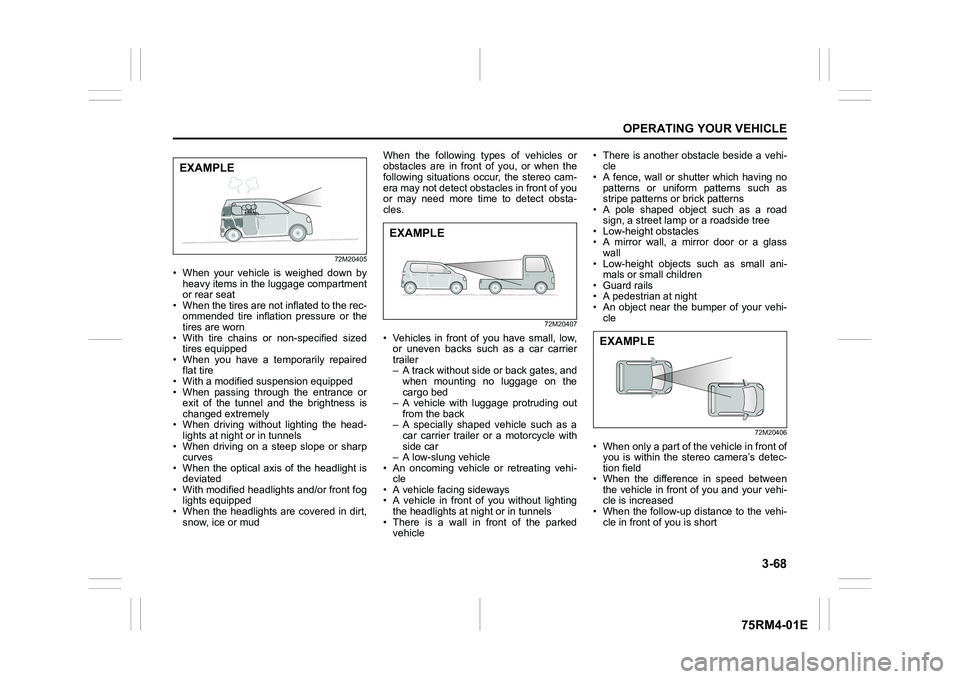
• When your vehicle is weighed down byheavy items in the luggage compartment
or rear seat
• When the tires are not inflated to the rec- ommended tire inflation pressure or the
tires are worn
• With tire chains or non-specified sized
tires equipped
• When you have a temporarily repaired flat tire
• With a modified suspension equipped
• When passing through the entrance or exit of the tunnel and the brightness is
changed extremely
• When driving without lighting the head- lights at night or in tunnels
• When driving on a steep slope or sharp curves
• When the optical axis of the headlight is
deviated
• With modified headlights and/or front fog lights equipped
• When the headlights are covered in dirt, snow, ice or mud When the following types of vehicles or
obstacles are in front of you, or when the
following situations occur, the stereo cam-
era may not detect obstacles in front of you
or may need more time to detect obsta-
cles.
72M20407
• Vehicles in front of you have small, low,
or uneven backs such as a car carrier
trailer
– A track without side or back gates, andwhen mounting no luggage on the
cargo bed
– A vehicle with luggage protruding out
from the back
– A specially shaped vehicle such as a car carrier trailer or a motorcycle with
side car
– A low-slung vehicle
• An oncoming vehicle or retreating vehi-
cle
• A vehicle facing sideways
• A vehicle in front of you without lighting
the headlights at n ight or in tunnels
• There is a wall in front of the parked vehicle • There is another obstacle beside a vehi-
cle
• A fence, wall or shutter which having no
patterns or uniform patterns such as
stripe patterns or brick patterns
• A pole shaped object such as a road
sign, a street lamp or a roadside tree
• Low-height obstacles
• A mirror wall, a mirror door or a glass
wall
• Low-height objects such as small ani- mals or small children
• Guard rails
• A pedestrian at night
• An object near the bumper of your vehi- cle
72M20406
• When only a part of the vehicle in front ofyou is within the stereo camera’s detec-
tion field
• When the difference in speed between the vehicle in front of you and your vehi-
cle is increased
• When the follow-up distance to the vehi- cle in front of you is short
EXAMPLE
EXAMPLE
EXAMPLE
Page 228 of 505
3-75OPERATING YOUR VEHICLE
75RM4-01E
If the rear view from the rearview cam-
era is not shown or there is a poor
image
• If the rear view from the rearview camerais not shown.
– Check that the ignition switch is in
“ON” position or the ignition mode is
ON.
– Check that the gearshift lever is
shifted to “R” position.
• If the image from the rearview camera is poor.
– Check that the camera lens is not dirty.
– Check that light from the sun or thebeam of the headlights from the vehi-
cle behind is not shining directly into
the lens.
If the rearview camera system is still not
working properly after checking the above,
have the system inspected by an autho-
rized SUZUKI dealer as soon as possible.
Braking
60G165S
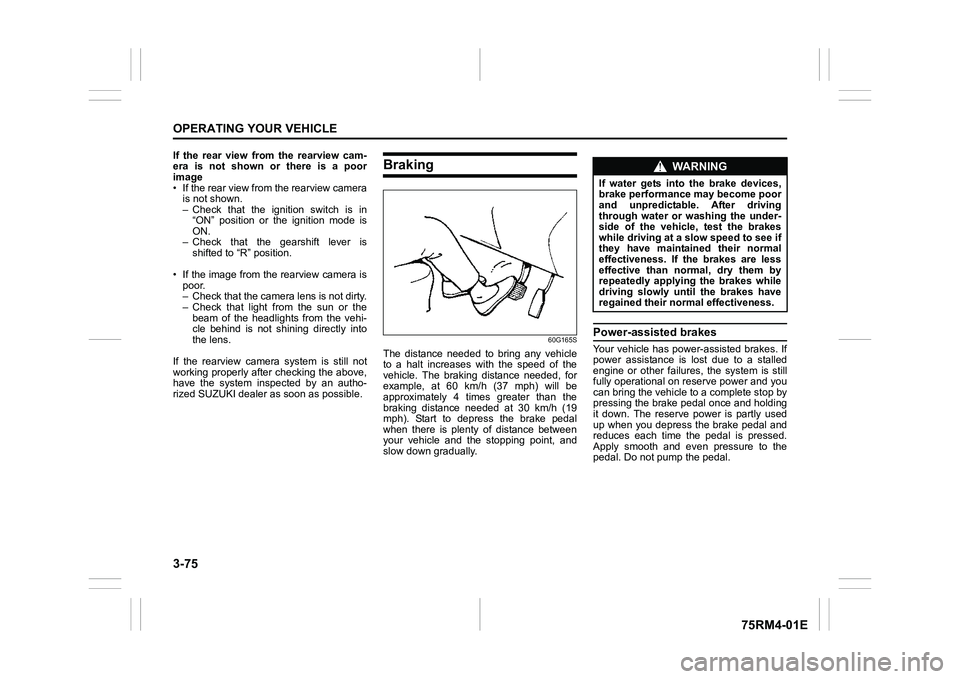
The distance needed to bring any vehicle
to a halt increases with the speed of the
vehicle. The braking distance needed, for
example, at 60 km/h (37 mph) will be
approximately 4 times greater than the
braking distance needed at 30 km/h (19
mph). Start to depress the brake pedal
when there is plenty of distance between
your vehicle and the stopping point, and
slow down gradually.
Power-assisted brakesYour vehicle has power-assisted brakes. If
power assistance is lo st due to a stalled
engine or other failure s, the system is still
fully operational on reserve power and you
can bring the vehicle to a complete stop by
pressing the brake pedal once and holding
it down. The reserve power is partly used
up when you depress the brake pedal and
reduces each time the pedal is pressed.
Apply smooth and even pressure to the
pedal. Do not pump the pedal.
WA R N I N G
If water gets into the brake devices,
brake performance may become poor
and unpredictable. After driving
through water or washing the under-
side of the vehicle, test the brakes
while driving at a slow speed to see if
they have maintained their normal
effectiveness. If the brakes are less
effective than normal, dry them by
repeatedly applying the brakes while
driving slowly until the brakes have
regained their normal effectiveness.