Hill SUZUKI IGNIS 2018 User Guide
[x] Cancel search | Manufacturer: SUZUKI, Model Year: 2018, Model line: IGNIS, Model: SUZUKI IGNIS 2018Pages: 505, PDF Size: 8.36 MB
Page 184 of 505
3-31OPERATING YOUR VEHICLE
75RM4-01E
• The system will not allow shifting to the“R” position if the vehicle speed is over
about 3 km/h (2 mph). If the gearshift
lever is operated under this condition,
the “N” indicator in the instrument cluster
will blink. However, when the vehicle
speed drops below about 3 km/h (2
mph), the gear will be shifted to reverse.
Make sure that the vehicle has stopped
completely before shifting to the “R”
position. Stopping
The vehicle can be stopped by depressing
the brake pedal regardless of the gear
position. This is because the clutch is auto-
matically disengaged to prevent the engine
from stopping.
• If the gearshift lever is in the “D” position,
the gear will be downshifted to 1st when
the vehicle stops.
• If the gearshift lever is in the “M” posi- tion, the gear will be downshifted to 1st
when the vehicle stops.
NOTICE
On a downhill slope, never hold the
vehicle at a stop using only the accel-
erator pedal or the creeping function.
If you perform this operation for a
certain period of time, a warning
buzzer will sound, and in some cases
the engine will stall. This can also
cause excessive damage to the
clutch.
WA R N I N G
• When stopping, for example, at a
traffic light, be sure to depress the
brake pedal firmly. For your safety,
apply the parking brake, too, when
stopping on a hill.
• When racing the engine, make sure that the gear is in the “N” position
by checking the gear position indi-
cator. If the accelerator is operated
with the gear in any other position,
the vehicle may move resulting in
an unexpected accident.
• Do not leave your vehicle unat-
tended while the engine is running. (Continued)
WA R N I N G
(Continued)
• When leaving the vehicle, stop the
engine and park the vehicle with a
gear engaged. If you need to leave
the vehicle with the engine running,
apply the parking brakes firmly,
and shift the gearshift lever to the
“N” position. Otherwise, the vehi-
cle may move unexpectedly and
may cause an accident.
NOTICE
• On a slope, never hold the vehicleat a stop using only the accelerator
pedal or the creeping function. If
you perform this operation for a
certain period of time, a warning
buzzer will sound, and in some
cases the engine will stall. This can
also cause excessive damage to
the clutch.
• If the gearshift lever is operated
more than necessary, the system
may not allow operation of the
gearshift lever for a certain period
of time, and the gear may not be
shifted appropriately. Therefore, do
not operate the gearshift lever if not
necessary.
Page 185 of 505

3-32
OPERATING YOUR VEHICLE
75RM4-01E
Parking
Unlike an automatic transaxle, Auto Gear
Shift does not have a parking position.
Park the vehicle with a gear engaged.
1) Apply the parking brake firmly.
2) While depressing the brake pedal, shift
the gearshift lever to the “R” position on
a downhill slope, and to the 1st position
in the drive (D) mode or the “M” position
in the manual (M) mode on an uphill
slope and confirm the gear position by
checking the gear position indicator.
3) Stop the engine.
NOTE:
• After the engine is stopped, the gear in the transaxle does not change even if
you shift the gearshift lever in any posi-
tion. Always shift the gearshift lever
before stop the engine.
• Check the transaxle gear position by looking at the gear position indicator,
then turn the ignition switch to “LOCK”
position or press the engine switch to
change the ignition mode to LOCK
(OFF), to stop the engine. Release the
brake pedal after a few seconds. Parking cancel
Depress the brake pedal, turn the ignition
switch to “ON” position or press the engine
switch to change the ignition mode to ON,
and shift the gearshift lever to the “N” posi-
tion. The gear will be disengaged. Warning functions
A warning buzzer will sound or the indica-
tor will blink under the f
ollowing conditions.
Warning buzzer
• The clutch is heated due to excessive load.
• The creeping function is being activated for a long period of time.
• The ignition switch is turned to the “LOCK” position or the engine switch is
pressed to change the ignition mode to
LOCK (OFF) with the gear in 2nd, 3rd,
4th or 5th. In this case, turn the ignition
switch to “ON” position or press the
engine switch to change the ignition
mode to ON, and shift the gearshift lever
in the “N” position, shift it to the “D” or
“M” or “R” position, t hen turn the ignition
switch to “LOCK” position or press the
engine switch to change the ignition
mode to LOCK (OFF).
• During a stop, the driver’s door is opened with the gearshift lever in the
“R”, “D” or “M” positi on while the engine
is running.
WA R N I N G
• If the gear is not engaged properly and completely before the ignition
switch is turned to “LOCK” posi-
tion or the engine switch is pressed
to change the ignition mode to
LOCK (OFF), the vehicle may not
be parked with the gear engaged.
Always confirm the gear position
by checking the gear position indi-
cator when parking.
• On a downhill slope, the gear
should be put in reverse, and in 1st
gear on an uphill slope. Otherwise,
the vehicle may move, and cause
an unexpected accident. If the gear
is left in the “N” position, the vehi-
cle cannot be parked with a gear
engaged.
NOTICE
In the above cases, pull over to the
side of the road and stop the engine,
and then ask your SUZUKI dealer to
inspect your vehicle. Otherwise, the
clutch disc may be damaged.
Page 191 of 505
3-38
OPERATING YOUR VEHICLE
75RM4-01E
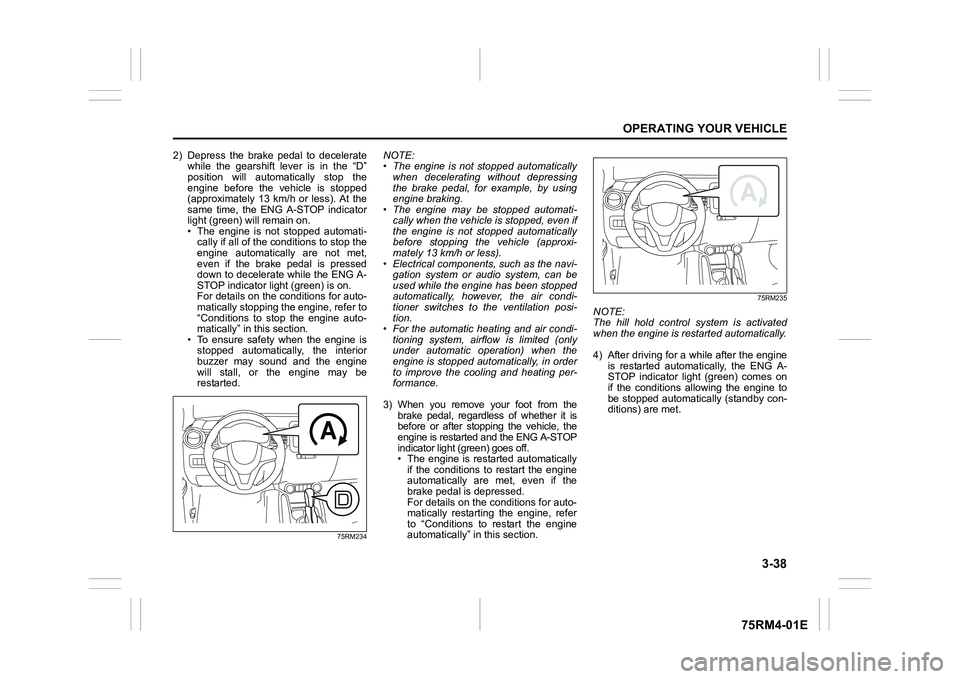
2) Depress the brake pedal to deceleratewhile the gearshift lever is in the “D”
position will automatically stop the
engine before the vehicle is stopped
(approximately 13 km/h or less). At the
same time, the ENG A-STOP indicator
light (green) will remain on.
• The engine is not stopped automati-cally if all of the c onditions to stop the
engine automatically are not met,
even if the brake pedal is pressed
down to decelerate while the ENG A-
STOP indicator light (green) is on.
For details on the conditions for auto-
matically stopping the engine, refer to
“Conditions to stop the engine auto-
matically” in this section.
• To ensure safety when the engine is stopped automatically, the interior
buzzer may sound and the engine
will stall, or the engine may be
restarted.
75RM234
NOTE:
• The engine is not stopped automatically when decelerating without depressing
the brake pedal, for example, by using
engine braking.
• The engine may be stopped automati-
cally when the vehicle is stopped, even if
the engine is not stopped automatically
before stopping the vehicle (approxi-
mately 13 km/h or less).
• Electrical components, such as the navi- gation system or audio system, can be
used while the engine has been stopped
automatically, however, the air condi-
tioner switches to the ventilation posi-
tion.
• For the automatic heating and air condi-
tioning system, airflow is limited (only
under automatic operation) when the
engine is stopped aut omatically, in order
to improve the cooling and heating per-
formance.
3) When you remove your foot from the brake pedal, regardless of whether it is
before or after stopping the vehicle, the
engine is restarted and the ENG A-STOP
indicator light (green) goes off.
• The engine is restarted automatically
if the conditions to restart the engine
automatically are met, even if the
brake pedal is depressed.
For details on the conditions for auto-
matically restarting the engine, refer
to “Conditions to restart the engine
automatically” in this section.
75RM235
NOTE:
The hill hold control system is activated
when the engine is restarted automatically.
4) After driving for a while after the engine is restarted automatically, the ENG A-
STOP indicator light (green) comes on
if the conditions allowing the engine to
be stopped automatically (standby con-
ditions) are met.
Page 195 of 505
3-42
OPERATING YOUR VEHICLE
75RM4-01E
Conditions to stop the engine automatically
If all of the following conditions are met while the standby conditions are met, the engine is stopped automatically when the vehicle is
decelerating before stopping or when the vehicle is stopped.
#: The engine may not be stopped automatically if the brake peda l was depressed lightly or strongly.
When decelerating
before stopping
Common
• The ABS or ESP
® system has not been activated.
• Brake booster vacuum pressure is normal.
Manual
transaxle • The clutch pedal is depressed, the gearshift lever is shifted
into “N” position, and then the
clutch pedal is released when the vehicle speed is approximately 15 km/h (9 mph) or less.
CVT • The brake pedal is sufficiently depressed. (#)
• The vehicle is decelerating to a speed of approximately 13 km/
h (8 mph) or less.
• The steering wheel is not being operated.
• The accelerator pedal is not depressed.
• The vehicle is not being driven on a steep hill.
• The brake is not applied abruptly.
When the vehicle is
stopped Common
• The ABS or ESP® system has not been activated.
• Brake booster vacuum pressure is normal.
Manual
transaxle • The gearshift lever is in “N” position.
• The clutch pedal is released.
CVT • The steering wheel is not being operated.
• The brake was not app
lied abruptly before the vehicle was stop ped.
• The brake pedal is sufficiently depressed. (#)
• The accelerator pedal is not depressed.
• The vehicle is not s topped on a steep hill.
Page 201 of 505
3-48
OPERATING YOUR VEHICLE
75RM4-01E
Eco-Cool (if equipped)When driving while using the air condi-
tioner, cold air is stored in the cooling stor-
age medium of the air conditioner unit.
Since stored cold air will be blown into the
vehicle when the engine has been stopped
automatically by the ENG A-STOP system,
the rise of the inside temperature can be
reduced when the air conditioner is not
running.
For the automatic heating and air condi-
tioning system, reducing the rise of the
inside temperature increases the length of
time that the engine is stopped automati-
cally, leading to improved fuel economy.
NOTE:
Sufficient cold air may not be stored if the
vehicle has not been running for very long
or in a traffic jam. The effect varies
depending on the outside temperature and
the air conditioner settings.
I/S AC Settings (if equipped)• When using the automatic heating andair conditioning system (if equipped),
you can select one of the following set-
tings via the setting mode of the informa-
tion display.
– Standard
– Economy
–Comfort
For details on how to use the information
display, refer to “Information display” in
the “BEFORE DRIVING” section.
• When “Economy” is selected, engine auto stop condition is eased, compared
with “Standard”. Engine auto stop condi-
tion will occur more f requently, the stop
time will be longer, leading to reduction
of fuel consumption.
• When “Comfort” is sel ected, engine auto
stop condition becomes severe, com-
pared with “Standard”. Engine auto stop
condition will occur less frequently, the
stop time will be shorter, leading to more
comfortable cabin condition by air condi-
tioner.
Cruise control (if equipped)The cruise control system allows you to
maintain a steady speed without keeping
your foot on the accelerator pedal. The
controls for operating the cruise control
system are on the steering wheel.
You can use the cruise control system
under the following conditions:
• For manual transaxle vehicle, the gear position is in 3rd, 4th or 5th.
• For CVT vehicle, the select lever is in “D” position, or the gear position is in 3rd,
4th, 5th, 6th or 7th in the manual mode
(if equipped).
• For Auto Gear Shift vehicle, the select lever is in “D” position, or the gear posi-
tion is in 3rd, 4th or 5th in the manual
mode.
• The vehicle speed is about 45 km/h (28
mph) or higher.
WA R N I N G
To help avoid loss of vehicle control,
do not use the cruise control system
when driving in heavy traffic, on slip-
pery or winding roads, or on steep
downhills.
Page 205 of 505

3-52
OPERATING YOUR VEHICLE
75RM4-01E
Setting maximum speed1) Turn on the speed limiter system bypushing “LIMIT” switch (1). When the
limit indicator (4) comes on, you can set
the maximum speed.
2) Accelerate or decelerate to the desired
speed.
3) Push down the “RES +/SET –” switch (3) and turn on the set indicator (5). The
current vehicle speed is set as the max-
imum speed.
NOTE:If you push down the “RES +/SET –” switch
(3) when the vehicle speed is less than 30
km/h or 20 mph, the maximum speed will be
set to 30 km/h or 20 mph.Information display
75RM117
(4) Limit indicator
(5) Set indicator
(6) Speed indication
When you push “LIMIT” switch (1), the sys-
tem is on and the limit indicator (4) will come
on. When the vehicle’s maximum speed is
set, the set indicator (5) will come on.
Exceeding maximum speedYou can exceed the maximum speed tem-
porarily by quickly depressing the acceler-
ator pedal all the way down . While the
vehicle speed is exceeded, the speed indi-
cation (6) on the information display will
flash and the buzzer will sound briefly.
If the accelerator pedal is released to
return below the maximum speed, the
speed indication (6) will stop flashing and
then stay lit, and the function will restore.
NOTE:
• When you depress the accelerator pedal slowly, the vehicl e speed may not
exceed the maximum speed. If you wish
to exceed the maximum speed, depress
the accelerator pedal all the way down
quickly or push “CANCEL” switch (2) to
cancel the maximum speed temporarily.
• The speed indication (6) will also flash
and the buzzer will sound if the speed
limiter cannot prevent the vehicle from
exceeding the maximum speed in such
cases as when going down a steep hill,
or under excessive acceleration. In this
case, decelerate to return below the
maximum speed using the brake pedal.
Changing speed settingSetting to the current speed
1) Push “CANCEL” switch (2).
2) Accelerate or decelerate to the desired speed.
3) Push down the “RES +/SET –” switch (3) and turn on the se t indicator (5). The
current vehicle speed is set as the max-
imum speed.
Using “RES +/ SET –” switch
To change to a faster speed, press repeat-
edly or hold push up the “RES +/SET –”
switch (3).
To change to a slower speed, press
repeatedly or hold push down the “RES +/
SET –” switch (3).
NOTE:
• You can adjust the set speed by 1 km/h or 1 mph by pushing “RES +/SET –”
switch (3) quickly.
• You can adjust the set speed by 5 km/h or 5 mph by pushing and holding “RES +/
SET –” switch (3)
• If the current vehicle speed exceeds the maximum speed when changing to the
slower speed using “RES +/SET –”
switch (3), the speed indication (6) will
flash and the buzzer will sound.
(4) (5) (6)
EXAMPLE
Page 209 of 505
3-56
OPERATING YOUR VEHICLE
75RM4-01E
Situations where the system does not activateUnder the following situations, the system
does not activate.
• When the engine is off (except when theengine is automatically stopped by the
ENG A-STOP system)
• After several seconds from starting the
engine
• When the gearshift lever is in reverse gear
• When the ESP
® system is activated
(except the frontal collision warning)
• When the following switches are pushed
and the system is turned off:
– Dual camera brake support OFFswitch
– ESP
® OFF switch
• When the stereo camera is temporarily stopped or malfunctioning
Situations where the system may not activate properlyUnder the following situations, the system
may not activate.
• When the stereo camera cannot detectobstacles in front of your vehicle
• When you take evasive action with the
steering wheel or a ccelerator pedal
Situations where the vehicle may not decelerate properlyUnder the following situations, the vehicle
may not decelerate properly even when
the system is activated.
• When the outside temperature is low, or
when the temperature of the brake is low
such as right after starting
• When the brake is overheating and the brake effect is deteriorated due to con-
tinuing to travel on a downhill road
• When the brake effect is deteriorated due to passing over puddles or washing
the vehicle
• When driving on the following roads – On sharp curves or extremely roughsurfaces
– On a steep slope
• When driving on the following slippery surfaces
– Frozen or snow-covered surfaces
– Over manholes or metal constructionplates
–Gravel
• When driving in a rainy day
Situations where the system may activate by chanceUnder the following situations, the stereo
camera may judge that there is an obstacle
in front of you, and the system may acti-
vate. Drive carefully and calmly.
• When passing through a toll booth with more than recommended speeds
• Before the parking lot gates or railroad crossing gates are opened fully
• When operating on hills that have vary-
ing slopes
• When you suddenly accelerate and approach the vehicle in front of you or on
neighboring lane
• Front visibility is poor due to that there is water vapor, sand or smoke or when the
vehicle in front of you or on oncoming
lane is surrounded by exhaust, water or
snow
• When passing through masses of water vapor or smoke
• When stopping close to an obstacle in
front of you
• When passing through near a vehicle or obstacle
Page 227 of 505

3-74
OPERATING YOUR VEHICLE
75RM4-01E
NOTE:
• Images shown on the display from therearview camera are reversed images
(mirror images).
• The colors of objects on the rearview camera may differ from the actual object
colors.
• The rearview camera display may be dif- ficult to see under the following condi-
tions, but this is not a system
malfunction.
– In dark areas, on a rainy day or at
night.
– When the temperature around the lens is too high/low, or the camera is wet
such as on a rainy day or during peri-
ods of high humidity (dew condensa-
tion may occur on the camera lens).
– When a foreign object such as mud or a drop of water is stuck around the
camera lens.
– When strong light directly enters the camera (vertical lines may be seen on
the display).
– Under fluorescent light. (The display may flicker.)
– When the outside temperature is low (the image on the display may be
darkened).
Rearview camera screen indication
The distance viewed in the rearview cam-
era may differ from the actual distance
according to the condition of the road or
the load the vehicle is carrying. Uphill incline behind the vehicle
75RM294
(1) Object
(2) Actual distance
(3) Distance on the display
When there is an uphill incline behind the
vehicle, the object shown on the display
appears farther away than the actual dis-
tance. Downhill incline behind the vehicle
75RM295
(1) Object
(2) Actual distance
(3) Distance on the display
When there is a downhill incline behind the
vehicle, the object shown on the display
appears closer than the actual distance.
(1)
(2)
(3)
EXAMPLE
(1)
(3)
(2)
EXAMPLE
Page 232 of 505
3-79OPERATING YOUR VEHICLE
75RM4-01E
NOTE:
• If the ESP
® system is activated, you may
hear a clunking noise and/or feel pulsat-
ing in the brake pedal. This is normal
and indicates that the brake fluid pres-
sure is being controlled properly.
• You may hear an operation sound when you start the engine or after the vehicle
begins to move. This means that the
above systems are in the self-check
mode. This sound does not indicate a
malfunction. The ESP
® indicator lights are described
below:
ESP
® warning light
52KM133
This light blinks 5 times per second when
one of the following sy stems is activated.
• Stability control system
• Traction control system
• Hill descent control system (if equipped)
• Grip control system (if equipped)
If this light blinks, drive carefully.
When the ignition switch is turned to “ON”
position, or the engine switch is pressed to
change the ignition mode to ON, this light
comes on briefly so you can check that the
light is working. NOTE:
When the ESP
® warning light comes on
and stays on while driving, indicating a
malfunction of the ESP
® systems (other
than ABS), the brake system will function
as an ordinary ABS with no additional
ESP
® functions.
ESP
® OFF indicator light
57L30045
You should turn the ESP
® on during your
ordinary driving, so that you have the ben-
efits of all of the ESP
® systems.
It may be required to turn the ESP
® sys-
tems (other than ABS) off if your vehicle is
stuck in sand, mud, or snow, where wheel
spin is necessary.
WA R N I N G
(Continued)
• The ESP
® may not work properly if
the tires are excessively worn.
Replace tires when the tread wear
indicators in the grooves appear on
the tread surface.
• The ESP® is not a substitute for
winter tires or tire chains on a
snow-covered road.
WA R N I N G
• The ESP
® may not work properly if
engine related parts such as the
muffler are not equivalent to stan-
dard equipment or are extremely
deteriorated.
• Do not modify the vehicle’s sus- pension since the ESP
® may not
work properly.
NOTICE
If the ESP
® warning light comes on
and stays on while driving, there may
be a malfunction of the ESP
® sys-
tems (other than ABS). You should
have the systems inspected by an
authorized SUZUKI dealer.
Page 233 of 505
3-80
OPERATING YOUR VEHICLE
75RM4-01E
ESP
® OFF switch
75RM055
(1) ESP
® OFF switch
When the ESP
® OFF switch located at the
instrument panel is pushed and held to
turn off the ESP® systems (other than
ABS), the ESP
® OFF indicator light in the
instrument cluster comes on.
When you have turned the ESP
® systems
(other than ABS) off, turn them back on
before resuming ordinary driving.
When you push the ESP
® OFF switch
again, the ESP
® OFF indicator light will go
out and all of the ESP
® systems will be
activated.
75RM223
If the message shown in the above illustra-
tion appears on the information display,
there may be a problem with the ESP
®
system. Have your vehicle inspected by an
authorized SUZUKI dealer.
NOTE:
The ESP
® system will not activate while
this message is displayed.
NOTE:
If your vehicle is equipped with any of the
functions listed below, when the ESP
® sys-
tem is turned off, all functions will be
turned off.
• Hill descent control system
• Grip control system
• Dual camera brake support
• ENG A-STOP system
ABS warning light / brake system warning lightSee “Braking” in this section.
Hill descent control system (if equipped)The hill descent cont rol system is designed
to reduce the driver’s workload when going
down steep, rough and/or slippery hills
where the vehicle cannot decelerate
enough by engine braking alone. The hill
descent control system helps to control
vehicle speed by automatically engaging
the vehicle’s brakes, as needed, so you
can concentrate on steering the vehicle.
(1)
WA R N I N G
Do not rely excessively on the hill
descent control system. The hill
descent control system may not con-
trol the vehicle speed on a hill under
all load or road conditions. Always be
prepared to control vehicle speed by
applying the brakes. Failure to pay
attention and control vehicle speed
using the brakes when necessary
may result in loss of control or an
accident.