instrument cluster SUZUKI IGNIS 2021 User Guide
[x] Cancel search | Manufacturer: SUZUKI, Model Year: 2021, Model line: IGNIS, Model: SUZUKI IGNIS 2021Pages: 505, PDF Size: 8.36 MB
Page 116 of 505
2-93BEFORE DRIVING
75RM4-01E
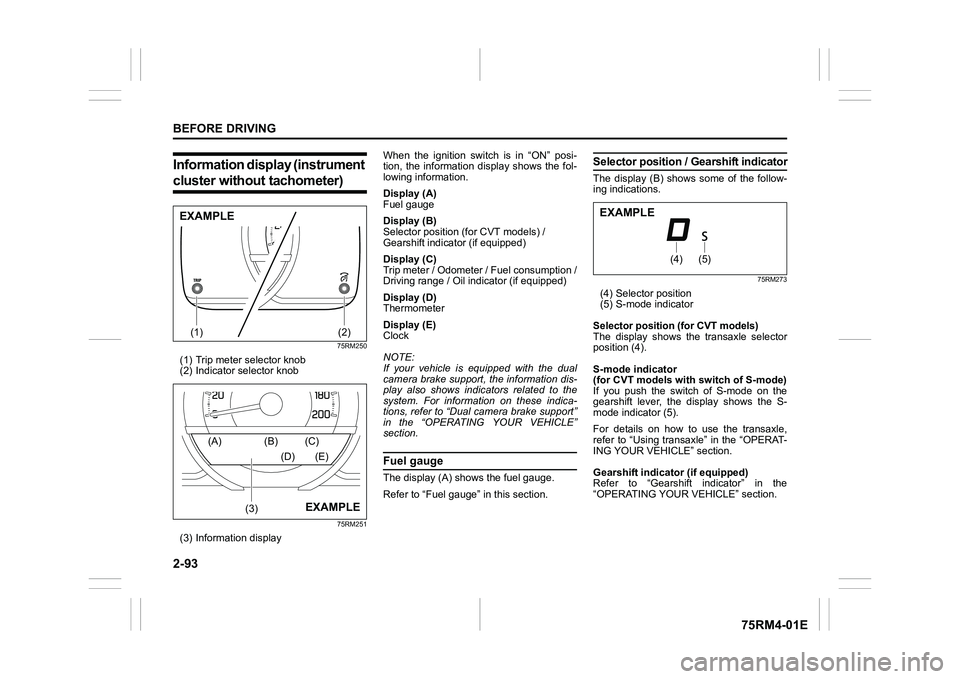
Information display (instrument cluster without tachometer)
75RM250
(1) Trip meter selector knob
(2) Indicator selector knob
75RM251
(3) Information display When the ignition switch is in “ON” posi-
tion, the information display shows the fol-
lowing information.
Display (A)
Fuel gauge
Display (B)
Selector position (for CVT models) /
Gearshift indicator (if equipped)
Display (C)
Trip meter / Odometer / Fuel consumption /
Driving range / Oil indicator (if equipped)
Display (D)
Thermometer
Display (E)
Clock
NOTE:
If your vehicle is equipped with the dual
camera brake support, the information dis-
play also shows indicators related to the
system. For information on these indica-
tions, refer to “Dual camera brake support”
in the “OPERATING YOUR VEHICLE”
section.
Fuel gaugeThe display (A) shows the fuel gauge.
Refer to “Fuel gauge” in this section.
Selector position
/ Gearshift indicatorThe display (B) shows some of the follow-
ing indications.
75RM273
(4) Selector position
(5) S-mode indicator
Selector position (for CVT models)
The display shows the transaxle selector
position (4).
S-mode indicator
(for CVT models with switch of S-mode)
If you push the switch of S-mode on the
gearshift lever, the display shows the S-
mode indicator (5).
For details on how to use the transaxle,
refer to “Using transaxle” in the “OPERAT-
ING YOUR VEHICLE” section.
Gearshift indicator (if equipped)
Refer to “Gearshift indicator” in the
“OPERATING YOUR VEHICLE” section.
(1)
(2)
EXAMPLE
(3)
(A) (B) (C)
(D) (E)
EXAMPLE
(4)
(5)
EXAMPLE
Page 130 of 505
2-107BEFORE DRIVING
75RM4-01E
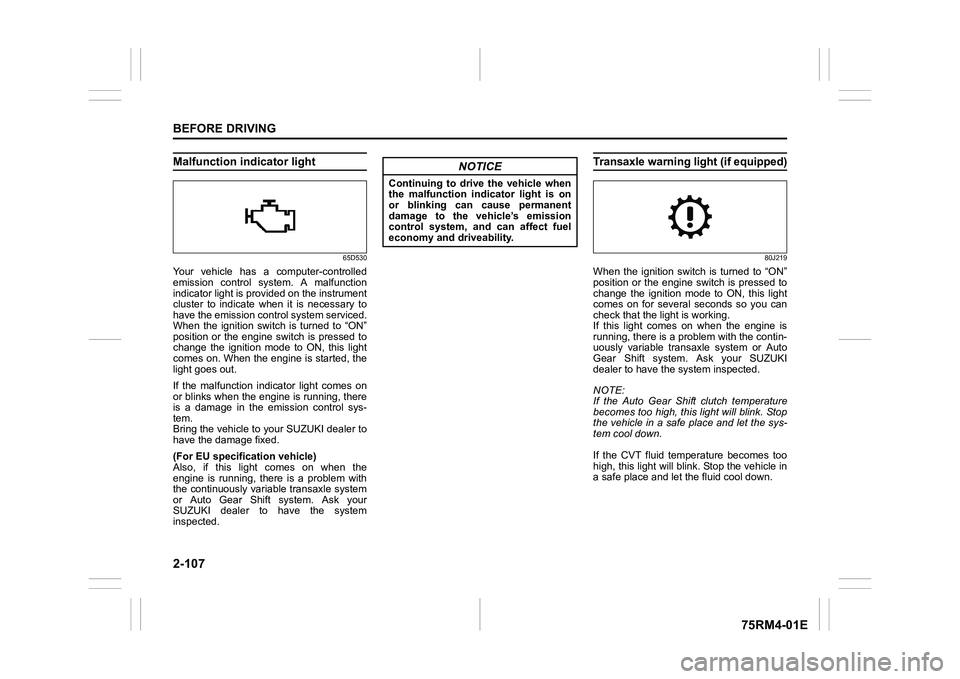
Malfunction indicator light
65D530
Your vehicle has a computer-controlled
emission control system. A malfunction
indicator light is provided on the instrument
cluster to indicate when it is necessary to
have the emission control system serviced.
When the ignition switch is turned to “ON”
position or the engine switch is pressed to
change the ignition mode to ON, this light
comes on. When the engine is started, the
light goes out.
If the malfunction indicator light comes on
or blinks when the engine is running, there
is a damage in the emission control sys-
tem.
Bring the vehicle to your SUZUKI dealer to
have the damage fixed.
(For EU specifi cation vehicle)
Also, if this light comes on when the
engine is running, there is a problem with
the continuously variable transaxle system
or Auto Gear Shift system. Ask your
SUZUKI dealer to have the system
inspected.
Transaxle warning light (if equipped)
80J219
When the ignition switch is turned to “ON”
position or the engine switch is pressed to
change the ignition mode to ON, this light
comes on for several seconds so you can
check that the light is working.
If this light comes on when the engine is
running, there is a problem with the contin-
uously variable transaxle system or Auto
Gear Shift system. Ask your SUZUKI
dealer to have t he system inspected.
NOTE:
If the Auto Gear Shift clutch temperature
becomes too high, this light will blink. Stop
the vehicle in a safe place and let the sys-
tem cool down.
If the CVT fluid temperature becomes too
high, this light will blink. Stop the vehicle in
a safe place and let the fluid cool down.
NOTICE
Continuing to drive the vehicle when
the malfunction indicator light is on
or blinking can cause permanent
damage to the vehicle’s emission
control system, and can affect fuel
economy and driveability.
Page 135 of 505
2-112
BEFORE DRIVING
75RM4-01E
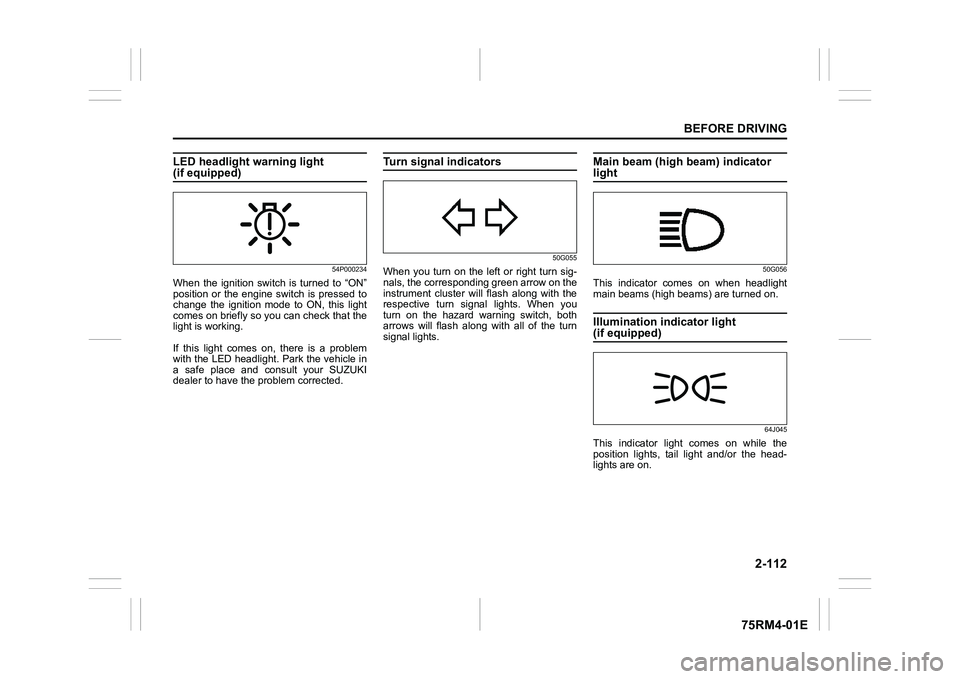
LED headlight warning light (if equipped)
54P000234
When the ignition switch is turned to “ON”
position or the engine switch is pressed to
change the ignition mode to ON, this light
comes on briefly so you can check that the
light is working.
If this light comes on, there is a problem
with the LED headlight. Park the vehicle in
a safe place and consult your SUZUKI
dealer to have the problem corrected.
Turn signal indicators
50G055
When you turn on the left or right turn sig-
nals, the corresponding green arrow on the
instrument cluster will flash along with the
respective turn signal lights. When you
turn on the hazard warning switch, both
arrows will flash along with all of the turn
signal lights.
Main beam (high beam) indicator light
50G056
This indicator comes on when headlight
main beams (high beams) are turned on.Illumination indicator light (if equipped)
64J045
This indicator light comes on while the
position lights, tail light and/or the head-
lights are on.
Page 138 of 505
2-115BEFORE DRIVING
75RM4-01E
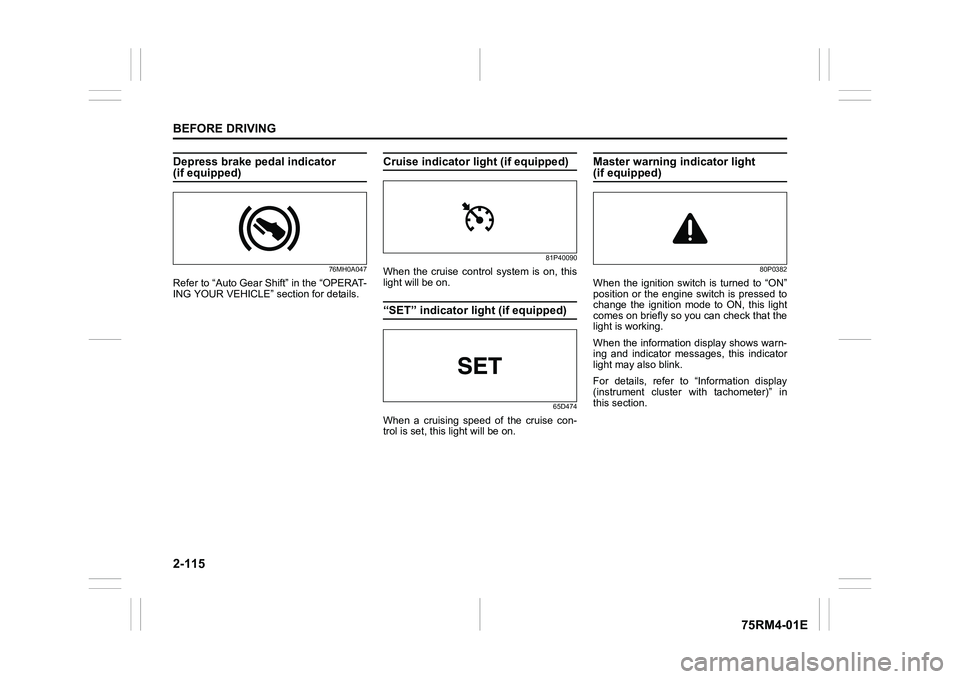
Depress brake pedal indicator (if equipped)
76MH0A047
Refer to “Auto Gear Shift” in the “OPERAT-
ING YOUR VEHICLE” section for details.
Cruise indicator light (if equipped)
81P40090
When the cruise control system is on, this
light will be on.“SET” indicator light (if equipped)
65D474
When a cruising speed of the cruise con-
trol is set, this light will be on.
Master warning indicator light (if equipped)
80P0382
When the ignition switch is turned to “ON”
position or the engine switch is pressed to
change the ignition mode to ON, this light
comes on briefly so you can check that the
light is working.
When the information display shows warn-
ing and indicator messages, this indicator
light may also blink.
For details, refer to “Information display
(instrument cluster with tachometer)” in
this section.
Page 140 of 505
2-117BEFORE DRIVING
75RM4-01E
68PM00230
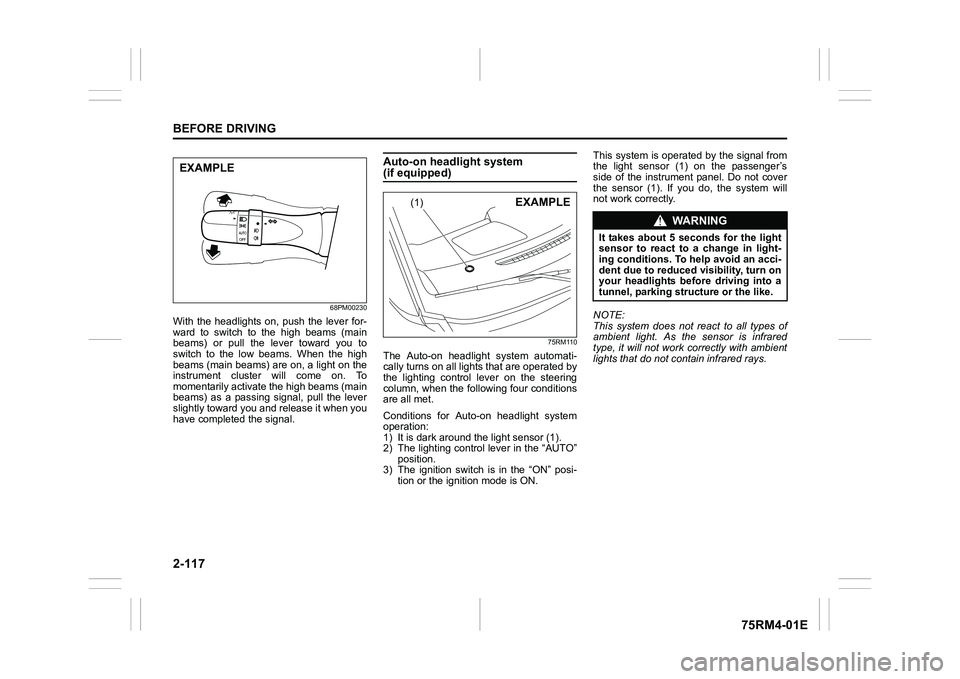
With the headlights on, push the lever for-
ward to switch to the high beams (main
beams) or pull the lever toward you to
switch to the low beams. When the high
beams (main beams) are on, a light on the
instrument cluster will come on. To
momentarily activate the high beams (main
beams) as a passing signal, pull the lever
slightly toward you and release it when you
have completed the signal.
Auto-on headlight system (if equipped)
75RM110
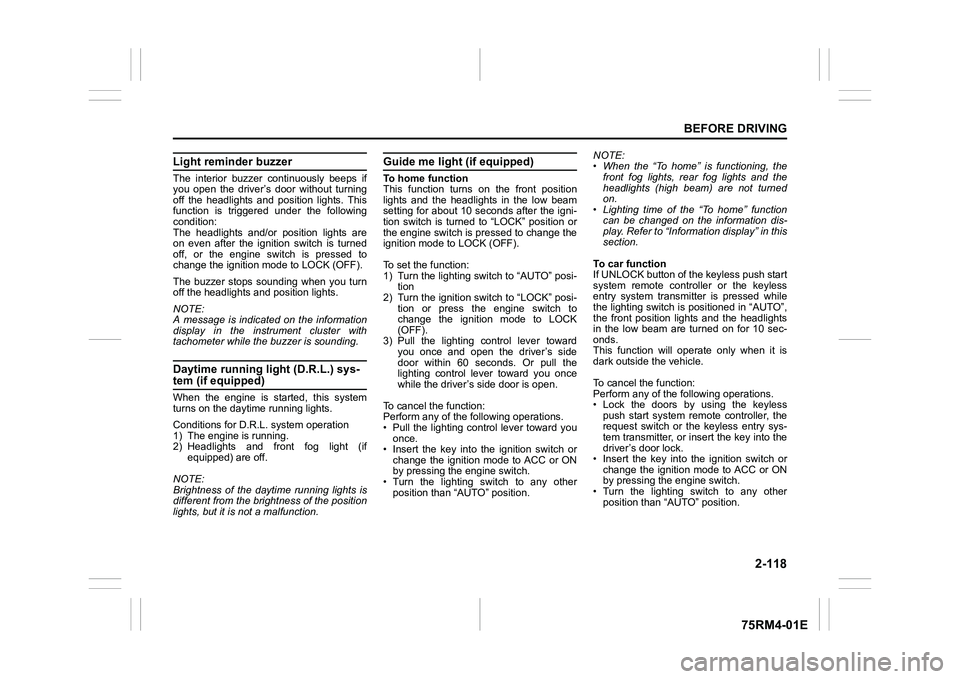
The Auto-on headlig ht system automati-
cally turns on all lights that are operated by
the lighting control lever on the steering
column, when the following four conditions
are all met.
Conditions for Auto-on headlight system
operation:
1) It is dark around the light sensor (1).
2) The lighting control lever in the “AUTO” position.
3) The ignition switch is in the “ON” posi-
tion or the ignition mode is ON. This system is operated by the signal from
the light sensor (1) on the passenger’s
side of the instrument panel. Do not cover
the sensor (1). If you do, the system will
not work correctly.
NOTE:
This system does not react to all types of
ambient light. As the sensor is infrared
type, it will not work correctly with ambient
lights that do not contain infrared rays.
EXAMPLE
(1)
EXAMPLE
WA R N I N G
It takes about 5 seconds for the light
sensor to react to a change in light-
ing conditions. To help avoid an acci-
dent due to reduced visibility, turn on
your headlights before driving into a
tunnel, parking structure or the like.
Page 141 of 505
2-118
BEFORE DRIVING
75RM4-01E
Light reminder buzzerThe interior buzzer continuously beeps if
you open the driver’s door without turning
off the headlights and position lights. This
function is triggered under the following
condition:
The headlights and/or position lights are
on even after the ignition switch is turned
off, or the engine switch is pressed to
change the ignition mode to LOCK (OFF).
The buzzer stops sounding when you turn
off the headlights and position lights.
NOTE:
A message is indicated on the information
display in the instrument cluster with
tachometer while the buzzer is sounding.Daytime running light (D.R.L.) sys-tem (if equipped)When the engine is started, this system
turns on the daytime running lights.
Conditions for D.R.L. system operation
1) The engine is running.
2) Headlights and front fog light (if equipped) are off.
NOTE:
Brightness of the daytime running lights is
different from the bri ghtness of the position
lights, but it is not a malfunction.
Guide me light (if equipped)To home function
This function turns on the front position
lights and the headlights in the low beam
setting for about 10 seconds after the igni-
tion switch is turned to “LOCK” position or
the engine switch is pressed to change the
ignition mode to LOCK (OFF).
To set the function:
1) Turn the lighting switch to “AUTO” posi- tion
2) Turn the ignition switch to “LOCK” posi- tion or press the engine switch to
change the ignition mode to LOCK
(OFF).
3) Pull the lighting control lever toward you once and open the driver’s side
door within 60 seconds. Or pull the
lighting control lever toward you once
while the driver’s side door is open.
To cancel the function:
Perform any of the following operations.
• Pull the lighting control lever toward you once.
• Insert the key into the ignition switch or
change the ignition mode to ACC or ON
by pressing the engine switch.
• Turn the lighting switch to any other
position than “AUTO” position. NOTE:
• When the “To home” is functioning, the
front fog lights, rear fog lights and the
headlights (high beam) are not turned
on.
• Lighting time of the “To home” function
can be changed on the information dis-
play. Refer to “Information display” in this
section.
To car function
If UNLOCK button of the keyless push start
system remote controller or the keyless
entry system transmitter is pressed while
the lighting switch is positioned in “AUTO”,
the front position lights and the headlights
in the low beam are turned on for 10 sec-
onds.
This function will operate only when it is
dark outside the vehicle.
To cancel the function:
Perform any of the following operations.
• Lock the doors by using the keyless push start system rem ote controller, the
request switch or the keyless entry sys-
tem transmitter, or insert the key into the
driver’s door lock.
• Insert the key into the ignition switch or
change the ignition mode to ACC or ON
by pressing the engine switch.
• Turn the lighting switch to any other
position than “AUTO” position.
Page 158 of 505
3-5OPERATING YOUR VEHICLE
75RM4-01E
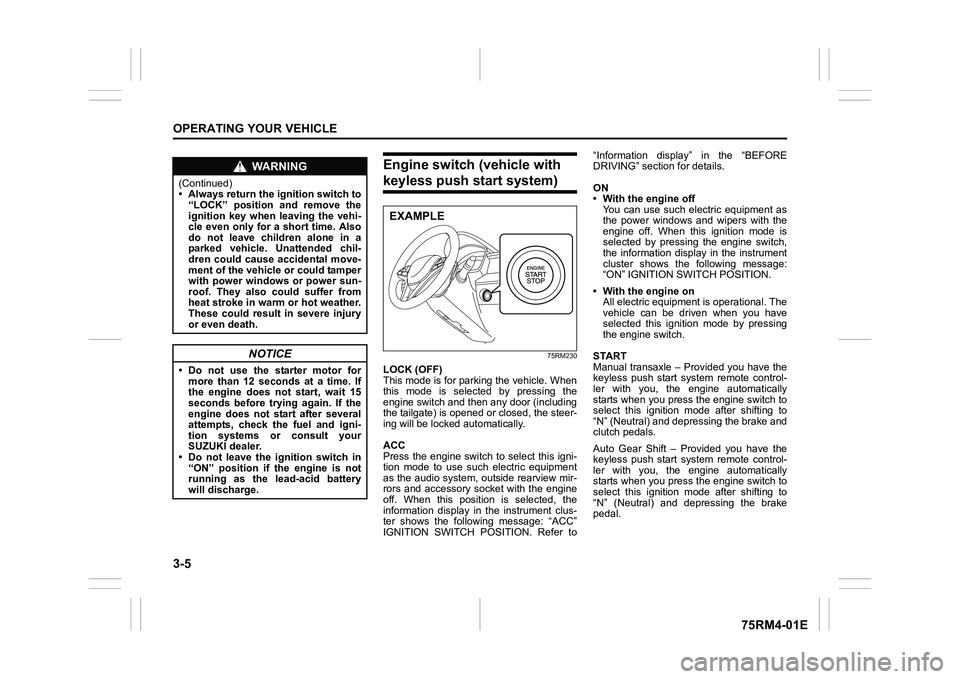
Engine switch (vehicle with keyless push start system)
75RM230
LOCK (OFF)
This mode is for parking the vehicle. When
this mode is selected by pressing the
engine switch and then any door (including
the tailgate) is opened or closed, the steer-
ing will be locked automatically.
ACC
Press the engine switch to select this igni-
tion mode to use such electric equipment
as the audio system, outside rearview mir-
rors and accessory socket with the engine
off. When this position is selected, the
information display in the instrument clus-
ter shows the following message: “ACC”
IGNITION SWITCH POSITION. Refer to“Information display” in the “BEFORE
DRIVING” section for details.
ON
• With the engine off
You can use such electric equipment as
the power windows and wipers with the
engine off. When this ignition mode is
selected by pressing the engine switch,
the information display in the instrument
cluster shows the following message:
“ON” IGNITION SWITCH POSITION.
• With the engine on All electric equipment is operational. The
vehicle can be driven when you have
selected this ignition mode by pressing
the engine switch.
START
Manual transaxle – Provided you have the
keyless push start system remote control-
ler with you, the engine automatically
starts when you press the engine switch to
select this ignition mode after shifting to
“N” (Neutral) and depressing the brake and
clutch pedals.
Auto Gear Shift – Provided you have the
keyless push start system remote control-
ler with you, the engine automatically
starts when you press the engine switch to
select this ignition mode after shifting to
“N” (Neutral) and depressing the brake
pedal.
WA R N I N G
(Continued)
• Always return the ignition switch to “LOCK” position and remove the
ignition key when leaving the vehi-
cle even only for a short time. Also
do not leave children alone in a
parked vehicle. Unattended chil-
dren could cause accidental move-
ment of the vehicle or could tamper
with power windows or power sun-
roof. They also could suffer from
heat stroke in warm or hot weather.
These could result in severe injury
or even death.
NOTICE
• Do not use the starter motor formore than 12 seconds at a time. If
the engine does not start, wait 15
seconds before try ing again. If the
engine does not start after several
attempts, check the fuel and igni-
tion systems or consult your
SUZUKI dealer.
• Do not leave the ignition switch in
“ON” position if the engine is not
running as the lead-acid battery
will discharge.
EXAMPLE
Page 159 of 505
3-6
OPERATING YOUR VEHICLE
75RM4-01E
CVT – Provided you have the keyless
push start system remote controller with
you, the engine automatically starts when
you press the engine switch to select this
ignition mode after placing the gearshift
lever in the “P” position and depressing the
brake pedal. (If you need to re-start the
engine while the vehicle is moving, shift
into “N”.)
NOTE:
You do not need to keep the engine switch
pressed to start the engine.
NOTE:
In the presence of strong radio signals or
noise, you may not be able to change the
ignition mode to ACC or ON or to start the
engine using the engine switch. In this
case, the information display in the instru-
ment cluster will show the following mes-
sage: KEY FOB NOT DETECTED.
Unreleased steering lock warningIf the steering lock remains engaged when
you press the engine switch to change the
ignition mode to ON, the information dis-
play in the instrument cluster shows the
message: “TRN. STEERING WHEEL TO
RELEASE LOCK”. Refer to “Information
display” in the “BEFORE DRIVING” sec-
tion for details.
NOTE:
The steering lock may not be released and
the immobilizer/keyless push start system
warning light turns on if some load is acting
on the steering wheel . If this happens, turn
the steering wheel to the right or left to
relieve it from the load before you press
the engine switch again to change to the
desired ignition mode.
Keyless push start system (if equipped)Provided the keyless push start system
remote controller is within the interior work-
able area (refer to the related explanation
in this section), you can use the engine
switch for starting the engine and selecting
an ignition mode (ACC or ON). In addition,
the following functions can be used:
• Keyless entry function. Refer to “Keyless push start system r emote controller /
keyless entry system transmitter” in the
“BEFORE DRIVING” se ction for details.
• Locking and unlocking doors (including the tailgate) using a request switch.
Refer to “Keyless push start system
remote controller / keyless entry system
transmitter” in the “BEFORE DRIVING”
section for details.
• Immobilizer (anti-thef t) function. Refer to
“Immobilizer syste m” in the “BEFORE
DRIVING” section for details.
NOTICE
Do not leave the engine switch in
ACC or ON mode when the engine is
not running. Avoid using the radio or
other electric accessories for a long
time when the engine switch is in
ACC or ON mode when the engine is
not running, other wise the lead-acid
battery may discharge.
Page 161 of 505
3-8
OPERATING YOUR VEHICLE
75RM4-01E
NOTE:
• CVT – If the gearshift lever is in anyposition other than “P”, or if the knob but-
ton is pushed when the gearshift lever is
in “P” position the ignition mode cannot
be returned to LOCK (OFF).
• When selecting the ignition modes, the information display in the instrument
cluster shows certain messages. Refer
to “Information display” in the “BEFORE
DRIVING” section for details.
If the master warning indicator light
blinks and the ignition modes cannot
be selected
Your keyless push start system remote
controller may not be sensed as being
within the interior wo rkable area (refer to
the related explanation in this section). Try
again after checking that you have the
remote controller with you. If the ignition
modes still cannot be selected, the battery
of the remote controller may be dis-
charged. To select an ignition mode, you
must then use the following method:
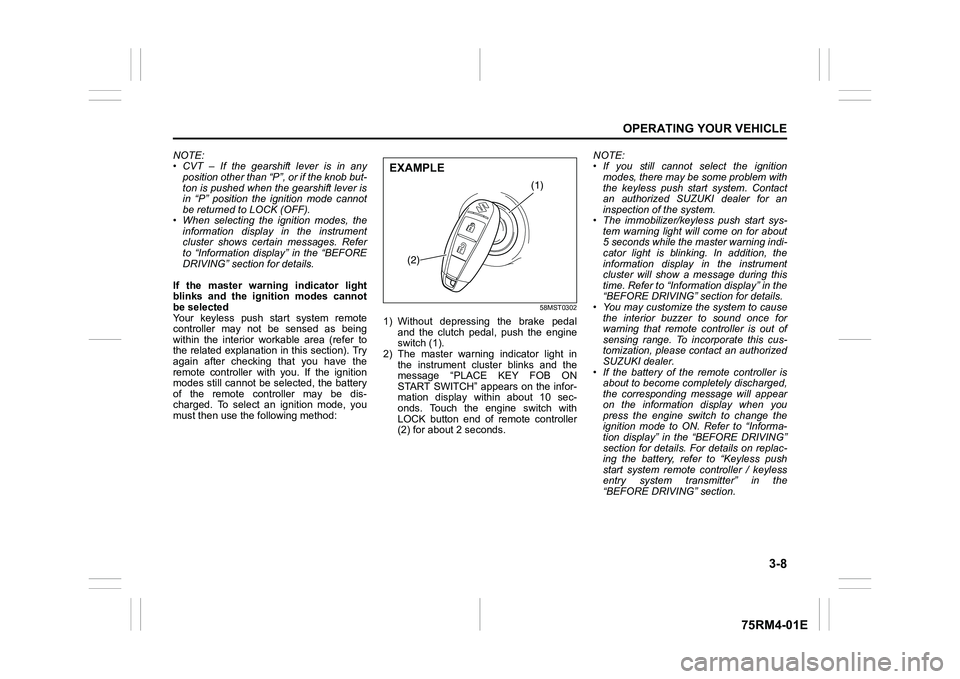
58MST0302
1) Without depressing the brake pedal
and the clutch pedal, push the engine
switch (1).
2) The master warning indicator light in the instrument cluster blinks and the
message “PLACE KEY FOB ON
START SWITCH” appears on the infor-
mation display within about 10 sec-
onds. Touch the engine switch with
LOCK button end of remote controller
(2) for about 2 seconds. NOTE:
• If you still cannot
select the ignition
modes, there may be some problem with
the keyless push start system. Contact
an authorized SUZUKI dealer for an
inspection of the system.
• The immobilizer/keyless push start sys- tem warning light will come on for about
5 seconds while the master warning indi-
cator light is blinking. In addition, the
information display in the instrument
cluster will show a message during this
time. Refer to “Informa tion display” in the
“BEFORE DRIVING” section for details.
• You may customize the system to cause
the interior buzzer to sound once for
warning that remote controller is out of
sensing range. To incorporate this cus-
tomization, please contact an authorized
SUZUKI dealer.
• If the battery of the remote controller is about to become completely discharged,
the corresponding message will appear
on the information display when you
press the engine switch to change the
ignition mode to ON. Refer to “Informa-
tion display” in the “BEFORE DRIVING”
section for details. For details on replac-
ing the battery, refer to “Keyless push
start system remote controller / keyless
entry system transmitter” in the
“BEFORE DRIVING” section.
(1)
(2)
EXAMPLE
Page 162 of 505
3-9OPERATING YOUR VEHICLE
75RM4-01E
REMOTE CONTROLLER OUTSIDE warningWhen either of the conditions described
below is met, the system issues a
REMOTE CONTROLLER OUTSIDE warn-
ing by sounding the interior and exterior
buzzers. At the same time, the immobi-
lizer/keyless push start system warning
light comes on and the master warning
indicator light blinks.
• Any door is opened and then closedwhile the remote controller is not inside
the vehicle and the engine is running or
the ignition mode has been changed to
ACC or ON by pressing the engine
switch.
• The remote controller is not inside the vehicle when you attempt to start the
engine after changing the ignition mode
to ACC or ON by pressing the engine
switch.
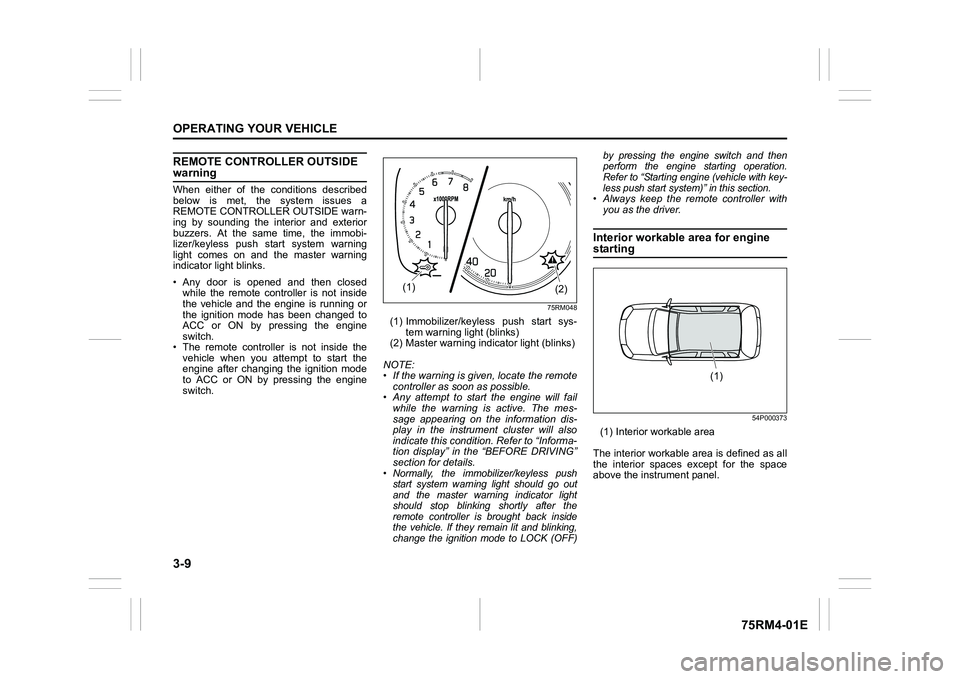
75RM048
(1) Immobilizer/keyless push start sys- tem warning light (blinks)
(2) Master warning indi cator light (blinks)
NOTE:
• If the warning is given, locate the remote controller as soon as possible.
• Any attempt to start the engine will fail
while the warning is active. The mes-
sage appearing on the information dis-
play in the instrument cluster will also
indicate this condition. Refer to “Informa-
tion display” in the “BEFORE DRIVING”
section for details.• Normally, the immobilizer/keyless push start system warning light should go out
and the master warning indicator light
should stop blinking shortly after the
remote controller is brought back inside
the vehicle. If they remain lit and blinking,
change the ignition mode to LOCK (OFF) by pressing the engine switch and then
perform the engine starting operation.
Refer to “Starting engine (vehicle with key-
less push start system)” in this section.
• Always keep the remote controller with
you as the driver.Interior workable area for engine starting
54P000373
(1) Interior workable area
The interior workable area is defined as all
the interior spaces except for the space
above the instrument panel.
(2)
(1)
(1)