instrument cluster SUZUKI IGNIS 2021 Owner's Guide
[x] Cancel search | Manufacturer: SUZUKI, Model Year: 2021, Model line: IGNIS, Model: SUZUKI IGNIS 2021Pages: 505, PDF Size: 8.36 MB
Page 202 of 505
3-49OPERATING YOUR VEHICLE
75RM4-01E
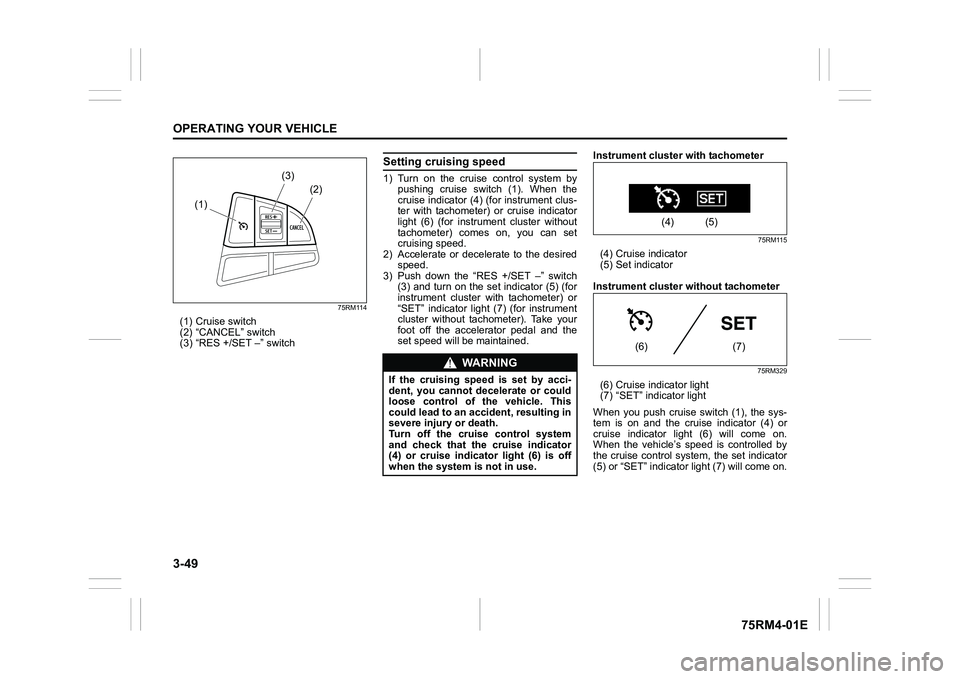
75RM114
(1) Cruise switch
(2) “CANCEL” switch
(3) “RES +/SET –” switch
Setting cruising speed1) Turn on the cruise control system bypushing cruise switch (1). When the
cruise indicator (4) (for instrument clus-
ter with tachometer) or cruise indicator
light (6) (for instrument cluster without
tachometer) comes on, you can set
cruising speed.
2) Accelerate or decelerate to the desired
speed.
3) Push down the “RES +/SET –” switch (3) and turn on the set indicator (5) (for
instrument cluster with tachometer) or
“SET” indicator light (7) (for instrument
cluster without tachometer). Take your
foot off the accelerator pedal and the
set speed will be maintained. Instrument cluster with tachometer
75RM115
(4) Cruise indicator
(5) Set indicator
Instrument cluster without tachometer
75RM329
(6) Cruise indicator light
(7) “SET” indicator light
When you push cruise switch (1), the sys-
tem is on and the cruise indicator (4) or
cruise indicator light (6) will come on.
When the vehicle’s speed is controlled by
the cruise control system , the set indicator
(5) or “SET” indicator light (7) will come on.
(1) (2)
(3)
WA R N I N G
If the cruising speed is set by acci-
dent, you cannot decelerate or could
loose control of the vehicle. This
could lead to an accident, resulting in
severe injury or death.
Turn off the cruise control system
and check that the cruise indicator
(4) or cruise indicator light (6) is off
when the system
is not in use.
(4) (5)
(6) (7)
Page 204 of 505
3-51OPERATING YOUR VEHICLE
75RM4-01E
NOTE:
You can adjust the set speed by approxi-
mately 1.5 km/h (0.9 mph) by pushing
“RES +/SET –” switch quickly.Canceling cruise controlThe set indicator (5) or “SET” indicator light
(7) will go off and the cruise control will be
canceled temporarily with the following
conditions:
• Push “CANCEL” switch (2).
• Depress the brake pedal.
• For manual transaxle, depress the clutch pedal.
• For CVT, downshift from 3rd to 2nd in the manual mode (if equipped).
• For Auto Gear Shift, downshift from 3rd to
2nd in the manual mode.
• The vehicle speed falls more than about 20 percent from the set speed.
• Any time the vehicle speed falls below 40 km/h (25 mph).
• When the vehicle skids and ESP
® (if
equipped) is activated.
To resume the previously set speed, push
up the “RES +/SET –” switch (3) and turn
on the set indicator (5) or “SET” indicator
light (7). The vehicle speed must be above
45 km/h (28 mph) when the vehicle is not
under the above conditions. To turn off the cruise control system, push
cruise switch (1) and check that the cruise
indicator (4) or cruise indicator light (6) is
off.
Also, if the malfunction indicator light in the
instrument cluster comes on or blinks, the
cruise control system will be turned off.
NOTE:
If you turn off the cruise control system, the
previously set speed in the memory is
cleared. Reset your cruising speed again.
Speed limiter (if equipped)
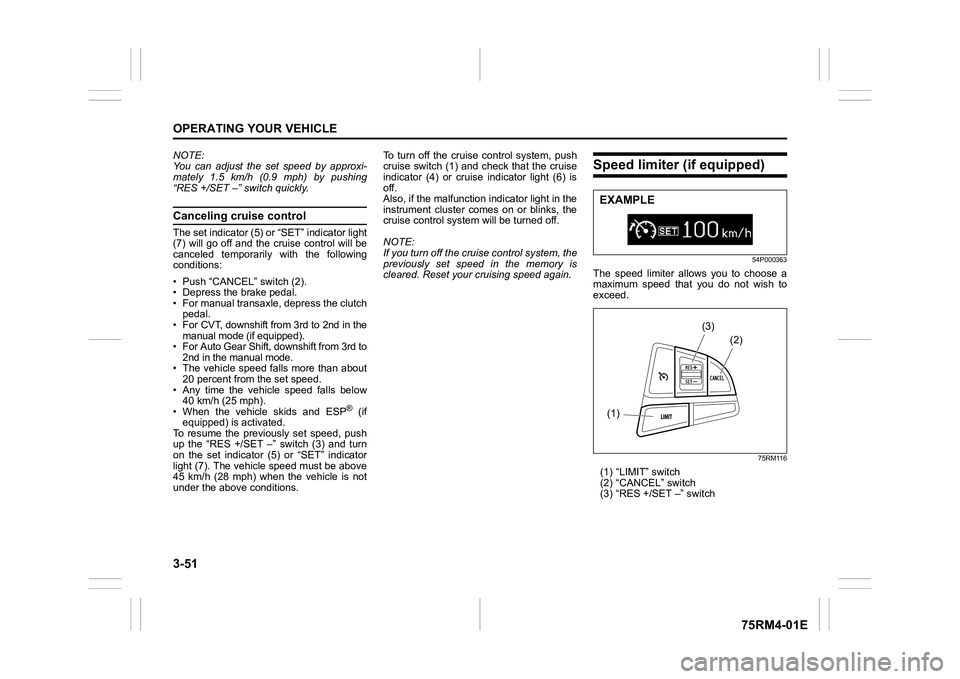
54P000363
The speed limiter allows you to choose a
maximum speed that you do not wish to
exceed.
75RM116
(1) “LIMIT” switch
(2) “CANCEL” switch
(3) “RES +/SET –” switchEXAMPLE(1)
(2)
(3)
Page 212 of 505
3-59OPERATING YOUR VEHICLE
75RM4-01E
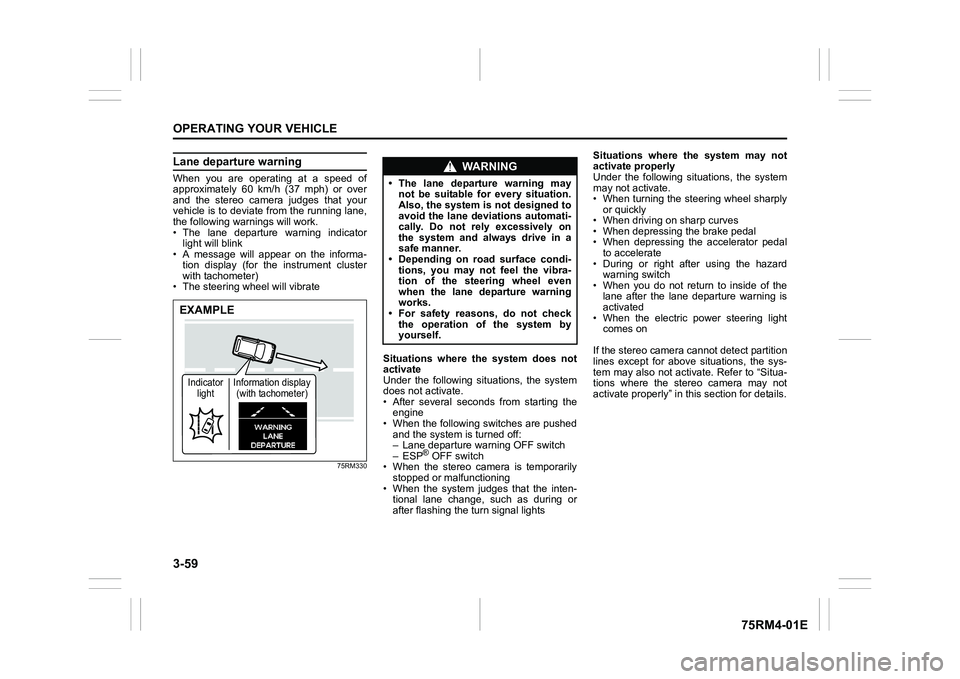
Lane departure warningWhen you are operating at a speed of
approximately 60 km/h (37 mph) or over
and the stereo camera judges that your
vehicle is to deviate from the running lane,
the following warnings will work.
• The lane departure warning indicatorlight will blink
• A message will appear on the informa-
tion display (for the instrument cluster
with tachometer)
• The steering wheel will vibrate
75RM330
Situations where the system does not
activate
Under the following situations, the system
does not activate.
• After several seconds from starting the engine
• When the following switches are pushed and the system is turned off:
– Lane departure warning OFF switch
– ESP
® OFF switch
• When the stereo camera is temporarily stopped or malfunctioning
• When the system judges that the inten- tional lane change, such as during or
after flashing the turn signal lights Situations where the system may not
activate properly
Under the following situations, the system
may not activate.
• When turning the steering wheel sharply
or quickly
• When driving on sharp curves
• When depressing the brake pedal
• When depressing the accelerator pedal to accelerate
• During or right after using the hazard warning switch
• When you do not return to inside of the lane after the lane departure warning is
activated
• When the electric power steering light comes on
If the stereo camera cannot detect partition
lines except for above situations, the sys-
tem may also not activ ate. Refer to “Situa-
tions where the stereo camera may not
activate properly” in this section for details.
EXAMPLEIndicator light Information display
(with tachometer)
WA R N I N G
• The lane departure warning may not be suitable for every situation.
Also, the system is not designed to
avoid the lane deviations automati-
cally. Do not rely excessively on
the system and always drive in a
safe manner.
• Depending on road surface condi-
tions, you may not feel the vibra-
tion of the steering wheel even
when the lane departure warning
works.
• For safety reasons, do not check
the operation of the system by
yourself.
Page 213 of 505
3-60
OPERATING YOUR VEHICLE
75RM4-01E
Situations where the system may acti-
vate by chance
Under the following situations, the system
may activate.
• When there is a shadow of guard rail
• When partition lines are drawn doubly
• When there is a liner paint on the road of a construction zone because the previ-
ous line has not been erased completely
• When there is repair marks on the road or a boundary between asphalt and
snow
• When there is tire marks on snow-cov- ered or wet road
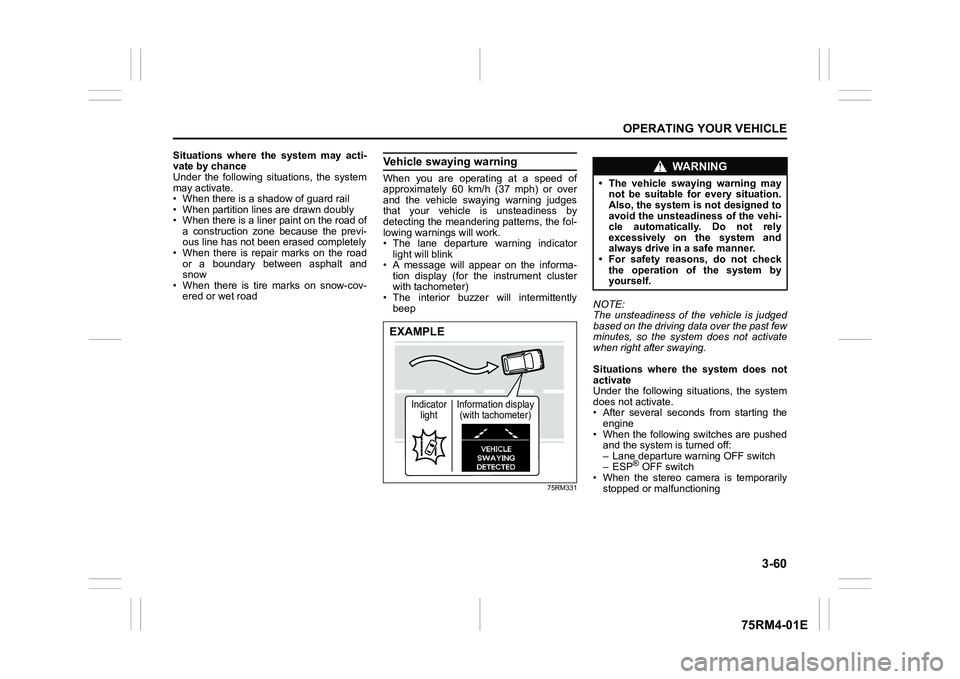
Vehicle swaying warningWhen you are operating at a speed of
approximately 60 km/h (37 mph) or over
and the vehicle swaying warning judges
that your vehicle is unsteadiness by
detecting the meandering patterns, the fol-
lowing warnings will work.
• The lane departure warning indicatorlight will blink
• A message will appear on the informa- tion display (for the instrument cluster
with tachometer)
• The interior buzzer will intermittently beep
75RM331
NOTE:
The unsteadiness of the vehicle is judged
based on the driving data over the past few
minutes, so the system does not activate
when right after swaying.
Situations where the system does not
activate
Under the following situations, the system
does not activate.
• After several seconds from starting the
engine
• When the following switches are pushed and the system is turned off:
– Lane departure warning OFF switch
– ESP
® OFF switch
• When the stereo camera is temporarily
stopped or malfunctioning
EXAMPLE
Indicator light Information display
(with tachometer)
WA R N I N G
• The vehicle swaying warning may not be suitable for every situation.
Also, the system is not designed to
avoid the unsteadiness of the vehi-
cle automatically. Do not rely
excessively on the system and
always drive in a safe manner.
• For safety reasons, do not check
the operation of the system by
yourself.
Page 223 of 505

3-70
OPERATING YOUR VEHICLE
75RM4-01E
Warning and indicator messages (for the instrument cluster with tachometer)The information display shows the warning and indicator message to let you know about certain problems of the dual camera brake sup-
port.
Warning and indicator messages
Warning and indicator message Master warning
indicator Light Sound Cause and remedy
75RM239
Blinks Beep (one time from interior
buzzer) There may be a problem with the stereo
camera.
If the message does not disappear after
restarting the engine, have your vehicle
inspected by an auth
orized SUZUKI dealer.
75RM240
Blinks Continuous beep (from inte-
rior buzzer) The vehicle swaying warning is working.
Operate the steering wheel to move the
vehicle to the cen
ter of the lane.
75RM241
Blinks Off The lane departure warning is working.
Operate the steering wheel to move the
vehicle to the center of the lane.
Page 224 of 505
3-71OPERATING YOUR VEHICLE
75RM4-01E
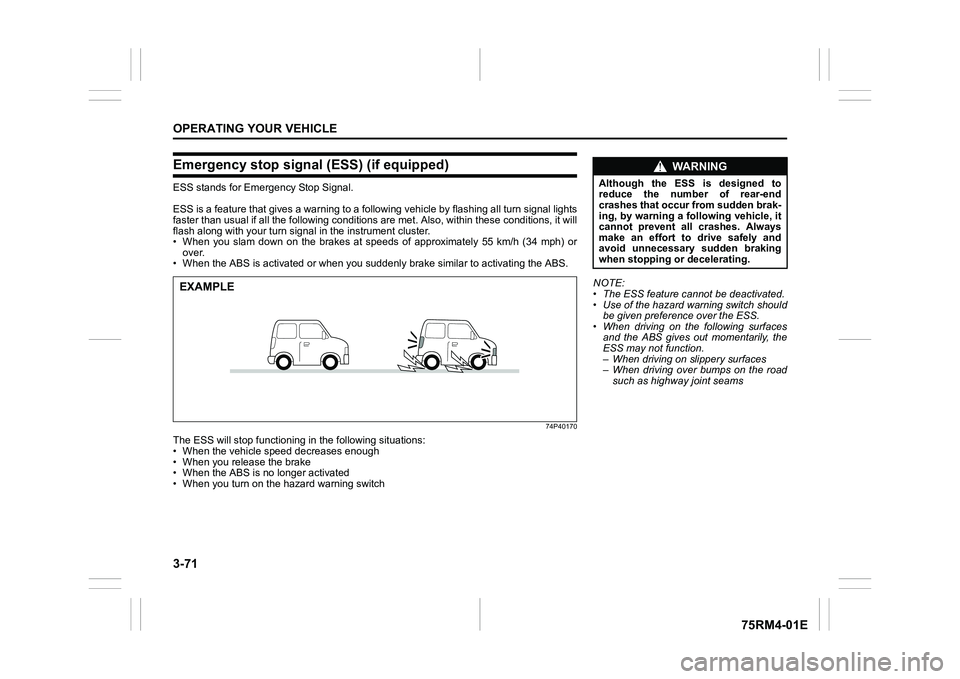
Emergency stop signal (ESS) (if equipped)ESS stands for Emergency Stop Signal.
ESS is a feature that gives a war ning to a following vehicle by flashing all turn signal lights
faster than usual if all the following conditions are met. Also , within these conditions, it will
flash along with your turn signal in the instrument cluster.
• When you slam down on the brakes at speeds of approximately 55 km/h (34 mph) or
over.
• When the ABS is activated or when you suddenly brake similar to activating the ABS.
74P40170
The ESS will stop functioning in the following situations:
• When the vehicle speed decreases enough
• When you release the brake
• When the ABS is no longer activated
• When you turn on the hazard warning switchEXAMPLE
NOTE:
• The ESS feature cannot be deactivated.
• Use of the hazard warning switch should
be given preference over the ESS.
• When driving on the following surfaces and the ABS gives out momentarily, the
ESS may not function.
– When driving on slippery surfaces
– When driving over bumps on the road
such as highway joint seams
WA R N I N G
Although the ESS is designed to
reduce the number of rear-end
crashes that occur from sudden brak-
ing, by warning a following vehicle, it
cannot prevent all crashes. Always
make an effort to drive safely and
avoid unnecessary sudden braking
when stopping or decelerating.
Page 230 of 505
3-77OPERATING YOUR VEHICLE
75RM4-01E
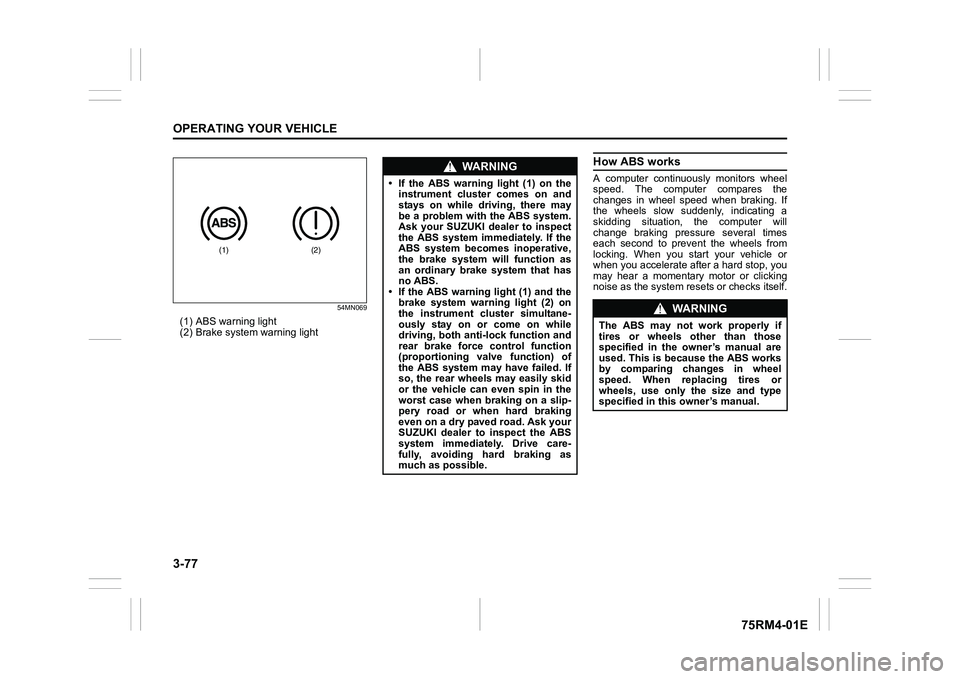
54MN069
(1) ABS warning light
(2) Brake system warning light
How ABS worksA computer continuously monitors wheel
speed. The computer compares the
changes in wheel speed when braking. If
the wheels slow suddenly, indicating a
skidding situation, the computer will
change braking pressure several times
each second to prevent the wheels from
locking. When you start your vehicle or
when you accelerate after a hard stop, you
may hear a momentary motor or clicking
noise as the system resets or checks itself.
(1)
(2)
WA R N I N G
• If the ABS warning light (1) on theinstrument cluster comes on and
stays on while driving, there may
be a problem with the ABS system.
Ask your SUZUKI dealer to inspect
the ABS system immediately. If the
ABS system becomes inoperative,
the brake system will function as
an ordinary brake system that has
no ABS.
• If the ABS warning light (1) and the
brake system warning light (2) on
the instrument cluster simultane-
ously stay on or come on while
driving, both anti-lock function and
rear brake force control function
(proportioning valve function) of
the ABS system may have failed. If
so, the rear wheels may easily skid
or the vehicle can even spin in the
worst case when braking on a slip-
pery road or when hard braking
even on a dry paved road. Ask your
SUZUKI dealer to inspect the ABS
system immediately. Drive care-
fully, avoiding hard braking as
much as possible.
WA R N I N G
The ABS may not work properly if
tires or wheels other than those
specified in the owner’s manual are
used. This is because the ABS works
by comparing changes in wheel
speed. When replacing tires or
wheels, use only the size and type
specified in this owner’s manual.
Page 233 of 505
3-80
OPERATING YOUR VEHICLE
75RM4-01E
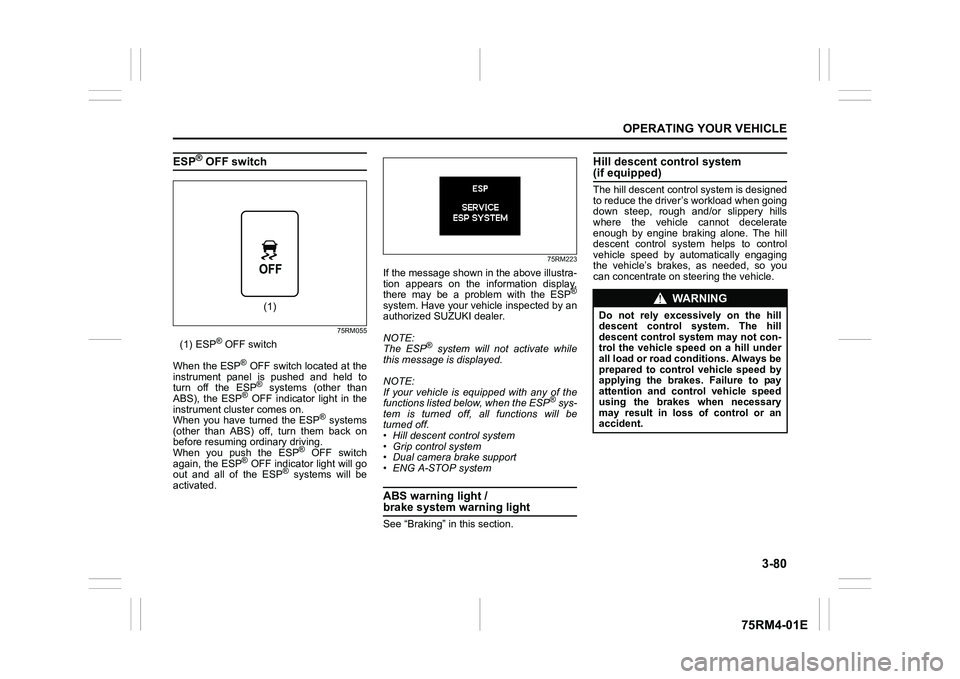
ESP
® OFF switch
75RM055
(1) ESP
® OFF switch
When the ESP
® OFF switch located at the
instrument panel is pushed and held to
turn off the ESP® systems (other than
ABS), the ESP
® OFF indicator light in the
instrument cluster comes on.
When you have turned the ESP
® systems
(other than ABS) off, turn them back on
before resuming ordinary driving.
When you push the ESP
® OFF switch
again, the ESP
® OFF indicator light will go
out and all of the ESP
® systems will be
activated.
75RM223
If the message shown in the above illustra-
tion appears on the information display,
there may be a problem with the ESP
®
system. Have your vehicle inspected by an
authorized SUZUKI dealer.
NOTE:
The ESP
® system will not activate while
this message is displayed.
NOTE:
If your vehicle is equipped with any of the
functions listed below, when the ESP
® sys-
tem is turned off, all functions will be
turned off.
• Hill descent control system
• Grip control system
• Dual camera brake support
• ENG A-STOP system
ABS warning light / brake system warning lightSee “Braking” in this section.
Hill descent control system (if equipped)The hill descent cont rol system is designed
to reduce the driver’s workload when going
down steep, rough and/or slippery hills
where the vehicle cannot decelerate
enough by engine braking alone. The hill
descent control system helps to control
vehicle speed by automatically engaging
the vehicle’s brakes, as needed, so you
can concentrate on steering the vehicle.
(1)
WA R N I N G
Do not rely excessively on the hill
descent control system. The hill
descent control system may not con-
trol the vehicle speed on a hill under
all load or road conditions. Always be
prepared to control vehicle speed by
applying the brakes. Failure to pay
attention and control vehicle speed
using the brakes when necessary
may result in loss of control or an
accident.
Page 234 of 505

3-81OPERATING YOUR VEHICLE
75RM4-01E
Hill descent control switch
75RM056
(1) Hill descent control switch
To activate the hill descent control system:
1) Shift the gearshift lever into a forward
gear or reverse gear.2) Push the hill descent control switch (1) when the vehicle speed is under 25 km/h
(15 mph). The hill descent control indica-
tor on the instrument cluster will come on
and the hill descent control system will be
activated.
When the vehicle speed exceeds about 7
km/h (4 mph) without depressing the
accelerator pedal, the hill descent control
system applies the brak es automatically to
maintain the vehicle speed at about 7 km/h
(4 mph).
• When braking, the brake/tail lights come on and the ESP
® warning light blinks.
• When the vehicle speed exceeds about
40 km/h (25 mph), the hill descent con-
trol system stops functioning and the hill
descent control indicator goes off. When
the vehicle slows down below about 25
km/h (16 mph), the hill descent control
system will be activated again and the
hill descent control indicator will come
on.
NOTE:
You may hear a sound coming from the
engine when the hill descent control sys-
tem is activated. This sound is normal and
does not indicate a malfunction.
To turn off the hill descent control system,
push the hill descent control switch and
turn off the hill descent control indicator
light.
(1)
WA R N I N G
• When the hill descent control sys- tem is used continuously for a long
time, the temperature of the brake
system may increase and the hill
descent control system may be
deactivated tempor arily to protect
the device of the brake system. The
hill descent control indicator blinks
to let you know the system is deac-
tivated. Depress the brake pedal
and stop the vehicle in a safe place.
When the temperature of the brake
system goes down, the hill descent
control indicator will come on and
the system is activated again. (Continued)
WA R N I N G
(Continued)
• The hill descent control system
may be activated when the gear-
shift lever is in “N” (Neutral) posi-
tion, but engine braking will not
work. Always use the hill descent
control system with the gearshift
lever in a forward gear or reverse
gear.
• When using the hill descent control system, push the hill descent con-
trol switch and ma ke sure that the
hill descent control indicator light
comes on and no warning message
indicates on the information dis-
play.
• While operating the hill descent control system, the dual camera
brake support (if equipped) may
not operate depending on the
accelerating.
Page 235 of 505
3-82
OPERATING YOUR VEHICLE
75RM4-01E
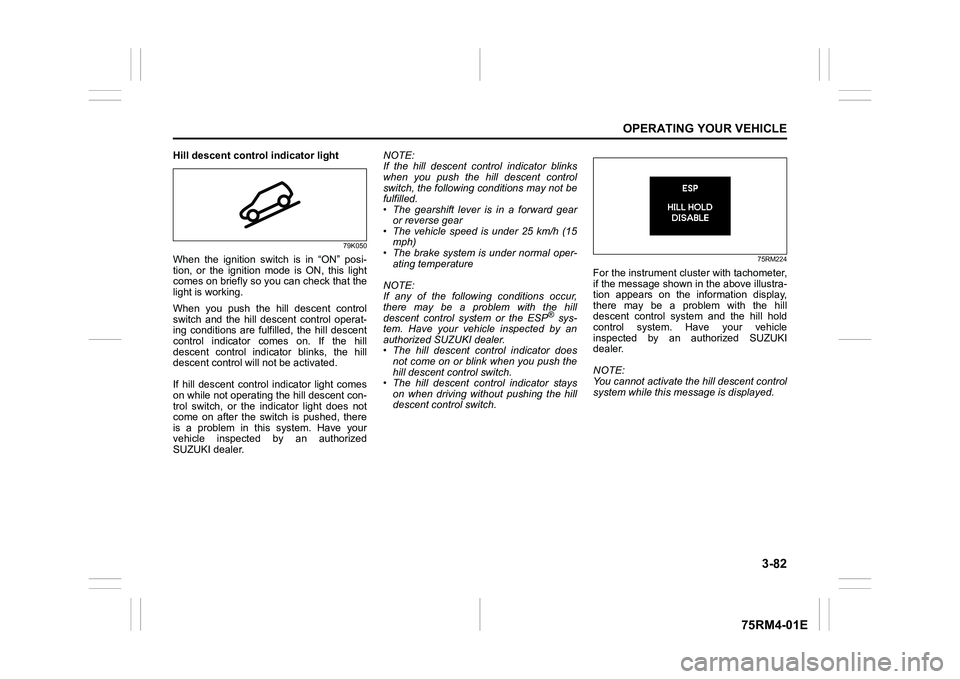
Hill descent control indicator light
79K050
When the ignition switch is in “ON” posi-
tion, or the ignition mode is ON, this light
comes on briefly so you can check that the
light is working.
When you push the hill descent control
switch and the hill descent control operat-
ing conditions are fulfilled, the hill descent
control indicator comes on. If the hill
descent control indicator blinks, the hill
descent control will not be activated.
If hill descent control indicator light comes
on while not operating the hill descent con-
trol switch, or the indicator light does not
come on after the switch is pushed, there
is a problem in this system. Have your
vehicle inspected by an authorized
SUZUKI dealer. NOTE:
If the hill descent control indicator blinks
when you push the hill descent control
switch, the following conditions may not be
fulfilled.
• The gearshift lever is in a forward gear
or reverse gear
• The vehicle speed is under 25 km/h (15 mph)
• The brake system is under normal oper- ating temperature
NOTE:
If any of the followin g conditions occur,
there may be a problem with the hill
descent control system or the ESP
® sys-
tem. Have your vehicle inspected by an
authorized SUZUKI dealer.
• The hill descent control indicator does not come on or blink when you push the
hill descent co ntrol switch.
• The hill descent control indicator stays on when driving without pushing the hill
descent control switch.
75RM224
For the instrument cluster with tachometer,
if the message shown in the above illustra-
tion appears on the information display,
there may be a problem with the hill
descent control system and the hill hold
control system. Ha ve your vehicle
inspected by an authorized SUZUKI
dealer.
NOTE:
You cannot activate the hill descent control
system while this me ssage is displayed.