steering SUZUKI IGNIS 2021 User Guide
[x] Cancel search | Manufacturer: SUZUKI, Model Year: 2021, Model line: IGNIS, Model: SUZUKI IGNIS 2021Pages: 505, PDF Size: 8.36 MB
Page 139 of 505
2-116
BEFORE DRIVING
75RM4-01E
Dual camera brake support warning light (if equipped)
80P0382
When the ignition switch is turned to “ON”
position, this light comes on briefly so you
can check that the light is working.
If the function of the stereo camera stops
temporarily or failure, this light will blink
when the ignition switch is in “ON” position.
For details, refer to “Dual camera brake
support” in the “OPERATING YOUR VEHI-
CLE” section.
Lighting control lever
57L21128
Lighting operation
75RM149
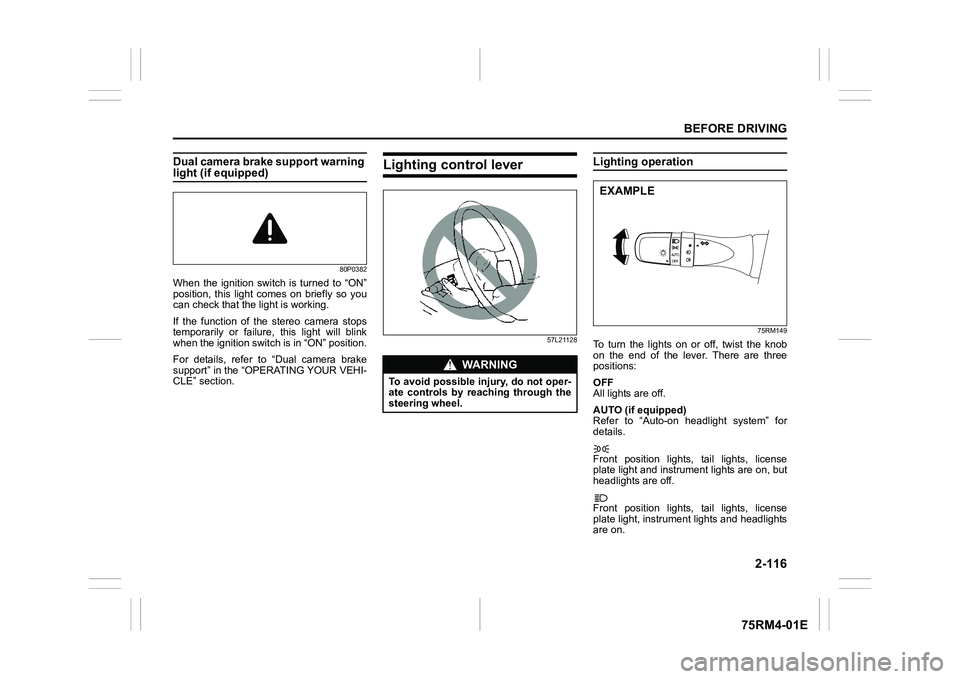
To turn the lights on or off, twist the knob
on the end of the lever. There are three
positions:
OFF
All lights are off.
AUTO (if equipped)
Refer to “Auto-on headlight system” for
details.
Front position lights, tail lights, license
plate light and instrument lights are on, but
headlights are off.
Front position lights, tail lights, license
plate light, instrument lights and headlights
are on.
WA R N I N G
To avoid possible injury, do not oper-
ate controls by reaching through the
steering wheel.
EXAMPLE
Page 140 of 505
2-117BEFORE DRIVING
75RM4-01E
68PM00230
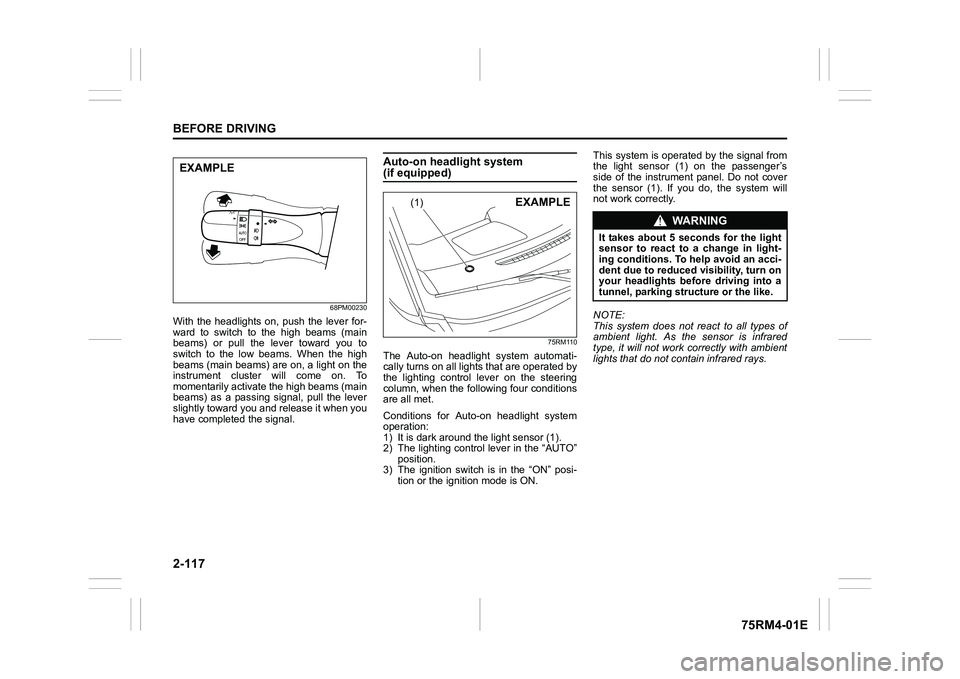
With the headlights on, push the lever for-
ward to switch to the high beams (main
beams) or pull the lever toward you to
switch to the low beams. When the high
beams (main beams) are on, a light on the
instrument cluster will come on. To
momentarily activate the high beams (main
beams) as a passing signal, pull the lever
slightly toward you and release it when you
have completed the signal.
Auto-on headlight system (if equipped)
75RM110
The Auto-on headlig ht system automati-
cally turns on all lights that are operated by
the lighting control lever on the steering
column, when the following four conditions
are all met.
Conditions for Auto-on headlight system
operation:
1) It is dark around the light sensor (1).
2) The lighting control lever in the “AUTO” position.
3) The ignition switch is in the “ON” posi-
tion or the ignition mode is ON. This system is operated by the signal from
the light sensor (1) on the passenger’s
side of the instrument panel. Do not cover
the sensor (1). If you do, the system will
not work correctly.
NOTE:
This system does not react to all types of
ambient light. As the sensor is infrared
type, it will not work correctly with ambient
lights that do not contain infrared rays.
EXAMPLE
(1)
EXAMPLE
WA R N I N G
It takes about 5 seconds for the light
sensor to react to a change in light-
ing conditions. To help avoid an acci-
dent due to reduced visibility, turn on
your headlights before driving into a
tunnel, parking structure or the like.
Page 146 of 505
2-123BEFORE DRIVING
75RM4-01E
Headlight leveling switch (if equipped)
75RM008
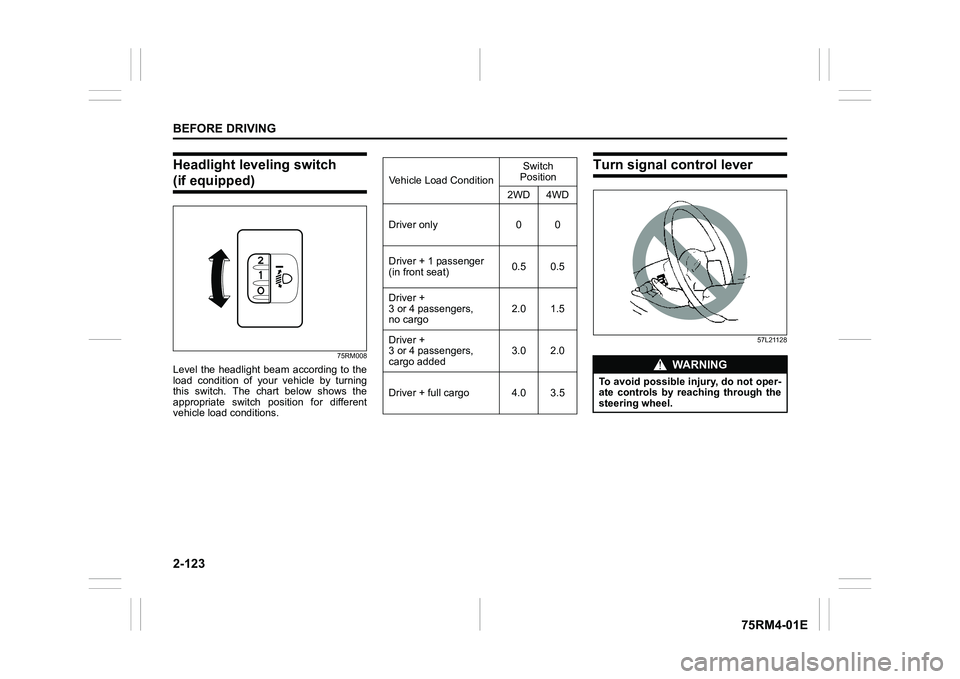
Level the headlight beam according to the
load condition of your vehicle by turning
this switch. The chart below shows the
appropriate switch position for different
vehicle load conditions.
Turn signal control lever
57L21128
Vehicle Load ConditionSwitch
Position
2WD 4WD
Driver only 0 0
Driver + 1 passenger
(in front seat) 0.5 0.5
Driver +
3 or 4 passengers,
no cargo 2.0 1.5
Driver +
3 or 4 passengers,
cargo added 3.0 2.0
Driver + full cargo 4.0 3.5
WA R N I N G
To avoid possible injury, do not oper-
ate controls by reaching through the
steering wheel.
Page 148 of 505
2-125BEFORE DRIVING
75RM4-01E
Hazard warning switch
75RM324
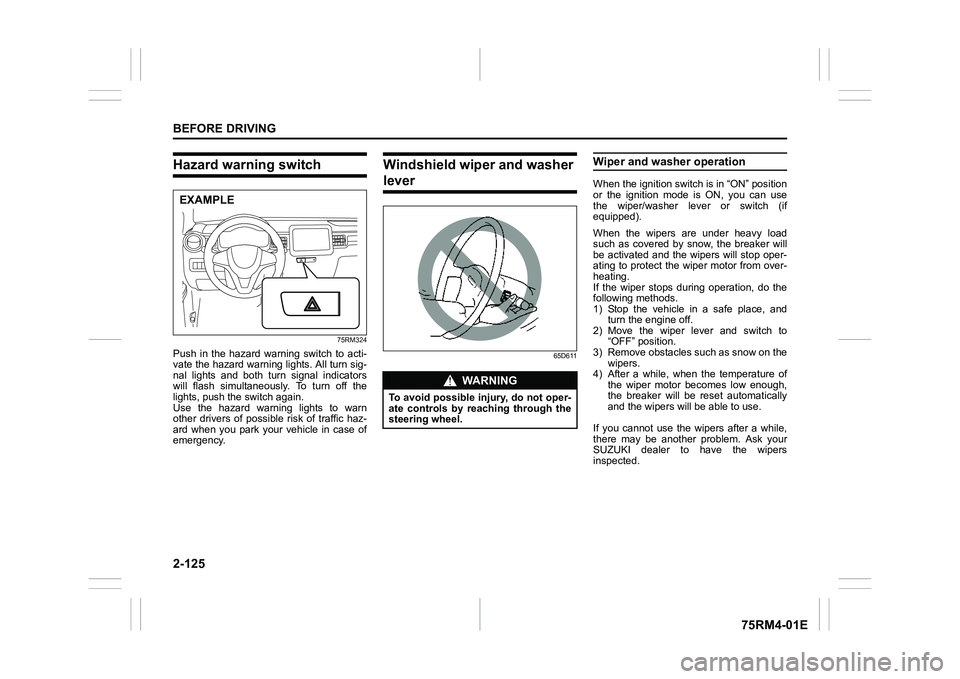
Push in the hazard warning switch to acti-
vate the hazard warning lights. All turn sig-
nal lights and both turn signal indicators
will flash simultaneously. To turn off the
lights, push the switch again.
Use the hazard warning lights to warn
other drivers of possible risk of traffic haz-
ard when you park your vehicle in case of
emergency.
Windshield wiper and washer lever
65D611
Wiper and washer operationWhen the ignition switch is in “ON” position
or the ignition mode is ON, you can use
the wiper/washer lever or switch (if
equipped).
When the wipers are under heavy load
such as covered by snow, the breaker will
be activated and the wipers will stop oper-
ating to protect the wiper motor from over-
heating.
If the wiper stops during operation, do the
following methods.
1) Stop the vehicle in a safe place, andturn the engine off.
2) Move the wiper lever and switch to “OFF” position.
3) Remove obstacles such as snow on the wipers.
4) After a while, when the temperature of
the wiper motor becomes low enough,
the breaker will be reset automatically
and the wipers will be able to use.
If you cannot use the wipers after a while,
there may be another problem. Ask your
SUZUKI dealer to have the wipers
inspected.
EXAMPLE
WA R N I N G
To avoid possible injury, do not oper-
ate controls by reaching through the
steering wheel.
Page 151 of 505

2-128
BEFORE DRIVING
75RM4-01E
Tilt steering lock lever
75RM044
(1) LOCK
(2) UNLOCK
The lock lever is located under the steering
column. To adjust the steering wheel
height:
1) Push down the lock lever to unlock the
steering column.
2) Adjust the steering wheel to the desired height and lock the steering column by
pulling up the lock lever.
3) Try moving the steering wheel up and down to check that it is securely locked
in position.
Horn
75RM045
Press the horn button of the steering wheel
to sound the horn. The horn will sound with
the ignition switch in any position or any
ignition mode.
(1)
(2)
EXAMPLE
WA R N I N G
Never attempt to adjust the steering
wheel while the vehicle is moving or
you could lose contr ol of the vehicle.
EXAMPLE
Page 156 of 505
3-3OPERATING YOUR VEHICLE
75RM4-01E
making it appear that the oil level has not
changed.
You should also be aware that the diluting
ingredients evaporate out when the vehicle
is subsequently driven at high speeds,
such as on an expressway, making it
appear that oil is excessively consumed
after high-speed driving.
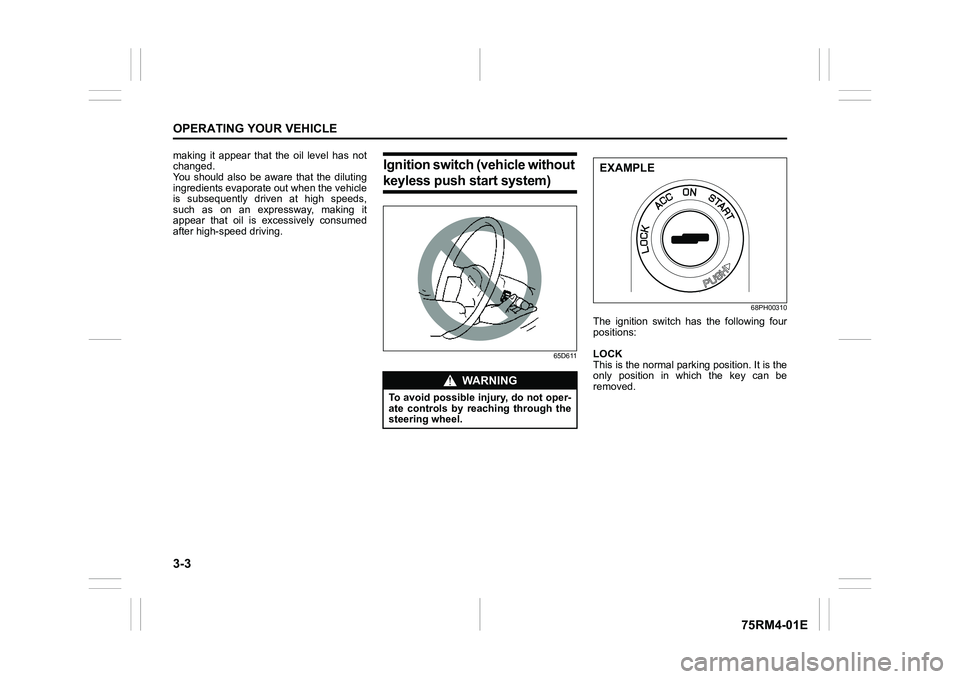
Ignition switch (vehicle without keyless push start system)
65D611 68PH00310
The ignition switch has the following four
positions:
LOCK
This is the normal parking position. It is the
only position in which the key can be
removed.
WA R N I N G
To avoid possible injury, do not oper-
ate controls by reaching through the
steering wheel.
EXAMPLE
Page 157 of 505
3-4
OPERATING YOUR VEHICLE
75RM4-01E
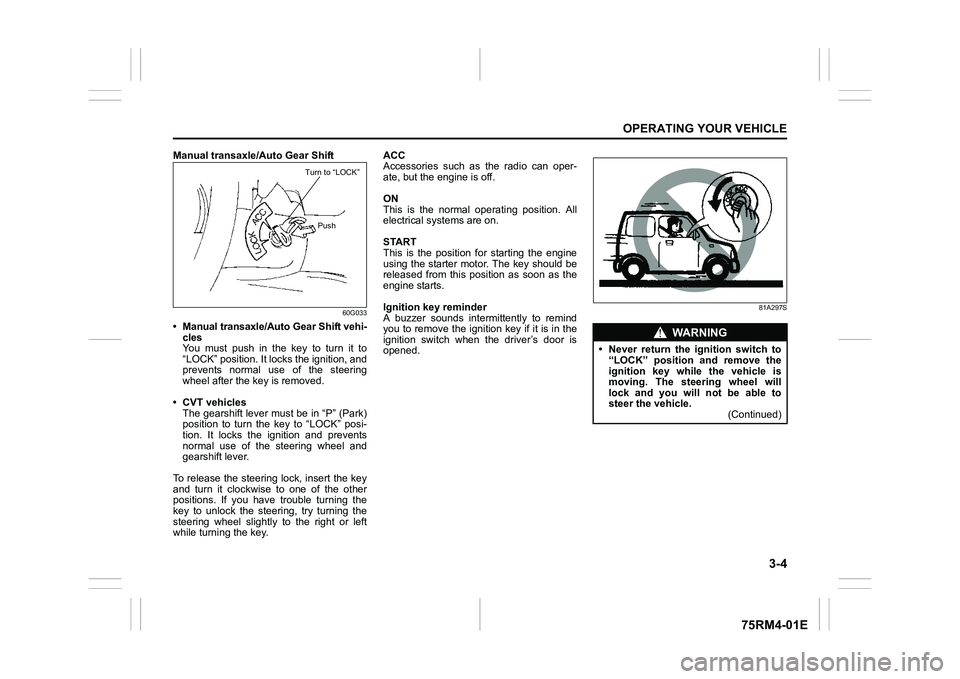
Manual transaxle/Auto Gear Shift
60G033
• Manual transaxle/Auto Gear Shift vehi-cles
You must push in the key to turn it to
“LOCK” position. It lo cks the ignition, and
prevents normal use of the steering
wheel after the key is removed.
• CVT vehicles The gearshift lever must be in “P” (Park)
position to turn the key to “LOCK” posi-
tion. It locks the ignition and prevents
normal use of the steering wheel and
gearshift lever.
To release the steering lock, insert the key
and turn it clockwis e to one of the other
positions. If you have trouble turning the
key to unlock the steering, try turning the
steering wheel slightly to the right or left
while turning the key. ACC
Accessories such as the radio can oper-
ate, but the engine is off.
ON
This is the normal operating position. All
electrical systems are on.
START
This is the position for starting the engine
using the starter motor. The key should be
released from this position as soon as the
engine starts.
Ignition key reminder
A buzzer sounds intermittently to remind
you to remove the ignition key if it is in the
ignition switch when the driver’s door is
opened.
81A297S
Turn to “LOCK”
Push
WA R N I N G
• Never return the ignition switch to“LOCK” position and remove the
ignition key while the vehicle is
moving. The steering wheel will
lock and you will not be able to
steer the vehicle. (Continued)
Page 159 of 505
3-6
OPERATING YOUR VEHICLE
75RM4-01E
CVT – Provided you have the keyless
push start system remote controller with
you, the engine automatically starts when
you press the engine switch to select this
ignition mode after placing the gearshift
lever in the “P” position and depressing the
brake pedal. (If you need to re-start the
engine while the vehicle is moving, shift
into “N”.)
NOTE:
You do not need to keep the engine switch
pressed to start the engine.
NOTE:
In the presence of strong radio signals or
noise, you may not be able to change the
ignition mode to ACC or ON or to start the
engine using the engine switch. In this
case, the information display in the instru-
ment cluster will show the following mes-
sage: KEY FOB NOT DETECTED.
Unreleased steering lock warningIf the steering lock remains engaged when
you press the engine switch to change the
ignition mode to ON, the information dis-
play in the instrument cluster shows the
message: “TRN. STEERING WHEEL TO
RELEASE LOCK”. Refer to “Information
display” in the “BEFORE DRIVING” sec-
tion for details.
NOTE:
The steering lock may not be released and
the immobilizer/keyless push start system
warning light turns on if some load is acting
on the steering wheel . If this happens, turn
the steering wheel to the right or left to
relieve it from the load before you press
the engine switch again to change to the
desired ignition mode.
Keyless push start system (if equipped)Provided the keyless push start system
remote controller is within the interior work-
able area (refer to the related explanation
in this section), you can use the engine
switch for starting the engine and selecting
an ignition mode (ACC or ON). In addition,
the following functions can be used:
• Keyless entry function. Refer to “Keyless push start system r emote controller /
keyless entry system transmitter” in the
“BEFORE DRIVING” se ction for details.
• Locking and unlocking doors (including the tailgate) using a request switch.
Refer to “Keyless push start system
remote controller / keyless entry system
transmitter” in the “BEFORE DRIVING”
section for details.
• Immobilizer (anti-thef t) function. Refer to
“Immobilizer syste m” in the “BEFORE
DRIVING” section for details.
NOTICE
Do not leave the engine switch in
ACC or ON mode when the engine is
not running. Avoid using the radio or
other electric accessories for a long
time when the engine switch is in
ACC or ON mode when the engine is
not running, other wise the lead-acid
battery may discharge.
Page 168 of 505
3-15OPERATING YOUR VEHICLE
75RM4-01E
• For Auto Gear Shift vehicles, if theengine cannot be started, make sure the
gearshift lever is in “N” before restarting
the engine.
• During the engine starting procedure, messages on the information display will
help you. Refer to “Information display” in
the “BEFORE DRIVING” section for
details.
• You should turn off such loads as the headlights and air co nditioning system to
facilitate starting of the engine.
• Even if you fail to start the engine, the starter motor will stop turning automati-
cally after a short time. After the starter
motor has stopped or if there is some
problem with the system, the starter
motor will rotate only while the engine
switch is being pressed.
Stopping engine• Depress the engine switch to stop theengine after the vehicle stopped com-
pletely.
• In case of emergency, you can stop the engine by quickly pushing the engine
switch more than 3 times, or pushing
and holding the engine switch for more
than 2 seconds while the vehicle is in
motion.
NOTE:
Except in cases of emergency, do not stop
the engine while the vehicle is in motion.
The steering and braking operation will
require more effort when the engine is
stopped.
Refer to “Braking” in this section.
• If the engine remains stopped for while after it was stopped unexpectedly or was
raced before stopping, a clicking sound
may be heard from around the engine
when it is restarted. This is not a mal-
function. Always let the engine idle
before stopping it.
Starting a cold and warm engineWith your foot taken off the accelerator
pedal, crank the engine by pressing the
engine switch to change the ignition mode
to START.
After pressing the engine switch to change
the ignition mode to START, the starter
cranks the engine for about 12 seconds
before it can start the engine. If the engine
fails to start at the first attempt, wait about
15 seconds, and then try again while keep-
ing the engine switch pressed while press-
ing down the accelerator pedal 1/3 of full
capacity. Release the accelerator pedal
when the engine starts.
If the engine still does not start, try holding
the accelerator pedal all the way to the
floor while cranking. This should clear the
engine if it is flooded.
If you are unable to start the engine using
this procedure, consult your SUZUKI
dealer.
NOTICE
If you stop the engine while the vehi-
cle is in motion, the CVT may be dam-
aged.
Avoid stopping the engine while driv-
ing.
NOTICE
Do not crank the engine for more
than 12 seconds at a time.
If the engine does not start on the
first try, wait abou t 15 seconds before
trying again.
Page 170 of 505
3-17OPERATING YOUR VEHICLE
75RM4-01E
Returning ignition mode to LOCK (OFF)CVT – To ensure safety, the ignition mode
can be returned to LOCK (OFF) by press-
ing the engine switch only when the gear-
shift lever is placed in the “P” position
without pressing the knob button.
NOTE:
In the case of a CVT model, the ignition
mode cannot be returned to the LOCK
(OFF) position if the gearshift lever is in
any other position than “P”.
Certain problems like a fault in engine sys-
tem may prevent the engine switch from
going back to the LOCK (OFF) mode. If
this happens, have the vehicle inspected
by an authorized SUZUKI dealer after
doing the following:
• Lock the doors using the key to prevent
theft. (The request switches and the key-
less push start system remote controller
cannot be used to lock them.)
• Disconnect the negative cable from the lead-acid battery to prevent discharge. LOCK (OFF) mode reminder buzzer
If the driver’s door is opened without
returning the ignition mode to LOCK (OFF)
by pressing the engine switch, a buzzer
sounds to warn you of this state.
• If you open the driver’s door after press-
ing the engine switch to change the igni-
tion mode to ACC, the interior buzzer
beeps intermittently.
• The buzzer will stop sounding if you then push the engine switch twice, thus bringing
it back the ignition mode to LOCK (OFF).NOTE:
Whenever you leave the vehicle, check
that you have returned the ignition mode to
LOCK (OFF) using the engine switch and
then lock the doors. Without returning the
ignition mode to LOCK (OFF), you cannot
use a request switch or keyless push start
system remote controller to lock the doors.
Steering lock warning buzzer
If the steering lock fails to engage due to a
fault in the system when the ignition mode
is turned to LOCK (OFF) by pressing the
engine switch and any door (including the
tailgate) is opened or closed, the interior
buzzer will warn you of this condition with
repeated short beeps. If this happens,
have the vehicle inspected by an autho-
rized SUZUKI dealer.
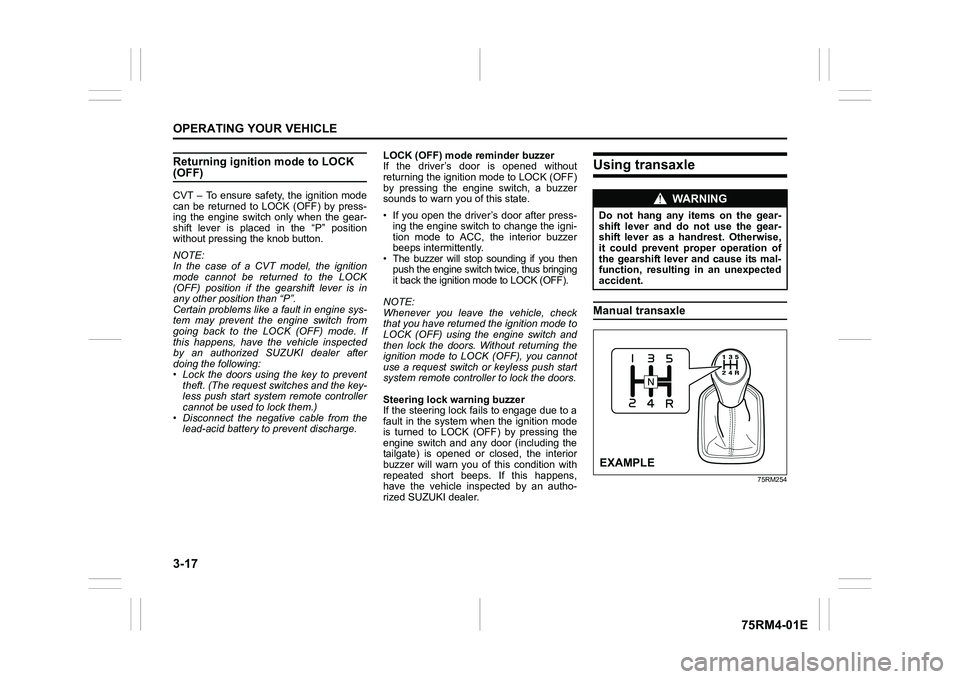
Using transaxleManual transaxle
75RM254
WA R N I N G
Do not hang any items on the gear-
shift lever and do not use the gear-
shift lever as a handrest. Otherwise,
it could prevent proper operation of
the gearshift lever and cause its mal-
function, resulting in an unexpected
accident.EXAMPLE