temperature SUZUKI IGNIS 2021 Owner's Manual
[x] Cancel search | Manufacturer: SUZUKI, Model Year: 2021, Model line: IGNIS, Model: SUZUKI IGNIS 2021Pages: 505, PDF Size: 8.36 MB
Page 234 of 505

3-81OPERATING YOUR VEHICLE
75RM4-01E
Hill descent control switch
75RM056
(1) Hill descent control switch
To activate the hill descent control system:
1) Shift the gearshift lever into a forward
gear or reverse gear.2) Push the hill descent control switch (1) when the vehicle speed is under 25 km/h
(15 mph). The hill descent control indica-
tor on the instrument cluster will come on
and the hill descent control system will be
activated.
When the vehicle speed exceeds about 7
km/h (4 mph) without depressing the
accelerator pedal, the hill descent control
system applies the brak es automatically to
maintain the vehicle speed at about 7 km/h
(4 mph).
• When braking, the brake/tail lights come on and the ESP
® warning light blinks.
• When the vehicle speed exceeds about
40 km/h (25 mph), the hill descent con-
trol system stops functioning and the hill
descent control indicator goes off. When
the vehicle slows down below about 25
km/h (16 mph), the hill descent control
system will be activated again and the
hill descent control indicator will come
on.
NOTE:
You may hear a sound coming from the
engine when the hill descent control sys-
tem is activated. This sound is normal and
does not indicate a malfunction.
To turn off the hill descent control system,
push the hill descent control switch and
turn off the hill descent control indicator
light.
(1)
WA R N I N G
• When the hill descent control sys- tem is used continuously for a long
time, the temperature of the brake
system may increase and the hill
descent control system may be
deactivated tempor arily to protect
the device of the brake system. The
hill descent control indicator blinks
to let you know the system is deac-
tivated. Depress the brake pedal
and stop the vehicle in a safe place.
When the temperature of the brake
system goes down, the hill descent
control indicator will come on and
the system is activated again. (Continued)
WA R N I N G
(Continued)
• The hill descent control system
may be activated when the gear-
shift lever is in “N” (Neutral) posi-
tion, but engine braking will not
work. Always use the hill descent
control system with the gearshift
lever in a forward gear or reverse
gear.
• When using the hill descent control system, push the hill descent con-
trol switch and ma ke sure that the
hill descent control indicator light
comes on and no warning message
indicates on the information dis-
play.
• While operating the hill descent control system, the dual camera
brake support (if equipped) may
not operate depending on the
accelerating.
Page 235 of 505
3-82
OPERATING YOUR VEHICLE
75RM4-01E
Hill descent control indicator light
79K050
When the ignition switch is in “ON” posi-
tion, or the ignition mode is ON, this light
comes on briefly so you can check that the
light is working.
When you push the hill descent control
switch and the hill descent control operat-
ing conditions are fulfilled, the hill descent
control indicator comes on. If the hill
descent control indicator blinks, the hill
descent control will not be activated.
If hill descent control indicator light comes
on while not operating the hill descent con-
trol switch, or the indicator light does not
come on after the switch is pushed, there
is a problem in this system. Have your
vehicle inspected by an authorized
SUZUKI dealer. NOTE:
If the hill descent control indicator blinks
when you push the hill descent control
switch, the following conditions may not be
fulfilled.
• The gearshift lever is in a forward gear
or reverse gear
• The vehicle speed is under 25 km/h (15 mph)
• The brake system is under normal oper- ating temperature
NOTE:
If any of the followin g conditions occur,
there may be a problem with the hill
descent control system or the ESP
® sys-
tem. Have your vehicle inspected by an
authorized SUZUKI dealer.
• The hill descent control indicator does not come on or blink when you push the
hill descent co ntrol switch.
• The hill descent control indicator stays on when driving without pushing the hill
descent control switch.
75RM224
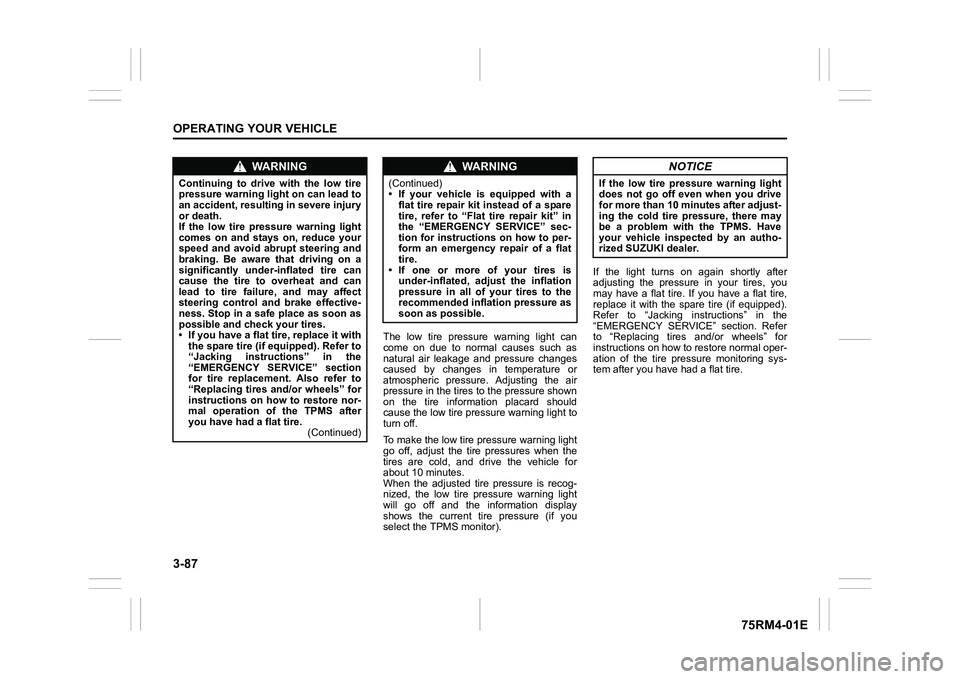
For the instrument cluster with tachometer,
if the message shown in the above illustra-
tion appears on the information display,
there may be a problem with the hill
descent control system and the hill hold
control system. Ha ve your vehicle
inspected by an authorized SUZUKI
dealer.
NOTE:
You cannot activate the hill descent control
system while this me ssage is displayed.
Page 240 of 505
3-87OPERATING YOUR VEHICLE
75RM4-01E
The low tire pressure warning light can
come on due to normal causes such as
natural air leakage and pressure changes
caused by changes in temperature or
atmospheric pressure. Adjusting the air
pressure in the tires to the pressure shown
on the tire information placard should
cause the low tire pressure warning light to
turn off.
To make the low tire pressure warning light
go off, adjust the tire pressures when the
tires are cold, and drive the vehicle for
about 10 minutes.
When the adjusted tire pressure is recog-
nized, the low tire pressure warning light
will go off and the information display
shows the current tire pressure (if you
select the TPMS monitor).If the light turns on again shortly after
adjusting the pressure in your tires, you
may have a flat tire. If you have a flat tire,
replace it with the spare tire (if equipped).
Refer to “Jacking instructions” in the
“EMERGENCY SERVICE” section. Refer
to “Replacing tires and/or wheels” for
instructions on how to restore normal oper-
ation of the tire pressure monitoring sys-
tem after you have
had a flat tire.
WA R N I N G
Continuing to drive with the low tire
pressure warning light on can lead to
an accident, resulting in severe injury
or death.
If the low tire pressure warning light
comes on and stays on, reduce your
speed and avoid abrupt steering and
braking. Be aware that driving on a
significantly unde r-inflated tire can
cause the tire to overheat and can
lead to tire failure, and may affect
steering control and brake effective-
ness. Stop in a safe place as soon as
possible and check your tires.
• If you have a flat tire, replace it with the spare tire (if e quipped). Refer to
“Jacking instructions” in the
“EMERGENCY SERVICE” section
for tire replacement. Also refer to
“Replacing tires and/or wheels” for
instructions on how to restore nor-
mal operation of the TPMS after
you have had a flat tire. (Continued)
WA R N I N G
(Continued)
• If your vehicle is equipped with a
flat tire repair kit instead of a spare
tire, refer to “Flat tire repair kit” in
the “EMERGENCY SERVICE” sec-
tion for instructions on how to per-
form an emergency repair of a flat
tire.
• If one or more of your tires is under-inflated, adjust the inflation
pressure in all of your tires to the
recommended inflation pressure as
soon as possible.
NOTICE
If the low tire pressure warning light
does not go off even when you drive
for more than 10 minutes after adjust-
ing the cold tire pressure, there may
be a problem with the TPMS. Have
your vehicle inspected by an autho-
rized SUZUKI dealer.
Page 241 of 505
3-88
OPERATING YOUR VEHICLE
75RM4-01E
61MM0A198
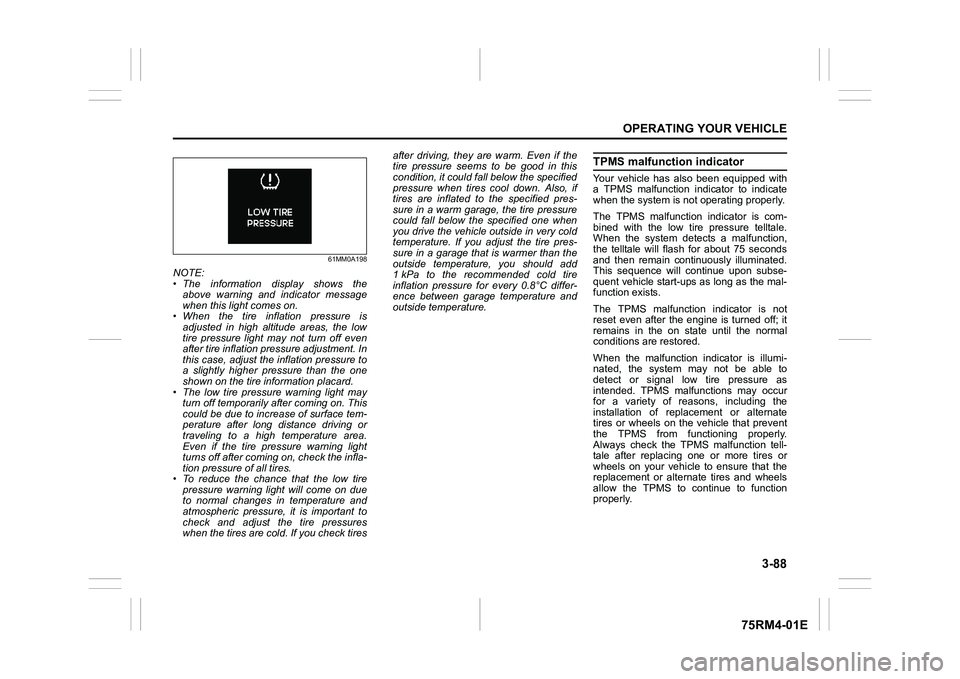
NOTE:
• The information display shows theabove warning and indicator message
when this light comes on.
• When the tire inflation pressure is
adjusted in high altitude areas, the low
tire pressure light may not turn off even
after tire inflation pressure adjustment. In
this case, adjust the inflation pressure to
a slightly higher pressure than the one
shown on the tire information placard.
• The low tire pressure warning light may turn off temporarily after coming on. This
could be due to increase of surface tem-
perature after long distance driving or
traveling to a high temperature area.
Even if the tire pressure warning light
turns off after coming on, check the infla-
tion pressure of all tires.
• To reduce the chance that the low tire pressure warning light will come on due
to normal changes in temperature and
atmospheric pressure, it is important to
check and adjust the tire pressures
when the tires are cold. If you check tires after driving, they are warm. Even if the
tire pressure seems to be good in this
condition, it could fall below the specified
pressure when tires cool down. Also, if
tires are inflated to the specified pres-
sure in a warm garage, the tire pressure
could fall below the specified one when
you drive the vehicle outside in very cold
temperature. If you adjust the tire pres-
sure in a garage that is warmer than the
outside temperature, you should add
1 kPa to the recommended cold tire
inflation pressure for every 0.8°C differ-
ence between garage temperature and
outside temperature.
TPMS malfunction indicatorYour vehicle has also been equipped with
a TPMS malfunction indicator to indicate
when the system is not operating properly.
The TPMS malfunction indicator is com-
bined with the low tire pressure telltale.
When the system detects a malfunction,
the telltale will flash for about 75 seconds
and then remain continuously illuminated.
This sequence will continue upon subse-
quent vehicle start-ups as long as the mal-
function exists.
The TPMS malfunction indicator is not
reset even after the engine is turned off; it
remains in the on state until the normal
conditions are restored.
When the malfunction indicator is illumi-
nated, the system may not be able to
detect or signal low tire pressure as
intended. TPMS malfunctions may occur
for a variety of reasons, including the
installation of replacement or alternate
tires or wheels on the vehicle that prevent
the TPMS from functioning properly.
Always check the TPMS malfunction tell-
tale after replacing one or more tires or
wheels on your vehicle to ensure that the
replacement or alternate tires and wheels
allow the TPMS to continue to function
properly.
Page 249 of 505
4-2
DRIVING TIPS
75RM4-01E
heat damage to the catalytic converter and
other vehicle components.
54G584S
Improving fuel economyThe following instructions will help you
improve fuel economy.
Avoid excessive idling
If you are to wait for more than a minute
while you are parked, stop the engine and
start it again later. When warming up a
cold engine, do not allow the engine to idle
or apply full throttle until the engine has
reached operating temperature. Allow the
engine to warm up by driving.
Avoid fast starts
Fast starts away from lights or stop signs
will consume fuel unnecessarily and
shorten engine life. Start off slowly.
Avoid unnecessary stops
Avoid unnecessary deceleration and stop-
ping. Try to maintain a slow, steady speed
whenever possible. Slowing down and
then accelerating aga in uses more fuel.
Keep a steady cruising speed
Drive at a constant speed that road and
traffic conditions will permit.
NOTICE
To minimize the possibility of cata-
lytic converter or other vehicle dam-
age:
• Maintain the engine in the proper operating condition.
• In the event of an engine malfunc-
tion, particularly one involving
engine misfire or other apparent
loss of performance, have the vehi-
cle serviced promptly.
• Do not turn off the engine or inter-
rupt the ignition when the transaxle
is in gear and the vehicle is in
motion.
• Do not try to start the engine by pushing or towing the vehicle, or
coasting down a hill.
• Do not idle the engine with any spark plug wires disconnected or
removed, such as during diagnos-
tic testing.
• Do not idle the vehicle for pro- longed periods if idling seems
rough or there are other malfunc-
tions.
• Do not allow the fuel tank to get
near the empty level.
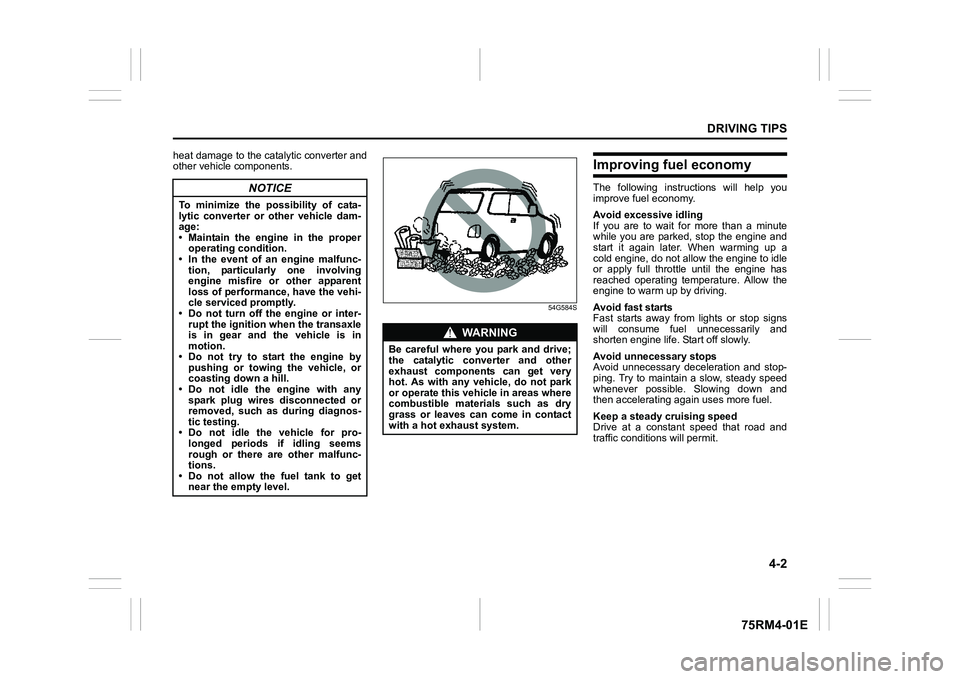
WA R N I N G
Be careful where you park and drive;
the catalytic converter and other
exhaust components can get very
hot. As with any vehicle, do not park
or operate this vehicle in areas where
combustible materials such as dry
grass or leaves can come in contact
with a hot exhaust system.
Page 271 of 505
5-16
OTHER CONTROLS AND EQUIPMENT
75RM4-01E
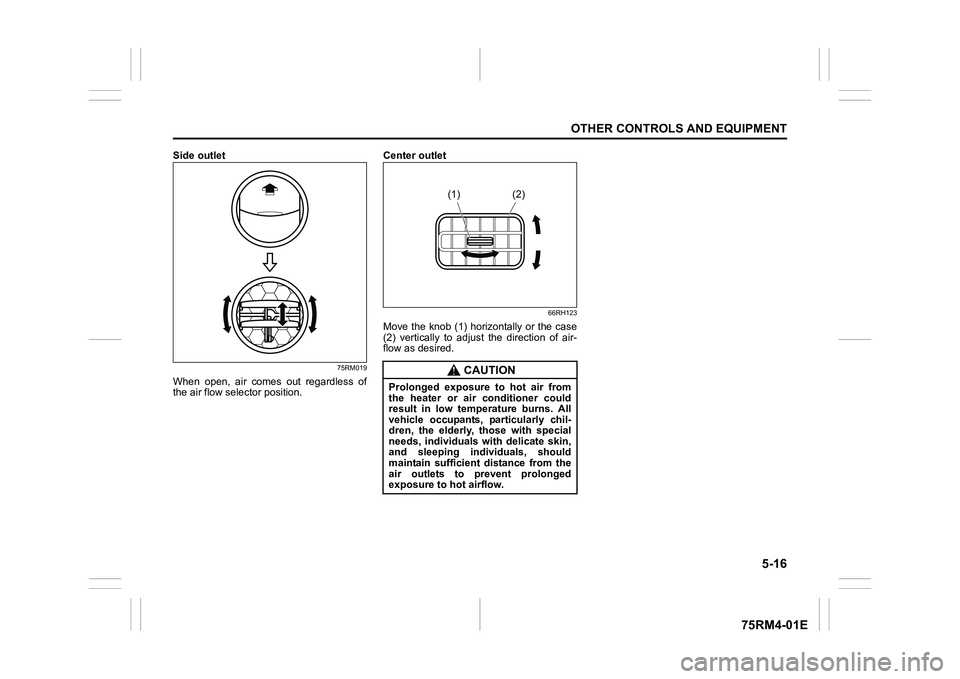
Side outlet
75RM019
When open, air comes out regardless of
the air flow selector position.Center outlet
66RH123
Move the knob (1) horizontally or the case
(2) vertically to adjust the direction of air-
flow as desired.
CAUTION
Prolonged exposure to hot air from
the heater or air conditioner could
result in low temperature burns. All
vehicle occupants, particularly chil-
dren, the elderly, those with special
needs, individuals with delicate skin,
and sleeping individuals, should
maintain sufficient distance from the
air outlets to prevent prolonged
exposure to hot airflow.
(1) (2)
Page 272 of 505
5-17OTHER CONTROLS AND EQUIPMENT
75RM4-01E
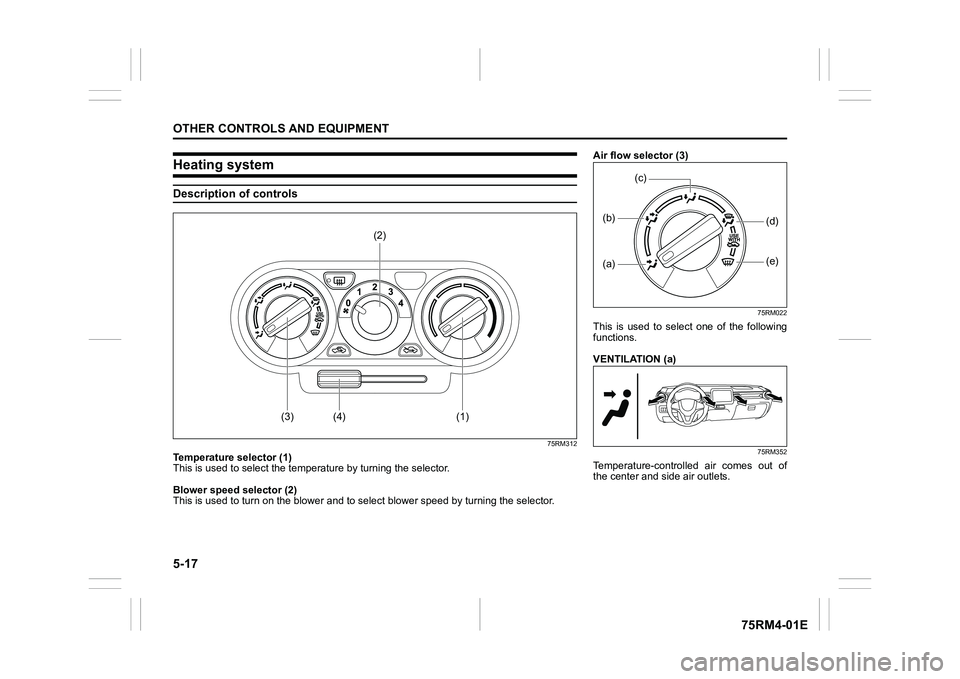
Heating systemDescription of controls
75RM312
Temperature selector (1)
This is used to select the temperature by turning the selector.
Blower speed selector (2)
This is used to turn on the blower and to s elect blower speed by turning the selector.
(3)
(1)
(4)
(2)
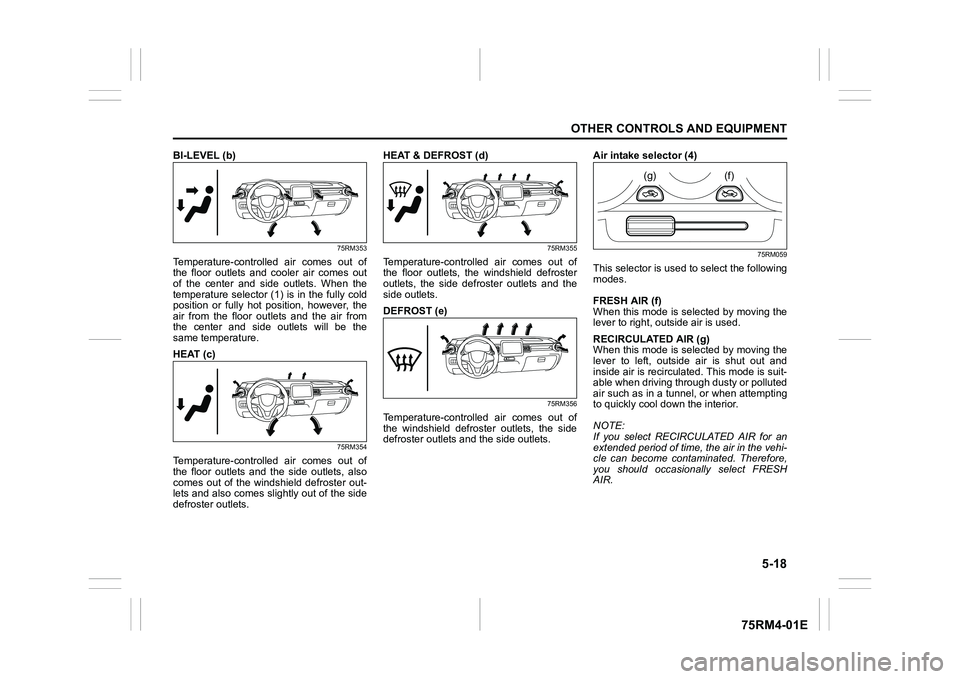
Air flow selector (3)
75RM022
This is used to select one of the following
functions.
VENTILATION (a)
75RM352
Temperature-controlled air comes out of
the center and side air outlets.(a)(b)
(e)
(d)
(c)
Page 273 of 505
5-18
OTHER CONTROLS AND EQUIPMENT
75RM4-01E
BI-LEVEL (b)
75RM353
Temperature-controlled air comes out of
the floor outlets and cooler air comes out
of the center and side outlets. When the
temperature selector (1) is in the fully cold
position or fully hot position, however, the
air from the floor outlets and the air from
the center and side outlets will be the
same temperature.
HEAT (c)
75RM354
Temperature-controlled air comes out of
the floor outlets and the side outlets, also
comes out of the windshield defroster out-
lets and also comes slightly out of the side
defroster outlets.HEAT & DEFROST (d)
75RM355
Temperature-controlled air comes out of
the floor outlets, the windshield defroster
outlets, the side defroster outlets and the
side outlets.
DEFROST (e)
75RM356
Temperature-controlled air comes out of
the windshield defroster outlets, the side
defroster outlets and the side outlets.
Air intake selector (4)
75RM059
This selector is used to select the following
modes.
FRESH AIR (f)
When this mode is se
lected by moving the
lever to right, outside air is used.
RECIRCULATED AIR (g)
When this mode is se lected by moving the
lever to left, outside air is shut out and
inside air is recirculated. This mode is suit-
able when driving through dusty or polluted
air such as in a tunnel, or when attempting
to quickly cool dow n the interior.
NOTE:
If you select RECIRCULATED AIR for an
extended period of time, the air in the vehi-
cle can become contam inated. Therefore,
you should occasio nally select FRESH
AIR.
(g)
(f)
Page 274 of 505

5-19OTHER CONTROLS AND EQUIPMENT
75RM4-01E
75RM402
NOTE:
The mark of “USE WITH” (5)
To clear fog on the windshield and/or the
side windows quickly, set the air flow
selector (3) to “HEAT & DEFROST” or
“DEFROST” and air intake selector (4) to
“FRESH AIR”. These positioning will clear
the fogged windshield and/or the side win-
dows faster than the “RECIRCULATED
AIR”.
System operating instructionsNatural ventilation
Select VENTILATION and FRESH AIR, the
temperature selector to the desired tem-
perature position, and the blower speed
selector to off. Fresh air will flow through
the vehicle during driving.
Forced ventilation
The control settings are the same as for
natural ventilation except you set the
blower speed selector to a position other
than off.
Normal heating (using outside air)
Select HEAT and FRESH AIR, the tem-
perature selector to the desired tempera-
ture position and the blower speed selector
to the desired blower speed position. Set-
ting the blower speed selector to a higher
blower speed position increases heating
efficiency.
Quick heating (using recirculated air)
The control settings are the same as for
normal heating except you select RECIR-
CULATED AIR. If you use this heating
method for an extended period of time, the
air in the vehicle can become contami-
nated and the windows can become misty.
Therefore, use this method only for quick
heating and change to the normal heating
method as soon as possible. Head cooled/Feet warmed heating
Select BI-LEVEL and FRESH AIR, the
temperature selector to the desired tem-
perature position, and the blower speed
selector to the desired blower speed posi-
tion. Unless the temperature selector is in
the fully cold position or fully hot position,
the air that comes out of the center and
side outlets will be cooler than the air that
comes out of the floor outlets.
Defrosting/Feet warmed heating
Select HEAT & DEFROST and FRESH
AIR, the temperatur
e selector to the
desired temperature position, and the
blower speed selector to high. When the
windshield has become clear, set the
blower speed selector to the desired
blower speed position.
Defrosting
Select DEFROST and FRESH AIR, the
temperature selector to the desired tem-
perature position (higher temperature pro-
vides more efficient defrosting), and the
blower speed selector to high. When the
windshield has become clear, set the
blower speed selector to the desired
blower speed position.
(3)
(5)
Page 275 of 505
5-20
OTHER CONTROLS AND EQUIPMENT
75RM4-01E
75RM357
NOTE:
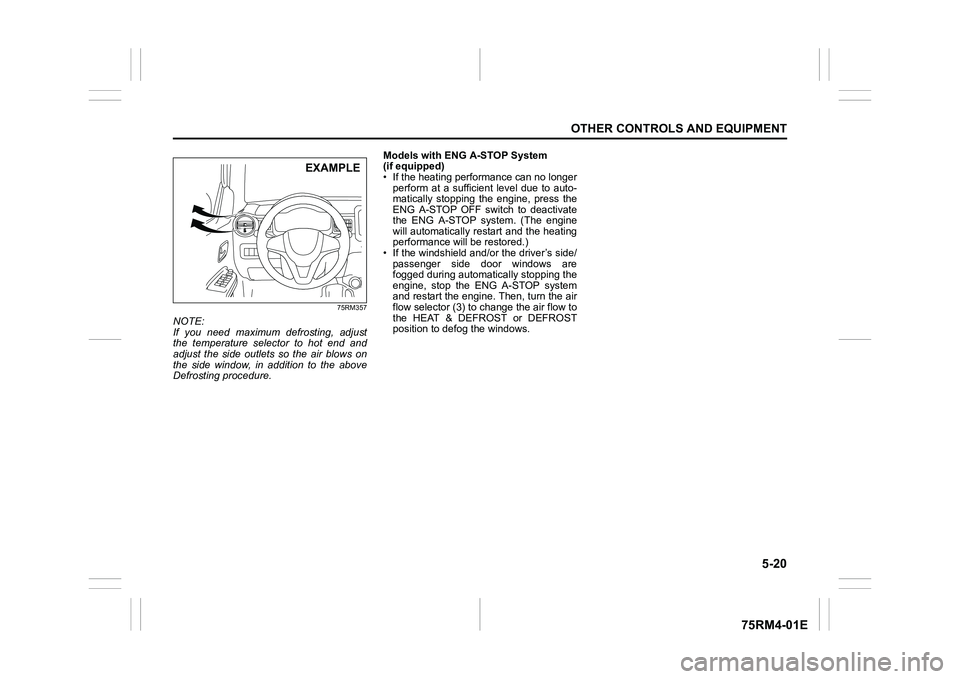
If you need maximum defrosting, adjust
the temperature selector to hot end and
adjust the side outlets so the air blows on
the side window, in addition to the above
Defrosting procedure.Models with ENG A-STOP System
(if equipped)
• If the heating performance can no longer
perform at a sufficient level due to auto-
matically stopping the engine, press the
ENG A-STOP OFF switch to deactivate
the ENG A-STOP system. (The engine
will automatically restart and the heating
performance will be restored.)
• If the windshield and/or the driver’s side/ passenger side door windows are
fogged during automatic ally stopping the
engine, stop the ENG A-STOP system
and restart the engine. Then, turn the air
flow selector (3) to c hange the air flow to
the HEAT & DEFROST or DEFROST
position to defog the windows.
EXAMPLE