battery SUZUKI JIMNY 2019 User Guide
[x] Cancel search | Manufacturer: SUZUKI, Model Year: 2019, Model line: JIMNY, Model: SUZUKI JIMNY 2019Pages: 421, PDF Size: 6.35 MB
Page 93 of 421

(For "L/100km" or 11km/L11 setting) To change the unit of average fuel consumption, while pushing and holding the trip meter selector knob (1 ), turn the indicator selector knob (2).
NOTE:
AVG.
i;11-iu1ookm I..U-1
(Initial setting)
68PH02207
When you change the units that average fuel consumption is displayed in, the instantaneous fuel consumption units will be changed automaticaf/y.
Driving range If you selected driving range the last time you drove the vehicle, the display indicates "---" for a few seconds and then indicates the current driving range when the ignition switch is turned "ON".
The driving range shown in the display is the approximate distance you can drive until the fuel gauge indicates "E", based on current driving conditions.
When the low fuel warning light comes on, the display"---" will appear.
If the low fuel warning light comes on, fill the fuel tank immediately regardless of the value of driving range shown in the display.
When you refuel, the driving range is updated. However, if you only add a small amount of fuel, the correct value will not be displayed.
NOTE: ff you refuel when the ignition switch is in "ON", the driving range may not indicate the correct value. When you reconnect the terminals to the lead-acid battery, the value of driving range will be shown after driving for a while.
BEFORE DRIVING
Fuel gauge
The display (F) shows the fuel gauge.
Refer to "Fuel gauge" in this section.
2-22
Page 102 of 421
BEFORE DRIVING
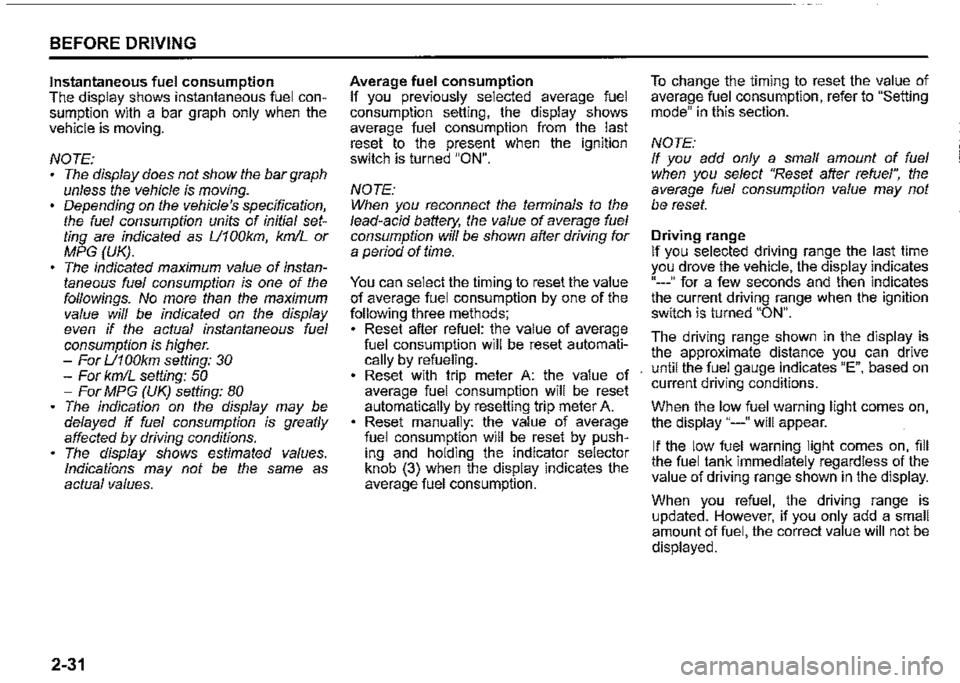
Instantaneous fuel consumption The display shows instantaneous fuel consumption with a bar graph only when the vehicle is moving.
NOTE: The display does not show the bar graph unless the vehicle is moving. Depending on the vehicle's specification, the fuel consumption units of initial setting are indicated as U100km, km/L or MPG (UK). The indicated maximum value of instantaneous fuel consumption is one of the followings. No more than the maximum value will be indicated on the display even if the actual instantaneous fuel consumption is higher. -For U100km setting: 30 -For km/L setting: 50 -For MPG (UK) setting: 80 The indication on the display may be delayed if fuel consumption is greatly affected by driving conditions. The display shows estimated values. Indications may not be the same as actual values.
2-31
Average fuel consumption If you previously selected average fuel consumption setting, the display shows average fuel consumption from the last reset to the present when the ignition switch is turned "ON".
NOTE: When you reconnect the terminals to the lead-acid battery, the value of average fuel consumption will be shown after driving for a period of time.
You can select the timing to reset the value of average fuel consumption by one of the following three methods; Reset after refuel: the value of average fuel consumption will be reset automatically by refueling. Reset with trip meter A: the value of average fuel consumption will be reset automatically by resetting trip meter A. Reset manually: the value of average fuel consumption will be reset by pushing and holding the indicator selector knob (3) when the display indicates the average fuel consumption.
To change the timing to reset the value of average fuel consumption, refer to "Setting mode" in this section.
NOTE: If you add only a small amount of fuel when you select "Reset after refuel", the average fuel consumption value may not be reset.
Driving range If you selected driving range the last time you drove the vehicle, the display indicates "---" for a few seconds and then indicates the current driving range when the ignition switch is turned "ON".
The driving range shown in the display is the approximate distance you can drive until the fuel gauge indicates "E", based on current driving conditions.
When the low fuel warning light comes on, the display "---" will appear.
If the low fuel warning light comes on, fill the fuel tank immediately regardless of the value of driving range shown in the display.
When you refuel, the driving range is updated. However, if you only add a small amount of fuel, the correct value will not be displayed.
Page 103 of 421

NOTE: If you refuel when the ignition switch is "ON", the driving range may not indicate the correct value. When you reconnect the terminals to the lead-acid battery, the value of driving range will be shown after driving for a period of time.
Average speed If you selected average speed the last time you drove the vehicle, the display indicates the last value of average speed from previous driving when the ignition switch is turned "ON". Unless you reset the value of average speed, the display indicates the value of average speed which includes average speed during previous driving.
To reset the value of average speed, push and hold the indicator selector knob (3) for a while when the display indicates an average speed. The display shows "---" and then indicates a new average speed after driving for a short time.
NOTE: When you reconnect the terminals to the lead-acid battery, the value of average speed will be shown after driving for a period of time.
Driving time The display shows the total amount of driving time since the indication was reset. To reset the driving time, push and hold the indicator selector knob (3) for a while when the display shows the driving time.
NOTE: When you reset the indication or reconnect the terminals to the lead-acid battery, the driving time will be shown after driving for a while. The indicated maximum value of driving time is 99:59:59. No more than the maximum value will be indicated on the display until you reset the driving time.
Gearshift indicator
The display (D) shows the gearshift indicator.
Refer to "Gearshift indicator" in "OPERATING YOUR VEHICLE" section.
BEFORE DRIVING
Trip meter
The display (E) shows the trip meter.
The trip meter can be used to measure the distance traveled on short trips or between fuel stops. You can use trip meter A or trip meter B independently.
To reset the trip meter, push and hold the trip meter selector knob (2) for a while.
NOTE: The indicated maximum value of the trip meter is 9999.9. When you run past the maximum value, the indicated value will return to 0.0.
Odometer
The display (F) shows the odometer.
The odometer records the total distance the vehicle has been driven.
NOTICE
Keep track of your odometer reading and check the maintenance schedule regularly for required services. Increased wear or damage to certain parts can result from failure to perform required services at the proper mileage intervals.
2-32
Page 115 of 421
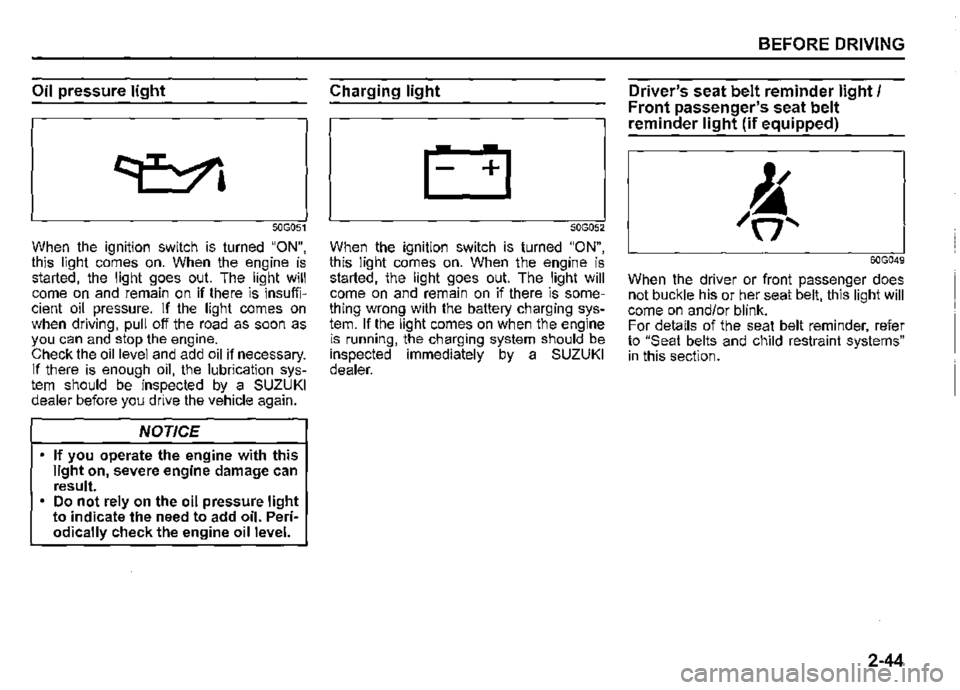
Oil pressure light
50G051
When the ignition switch is turned "ON", this light comes on. When the engine is started, the light goes out. The light will come on and remain on if there is insufficient oil pressure. If the light comes on when driving, pull off the road as soon as you can and stop the engine. Check the oil level and add oil if necessary. If there is enough oil, the lubrication system should be inspected by a SUZUKI dealer before you drive the vehicle again.
NOTICE
If you operate the engine with this light on, severe engine damage can result. Do not rely on the oil pressure light to indicate the need to add oil. Periodically check the engine oil level.
Charging light
50G052
When the ignition switch is turned "ON", this light comes on. When the engine is started, the light goes out. The light will come on and remain on if there is something wrong with the battery charging system. If the light comes on when the engine is running, the charging system should be inspected immediately by a SUZUKI dealer.
BEFORE DRIVING
Driver's seat belt reminder light/ Front passenger's seat belt
reminder light (if equipped)
60G049
When the driver or front passenger does not buckle his or her seat belt, this light will come on and/or blink. For details of the seat belt reminder, refer to "Seat belts and child restraint systems" in this section.
2-44
Page 117 of 421
A CAUTION
If this light blinks, stop your vehicle immediately in a safe place to avoid catalyst's melting problem since there may be a misfire in the engine. • Do not drive or stop over such as withered grasses. • Drive slowly if required to move the vehicle.
NOTICE
Continuing to drive the vehicle when the malfunction indicator light is on or blinking can cause permanent damage to the vehicle's emission control system, and can affect fuel economy and driveability.
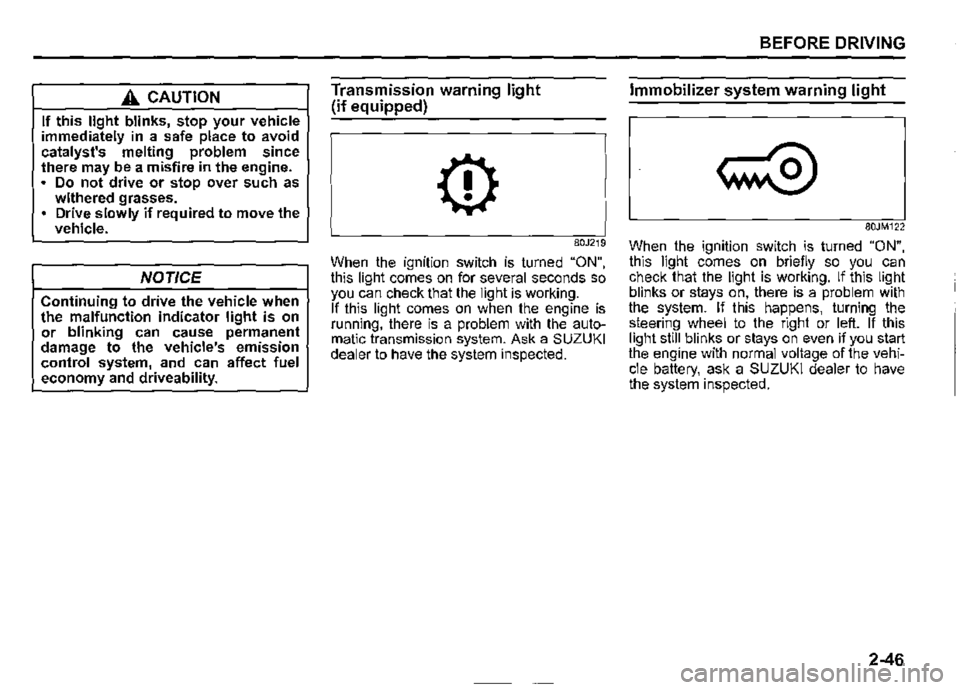
Transmission warning light
(if equipped)
0
80J219
When the ignition switch is turned "ON", this light comes on for several seconds so you can check that the light is working. If this light comes on when the engine is running, there is a problem with the automatic transmission system. Ask a SUZUKI dealer to have the system inspected.
BEFORE DRIVING
Immobilizer system warning light
80JM122
When the ignition switch is turned "ON", this light comes on briefly so you can check that the light is working. If this light blinks or stays on, there is a problem with the system. If this happens, turning the steering wheel to the right or left. If this light still blinks or stays on even if you start the engine with normal voltage of the vehicle battery, ask a SUZUKI dealer to have the system inspected.
2-46
Page 120 of 421
BEFORE DRIVING
If the dual sensor brake support indicator light, lane departure warning indicator light and high beam assist warning light stay on after restarting the engine, there may be a failure of the dual sensor. Ask a SUZUKI dealer to have the dual sensor inspected.
Under the following situations, the function of the dual sensor stops temporarily. When the situations are improved, the temporary stop of the function will be canceled. When the visibility of the dual sensor is poor.
• When the temperature of the body of dual sensor is high.
• When the systems related to the dual sensor brake support stop temporarily. • When the battery has a voltage abnor-mality.
For details, refer to "Dual sensor brake support (if equipped)" in "OPERATING YOUR VEHICLE" section.
2-49
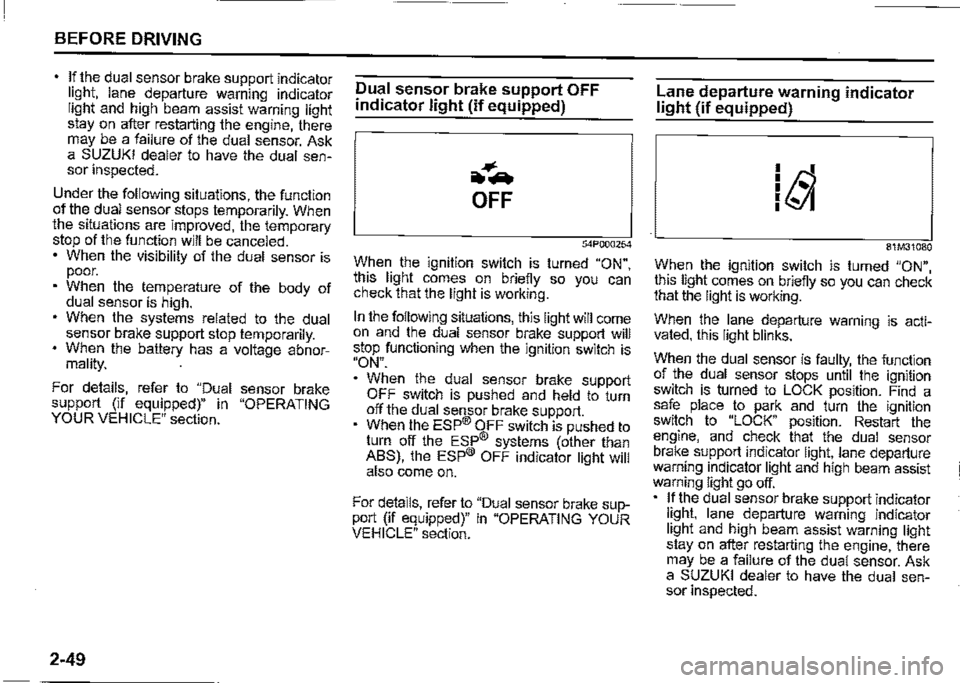
Dual sensor brake support OFF
indicator light (if equipped)
~-.
OFF
54P000254
When the ignition switch is turned "ON", this light comes on briefly so you can check that the light is working.
In the following situations, this light will come on and the dual sensor brake support will stop functioning when the ignition switch is "ON".
When the dual sensor brake support OFF switch is pushed and held to turn off the dual sensor brake support. When the ESP® OFF switch is pushed to turn off the ESP® systems (other than ABS), the ESP® OFF indicator light will also come on.
For details, refer to "Dual sensor brake support (if equipped)" in "OPERATING YOUR VEHICLE" section.
Lane departure warning indicator light (if equipped)
81M31080
When the ignition switch is turned "ON", this light comes on briefly so you can check that the light is working.
When the lane departure warning is activated, this light blinks.
When the dual sensor is faulty, the function of the dual sensor stops until the ignition switch is turned to LOCK position. Find a safe place to park and turn the ignition switch to "LOCK" position. Restart the engine, and check that the dual sensor brake support indicator light, lane departure warning indicator light and high beam assist warning light go off. If the dual sensor brake support indicator light, lane departure warning indicator light and high beam assist warning light stay on after restarting the engine, there may be a failure of the dual sensor. Ask a SUZUKI dealer to have the dual sensor inspected.
Page 121 of 421
Under the following situations, the function of the dual sensor stops temporarily. When the situations are improved, the temporary stop of the function will be canceled. When the visibility of the dual sensor is poor. When the temperature of the body of dual sensor is high. When the systems related to the dual sensor brake support stops temporarily. When the battery has a voltage abnormality.
For details, refer to "Dual sensor brake support (if equipped)" in the "OPERATING YOUR VEHICLE" section.
Lane departure warning OFF indicator light (if equipped)
62R0317
When the ignition switch is turned "ON", this light comes on briefly so you can check that the light is working.
In the following situations, this light will come on and the lane departure warning and the vehicle swaying warning will stop functioning when the ignition switch is turned "ON". When the lane departure warning OFF switch is pushed to turn off the lane departure warning. When the ESP® OFF switch is pushed to turn off the ESP® systems (other than ABS), the ESP® OFF indicator light will also come on.
For details, refer to "Dual sensor brake support (if equipped)" in "OPERATING YOUR VEHICLE" section.
BEFORE DRIVING
Automatic headlight leveling
system warning light (if equipped)
-to ::::::;
"i'
64J046
When the ignition switch is turned "ON", this light comes on briefly so you can check that the light is working. If this light comes on, there is a problem with the automatic headlight leveling system. Bring the vehicle to a SUZUKI dealer to have the problem corrected.
2-50
Page 122 of 421
BEFORE DRIVING
LED headlight warning light
(if equipped)
'm
-w.-, I '
54P000234
When the ignition switch is turned "ON", this light comes on briefly so you can check that the light is working.
If this light comes on, there is a problem with the LED headlight. Park the vehicle in a safe place and consult a SUZUKI dealer to have the problem corrected.
2-51
High beam assist warning light
(orange) (if equipped)
52RM20690
When the ignition switch is turned "ON", this light comes on by orange briefly so you can check that the light is working.
For details, refer to "Dual sensor brake support (if equipped)" in "OPERATING YOUR VEHICLE" section.
In the following situations, this light will come on by orange and the dual sensor brake support will stop functioning when the ignition switch is "ON".
When the dual sensor is faulty, the function of the dual sensor stops until the ignition switch is turned to LOCK position. Find a safe place to park and turn the ignition switch to "LOCK" position. Restart the engine, and check that the dual sensor brake support indicator light, lane departure warning indicator light and high beam assist warning light go off.
If the dual sensor brake support indicator light, lane departure warning indicator light and high beam assist warning light stay on after restarting the engine, there may be a failure of the dual sensor. Ask a SUZUKI dealer to have the dual sensor inspected.
Under the following situations, the function of the dual sensor stops temporarily. When the situations are improved, the temporary stop of the function will be canceled. • When the visibility of the dual sensor is poor. When the temperature of the body of dual sensor is high. When the systems related to the dual sensor brake support stops temporarily. When the battery has a voltage abnor
mality.
NOTE: If the function of the dual sensor stops temporarily, high beam assist also stops
temporarily.
Page 128 of 421

BEFORE DRIVING
To turn the lights on or off, twist the knob on the end of the lever. There are four positions:
OFF (1) All lights are off.
AUTO (2) This function works when the ignition switch is turned "ON". The headlights and position lights are turned on and off automatically according to the amount of outside light detected by the sensor. They go out automatically when you turn the ignition switch to "ACC" or "LOCK" position.
The light sensor (5) for sensing the amount of outside light is installed on the passenger's seat side instrument panel.
When headlights are turned on and the lighting control lever is in "AUTO" position, you can use the high beam assist (if equipped). For details, refer to "High beam assist" in "OPERATING YOUR VEHICLE" section.
2-57
A CAUTION
If the light sensor area of the windshield is covered with mud, ice1 or other similar substances, the headlights and position lights may be turned on even when it is still light outside.
NOTE: Avoid covering the light sensor area of the windshield with a sticker. The sticker may impair the performance of the sensor and make the system unable to control operation of the lights correctly. If you turned the ignition switch to "ON" position and "AUTO" position remains selected, the headlights and position lights come on automatically as it gets dark outside, even with the engine not running. Leaving the lights lit for a long time may lead to a completely discharged battery.
oOO~ (3) Front position lights, tail lights, license plate lights and instrument lights are on, but headlights are off.
~D (4) Front position lights, tail lights, license plate lights, instrument lights and headlights are on.
= IO · OFF 01
f,
68PM00230
With the headlights on, push the lever forward to switch to the high beams (main beams) or pull the lever toward you to switch to the low beams. When the high beams (main beams) are on, a light on the instrument cluster will come on. To momentarily activate the high beams (main beams) as a passing signal, pull the lever slightly toward you and release it when you have completed the signal.
Page 142 of 421

BEFORE DRIVING
Heated rear window switch/
heated outside rearview
mirror switch (if equipped)
Type 1
(1)
78RB02064
2-71
Type2
78RB02065
When the rear window is misted, push this switch (1) to clear the window.
If the outside rearview mirror has the mark (2), it is also equipped with the heated outside rearview mirrors. When you push the switch (1 ), both the heated outside rearview mirrors and the heated rear window will operate simultaneously.
An indicator light will come on when the defogger is on. The defogger will work only when the engine is running. To turn off the defogger, push the switch (1) again.
NOTICE
The heated rear window and the heated outside rearview mirrors (if equipped) use a large amount of electricity. Turn off the switch after the window and mirrors have become clear.
NOTE: The defogger will work only when the engine is running. The defogger will automatically turn off after the defogger remains on for 15 minutes to prevent discharging of the lead-acid battery.