gear SUZUKI JIMNY 2019 Owner's Guide
[x] Cancel search | Manufacturer: SUZUKI, Model Year: 2019, Model line: JIMNY, Model: SUZUKI JIMNY 2019Pages: 421, PDF Size: 6.35 MB
Page 190 of 421
OPERATING YOUR VEHICLE
Traffic sign recognition
(if equipped)
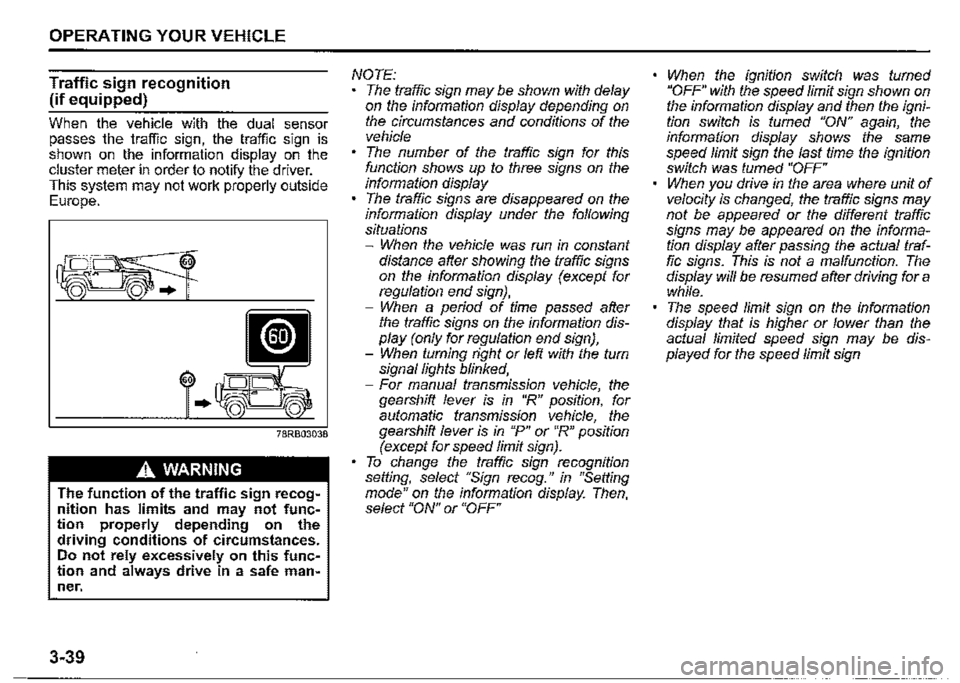
When the vehicle with the dual sensor passes the traffic sign, the traffic sign is shown on the information display on the cluster meter in order to notify the driver. This system may not work properly outside Europe.
60
..
A WARNING
The function of the traffic sign recognition has limits and may not function properly depending on the driving conditions of circumstances. Do not rely excessively on this function and always drive in a safe man~ ner.
3-39
NOTE: The traffic sign may be shown with delay on the information display depending on the circumstances and conditions of the vehicle The number of the traffic sign for this function shows up to three signs on the information display The traffic signs are disappeared on the information display under the following situations -When the vehicle was run in constant distance after showing the traffic signs on the information display (except for regulation end sign}, -When a period of time passed after the traffic signs on the information display (only for regulation end sign), -When turning right or left with the turn signal lights blinked, -For manual transmission vehicle, the gearshift lever is in "R" position, for automatic transmission vehicle, the gearshift lever is in "P" or "R" position (except for speed limit sign). To change the traffic sign recognition setting, select "Sign recog." in "Setting mode" on the information display. Then, select "ON" or "OFF"
When the ignition switch was turned "OFF" with the speed limit sign shown on the information display and then the ignition switch is fumed "ON" again, the information display shows the same speed limit sign the last time the ignition switch was fumed "OFF" When you drive in the area where unit of velocity is changed, the traffic signs may not be appeared or the different traffic signs may be appeared on the information display after passing the actual traffic signs. This is not a malfunction. The display will be resumed after driving for a while. The speed limit sign on the information display that is higher or lower than the actual limited speed sign may be displayed for the speed limit sign
Page 191 of 421

Situations where the system does not activate Under the following situations, the system does not activate. When the engine is off When dual sensor brake support indicator light and lane departure warning indicator light are initially lighting immediately after the ignition switch is in "ON" position For manual transmission vehicle, the gearshift lever is in "R" position, for automatic transmission vehicle, the gearshift lever is in "P", "R", or "N" position When the dual sensor is temporarily stopped or malfunctioning When the ESP® OFF switch is pushed and the system is turned off When the traffic sign recognition is turned off by operating the setting mode of information display When parking brake is applied When you drive in the area that there are no speed limit signs and has speed limit
OPERATING YOUR VEHICLE
3-40
Page 208 of 421
OPERATING YOUR VEHICLE
The ESP® indicator lights are described below:
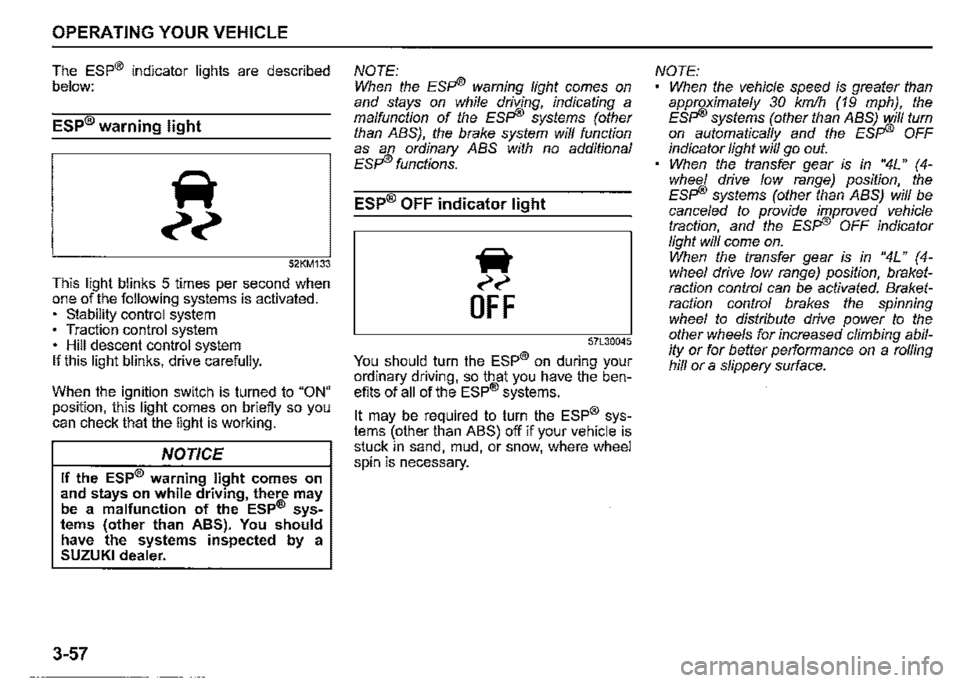
ESP® warning light
52KM133
This light blinks 5 times per second when one of the following systems is activated. • stability control system • Traction control system • Hill descent control system If this light blinks, drive carefully.
When the ignition switch is turned to "ON" position, this light comes on briefly so you can check that the light is working.
NOTICE
If the ESP® warning light comes on and stays on while driving, there may be a malfunction of the ESP® sys• tems (other than ABS). You should have the systems inspected by a SUZUKI dealer.
3-57
NOTE: When the ESFi® warning light comes on and stays on while driving, indicating a malfunction of the ESFI® systems (other than ABS), the brake system will function as an ordinary ABS with no additional ESFI® functions.
ESP® OFF indicator light
iir
~~
OFF
57L30045
You should turn the ESP® on during your ordinary driving, so that you have the benefits of all of the ESP® systems.
It may be required to turn the ESP® systems (other than ABS) off if your vehicle is stuck in sand, mud, or snow, where wheel spin is necessary.
NOTE: When the vehicle speed is greater than approximately 30 km/h (19 mph), the ESFi® systems (other than ABS) will turn on automatically and the ESFI® OFF indicator light will go out. When the transfer gear is in "4L" (4-whee/ drive low range) position, the ESFI® systems (other than ABS) will be cance/ed to provide improved vehicle traction, and the ESFI® OFF indicator light will come on. When the transfer gear is in "4L" ( 4-whee/ drive low range) position, braketraction control can be activated. Braketraction control brakes the spinning wheel to distribute drive power to the other wheels for increased climbing ability or for better performance on a rolling hill or a slippery surface.
Page 210 of 421
OPERATING YOUR VEHICLE
ABS warning light/ brake system
warning light
See "Braking" in this section.
Hill descent control system
The hill descent control system is designed to reduce the driver's workload when going down steep, rough and/or slippery hills where the vehicle cannot decelerate enough by engine braking alone. The hill descent control system helps to control vehicle speed by automatically engaging the vehicle's brakes, as needed, so you can concentrate on steering the vehicle.
.A. WARNING
Do not rely excessively on the hill descent control system. The hill descent control system may not control the vehicle speed on a hill under all load or road conditions. Always be prepa!ed to control vehicle speed by applying the brakes. Failure to pay attention and control vehicle speed using the brakes when necessary may result in loss of control or an accident.
3-59
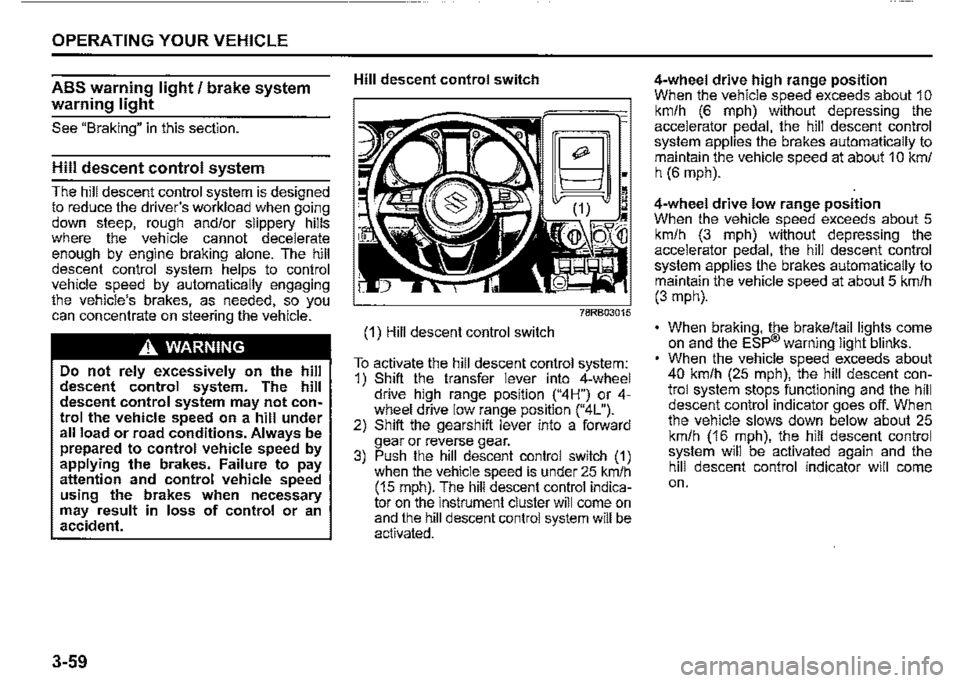
Hill descent control switch
(1) Hill descent control switch
~;
~~~:~M
To activate the hill descent control system: 1) Shift the transfer lever into 4-wheel drive hiQh range position ("4H") or 4-wh!"el drive low '.ange position ("4L"). 2) Shift the gearsh1ft lever into a forward gear or reverse gear. 3) Push the hill descent control switch (1) when the vehicle speed is under 25 km/h (15 mph). The hill descent control indicator on the instrument cluster will come on and the hill descent control system will be activated.
4-wheel drive high range position When the vehicle speed exceeds about 1 o km/h (6 mph) without depressing the accelerator pedal, the hill descent control system applies the brakes automatically to maintain the vehicle speed at about 1 O km/ h (6 mph).
4-wheel drive low range position When the vehicle speed exceeds about 5 km/h (3 mph) without depressing the accelerator pedal, the hill descent control system applies the brakes automatically to maintain the vehicle speed at about 5 km/h (3 mph).
• When braking, the brake/tail lights come on and the ESP® warning light blinks. When the vehicle speed exceeds about 40 km/h (25 mph), the hill descent control system stops functioning and the hill descent control indicator goes off. When the vehicle slows down below about 25 km/h (16 mph), the hill descent control system will be activated again and the hill descent control indicator will come on.
Page 211 of 421
A WARNING
• When the hill descent control system is used continuously for a long time, the temperature of the bra~e system may increase and the hill descent control system may be deactivated temporarily to protect the device of the brake system. The hill descent control indicator blinks to let you know the system is deactivated. Depress the brake pedal and stop the vehicle in a safe place. When the temperature of the brake system goes down, the hill descent control indicator will come on and the system is activated again. • The hill descent control system may be activated when the gearshift lever is in "N" (Neutral) posi~ tion, but engine braking will not work. Always use the hill descent control system with the gearshift lever in a forward gear or reverse
gear. When using the hill descent control system, push the hill descent control switch and make sure that the hill descent control indicator light comes on and no warning message are indicated on the information display.
NOTE: You may hear a sound coming from the engine when the hill descent control system is activated. This sound is normal and does not indicate a malfunction.
To turn off the hill descent control system, push the hill descent control switch and turn off the hill descent control indicator
light.
OPERATING YOUR VEHICLE
Hill descent control indicator light
79K050
When the ignition switch is in "ON" position, this light comes on briefiy so you can check that the light is working.
When you push the hill descent control switch and the hill descent control operating conditions are fulfilled, the hill desce~t control indicator comes on. If the hill descent control indicator blinks, the hill descent control will not be activated.
If hill descent control indicator light comes on while not operating the hill descent control switch, or the indicator light does not come on after the switch is pushed, there is a problem in this system. Have your vehicle inspected by a SUZUKI dealer.
3-60
Page 212 of 421
OPERATING YOUR VEHICLE
NOTE: If the hill descent control indicator blinks when you push the hill descent control switch, check the following conditions. • The transfer lever is in 4-wheel drive high range position ("4H'? or 4-wheel drive low range position("4L '? • The gearshift lever is in a forward gear or reverse gear • The vehicle speed is under 25 km/h (15 mph) • The brake system is under normal oper-ating temperature
NOTE: If any of the following conditions occur, there may be a problem with the hill descent control system or the ESP8 system. Have your vehicle inspected by a SUZUKI dealer. The hill descent control indicator does not come on or blink when you push the hill descent control switch. The hill descent control indicator stays on when driving without pushing the hill descent control switch.
3-61
ESP
HILL HOLD DISABLE
75RM224
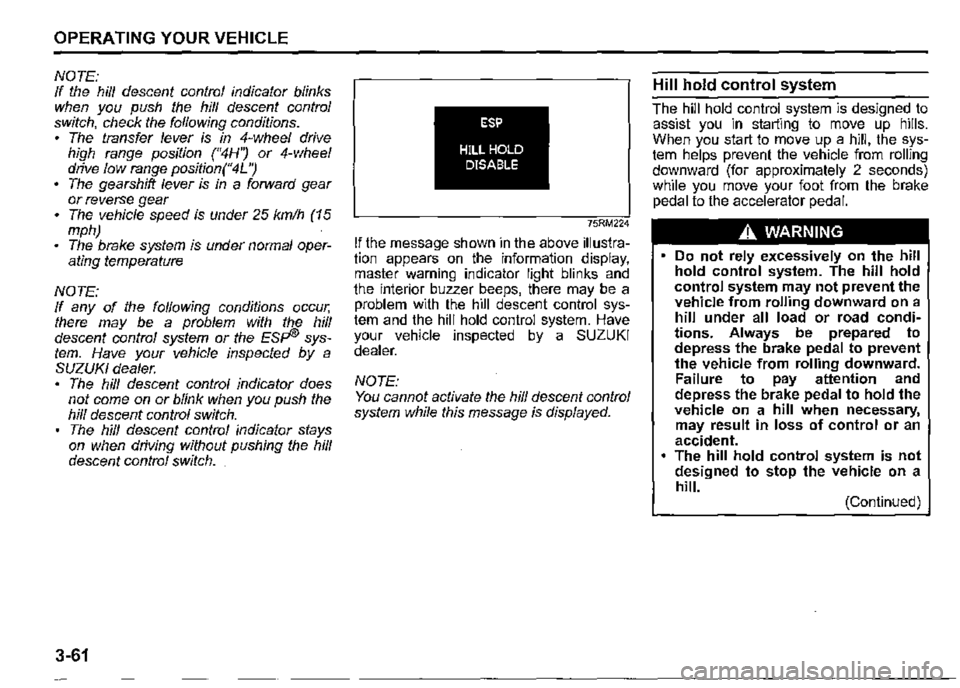
If the message shown in the above illustration appears on the information display, master warning indicator light blinks and the interior buzzer beeps, there may be a problem with the hill descent control system and the hill hold control system. Have your vehicle inspected by a SUZUKI dealer.
NOTE: You cannot activate the hill descent control system while this message is displayed.
Hill hold control system
The hill hold control system is designed to assist you in starting to move up hills. When you start to move up a hill, the system helps prevent the vehicle from rolling downward (for approximately 2 seconds) while you move your foot from the brake pedal to the accelerator pedal.
A WARNING
• Do not rely excessively on the hill hold control system. The hill hold control system may not prevent the vehicle from rolling downward on a hill under all load or road conditions. Always be prepared to depress the brake pedal to prevent the vehicle from rolling downward. Failure to pay attention and depress the brake pedal to hold the vehicle on a hill when necessary, may result in loss of control or an accident. The hill hold control system is not designed to stop the vehicle on a hill. (Continued)
Page 213 of 421
A WARNING
(Continued) After you release your foot from the brake pedal, accelerate the vehicle to move up immediately. If you release your foot from the brake pedal over 2 seconds, the hill hold control system will be canceled. If so, the vehicle may roll downward, which can result in an accident depending on the degree of slope. And, the engine may stall and the power assist for the steering and brakes will not work so steering and braking will be much harder than usual which can result in an accident or vehicle damage. If you drive on the steep slope, the gravel, the sclnow-covered road, or the muddy r I'd and the hill hold control system is activated, there may be a possibility that the wheels will be locked and then the vehicle may lose the control.
The hill hold control system activates for a maximum of about 2 seconds if your foot is moved from the brake pedal when the following conditions are all met.
1) The gearshift lever is in a forward gear or reverse gear. 2) The parking brake is released. 3) The vehicle is on an upward incline.
NOTE: When the hill hold control system is activated, the following conditions may be found, but this is not a malfunction. You may hear a sound from the engine room. As brake pedal becomes heavy, it may be difficult for you to depress it.
ESP
HILL HOLD DISABLE
75RM224
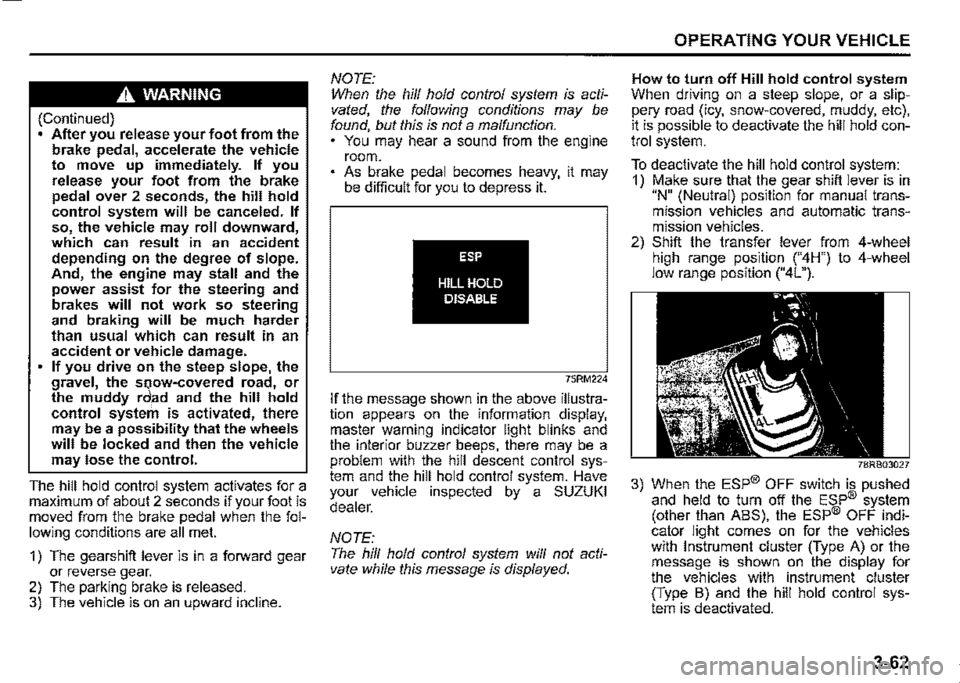
If the message shown in the above illustration appears on the information display, master warning indicator light blinks and the interior buzzer beeps, there may be a problem with the hill descent control system and the hill hold control system. Have your vehicle inspected by a SUZUKI dealer.
NOTE: The hill hold control system will not activate while this message is displayed.
OPERATING YOUR VEHICLE
How to turn off Hill hold control system When driving on a steep slope, or a slippery road (icy, snow-covered, muddy, etc), it is possible to deactivate the hill hold control system.
To deactivate the hill hold control system: 1) Make sure that the gear shift lever is in "N" (Neutral) position for manual transmission vehicles and automatic transmission vehicles. 2) Shift the transfer lever from 4-wheel high range position ("4H") to 4-wheel low range position ("4L").
78RB03027
3) When the ESP® OFF switch is pushed and held to turn off the ESP® system (other than ABS), the ESP® OFF indicator light comes on for the vehicles with Instrument cluster (Type A) or the message is shown on the display for the vehicles with instrument cluster (Type B) and the hill hold control system is deactivated.
3-62
Page 227 of 421
NOTICE
Never operate your vehicle in 114H" or 114L11 on dry pavement and, as much as possible, avoid using 114H" or 114L" on wet pavement, as this puts severe stress on the drive train, especially during tight cornering, and can d~mage it. Also, you may have some d1ff1~ culty in steering.
Off-Road Driving
Your vehicle has specific design characteristics for off-road driving. When you leave the paved road, you will encounter driving surfaces of all kinds which may change continually as you drive. In most cases, offroad driving requires the use of 4-wheel drive.
Use Caution on Steep Inclines
Always inspect hills before you attempt to drive up them. Know what is on the other side and how you will get back down. If you have any doubt that it. is safe, do not attempt to drive over a hill. Nev".r d_nve your vehicle up an extremely steep incline. Coming down a steep hill can be trickier than getting up one. Keep the vehicle heading straight down the hill and use low gear. Do not lock the brake~. If the vehicle begins to slide, accelerate slightly to regain steering control.
DRIVING TIPS
Do not Drive Across the Side of
Hills
Driving across the side of a hill can be extremely hazardous. Most of the vehicle'.s weight will be transferred to the downhill tyres, which could result in the vehicle rolling sideways. Whenever possible, avoid this potential hazard. Also, 1f you have to exit your vehicle on a side-hill, always get out on the uphill side.
Wear Your Seat Belts at All Times
You and your passengers should use the seat belts at all times when driving offroad. For proper seat belt use, refer to the "Seat Belts" section in this manual.
Avoid Sudden Reactions in Mud,
Ice, or Snow
Be careful when off-road conditions are slippery. Reduce your speed and avoid sudden movements of the vehicle. Be aware that driving in deep snow or mud can cause a loss of traction and an increase in the resistance to the vehicle's forward motion. Use 4WD low gear (4L) and maintain a steady but moderate speed with a light touch on the steering wheel and brakes.
4-4
Page 228 of 421
DRIVING TIPS
Snow chains
Snow chains should only be used if they are needed to increase traction or are required by law. Check that the chains you use are the correct size for your vehicle's tyres. Also check that there is enough clearance between the fenders and the chains as installed on the tyres. Install the chains on the rear tyres tightly, according to the chain manufacturer's instructions. Retighten the chains after driving about 1.0 km (1/2 mile) if necessary. With the chains installed, drive slowly.
NOTICE
If you hear the chains hitting against the vehicle body while driving, stop and tighten them.
4-5
Do not drive in the field covered
with grown grass
If you drive in the field covered with grass, it may cause accident or vehicle damage by getting caught in grown grass.
If Your Vehicle Gets Stuck
If your vehicle gets stuck in snow, mud, or sand, follow the directions below:
1) Shift the transfer shift lever into the "4L"
position. 2) Shift the transmission back and forth between a forward range (or first gear for manual transmission) and reverse. This will create a rocking motion which may give you enough momentum to free the vehicle. Press gently on the accelerator to keep wheel spin to a minimum. Remove your foot from the accelerator while shifting. Do not race the engine. Excessive wheel spin will cause the tyres to dig deeper, making it more difficult to free the vehicle. 3) If your vehicle remains stuck after a few minutes of rocking, get another vehicle to pull you out.
A WARNING
Do not allow anyone to stand near the vehicle when you are rocking it, and do not spin the wheels faster than an indicated 40 km/h (25 mph) on the speedometer. Personal injury and/or vehicle damage may result from spinning the wheels too fast.
NOTICE
• Release the accelerator pedal when operating the gearshift lever or the transfer lever. Operating the gearshift lever or the transfer lever with the engine racing can damage the gears and the free axle mechanism. • Do not continue rocking the vehicle for more than a few minutes. Prolonged rocking can cause engine overheating, transmission, transfer case, axles, propeller shaft or differential damage, or tyre damage.
Page 229 of 421
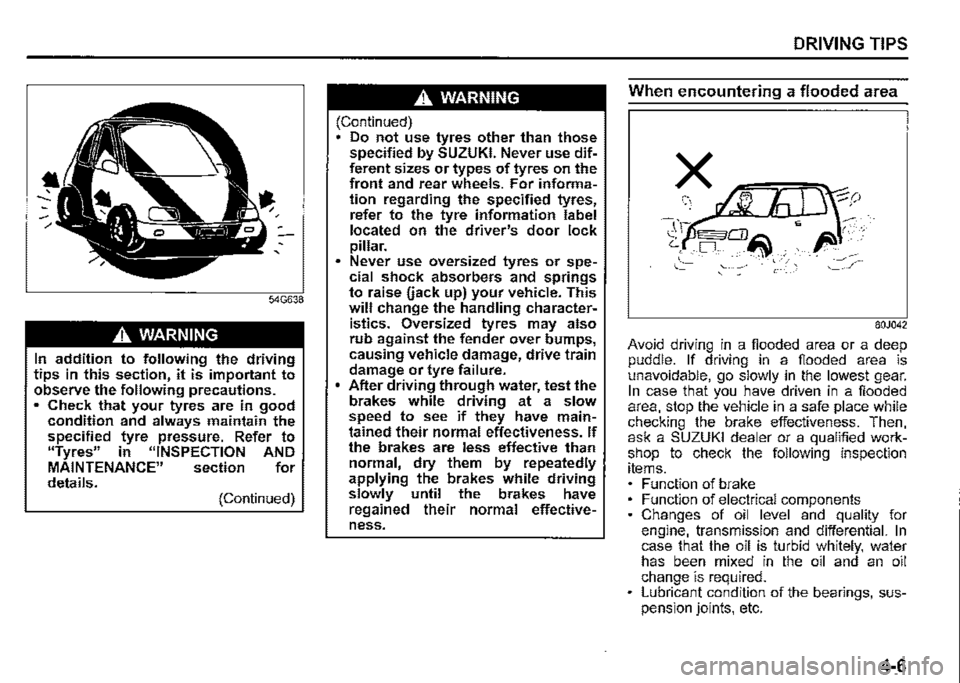
A WARNING
In addition to following the driving tips in this section, it is important to observe the following precautions. • Check that your tyres are in good condition and always maintain the specified tyre pressure. Refer to "Tyres" in "INSPECTION AND MAINTENANCE" section for details. (Continued)
A WARNING
(Continued) Do not use tyres other than those specified by SUZUKI. Never use different sizes or types of tyres on the front and rear wheels. For information regarding the specified tyres, refer to the tyre information label located on the driver's door lock pillar. Never use oversized tyres or spe~ cial shock absorbers and springs to raise uack up) your vehicle. This will change the handling characteristics. Oversized tyres may also rub against the fender over bumps, causing vehicle damage, drive train damage or tyre failure. After driving through water, test the brakes while driving at a slow speed to see if they have maintained their normal effectiveness. If the brakes are less effective than normal, dry them by repeatedly applying the brakes while driving slowly until the brakes have regained their normal effectiveness.
DRIVING TIPS
When encountering a flooded area
80J042
Avoid driving in a flooded area or a deep puddle. If driving in a flooded area is unavoidable, go slowly in the lowest gear. In case that you have driven in a flooded area, stop the vehicle in a safe place while checking the brake effectiveness. Then, ask a SUZUKI dealer or a qualified workshop to check the following inspection items. Function of brake Function of electrical components Changes of oil level and quality for engine, transmission and differential. In case that the oil is turbid whitely, water has been mixed in the oil and an oil change is required. Lubricant condition of the bearings, suspension joints, etc.
4-6