tow SUZUKI KIZASHI 2010 1.G Owner's Manual
[x] Cancel search | Manufacturer: SUZUKI, Model Year: 2010, Model line: KIZASHI, Model: SUZUKI KIZASHI 2010 1.GPages: 388, PDF Size: 4.94 MB
Page 78 of 388
2-59BEFORE DRIVING
57L20-03E
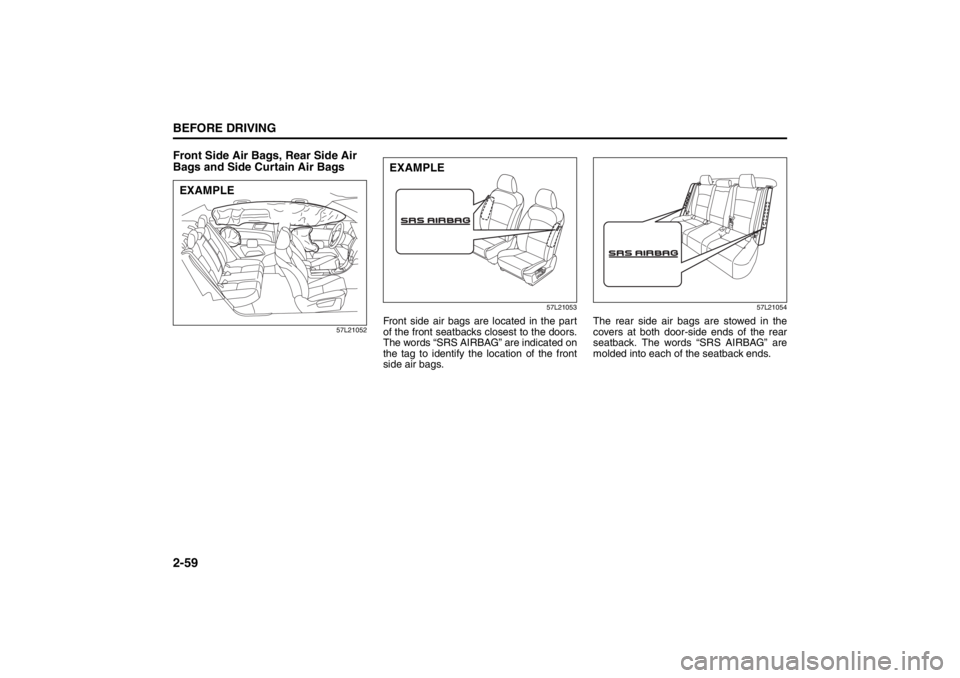
Front Side Air Bags, Rear Side Air
Bags and Side Curtain Air Bags
57L2105257L21053
Front side air bags are located in the part
of the front seatbacks closest to the doors.
The words “SRS AIRBAG” are indicated on
the tag to identify the location of the front
side air bags.
57L21054
The rear side air bags are stowed in the
covers at both door-side ends of the rear
seatback. The words “SRS AIRBAG” are
molded into each of the seatback ends.
EXAMPLE
EXAMPLE
Page 90 of 388
2-71BEFORE DRIVING
57L20-03E
1) Pull off the road and stop carefully.
2) Test the brakes by carefully starting and
stopping on the shoulder of the road.
3) If you determine that it is safe, drive
cautiously at low speed to the nearest
dealer for repairs,
or
4) Have the vehicle towed to the nearest
dealer for repairs.NOTE:
Because the disc brake system is self-
adjusting, the fluid level will drop as the
brake pads become worn.
Replenishing the brake fluid reservoir is
considered normal periodic maintenance.
Anti-Lock Brake System (ABS)
Warning Light
65D529
When you press the engine switch to
change the ignition mode to “ON”, the light
comes on briefly so you can check that the
light is working. If the light stays on, or
comes on when driving, there may be
something wrong with the ABS.
If the ABS light and the brake system
warning light stay on, or come on simulta-
neously when driving, then there may be
something wrong with both the rear brake
proportioning valve function and anti-lock
function of the ABS.
If one of these happens, have the system
inspected by an authorized SUZUKI
dealer. If the ABS becomes inoperative,
the brake system will function as an ordi-
nary brake system that has no ABS.For details of the ABS, refer to “Anti-Lock
Brake System (ABS)” in the “OPERATING
YOUR VEHICLE” section.
ESP
® Warning Light
52KM133
ESP
® is a registered trademark of Daimler
AG.
This light blinks 5 times per second when
one of the ESP
® systems other than ABS
is activated. If this light blinks, drive care-
fully.
When you press the engine switch to
change the ignition mode to “ON”, the light
comes on briefly so you can check that the
light is working. If the light stays on, or
comes on when driving and remains on,
there may be something wrong with the
ESP
® systems (other than ABS). You
should have the system inspected by an
authorized SUZUKI dealer.
WARNING
Remember that stopping distance
may be longer, you may have to push
harder on the pedal, and the pedal
may go down farther than normal.
WARNING
If any of the following conditions
occur, you should immediately ask
an SUZUKI dealer to inspect the
brake system.
If the brake system warning light
does not go out after the parking
brake has been fully released.
If the brake system warning light
does not come on when you press
the engine switch to change the
ignition mode to “ON”.
If the brake system warning light
comes on at any time during vehi-
cle operation.
Page 119 of 388
2-100
BEFORE DRIVING
57L20-03E
Lighting Control Lever
57L21128
Lighting Operation (if equipped)
57L21062
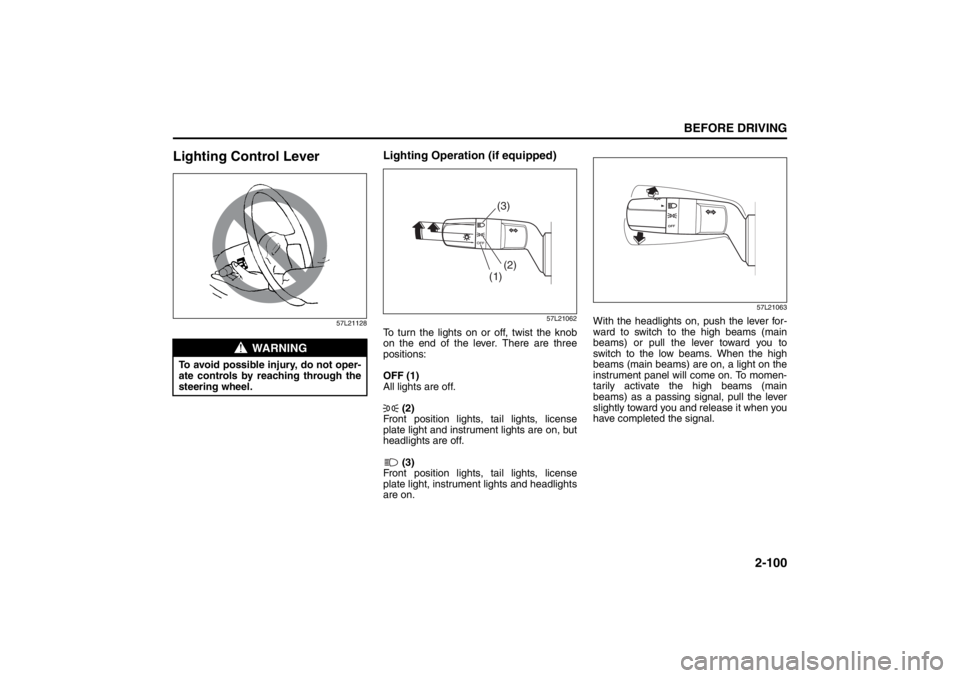
To turn the lights on or off, twist the knob
on the end of the lever. There are three
positions:
OFF (1)
All lights are off.
(2)
Front position lights, tail lights, license
plate light and instrument lights are on, but
headlights are off.
(3)
Front position lights, tail lights, license
plate light, instrument lights and headlights
are on.
57L21063
With the headlights on, push the lever for-
ward to switch to the high beams (main
beams) or pull the lever toward you to
switch to the low beams. When the high
beams (main beams) are on, a light on the
instrument panel will come on. To momen-
tarily activate the high beams (main
beams) as a passing signal, pull the lever
slightly toward you and release it when you
have completed the signal.
WARNING
To avoid possible injury, do not oper-
ate controls by reaching through the
steering wheel.
(1)(2)(3)
Page 122 of 388
2-103BEFORE DRIVING
57L20-03E
57L21065
With the headlights on, push the lever for-
ward to switch to the high beams (main
beams) or pull the lever toward you to
switch to the low beams. When the high
beams (main beams) are on, a light on the
instrument panel will come on. To momen-
tarily activate the high beams (main
beams) as a passing signal, pull the lever
slightly toward you and release it when you
have completed the signal.
Auto-On Headlight System
57L21118
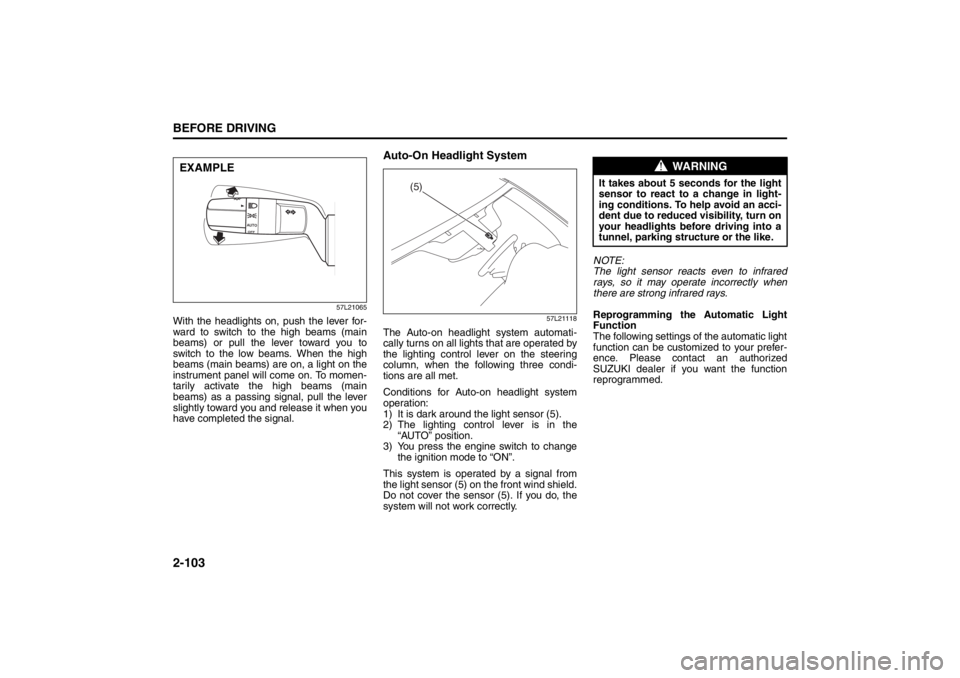
The Auto-on headlight system automati-
cally turns on all lights that are operated by
the lighting control lever on the steering
column, when the following three condi-
tions are all met.
Conditions for Auto-on headlight system
operation:
1) It is dark around the light sensor (5).
2) The lighting control lever is in the
“AUTO” position.
3) You press the engine switch to change
the ignition mode to “ON”.
This system is operated by a signal from
the light sensor (5) on the front wind shield.
Do not cover the sensor (5). If you do, the
system will not work correctly.NOTE:
The light sensor reacts even to infrared
rays, so it may operate incorrectly when
there are strong infrared rays.
Reprogramming the Automatic Light
Function
The following settings of the automatic light
function can be customized to your prefer-
ence. Please contact an authorized
SUZUKI dealer if you want the function
reprogrammed.
EXAMPLE
(5)
WARNING
It takes about 5 seconds for the light
sensor to react to a change in light-
ing conditions. To help avoid an acci-
dent due to reduced visibility, turn on
your headlights before driving into a
tunnel, parking structure or the like.
Page 128 of 388
2-109BEFORE DRIVING
57L20-03E
– There were already raindrops on the
windshield before starting rain-sensing
wiper operation. You should remove
the raindrops by operating the wipers
under manual control.
– The rain sensor is hotter than 80°C
(176°F) in the sun or lower than –10°C
(14°F) in freezing weather. (The wip-
ers do not operate under this condi-
tion.)
– The windshield is coated with a water-
repellent substance, which causes
raindrops to run down quickly. This will
give a clearer view and the wipers may
seem to operate too frequently. In this
case, decrease the system’s sensitiv-
ity.
– The sensor area is covered with a
sticker.
– The wiper blades are damaged. You
should replace them.
The following conditions may indicate
problems with the rain-sensing wiper
system. If your system exhibits any of
the following conditions, have it
inspected by an authorized SUZUKI
dealer.
– Rainfall/snowfall rate varies but the
wiping interval remains constant.
– Rain/snow is falling but the wipers do
not operate.Reprogramming the Rain-sensing
Wiper Function
The AUTO position operation of the rain-
sensing wiper function can be customized
to your preference by reprogramming its
setting as follows. Please contact an
authorized SUZUKI dealer for this customi-
zation.
Semi-automatic wiping
The system automatically selects the most
appropriate of the following wiping modes:
intermittent wiping, low-speed wiping, or
high-speed wiping. (The wipers do not stop
automatically.)
Intermittent wiping
The wipers operate only in the intermittent
wiping mode. The wiping interval can be
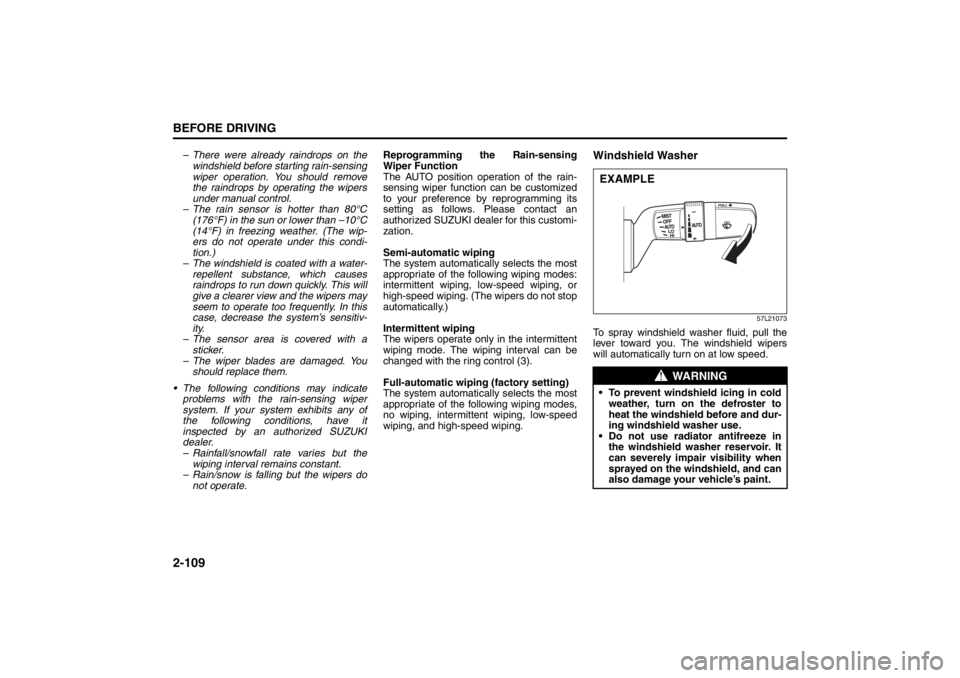
changed with the ring control (3).
Full-automatic wiping (factory setting)
The system automatically selects the most
appropriate of the following wiping modes,
no wiping, intermittent wiping, low-speed
wiping, and high-speed wiping.
Windshield Washer
57L21073
To spray windshield washer fluid, pull the
lever toward you. The windshield wipers
will automatically turn on at low speed.
WARNING
To prevent windshield icing in cold
weather, turn on the defroster to
heat the windshield before and dur-
ing windshield washer use.
Do not use radiator antifreeze in
the windshield washer reservoir. It
can severely impair visibility when
sprayed on the windshield, and can
also damage your vehicle’s paint.EXAMPLE
Page 138 of 388
3-7OPERATING YOUR VEHICLE
57L20-03E
the following conditions, you may not be
able to start the engine or select the
power supply modes, and the “remote
controller outside” warning may be
given.
– The remote controller’s battery is low.
– The remote controller is affected bystrong radio signals or noise.
– The remote controller is in contact with or covered by a metallic object.
– The remote controller is in stowage like the glove box or a door pocket.
– The remote controller is in the sun
visor pocket or on the floor.
Even when the remote controller is out- side the “interior workable area”, if it is in
any of the following conditions, you may
be able to start the engine or select the
power supply mode. The “remote con-
troller outside” warning may not be given
at that time.
– The remote controller is outside the
vehicle but very close to a door.
– The remote controller is on the instru- ment panel.
Starting the EngineBefore Starting the Engine1) Make sure the parking brake is set fully.
2) Manual Transaxle – Shift to “N” (Neu- tral) and fully depress the clutch pedal.
Hold the clutch and brake pedals fully
depressed.
CVT – If the gearshift lever is not in the
“P” (Park) position, shift it to “P”. Hold
the brake pedal fully depressed.
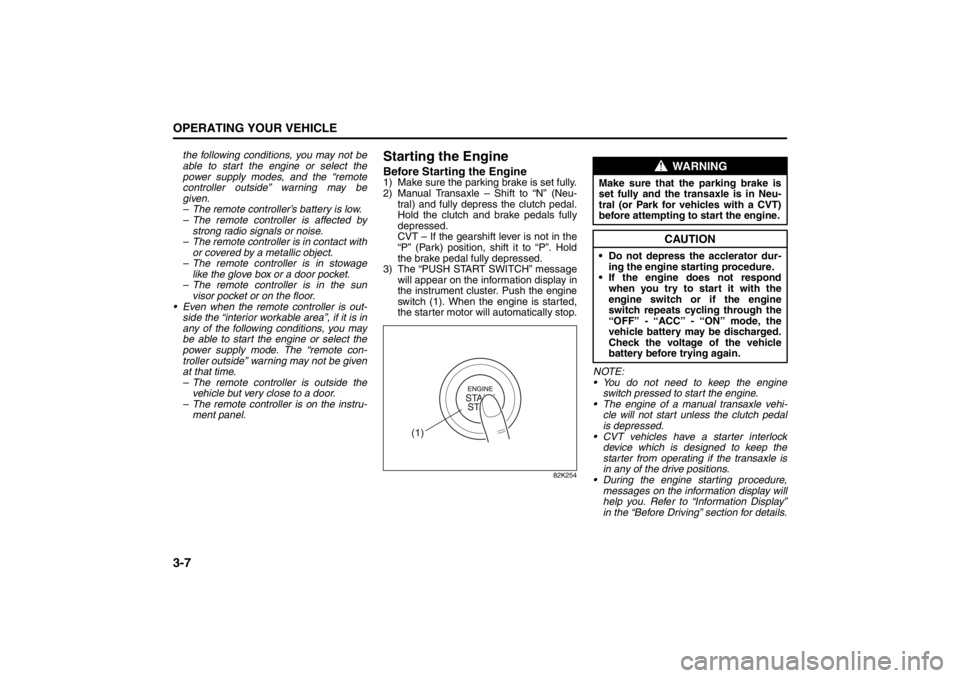
3) The “PUSH START SWITCH” message will appear on the information display in
the instrument cluster. Push the engine
switch (1). When the engine is started,
the starter motor will automatically stop.
82K254
NOTE:
You do not need to keep the engine
switch pressed to start the engine.
The engine of a manual transaxle vehi- cle will not start unless the clutch pedal
is depressed.
CVT vehicles have a starter interlock device which is designed to keep the
starter from operating if the transaxle is
in any of the drive positions.
During the engine starting procedure,
messages on the inform ation display will
help you. Refer to “Information Display”
in the “Before Driving” section for details.
(1)
WARNING
Make sure that the parking brake is
set fully and the tr ansaxle is in Neu-
tral (or Park for vehicles with a CVT)
before attempting to start the engine.
CAUTION
Do not depress the acclerator dur-
ing the engine st arting procedure.
If the engine does not respond when you try to start it with the
engine switch or if the engine
switch repeats cycling through the
“OFF” - “ACC” - “ON” mode, the
vehicle battery may be discharged.
Check the voltage of the vehicle
battery before trying again.
Cruise Control: 7, 8
Page 148 of 388
3-17OPERATING YOUR VEHICLE
57L20-03E
NOTE:
The indicated gear position on the infor-
mation display when you shift from “D” to
“M” is the gear position that was selected
automatically when the gearshift lever
was in “D”.
You can change to the manual mode
temporarily by pulling the shift paddle (if
equipped) on the steering wheel toward
you when the gearshift lever is in “D”.
Shifting in the manual mode
You can shift gears from 1st to 6th depend-
ing on driving speed.
NOTE:
If the CVT fluid becomes hot such as
when driving uphill, the transaxle will
automatically shift up in order to protect
itself and the engine regardless of your
gear shifting operation.
When the driving speed becomes slow,
the gear shifts down automatically, and
when the vehicle stops, the gear position
will be in 1st gear without shifting the
gearshift lever.
If you depress the accelerator pedal a
certain amount, the gear shifts down
automatically even if the gearshift lever
is in the manual mode.NOTE:
When you change gear, sometimes the
transaxle may not shift to the desired gear
but a buzzer sounds instead. This is to
maintain good drivability and to protect the
transaxle.
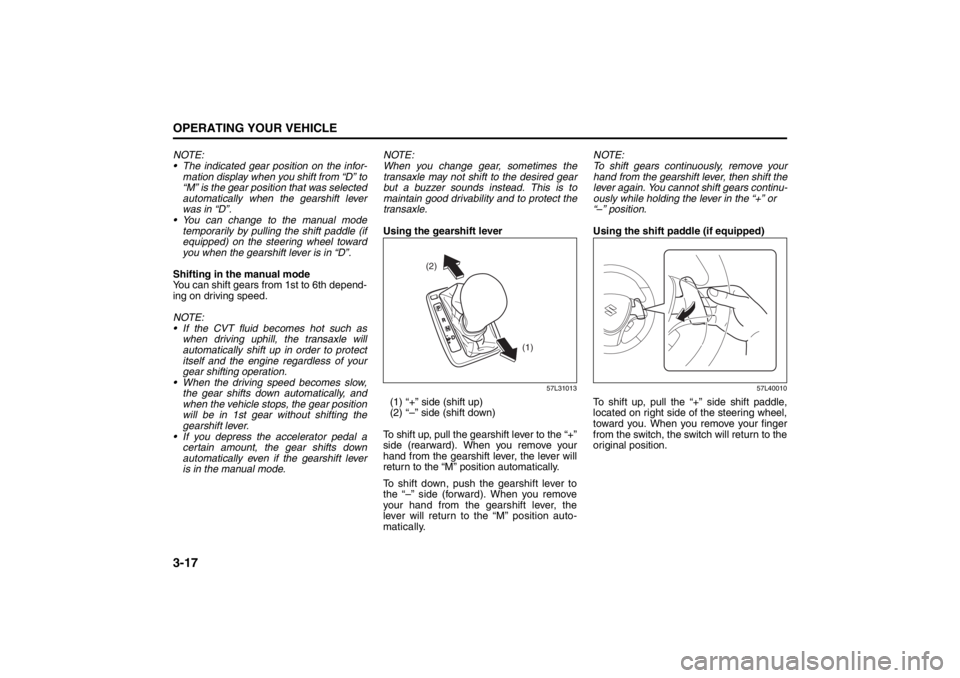
Using the gearshift lever
57L31013
(1) “+” side (shift up)
(2) “–” side (shift down)
To shift up, pull the gearshift lever to the “+”
side (rearward). When you remove your
hand from the gearshift lever, the lever will
return to the “M” position automatically.
To shift down, push the gearshift lever to
the “–” side (forward). When you remove
your hand from the gearshift lever, the
lever will return to the “M” position auto-
matically.NOTE:
To shift gears continuously, remove your
hand from the gearshift lever, then shift the
lever again. You cannot shift gears continu-
ously while holding the lever in the “+” or
“–” position.
Using the shift paddle (if equipped)
57L40010
To shift up, pull the “+” side shift paddle,
located on right side of the steering wheel,
toward you. When you remove your finger
from the switch, the switch will return to the
original position.
(2)
(1)
Page 149 of 388
3-18
OPERATING YOUR VEHICLE
57L20-03E
57L40011
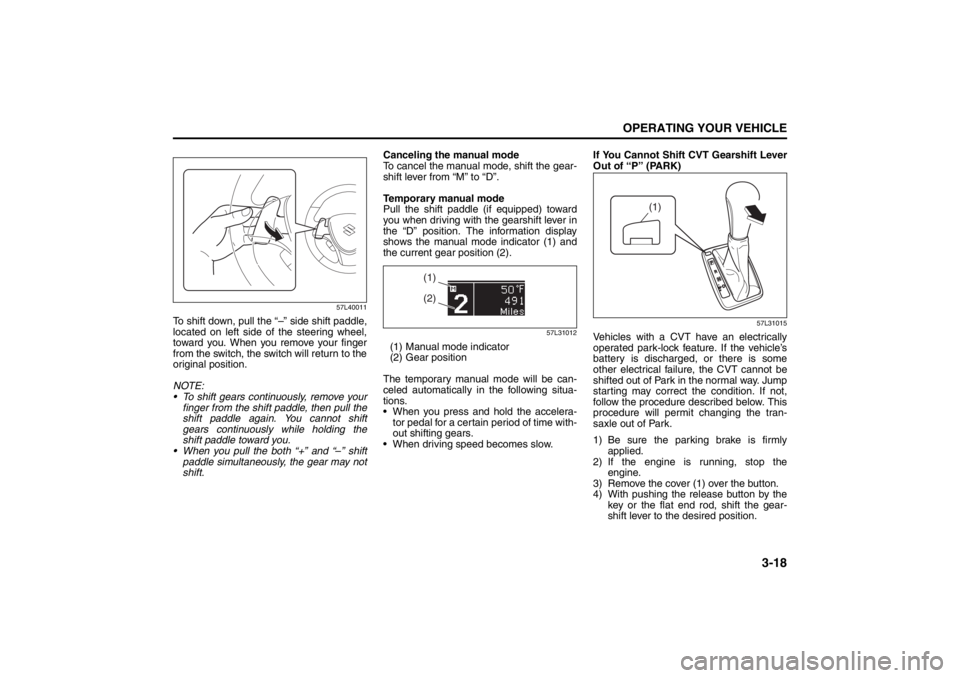
To shift down, pull the “–” side shift paddle,
located on left side of the steering wheel,
toward you. When you remove your finger
from the switch, the switch will return to the
original position.
NOTE:
To shift gears continuously, remove your
finger from the shift paddle, then pull the
shift paddle again. You cannot shift
gears continuously while holding the
shift paddle toward you.
When you pull the both “+” and “–” shift
paddle simultaneously, the gear may not
shift.Canceling the manual mode
To cancel the manual mode, shift the gear-
shift lever from “M” to “D”.
Temporary manual mode
Pull the shift paddle (if equipped) toward
you when driving with the gearshift lever in
the “D” position. The information display
shows the manual mode indicator (1) and
the current gear position (2).
57L31012
(1) Manual mode indicator
(2) Gear position
The temporary manual mode will be can-
celed automatically in the following situa-
tions.
When you press and hold the accelera-
tor pedal for a certain period of time with-
out shifting gears.
When driving speed becomes slow.If You Cannot Shift CVT Gearshift Lever
Out of “P” (PARK)
57L31015
Vehicles with a CVT have an electrically
operated park-lock feature. If the vehicle’s
battery is discharged, or there is some
other electrical failure, the CVT cannot be
shifted out of Park in the normal way. Jump
starting may correct the condition. If not,
follow the procedure described below. This
procedure will permit changing the tran-
saxle out of Park.
1) Be sure the parking brake is firmly
applied.
2) If the engine is running, stop the
engine.
3) Remove the cover (1) over the button.
4) With pushing the release button by the
key or the flat end rod, shift the gear-
shift lever to the desired position.
(1)(2)
(1)
Page 156 of 388

3-25OPERATING YOUR VEHICLE
57L20-03E
NOTE:
Thin poles or obstacles lower than the
sensors may become undetectable as
the vehicle moves closer to them even if
they have been detected from longer dis-
tances. The system may calculate the distance
to a road sign or similar obstacle to be
shorter than the actual distance.
Certification (Canada only)
This ISM device complies with Canadian
ICES*-001
* Interference-Causing Equipment Stan-
dards
CAUTION
Under the following conditions, the
parking sensor system may not
work normally because the sensors
cannot detect obstacles correctly.
– Sensors are covered with mud,
ice or other materials. (Such
materials must be removed for
normal operation.)
– Sensors are wet from water
splashes or heavy rain.
– Sensors are covered by a hand,
sticker, accessory, etc.
– There is an accessory or other
object attached within the sen-
sor’s sensing area.
– Items such as tow hooks, a back-
lit license plate, commercially
available corner poles, radio
antenna, etc. are installed on the
bumper.
– The height of the bumper is
changed due to alteration to the
suspension or other causes.
– The sensor areas are extremely
hot from direct sunlight or cold
due to freezing weather.
– The vehicle is on a rough sur-
face, slope, gravel road or grass
field.
– The vehicle is at a steep angle.
(Continued)
CAUTION
(Continued)
– Sensors have intercepted ultra-
sonic noise from another vehi-
cle’s horn, engine, air braking
system (large vehicles), or park-
ing sensor.
– Obstacles are too close to the
sensors.
– Sensors are at an angle to a
highly reflective object such as
glass. (Ultrasonic waves are not
reflected back from the obstacle.)
Sensors may not be able to cor-
rectly detect the following types of
obstacles:
– Objects made of a thin material
like wire netting and ropes
– Square-shaped curbstones or
other objects with sharp edges
– Tall objects with a large upper
part like a road sign
– Low-profile objects such as curb-
stones
– Sound-absorbing objects such
as cotton and snow
Page 173 of 388
4-2
DRIVING TIPS
57L20-03E
54G584S
Improving Fuel EconomyThe following instructions will help you
improve fuel economy.
Avoid excessive idling
If you are to wait for more than a minute
while you are parked, stop the engine and
start it again later. When warming up a
cold engine, allow the engine to idle until
the temperature gauge pointer comes up
to the “C” position. In this position, the
engine is sufficiently warm for starting off.
Avoid “jackrabbit” starts
Fast starts away from lights or stop signs
will consume fuel unnecessarily and
shorten engine life. Start off slowly.
Avoid unnecessary stops
Avoid unnecessary deceleration and stop-
ping. Try to maintain a slow, steady speed
whenever possible. Slowing down and then
accelerating again uses more fuel.
Keep a steady cruising speed
Keep as constant a speed as road and traf-
fic conditions will permit.
CAUTION
To minimize the possibility of catalyst
or other vehicle damage:
Maintain the engine in the proper
operating condition.
In the event of an engine malfunc-
tion, particularly one involving
engine misfire or other apparent
loss of performance, have the vehi-
cle serviced promptly.
Do not shut off the engine or inter-
rupt the ignition when the transaxle
is in gear and the vehicle is in
motion.
Do not try to start the engine by
pushing or towing the vehicle or
coasting down a hill.
Do not idle the engine with any
spark plug wires disconnected or
removed, such as during diagnos-
tic testing.
Do not idle the vehicle for pro-
longed periods if idling seems
rough or there are other malfunc-
tions.
Do not allow the fuel tank to get
near the empty level.
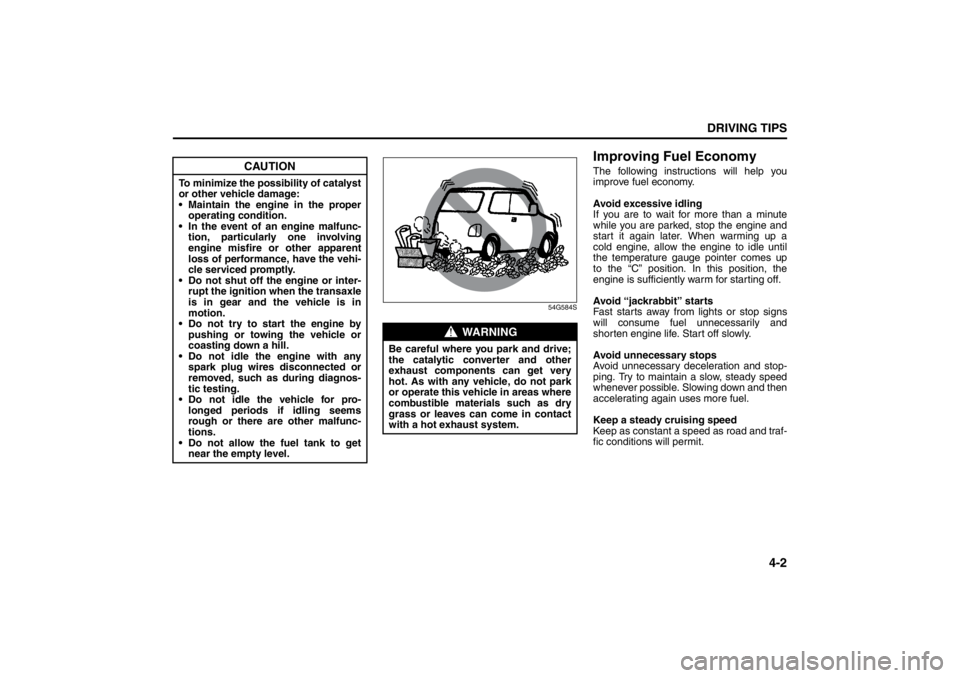
WARNING
Be careful where you park and drive;
the catalytic converter and other
exhaust components can get very
hot. As with any vehicle, do not park
or operate this vehicle in areas where
combustible materials such as dry
grass or leaves can come in contact
with a hot exhaust system.
Instrument Cluster: 8