light SUZUKI KIZASHI 2010 1.G Repair Manual
[x] Cancel search | Manufacturer: SUZUKI, Model Year: 2010, Model line: KIZASHI, Model: SUZUKI KIZASHI 2010 1.GPages: 388, PDF Size: 4.94 MB
Page 151 of 388
3-20
OPERATING YOUR VEHICLE
57L20-03E
2WD/i-AWD Switch OperationOperate the 2WD/i-AWD switch according
to the appropriate procedure described
below:
How to turn on 2WD/i-AWD switch
2WD/i-AWD switch will activate when the
engine switch is pressed to change the
ignition mode to “ON”.
From 2WD to i-AWD
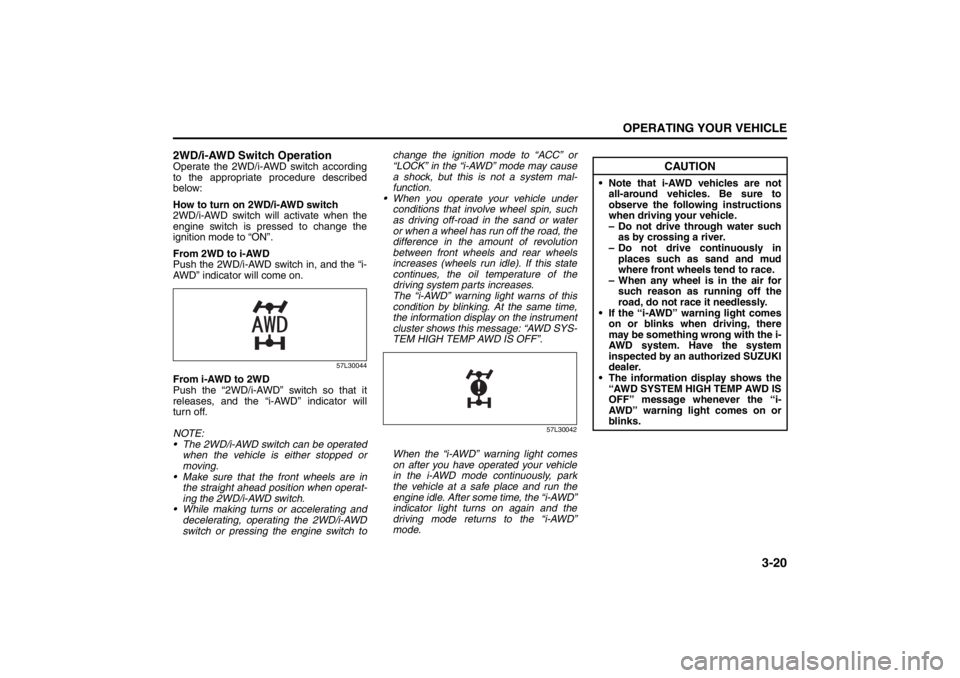
Push the 2WD/i-AWD switch in, and the “i-
AWD” indicator will come on.
57L30044
From i-AWD to 2WD
Push the “2WD/i-AWD” switch so that it
releases, and the “i-AWD” indicator will
turn off.
NOTE:
The 2WD/i-AWD switch can be operated
when the vehicle is either stopped or
moving.
Make sure that the front wheels are in
the straight ahead position when operat-
ing the 2WD/i-AWD switch.
While making turns or accelerating and
decelerating, operating the 2WD/i-AWD
switch or pressing the engine switch tochange the ignition mode to “ACC” or
“LOCK” in the “i-AWD” mode may cause
a shock, but this is not a system mal-
function.
When you operate your vehicle under
conditions that involve wheel spin, such
as driving off-road in the sand or water
or when a wheel has run off the road, the
difference in the amount of revolution
between front wheels and rear wheels
increases (wheels run idle). If this state
continues, the oil temperature of the
driving system parts increases.
The “i-AWD” warning light warns of this
condition by blinking. At the same time,
the information display on the instrument
cluster shows this message: “AWD SYS-
TEM HIGH TEMP AWD IS OFF”.
57L30042
When the “i-AWD” warning light comes
on after you have operated your vehicle
in the i-AWD mode continuously, park
the vehicle at a safe place and run the
engine idle. After some time, the “i-AWD”
indicator light turns on again and the
driving mode returns to the “i-AWD”
mode.
CAUTION
Note that i-AWD vehicles are not
all-around vehicles. Be sure to
observe the following instructions
when driving your vehicle.
– Do not drive through water such
as by crossing a river.
– Do not drive continuously in
places such as sand and mud
where front wheels tend to race.
– When any wheel is in the air for
such reason as running off the
road, do not race it needlessly.
If the “i-AWD” warning light comes
on or blinks when driving, there
may be something wrong with the i-
AWD system. Have the system
inspected by an authorized SUZUKI
dealer.
The information display shows the
“AWD SYSTEM HIGH TEMP AWD IS
OFF” message whenever the “i-
AWD” warning light comes on or
blinks.
Page 153 of 388
3-22
OPERATING YOUR VEHICLE
57L20-03E
To Set Cruising Speed1) Turn on the cruise control system by
pushing the “CRUISE” switch (1). When
the “CRUISE” indicator light comes on,
you can set cruising speed.
2) Accelerate or decelerate to the desired
speed.
3) Push down the “RES +/SET –” switch
(3) and turn on the “SET” indicator light.
Take your foot off the accelerator pedal
and the set speed will be maintained.
“CRUISE” indicator light
52D113
When you push the “CRUISE” switch, the
system is on and a “CRUISE” indicator
light on the instrument cluster will be on.“SET” indicator light
65D474
When the vehicle’s speed is controlled by
the cruise control system, a “SET” indica-
tor light on the instrument cluster will be
on.
To Change Speed Temporarily
When the cruising speed is maintained,
you can temporarily accelerate or deceler-
ate.
To accelerate, depress the accelerator
pedal. When you take your foot off the
pedal, your vehicle will return to the set
speed.
To decelerate, depress the brake pedal.
The set speed will be canceled and “SET”
indicator light will go off.
To resume the previously set speed, push
up the “RES +/SET –” switch (3) and turn
on the “SET” indicator light again when
vehicle speed is above 25 mph (40 km/h).
The vehicle will accelerate to and maintain
the previously set speed.NOTE:
For CVT vehicle, when the cruising speed
is maintained, you cannot decelerate by
using the engine brake if you downshift
from higher gear to 3rd in the manual
mode.
To decelerate while the cruise control is on,
depress the brake pedal or push down the
“RES +/SET –” switch (3).
To Change Cruising Speed
Using the accelerator pedal
To reset at a faster cruising speed, acceler-
ate to the desired speed using the acceler-
ator pedal and push down the “RES +/SET
–” switch (3). The new speed will be main-
tained.
Using the brake pedal
To reset at a slower cruising speed, decel-
erate to the desired speed using the brake
pedal and push down the “RES +/SET –”
switch (3). The new speed will be main-
tained.
NOTE:
When the brake pedal is depressed, the
“SET” indicator light goes off until reset the
cruising speed.
Using the cruise control switch
To reset at a faster cruising speed, press
repeatedly or hold push up the “RES +/
SET –” switch (3). Vehicle speed will
WARNING
If the cruising speed is set by acci-
dent, you cannot decelerate or could
loose control of the vehicle. This
could lead to an accident, resulting in
severe injury or death.
Turn off the cruise control system
and make sure the “CRUISE” indica-
tor light is off when the system is not
in use.
Page 154 of 388

3-23OPERATING YOUR VEHICLE
57L20-03E
steadily increase. When you release the
switch, the new speed will be maintained.
To reset at a slower cruising speed, press
repeatedly or hold push down the “RES +/
SET –” switch (3) until the vehicle has
slowed to the desired speed, then release
the switch. The new speed will be main-
tained.
NOTE:
You can adjust the set speed by approxi-
mately 1.0 mph (1.6 km/h) by pushing a
cruise control switch quickly.
Cancellation of the Cruise Control
The “SET” indicator light will go off and the
cruise control will be canceled temporarily
with following procedures:
Push the “CANCEL” switch (2).
Depress the brake pedal.
For manual transaxle, depress the clutch
pedal.
For CVT, downshift from 3rd to 2nd in the
manual mode.
The vehicle speed falls more than about
20 percent from the set speed.
Any time the vehicle speed falls below
25 mph (40 km/h).
When the vehicle skids and ESP
® (if
equipped) is activated.
To resume the previously set speed, push
up the “RES +/SET –” switch (3) and turn
on the “SET” indicator light. Besides, the
vehicle speed has to be above 25 mph (40km/h) when the vehicle is not in the above
conditions.
To turn off the cruise control system, push
the “CRUISE” switch (1) and make sure
the “CRUISE” indicator light is off.
Also, if the malfunction indicator light in the
instrument cluster comes on or blinks, the
cruise control system will be turned off.
NOTE:
If you turn off the cruise control system, the
previously set speed in the memory is
cleared. Reset your cruising speed again.
Parking Sensors
(if equipped)
57L40019
(1) Symbol representing an obstacle
detected by parking sensor*
* This symbol represents an obstacle that
is located to the right rear at the vehicle.
The parking sensor system uses ultra-
sonic sensors to detect obstacles near
the rear bumper. If obstacles are sensed
while you are parking or moving the
vehicle slowly, the system warns you by
sounding a buzzer and displaying sym-
bols representing the obstacles on the
information display in the instrument
cluster.
The system emits an ultrasonic wave
and the relevant sensor detects the
return of the wave reflected by an obsta-
cle. The system measures the time
(1)
Page 156 of 388

3-25OPERATING YOUR VEHICLE
57L20-03E
NOTE:
Thin poles or obstacles lower than the
sensors may become undetectable as
the vehicle moves closer to them even if
they have been detected from longer dis-
tances. The system may calculate the distance
to a road sign or similar obstacle to be
shorter than the actual distance.
Certification (Canada only)
This ISM device complies with Canadian
ICES*-001
* Interference-Causing Equipment Stan-
dards
CAUTION
Under the following conditions, the
parking sensor system may not
work normally because the sensors
cannot detect obstacles correctly.
– Sensors are covered with mud,
ice or other materials. (Such
materials must be removed for
normal operation.)
– Sensors are wet from water
splashes or heavy rain.
– Sensors are covered by a hand,
sticker, accessory, etc.
– There is an accessory or other
object attached within the sen-
sor’s sensing area.
– Items such as tow hooks, a back-
lit license plate, commercially
available corner poles, radio
antenna, etc. are installed on the
bumper.
– The height of the bumper is
changed due to alteration to the
suspension or other causes.
– The sensor areas are extremely
hot from direct sunlight or cold
due to freezing weather.
– The vehicle is on a rough sur-
face, slope, gravel road or grass
field.
– The vehicle is at a steep angle.
(Continued)
CAUTION
(Continued)
– Sensors have intercepted ultra-
sonic noise from another vehi-
cle’s horn, engine, air braking
system (large vehicles), or park-
ing sensor.
– Obstacles are too close to the
sensors.
– Sensors are at an angle to a
highly reflective object such as
glass. (Ultrasonic waves are not
reflected back from the obstacle.)
Sensors may not be able to cor-
rectly detect the following types of
obstacles:
– Objects made of a thin material
like wire netting and ropes
– Square-shaped curbstones or
other objects with sharp edges
– Tall objects with a large upper
part like a road sign
– Low-profile objects such as curb-
stones
– Sound-absorbing objects such
as cotton and snow
Page 157 of 388
3-26
OPERATING YOUR VEHICLE
57L20-03E
How to Use the Parking SensorParking Sensor Switch
57L31021
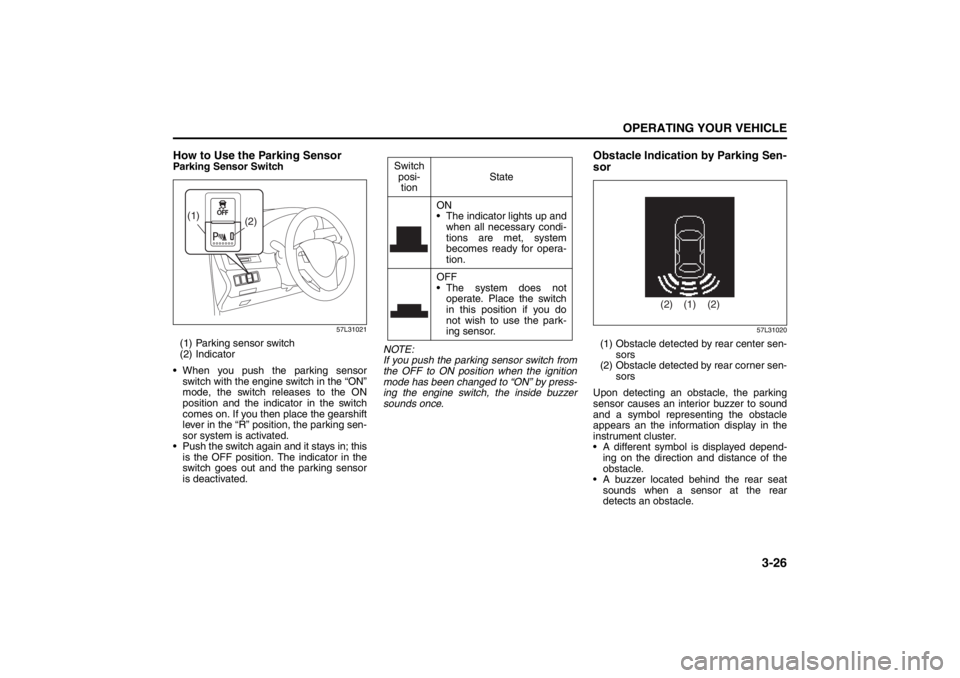
(1) Parking sensor switch
(2) Indicator
When you push the parking sensor
switch with the engine switch in the “ON”
mode, the switch releases to the ON
position and the indicator in the switch
comes on. If you then place the gearshift
lever in the “R” position, the parking sen-
sor system is activated.
Push the switch again and it stays in; this
is the OFF position. The indicator in the
switch goes out and the parking sensor
is deactivated.NOTE:
If you push the parking sensor switch from
the OFF to ON position when the ignition
mode has been changed to “ON” by press-
ing the engine switch, the inside buzzer
sounds once.
Obstacle Indication by Parking Sen-
sor
57L31020
(1) Obstacle detected by rear center sen-
sors
(2) Obstacle detected by rear corner sen-
sors
Upon detecting an obstacle, the parking
sensor causes an interior buzzer to sound
and a symbol representing the obstacle
appears an the information display in the
instrument cluster.
A different symbol is displayed depend-
ing on the direction and distance of the
obstacle.
A buzzer located behind the rear seat
sounds when a sensor at the rear
detects an obstacle.
(2) (1)
Switch
posi-
tionState
ON
The indicator lights up and
when all necessary condi-
tions are met, system
becomes ready for opera-
tion.
OFF
The system does not
operate. Place the switch
in this position if you do
not wish to use the park-
ing sensor.
(1) (2) (2)
Page 160 of 388
3-29OPERATING YOUR VEHICLE
57L20-03E
Anti-Lock Brake System (ABS)
(if equipped)ABS will help you avoid skidding by elec-
tronically controlling braking pressure. It
will also help you maintain steering control
when braking on slippery surfaces or when
braking hard.
The ABS works automatically, so you do
not need any special braking technique.
Just push the brake pedal down without
pumping. The ABS will operate whenever it
senses that the wheels are locking up.
You may feel the brake pedal pulsate while
the ABS is operating.
NOTE:
The ABS will not work if vehicle speed is
under about 10 km/h (6 mph).
65D451
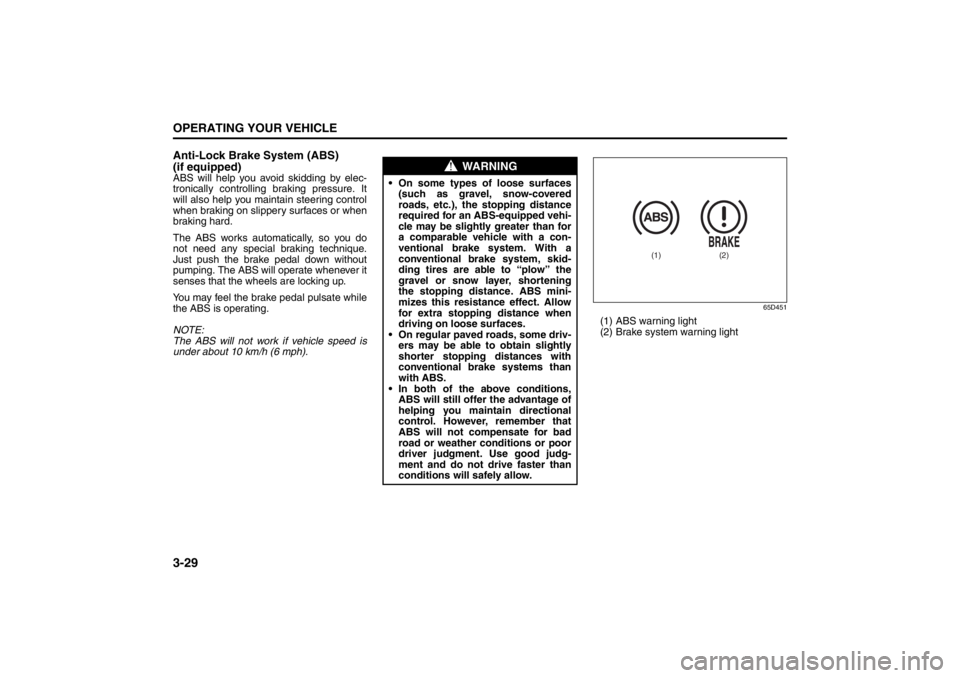
(1) ABS warning light
(2) Brake system warning light
WARNING
On some types of loose surfaces
(such as gravel, snow-covered
roads, etc.), the stopping distance
required for an ABS-equipped vehi-
cle may be slightly greater than for
a comparable vehicle with a con-
ventional brake system. With a
conventional brake system, skid-
ding tires are able to “plow” the
gravel or snow layer, shortening
the stopping distance. ABS mini-
mizes this resistance effect. Allow
for extra stopping distance when
driving on loose surfaces.
On regular paved roads, some driv-
ers may be able to obtain slightly
shorter stopping distances with
conventional brake systems than
with ABS.
In both of the above conditions,
ABS will still offer the advantage of
helping you maintain directional
control. However, remember that
ABS will not compensate for bad
road or weather conditions or poor
driver judgment. Use good judg-
ment and do not drive faster than
conditions will safely allow.
(1)
(2)
Page 161 of 388
3-30
OPERATING YOUR VEHICLE
57L20-03E
How the ABS WorksA computer continuously monitors wheel
speed. The computer compares the
changes in wheel speed when braking. If
the wheels slow suddenly, indicating a
skidding situation, the computer will
change braking pressure several times
each second to prevent the wheels from
locking. When you start your vehicle or
when you accelerate after a hard stop, you
may hear a momentary motor or clicking
noise as the system resets or checks itself.
WARNING
If the ABS warning light (1) on the
instrument panel comes on and stays
on while driving, there may be a prob-
lem with the ABS system.
If this happens:
1) Pull off the road and stop care-
fully.
2) Press the engine switch to change
the ignition mode to “LOCK”
(OFF) and then start the engine
again.
If the warning light comes on briefly
then turns off, the system is normal.
If the warning light still stays on,
have the system inspected by your
SUZUKI dealer immediately. If the
ABS system becomes inoperative,
the brake system will function as an
ordinary brake system that has no
ABS.
WARNING
If the ABS warning light (1) and the
Brake system warning light (2) on the
instrument panel simultaneously stay
on or come on when driving, both
anti-lock function and rear brake
force control function (proportioning
valve function) of the ABS system
may have failed. This could cause the
rear wheels to skid or the vehicle to
spin during braking on a slippery
road or hard braking on a dry paved
road. If both warning lights come on,
drive carefully, avoiding hard braking
as much as possible, and ask your
SUZUKI dealer to inspect the ABS
system immediately.
WARNING
The ABS may not work properly if
tires or wheels other than those
specified in the owner’s manual are
used. This is because the ABS works
by comparing changes in wheel
speed. When replacing tires or
wheels, use only the size and type
specified in this owner’s manual.
Page 163 of 388
3-32
OPERATING YOUR VEHICLE
57L20-03E
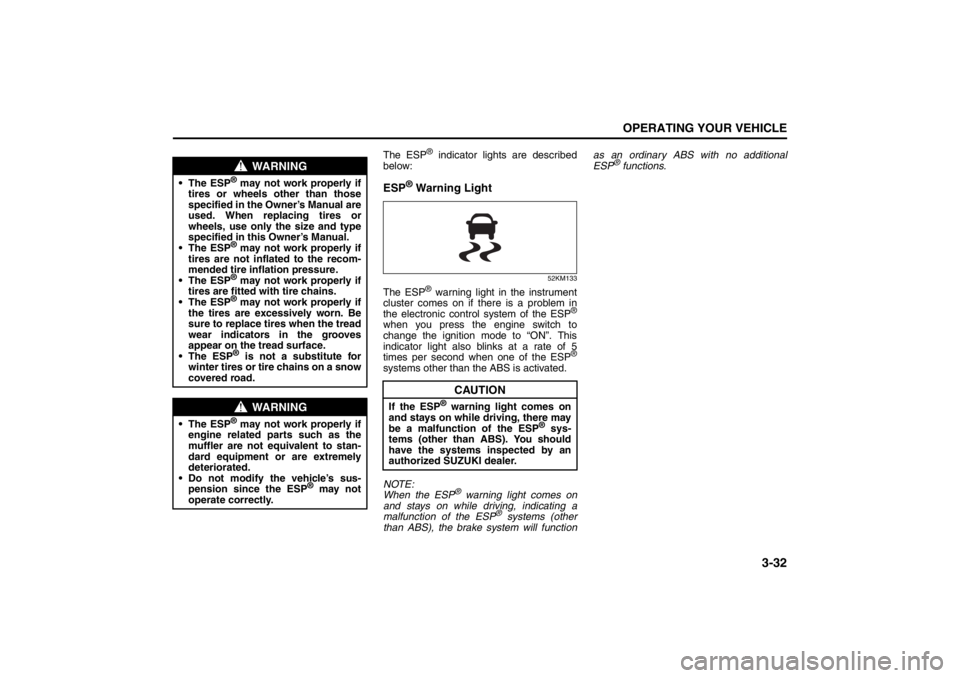
The ESP
® indicator lights are described
below:
ESP
® Warning Light
52KM133
The ESP
® warning light in the instrument
cluster comes on if there is a problem in
the electronic control system of the ESP
®
when you press the engine switch to
change the ignition mode to “ON”. This
indicator light also blinks at a rate of 5
times per second when one of the ESP
®
systems other than the ABS is activated.
NOTE:
When the ESP
® warning light comes on
and stays on while driving, indicating a
malfunction of the ESP
® systems (other
than ABS), the brake system will functionas an ordinary ABS with no additional
ESP
® functions.
WARNING
The ESP
® may not work properly if
tires or wheels other than those
specified in the Owner’s Manual are
used. When replacing tires or
wheels, use only the size and type
specified in this Owner’s Manual.
The ESP® may not work properly if
tires are not inflated to the recom-
mended tire inflation pressure.
The ESP® may not work properly if
tires are fitted with tire chains.
The ESP® may not work properly if
the tires are excessively worn. Be
sure to replace tires when the tread
wear indicators in the grooves
appear on the tread surface.
The ESP® is not a substitute for
winter tires or tire chains on a snow
covered road.
WARNING
The ESP
® may not work properly if
engine related parts such as the
muffler are not equivalent to stan-
dard equipment or are extremely
deteriorated.
Do not modify the vehicle’s sus-
pension since the ESP
® may not
operate correctly.
CAUTION
If the ESP
® warning light comes on
and stays on while driving, there may
be a malfunction of the ESP
® sys-
tems (other than ABS). You should
have the systems inspected by an
authorized SUZUKI dealer.
Page 164 of 388
3-33OPERATING YOUR VEHICLE
57L20-03E
“ESP
® OFF” Indicator Light
57L30045
You should turn the ESP
® on during your
ordinary driving, so that you have the ben-
efits of all of the ESP
® systems.
It may be required to turn the ESP
® sys-
tems (other than ABS) off if your vehicle is
stuck in sand, mud, or snow, where wheel
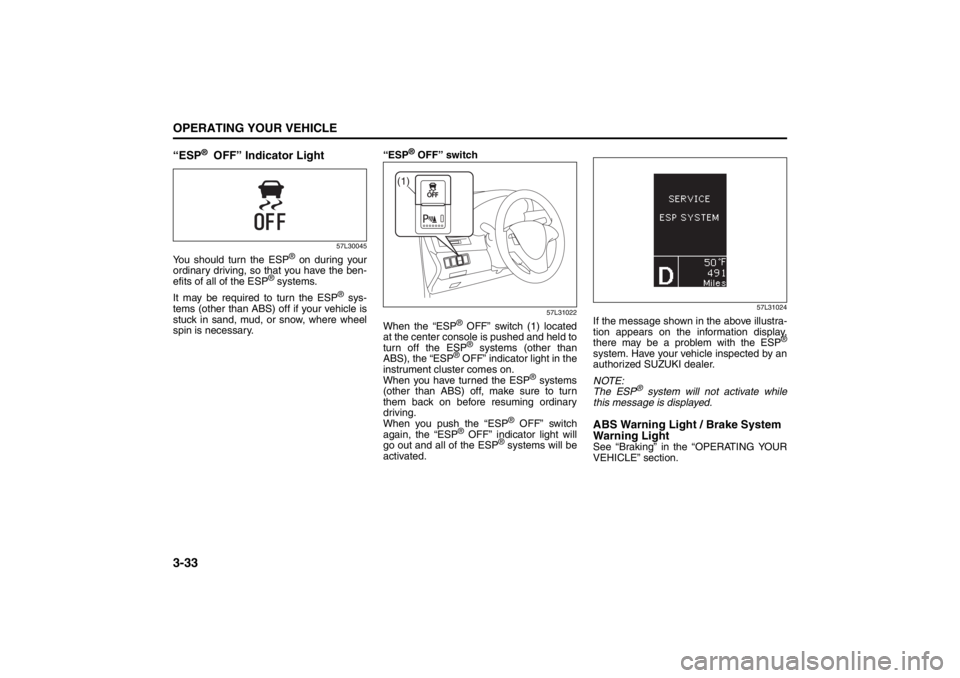
spin is necessary.“ESP
® OFF” switch
57L31022
When the “ESP
® OFF” switch (1) located
at the center console is pushed and held to
turn off the ESP® systems (other than
ABS), the “ESP
® OFF” indicator light in the
instrument cluster comes on.
When you have turned the ESP
® systems
(other than ABS) off, make sure to turn
them back on before resuming ordinary
driving.
When you push the “ESP
® OFF” switch
again, the “ESP
® OFF” indicator light will
go out and all of the ESP
® systems will be
activated.
57L31024
If the message shown in the above illustra-
tion appears on the information display,
there may be a problem with the ESP
®
system. Have your vehicle inspected by an
authorized SUZUKI dealer.
NOTE:
The ESP
® system will not activate while
this message is displayed.
ABS Warning Light / Brake System
Warning LightSee “Braking” in the “OPERATING YOUR
VEHICLE” section.
(1)
Page 165 of 388
3-34
OPERATING YOUR VEHICLE
57L20-03E
Hill Hold Control System
(if equipped)The hill hold control system is designed to
assist you in starting to move up steep or
slippery hills. When you start to move up a
hill, the system helps to prevent the vehicle
from rolling downward while you move your
foot from the brake pedal to the accelerator
pedal.
The hill hold control system activates for a
maximum of about 2 seconds if your foot is
moved from the brake pedal when the fol-
lowing condition are all met.
1) The gearshift lever is in a forward gear
or reverse gear.
2) The parking brake is released.3) The vehicle is on an upward incline.
NOTE:
You may hear a sound coming from the
engine when the hill hold control system is
activated. This sound is normal and does
not indicate a malfunction.
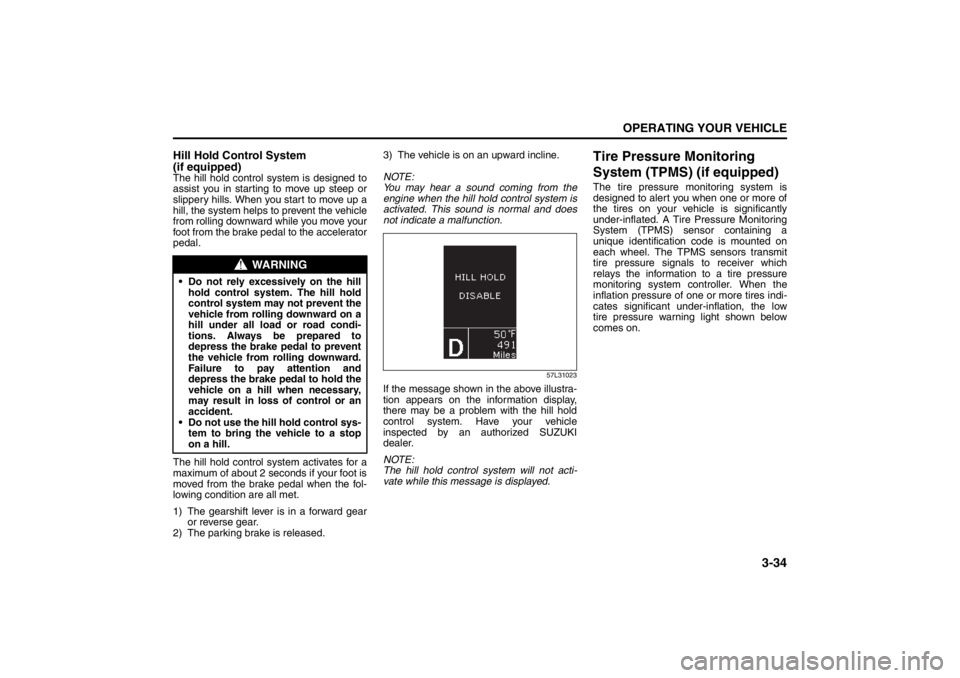
57L31023
If the message shown in the above illustra-
tion appears on the information display,
there may be a problem with the hill hold
control system. Have your vehicle
inspected by an authorized SUZUKI
dealer.
NOTE:
The hill hold control system will not acti-
vate while this message is displayed.
Tire Pressure Monitoring
System (TPMS) (if equipped)The tire pressure monitoring system is
designed to alert you when one or more of
the tires on your vehicle is significantly
under-inflated. A Tire Pressure Monitoring
System (TPMS) sensor containing a
unique identification code is mounted on
each wheel. The TPMS sensors transmit
tire pressure signals to receiver which
relays the information to a tire pressure
monitoring system controller. When the
inflation pressure of one or more tires indi-
cates significant under-inflation, the low
tire pressure warning light shown below
comes on.
WARNING
Do not rely excessively on the hill
hold control system. The hill hold
control system may not prevent the
vehicle from rolling downward on a
hill under all load or road condi-
tions. Always be prepared to
depress the brake pedal to prevent
the vehicle from rolling downward.
Failure to pay attention and
depress the brake pedal to hold the
vehicle on a hill when necessary,
may result in loss of control or an
accident.
Do not use the hill hold control sys-
tem to bring the vehicle to a stop
on a hill.