steering SUZUKI RENO 2008 1.G User Guide
[x] Cancel search | Manufacturer: SUZUKI, Model Year: 2008, Model line: RENO, Model: SUZUKI RENO 2008 1.GPages: 226, PDF Size: 4.98 MB
Page 81 of 226
3-7INSTRUMENT PANEL
85Z14-03E
Setting Cruise Control
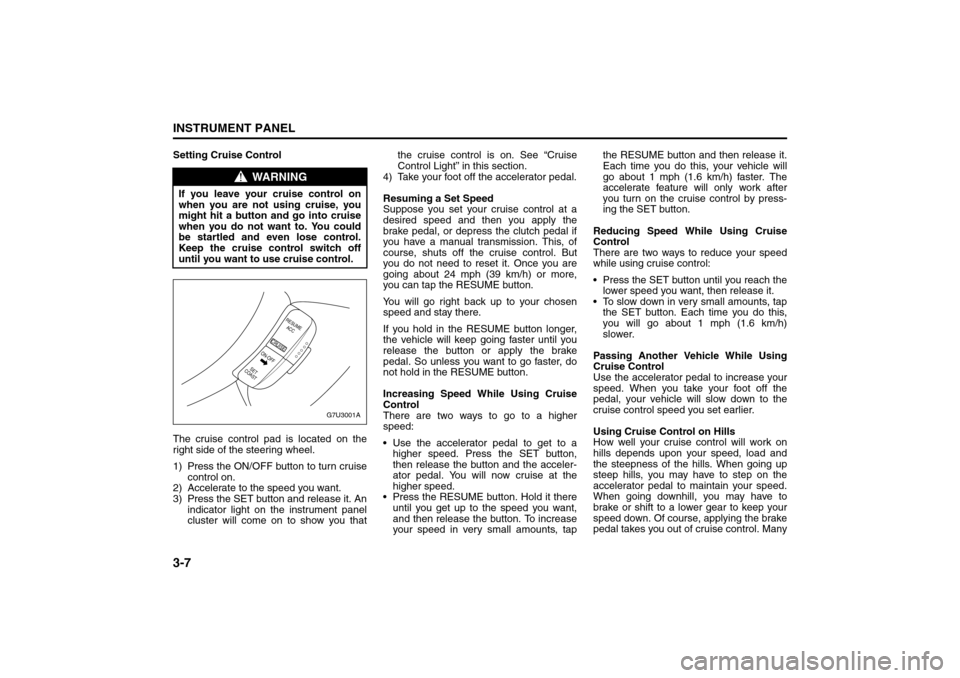
The cruise control pad is located on the
right side of the steering wheel.
1) Press the ON/OFF button to turn cruise
control on.
2) Accelerate to the speed you want.
3) Press the SET button and release it. An
indicator light on the instrument panel
cluster will come on to show you thatthe cruise control is on. See “Cruise
Control Light” in this section.
4) Take your foot off the accelerator pedal.
Resuming a Set Speed
Suppose you set your cruise control at a
desired speed and then you apply the
brake pedal, or depress the clutch pedal if
you have a manual transmission. This, of
course, shuts off the cruise control. But
you do not need to reset it. Once you are
going about 24 mph (39 km/h) or more,
you can tap the RESUME button.
You will go right back up to your chosen
speed and stay there.
If you hold in the RESUME button longer,
the vehicle will keep going faster until you
release the button or apply the brake
pedal. So unless you want to go faster, do
not hold in the RESUME button.
Increasing Speed While Using Cruise
Control
There are two ways to go to a higher
speed:
Use the accelerator pedal to get to a
higher speed. Press the SET button,
then release the button and the acceler-
ator pedal. You will now cruise at the
higher speed.
Press the RESUME button. Hold it there
until you get up to the speed you want,
and then release the button. To increase
your speed in very small amounts, tapthe RESUME button and then release it.
Each time you do this, your vehicle will
go about 1 mph (1.6 km/h) faster. The
accelerate feature will only work after
you turn on the cruise control by press-
ing the SET button.
Reducing Speed While Using Cruise
Control
There are two ways to reduce your speed
while using cruise control:
Press the SET button until you reach the
lower speed you want, then release it.
To slow down in very small amounts, tap
the SET button. Each time you do this,
you will go about 1 mph (1.6 km/h)
slower.
Passing Another Vehicle While Using
Cruise Control
Use the accelerator pedal to increase your
speed. When you take your foot off the
pedal, your vehicle will slow down to the
cruise control speed you set earlier.
Using Cruise Control on Hills
How well your cruise control will work on
hills depends upon your speed, load and
the steepness of the hills. When going up
steep hills, you may have to step on the
accelerator pedal to maintain your speed.
When going downhill, you may have to
brake or shift to a lower gear to keep your
speed down. Of course, applying the brake
pedal takes you out of cruise control. Many
WARNING
If you leave your cruise control on
when you are not using cruise, you
might hit a button and go into cruise
when you do not want to. You could
be startled and even lose control.
Keep the cruise control switch off
until you want to use cruise control.
G7U3001A
RESUME
ACC
CRUISE
SET
COASTON-OFF
Instrument Panel Overview:
Page 82 of 226
3-8
INSTRUMENT PANEL
85Z14-03E
drivers find this to be too much trouble and
do not use cruise control on steep hills.
Disengaging Cruise Control
There are two ways to turn off the cruise
control:
Step lightly on the brake pedal, or
depress the clutch pedal, if you have a
manual transmission.
Press the ON/OFF button on the cruise
control pad.
Erasing Speed Memory
When you turn off the cruise control or the
ignition, your cruise control set speed
memory is erased.
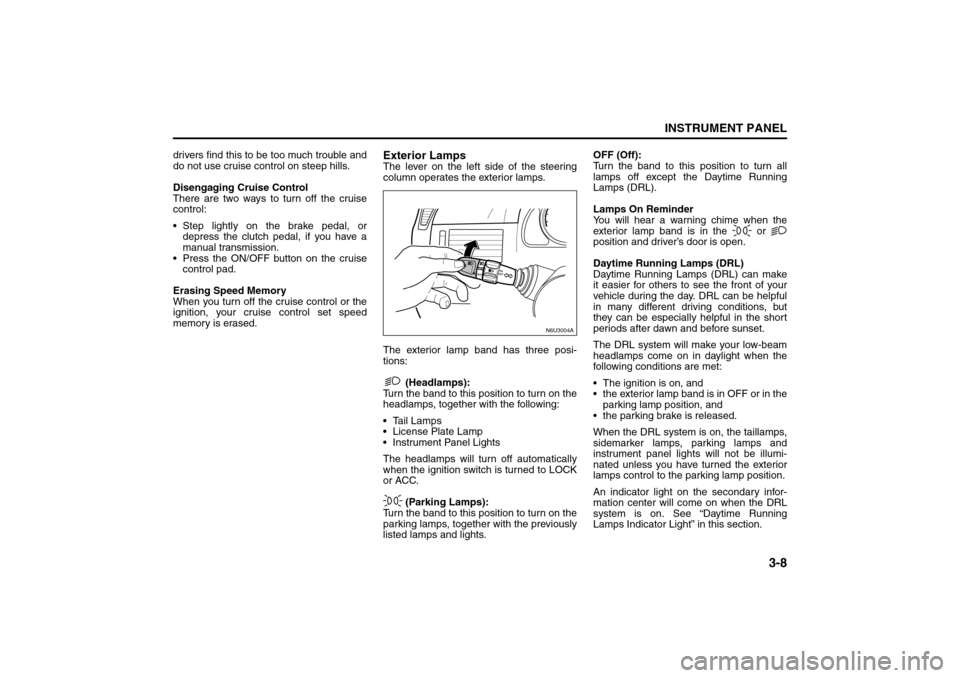
Exterior LampsThe lever on the left side of the steering
column operates the exterior lamps.
The exterior lamp band has three posi-
tions:
(Headlamps):
Turn the band to this position to turn on the
headlamps, together with the following:
Tail Lamps
License Plate Lamp
Instrument Panel Lights
The headlamps will turn off automatically
when the ignition switch is turned to LOCK
or ACC.
(Parking Lamps):
Turn the band to this position to turn on the
parking lamps, together with the previously
listed lamps and lights.OFF (Off):
Turn the band to this position to turn all
lamps off except the Daytime Running
Lamps (DRL).
Lamps On Reminder
You will hear a warning chime when the
exterior lamp band is in the or
position and driver’s door is open.
Daytime Running Lamps (DRL)
Daytime Running Lamps (DRL) can make
it easier for others to see the front of your
vehicle during the day. DRL can be helpful
in many different driving conditions, but
they can be especially helpful in the short
periods after dawn and before sunset.
The DRL system will make your low-beam
headlamps come on in daylight when the
following conditions are met:
The ignition is on, and
the exterior lamp band is in OFF or in the
parking lamp position, and
the parking brake is released.
When the DRL system is on, the taillamps,
sidemarker lamps, parking lamps and
instrument panel lights will not be illumi-
nated unless you have turned the exterior
lamps control to the parking lamp position.
An indicator light on the secondary infor-
mation center will come on when the DRL
system is on. See “Daytime Running
Lamps Indicator Light” in this section.
N6U3004A
Instrument Panel Overview:
Page 83 of 226
3-9INSTRUMENT PANEL
85Z14-03E
The DRL system will turn off under the fol-
lowing conditions:
The ignition is off, or
the parking brakes are on, or
the high-beam headlamps are on, or
the low-beam headlamps are on, or
flash-to-pass is used.
As with any vehicle, you should turn on the
regular headlamp system when you need
it.
Fog Lamps
If your vehicle has this feature, use your
fog lamps for better visibility in foggy or
misty conditions.
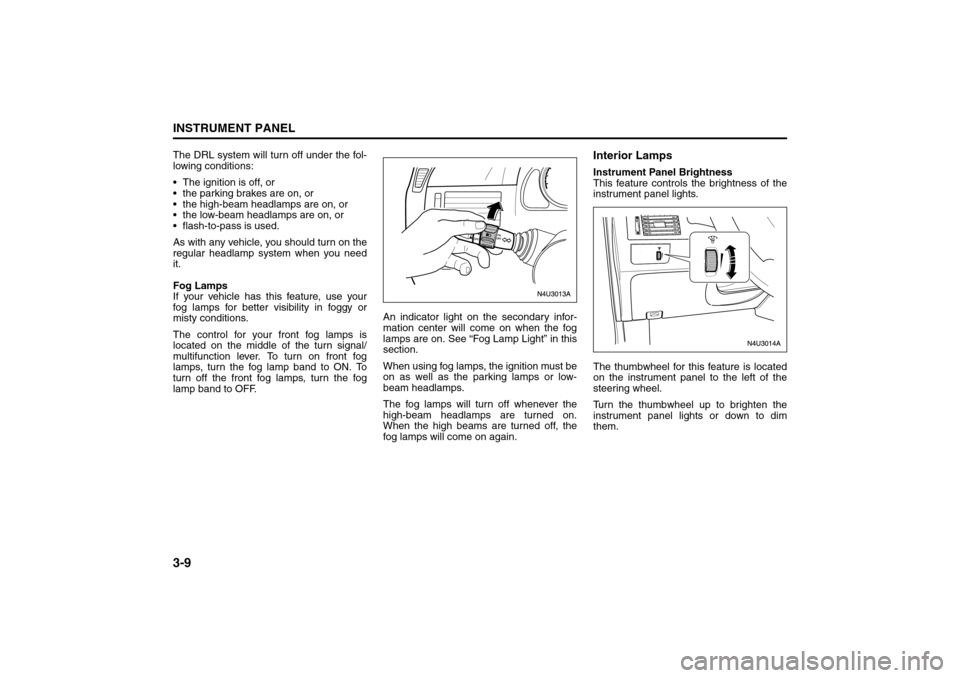
The control for your front fog lamps is
located on the middle of the turn signal/
multifunction lever. To turn on front fog
lamps, turn the fog lamp band to ON. To
turn off the front fog lamps, turn the fog
lamp band to OFF.An indicator light on the secondary infor-
mation center will come on when the fog
lamps are on. See “Fog Lamp Light” in this
section.
When using fog lamps, the ignition must be
on as well as the parking lamps or low-
beam headlamps.
The fog lamps will turn off whenever the
high-beam headlamps are turned on.
When the high beams are turned off, the
fog lamps will come on again.
Interior LampsInstrument Panel Brightness
This feature controls the brightness of the
instrument panel lights.
The thumbwheel for this feature is located
on the instrument panel to the left of the
steering wheel.
Turn the thumbwheel up to brighten the
instrument panel lights or down to dim
them.
Instrument Panel Overview:
Page 96 of 226
3-22
INSTRUMENT PANEL
85Z14-03E
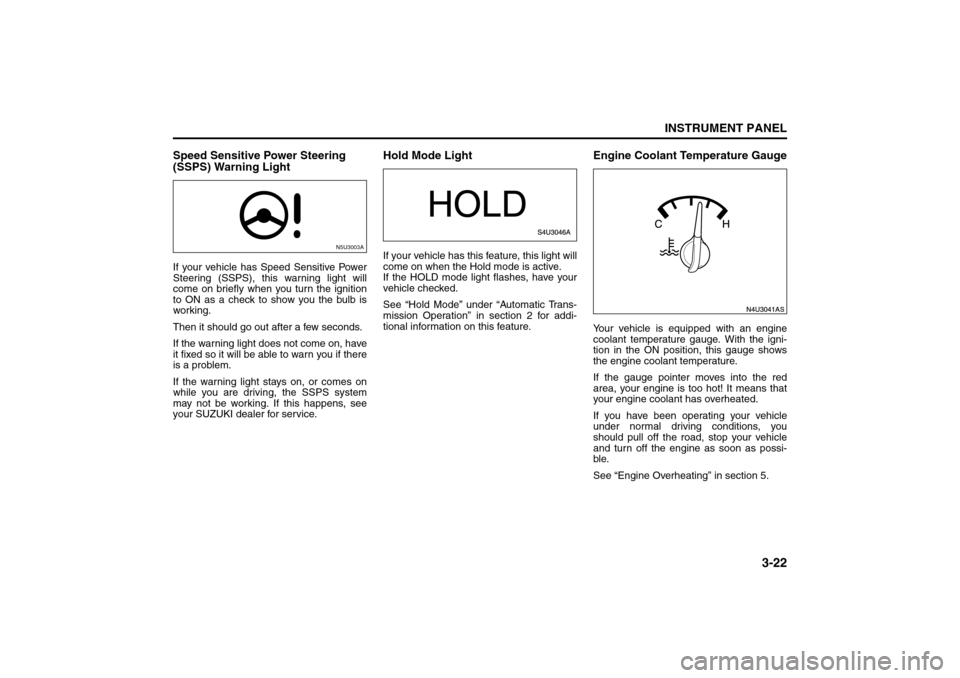
Speed Sensitive Power Steering
(SSPS) Warning LightIf your vehicle has Speed Sensitive Power
Steering (SSPS), this warning light will
come on briefly when you turn the ignition
to ON as a check to show you the bulb is
working.
Then it should go out after a few seconds.
If the warning light does not come on, have
it fixed so it will be able to warn you if there
is a problem.
If the warning light stays on, or comes on
while you are driving, the SSPS system
may not be working. If this happens, see
your SUZUKI dealer for service.
Hold Mode LightIf your vehicle has this feature, this light will
come on when the Hold mode is active.
If the HOLD mode light flashes, have your
vehicle checked.
See “Hold Mode” under “Automatic Trans-
mission Operation” in section 2 for addi-
tional information on this feature.
Engine Coolant Temperature GaugeYour vehicle is equipped with an engine
coolant temperature gauge. With the igni-
tion in the ON position, this gauge shows
the engine coolant temperature.
If the gauge pointer moves into the red
area, your engine is too hot! It means that
your engine coolant has overheated.
If you have been operating your vehicle
under normal driving conditions, you
should pull off the road, stop your vehicle
and turn off the engine as soon as possi-
ble.
See “Engine Overheating” in section 5.
N5U3003A
Warning Lights, Gauges and Indicators:
Page 102 of 226
3-28
INSTRUMENT PANEL
85Z14-03E
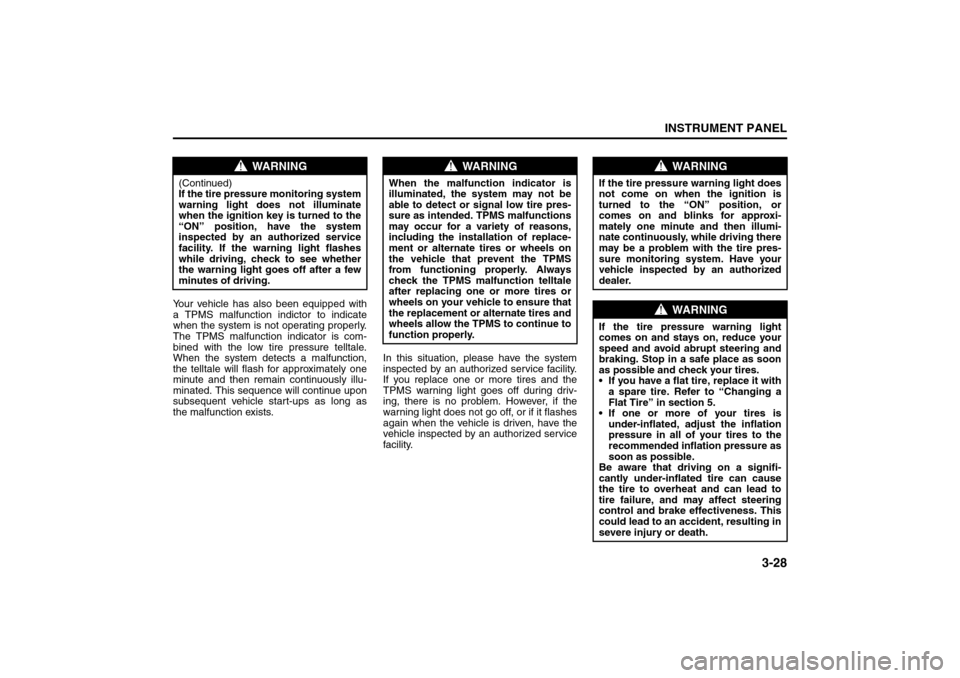
Your vehicle has also been equipped with
a TPMS malfunction indictor to indicate
when the system is not operating properly.
The TPMS malfunction indicator is com-
bined with the low tire pressure telltale.
When the system detects a malfunction,
the telltale will flash for approximately one
minute and then remain continuously illu-
minated. This sequence will continue upon
subsequent vehicle start-ups as long as
the malfunction exists.In this situation, please have the system
inspected by an authorized service facility.
If you replace one or more tires and the
TPMS warning light goes off during driv-
ing, there is no problem. However, if the
warning light does not go off, or if it flashes
again when the vehicle is driven, have the
vehicle inspected by an authorized service
facility.
WARNING
(Continued)
If the tire pressure monitoring system
warning light does not illuminate
when the ignition key is turned to the
“ON” position, have the system
inspected by an authorized service
facility. If the warning light flashes
while driving, check to see whether
the warning light goes off after a few
minutes of driving.
WARNING
When the malfunction indicator is
illuminated, the system may not be
able to detect or signal low tire pres-
sure as intended. TPMS malfunctions
may occur for a variety of reasons,
including the installation of replace-
ment or alternate tires or wheels on
the vehicle that prevent the TPMS
from functioning properly. Always
check the TPMS malfunction telltale
after replacing one or more tires or
wheels on your vehicle to ensure that
the replacement or alternate tires and
wheels allow the TPMS to continue to
function properly.
WARNING
If the tire pressure warning light does
not come on when the ignition is
turned to the “ON” position, or
comes on and blinks for approxi-
mately one minute and then illumi-
nate continuously, while driving there
may be a problem with the tire pres-
sure monitoring system. Have your
vehicle inspected by an authorized
dealer.
WARNING
If the tire pressure warning light
comes on and stays on, reduce your
speed and avoid abrupt steering and
braking. Stop in a safe place as soon
as possible and check your tires.
If you have a flat tire, replace it with
a spare tire. Refer to “Changing a
Flat Tire” in section 5.
If one or more of your tires is
under-inflated, adjust the inflation
pressure in all of your tires to the
recommended inflation pressure as
soon as possible.
Be aware that driving on a signifi-
cantly under-inflated tire can cause
the tire to overheat and can lead to
tire failure, and may affect steering
control and brake effectiveness. This
could lead to an accident, resulting in
severe injury or death.
Audio System:
Page 111 of 226
3-37INSTRUMENT PANEL
85Z14-03E
the portable player. You may need to make
additional volume adjustments from the
portable device if the volume does not go
loud or soft enough.
STEERING WHEEL REMOTE OPER-
ATION (if equipped in the vehicle)Power Button
Press this button to turn the system on and
off. Press this button for a short time to
MUTE the sound. To cancel MUTE, press
this button again.
Volume Up Button
Press this button to increase the volume
level.
Volume Down Button
Press this button to decrease the volume
level.
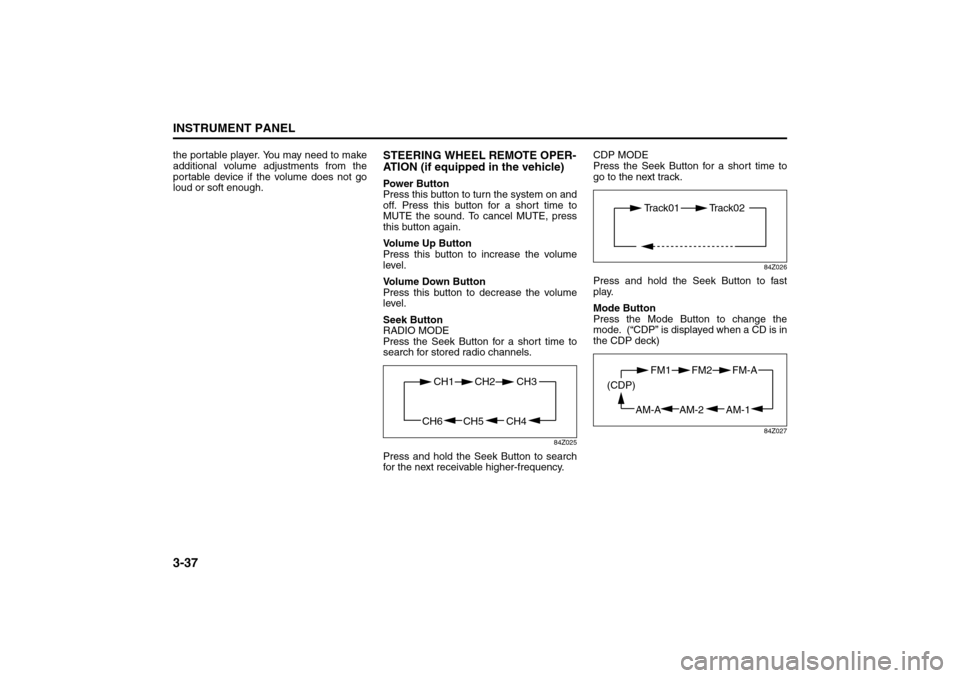
Seek Button
RADIO MODE
Press the Seek Button for a short time to
search for stored radio channels.
84Z025
Press and hold the Seek Button to search
for the next receivable higher-frequency.CDP MODE
Press the Seek Button for a short time to
go to the next track.
84Z026
Press and hold the Seek Button to fast
play.
Mode Button
Press the Mode Button to change the
mode. (“CDP” is displayed when a CD is in
the CDP deck)
84Z027
CH4 CH5
CH1 CH2
CH6
CH3
Track01 Track02
AM-1 AM-2
FM1 FM2
AM-A (CDP)
FM-A
Page 118 of 226
3-44
INSTRUMENT PANEL
85Z14-03E
the portable player. You may need to make
additional volume adjustments from the
portable device if the volume does not go
loud or soft enough.
STEERING WHEEL REMOTE OPER-
ATION (if equipped in the vehicle)Power Button
Press this button to turn the system on and
off. Press this button for a short time to
MUTE the sound. To cancel MUTE, press
this button again.
Volume Up Button
Press this button to increase the volume
level.
Volume Down Button
Press this button to decrease the volume
level.
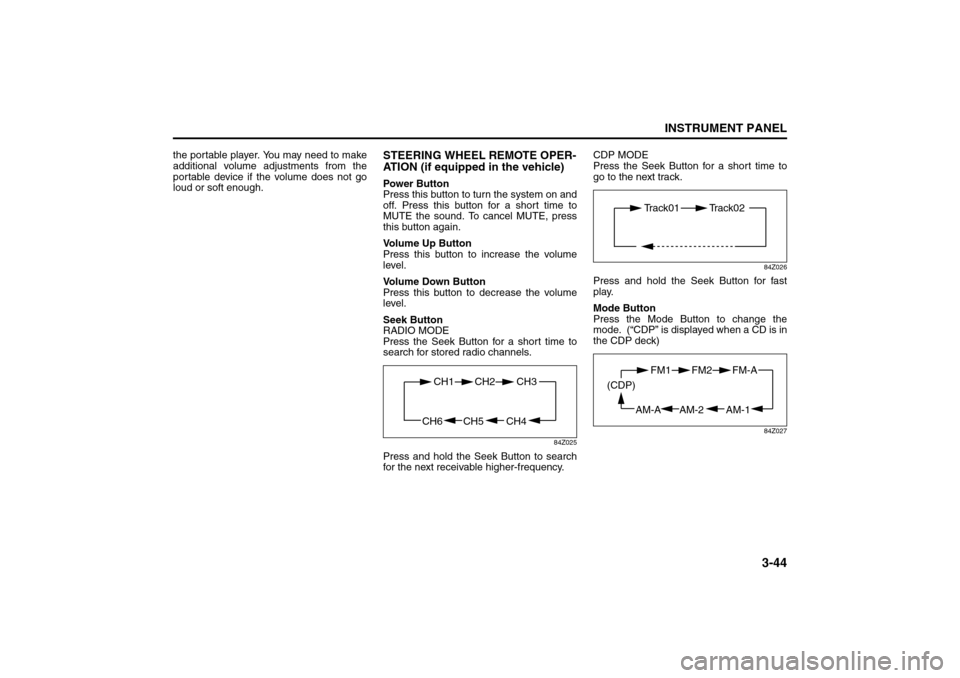
Seek Button
RADIO MODE
Press the Seek Button for a short time to
search for stored radio channels.
84Z025
Press and hold the Seek Button to search
for the next receivable higher-frequency.CDP MODE
Press the Seek Button for a short time to
go to the next track.
84Z026
Press and hold the Seek Button for fast
play.
Mode Button
Press the Mode Button to change the
mode. (“CDP” is displayed when a CD is in
the CDP deck)
84Z027
CH4 CH5
CH1 CH2
CH6
CH3
Track01 Track02
AM-1 AM-2
FM1 FM2
AM-A (CDP)
FM-A
Page 126 of 226
4-2
DRIVING YOUR VEHICLE
85Z14-03E
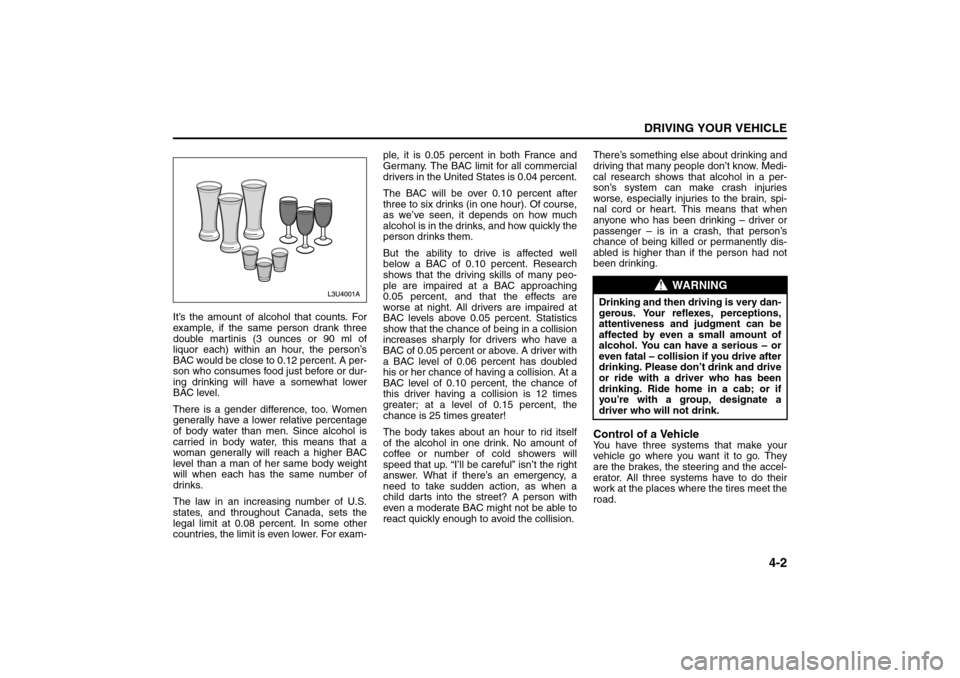
It’s the amount of alcohol that counts. For
example, if the same person drank three
double martinis (3 ounces or 90 ml of
liquor each) within an hour, the person’s
BAC would be close to 0.12 percent. A per-
son who consumes food just before or dur-
ing drinking will have a somewhat lower
BAC level.
There is a gender difference, too. Women
generally have a lower relative percentage
of body water than men. Since alcohol is
carried in body water, this means that a
woman generally will reach a higher BAC
level than a man of her same body weight
will when each has the same number of
drinks.
The law in an increasing number of U.S.
states, and throughout Canada, sets the
legal limit at 0.08 percent. In some other
countries, the limit is even lower. For exam-ple, it is 0.05 percent in both France and
Germany. The BAC limit for all commercial
drivers in the United States is 0.04 percent.
The BAC will be over 0.10 percent after
three to six drinks (in one hour). Of course,
as we’ve seen, it depends on how much
alcohol is in the drinks, and how quickly the
person drinks them.
But the ability to drive is affected well
below a BAC of 0.10 percent. Research
shows that the driving skills of many peo-
ple are impaired at a BAC approaching
0.05 percent, and that the effects are
worse at night. All drivers are impaired at
BAC levels above 0.05 percent. Statistics
show that the chance of being in a collision
increases sharply for drivers who have a
BAC of 0.05 percent or above. A driver with
a BAC level of 0.06 percent has doubled
his or her chance of having a collision. At a
BAC level of 0.10 percent, the chance of
this driver having a collision is 12 times
greater; at a level of 0.15 percent, the
chance is 25 times greater!
The body takes about an hour to rid itself
of the alcohol in one drink. No amount of
coffee or number of cold showers will
speed that up. “I’ll be careful” isn’t the right
answer. What if there’s an emergency, a
need to take sudden action, as when a
child darts into the street? A person with
even a moderate BAC might not be able to
react quickly enough to avoid the collision.There’s something else about drinking and
driving that many people don’t know. Medi-
cal research shows that alcohol in a per-
son’s system can make crash injuries
worse, especially injuries to the brain, spi-
nal cord or heart. This means that when
anyone who has been drinking – driver or
passenger – is in a crash, that person’s
chance of being killed or permanently dis-
abled is higher than if the person had not
been drinking.
Control of a VehicleYou have three systems that make your
vehicle go where you want it to go. They
are the brakes, the steering and the accel-
erator. All three systems have to do their
work at the places where the tires meet the
road.
WARNING
Drinking and then driving is very dan-
gerous. Your reflexes, perceptions,
attentiveness and judgment can be
affected by even a small amount of
alcohol. You can have a serious – or
even fatal – collision if you drive after
drinking. Please don’t drink and drive
or ride with a driver who has been
drinking. Ride home in a cab; or if
you’re with a group, designate a
driver who will not drink.
Your Driving, the Road, and Your Vehicle:
Page 128 of 226
4-4
DRIVING YOUR VEHICLE
85Z14-03E
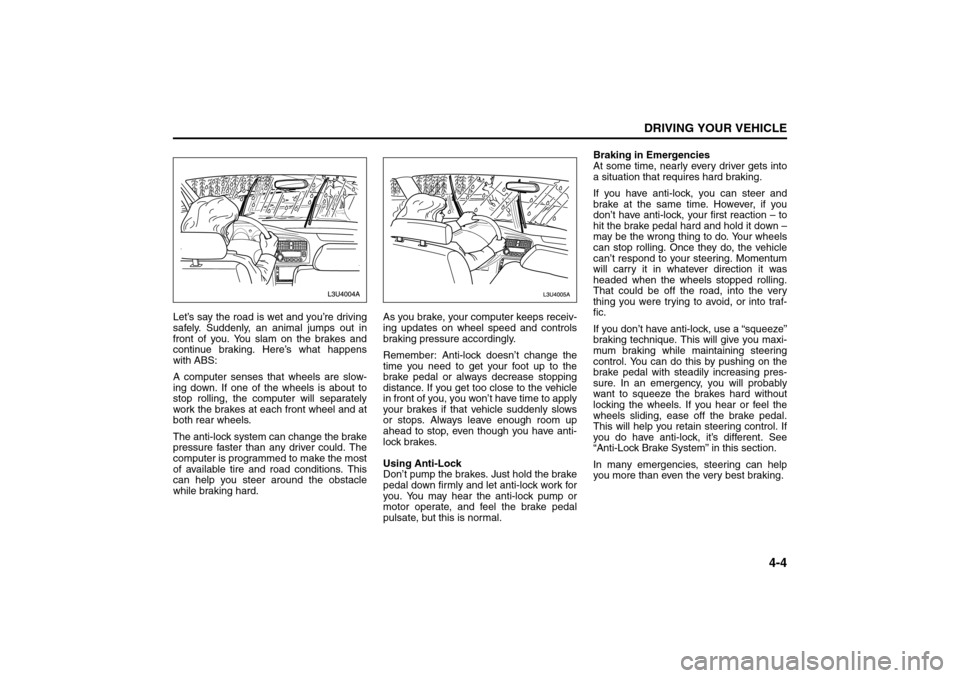
Let’s say the road is wet and you’re driving
safely. Suddenly, an animal jumps out in
front of you. You slam on the brakes and
continue braking. Here’s what happens
with ABS:
A computer senses that wheels are slow-
ing down. If one of the wheels is about to
stop rolling, the computer will separately
work the brakes at each front wheel and at
both rear wheels.
The anti-lock system can change the brake
pressure faster than any driver could. The
computer is programmed to make the most
of available tire and road conditions. This
can help you steer around the obstacle
while braking hard.As you brake, your computer keeps receiv-
ing updates on wheel speed and controls
braking pressure accordingly.
Remember: Anti-lock doesn’t change the
time you need to get your foot up to the
brake pedal or always decrease stopping
distance. If you get too close to the vehicle
in front of you, you won’t have time to apply
your brakes if that vehicle suddenly slows
or stops. Always leave enough room up
ahead to stop, even though you have anti-
lock brakes.
Using Anti-Lock
Don’t pump the brakes. Just hold the brake
pedal down firmly and let anti-lock work for
you. You may hear the anti-lock pump or
motor operate, and feel the brake pedal
pulsate, but this is normal.Braking in Emergencies
At some time, nearly every driver gets into
a situation that requires hard braking.
If you have anti-lock, you can steer and
brake at the same time. However, if you
don’t have anti-lock, your first reaction – to
hit the brake pedal hard and hold it down –
may be the wrong thing to do. Your wheels
can stop rolling. Once they do, the vehicle
can’t respond to your steering. Momentum
will carry it in whatever direction it was
headed when the wheels stopped rolling.
That could be off the road, into the very
thing you were trying to avoid, or into traf-
fic.
If you don’t have anti-lock, use a “squeeze”
braking technique. This will give you maxi-
mum braking while maintaining steering
control. You can do this by pushing on the
brake pedal with steadily increasing pres-
sure. In an emergency, you will probably
want to squeeze the brakes hard without
locking the wheels. If you hear or feel the
wheels sliding, ease off the brake pedal.
This will help you retain steering control. If
you do have anti-lock, it’s different. See
“Anti-Lock Brake System” in this section.
In many emergencies, steering can help
you more than even the very best braking.
Your Driving, the Road, and Your Vehicle:
Page 129 of 226
4-5DRIVING YOUR VEHICLE
85Z14-03E
SteeringPower Steering
If you lose power steering assist because
the engine stops or the system is not func-
tioning, you can steer but it will take much
more effort.
Speed Sensitive Power Steering
System
This system continuously adjusts the effort
you feel when steering at all vehicle
speeds. It provides ease when parking, yet
a firm, solid feel at highway speeds.
If your vehicle has this system, it varies the
amount of effort required to steer the vehi-
cle in relation to the speed of the vehicle.
The amount of steering effort required is
less at slower speeds to make the vehicle
more maneuverable and easier to park. At
faster speeds, the steering effort increases
to provide a sport-like feel to the steering.
This provides maximum control and stabil-
ity.
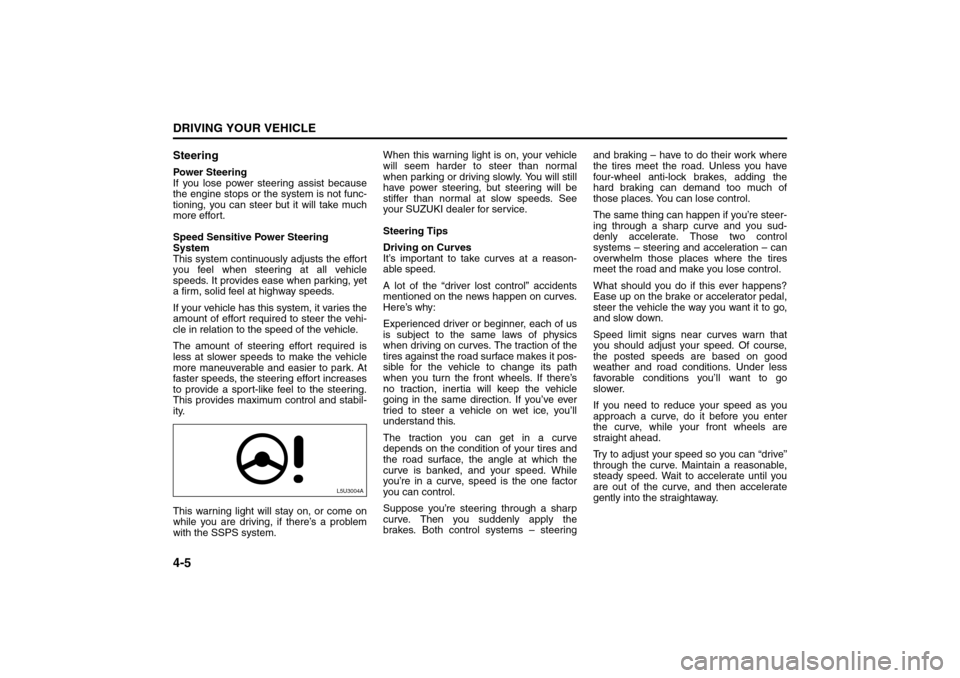
This warning light will stay on, or come on
while you are driving, if there’s a problem
with the SSPS system.When this warning light is on, your vehicle
will seem harder to steer than normal
when parking or driving slowly. You will still
have power steering, but steering will be
stiffer than normal at slow speeds. See
your SUZUKI dealer for service.
Steering Tips
Driving on Curves
It’s important to take curves at a reason-
able speed.
A lot of the “driver lost control” accidents
mentioned on the news happen on curves.
Here’s why:
Experienced driver or beginner, each of us
is subject to the same laws of physics
when driving on curves. The traction of the
tires against the road surface makes it pos-
sible for the vehicle to change its path
when you turn the front wheels. If there’s
no traction, inertia will keep the vehicle
going in the same direction. If you’ve ever
tried to steer a vehicle on wet ice, you’ll
understand this.
The traction you can get in a curve
depends on the condition of your tires and
the road surface, the angle at which the
curve is banked, and your speed. While
you’re in a curve, speed is the one factor
you can control.
Suppose you’re steering through a sharp
curve. Then you suddenly apply the
brakes. Both control systems – steeringand braking – have to do their work where
the tires meet the road. Unless you have
four-wheel anti-lock brakes, adding the
hard braking can demand too much of
those places. You can lose control.
The same thing can happen if you’re steer-
ing through a sharp curve and you sud-
denly accelerate. Those two control
systems – steering and acceleration – can
overwhelm those places where the tires
meet the road and make you lose control.
What should you do if this ever happens?
Ease up on the brake or accelerator pedal,
steer the vehicle the way you want it to go,
and slow down.
Speed limit signs near curves warn that
you should adjust your speed. Of course,
the posted speeds are based on good
weather and road conditions. Under less
favorable conditions you’ll want to go
slower.
If you need to reduce your speed as you
approach a curve, do it before you enter
the curve, while your front wheels are
straight ahead.
Try to adjust your speed so you can “drive”
through the curve. Maintain a reasonable,
steady speed. Wait to accelerate until you
are out of the curve, and then accelerate
gently into the straightaway.
L5U3004A
Your Driving, the Road, and Your Vehicle: