remote start SUZUKI SX4 2010 1.G Owners Manual
[x] Cancel search | Manufacturer: SUZUKI, Model Year: 2010, Model line: SX4, Model: SUZUKI SX4 2010 1.GPages: 297, PDF Size: 4.51 MB
Page 17 of 297
BEFORE DRIVING
2
80J23-03E
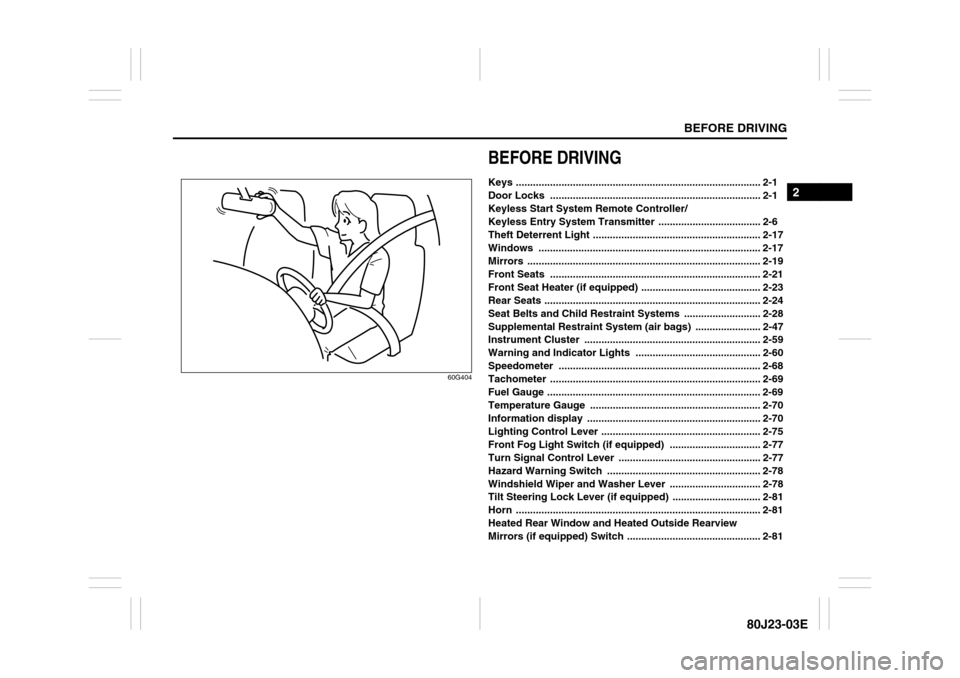
60G404
BEFORE DRIVINGKeys ...................................................................................... 2-1
Door Locks .......................................................................... 2-1
Keyless Start System Remote Controller/
Keyless Entry System Transmitter .................................... 2-6
Theft Deterrent Light ........................................................... 2-17
Windows .............................................................................. 2-17
Mirrors .................................................................................. 2-19
Front Seats .......................................................................... 2-21
Front Seat Heater (if equipped) .......................................... 2-23
Rear Seats ............................................................................ 2-24
Seat Belts and Child Restraint Systems ........................... 2-28
Supplemental Restraint System (air bags) ....................... 2-47
Instrument Cluster .............................................................. 2-59
Warning and Indicator Lights ............................................ 2-60
Speedometer ....................................................................... 2-68
Tachometer .......................................................................... 2-69
Fuel Gauge ........................................................................... 2-69
Temperature Gauge ............................................................ 2-70
Information display ............................................................. 2-70
Lighting Control Lever ........................................................ 2-75
Front Fog Light Switch (if equipped) ................................ 2-77
Turn Signal Control Lever .................................................. 2-77
Hazard Warning Switch ...................................................... 2-78
Windshield Wiper and Washer Lever ................................ 2-78
Tilt Steering Lock Lever (if equipped) ............................... 2-81
Horn ...................................................................................... 2-81
Heated Rear Window and Heated Outside Rearview
Mirrors (if equipped) Switch ............................................... 2-81
Page 20 of 297
2-3BEFORE DRIVING
80J23-03E
NOTE:
If your vehicle is equipped with the key-
less entry system, you can also lock or
unlock all doors by operating the remote
controller/transmitter. Refer to “Keyless
Start System Remote Controller/Key-
less Entry System Transmitter” in this
section.
If your vehicle is equipped with the key-
less start system, you can also lock or
unlock all doors by pushing the request
switch on the door handle. Refer to “Key-
less Start System Remote Controller/
Keyless Entry System Transmitter” in
this section.
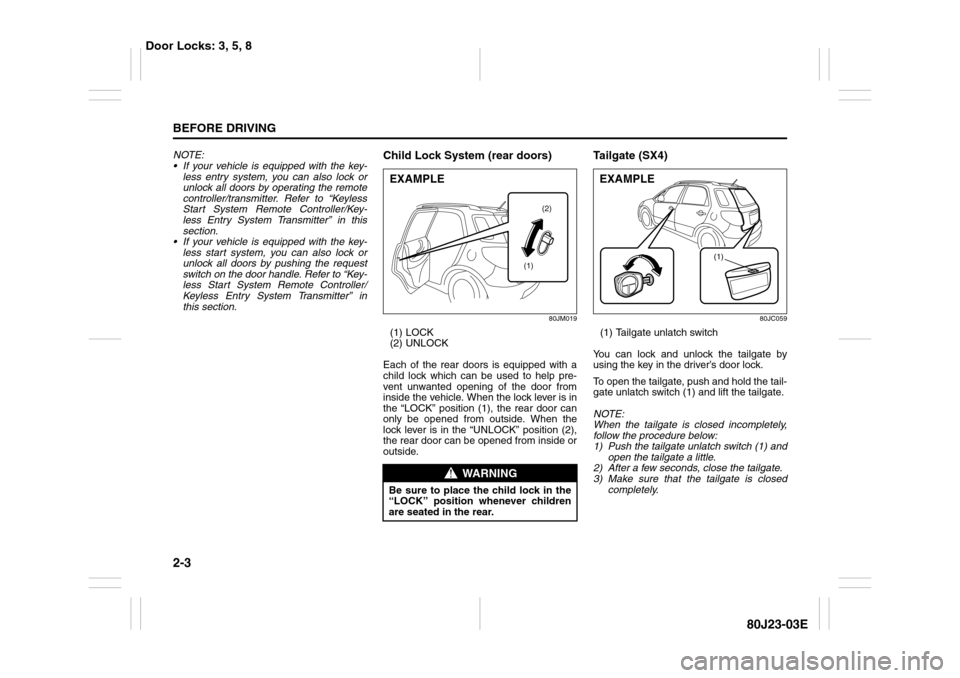
Child Lock System (rear doors)
80JM019
(1) LOCK
(2) UNLOCK
Each of the rear doors is equipped with a
child lock which can be used to help pre-
vent unwanted opening of the door from
inside the vehicle. When the lock lever is in
the “LOCK” position (1), the rear door can
only be opened from outside. When the
lock lever is in the “UNLOCK” position (2),
the rear door can be opened from inside or
outside.
Ta i l g a t e ( S X 4 )
80JC059
(1) Tailgate unlatch switch
You can lock and unlock the tailgate by
using the key in the driver’s door lock.
To open the tailgate, push and hold the tail-
gate unlatch switch (1) and lift the tailgate.
NOTE:
When the tailgate is closed incompletely,
follow the procedure below:
1) Push the tailgate unlatch switch (1) and
open the tailgate a little.
2) After a few seconds, close the tailgate.
3) Make sure that the tailgate is closed
completely.
WARNING
Be sure to place the child lock in the
“LOCK” position whenever children
are seated in the rear.EXAMPLE
(2)
(1)
(1)
EXAMPLE
Door Locks: 3, 5, 8
Page 22 of 297
2-5BEFORE DRIVING
80J23-03E
56KN010
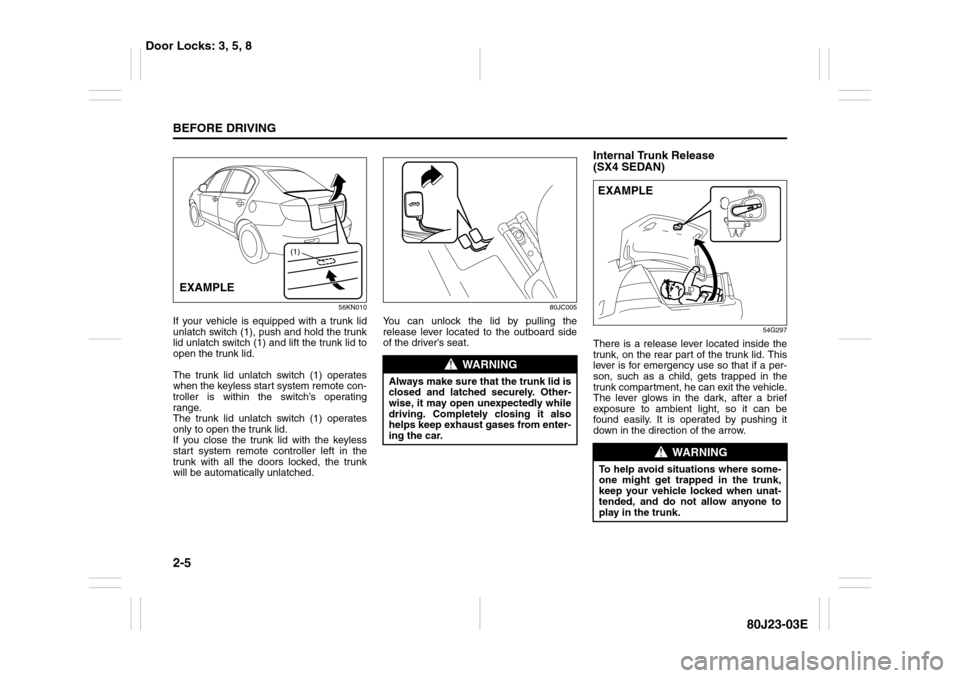
If your vehicle is equipped with a trunk lid
unlatch switch (1), push and hold the trunk
lid unlatch switch (1) and lift the trunk lid to
open the trunk lid.
The trunk lid unlatch switch (1) operates
when the keyless start system remote con-
troller is within the switch’s operating
range.
The trunk lid unlatch switch (1) operates
only to open the trunk lid.
If you close the trunk lid with the keyless
start system remote controller left in the
trunk with all the doors locked, the trunk
will be automatically unlatched.
80JC005
You can unlock the lid by pulling the
release lever located to the outboard side
of the driver’s seat.
Internal Trunk Release
(SX4 SEDAN)
54G297
There is a release lever located inside the
trunk, on the rear part of the trunk lid. This
lever is for emergency use so that if a per-
son, such as a child, gets trapped in the
trunk compartment, he can exit the vehicle.
The lever glows in the dark, after a brief
exposure to ambient light, so it can be
found easily. It is operated by pushing it
down in the direction of the arrow.
(1)
EXAMPLE
WARNING
Always make sure that the trunk lid is
closed and latched securely. Other-
wise, it may open unexpectedly while
driving. Completely closing it also
helps keep exhaust gases from enter-
ing the car.
WARNING
To help avoid situations where some-
one might get trapped in the trunk,
keep your vehicle locked when unat-
tended, and do not allow anyone to
play in the trunk.EXAMPLE
Door Locks: 3, 5, 8
Page 23 of 297
2-6
BEFORE DRIVING
80J23-03E
Keyless Start System Remote
Controller/Keyless Entry
System Transmitter
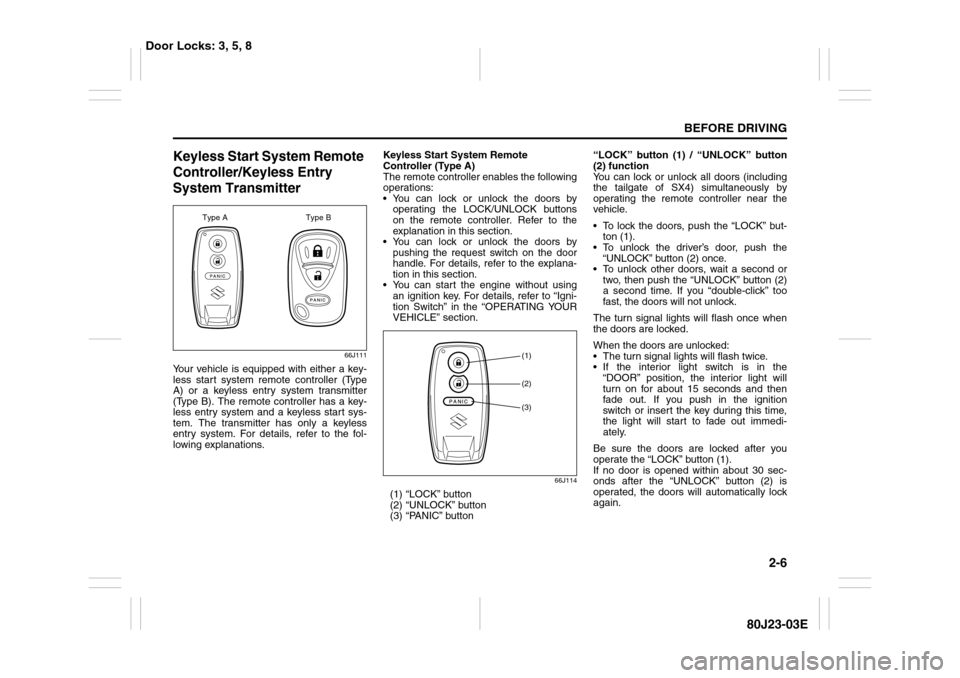
66J111
Your vehicle is equipped with either a key-
less start system remote controller (Type
A) or a keyless entry system transmitter
(Type B). The remote controller has a key-
less entry system and a keyless start sys-
tem. The transmitter has only a keyless
entry system. For details, refer to the fol-
lowing explanations.Keyless Start System Remote
Controller (Type A)
The remote controller enables the following
operations:
You can lock or unlock the doors by
operating the LOCK/UNLOCK buttons
on the remote controller. Refer to the
explanation in this section.
You can lock or unlock the doors by
pushing the request switch on the door
handle. For details, refer to the explana-
tion in this section.
You can start the engine without using
an ignition key. For details, refer to “Igni-
tion Switch” in the “OPERATING YOUR
VEHICLE” section.
66J114
(1) “LOCK” button
(2) “UNLOCK” button
(3) “PANIC” button“LOCK” button (1) / “UNLOCK” button
(2) function
You can lock or unlock all doors (including
the tailgate of SX4) simultaneously by
operating the remote controller near the
vehicle.
To lock the doors, push the “LOCK” but-
ton (1).
To unlock the driver’s door, push the
“UNLOCK” button (2) once.
To unlock other doors, wait a second or
two, then push the “UNLOCK” button (2)
a second time. If you “double-click” too
fast, the doors will not unlock.
The turn signal lights will flash once when
the doors are locked.
When the doors are unlocked:
The turn signal lights will flash twice.
If the interior light switch is in the
“DOOR” position, the interior light will
turn on for about 15 seconds and then
fade out. If you push in the ignition
switch or insert the key during this time,
the light will start to fade out immedi-
ately.
Be sure the doors are locked after you
operate the “LOCK” button (1).
If no door is opened within about 30 sec-
onds after the “UNLOCK” button (2) is
operated, the doors will automatically lock
again.
Type A Type B
(1)(2)(3)
Door Locks: 3, 5, 8
Page 25 of 297
2-8
BEFORE DRIVING
80J23-03E
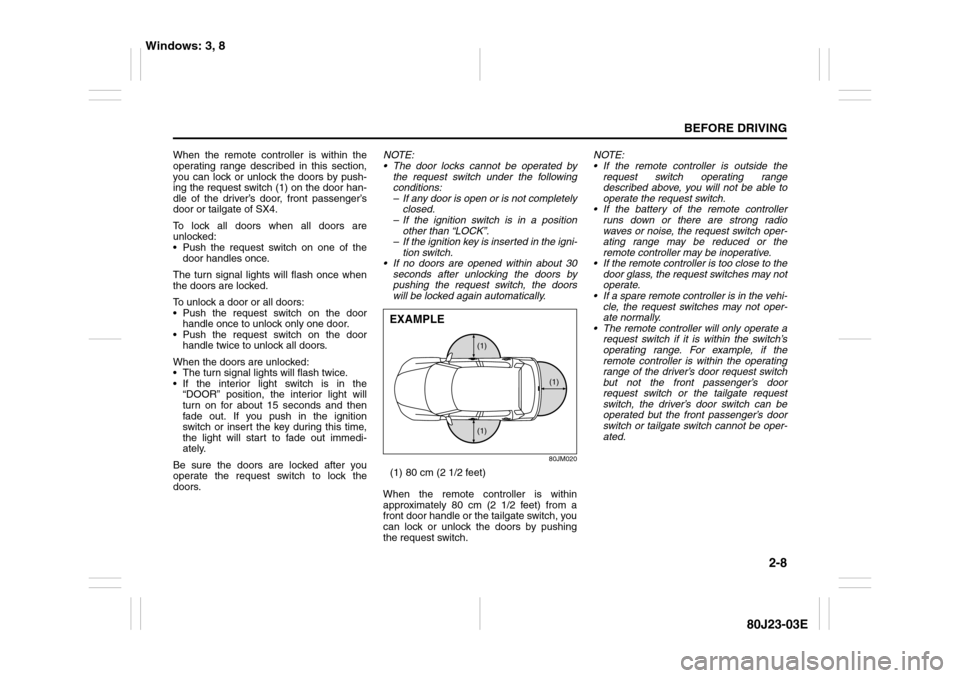
When the remote controller is within the
operating range described in this section,
you can lock or unlock the doors by push-
ing the request switch (1) on the door han-
dle of the driver’s door, front passenger’s
door or tailgate of SX4.
To lock all doors when all doors are
unlocked:
Push the request switch on one of the
door handles once.
The turn signal lights will flash once when
the doors are locked.
To unlock a door or all doors:
Push the request switch on the door
handle once to unlock only one door.
Push the request switch on the door
handle twice to unlock all doors.
When the doors are unlocked:
The turn signal lights will flash twice.
If the interior light switch is in the
“DOOR” position, the interior light will
turn on for about 15 seconds and then
fade out. If you push in the ignition
switch or insert the key during this time,
the light will start to fade out immedi-
ately.
Be sure the doors are locked after you
operate the request switch to lock the
doors.NOTE:
The door locks cannot be operated by
the request switch under the following
conditions:
– If any door is open or is not completely
closed.
– If the ignition switch is in a position
other than “LOCK”.
– If the ignition key is inserted in the igni-
tion switch.
If no doors are opened within about 30
seconds after unlocking the doors by
pushing the request switch, the doors
will be locked again automatically.
80JM020
(1) 80 cm (2 1/2 feet)
When the remote controller is within
approximately 80 cm (2 1/2 feet) from a
front door handle or the tailgate switch, you
can lock or unlock the doors by pushing
the request switch.NOTE:
If the remote controller is outside the
request switch operating range
described above, you will not be able to
operate the request switch.
If the battery of the remote controller
runs down or there are strong radio
waves or noise, the request switch oper-
ating range may be reduced or the
remote controller may be inoperative.
If the remote controller is too close to the
door glass, the request switches may not
operate.
If a spare remote controller is in the vehi-
cle, the request switches may not oper-
ate normally.
The remote controller will only operate a
request switch if it is within the switch’s
operating range. For example, if the
remote controller is within the operating
range of the driver’s door request switch
but not the front passenger’s door
request switch or the tailgate request
switch, the driver’s door switch can be
operated but the front passenger’s door
switch or tailgate switch cannot be oper-
ated.
(1) (1)
(1)
EXAMPLE
Windows: 3, 8
Page 26 of 297
2-9BEFORE DRIVING
80J23-03E
NOTE:
The keyless start system may not function
correctly in certain environments or under
certain operating conditions such as the
following:
When there are strong signals coming
from a television, power station or a cel-
lular phone.
When the remote controller is in contact
with or covered by a metal object.
When a radio wave type remote keyless
entry is used nearby.
When the remote controller is placed
near an electronic device such as per-
sonal computer.Some additional precautions you should
take and information you should be aware
of are:
Make sure the ignition key is stowed in
the remote controller. If the remote con-
troller becomes unreliable, you will not
be able to lock or unlock the doors or
start the engine.
Be sure that the driver always carries the
remote controller.
If you lose one of the remote controllers,
ask your SUZUKI dealer as soon as pos-
sible for a replacement. Be sure to have
your dealer program the new remote
controller code in your vehicle’s memory
so that the old code is erased, or per-
form the programming procedure your-
self according to the instructions in this
section.
You can use up to four remote controllers
and ignition keys for your vehicle. Ask
your SUZUKI dealer for details.
The battery life of the remote controller
is about two years, but it can vary
depending on usage conditions.
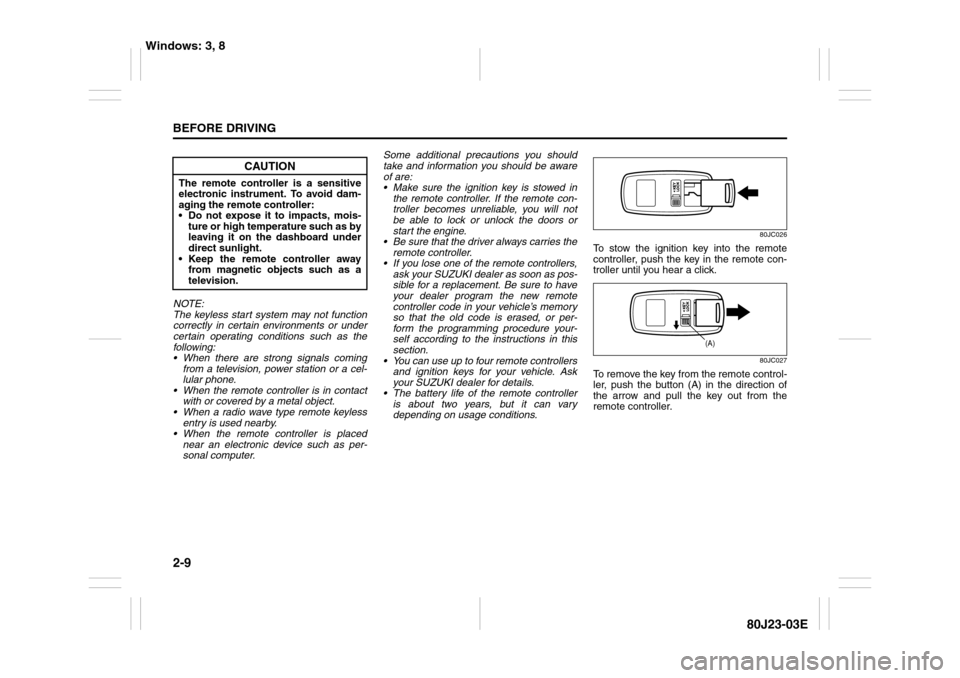
80JC026
To stow the ignition key into the remote
controller, push the key in the remote con-
troller until you hear a click.
80JC027
To remove the key from the remote control-
ler, push the button (A) in the direction of
the arrow and pull the key out from the
remote controller.
CAUTION
The remote controller is a sensitive
electronic instrument. To avoid dam-
aging the remote controller:
Do not expose it to impacts, mois-
ture or high temperature such as by
leaving it on the dashboard under
direct sunlight.
Keep the remote controller away
from magnetic objects such as a
television.
(A)
Windows: 3, 8
Page 27 of 297
2-10
BEFORE DRIVING
80J23-03E
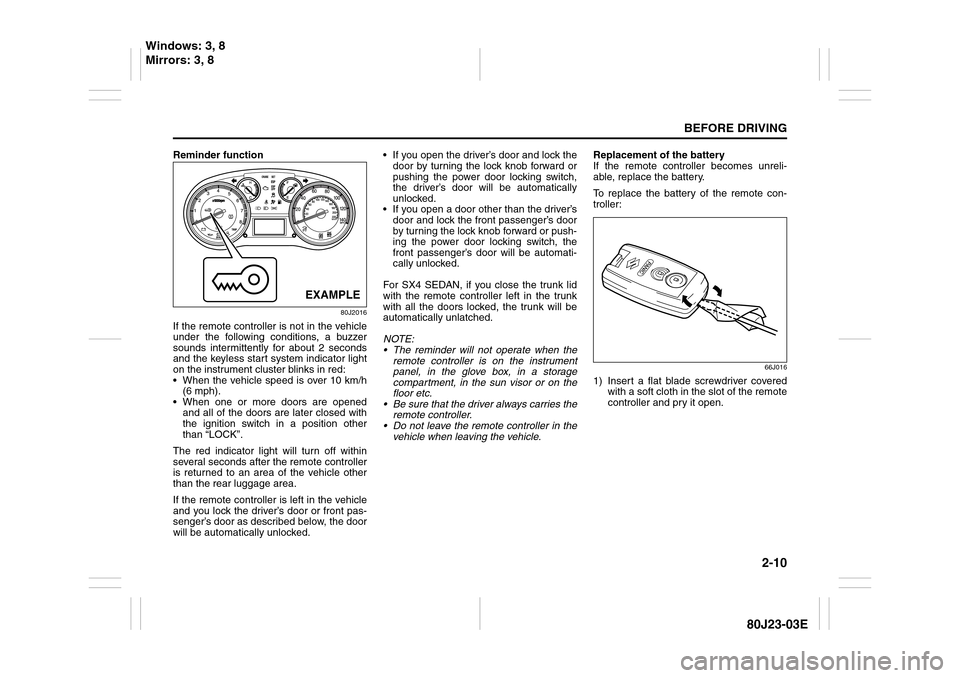
Reminder function
80J2016
If the remote controller is not in the vehicle
under the following conditions, a buzzer
sounds intermittently for about 2 seconds
and the keyless start system indicator light
on the instrument cluster blinks in red:
When the vehicle speed is over 10 km/h
(6 mph).
When one or more doors are opened
and all of the doors are later closed with
the ignition switch in a position other
than “LOCK”.
The red indicator light will turn off within
several seconds after the remote controller
is returned to an area of the vehicle other
than the rear luggage area.
If the remote controller is left in the vehicle
and you lock the driver’s door or front pas-
senger’s door as described below, the door
will be automatically unlocked. If you open the driver’s door and lock the
door by turning the lock knob forward or
pushing the power door locking switch,
the driver’s door will be automatically
unlocked.
If you open a door other than the driver’s
door and lock the front passenger’s door
by turning the lock knob forward or push-
ing the power door locking switch, the
front passenger’s door will be automati-
cally unlocked.
For SX4 SEDAN, if you close the trunk lid
with the remote controller left in the trunk
with all the doors locked, the trunk will be
automatically unlatched.
NOTE:
The reminder will not operate when the
remote controller is on the instrument
panel, in the glove box, in a storage
compartment, in the sun visor or on the
floor etc.
Be sure that the driver always carries the
remote controller.
Do not leave the remote controller in the
vehicle when leaving the vehicle.Replacement of the battery
If the remote controller becomes unreli-
able, replace the battery.
To replace the battery of the remote con-
troller:
66J016
1) Insert a flat blade screwdriver covered
with a soft cloth in the slot of the remote
controller and pry it open.
EXAMPLE
Windows: 3, 8
Mirrors: 3, 8
Page 29 of 297
2-12
BEFORE DRIVING
80J23-03E
To program a new remote controller
1) Close all the doors of the vehicle.
2) Sit in the driver’s seat and confirm that
the driver’s door is unlocked.
3) Insert the key into the ignition switch.
4) Complete steps 1 through 6 described
below within 25 seconds after step 3).
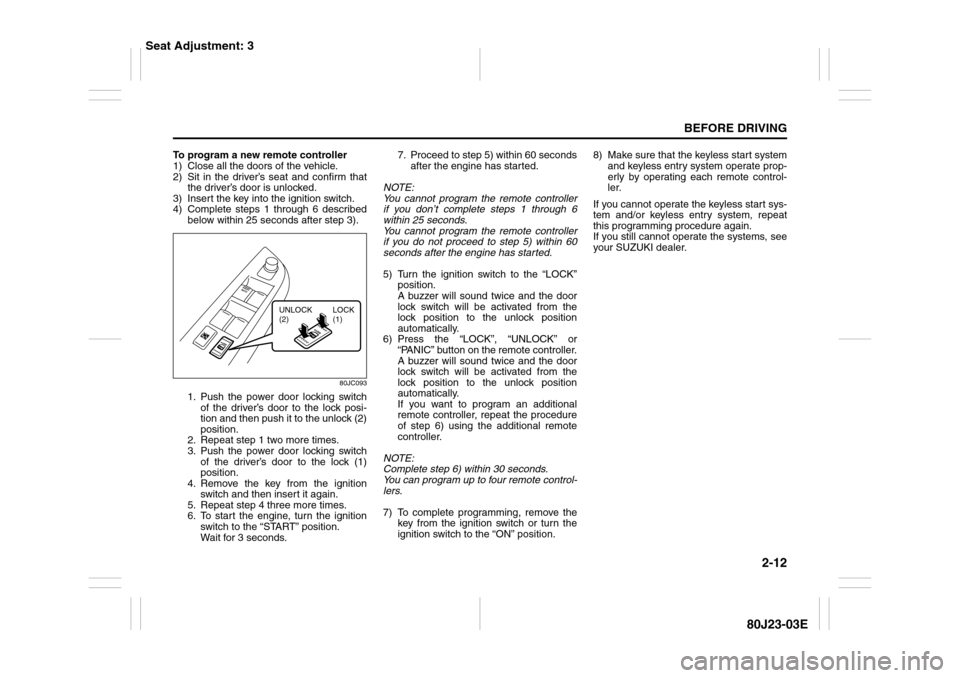
80JC093
1. Push the power door locking switch
of the driver’s door to the lock posi-
tion and then push it to the unlock (2)
position.
2. Repeat step 1 two more times.
3. Push the power door locking switch
of the driver’s door to the lock (1)
position.
4. Remove the key from the ignition
switch and then insert it again.
5. Repeat step 4 three more times.
6. To start the engine, turn the ignition
switch to the “START” position.
Wait for 3 seconds.7. Proceed to step 5) within 60 seconds
after the engine has started.
NOTE:
You cannot program the remote controller
if you don’t complete steps 1 through 6
within 25 seconds.
You cannot program the remote controller
if you do not proceed to step 5) within 60
seconds after the engine has started.
5) Turn the ignition switch to the “LOCK”
position.
A buzzer will sound twice and the door
lock switch will be activated from the
lock position to the unlock position
automatically.
6) Press the “LOCK”, “UNLOCK” or
“PANIC” button on the remote controller.
A buzzer will sound twice and the door
lock switch will be activated from the
lock position to the unlock position
automatically.
If you want to program an additional
remote controller, repeat the procedure
of step 6) using the additional remote
controller.
NOTE:
Complete step 6) within 30 seconds.
You can program up to four remote control-
lers.
7) To complete programming, remove the
key from the ignition switch or turn the
ignition switch to the “ON” position.8) Make sure that the keyless start system
and keyless entry system operate prop-
erly by operating each remote control-
ler.
If you cannot operate the keyless start sys-
tem and/or keyless entry system, repeat
this programming procedure again.
If you still cannot operate the systems, see
your SUZUKI dealer.
UNLOCK
(2)LOCK
(1)
Seat Adjustment: 3
Page 30 of 297
2-13BEFORE DRIVING
80J23-03E
To change the old remote controller
codes in your vehicle’s memory
If you have lost one of the remote control-
lers, you should change the remote con-
troller codes in your vehicle’s memory as
soon as possible for security.
To erase the remote controller code(s) in
your vehicle’s memory, you should pro-
gram the new remote controller code. The
old codes in your vehicle’s memory will be
erased automatically. If you have more
remote controller(s), you must program all
of the remote controller codes at the same
time. You cannot operate the keyless start
system and keyless entry system using
any remote controller that is not pro-
grammed at the same time.
For details on how to program, refer to the
programming procedure in this section.
When you complete programming, make
sure that the keyless start system and key-
less entry system operate properly by
operating each remote controller.1. For USA
This device complies with Part 15 of the
FCC Rules. Operation is subject to the fol-
lowing two conditions:
1) This device may not cause harmful
interference, and
2) This device must accept any interfer-
ence received, including interference
that may cause undesired operation.
NOTE:
Changes or modifications not expressly
approved by the party responsible for com-
pliance could void the user’s authority to
operate the equipment.
2. For Canada
This device complies with Industry Canada
Standard RSS-210. Operation is subject to
the following two conditions:
1) This device may not cause interference,
and
2) This device must accept any interfer-
ence, including interference that may
cause undesired operation of the
device.
The term “IC:” before the certification/reg-
istration number only signifies that the
Industry Canada technical specifications
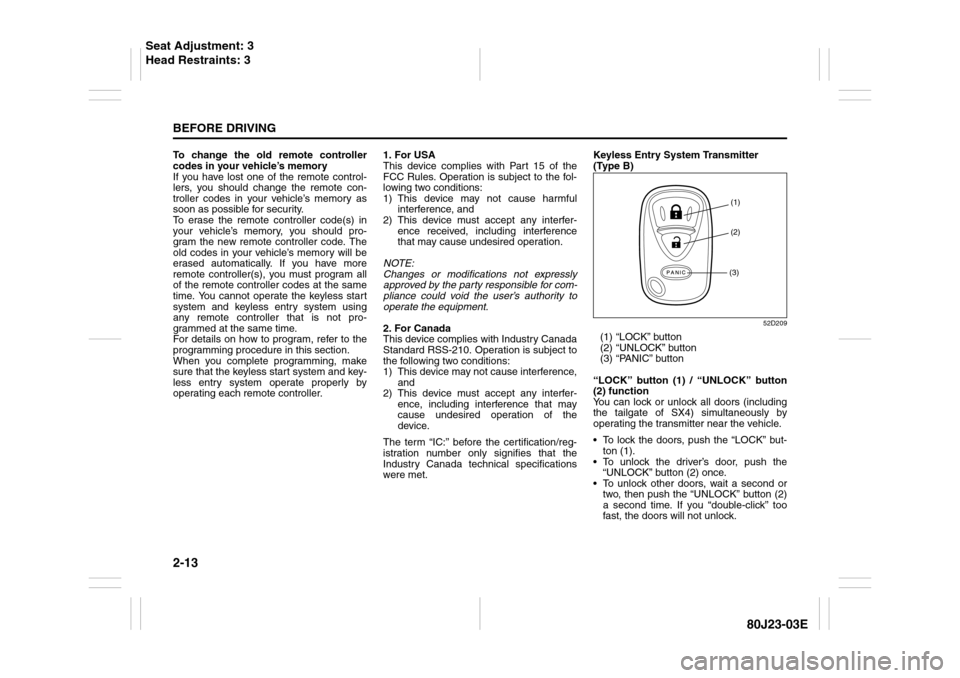
were met.Keyless Entry System Transmitter
(Type B)
52D209
(1) “LOCK” button
(2) “UNLOCK” button
(3) “PANIC” button
“LOCK” button (1) / “UNLOCK” button
(2) function
You can lock or unlock all doors (including
the tailgate of SX4) simultaneously by
operating the transmitter near the vehicle.
To lock the doors, push the “LOCK” but-
ton (1).
To unlock the driver’s door, push the
“UNLOCK” button (2) once.
To unlock other doors, wait a second or
two, then push the “UNLOCK” button (2)
a second time. If you “double-click” too
fast, the doors will not unlock.
(1)
(2)
(3)
Seat Adjustment: 3
Head Restraints: 3
Page 83 of 297
2-66
BEFORE DRIVING
80J23-03E
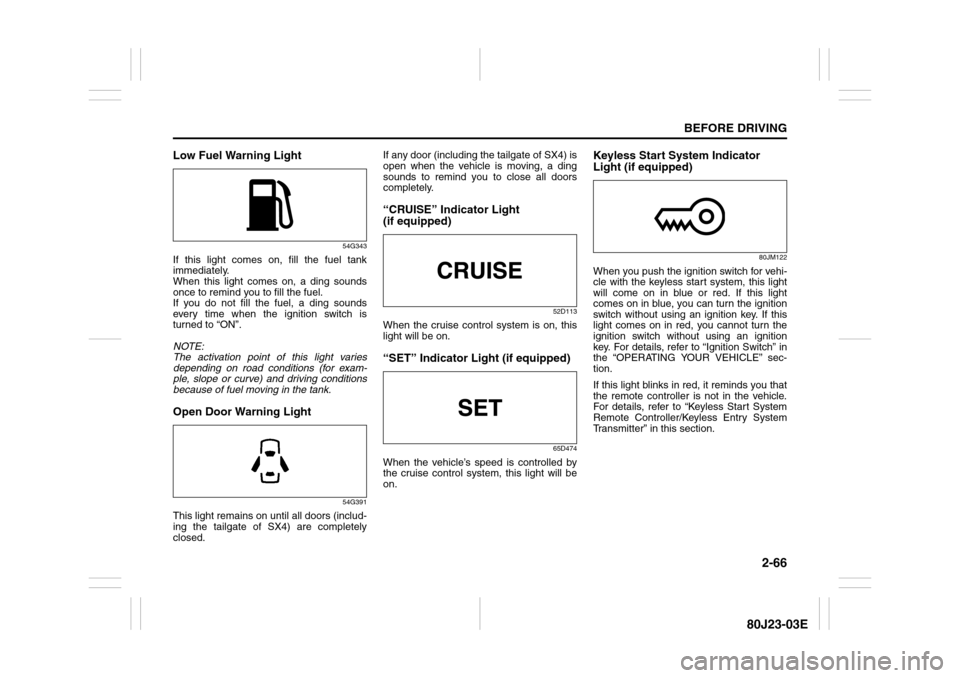
Low Fuel Warning Light
54G343
If this light comes on, fill the fuel tank
immediately.
When this light comes on, a ding sounds
once to remind you to fill the fuel.
If you do not fill the fuel, a ding sounds
every time when the ignition switch is
turned to “ON”.
NOTE:
The activation point of this light varies
depending on road conditions (for exam-
ple, slope or curve) and driving conditions
because of fuel moving in the tank.Open Door Warning Light
54G391
This light remains on until all doors (includ-
ing the tailgate of SX4) are completely
closed.If any door (including the tailgate of SX4) is
open when the vehicle is moving, a ding
sounds to remind you to close all doors
completely.
“CRUISE” Indicator Light
(if equipped)
52D113
When the cruise control system is on, this
light will be on.“SET” Indicator Light (if equipped)
65D474
When the vehicle’s speed is controlled by
the cruise control system, this light will be
on.
Keyless Start System Indicator
Light (if equipped)
80JM122
When you push the ignition switch for vehi-
cle with the keyless start system, this light
will come on in blue or red. If this light
comes on in blue, you can turn the ignition
switch without using an ignition key. If this
light comes on in red, you cannot turn the
ignition switch without using an ignition
key. For details, refer to “Ignition Switch” in
the “OPERATING YOUR VEHICLE” sec-
tion.
If this light blinks in red, it reminds you that
the remote controller is not in the vehicle.
For details, refer to “Keyless Start System
Remote Controller/Keyless Entry System
Transmitter” in this section.