lights SUZUKI XL7 2007 2.G User Guide
[x] Cancel search | Manufacturer: SUZUKI, Model Year: 2007, Model line: XL7, Model: SUZUKI XL7 2007 2.GPages: 274, PDF Size: 6.12 MB
Page 67 of 274

2-11 FEATURES AND CONTROLS
78J00-03E
If you are driving and the security light
comes on and stays on, you may be able
to restart your engine. Your PASS-Key
®
III+ system, however, may not be working
properly and must be serviced by your
dealer.
If you lose or damage your PASS-Key
®
III+ key, see your dealer or a locksmith
who can service PASS-Key
® III+ to have a
new key made.
Daily Inspection ChecklistBefore Driving1) Make sure that windows, mirrors, lights
and reflectors are clean and unob-
structed.
2) Visually check the tires for the following
points:
– the depth of the tread groove
– abnormal wear, cracks and damage
– loose wheel nuts
– existence of foreign material such as
nails, stones, etc.
Refer to “Tires” in the “SERVICE AND
APPEARANCE CARE” section for details.
3) Look for oil or other fluid leaks.
NOTE:
It is normal for water to drip from the air
conditioning system after use.
4) Make sure the hood is fully closed and
latched.
5) Check the headlights, turn signal lights,
brake lights and horn for proper opera-
tion.
6) Lock all doors.
7) Adjust the seat and adjustable head
restraints (if equipped).
8) Check the brake pedal.
9) Adjust the mirrors.
10)Make sure that you and all passengers
have properly fastened your safety
belts.11)Make sure that all warning lights come
on as the key is turned to the “ON” or
“START” position.
12)Check all gauges.
13)Make sure that the BRAKE light turns
off when the parking brake is released.
Once a week, or each time you fill your fuel
tank, perform the following under-hood
checks:
1) Engine oil level
2) Coolant level
3) Brake fluid level
4) Power steering (if equipped) fluid level
5) Windshield washer fluid level
6) Hood latch operation
Pull the hood release handle inside the
vehicle. Make sure that you cannot
open the hood all the way without
releasing the secondary latch. Be sure
to close the hood securely after check-
ing for proper latch operation. Refer to
“Lubricate body components” under
“Scheduled Maintenance” in the
“Maintenance Schedule” section for the
lubrication schedule.
WARNING
Make sure the hood is fully closed
and latched before driving. If it is not,
it can fly up unexpectedly during
driving, obstructing your view and
resulting in an accident.
Page 68 of 274
2-12 FEATURES AND CONTROLS
78J00-03E
Starting and Operating Your
VehicleNew Vehicle Break-InIgnition Positions
1410037
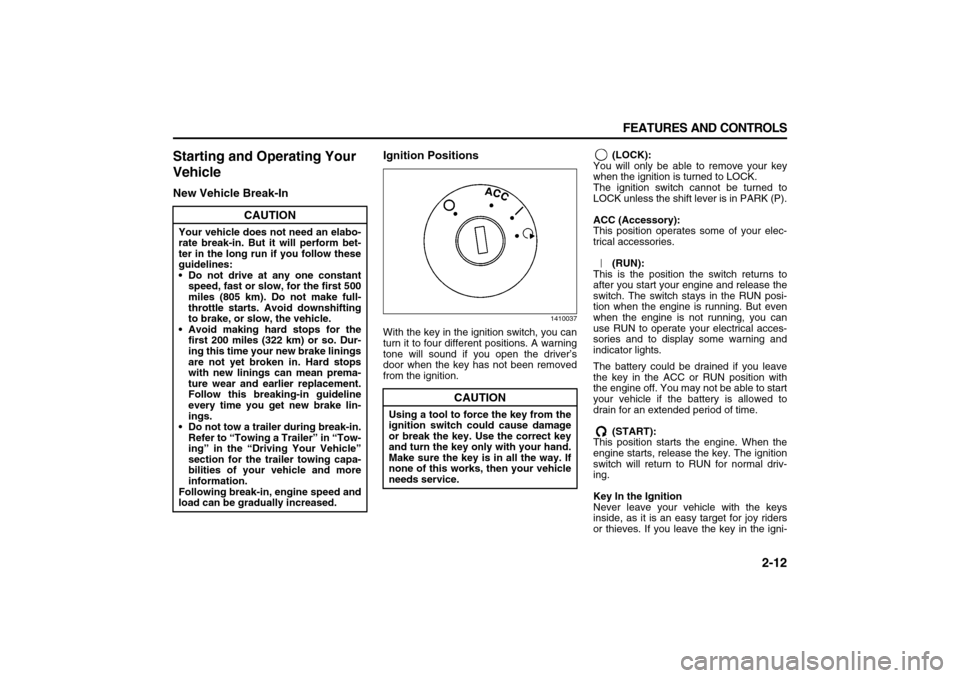
With the key in the ignition switch, you can
turn it to four different positions. A warning
tone will sound if you open the driver’s
door when the key has not been removed
from the ignition. (LOCK):
You will only be able to remove your key
when the ignition is turned to LOCK.
The ignition switch cannot be turned to
LOCK unless the shift lever is in PARK (P).
ACC (Accessory):
This position operates some of your elec-
trical accessories.
(RUN):
This is the position the switch returns to
after you start your engine and release the
switch. The switch stays in the RUN posi-
tion when the engine is running. But even
when the engine is not running, you can
use RUN to operate your electrical acces-
sories and to display some warning and
indicator lights.
The battery could be drained if you leave
the key in the ACC or RUN position with
the engine off. You may not be able to start
your vehicle if the battery is allowed to
drain for an extended period of time.
(START):
This position starts the engine. When the
engine starts, release the key. The ignition
switch will return to RUN for normal driv-
ing.
Key In the Ignition
Never leave your vehicle with the keys
inside, as it is an easy target for joy riders
or thieves. If you leave the key in the igni-
CAUTION
Your vehicle does not need an elabo-
rate break-in. But it will perform bet-
ter in the long run if you follow these
guidelines:
Do not drive at any one constant
speed, fast or slow, for the first 500
miles (805 km). Do not make full-
throttle starts. Avoid downshifting
to brake, or slow, the vehicle.
Avoid making hard stops for the
first 200 miles (322 km) or so. Dur-
ing this time your new brake linings
are not yet broken in. Hard stops
with new linings can mean prema-
ture wear and earlier replacement.
Follow this breaking-in guideline
every time you get new brake lin-
ings.
Do not tow a trailer during break-in.
Refer to “Towing a Trailer” in “Tow-
ing” in the “Driving Your Vehicle”
section for the trailer towing capa-
bilities of your vehicle and more
information.
Following break-in, engine speed and
load can be gradually increased.
CAUTION
Using a tool to force the key from the
ignition switch could cause damage
or break the key. Use the correct key
and turn the key only with your hand.
Make sure the key is in all the way. If
none of this works, then your vehicle
needs service.
Page 76 of 274
2-20 FEATURES AND CONTROLS
78J00-03E
MirrorsManual Rearview MirrorTo adjust the angle of the mirror, move the
mirror to a position that allows you see to
out of the back window. To adjust the
height of the mirror, adjust the arm that
connects the mirror to the windshield.
To reduce glare from lights behind you,
move the lever toward you to the night
position.Automatic Dimming Rearview
MirrorIf the vehicle has this feature, the auto-
matic dimming mirror automatically dims to
the proper level to minimize glare at night
from lights behind your vehicle.
On/Off:
This is the on/off button. A light near the
on/off button will come on to indicate the
automatic dimming is on.
If the automatic dimming function is off,
press and hold the on/off button for four
seconds to manually turn the system back
on.
Cleaning the Mirror
When cleaning the mirror, use a paper
towel or similar material dampened with
glass cleaner. Do not spray glass cleaner
directly on the mirror as that may cause
the liquid cleaner to enter the mirror hous-
ing.
Automatic Dimming Rearview
Mirror with CompassYour vehicle may have an automatic-dim-
ming rearview mirror with a compass.
Mirror Operation
When turned on, this mirror automatically
dims to the proper level to minimize glare
from any headlamps behind you after dark.
On/Off:
This is the on/off button for the automatic
dimming feature and compass. Press the
far left button, located below the mirror
face, for up to four seconds to turn the fea-
ture on and off. A light on the mirror will be
lit while the feature is turned on.
Compass Operation
Press the on/off button once to turn the
compass on or off.
There is a compass display in the window
in the upper right corner of the mirror face.
The compass displays a maximum of two
characters. For example, “NE” is displayed
for north-east.
Compass Calibration
Press and hold the on/off button down for
nine seconds to activate the compass cali-
bration mode. CAL will be displayed in the
compass window on the mirror.
The compass can be calibrated by driving
the vehicle in circles at 5 mph (8 km/h) or
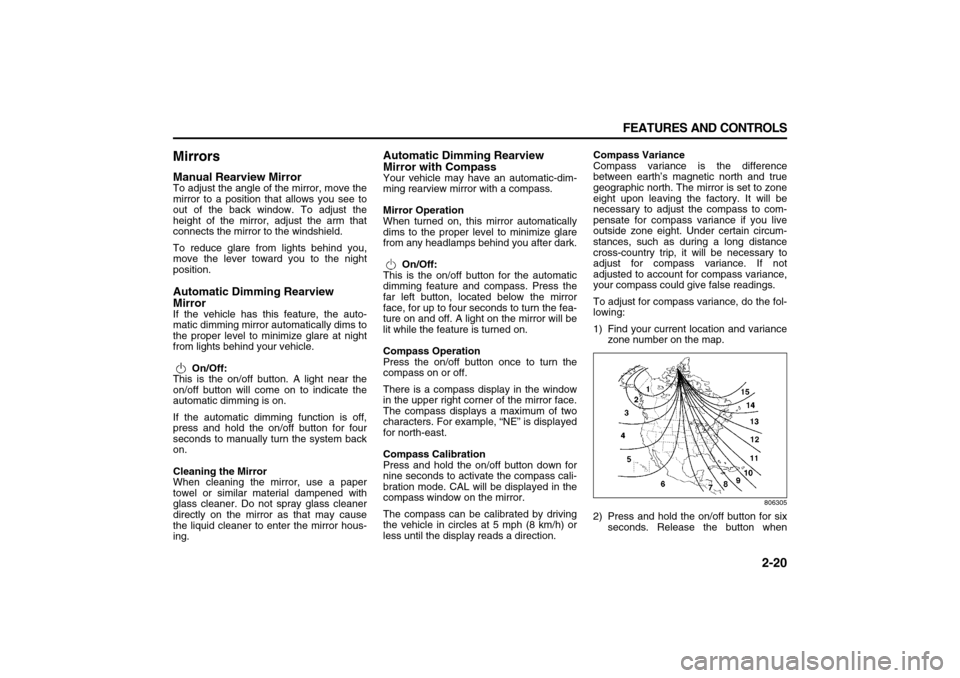
less until the display reads a direction.Compass Variance
Compass variance is the difference
between earth’s magnetic north and true
geographic north. The mirror is set to zone
eight upon leaving the factory. It will be
necessary to adjust the compass to com-
pensate for compass variance if you live
outside zone eight. Under certain circum-
stances, such as during a long distance
cross-country trip, it will be necessary to
adjust for compass variance. If not
adjusted to account for compass variance,
your compass could give false readings.
To adjust for compass variance, do the fol-
lowing:
1) Find your current location and variance
zone number on the map.
806305
2) Press and hold the on/off button for six
seconds. Release the button when
Page 82 of 274

INSTRUMENT PANEL
3
78J00-03E
INSTRUMENT PANELInstrument Panel Overview ................................................ 3-1
Climate Controls ................................................................. 3-10
Warning Lights, Gages, and Indicators ............................ 3-15
Driver Information Center (DIC) ......................................... 3-27
Audio System(s) .................................................................. 3-39
Page 89 of 274

3-7 INSTRUMENT PANEL
78J00-03E
the vehicle’s speed for approximately 60
seconds, cruise control will disengage.
Using Cruise Control on Hills
How well your cruise control will work on
hills depends upon your speed, load, and
the steepness of the hills. When going up
steep hills, you may have to step on the
accelerator pedal to maintain your vehi-
cle’s speed. When going downhill, you may
have to brake or shift to a lower gear to
limit the vehicle’s speed. Of course, apply-
ing the brakes ends cruise control. Many
drivers find this to be too much trouble and
do not use cruise control on steep hills.
Ending Cruise Control
There are three ways to end cruise control:
Step lightly on the brake pedal.
Press the cancel button on the steering
wheel.
Press the On/Off button on the steering
wheel.
Erasing Speed Memory
When the cruise control or the ignition is
turned off, the cruise control set speed
memory is erased.
HeadlampsThe exterior lamp control is located on the
turn signal/multifunction lever.
(Exterior Lamp Control):
Turn the control with this symbol on it to
operate the exterior lamps.
The exterior lamp control has the following
positions:
AUTO (Off/Automatic Headlamps):
Turn the control to this position to put the
headlamps in automatic mode. Automatic
mode will turn the exterior lamps on and off
depending upon how much light is avail-
able outside of the vehicle.
(Parking Lamps):
Turn the control to this position to turn on
the parking lamps together with the follow-
ing:
Sidemarker Lamps
Taillamps
License Plate Lamps
Instrument Panel Lights
(Headlamps):
Turning the control to this position turns on
the headlamps, together with the previ-
ously listed lamps and lights.
Headlamps on Reminder
If you open the driver’s door with the igni-
tion off and the lamps on, you will hear a
warning chime.Daytime Running Lamps (DRL)
Daytime Running Lamps (DRL) can make
it easier for others to see the front of your
vehicle during the day. DRL can be helpful
in many different driving conditions, but
they can be especially helpful in the short
periods after dawn and before sunset.
Fully functional daytime running lamps are
required on all vehicles first sold in Can-
ada.
A light sensor on top of the instrument
panel makes the DRL work, so be sure it is
not covered.
The DRL system’s automatic headlamp
control will make the low-beam headlamps
come on at a reduced brightness when the
following conditions are met:
The ignition is in RUN.
The exterior lamps control is in AUTO.
The engine is running.
When the DRL are on, only the low-beam
headlamps, at a reduced level of bright-
ness, will be on. The headlamps, taillamps,
sidemarker, and other lamps will not be on.
The instrument panel and cluster will also
not be lit.
When it is dark enough outside, the DRL
will turn off and the headlamps and parking
lamps will turn on. The other lamps that
come on with the headlamps will also
come on.
Page 90 of 274
3-8 INSTRUMENT PANEL
78J00-03E
When it is bright enough outside, the head-
lamps will go off and the DRL will come on.
As with any vehicle, you should turn on the
regular headlamp system when you need
it.
Automatic Headlamp System
When it is dark enough outside and the
exterior lamps control is in the automatic
position, the headlamps will come on auto-
matically. Refer to “Headlamps” in this sec-
tion.
Your vehicle has a light sensor located on
top of the instrument panel. Make sure it is
not covered, or the headlamps will be on
when you do not need them.
The system may also turn on the head-
lamps when driving through a parking
garage or tunnel.
Fog LampsIf your vehicle has this feature, use your
fog lamps for better visibility in foggy or
misty conditions.
808603
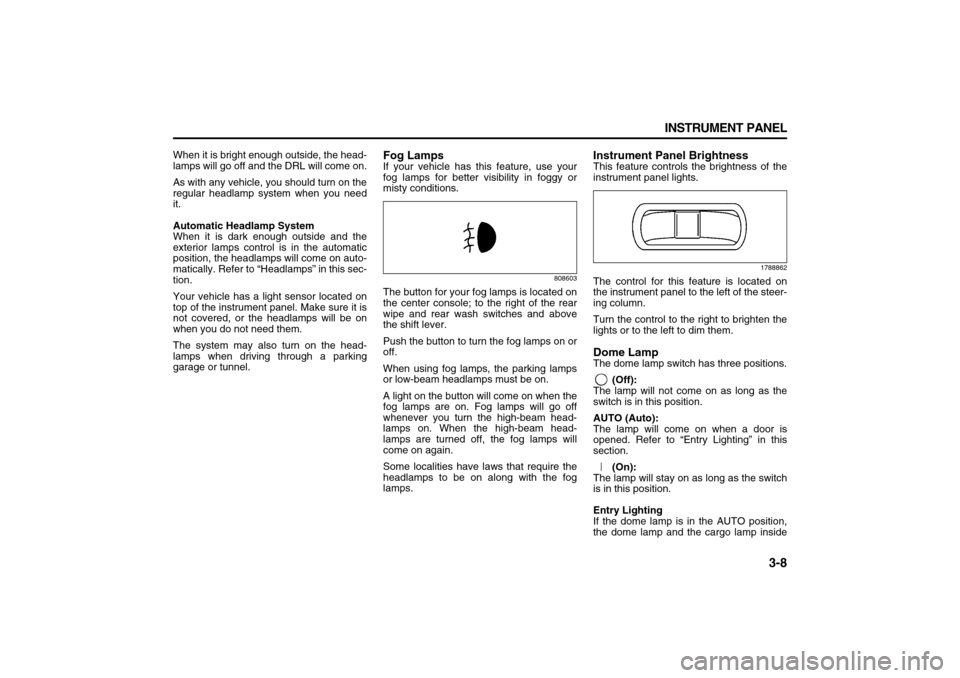
The button for your fog lamps is located on
the center console; to the right of the rear
wipe and rear wash switches and above
the shift lever.
Push the button to turn the fog lamps on or
off.
When using fog lamps, the parking lamps
or low-beam headlamps must be on.
A light on the button will come on when the
fog lamps are on. Fog lamps will go off
whenever you turn the high-beam head-
lamps on. When the high-beam head-
lamps are turned off, the fog lamps will
come on again.
Some localities have laws that require the
headlamps to be on along with the fog
lamps.
Instrument Panel BrightnessThis feature controls the brightness of the
instrument panel lights.
1788862
The control for this feature is located on
the instrument panel to the left of the steer-
ing column.
Turn the control to the right to brighten the
lights or to the left to dim them.Dome LampThe dome lamp switch has three positions.
(Off):
The lamp will not come on as long as the
switch is in this position.
AUTO (Auto):
The lamp will come on when a door is
opened. Refer to “Entry Lighting” in this
section.
(On):
The lamp will stay on as long as the switch
is in this position.
Entry Lighting
If the dome lamp is in the AUTO position,
the dome lamp and the cargo lamp inside
Page 93 of 274
3-11 INSTRUMENT PANEL
78J00-03E
Automatic Climate Control System with
Rear Air Conditioning and Heating Sys-
tem
1732674
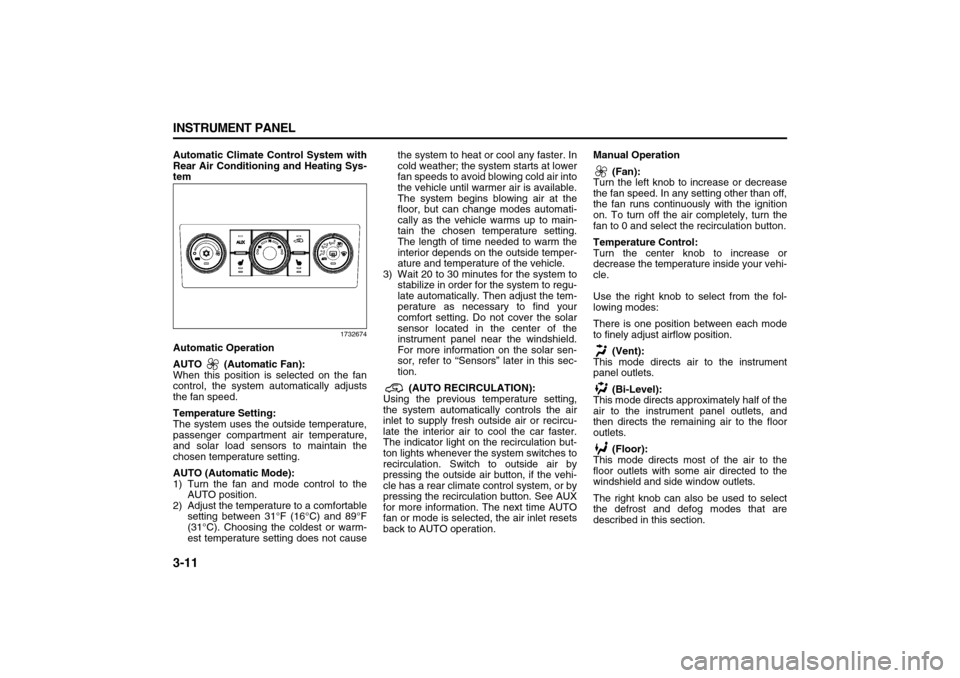
Automatic Operation
AUTO (Automatic Fan):
When this position is selected on the fan
control, the system automatically adjusts
the fan speed.
Temperature Setting:
The system uses the outside temperature,
passenger compartment air temperature,
and solar load sensors to maintain the
chosen temperature setting.
AUTO (Automatic Mode):
1) Turn the fan and mode control to the
AUTO position.
2) Adjust the temperature to a comfortable
setting between 31°F (16°C) and 89°F
(31°C). Choosing the coldest or warm-
est temperature setting does not causethe system to heat or cool any faster. In
cold weather; the system starts at lower
fan speeds to avoid blowing cold air into
the vehicle until warmer air is available.
The system begins blowing air at the
floor, but can change modes automati-
cally as the vehicle warms up to main-
tain the chosen temperature setting.
The length of time needed to warm the
interior depends on the outside temper-
ature and temperature of the vehicle.
3) Wait 20 to 30 minutes for the system to
stabilize in order for the system to regu-
late automatically. Then adjust the tem-
perature as necessary to find your
comfort setting. Do not cover the solar
sensor located in the center of the
instrument panel near the windshield.
For more information on the solar sen-
sor, refer to “Sensors” later in this sec-
tion.
(AUTO RECIRCULATION):
Using the previous temperature setting,
the system automatically controls the air
inlet to supply fresh outside air or recircu-
late the interior air to cool the car faster.
The indicator light on the recirculation but-
ton lights whenever the system switches to
recirculation. Switch to outside air by
pressing the outside air button, if the vehi-
cle has a rear climate control system, or by
pressing the recirculation button. See AUX
for more information. The next time AUTO
fan or mode is selected, the air inlet resets
back to AUTO operation.Manual Operation
(Fan):
Turn the left knob to increase or decrease
the fan speed. In any setting other than off,
the fan runs continuously with the ignition
on. To turn off the air completely, turn the
fan to 0 and select the recirculation button.
Temperature Control:
Turn the center knob to increase or
decrease the temperature inside your vehi-
cle.
Use the right knob to select from the fol-
lowing modes:
There is one position between each mode
to finely adjust airflow position.
(Vent):
This mode directs air to the instrument
panel outlets.
(Bi-Level):
This mode directs approximately half of the
air to the instrument panel outlets, and
then directs the remaining air to the floor
outlets.
(Floor):
This mode directs most of the air to the
floor outlets with some air directed to the
windshield and side window outlets.
The right knob can also be used to select
the defrost and defog modes that are
described in this section.
Page 97 of 274
3-15 INSTRUMENT PANEL
78J00-03E
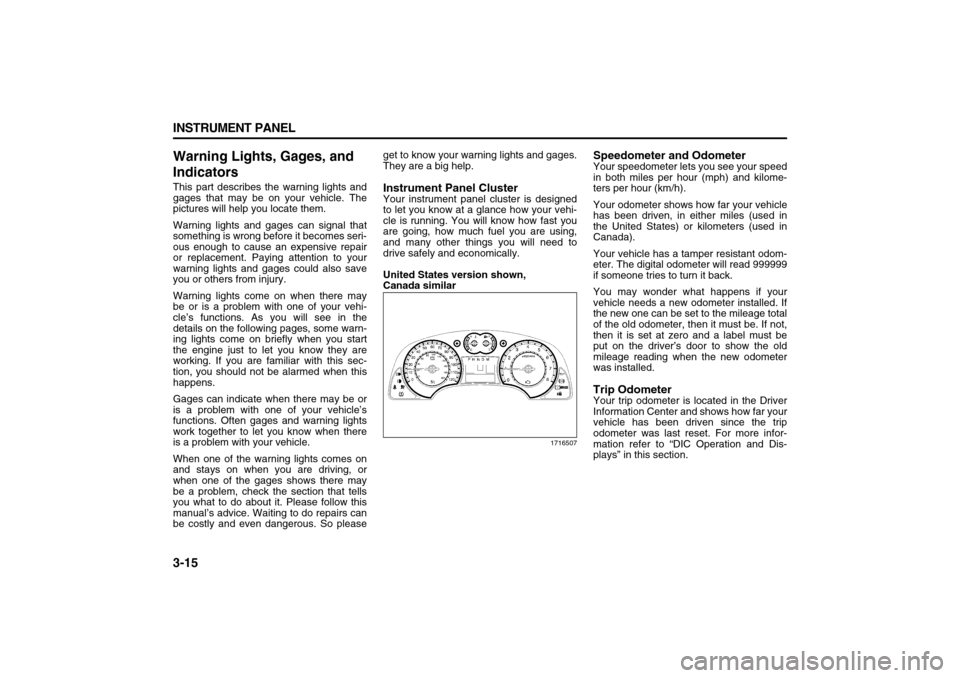
Warning Lights, Gages, and
IndicatorsThis part describes the warning lights and
gages that may be on your vehicle. The
pictures will help you locate them.
Warning lights and gages can signal that
something is wrong before it becomes seri-
ous enough to cause an expensive repair
or replacement. Paying attention to your
warning lights and gages could also save
you or others from injury.
Warning lights come on when there may
be or is a problem with one of your vehi-
cle’s functions. As you will see in the
details on the following pages, some warn-
ing lights come on briefly when you start
the engine just to let you know they are
working. If you are familiar with this sec-
tion, you should not be alarmed when this
happens.
Gages can indicate when there may be or
is a problem with one of your vehicle’s
functions. Often gages and warning lights
work together to let you know when there
is a problem with your vehicle.
When one of the warning lights comes on
and stays on when you are driving, or
when one of the gages shows there may
be a problem, check the section that tells
you what to do about it. Please follow this
manual’s advice. Waiting to do repairs can
be costly and even dangerous. So pleaseget to know your warning lights and gages.
They are a big help.
Instrument Panel ClusterYour instrument panel cluster is designed
to let you know at a glance how your vehi-
cle is running. You will know how fast you
are going, how much fuel you are using,
and many other things you will need to
drive safely and economically.
United States version shown,
Canada similar
1716507
Speedometer and OdometerYour speedometer lets you see your speed
in both miles per hour (mph) and kilome-
ters per hour (km/h).
Your odometer shows how far your vehicle
has been driven, in either miles (used in
the United States) or kilometers (used in
Canada).
Your vehicle has a tamper resistant odom-
eter. The digital odometer will read 999999
if someone tries to turn it back.
You may wonder what happens if your
vehicle needs a new odometer installed. If
the new one can be set to the mileage total
of the old odometer, then it must be. If not,
then it is set at zero and a label must be
put on the driver’s door to show the old
mileage reading when the new odometer
was installed.Trip OdometerYour trip odometer is located in the Driver
Information Center and shows how far your
vehicle has been driven since the trip
odometer was last reset. For more infor-
mation refer to “DIC Operation and Dis-
plays” in this section.
Page 98 of 274
3-16 INSTRUMENT PANEL
78J00-03E
TachometerThe tachometer shows your engine speed
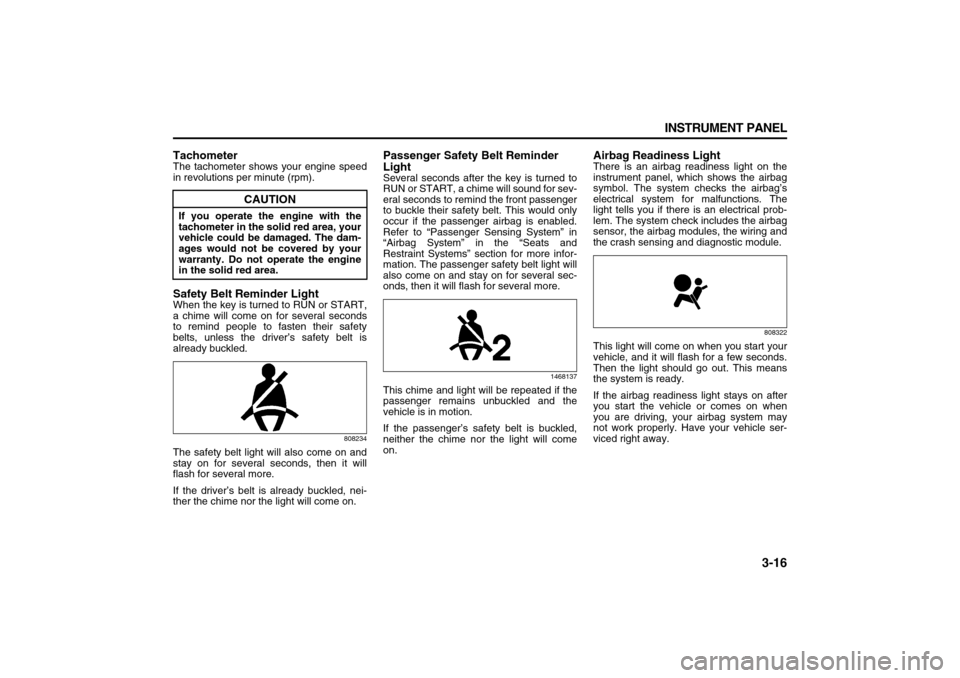
in revolutions per minute (rpm).Safety Belt Reminder LightWhen the key is turned to RUN or START,
a chime will come on for several seconds
to remind people to fasten their safety
belts, unless the driver’s safety belt is
already buckled.
808234
The safety belt light will also come on and
stay on for several seconds, then it will
flash for several more.
If the driver’s belt is already buckled, nei-
ther the chime nor the light will come on.
Passenger Safety Belt Reminder
LightSeveral seconds after the key is turned to
RUN or START, a chime will sound for sev-
eral seconds to remind the front passenger
to buckle their safety belt. This would only
occur if the passenger airbag is enabled.
Refer to “Passenger Sensing System” in
“Airbag System” in the “Seats and
Restraint Systems” section for more infor-
mation. The passenger safety belt light will
also come on and stay on for several sec-
onds, then it will flash for several more.
1468137
This chime and light will be repeated if the
passenger remains unbuckled and the
vehicle is in motion.
If the passenger’s safety belt is buckled,
neither the chime nor the light will come
on.
Airbag Readiness LightThere is an airbag readiness light on the
instrument panel, which shows the airbag
symbol. The system checks the airbag’s
electrical system for malfunctions. The
light tells you if there is an electrical prob-
lem. The system check includes the airbag
sensor, the airbag modules, the wiring and
the crash sensing and diagnostic module.
808322
This light will come on when you start your
vehicle, and it will flash for a few seconds.
Then the light should go out. This means
the system is ready.
If the airbag readiness light stays on after
you start the vehicle or comes on when
you are driving, your airbag system may
not work properly. Have your vehicle ser-
viced right away.
CAUTION
If you operate the engine with the
tachometer in the solid red area, your
vehicle could be damaged. The dam-
ages would not be covered by your
warranty. Do not operate the engine
in the solid red area.
Page 100 of 274
3-18 INSTRUMENT PANEL
78J00-03E
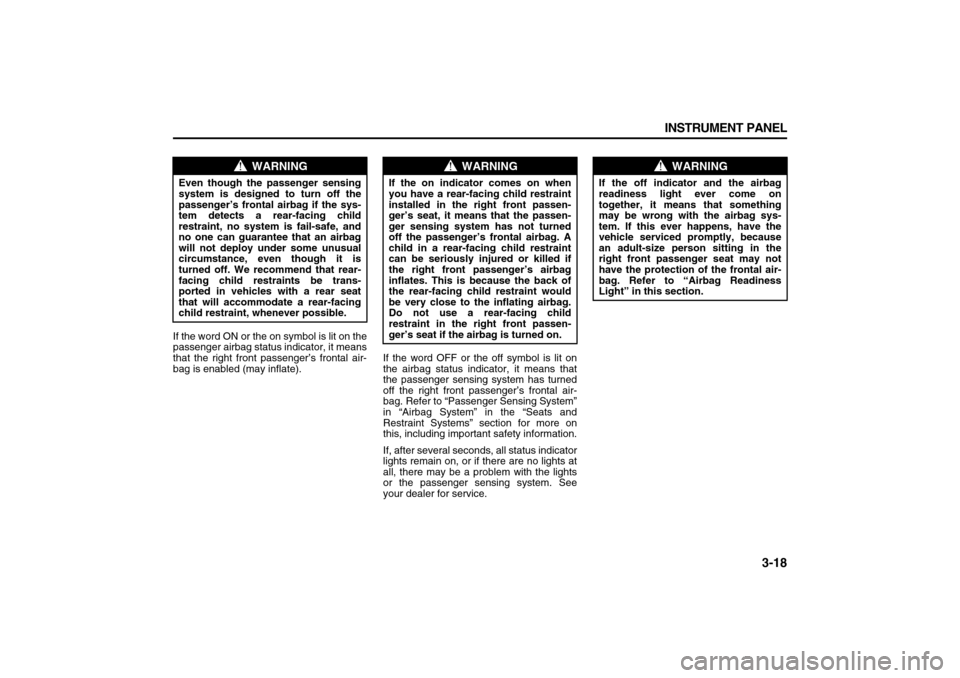
If the word ON or the on symbol is lit on the
passenger airbag status indicator, it means
that the right front passenger’s frontal air-
bag is enabled (may inflate).If the word OFF or the off symbol is lit on
the airbag status indicator, it means that
the passenger sensing system has turned
off the right front passenger’s frontal air-
bag. Refer to “Passenger Sensing System”
in “Airbag System” in the “Seats and
Restraint Systems” section for more on
this, including important safety information.
If, after several seconds, all status indicator
lights remain on, or if there are no lights at
all, there may be a problem with the lights
or the passenger sensing system. See
your dealer for service.
WARNING
Even though the passenger sensing
system is designed to turn off the
passenger’s frontal airbag if the sys-
tem detects a rear-facing child
restraint, no system is fail-safe, and
no one can guarantee that an airbag
will not deploy under some unusual
circumstance, even though it is
turned off. We recommend that rear-
facing child restraints be trans-
ported in vehicles with a rear seat
that will accommodate a rear-facing
child restraint, whenever possible.
WARNING
If the on indicator comes on when
you have a rear-facing child restraint
installed in the right front passen-
ger’s seat, it means that the passen-
ger sensing system has not turned
off the passenger’s frontal airbag. A
child in a rear-facing child restraint
can be seriously injured or killed if
the right front passenger’s airbag
inflates. This is because the back of
the rear-facing child restraint would
be very close to the inflating airbag.
Do not use a rear-facing child
restraint in the right front passen-
ger’s seat if the airbag is turned on.
WARNING
If the off indicator and the airbag
readiness light ever come on
together, it means that something
may be wrong with the airbag sys-
tem. If this ever happens, have the
vehicle serviced promptly, because
an adult-size person sitting in the
right front passenger seat may not
have the protection of the frontal air-
bag. Refer to “Airbag Readiness
Light” in this section.