service SUZUKI XL7 2007 2.G User Guide
[x] Cancel search | Manufacturer: SUZUKI, Model Year: 2007, Model line: XL7, Model: SUZUKI XL7 2007 2.GPages: 274, PDF Size: 6.12 MB
Page 63 of 274
2-7 FEATURES AND CONTROLS
78J00-03E
LiftgateTo unlock the liftgate, press the unlock but-
ton on the Remote Keyless Entry (RKE)
transmitter twice or use the power door
lock switch.
To lock the liftgate, press the lock button
on the RKE transmitter or use the power
door lock switch. The liftgate does not
have a key lock cylinder.To open the liftgate, pull up on the handle
located in the center of the liftgate.
When closing the liftgate, use the molded
handles to pull the liftgate down. Push the
liftgate closed until it latches.
Liftgate Operation with Loss of Power
The liftgate is equipped with an electric
latch. If the battery is disconnected or has
low voltage, the liftgate will not open.
1799172
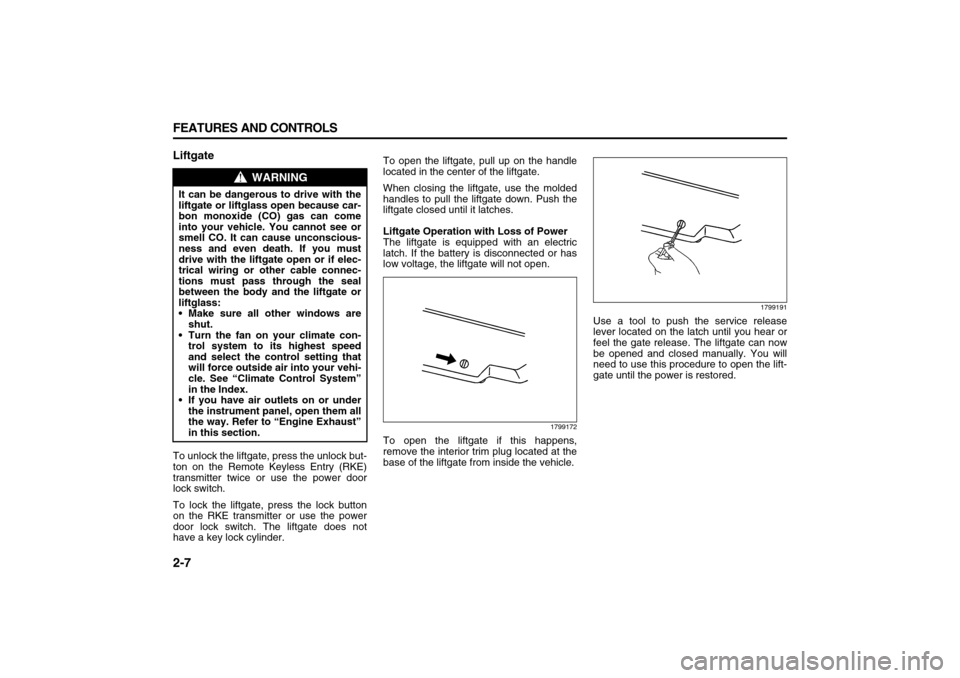
To open the liftgate if this happens,
remove the interior trim plug located at the
base of the liftgate from inside the vehicle.
1799191
Use a tool to push the service release
lever located on the latch until you hear or
feel the gate release. The liftgate can now
be opened and closed manually. You will
need to use this procedure to open the lift-
gate until the power is restored.
WARNING
It can be dangerous to drive with the
liftgate or liftglass open because car-
bon monoxide (CO) gas can come
into your vehicle. You cannot see or
smell CO. It can cause unconscious-
ness and even death. If you must
drive with the liftgate open or if elec-
trical wiring or other cable connec-
tions must pass through the seal
between the body and the liftgate or
liftglass:
Make sure all other windows are
shut.
Turn the fan on your climate con-
trol system to its highest speed
and select the control setting that
will force outside air into your vehi-
cle. See “Climate Control System”
in the Index.
If you have air outlets on or under
the instrument panel, open them all
the way. Refer to “Engine Exhaust”
in this section.
Page 66 of 274

2-10 FEATURES AND CONTROLS
78J00-03E
PASS-Key
® III+
The PASS-Key
® III+ system operates on a
radio frequency subject to Federal Com-
munications Commission (FCC) Rules and
with Industry Canada.
This device complies with Part 15 of the
FCC Rules. Operation is subject to the fol-
lowing two conditions:
1) This device may not cause harmful
interference.
2) This device must accept any interfer-
ence received, including interference
that may cause undesired operation.
This device complies with RSS-210 of
Industry Canada. Operation is subject to
the following two conditions:
1) This device may not cause interfer-
ence.
2) This device must accept any interfer-
ence received, including interference
that may cause undesired operation of
the device.
Changes or modifications to this system by
other than an authorized service facility
could void authorization to use this equip-
ment.
PASS-Key
® III+ uses a radio frequency
transponder in the key that matches a
decoder in your vehicle.PASS-Key
® III+ Operation
Your vehicle has PASS-Key
® III+ (Person-
alized Automotive Security System) theft-
deterrent system. PASS-Key® III+ is a pas-
sive theft-deterrent system. This means
you do not have to do anything special to
arm or disarm the system. It works when
you transition the key to RUN, ACC or
START from the LOCK position.
When the PASS-Key
® III+ system senses
that someone is using the wrong key, it
prevents the vehicle from starting. Anyone
using a trial-and-error method to start the
vehicle will be discouraged because of the
high number of electrical key codes.
If the engine does not start and the secu-
rity light on the instrument panel comes on
when trying to start the vehicle, the key
may have a damaged transponder. Turn
the ignition off and try again.
If the engine still does not start, and the
key appears to be undamaged, try another
ignition key. At this time, you may also
want to check the fuse, refer to “Fuses and
Circuit Breakers” in “Electrical System” in
the “Service and Appearance Care” sec-
tion. If the engine still does not start with
the other key, your vehicle needs service.
If your vehicle does start, the first key may
be faulty. See your dealer who can service
the PASS-Key
® III+ to have a new key
made. In an emergency, contact Roadside
Assistance.It is possible for the PASS-Key
® III+
decoder to “learn” the transponder value of
a new or replacement key. Up to nine addi-
tional keys may be programmed for the
vehicle. The following procedure is for pro-
gramming additional keys only. If all the
currently programmed keys are lost or do
not operate, you must see your dealer or a
locksmith who can service PASS-Key® III+
to have keys made and programmed to the
system.
See your dealer or a locksmith who can
service PASS-Key
® III+ to get a new key
blank that is cut exactly as the ignition key
that operates the system.
To program the new additional key do the
following:
1) Verify that the new key has a
stamped on it.
2) Insert the original, already pro-
grammed, key in the ignition and start
the engine. If the engine will not start,
see your dealer for service.
3) After the engine has started, turn the
key to LOCK, and remove the key.
4) Insert the new key to be programmed
and turn it to the RUN position within
five seconds of removing the original
key.
5) The security light will turn off once the
key has been programmed.
6) Repeat Steps 1 through 5 if additional
keys are to be programmed.
Page 67 of 274

2-11 FEATURES AND CONTROLS
78J00-03E
If you are driving and the security light
comes on and stays on, you may be able
to restart your engine. Your PASS-Key
®
III+ system, however, may not be working
properly and must be serviced by your
dealer.
If you lose or damage your PASS-Key
®
III+ key, see your dealer or a locksmith
who can service PASS-Key
® III+ to have a
new key made.
Daily Inspection ChecklistBefore Driving1) Make sure that windows, mirrors, lights
and reflectors are clean and unob-
structed.
2) Visually check the tires for the following
points:
– the depth of the tread groove
– abnormal wear, cracks and damage
– loose wheel nuts
– existence of foreign material such as
nails, stones, etc.
Refer to “Tires” in the “SERVICE AND
APPEARANCE CARE” section for details.
3) Look for oil or other fluid leaks.
NOTE:
It is normal for water to drip from the air
conditioning system after use.
4) Make sure the hood is fully closed and
latched.
5) Check the headlights, turn signal lights,
brake lights and horn for proper opera-
tion.
6) Lock all doors.
7) Adjust the seat and adjustable head
restraints (if equipped).
8) Check the brake pedal.
9) Adjust the mirrors.
10)Make sure that you and all passengers
have properly fastened your safety
belts.11)Make sure that all warning lights come
on as the key is turned to the “ON” or
“START” position.
12)Check all gauges.
13)Make sure that the BRAKE light turns
off when the parking brake is released.
Once a week, or each time you fill your fuel
tank, perform the following under-hood
checks:
1) Engine oil level
2) Coolant level
3) Brake fluid level
4) Power steering (if equipped) fluid level
5) Windshield washer fluid level
6) Hood latch operation
Pull the hood release handle inside the
vehicle. Make sure that you cannot
open the hood all the way without
releasing the secondary latch. Be sure
to close the hood securely after check-
ing for proper latch operation. Refer to
“Lubricate body components” under
“Scheduled Maintenance” in the
“Maintenance Schedule” section for the
lubrication schedule.
WARNING
Make sure the hood is fully closed
and latched before driving. If it is not,
it can fly up unexpectedly during
driving, obstructing your view and
resulting in an accident.
Page 68 of 274
2-12 FEATURES AND CONTROLS
78J00-03E
Starting and Operating Your
VehicleNew Vehicle Break-InIgnition Positions
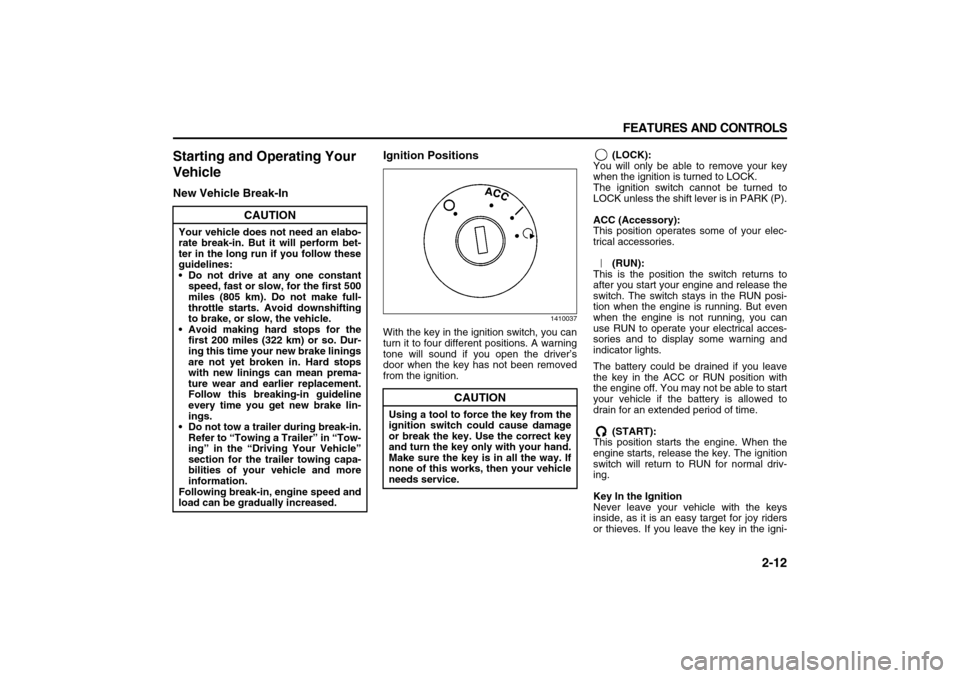
1410037
With the key in the ignition switch, you can
turn it to four different positions. A warning
tone will sound if you open the driver’s
door when the key has not been removed
from the ignition. (LOCK):
You will only be able to remove your key
when the ignition is turned to LOCK.
The ignition switch cannot be turned to
LOCK unless the shift lever is in PARK (P).
ACC (Accessory):
This position operates some of your elec-
trical accessories.
(RUN):
This is the position the switch returns to
after you start your engine and release the
switch. The switch stays in the RUN posi-
tion when the engine is running. But even
when the engine is not running, you can
use RUN to operate your electrical acces-
sories and to display some warning and
indicator lights.
The battery could be drained if you leave
the key in the ACC or RUN position with
the engine off. You may not be able to start
your vehicle if the battery is allowed to
drain for an extended period of time.
(START):
This position starts the engine. When the
engine starts, release the key. The ignition
switch will return to RUN for normal driv-
ing.
Key In the Ignition
Never leave your vehicle with the keys
inside, as it is an easy target for joy riders
or thieves. If you leave the key in the igni-
CAUTION
Your vehicle does not need an elabo-
rate break-in. But it will perform bet-
ter in the long run if you follow these
guidelines:
Do not drive at any one constant
speed, fast or slow, for the first 500
miles (805 km). Do not make full-
throttle starts. Avoid downshifting
to brake, or slow, the vehicle.
Avoid making hard stops for the
first 200 miles (322 km) or so. Dur-
ing this time your new brake linings
are not yet broken in. Hard stops
with new linings can mean prema-
ture wear and earlier replacement.
Follow this breaking-in guideline
every time you get new brake lin-
ings.
Do not tow a trailer during break-in.
Refer to “Towing a Trailer” in “Tow-
ing” in the “Driving Your Vehicle”
section for the trailer towing capa-
bilities of your vehicle and more
information.
Following break-in, engine speed and
load can be gradually increased.
CAUTION
Using a tool to force the key from the
ignition switch could cause damage
or break the key. Use the correct key
and turn the key only with your hand.
Make sure the key is in all the way. If
none of this works, then your vehicle
needs service.
Page 84 of 274

3-2 INSTRUMENT PANEL
78J00-03E
The main components of your instrument
panel are the following:
A. Air Outlets. Refer to “Outlet Adjust-
ment” in this section.
B. Turn Signal/Multifunction Lever. Refer
to “Turn Signal/Multifunction Lever” in
this section.
C. Cruise Controls. Refer to “Cruise
Control” in this section.
D. Instrument Panel Cluster. Refer to
“Instrument Panel Cluster” in this sec-
tion.
E. Audio Steering Wheel Controls. Refer
to “Audio Steering Wheel Controls” in
this section.
F. Windshield Wiper/Washer Lever.
Refer to “Windshield Wipers” in this
section.
G. Hazard Warning Flasher Button.
Refer to “Hazard Warning Flashers” in
this section.
H. Audio System. Refer to “Audio Sys-
tem(s)” in this section.
I. Glove Box. Refer to “Glove Box” in
“Storage Areas” in the “Features and
Controls” section.
J. Power Mirror Control. Refer to “Out-
side Power Mirrors” in “Mirrors” in the
“Features and Controls” section.
K. Instrument Panel Brightness Control.
Refer to “Instrument Panel Bright-
ness” in this section.
L. Hood Release. Refer to “Hood
Release” in “Checking Things Underthe Hood” in the “Service and Appear-
ance Care” section.
M. Tilt Wheel Lever. Refer to “Tilt Wheel”
in this section.
N. Horn. Refer to “Horn” in this section.
O. Climate Controls (If Equipped). Refer
to “Climate Control System” in this
section or Automatic Climate Controls
(If Equipped). Refer to “Automatic Cli-
mate Control System” in this section.
Heated Seats Buttons (If Equipped).
Refer to “Heated Seats” in “Front
Seats” in the “Seats and Restraint
Systems” section.
P. Driver Information Center Controls.
Refer to “DIC Operation and Displays”
in this section. Rear Window Wiper/
Washer Buttons. Refer to “Rear Win-
dow Wiper/Washer” in this section.
Fog Lamps Button. Refer to “Fog
Lamps” in this section.
Q. Power Window Switches. Refer to
“Power Windows” in “Windows” in the
“Features and Controls” section.
R. Traction Control System Button. Refer
to “Traction Control System (TCS)” in
“Your Driving, the Road, and Your
Vehicle” in the “Driving Your Vehicle”
section.
S. Shift Lever. Refer to “Shifting Into
Park (P)” in “Starting and Operating
Your Vehicle” in the “Features and
Controls” section.
T. Passenger Airbag Status Indicator.
Refer to “Passenger Airbag Status
Indicator” in this section.U. Accessory Power Outlet. Refer to
“Accessory Power Outlet(s)” in this
section.
Page 86 of 274
3-4 INSTRUMENT PANEL
78J00-03E
To signal a turn, move the lever all the way
up or down. When the turn is finished, the
lever will return automatically.
808320
An arrow on the instrument panel cluster
will flash in the direction of the turn or lane
change.
To signal a lane change, raise or lower the
lever until the arrow starts to flash. Hold it
there until you complete the lane change.
The lever will return by itself when you
release it.
As you signal a turn or a lane change, if
the arrows flash rapidly, a signal bulb may
be burned out and other drivers won’t see
your turn signal.
If a bulb is burned out, replace it to help
avoid an accident. If the arrows do not go
on at all when you signal a turn, check the
fuse, refer to “Fuses and Circuit Breakers”
in “Electrical System” in the “Service and
Appearance Care” section and for burned-
out bulbs.Headlamp High/Low-Beam Changer
To change the headlamps from low beam
to high, push the turn signal lever away
from you. To change from high beam to low
beam, pull the turn signal lever towards
you. To flash the high beams from low
beam, pull the turn signal lever all the way
towards you. Then release it.
1799557
When the high beams are on, this light on
the instrument panel cluster will also be
on.
Flash-to-Pass
This feature lets you use your high-beam
headlamps to signal a driver in front of you
that you want to pass.
To flash the high beams from low beam,
pull the turn signal/multifunction lever all
the way towards you. Then release it.Windshield WipersBe sure to clear ice and snow from the
wiper blades before using them. If the
wiper blades are frozen to the windshield,
gently loosen or thaw them. If the blades
do become damaged, install new blades or
blade inserts. Refer to “Windshield WiperBlade Replacement” in the “Service and
Appearance Care” section.
Heavy snow or ice can overload the wiper
motor. A circuit breaker will stop the motor
until it cools down. Clear away snow or ice
to prevent an overload.
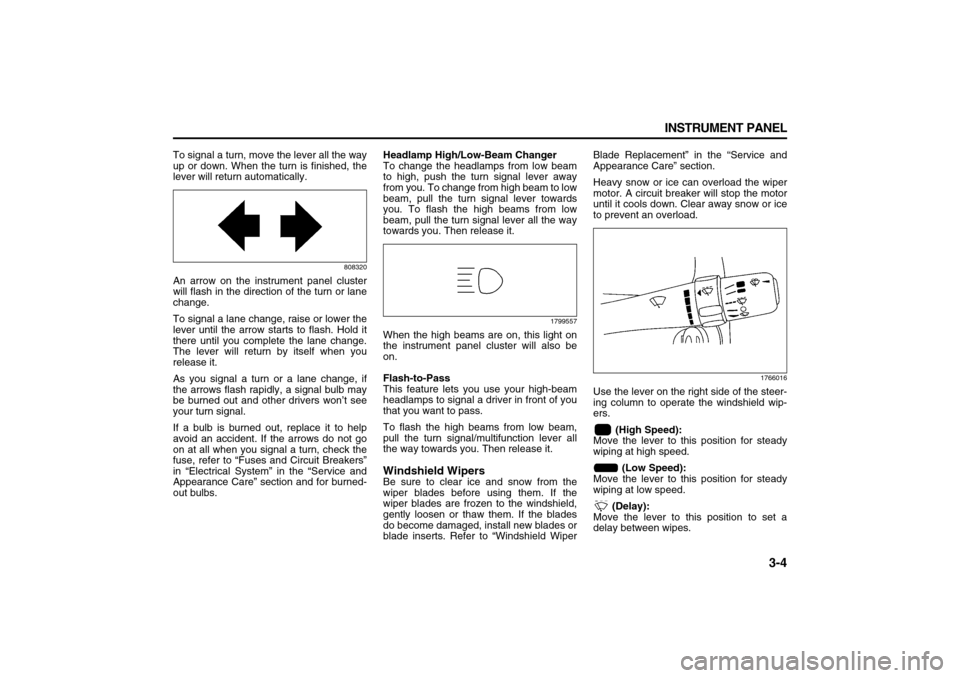
1766016
Use the lever on the right side of the steer-
ing column to operate the windshield wip-
ers.
(High Speed):
Move the lever to this position for steady
wiping at high speed.
(Low Speed):
Move the lever to this position for steady
wiping at low speed.
(Delay):
Move the lever to this position to set a
delay between wipes.
Page 87 of 274
3-5 INSTRUMENT PANEL
78J00-03E
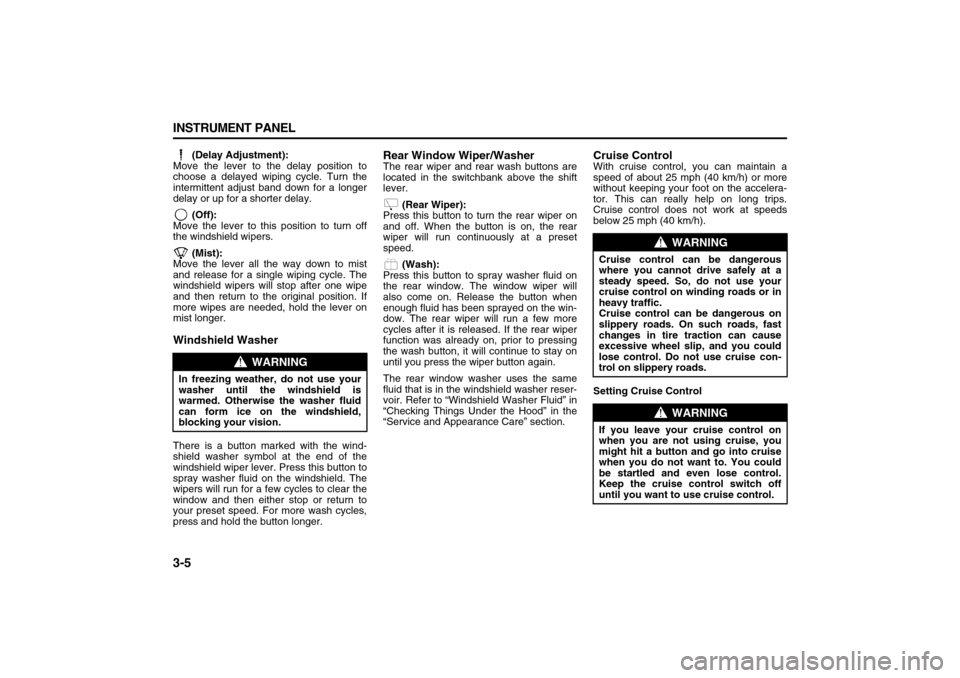
(Delay Adjustment):
Move the lever to the delay position to
choose a delayed wiping cycle. Turn the
intermittent adjust band down for a longer
delay or up for a shorter delay.
(Off):
Move the lever to this position to turn off
the windshield wipers.
(Mist):
Move the lever all the way down to mist
and release for a single wiping cycle. The
windshield wipers will stop after one wipe
and then return to the original position. If
more wipes are needed, hold the lever on
mist longer.
Windshield WasherThere is a button marked with the wind-
shield washer symbol at the end of the
windshield wiper lever. Press this button to
spray washer fluid on the windshield. The
wipers will run for a few cycles to clear the
window and then either stop or return to
your preset speed. For more wash cycles,
press and hold the button longer.
Rear Window Wiper/WasherThe rear wiper and rear wash buttons are
located in the switchbank above the shift
lever.
(Rear Wiper):
Press this button to turn the rear wiper on
and off. When the button is on, the rear
wiper will run continuously at a preset
speed.
(Wash):
Press this button to spray washer fluid on
the rear window. The window wiper will
also come on. Release the button when
enough fluid has been sprayed on the win-
dow. The rear wiper will run a few more
cycles after it is released. If the rear wiper
function was already on, prior to pressing
the wash button, it will continue to stay on
until you press the wiper button again.
The rear window washer uses the same
fluid that is in the windshield washer reser-
voir. Refer to “Windshield Washer Fluid” in
“Checking Things Under the Hood” in the
“Service and Appearance Care” section.
Cruise ControlWith cruise control, you can maintain a
speed of about 25 mph (40 km/h) or more
without keeping your foot on the accelera-
tor. This can really help on long trips.
Cruise control does not work at speeds
below 25 mph (40 km/h).
Setting Cruise Control
WARNING
In freezing weather, do not use your
washer until the windshield is
warmed. Otherwise the washer fluid
can form ice on the windshield,
blocking your vision.
WARNING
Cruise control can be dangerous
where you cannot drive safely at a
steady speed. So, do not use your
cruise control on winding roads or in
heavy traffic.
Cruise control can be dangerous on
slippery roads. On such roads, fast
changes in tire traction can cause
excessive wheel slip, and you could
lose control. Do not use cruise con-
trol on slippery roads.
WARNING
If you leave your cruise control on
when you are not using cruise, you
might hit a button and go into cruise
when you do not want to. You could
be startled and even lose control.
Keep the cruise control switch off
until you want to use cruise control.
Page 91 of 274
3-9 INSTRUMENT PANEL
78J00-03E
your vehicle will come on when any door is
opened. In addition, the light will come on
when the remote keyless entry unlock but-
ton is pressed. It will stay on for 20 sec-
onds or until a door is opened. After the
door is opened the light will remain on and
stay on for 20 seconds after the doors are
closed, or until you put the key in the igni-
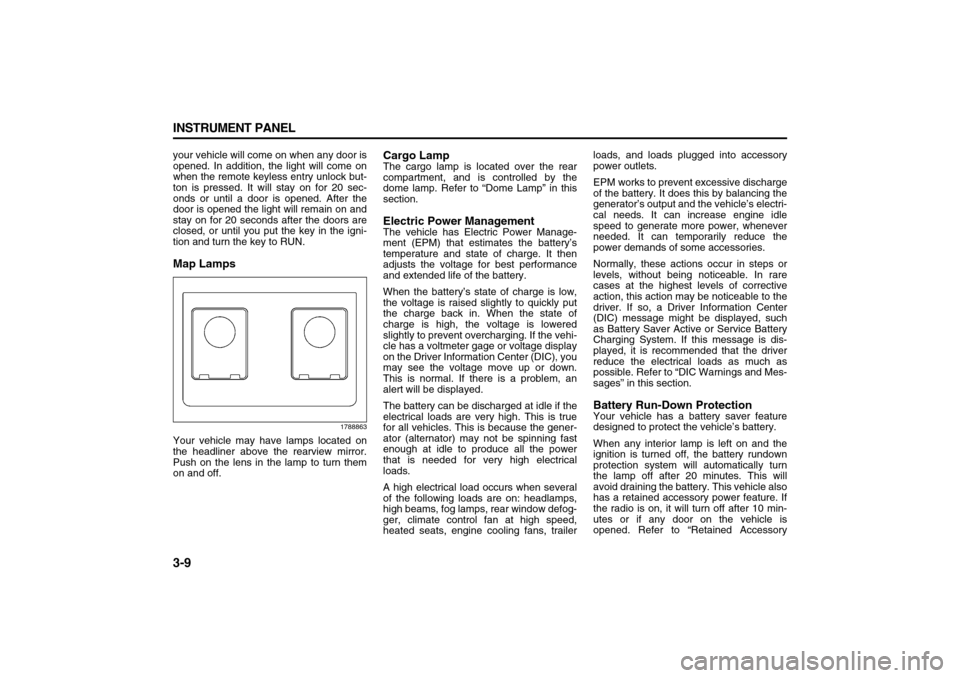
tion and turn the key to RUN.Map Lamps
1788863
Your vehicle may have lamps located on
the headliner above the rearview mirror.
Push on the lens in the lamp to turn them
on and off.
Cargo LampThe cargo lamp is located over the rear
compartment, and is controlled by the
dome lamp. Refer to “Dome Lamp” in this
section.Electric Power ManagementThe vehicle has Electric Power Manage-
ment (EPM) that estimates the battery’s
temperature and state of charge. It then
adjusts the voltage for best performance
and extended life of the battery.
When the battery’s state of charge is low,
the voltage is raised slightly to quickly put
the charge back in. When the state of
charge is high, the voltage is lowered
slightly to prevent overcharging. If the vehi-
cle has a voltmeter gage or voltage display
on the Driver Information Center (DIC), you
may see the voltage move up or down.
This is normal. If there is a problem, an
alert will be displayed.
The battery can be discharged at idle if the
electrical loads are very high. This is true
for all vehicles. This is because the gener-
ator (alternator) may not be spinning fast
enough at idle to produce all the power
that is needed for very high electrical
loads.
A high electrical load occurs when several
of the following loads are on: headlamps,
high beams, fog lamps, rear window defog-
ger, climate control fan at high speed,
heated seats, engine cooling fans, trailerloads, and loads plugged into accessory
power outlets.
EPM works to prevent excessive discharge
of the battery. It does this by balancing the
generator’s output and the vehicle’s electri-
cal needs. It can increase engine idle
speed to generate more power, whenever
needed. It can temporarily reduce the
power demands of some accessories.
Normally, these actions occur in steps or
levels, without being noticeable. In rare
cases at the highest levels of corrective
action, this action may be noticeable to the
driver. If so, a Driver Information Center
(DIC) message might be displayed, such
as Battery Saver Active or Service Battery
Charging System. If this message is dis-
played, it is recommended that the driver
reduce the electrical loads as much as
possible. Refer to “DIC Warnings and Mes-
sages” in this section.
Battery Run-Down ProtectionYour vehicle has a battery saver feature
designed to protect the vehicle’s battery.
When any interior lamp is left on and the
ignition is turned off, the battery rundown
protection system will automatically turn
the lamp off after 20 minutes. This will
avoid draining the battery. This vehicle also
has a retained accessory power feature. If
the radio is on, it will turn off after 10 min-
utes or if any door on the vehicle is
opened. Refer to “Retained Accessory
Page 99 of 274
3-17 INSTRUMENT PANEL
78J00-03E
The airbag readiness light should flash for
a few seconds when you turn the ignition
key to RUN. If the light does not come on
then, have it fixed so it will be ready to
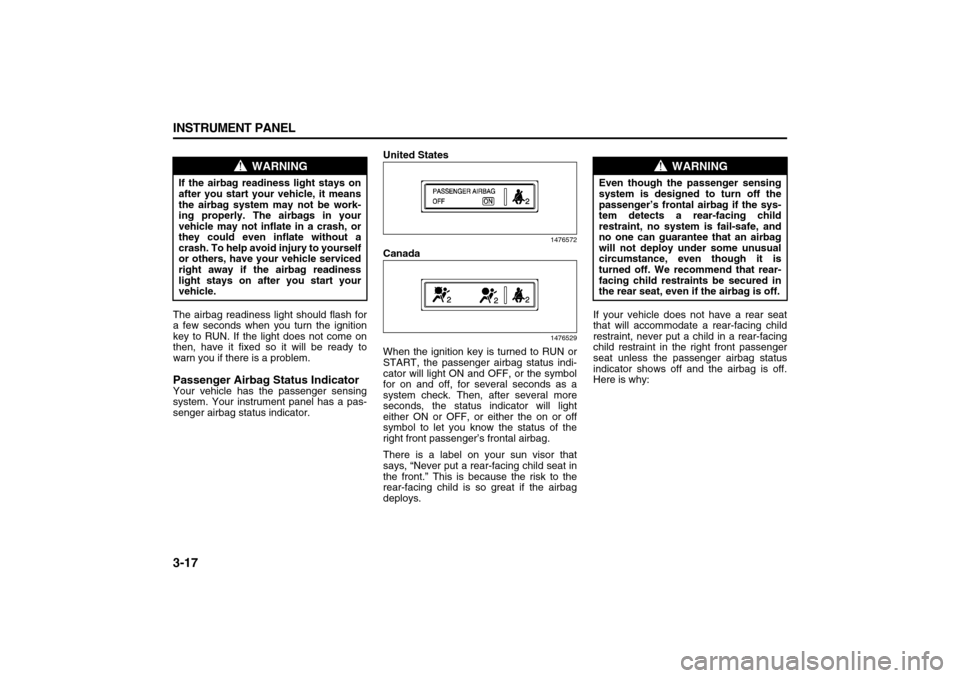
warn you if there is a problem.Passenger Airbag Status IndicatorYour vehicle has the passenger sensing
system. Your instrument panel has a pas-
senger airbag status indicator.United States
1476572
Canada
1476529
When the ignition key is turned to RUN or
START, the passenger airbag status indi-
cator will light ON and OFF, or the symbol
for on and off, for several seconds as a
system check. Then, after several more
seconds, the status indicator will light
either ON or OFF, or either the on or off
symbol to let you know the status of the
right front passenger’s frontal airbag.
There is a label on your sun visor that
says, “Never put a rear-facing child seat in
the front.” This is because the risk to the
rear-facing child is so great if the airbag
deploys.If your vehicle does not have a rear seat
that will accommodate a rear-facing child
restraint, never put a child in a rear-facing
child restraint in the right front passenger
seat unless the passenger airbag status
indicator shows off and the airbag is off.
Here is why:
WARNING
If the airbag readiness light stays on
after you start your vehicle, it means
the airbag system may not be work-
ing properly. The airbags in your
vehicle may not inflate in a crash, or
they could even inflate without a
crash. To help avoid injury to yourself
or others, have your vehicle serviced
right away if the airbag readiness
light stays on after you start your
vehicle.
WARNING
Even though the passenger sensing
system is designed to turn off the
passenger’s frontal airbag if the sys-
tem detects a rear-facing child
restraint, no system is fail-safe, and
no one can guarantee that an airbag
will not deploy under some unusual
circumstance, even though it is
turned off. We recommend that rear-
facing child restraints be secured in
the rear seat, even if the airbag is off.
Page 100 of 274

3-18 INSTRUMENT PANEL
78J00-03E
If the word ON or the on symbol is lit on the
passenger airbag status indicator, it means
that the right front passenger’s frontal air-
bag is enabled (may inflate).If the word OFF or the off symbol is lit on
the airbag status indicator, it means that
the passenger sensing system has turned
off the right front passenger’s frontal air-
bag. Refer to “Passenger Sensing System”
in “Airbag System” in the “Seats and
Restraint Systems” section for more on
this, including important safety information.
If, after several seconds, all status indicator
lights remain on, or if there are no lights at
all, there may be a problem with the lights
or the passenger sensing system. See
your dealer for service.
WARNING
Even though the passenger sensing
system is designed to turn off the
passenger’s frontal airbag if the sys-
tem detects a rear-facing child
restraint, no system is fail-safe, and
no one can guarantee that an airbag
will not deploy under some unusual
circumstance, even though it is
turned off. We recommend that rear-
facing child restraints be trans-
ported in vehicles with a rear seat
that will accommodate a rear-facing
child restraint, whenever possible.
WARNING
If the on indicator comes on when
you have a rear-facing child restraint
installed in the right front passen-
ger’s seat, it means that the passen-
ger sensing system has not turned
off the passenger’s frontal airbag. A
child in a rear-facing child restraint
can be seriously injured or killed if
the right front passenger’s airbag
inflates. This is because the back of
the rear-facing child restraint would
be very close to the inflating airbag.
Do not use a rear-facing child
restraint in the right front passen-
ger’s seat if the airbag is turned on.
WARNING
If the off indicator and the airbag
readiness light ever come on
together, it means that something
may be wrong with the airbag sys-
tem. If this ever happens, have the
vehicle serviced promptly, because
an adult-size person sitting in the
right front passenger seat may not
have the protection of the frontal air-
bag. Refer to “Airbag Readiness
Light” in this section.