light TESLA MODEL 3 2019 (Europe) User Guide
[x] Cancel search | Manufacturer: TESLA, Model Year: 2019, Model line: MODEL 3, Model: TESLA MODEL 3 2019Pages: 179, PDF Size: 9.18 MB
Page 54 of 179
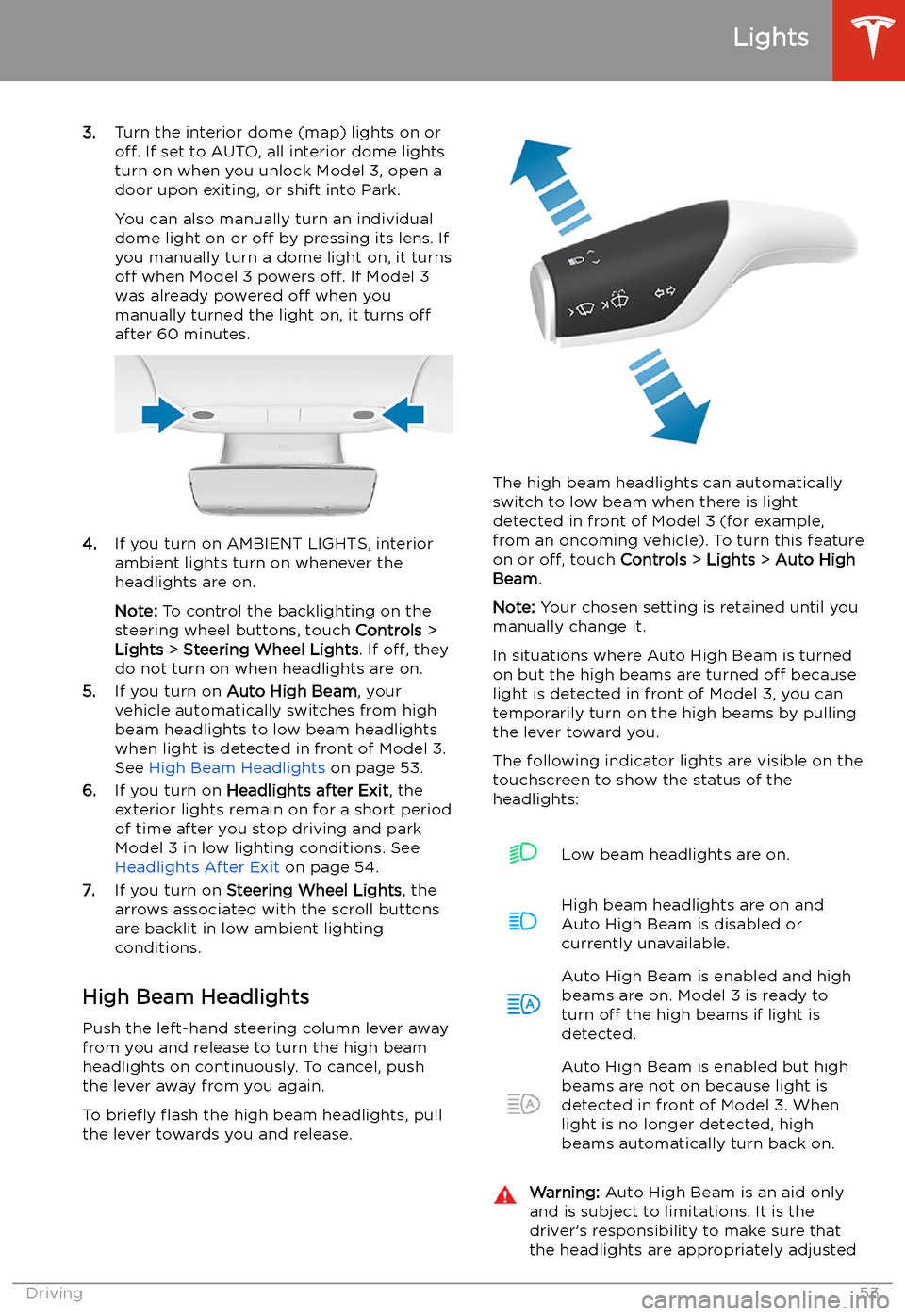
3.Turn the interior dome (map) lights on or
off. If set to AUTO, all interior dome lights
turn on when you unlock Model 3, open a
door upon exiting, or shift into Park.
You can also manually turn an individual dome light on or off by pressing its lens. If
you manually turn a dome light on, it turns
off when Model 3 powers off. If Model 3
was already powered off when you
manually turned the light on, it turns off
after 60 minutes.
4. If you turn on AMBIENT LIGHTS, interior
ambient lights turn on whenever the
headlights are on.
Note: To control the backlighting on the
steering wheel buttons, touch Controls >
Lights > Steering Wheel Lights . If off, they
do not turn on when headlights are on.
5. If you turn on Auto High Beam , your
vehicle automatically switches from high
beam headlights to low beam headlights
when light is detected in front of Model 3.
See High Beam Headlights on page 53.
6. If you turn on Headlights after Exit , the
exterior lights remain on for a short period
of time after you stop driving and park Model 3 in low lighting conditions. See
Headlights After Exit on page 54.
7. If you turn on Steering Wheel Lights , the
arrows associated with the scroll buttons
are backlit in low ambient lighting
conditions.
High Beam Headlights Push the left-hand steering column lever away
from you and release to turn the high beam headlights on continuously. To cancel, pushthe lever away from you again.
To brie
Page 55 of 179
for weather conditions and drivingcircumstances.
Headlights After Exit
When Headlights after Exit is on, the exterior
headlights remain on when you stop driving
and park Model 3 in low lighting conditions.
They automatically turn off after one minute
or when Model 3 locks. When off, headlights
turn off when you engage the Park gear and
open a door.
To turn this feature on or off, touch Controls >
Lights > Headlights after Exit .
Headlight Adjustments To adjust the angle of the headlights, touchControls > Service > Adjust Headlights , then
follow the onscreen instructions. You can
choose which headlight you would like to adjust by selecting it on the touchscreen.
Warning: Proceed with caution when
adjusting headlights. Tesla has carefully
calibrated the position of the headlights
to be in an optimum position for most
driving scenarios. Tesla recommends that
you do not adjust headlights unless you
are familiar with how headlights should
be adjusted. Once adjusted, you will be
unable to automatically restore them to their originally calibrated position.
Contact Tesla for assistance when
adjusting headlights.
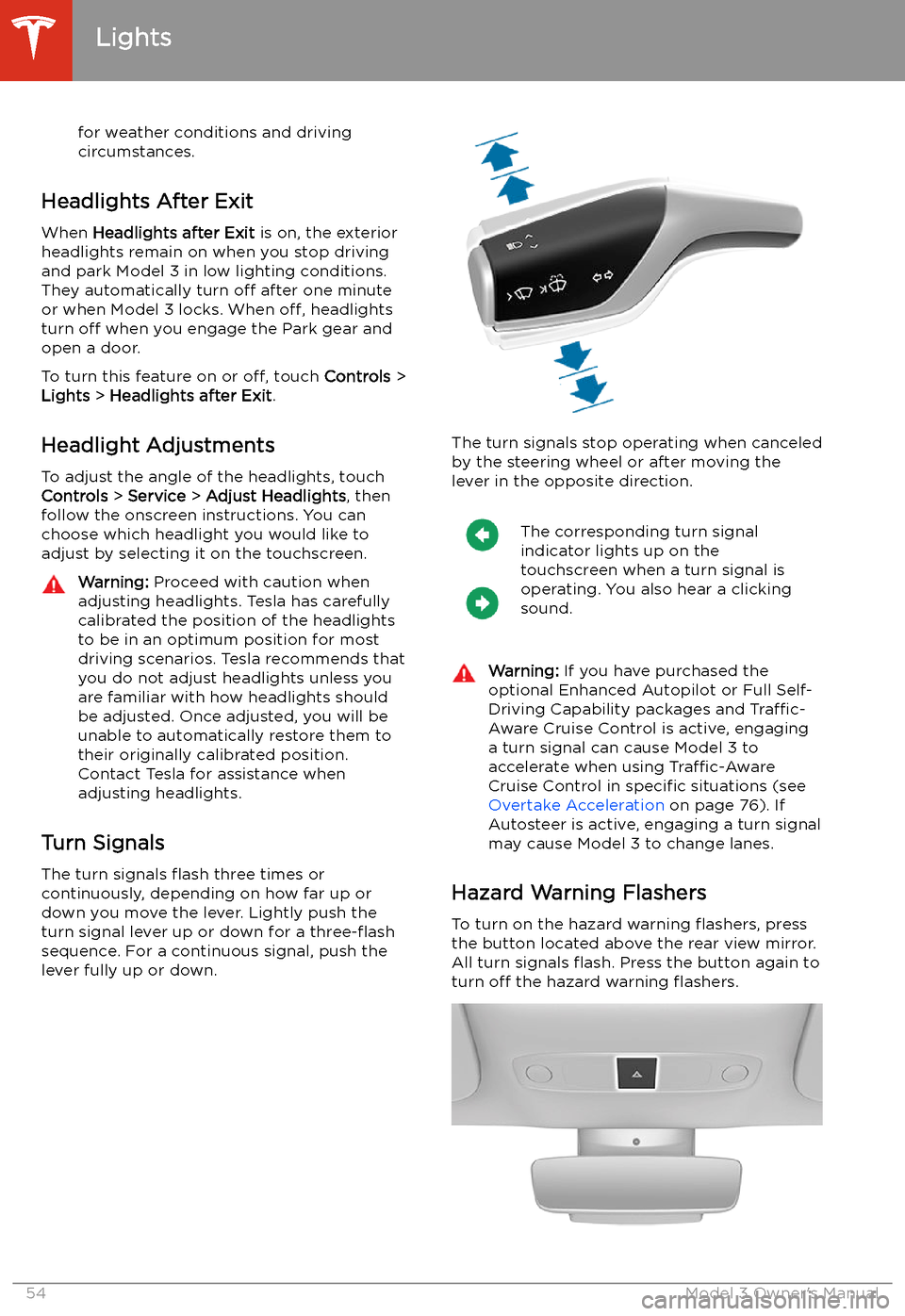
Turn Signals
The turn signals
Page 58 of 179
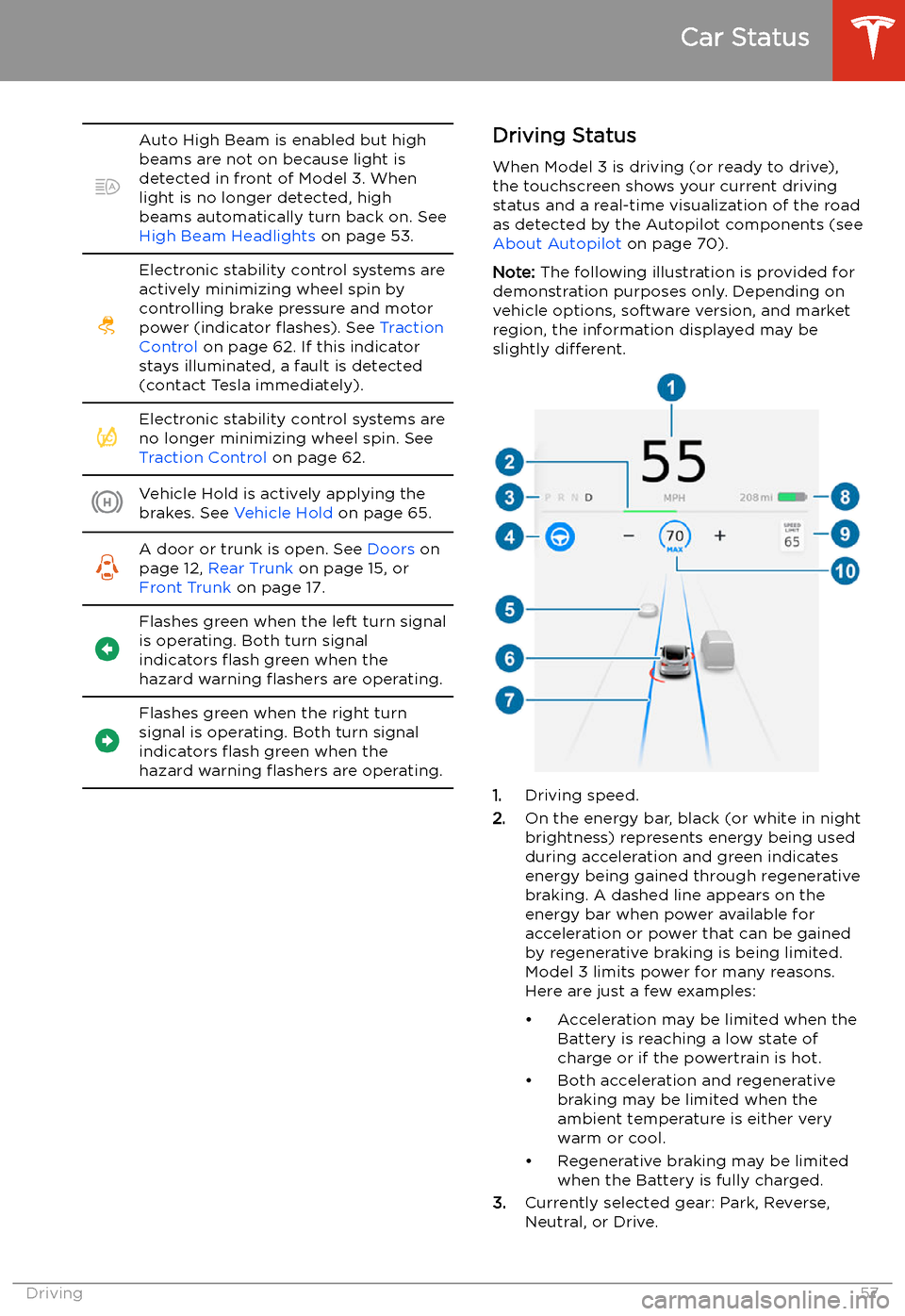
Auto High Beam is enabled but high
beams are not on because light is
detected in front of Model 3. When light is no longer detected, high
beams automatically turn back on. See
High Beam Headlights on page 53.Electronic stability control systems are
actively minimizing wheel spin by
controlling brake pressure and motor
power (indicator
Page 60 of 179
Wipers and Washers
Wipers
To perform a single wipe with the windshield
wipers, press and immediately release the
button on the end of the left-hand steering column lever.
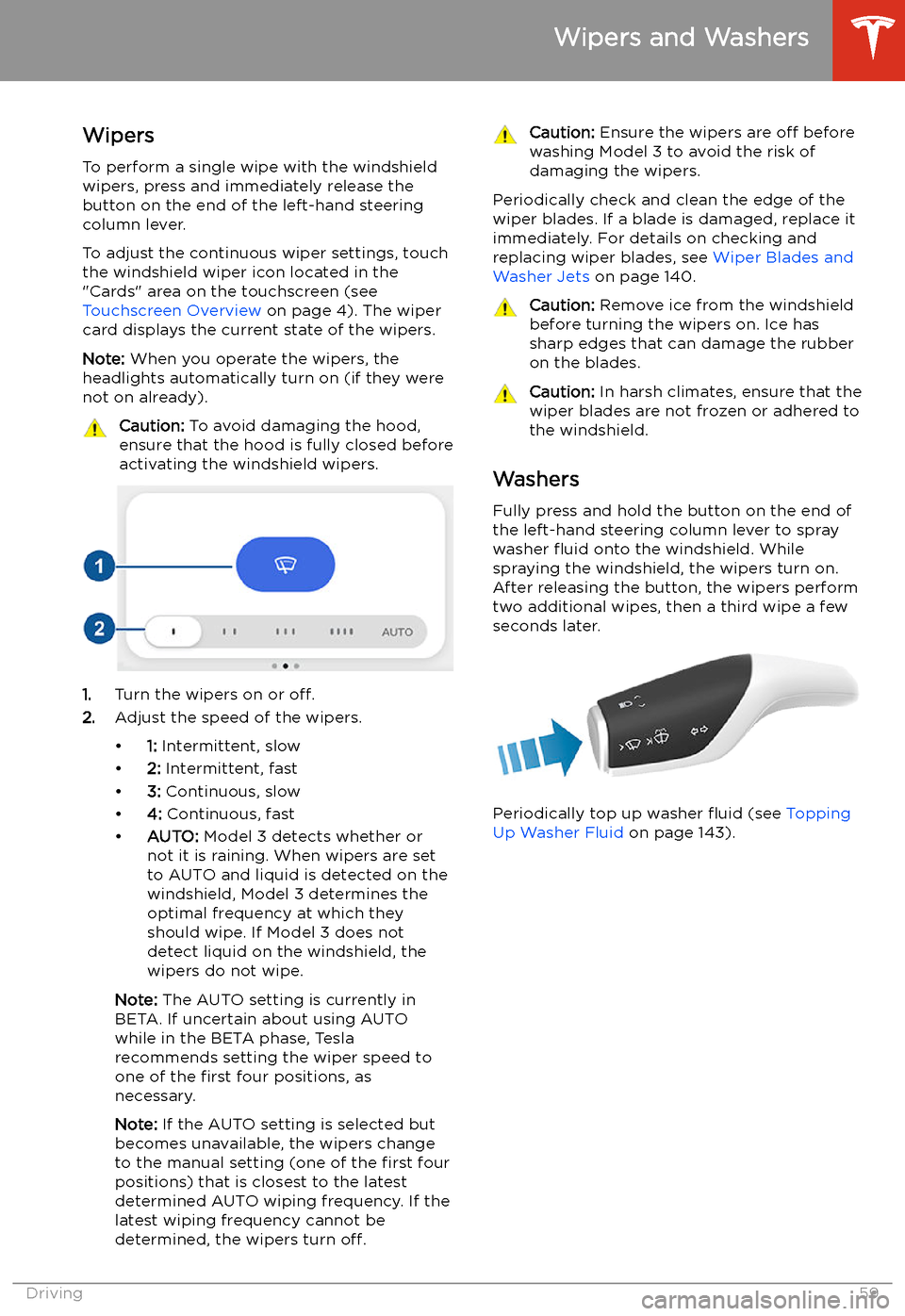
To adjust the continuous wiper settings, touch the windshield wiper icon located in the"Cards" area on the touchscreen (see
Touchscreen Overview on page 4). The wiper
card displays the current state of the wipers.
Note: When you operate the wipers, the
headlights automatically turn on (if they were
not on already).
Caution: To avoid damaging the hood,
ensure that the hood is fully closed before
activating the windshield wipers.
1. Turn the wipers on or off.
2. Adjust the speed of the wipers.
Page 97 of 179
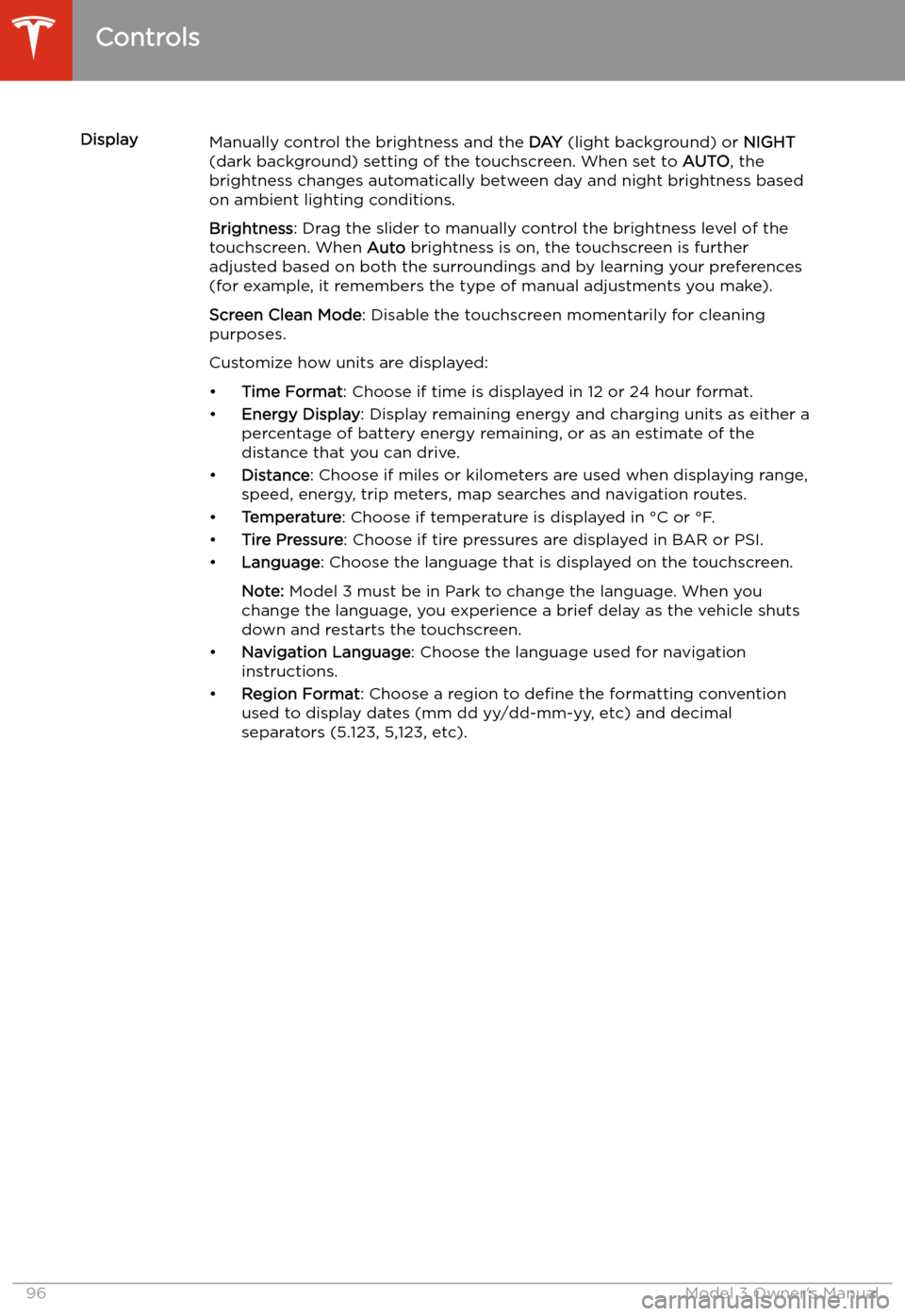
DisplayManually control the brightness and the DAY (light background) or NIGHT
(dark background) setting of the touchscreen. When set to AUTO, the
brightness changes automatically between day and night brightness based
on ambient lighting conditions.
Brightness : Drag the slider to manually control the brightness level of the
touchscreen. When Auto brightness is on, the touchscreen is further
adjusted based on both the surroundings and by learning your preferences
(for example, it remembers the type of manual adjustments you make).
Screen Clean Mode : Disable the touchscreen momentarily for cleaning
purposes.
Customize how units are displayed:
Page 98 of 179
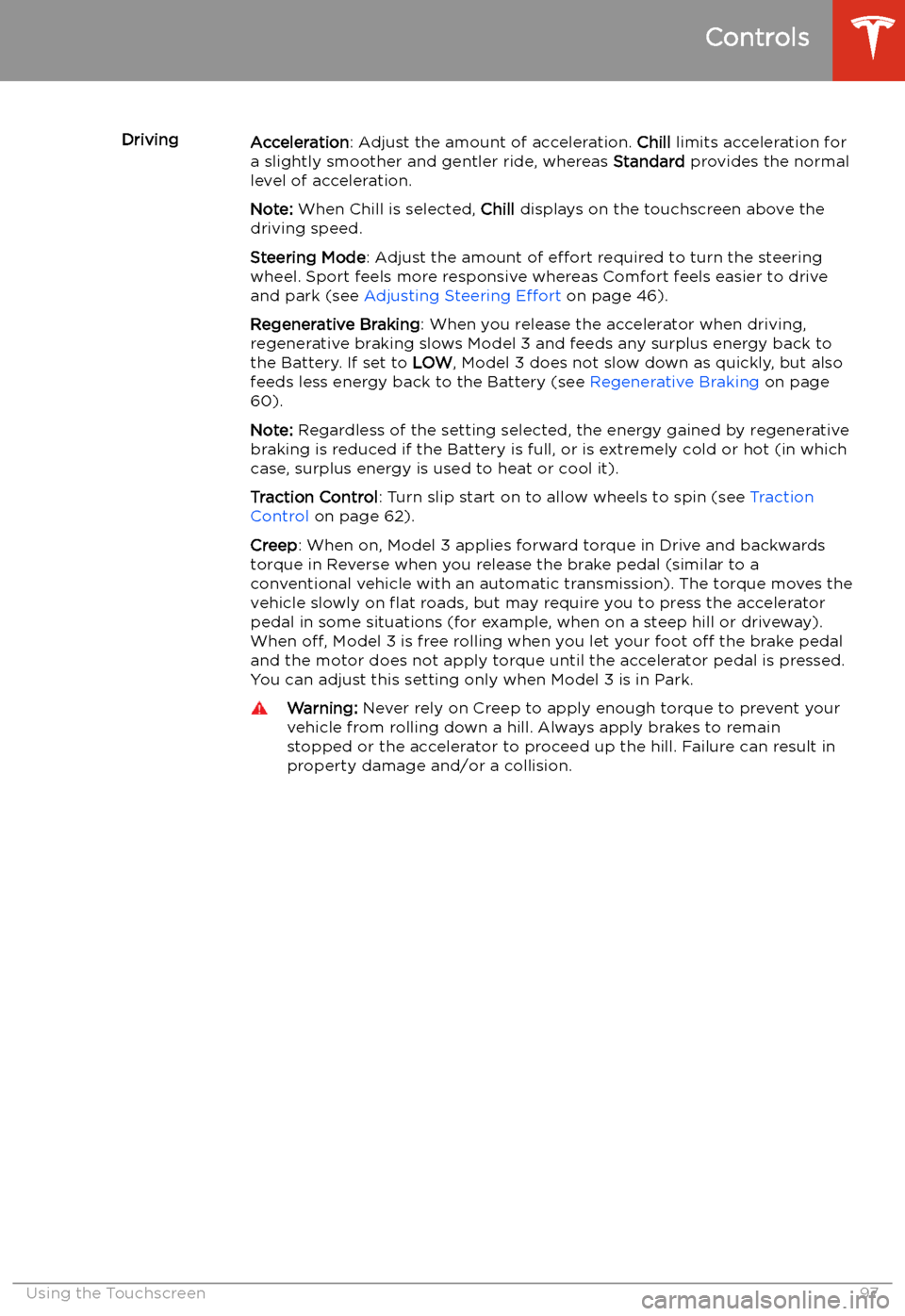
DrivingAcceleration: Adjust the amount of acceleration. Chill limits acceleration for
a slightly smoother and gentler ride, whereas Standard provides the normal
level of acceleration.
Note: When Chill is selected, Chill displays on the touchscreen above the
driving speed.
Steering Mode : Adjust the amount of effort required to turn the steering
wheel. Sport feels more responsive whereas Comfort feels easier to drive
and park (see Adjusting Steering Effort on page 46).
Regenerative Braking : When you release the accelerator when driving,
regenerative braking slows Model 3 and feeds any surplus energy back to
the Battery. If set to LOW, Model 3 does not slow down as quickly, but also
feeds less energy back to the Battery (see Regenerative Braking on page
60).
Note: Regardless of the setting selected, the energy gained by regenerative
braking is reduced if the Battery is full, or is extremely cold or hot (in which
case, surplus energy is used to heat or cool it).
Traction Control : Turn slip start on to allow wheels to spin (see Traction
Control on page 62).
Creep : When on, Model 3 applies forward torque in Drive and backwards
torque in Reverse when you release the brake pedal (similar to a
conventional vehicle with an automatic transmission). The torque moves the
vehicle slowly on
Page 119 of 179
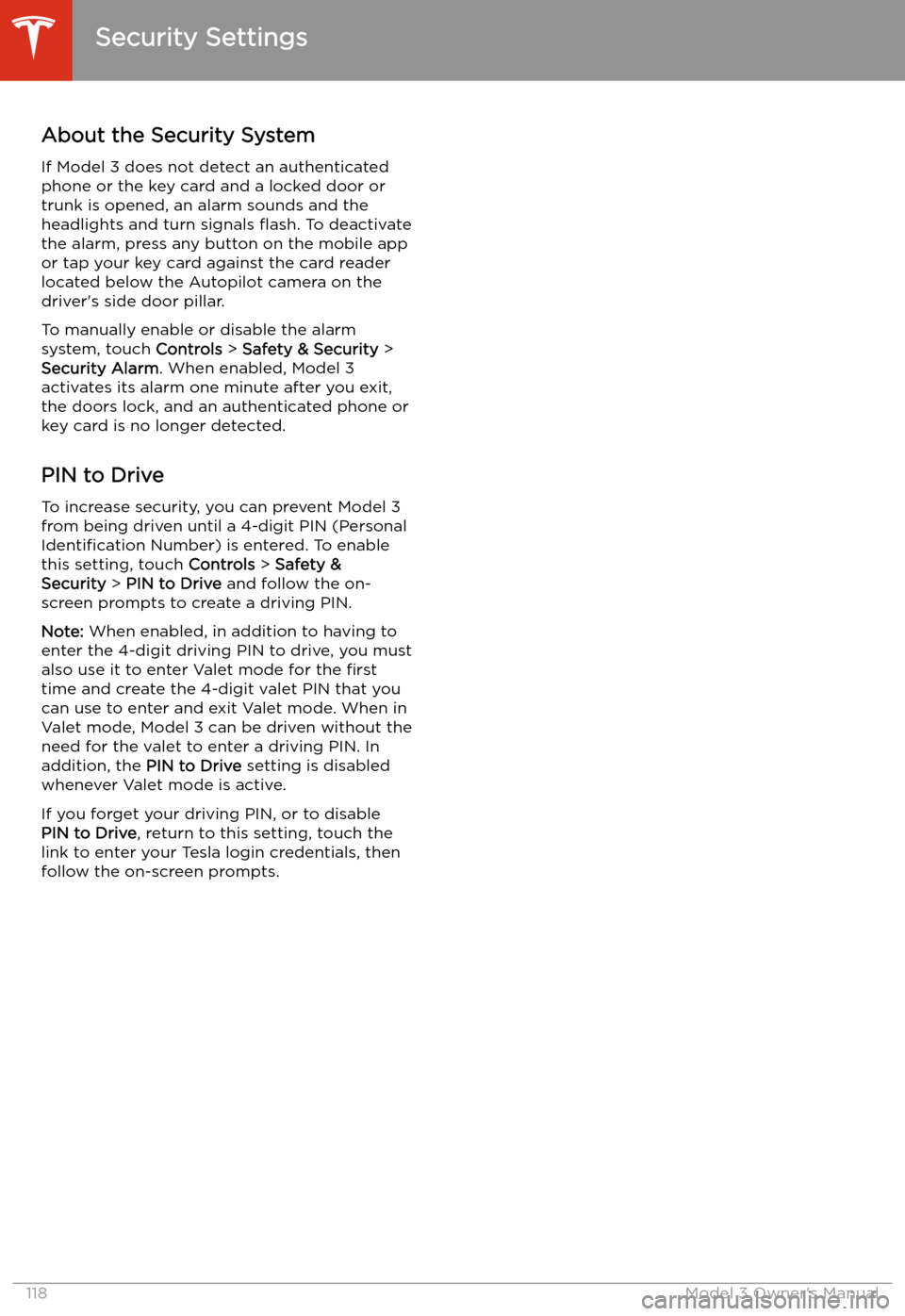
Security Settings
About the Security System
If Model 3 does not detect an authenticated
phone or the key card and a locked door or
trunk is opened, an alarm sounds and the
headlights and turn signals
Page 121 of 179
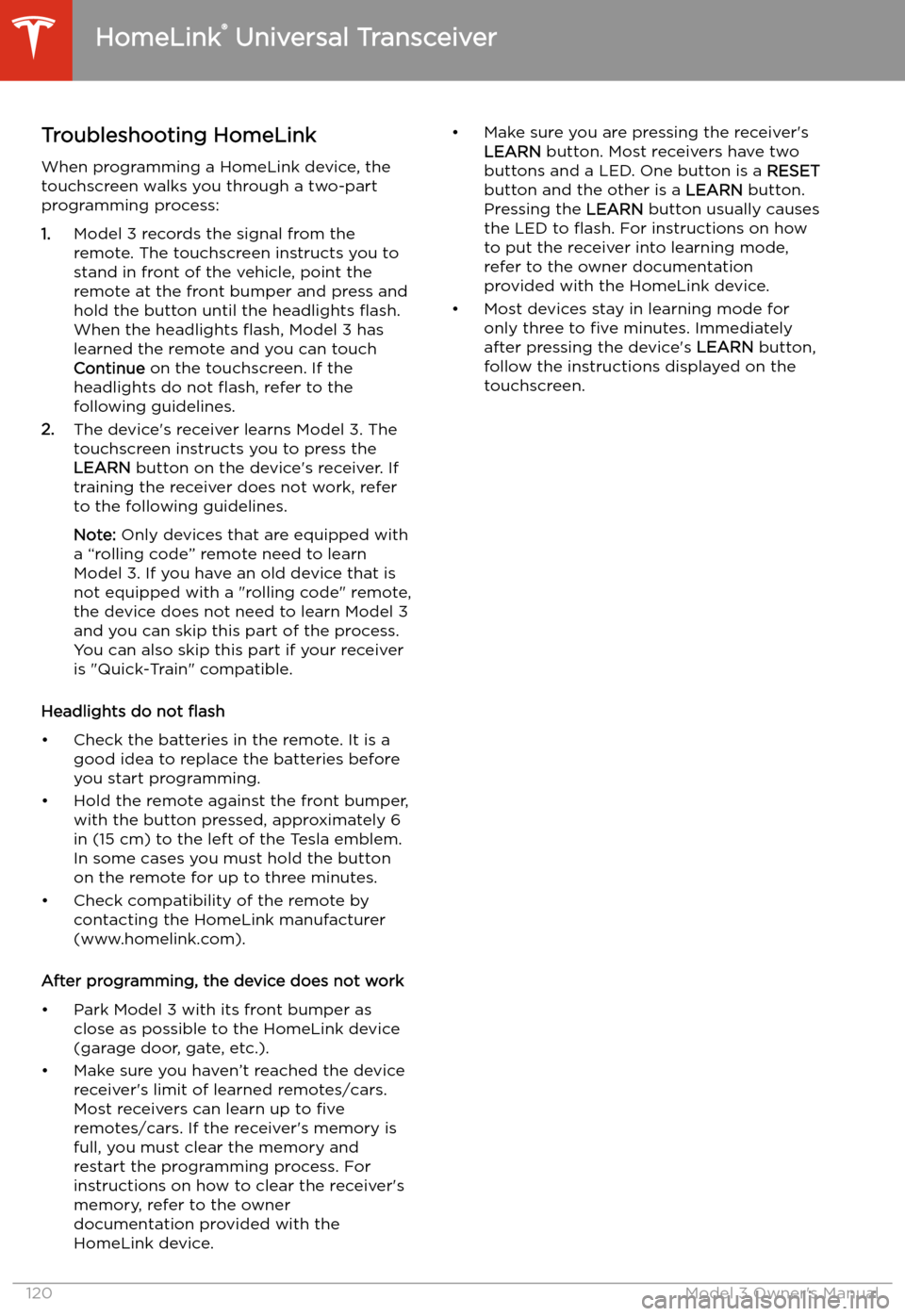
Troubleshooting HomeLinkWhen programming a HomeLink device, the
touchscreen walks you through a two-part programming process:
1. Model 3 records the signal from the
remote. The touchscreen instructs you to
stand in front of the vehicle, point the
remote at the front bumper and press and
hold the button until the headlights
Page 126 of 179
Battery Information
About the Battery
Model 3 has one of the most sophisticated
battery systems in the world. The most
important way to preserve the Battery is to LEAVE YOUR VEHICLE PLUGGED IN when
you are not using it. This is particularly important if you are not planning to drive
Model 3 for several weeks. When plugged in,
Model 3 wakes up when needed to
automatically maintain a charge level that
maximizes the lifetime of the Battery.
Note: When left idle and unplugged, your
vehicle periodically uses energy from the Battery for system tests and recharging the
12V battery when necessary.
There is no advantage to waiting until the
Battery’s level is low before charging. In fact, the Battery performs best when charged
regularly.
Note: If the Model 3 Battery becomes
completely discharged in a situation in which
towing is required, the owner is responsible
for towing expenses. Discharge-related towing
expenses are not covered under the Roadside
Assistance policy.
The peak charging rate of the Battery may
decrease slightly after a large number of DC
Fast Charging sessions, such as those at
Superchargers. To ensure maximum driving
range and Battery safety, the Battery charge
rate is decreased when the Battery is too cold,
when the Battery’s charge is nearly full, and when the Battery conditions change with
usage and age. These changes in the condition of the Battery are driven by battery physics
and may increase the total Supercharging
duration by a few minutes over time.
Battery Care
Never allow the Battery to fully discharge.
Even when Model 3 is not being driven, its
Battery discharges very slowly to power the
onboard electronics. The Battery can
discharge at a rate of approximately 1% per day, though the discharge rate may vary
depending on environmental factors (such as
cold weather), vehicle configuration, and your
selected settings on the touchscreen.
Situations can arise in which you must leave
Model 3 unplugged for an extended period of time (for example, at an airport when
traveling). In these situations, keep the 1% in
mind to ensure that you leave the Battery with a sufficient charge level. For example, over a
two week period (14 days), the Battery may
discharge by approximately 14%.
Discharging the Battery to 0% may result in
damage to vehicle components. To protect
against a complete discharge, Model 3 enters
a low-power consumption mode when the
displayed charge level drops to approximately
0%. In this mode, the Battery stops supporting
the onboard electronics and auxiliary 12V
battery. Once this low-power consumption
mode is active, immediately plug in Model 3 to
prevent a jump-start and 12V battery
replacement.
Note: If the vehicle is unresponsive and will
not unlock, open, or charge, then the 12V
battery may have become discharged. In this
situation, contact Tesla.
Temperature Limits
For better long-term performance, avoid
exposing Model 3 to ambient temperatures
above 140
Page 127 of 179
Charging Instructions
Opening the Charge Port The charge port is located on the left side of
Model 3, behind a door that is part of the rear
tail light assembly. Before charging, park
Model 3 to ensure that the charge cable easily reaches the charge port.
With Model 3 unlocked (or an authenticated
phone is within range) and in Park, press and
release the button on the Tesla charge cable
to open the charge port door.
You can also open the charge port door using
any of these methods: