phone TESLA MODEL 3 2019 (Europe) User Guide
[x] Cancel search | Manufacturer: TESLA, Model Year: 2019, Model line: MODEL 3, Model: TESLA MODEL 3 2019Pages: 179, PDF Size: 9.18 MB
Page 116 of 179
Note: Your phone automatically disconnects
whenever you leave Model 3.
Note: Unpairing the phone has no effect on
using the phone as a key. To forget an
authenticated phone, see Keys on page 7.
Connecting to a Paired Phone
Model 3 automatically connects with the last
phone to which it was connected, provided it
is within operating range and has Bluetooth turned on. If the last phone is not within range,
it attempts to connect with the next phone
that it has been paired with.
To connect to a different phone, touch the
Bluetooth icon on the top of the touchscreen.
The Bluetooth window displays a list of paired
phones. Choose the phone you want to connect to, then touch Connect. If the phone
you want to connect to is not listed, you must
pair the phone. See Pairing a Bluetooth Phone
on page 114.
When connected, the Model 3 touchscreen displays the Bluetooth symbol next to thephone name to show that the connection is
active.
Using the Phone App When your phone is connected to Model 3
using Bluetooth, and you have allowed access to your phone
Page 117 of 179
Calendar
Overview
The Calendar app allows you to view scheduled events from your phone’s (iPhone
Page 119 of 179
Security Settings
About the Security System
If Model 3 does not detect an authenticated
phone or the key card and a locked door or
trunk is opened, an alarm sounds and the
headlights and turn signals
Page 127 of 179
Charging Instructions
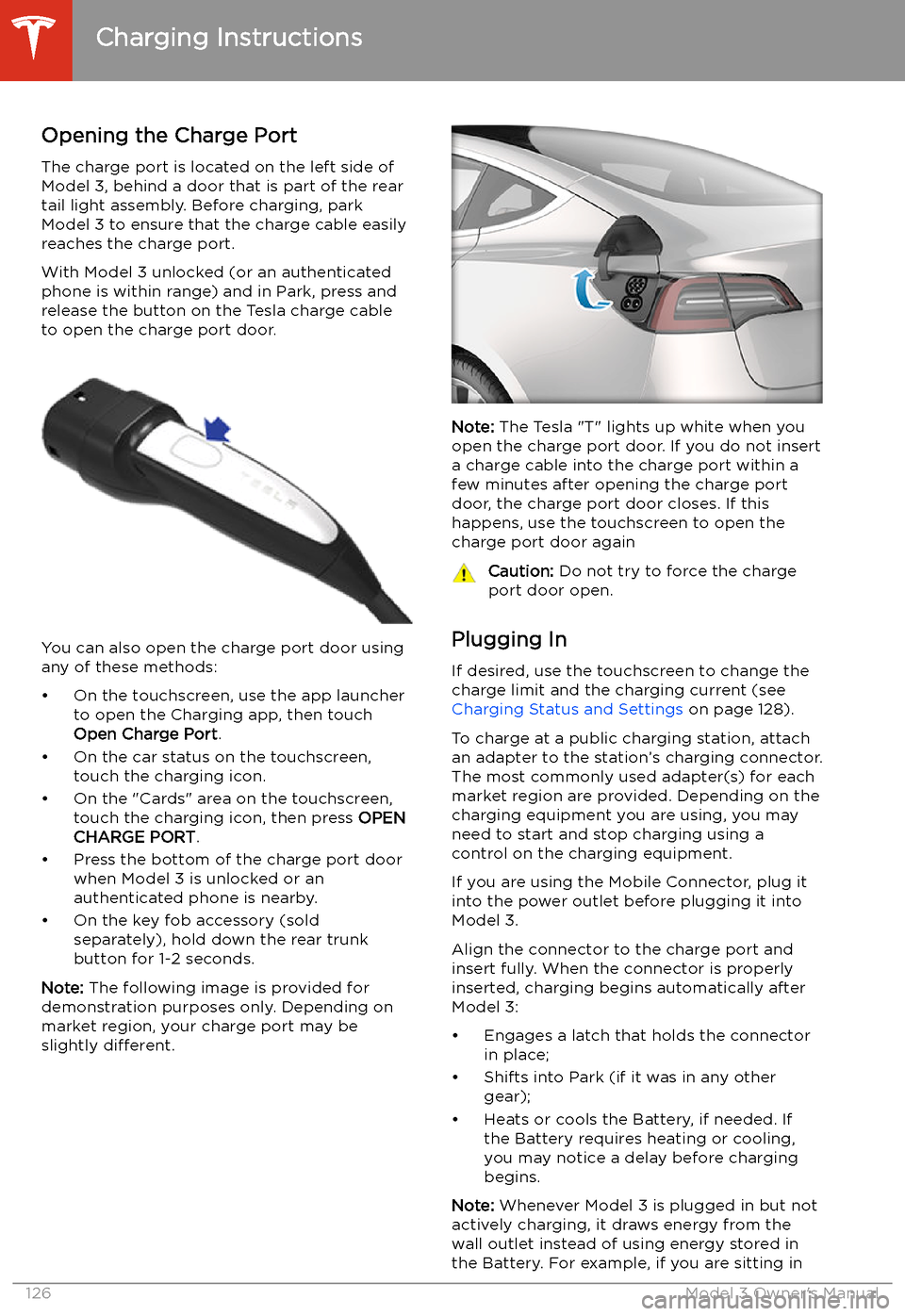
Opening the Charge Port The charge port is located on the left side of
Model 3, behind a door that is part of the rear
tail light assembly. Before charging, park
Model 3 to ensure that the charge cable easily reaches the charge port.
With Model 3 unlocked (or an authenticated
phone is within range) and in Park, press and
release the button on the Tesla charge cable
to open the charge port door.
You can also open the charge port door using
any of these methods:
Page 128 of 179
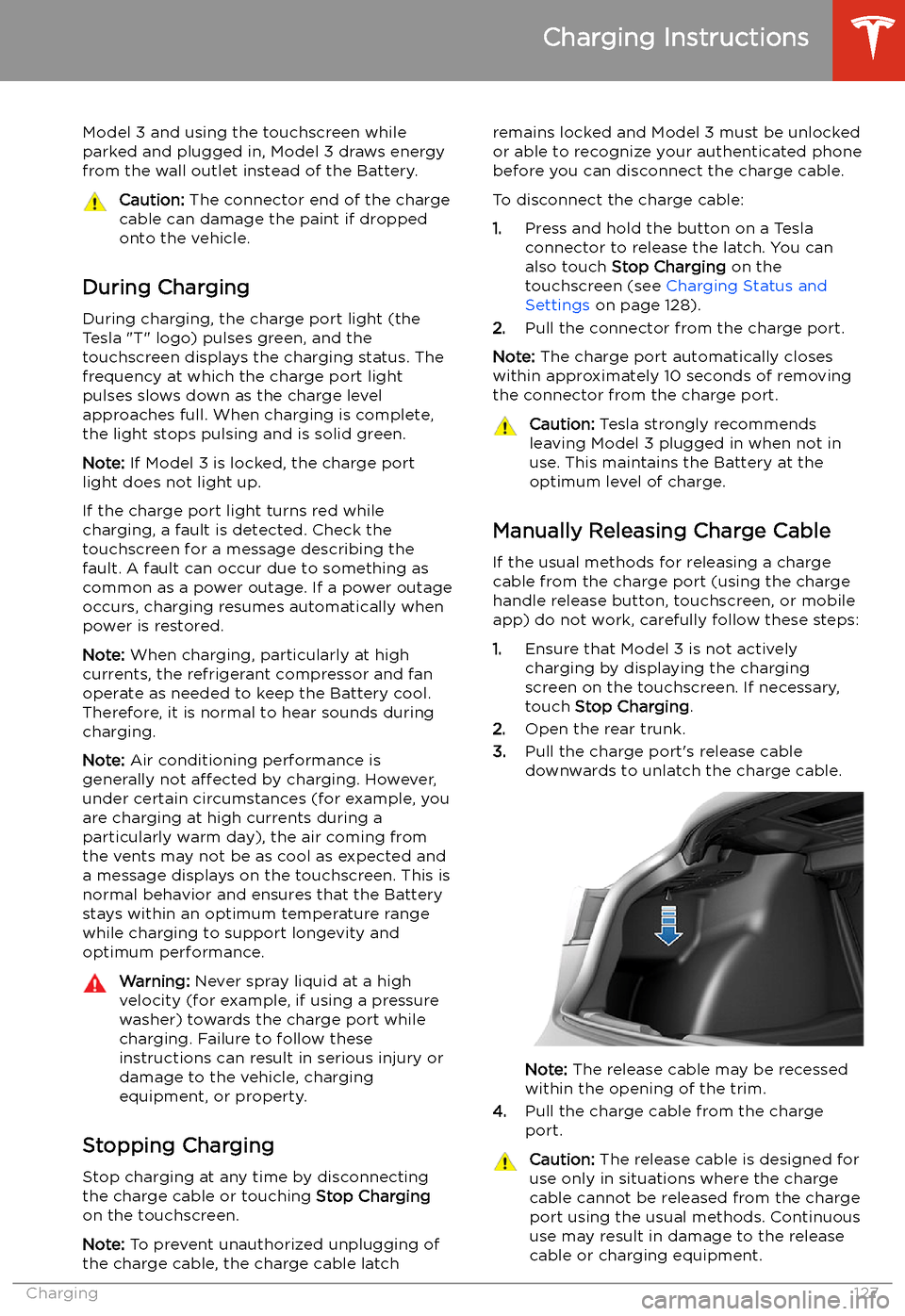
Model 3 and using the touchscreen whileparked and plugged in, Model 3 draws energyfrom the wall outlet instead of the Battery.Caution: The connector end of the charge
cable can damage the paint if dropped
onto the vehicle.
During Charging
During charging, the charge port light (the Tesla "T" logo) pulses green, and thetouchscreen displays the charging status. The
frequency at which the charge port light
pulses slows down as the charge level
approaches full. When charging is complete,
the light stops pulsing and is solid green.
Note: If Model 3 is locked, the charge port
light does not light up.
If the charge port light turns red while
charging, a fault is detected. Check the
touchscreen for a message describing the
fault. A fault can occur due to something as
common as a power outage. If a power outage
occurs, charging resumes automatically when
power is restored.
Note: When charging, particularly at high
currents, the refrigerant compressor and fan
operate as needed to keep the Battery cool.
Therefore, it is normal to hear sounds during
charging.
Note: Air conditioning performance is
generally not affected by charging. However,
under certain circumstances (for example, you
are charging at high currents during a
particularly warm day), the air coming from
the vents may not be as cool as expected and
a message displays on the touchscreen. This is
normal behavior and ensures that the Battery stays within an optimum temperature range
while charging to support longevity and optimum performance.
Warning: Never spray liquid at a high
velocity (for example, if using a pressure
washer) towards the charge port while
charging. Failure to follow these
instructions can result in serious injury or
damage to the vehicle, charging
equipment, or property.
Stopping Charging
Stop charging at any time by disconnecting
the charge cable or touching Stop Charging
on the touchscreen.
Note: To prevent unauthorized unplugging of
the charge cable, the charge cable latch
remains locked and Model 3 must be unlocked or able to recognize your authenticated phone
before you can disconnect the charge cable.
To disconnect the charge cable:
1. Press and hold the button on a Tesla
connector to release the latch. You can
also touch Stop Charging on the
touchscreen (see Charging Status and
Settings on page 128).
2. Pull the connector from the charge port.
Note: The charge port automatically closes
within approximately 10 seconds of removing the connector from the charge port.Caution: Tesla strongly recommends
leaving Model 3 plugged in when not in use. This maintains the Battery at the
optimum level of charge.
Manually Releasing Charge Cable
If the usual methods for releasing a charge
cable from the charge port (using the charge
handle release button, touchscreen, or mobile
app) do not work, carefully follow these steps:
1. Ensure that Model 3 is not actively
charging by displaying the charging
screen on the touchscreen. If necessary,
touch Stop Charging .
2. Open the rear trunk.
3. Pull the charge port
Page 174 of 179
Index
A ABS (Anti-lock Braking System) 60
absolute speed limit 92
access panel, removing 142
accessoriesplugging into power socket 21
aero covers 133
air circulation 102
air conditioning 101
air distribution 102
air filter 104
air vents 103
airbag, front passenger, disabling 42
airbags 40
alarm 118
all-season tires 135
Always Show Estimated Round Trip Energy 109
ambient lights 52
anti-lock braking (ABS) 60
audioequalizer 113
immersive sound 113
playing files 111
steering wheel scroll button 46
volume control 111
auto fold
48
Auto High Beam 53
Auto Lane Change 81
auto tilt 48
AUTO wipers 59
automatic emergency braking 90
Autopark 83
AutopilotAuto Lane Change 81
automatic emergency braking 89
Autopark 83
Autosteer 79
blind spot warning 87
collision avoidance assist 89
forward collision warning 89
overtake acceleration 73
overview 70
side collision warning 87
speed assist 92
speed limit warning 92
staying inside lane markings 87
staying within speed limits 92
Traffic-Aware Cruise Control 73
Autopilot components 70
Autosteer 79
average range 67
B
backup camera 68
battery (12V)battery (12V) (continued)complete discharge 125
specifications 152Battery (high voltage)care of 125
coolant 142
specifications 152
temperature limits 125
battery (key), replacing 9
blind spot warning 87
Bluetoothdevices, playing audio files from 113
general information 114
phone, pairing and using 114
body repairs 145
body touch up 138
booster seats 29
brake
Page 177 of 179
OObstacle-Aware Acceleration 89
odometer 6
offset from speed limit 92
Online Routing 109
opening hood without power 161
overhang dimensions 149
overtake acceleration 73
Owner Information, about 164
P Park Assist 63
Park gear 51
parking brake 61
parking, automatic 83
parts replacement 145
personal data, erasing 100phoneadding as a key 10
authenticating as a key 7
removing as a key 10
using 114
phone app 115
phone key 7
PIN 44
PIN to Drive 118
power socket 21
power windows 14
powering on and off 49
public charging stations 124
R
radar 70
radio 111
Radio Frequency information 167
rangedriving tips to maximize 67
regenerative braking 60
range assurance 67
Re-route 109
rear seats, folding and raising 24
rear view camera 68
rear window switches, disabling 14
Recent (Media Player) 112
Recents (navigation) 107
regenerative braking 60
relative speed limit 92
release notes 122
restarting the touchscreen 49
Reverse gear 51
RFID transponders 145
roadside assistance 156
roof racks 148
rotating tires 132
Round Trip Energy (navigating)
109
Ssafety informationairbags 42
seat belts 28seat beltscleaning 138
in a collision 27
overview of 26
pre-tensioners 27
wearing when pregnant 27
seat covers 25
seat heaters 101, 103
seating capacity 147
seatsadjusting 23
heaters 101
security settings 118
sensors 70
service data recording 165
service intervals 130
Settings, erasing 100
shifting gears 51
Show Calendar Upon Entry 116
side collision warning 87
slip start 62
smartphoneauthenticating as a key 7
removing as a key 10
software reset 100
software updates 122
software version 6
specificationscargo volume 150
dimensions 149
exterior 149
interior 149
tires 153
weights 150
wheels 153
speed assist 92
Speed Limit Mode 100
speed limit warning 92
stability control 62
starting 49
Statutory Plate 147
steering wheeladjusting position 46
adjusting sensitivity 46
buttons 46
lights, controlling 52
scroll buttons 46
steering, automatic 79
summer tires 135
Summon 83
supercharging
Index
176Model 3 Owner