wheel TESLA MODEL 3 2019 (Europe) User Guide
[x] Cancel search | Manufacturer: TESLA, Model Year: 2019, Model line: MODEL 3, Model: TESLA MODEL 3 2019Pages: 179, PDF Size: 9.18 MB
Page 65 of 179
Caution: Keep sensors clean from dirt,
debris, snow, and ice. Avoid using a high
pressure power washer on the sensors
and do not clean a sensor with a sharp or abrasive object that can scratch or
damage its surface.Caution: Do not install accessories or
stickers on or near the parking sensors.
Controlling Audible Feedback
You can use Park Assist with or without
audible feedback. To turn chimes on or off,
touch Controls > Safety & Security > Park
Assist Chimes .
To mute the chimes temporarily, press the
scroll button on the left side of the steering
wheel or touch the mute button in the corner
of the Park Assist view. The chimes are muted
until you shift into a different gear or drive
over 5 mph (8 km/h).
Limitations and False Warnings The parking sensors may not function
correctly in these situations:
Page 69 of 179
Rear View Camera
Camera Location
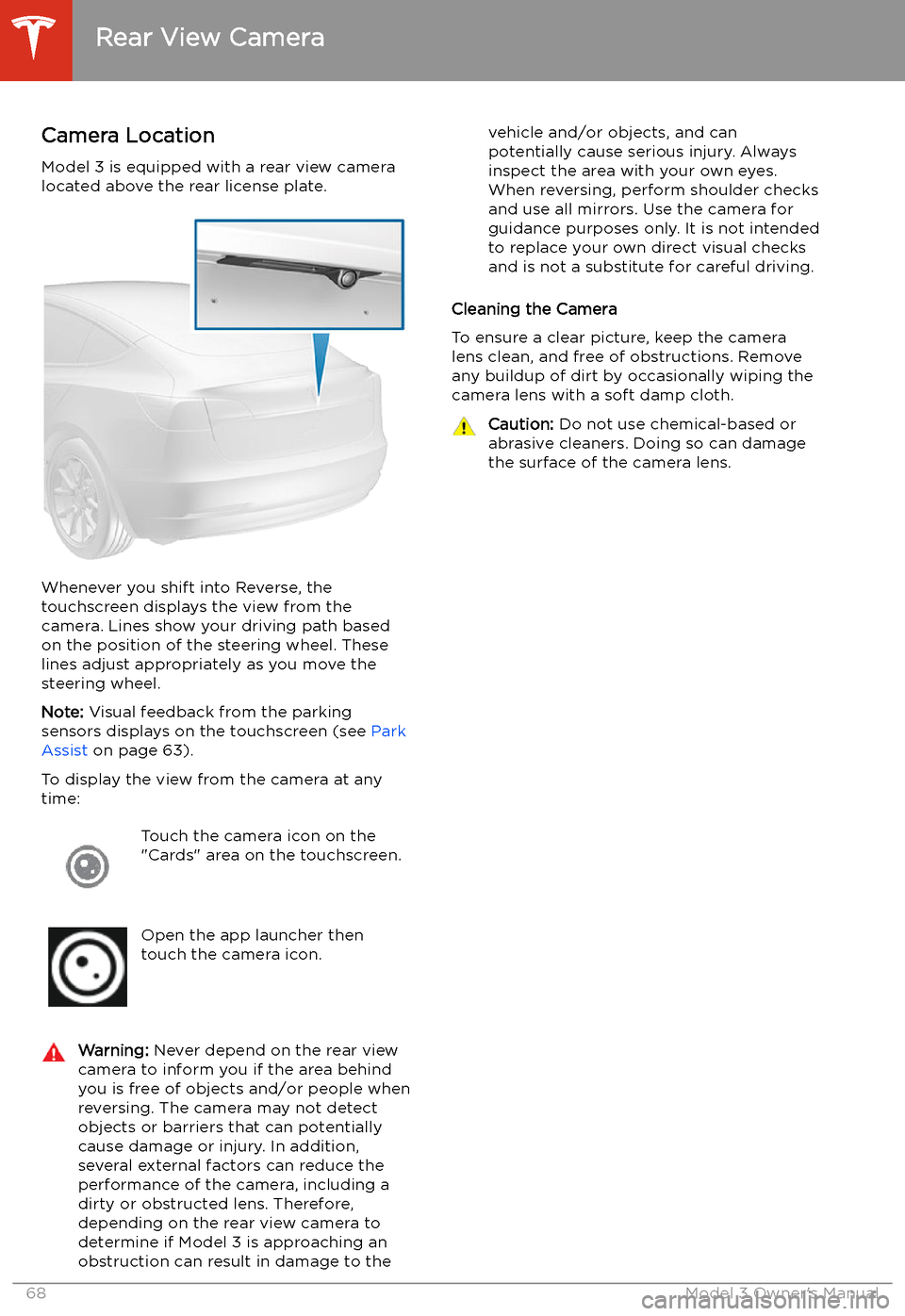
Model 3 is equipped with a rear view camera
located above the rear license plate.
Whenever you shift into Reverse, the
touchscreen displays the view from the
camera. Lines show your driving path based
on the position of the steering wheel. These
lines adjust appropriately as you move the
steering wheel.
Note: Visual feedback from the parking
sensors displays on the touchscreen (see Park
Assist on page 63).
To display the view from the camera at any
time:
Touch the camera icon on the
"Cards" area on the touchscreen.Open the app launcher then
touch the camera icon.Warning: Never depend on the rear view
camera to inform you if the area behind
you is free of objects and/or people when
reversing. The camera may not detect
objects or barriers that can potentially
cause damage or injury. In addition, several external factors can reduce the
performance of the camera, including a
dirty or obstructed lens. Therefore,
depending on the rear view camera to
determine if Model 3 is approaching an
obstruction can result in damage to thevehicle and/or objects, and can
potentially cause serious injury. Always
inspect the area with your own eyes.
When reversing, perform shoulder checks and use all mirrors. Use the camera forguidance purposes only. It is not intendedto replace your own direct visual checks
and is not a substitute for careful driving.
Cleaning the Camera
To ensure a clear picture, keep the camera
lens clean, and free of obstructions. Remove
any buildup of dirt by occasionally wiping the camera lens with a soft damp cloth.
Caution: Do not use chemical-based or
abrasive cleaners. Doing so can damage
the surface of the camera lens.
Rear View Camera
68Model 3 Owner
Page 77 of 179
Note: The onboard Global Positioning System
(GPS) determines if you are driving in a region
with right or left hand traffic. In situations
where GPS data is unavailable (for example, if
there is inadequate signal), engaging the turn
signal near an exit does not cause Traffic-
Aware Cruise Control to slow down Model 3.
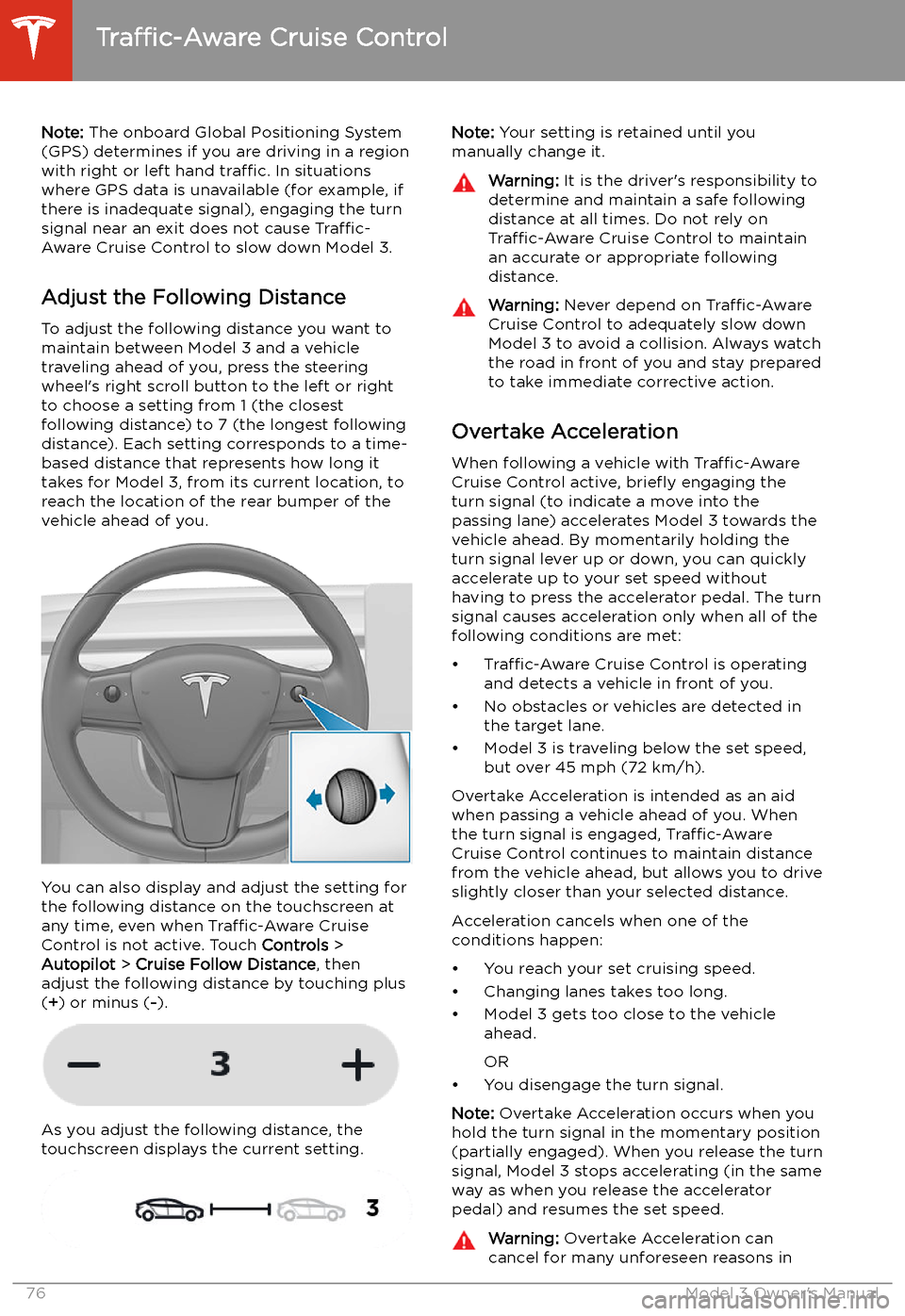
Adjust the Following Distance To adjust the following distance you want tomaintain between Model 3 and a vehicle
traveling ahead of you, press the steering
wheel
Page 85 of 179
In situations where Autopark cannot operatedue to inadequate sensor data, the
touchscreen displays a message indicating that you must manually park Model 3.
Note: If you press the brake when Autopark is
actively parking Model 3, the parking process
pauses until you touch Resume on the
touchscreen.
Note: Autopark detects potential
perpendicular parking spaces that are at least
9.5 feet (2.9 meters) wide with a vehicle
parked on each side. Autopark detects parallel
parking spaces that are at least 20 feet (6
meters), but less than 30 feet (9 meters) long.
Autopark does not operate on angled parking spaces.Warning: Never depend on Autopark to
find a parking space that is legal, suitable,
and safe. Autopark may not always detect
objects in the parking space. Always
perform visual checks to confirm that a
parking space is appropriate and safe.Warning: When Autopark is actively
steering Model 3, the steering wheel moves in accordance with Autopark
Page 98 of 179
DrivingAcceleration: Adjust the amount of acceleration. Chill limits acceleration for
a slightly smoother and gentler ride, whereas Standard provides the normal
level of acceleration.
Note: When Chill is selected, Chill displays on the touchscreen above the
driving speed.
Steering Mode : Adjust the amount of effort required to turn the steering
wheel. Sport feels more responsive whereas Comfort feels easier to drive
and park (see Adjusting Steering Effort on page 46).
Regenerative Braking : When you release the accelerator when driving,
regenerative braking slows Model 3 and feeds any surplus energy back to
the Battery. If set to LOW, Model 3 does not slow down as quickly, but also
feeds less energy back to the Battery (see Regenerative Braking on page
60).
Note: Regardless of the setting selected, the energy gained by regenerative
braking is reduced if the Battery is full, or is extremely cold or hot (in which
case, surplus energy is used to heat or cool it).
Traction Control : Turn slip start on to allow wheels to spin (see Traction
Control on page 62).
Creep : When on, Model 3 applies forward torque in Drive and backwards
torque in Reverse when you release the brake pedal (similar to a
conventional vehicle with an automatic transmission). The torque moves the
vehicle slowly on
Page 109 of 179
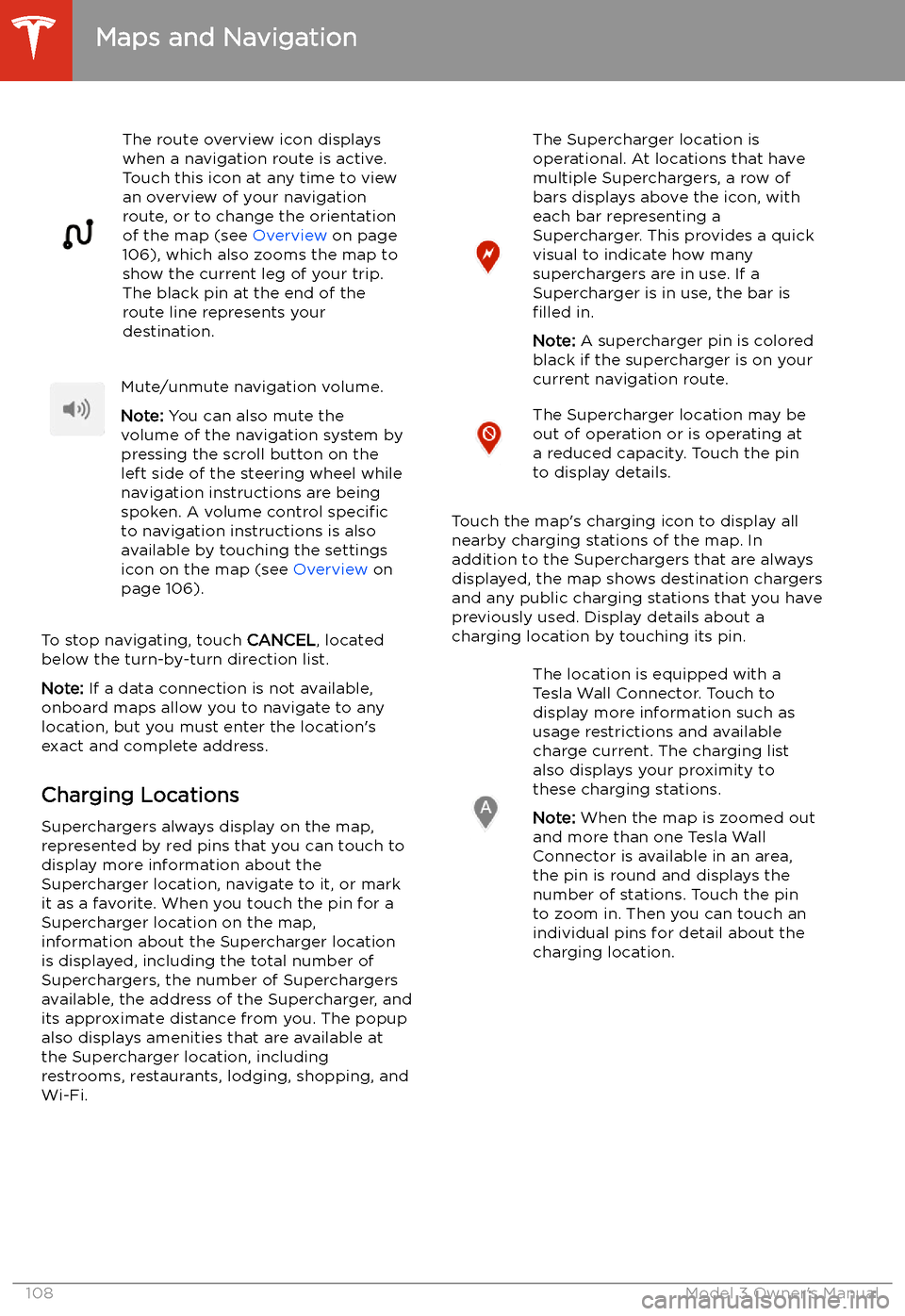
The route overview icon displays
when a navigation route is active.
Touch this icon at any time to view
an overview of your navigation
route, or to change the orientation
of the map (see Overview on page
106), which also zooms the map to
show the current leg of your trip.
The black pin at the end of the
route line represents your
destination.Mute/unmute navigation volume.
Note: You can also mute the
volume of the navigation system by
pressing the scroll button on the
left side of the steering wheel while
navigation instructions are being
spoken. A volume control specific
to navigation instructions is also
available by touching the settings
icon on the map (see Overview on
page 106).
To stop navigating, touch CANCEL, located
below the turn-by-turn direction list.
Note: If a data connection is not available,
onboard maps allow you to navigate to any
location, but you must enter the location
Page 134 of 179
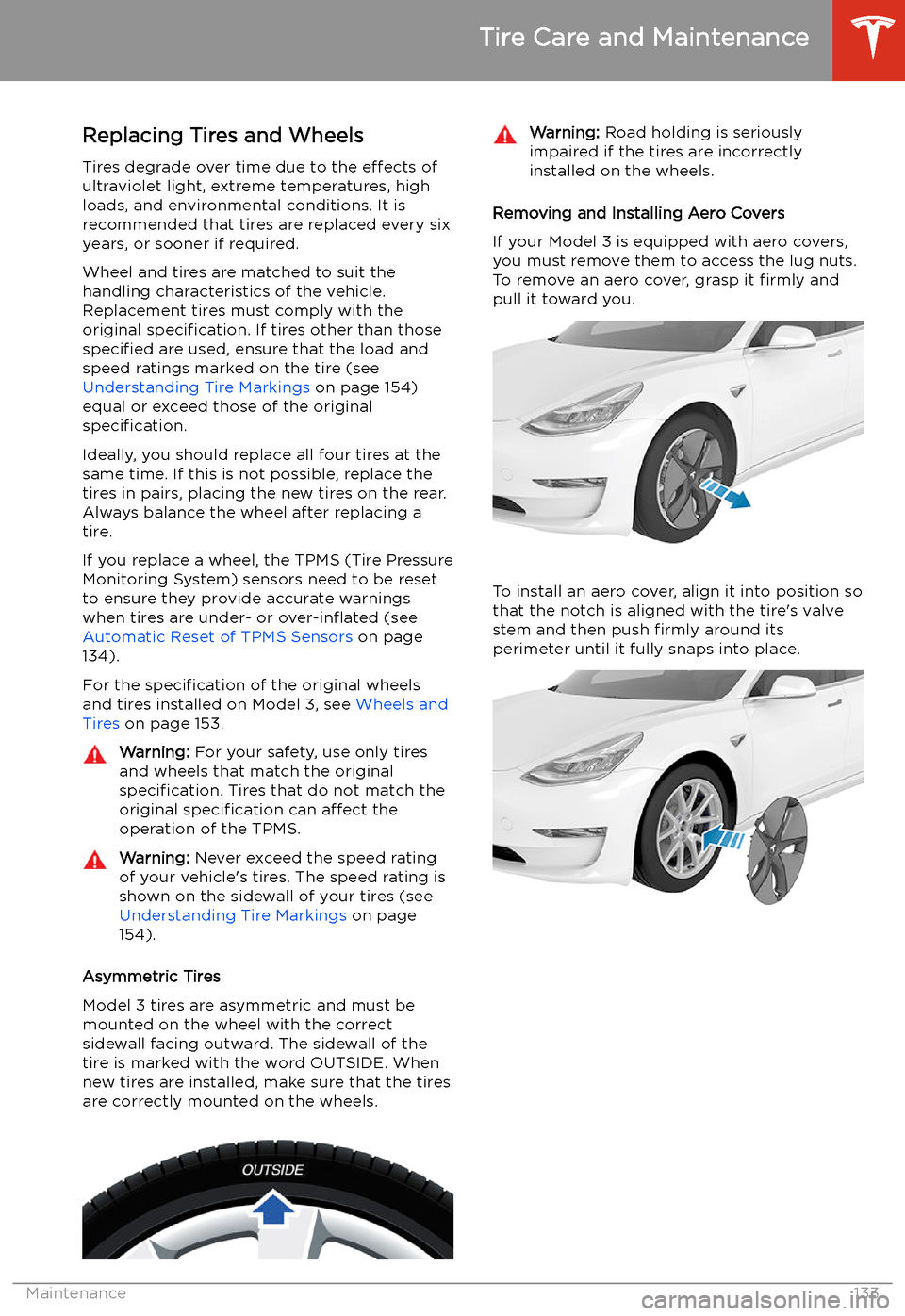
Replacing Tires and Wheels
Tires degrade over time due to the effects of
ultraviolet light, extreme temperatures, high
loads, and environmental conditions. It is
recommended that tires are replaced every six
years, or sooner if required.
Wheel and tires are matched to suit thehandling characteristics of the vehicle.
Replacement tires must comply with the
original specification. If tires other than those
specified are used, ensure that the load and
speed ratings marked on the tire (see Understanding Tire Markings on page 154)
equal or exceed those of the original
specification.
Ideally, you should replace all four tires at the same time. If this is not possible, replace the
tires in pairs, placing the new tires on the rear.
Always balance the wheel after replacing a
tire.
If you replace a wheel, the TPMS (Tire Pressure
Monitoring System) sensors need to be reset to ensure they provide accurate warnings
when tires are under- or over-in
Page 135 of 179
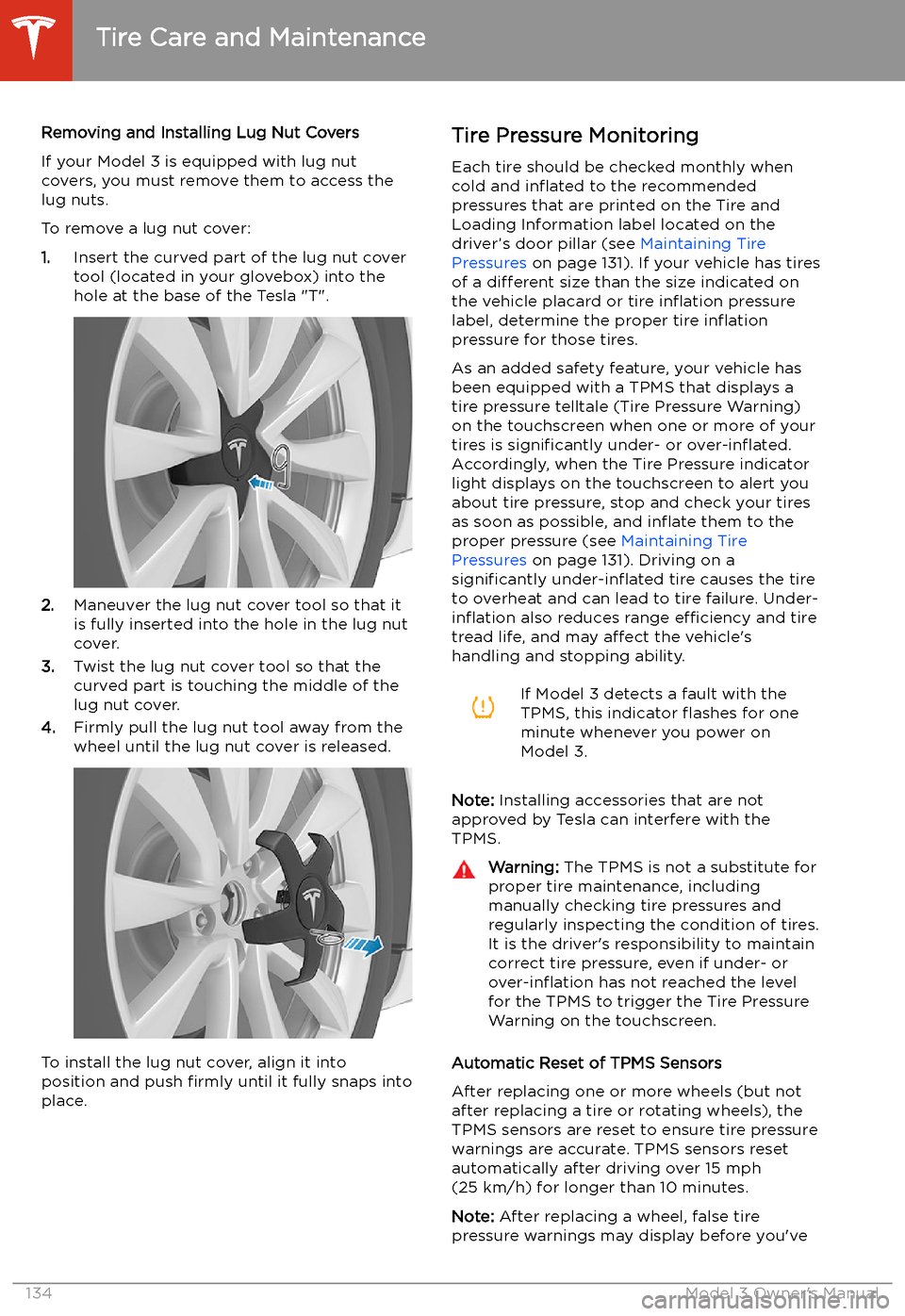
Removing and Installing Lug Nut Covers
If your Model 3 is equipped with lug nut covers, you must remove them to access the
lug nuts.
To remove a lug nut cover:
1. Insert the curved part of the lug nut cover
tool (located in your glovebox) into the
hole at the base of the Tesla "T".
2. Maneuver the lug nut cover tool so that it
is fully inserted into the hole in the lug nut
cover.
3. Twist the lug nut cover tool so that the
curved part is touching the middle of the
lug nut cover.
4. Firmly pull the lug nut tool away from the
wheel until the lug nut cover is released.
To install the lug nut cover, align it into
position and push firmly until it fully snaps into
place.
Tire Pressure Monitoring
Each tire should be checked monthly when
cold and in
Page 148 of 179
Vehicle Loading
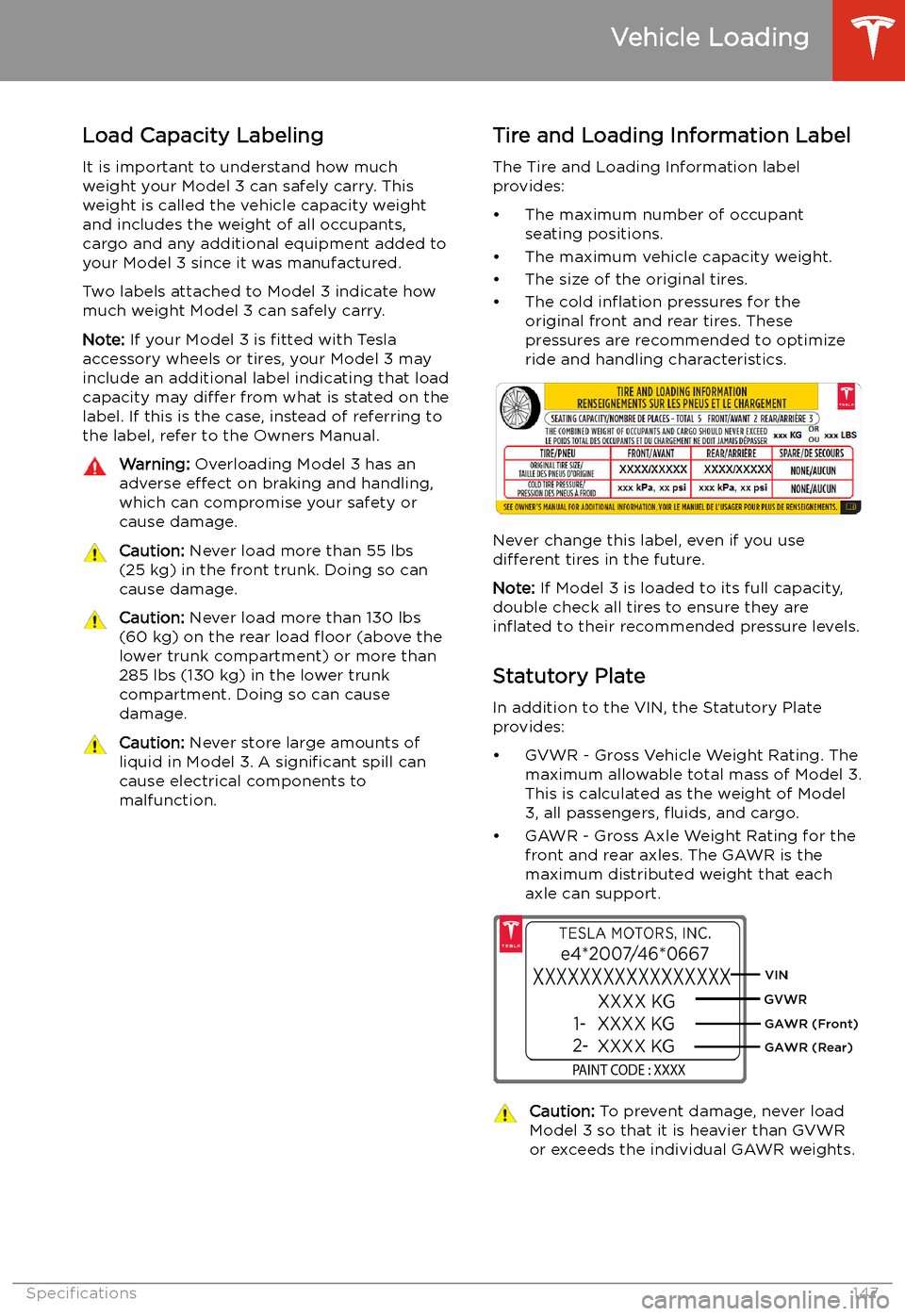
Load Capacity Labeling It is important to understand how much
weight your Model 3 can safely carry. This weight is called the vehicle capacity weight
and includes the weight of all occupants,
cargo and any additional equipment added to your Model 3 since it was manufactured.
Two labels attached to Model 3 indicate how much weight Model 3 can safely carry.
Note: If your Model 3 is fitted with Tesla
accessory wheels or tires, your Model 3 may
include an additional label indicating that load capacity may differ from what is stated on the
label. If this is the case, instead of referring to
the label, refer to the Owners Manual.
Warning: Overloading Model 3 has an
adverse effect on braking and handling,
which can compromise your safety or cause damage.Caution: Never load more than 55 lbs
(25 kg) in the front trunk. Doing so can
cause damage.Caution: Never load more than 130 lbs
(60 kg) on the rear load
Page 150 of 179
Dimensions and Weights
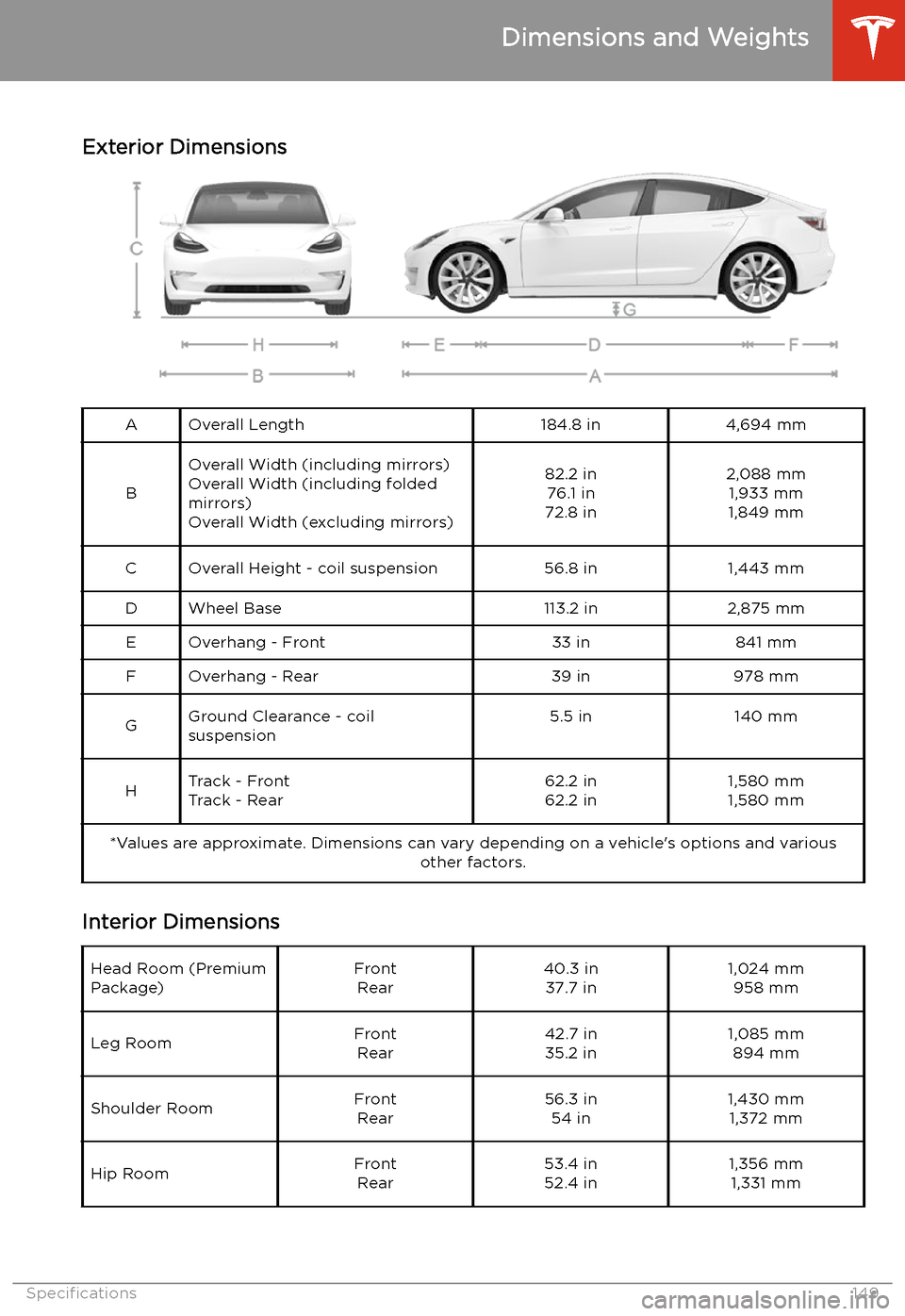
Exterior Dimensions
AOverall Length184.8 in4,694 mm
B
Overall Width (including mirrors) Overall Width (including folded
mirrors)
Overall Width (excluding mirrors)82.2 in 76.1 in
72.8 in2,088 mm 1,933 mm
1,849 mmCOverall Height - coil suspension56.8 in1,443 mmDWheel Base113.2 in2,875 mmEOverhang - Front33 in841 mmFOverhang - Rear39 in978 mmGGround Clearance - coil
suspension5.5 in140 mmHTrack - Front
Track - Rear62.2 in
62.2 in1,580 mm
1,580 mm*Values are approximate. Dimensions can vary depending on a vehicle