lock TESLA MODEL 3 2019 (Europe) Owner's Guide
[x] Cancel search | Manufacturer: TESLA, Model Year: 2019, Model line: MODEL 3, Model: TESLA MODEL 3 2019Pages: 179, PDF Size: 9.18 MB
Page 141 of 179
Wiper Blades and Washer Jets
Checking and Replacing Wiper
Blades
Caution: Wiper blades do not lock into a
lifted position. When cleaning or
replacing a wiper blade, lift the wiper arm
only a short distance from the windshield,
just far enough to access the blade. Do
not lift a wiper arm beyond its intended
position. Doing so can cause damage that
is not covered by the warranty.
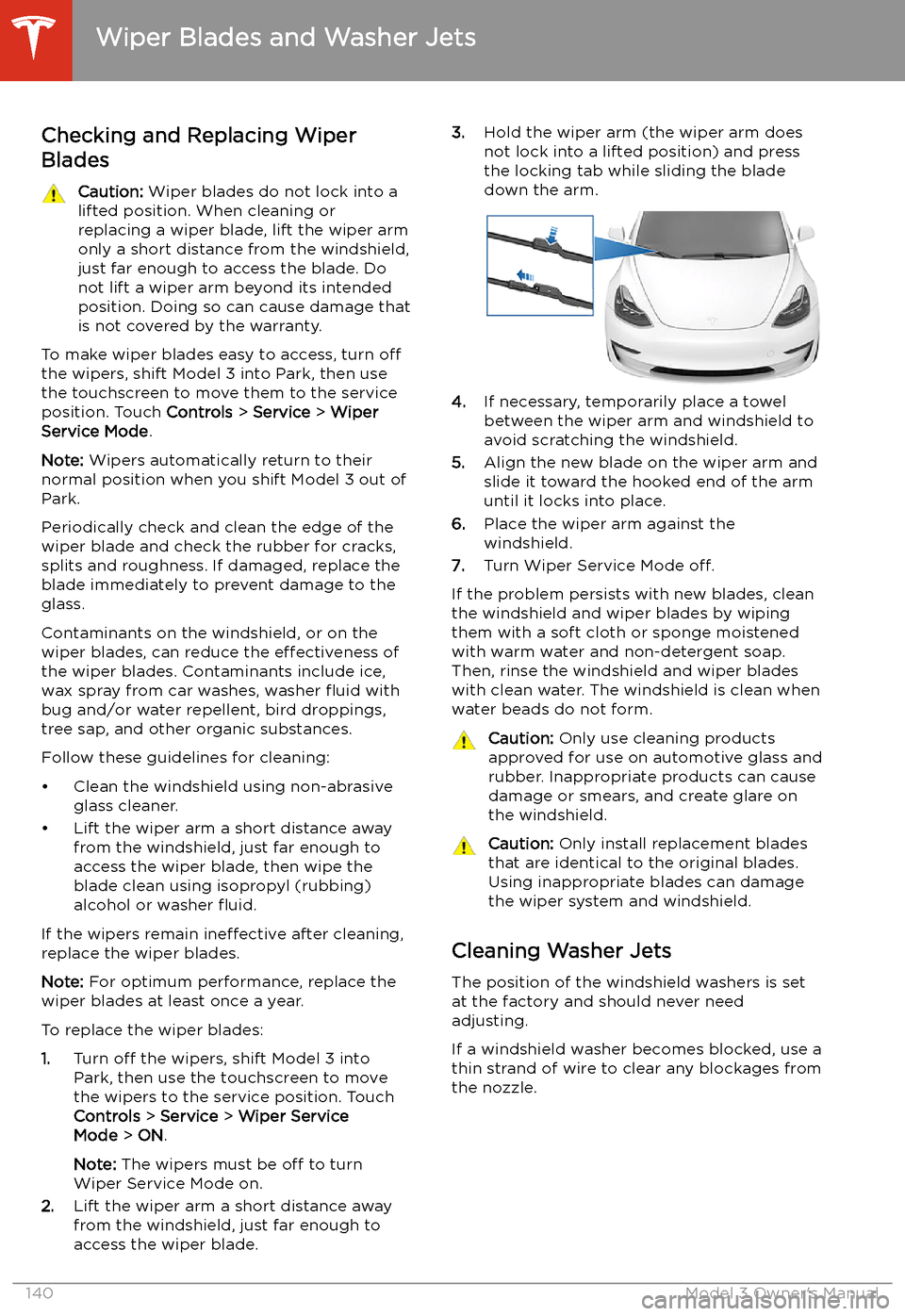
To make wiper blades easy to access, turn off
the wipers, shift Model 3 into Park, then use the touchscreen to move them to the service
position. Touch Controls > Service > Wiper
Service Mode .
Note: Wipers automatically return to their
normal position when you shift Model 3 out of Park.
Periodically check and clean the edge of the wiper blade and check the rubber for cracks,
splits and roughness. If damaged, replace the blade immediately to prevent damage to the
glass.
Contaminants on the windshield, or on the wiper blades, can reduce the effectiveness of
the wiper blades. Contaminants include ice,
wax spray from car washes, washer
Page 152 of 179
Subsystems
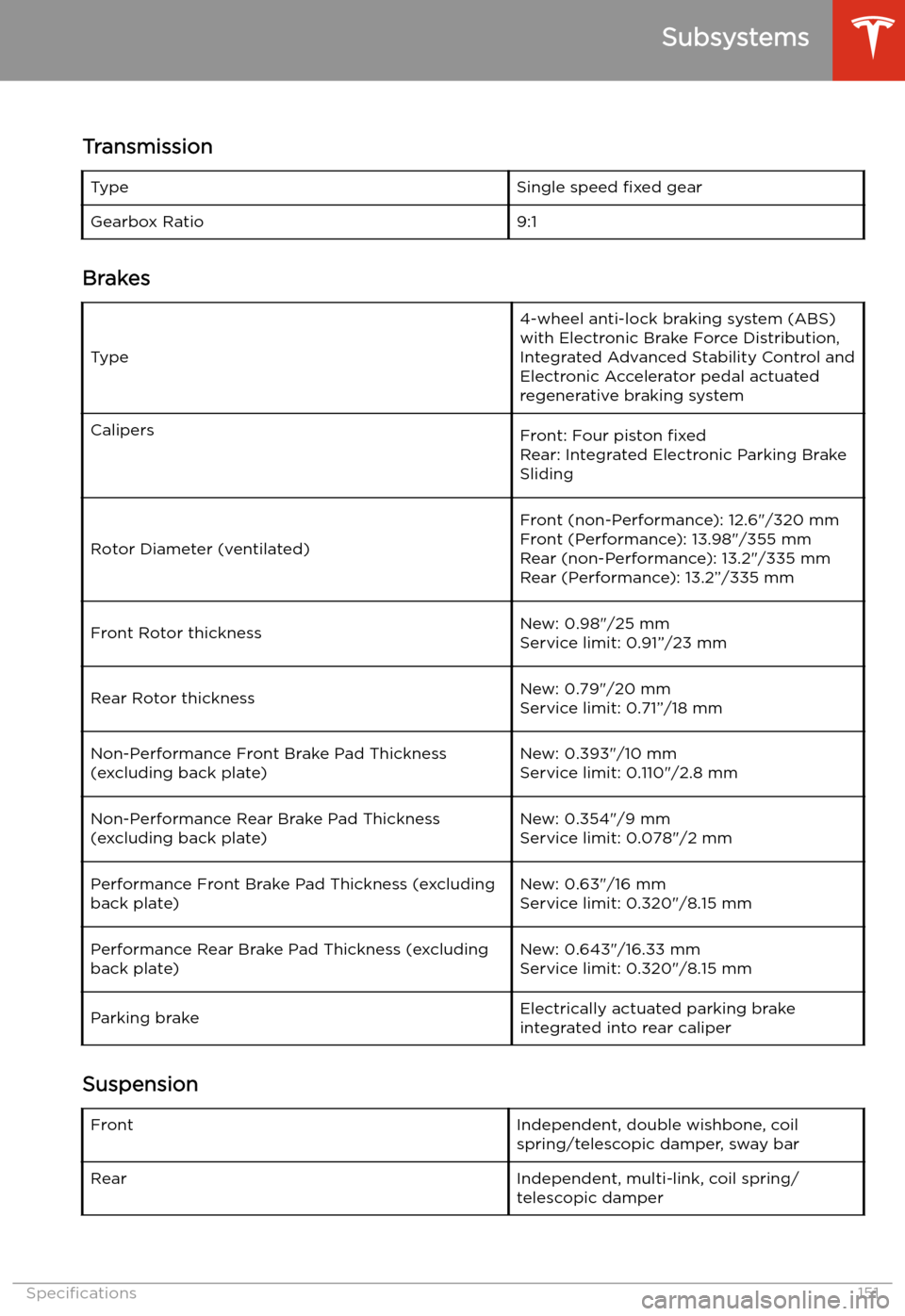
Transmission
TypeSingle speed fixed gearGearbox Ratio9:1
Brakes
Type
4-wheel anti-lock braking system (ABS)
with Electronic Brake Force Distribution,
Integrated Advanced Stability Control and
Electronic Accelerator pedal actuated
regenerative braking systemCalipersFront: Four piston fixed
Rear: Integrated Electronic Parking Brake
Sliding
Rotor Diameter (ventilated)
Front (non-Performance): 12.6"/320 mm
Front (Performance): 13.98"/355 mm
Rear (non-Performance): 13.2"/335 mm Rear (Performance): 13.2
Page 169 of 179
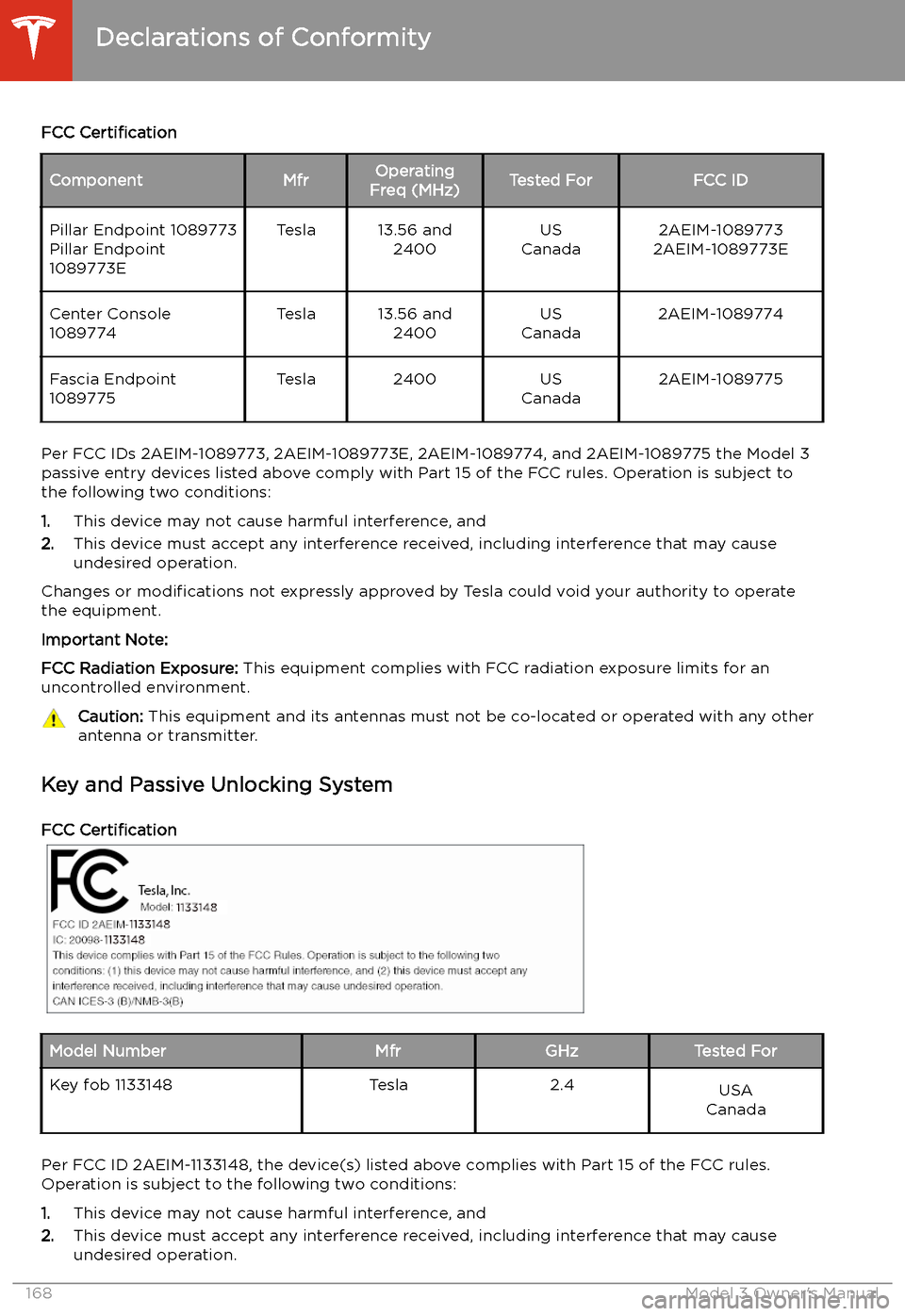
FCC CertificationComponentMfrOperating
Freq (MHz)Tested ForFCC IDPillar Endpoint 1089773
Pillar Endpoint
1089773ETesla13.56 and 2400US
Canada2AEIM-1089773
2AEIM-1089773ECenter Console
1089774Tesla13.56 and 2400US
Canada2AEIM-1089774Fascia Endpoint
1089775Tesla2400US
Canada2AEIM-1089775
Per FCC IDs 2AEIM-1089773, 2AEIM-1089773E, 2AEIM-1089774, and 2AEIM-1089775 the Model 3 passive entry devices listed above comply with Part 15 of the FCC rules. Operation is subject to
the following two conditions:
1. This device may not cause harmful interference, and
2. This device must accept any interference received, including interference that may cause
undesired operation.
Changes or modifications not expressly approved by Tesla could void your authority to operate
the equipment.
Important Note:
FCC Radiation Exposure: This equipment complies with FCC radiation exposure limits for an
uncontrolled environment.
Caution: This equipment and its antennas must not be co-located or operated with any other
antenna or transmitter.
Key and Passive Unlocking System
FCC Certification
Model NumberMfrGHzTested ForKey fob 1133148Tesla2.4USA
Canada
Per FCC ID 2AEIM-1133148, the device(s) listed above complies with Part 15 of the FCC rules.
Operation is subject to the following two conditions:
1. This device may not cause harmful interference, and
2. This device must accept any interference received, including interference that may cause
undesired operation.
Declarations of Conformity
168Model 3 Owner
Page 174 of 179
Index
A ABS (Anti-lock Braking System) 60
absolute speed limit 92
access panel, removing 142
accessoriesplugging into power socket 21
aero covers 133
air circulation 102
air conditioning 101
air distribution 102
air filter 104
air vents 103
airbag, front passenger, disabling 42
airbags 40
alarm 118
all-season tires 135
Always Show Estimated Round Trip Energy 109
ambient lights 52
anti-lock braking (ABS) 60
audioequalizer 113
immersive sound 113
playing files 111
steering wheel scroll button 46
volume control 111
auto fold
48
Auto High Beam 53
Auto Lane Change 81
auto tilt 48
AUTO wipers 59
automatic emergency braking 90
Autopark 83
AutopilotAuto Lane Change 81
automatic emergency braking 89
Autopark 83
Autosteer 79
blind spot warning 87
collision avoidance assist 89
forward collision warning 89
overtake acceleration 73
overview 70
side collision warning 87
speed assist 92
speed limit warning 92
staying inside lane markings 87
staying within speed limits 92
Traffic-Aware Cruise Control 73
Autopilot components 70
Autosteer 79
average range 67
B
backup camera 68
battery (12V)battery (12V) (continued)complete discharge 125
specifications 152Battery (high voltage)care of 125
coolant 142
specifications 152
temperature limits 125
battery (key), replacing 9
blind spot warning 87
Bluetoothdevices, playing audio files from 113
general information 114
phone, pairing and using 114
body repairs 145
body touch up 138
booster seats 29
brake
Page 175 of 179
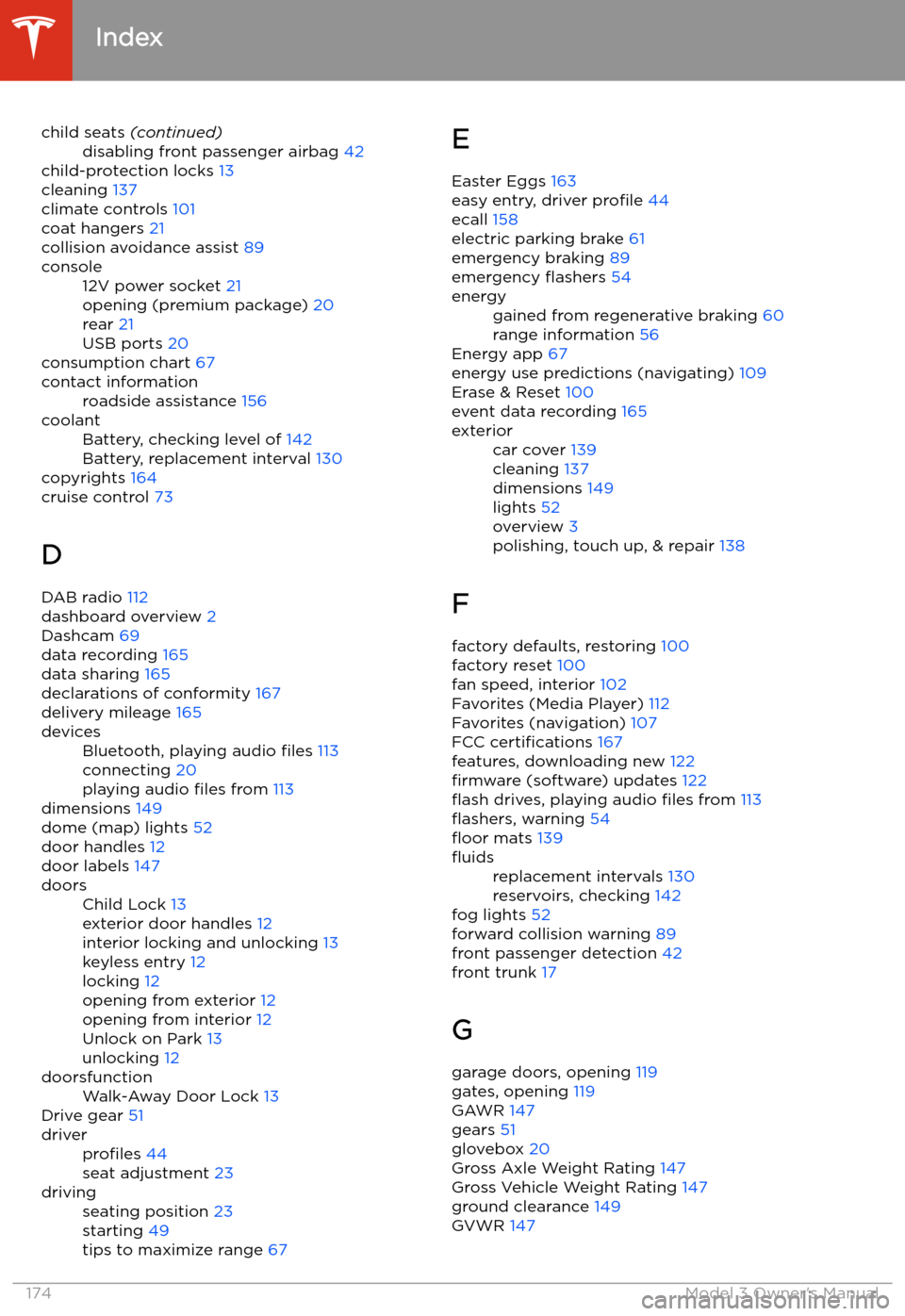
child seats (continued)disabling front passenger airbag 42
child-protection locks 13
cleaning 137
climate controls 101
coat hangers 21
collision avoidance assist 89
console12V power socket 21
opening (premium package) 20
rear 21
USB ports 20
consumption chart 67
contact informationroadside assistance 156coolantBattery, checking level of 142
Battery, replacement interval 130
copyrights 164
cruise control 73
D
DAB radio 112
dashboard overview 2
Dashcam 69
data recording 165
data sharing 165
declarations of conformity 167
delivery mileage 165
devicesBluetooth, playing audio files 113
connecting 20
playing audio files from 113
dimensions 149
dome (map) lights 52
door handles 12
door labels 147
doorsChild Lock 13
exterior door handles 12
interior locking and unlocking 13
keyless entry 12
locking 12
opening from exterior 12
opening from interior 12
Unlock on Park 13
unlocking 12doorsfunctionWalk-Away Door Lock 13
Drive gear 51
driverprofiles 44
seat adjustment 23drivingseating position 23
starting 49
tips to maximize range 67E
Easter Eggs 163
easy entry, driver profile 44
ecall 158
electric parking brake 61
emergency braking 89
emergency
Page 178 of 179
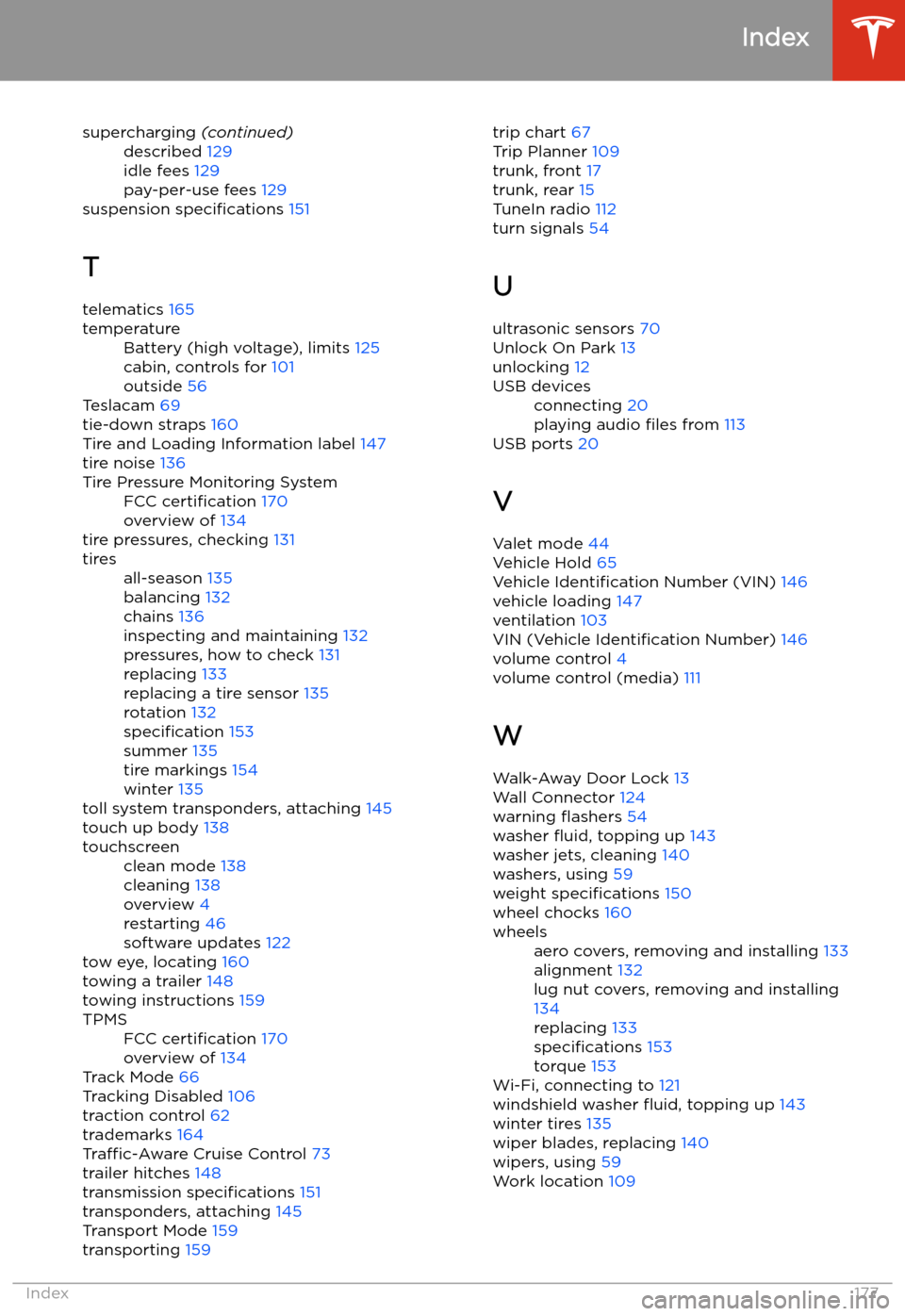
supercharging (continued)described 129
idle fees 129
pay-per-use fees 129
suspension specifications 151
T telematics 165
temperatureBattery (high voltage), limits 125
cabin, controls for 101
outside 56
Teslacam 69
tie-down straps 160
Tire and Loading Information label 147
tire noise 136
Tire Pressure Monitoring SystemFCC certification 170
overview of 134
tire pressures, checking 131
tiresall-season 135
balancing 132
chains 136
inspecting and maintaining 132
pressures, how to check 131
replacing 133
replacing a tire sensor 135
rotation 132
specification 153
summer 135
tire markings 154
winter 135
toll system transponders, attaching 145
touch up body 138
touchscreenclean mode 138
cleaning 138
overview 4
restarting 46
software updates 122
tow eye, locating 160
towing a trailer 148
towing instructions 159
TPMSFCC certification 170
overview of 134
Track Mode 66
Tracking Disabled 106
traction control 62
trademarks 164
Traffic-Aware Cruise Control 73
trailer hitches 148
transmission specifications 151
transponders, attaching 145
Transport Mode 159
transporting 159
trip chart
67
Trip Planner 109
trunk, front 17
trunk, rear 15
TuneIn radio 112
turn signals 54
U
ultrasonic sensors 70
Unlock On Park 13
unlocking 12USB devicesconnecting 20
playing audio files from 113
USB ports 20
V
Valet mode 44
Vehicle Hold 65
Vehicle Identification Number (VIN) 146
vehicle loading 147
ventilation 103
VIN (Vehicle Identification Number) 146
volume control 4
volume control (media) 111
W
Walk-Away Door Lock 13
Wall Connector 124
warning