safety TESLA MODEL 3 2023 User Guide
[x] Cancel search | Manufacturer: TESLA, Model Year: 2023, Model line: MODEL 3, Model: TESLA MODEL 3 2023Pages: 296, PDF Size: 9.84 MB
Page 34 of 296

Guidelines for Seating Children
Your Model 3 seat belts are designed for adults and larger children. You must restrain infants and small children in
the second row seats only, and you must use a suitable child safety seat appropriate for the child
Page 35 of 296
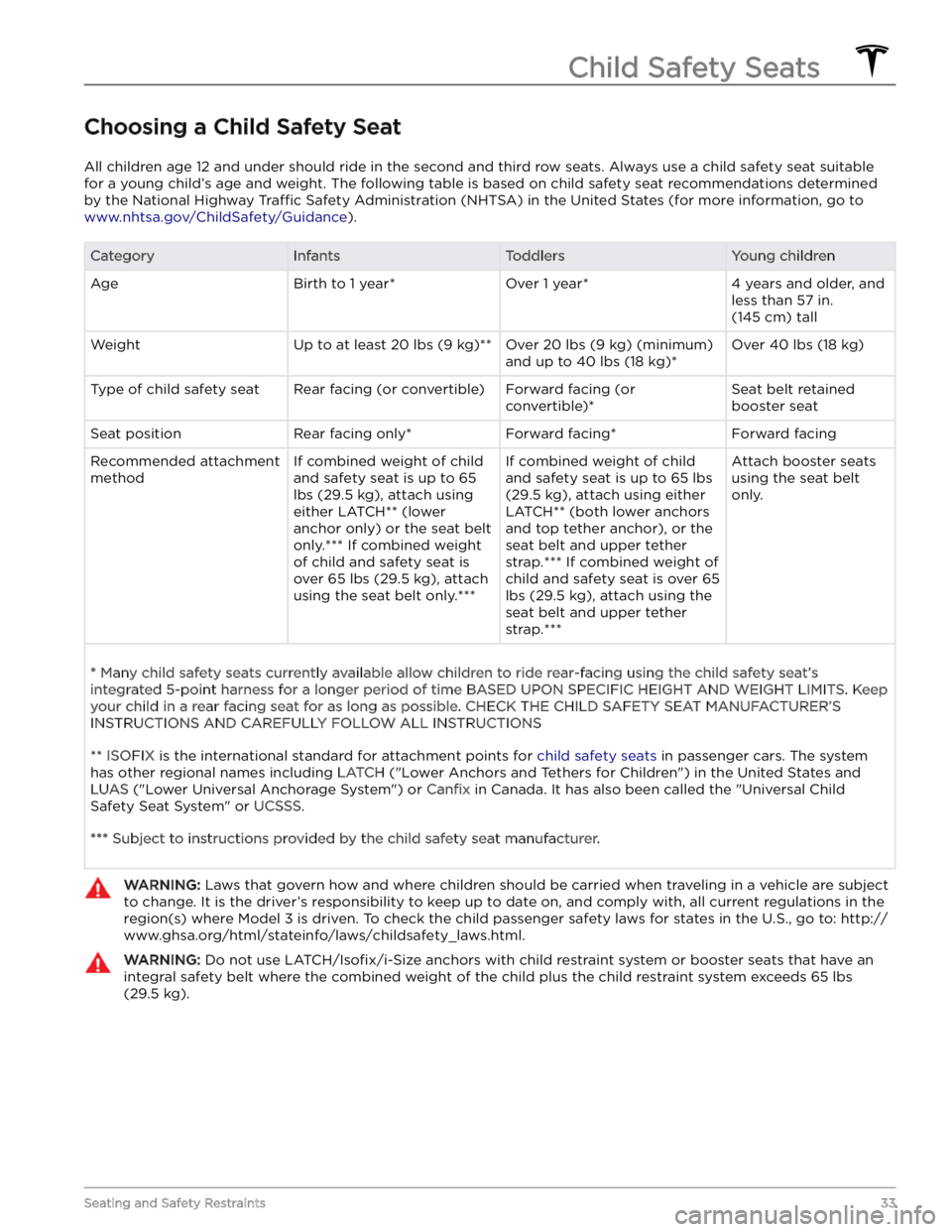
Choosing a Child Safety Seat
All children age 12 and under should ride in the second and third row seats. Always use a child safety seat suitable
for a young child
Page 36 of 296

Seating Larger Children
If a child is too large to fit into a child safety seat, but
too small to safely
fit into the standard seat belts, use a
booster seat appropriate for the child
Page 37 of 296
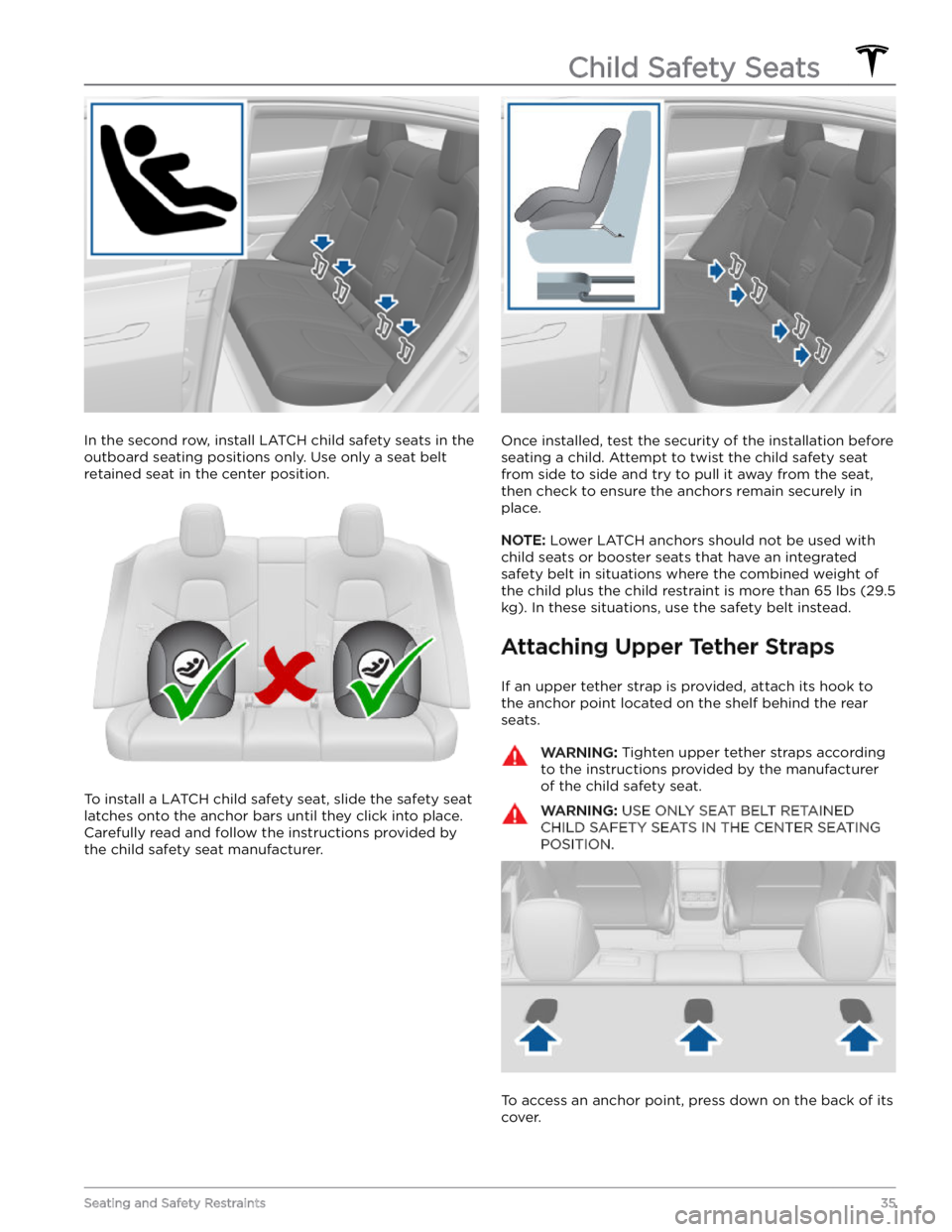
In the second row, install LATCH child safety seats in the
outboard seating positions only. Use only a seat belt
retained seat in the center position.
To install a LATCH child safety seat, slide the safety seat
latches onto the anchor bars until they click into place. Carefully read and follow the instructions provided by
the child safety seat manufacturer.
Once installed, test the security of the installation before
seating a child. Attempt to twist the child safety seat from side to side and try to pull it away from the seat, then check to ensure the anchors remain securely in
place.
NOTE: Lower LATCH anchors should not be used with
child seats or booster seats that have an integrated safety belt in situations where the combined weight of
the child plus the child restraint is more than
65 lbs (29.5
kg). In these situations, use the safety belt instead.
Attaching Upper Tether Straps
If an upper tether strap is provided, attach its hook to the anchor point located on the shelf behind the rear
seats.
WARNING: Tighten upper tether straps according
to the instructions provided by the manufacturer
of the child safety seat.
WARNING: USE ONLY SEAT BELT RETAINED
CHILD SAFETY SEATS IN THE CENTER SEATING
POSITION.
To access an anchor point, press down on the back of its
cover.
Child Safety Seats
35Seating and Safety Restraints
Page 38 of 296

For dual-strap tethers, position a strap on each side of
the head support.
For single-strap tethers at the outboard seating positions, run the strap over the outside-facing side of the head support (same side of the head support as the
seat belt retraction mechanism).
If running the strap over the outside-facing side of the head support is not possible (such as there is not
enough slack in the strap), raise the head support
(see
Head Supports on page 26) and run the strap under the
head support.
For a single-strap tether in the center seating position, fully lower the head support
(see Head Supports on
page 26) and run the strap over the top center of the
head support.
Child Safety Seats
36MODEL 3 Owner
Page 39 of 296
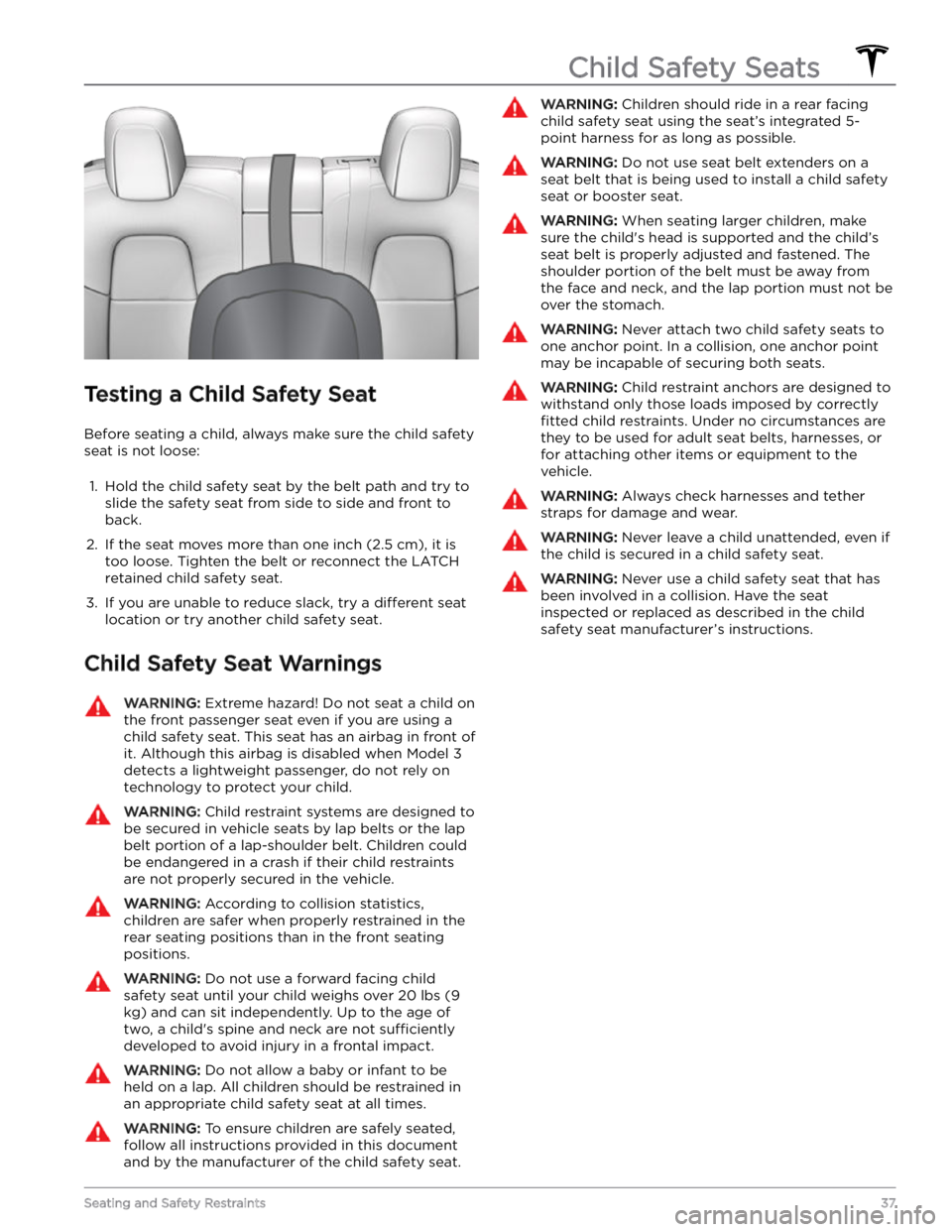
Testing a Child Safety Seat
Before seating a child, always make sure the child safety seat is not loose:
1.
Hold the child safety seat by the belt path and try to slide the safety seat from side to side and front to back.
2.
If the seat moves more than one inch (2.5 cm), it is
too loose. Tighten the belt or reconnect the
LATCH
retained child safety seat.
3.
If you are unable to reduce slack, try a different seat
location or try another child safety seat.
Child Safety Seat Warnings
WARNING: Extreme hazard! Do not seat a child on
the front passenger seat even if you are using a
child safety seat. This seat has an airbag in front of
it. Although this airbag is disabled when Model 3
detects a lightweight passenger, do not rely on
technology to protect your child.
WARNING: Child restraint systems are designed to
be secured in vehicle seats by lap belts or the lap
belt portion of a lap-shoulder belt. Children could
be endangered in a crash if their child restraints
are not properly secured in the vehicle.
WARNING: According to collision statistics,
children are safer when properly restrained in the
rear seating positions than in the front seating
positions.
WARNING: Do not use a forward facing child
safety seat until your child weighs over 20 lbs (9
kg) and can sit independently. Up to the age of
two, a child
Page 62 of 296
Braking SystemsWARNING: Properly functioning braking systems
are critical to ensure safety. If you experience a
problem with the brake pedal, brake calipers, or
any component of a Model 3 braking system,
contact Tesla immediately.
Model 3 has an anti-lock braking system (ABS) that
prevents the wheels from locking when you apply
maximum brake pressure. This improves steering control
during heavy braking in most road conditions.
During emergency braking conditions, the ABS
constantly monitors the speed of each wheel and varies
the brake pressure according to the grip available.
The alteration of brake pressure can be felt as a pulsing sensation through the brake pedal. This demonstrates that the ABS is operating and is not a cause for concern. Keep
firm and steady pressure on the brake pedal while
experiencing the pulsing.
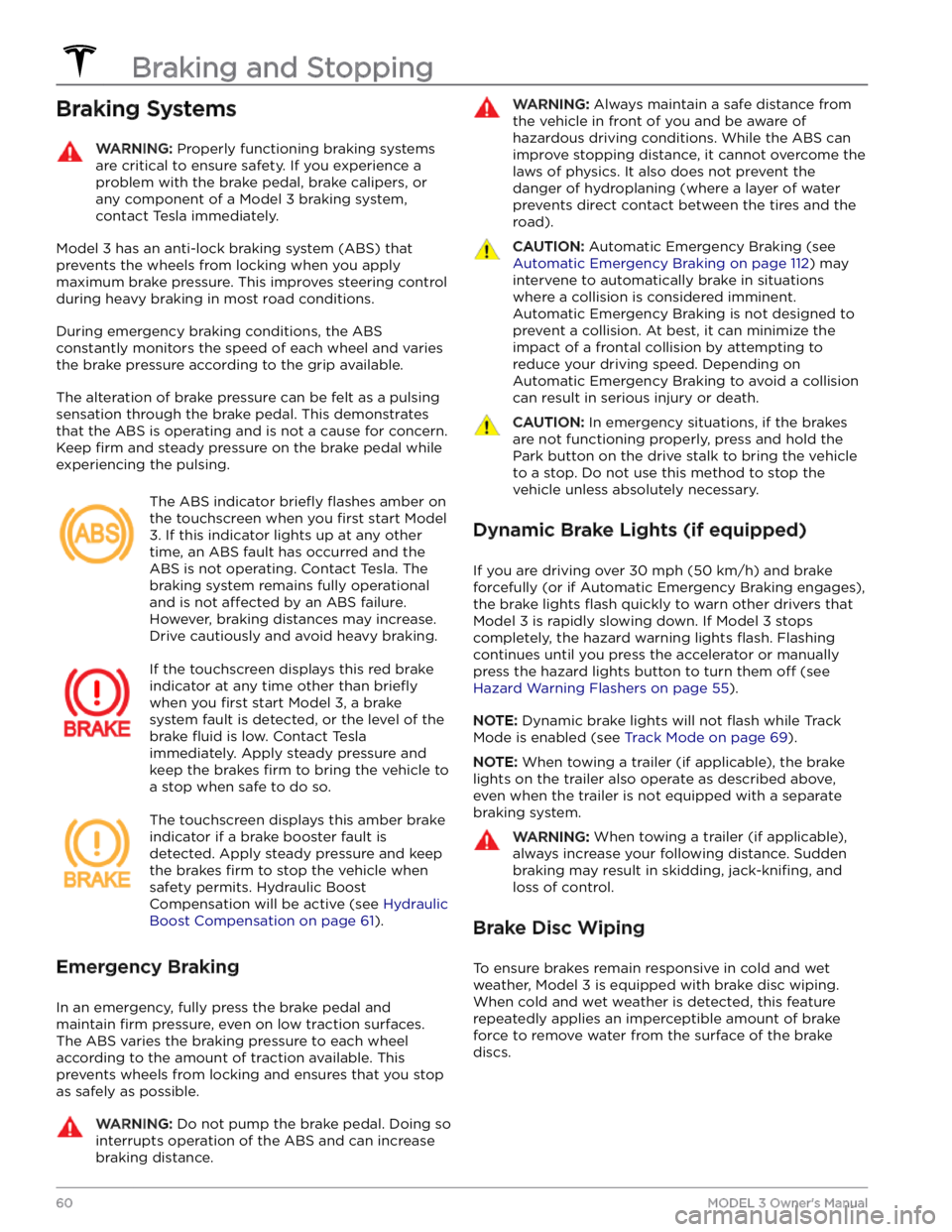
The ABS indicator briefly flashes amber on
the
touchscreen when you first start Model
3. If this indicator lights up at any other
time, an ABS fault has occurred and the ABS is not operating. Contact Tesla. The
braking system remains fully operational
and is not
affected by an ABS failure.
However, braking distances may increase. Drive cautiously and avoid heavy braking.
If the touchscreen displays this red brake
indicator at any time other than
briefly
when you first start Model 3, a brake
system fault is detected, or the level of the
brake
fluid is low. Contact Tesla
immediately. Apply steady pressure and
keep the brakes
firm to bring the vehicle to
a stop when safe to do so.
The touchscreen displays this amber brake
indicator if a brake booster fault is detected. Apply steady pressure and keep the brakes
firm to stop the vehicle when
safety permits. Hydraulic Boost
Compensation will be active (see
Hydraulic
Boost Compensation on page 61).
Emergency Braking
In an emergency, fully press the brake pedal and
maintain
firm pressure, even on low traction surfaces.
The ABS varies the braking pressure to each wheel according to the amount of traction available. This prevents wheels from locking and ensures that you stop as safely as possible.
WARNING: Do not pump the brake pedal. Doing so
interrupts operation of the ABS and can increase
braking distance.
WARNING: Always maintain a safe distance from
the vehicle in front of you and be aware of
hazardous driving conditions. While the ABS can
improve stopping distance, it cannot overcome the
laws of physics. It also does not prevent the
danger of hydroplaning (where a layer of water
prevents direct contact between the tires and the
road).
CAUTION: Automatic Emergency Braking (see
Automatic Emergency Braking on page 112) may
intervene to automatically brake in situations
where a collision is considered imminent.
Automatic Emergency Braking is not designed to
prevent a collision. At best, it can minimize the
impact of a frontal collision by attempting to
reduce your driving speed. Depending on
Automatic Emergency Braking to avoid a collision
can result in serious injury or death.
CAUTION: In emergency situations, if the brakes
are not functioning properly, press and hold the
Park button on the drive stalk to bring the vehicle
to a stop. Do not use this method to stop the
vehicle unless absolutely necessary.
Dynamic Brake Lights (if equipped)
If you are driving over 30 mph (50 km/h) and brake
forcefully
(or if Automatic Emergency Braking engages),
the brake lights
flash quickly to warn other drivers that
Model 3 is rapidly slowing down. If Model 3 stops
completely, the hazard warning lights
flash. Flashing
continues until you press the accelerator or manually press the hazard lights button to turn them
off (see
Hazard Warning Flashers on page 55).
NOTE: Dynamic brake lights will not flash while Track
Mode is enabled (see
Track Mode on page 69).
NOTE: When towing a trailer (if applicable), the brake
lights on the trailer also operate as described above,
even when the trailer is not equipped with a separate
braking system.
WARNING: When towing a trailer (if applicable),
always increase your following distance. Sudden
braking may result in skidding, jack-knifing, and
loss of control.
Brake Disc Wiping
To ensure brakes remain responsive in cold and wet
weather,
Model 3 is equipped with brake disc wiping.
When cold and wet weather is detected, this feature repeatedly applies an imperceptible amount of brake
force to remove water from the surface of the brake discs.
Braking and Stopping
60MODEL 3 Owner
Page 63 of 296

Hydraulic Fade Compensation
Model 3 is equipped with hydraulic fade compensation.
This assists in monitoring brake system pressure and ABS activity for instances of reduced brake
performance. If reduced brake performance is detected (for example, as a result of brake fade, or cold or wet
conditions), you may hear a sound, feel the brake pedal pull away from your foot, and notice a strong increase in braking. Brake as you normally would and continue to
press the brake pedal without releasing or pumping the
brakes.
CAUTION: If brakes are not functioning properly,
stop the vehicle when safety permits and contact
Tesla Service. See Park on page 51 for information
on using the Park button to stop the vehicle in
case of emergency.
WARNING: Always maintain a safe driving distance
from the vehicle in front of you and exercise
caution when driving conditions are hazardous.
Brake disc wiping and hydraulic fade
compensation is not a substitute for adequately
applying the brakes.
Hydraulic Boost Compensation
Model 3 is equipped with a brake booster that activates
the brakes when the brake pedal is pressed. Hydraulic boost compensation provides mechanical assistance if the brake booster fails. If a brake booster failure is detected, the brake pedal feels
stiffer to press and you
may hear a sound when you press the brake pedal. To
stop
Model 3, apply steady force to the brake pedal
without releasing or pumping. Drive cautiously and
maintain a safe distance from other road users
Page 66 of 296
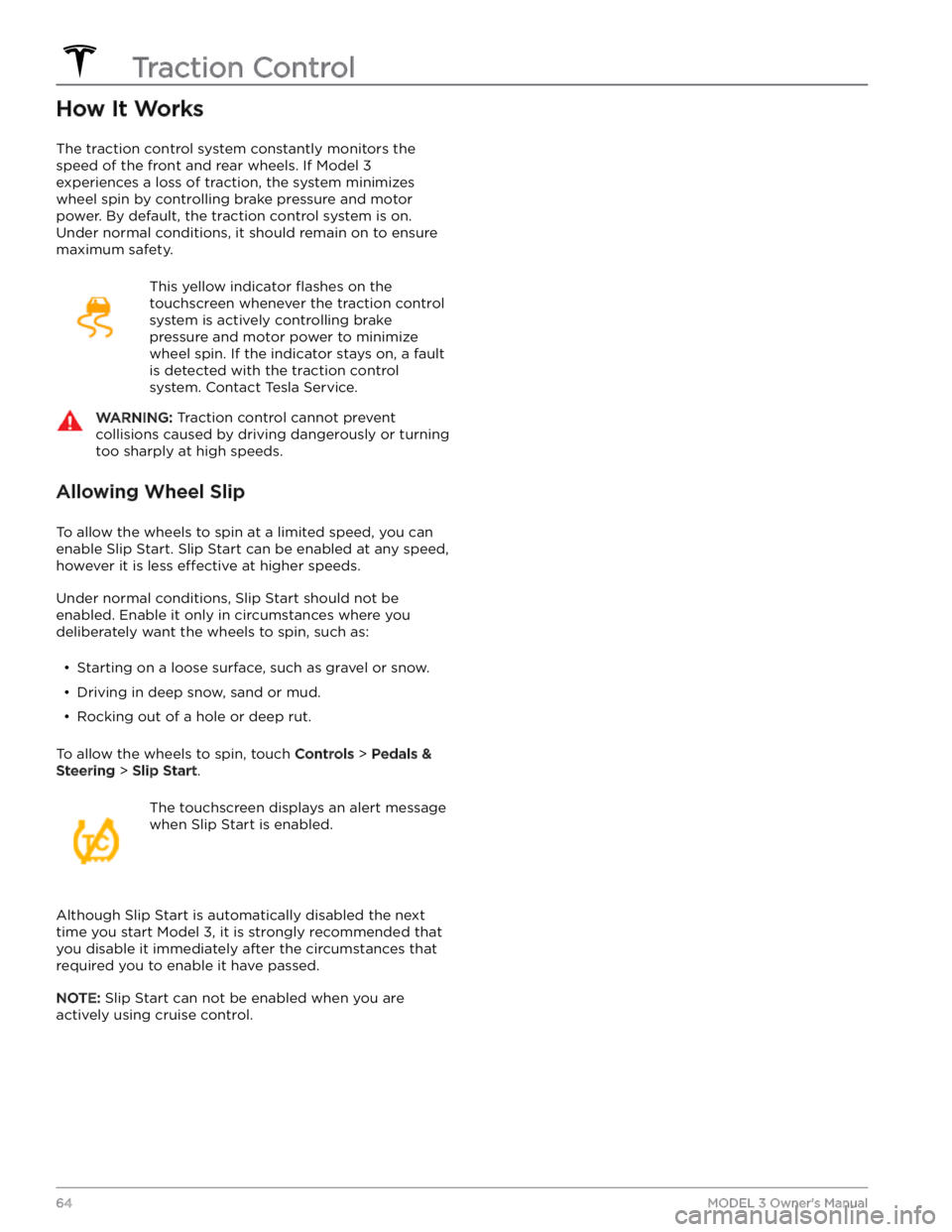
How It Works
The traction control system constantly monitors the speed of the front and rear wheels. If
Model 3
experiences a loss of traction, the system minimizes wheel spin by controlling brake pressure and motor power. By default, the traction control system is on. Under normal conditions, it should remain on to ensure
maximum safety.
This yellow indicator flashes on the
touchscreen whenever the traction control
system is actively controlling brake
pressure and motor power to minimize wheel spin. If the indicator stays on, a fault is detected with the traction control system. Contact Tesla Service.
WARNING: Traction control cannot prevent
collisions caused by driving dangerously or turning
too sharply at high speeds.
Allowing Wheel Slip
To allow the wheels to spin at a limited speed, you can
enable Slip Start.
Slip Start can be enabled at any speed,
however it is less effective at higher speeds.
Under normal conditions, Slip Start should not be enabled. Enable it only in circumstances where you deliberately want the wheels to spin, such as:
Page 67 of 296
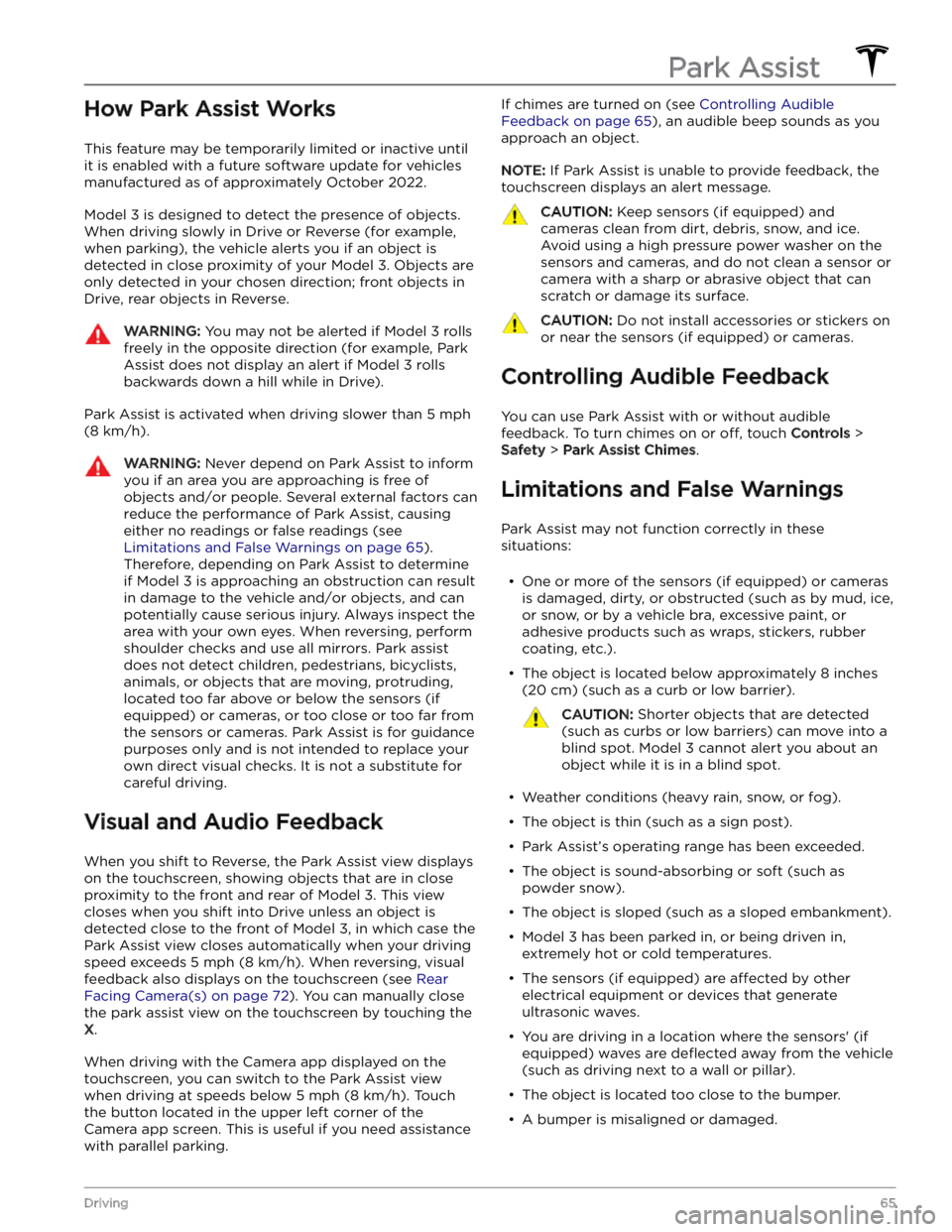
How Park Assist Works
This feature may be temporarily limited or inactive until
it is enabled with a future software update for vehicles
manufactured as of approximately October 2022.
Model 3 is designed to detect the presence of objects.
When driving slowly in Drive or Reverse (for example,
when parking), the vehicle alerts you if an object is
detected in close proximity of your
Model 3. Objects are
only detected in your chosen direction; front objects in
Drive, rear objects in Reverse.
WARNING: You may not be alerted if Model 3 rolls
freely in the opposite direction (for example, Park
Assist does not display an alert if Model 3 rolls
backwards down a hill while in Drive).
Park Assist is activated when driving slower than 5 mph
(8 km/h).
WARNING: Never depend on Park Assist to inform
you if an area you are approaching is free of
objects and/or people. Several external factors can
reduce the performance of Park Assist, causing
either no readings or false readings (see
Limitations and False Warnings on page 65).
Therefore, depending on Park Assist to determine
if Model 3 is approaching an obstruction can result
in damage to the vehicle and/or objects, and can
potentially cause serious injury. Always inspect the
area with your own eyes. When reversing, perform
shoulder checks and use all mirrors. Park assist
does not detect children, pedestrians, bicyclists,
animals, or objects that are moving, protruding,
located too far above or below the sensors (if
equipped) or cameras, or too close or too far from
the sensors or cameras. Park Assist is for guidance
purposes only and is not intended to replace your
own direct visual checks. It is not a substitute for
careful driving.
Visual and Audio Feedback
When you shift to Reverse, the Park Assist view displays on the
touchscreen, showing objects that are in close
proximity to the front and rear of
Model 3. This view
closes when you shift into Drive unless an object is
detected close to the front of
Model 3, in which case the
Park Assist view closes automatically when your driving speed exceeds
5 mph (8 km/h). When reversing, visual
feedback also displays on the touchscreen (see
Rear
Facing Camera(s) on page 72). You can manually close
the park assist view on the touchscreen by touching the
X.
When driving with the Camera app displayed on the
touchscreen, you can switch to the Park Assist view
when driving at speeds below
5 mph (8 km/h). Touch
the button located in the upper left corner of the Camera app screen. This is useful if you need assistance
with parallel parking.
If chimes are turned on (see Controlling Audible
Feedback on page 65), an audible beep sounds as you
approach an object.
NOTE: If Park Assist is unable to provide feedback, the
touchscreen displays an alert message.
CAUTION: Keep sensors (if equipped) and
cameras clean from dirt, debris, snow, and ice.
Avoid using a high pressure power washer on the
sensors and cameras, and do not clean a sensor or
camera with a sharp or abrasive object that can
scratch or damage its surface.
CAUTION: Do not install accessories or stickers on
or near the sensors (if equipped) or cameras.
Controlling Audible Feedback
You can use Park Assist with or without audible feedback. To turn chimes on or
off, touch Controls >
Safety > Park Assist Chimes.
Limitations and False Warnings
Park Assist may not function correctly in these situations: