door lock TESLA MODEL S 2015 User Guide
[x] Cancel search | Manufacturer: TESLA, Model Year: 2015, Model line: MODEL S, Model: TESLA MODEL S 2015Pages: 164, PDF Size: 4.78 MB
Page 47 of 164
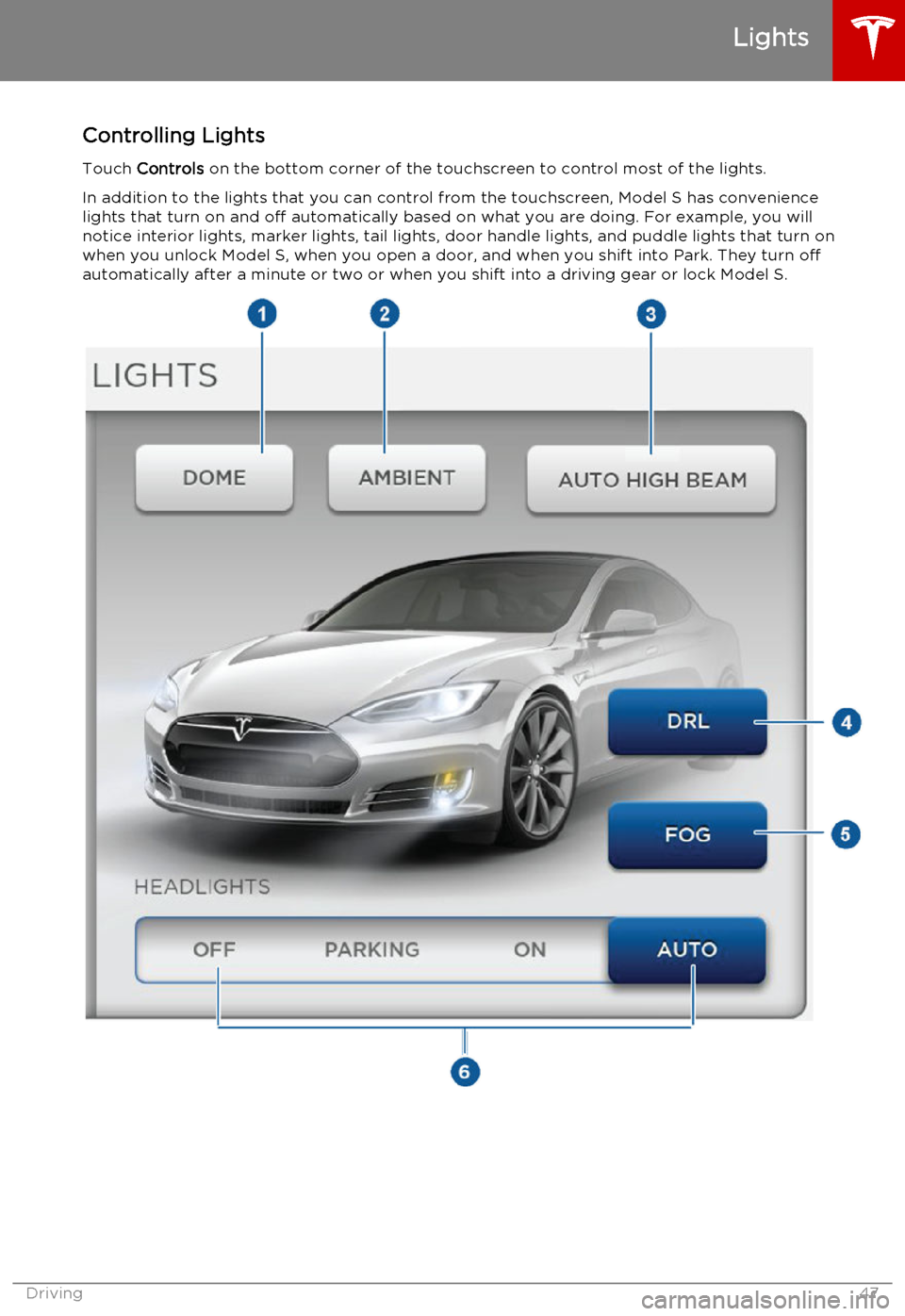
Controlling LightsTouch Controls on the bottom corner of the touchscreen to control most of the lights.
In addition to the lights that you can control from the touchscreen, Model S has convenience lights that turn on and off automatically based on what you are doing. For example, you will
notice interior lights, marker lights, tail lights, door handle lights, and puddle lights that turn on
when you unlock Model S, when you open a door, and when you shift into Park. They turn off
automatically after a minute or two or when you shift into a driving gear or lock Model S.
Lights
Driving47
Page 48 of 164
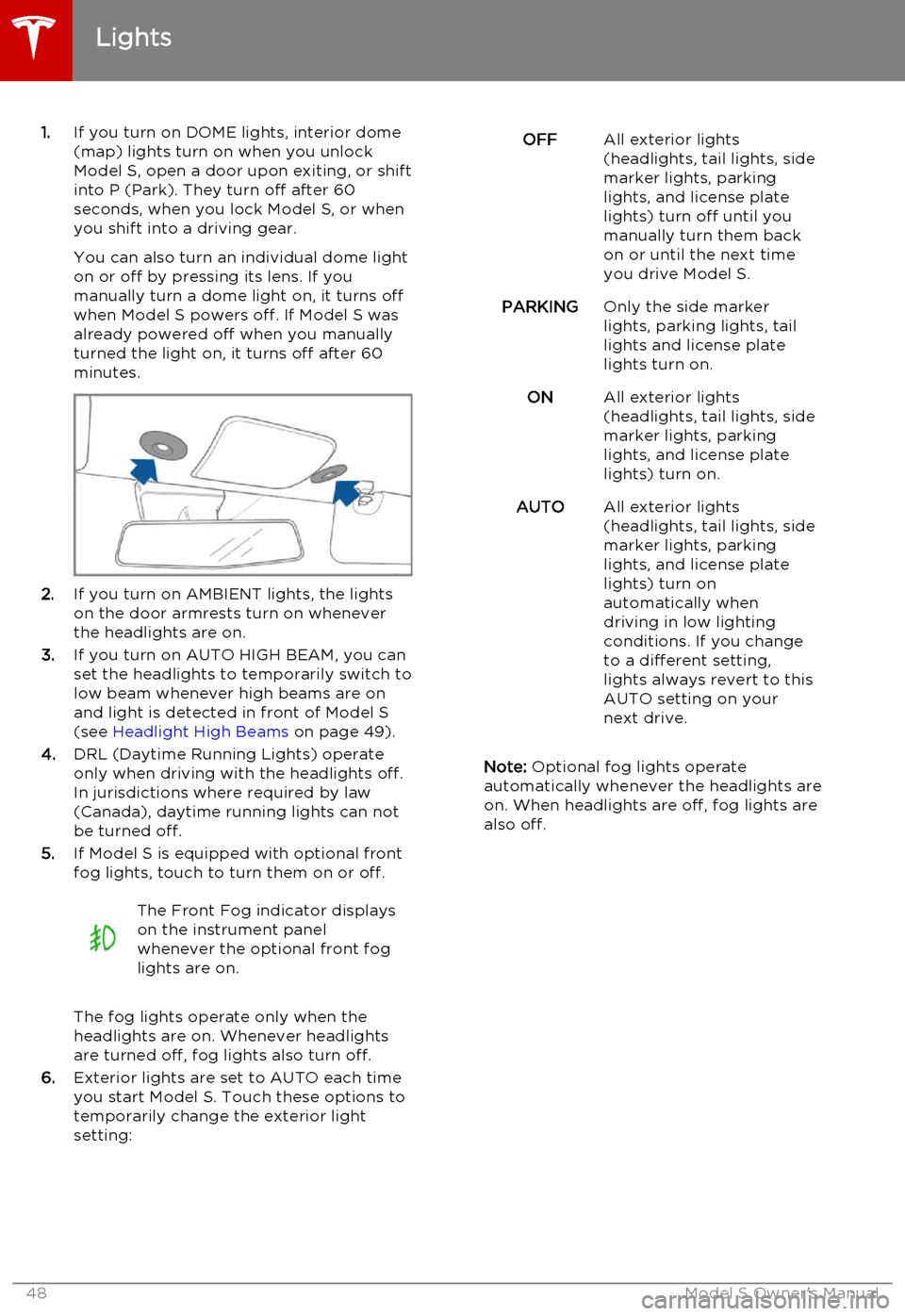
1.If you turn on DOME lights, interior dome
(map) lights turn on when you unlock
Model S, open a door upon exiting, or shift into P (Park). They turn off after 60
seconds, when you lock Model S, or when you shift into a driving gear.
You can also turn an individual dome light
on or off by pressing its lens. If you
manually turn a dome light on, it turns off
when Model S powers off. If Model S was
already powered off when you manually
turned the light on, it turns off after 60
minutes.
2. If you turn on AMBIENT lights, the lights
on the door armrests turn on whenever
the headlights are on.
3. If you turn on AUTO HIGH BEAM, you can
set the headlights to temporarily switch to
low beam whenever high beams are on
and light is detected in front of Model S
(see Headlight High Beams on page 49).
4. DRL (Daytime Running Lights) operate
only when driving with the headlights off.
In jurisdictions where required by law (Canada), daytime running lights can not
be turned off.
5. If Model S is equipped with optional front
fog lights, touch to turn them on or off.
The Front Fog indicator displays
on the instrument panel
whenever the optional front fog
lights are on.
The fog lights operate only when the
headlights are on. Whenever headlights
are turned off, fog lights also turn off.
6. Exterior lights are set to AUTO each time
you start Model S. Touch these options to
temporarily change the exterior light
setting:
OFFAll exterior lights
(headlights, tail lights, side
marker lights, parking
lights, and license plate
lights) turn off until you
manually turn them back
on or until the next time
you drive Model S.PARKINGOnly the side marker
lights, parking lights, tail
lights and license plate
lights turn on.ONAll exterior lights
(headlights, tail lights, side
marker lights, parking
lights, and license plate
lights) turn on.AUTOAll exterior lights
(headlights, tail lights, side
marker lights, parking
lights, and license plate
lights) turn on
automatically when
driving in low lighting
conditions. If you change
to a different setting,
lights always revert to this
AUTO setting on your
next drive.
Note: Optional fog lights operate
automatically whenever the headlights are
on. When headlights are off, fog lights are
also off.
Lights
48Model S Owner's Manual
Page 73 of 164
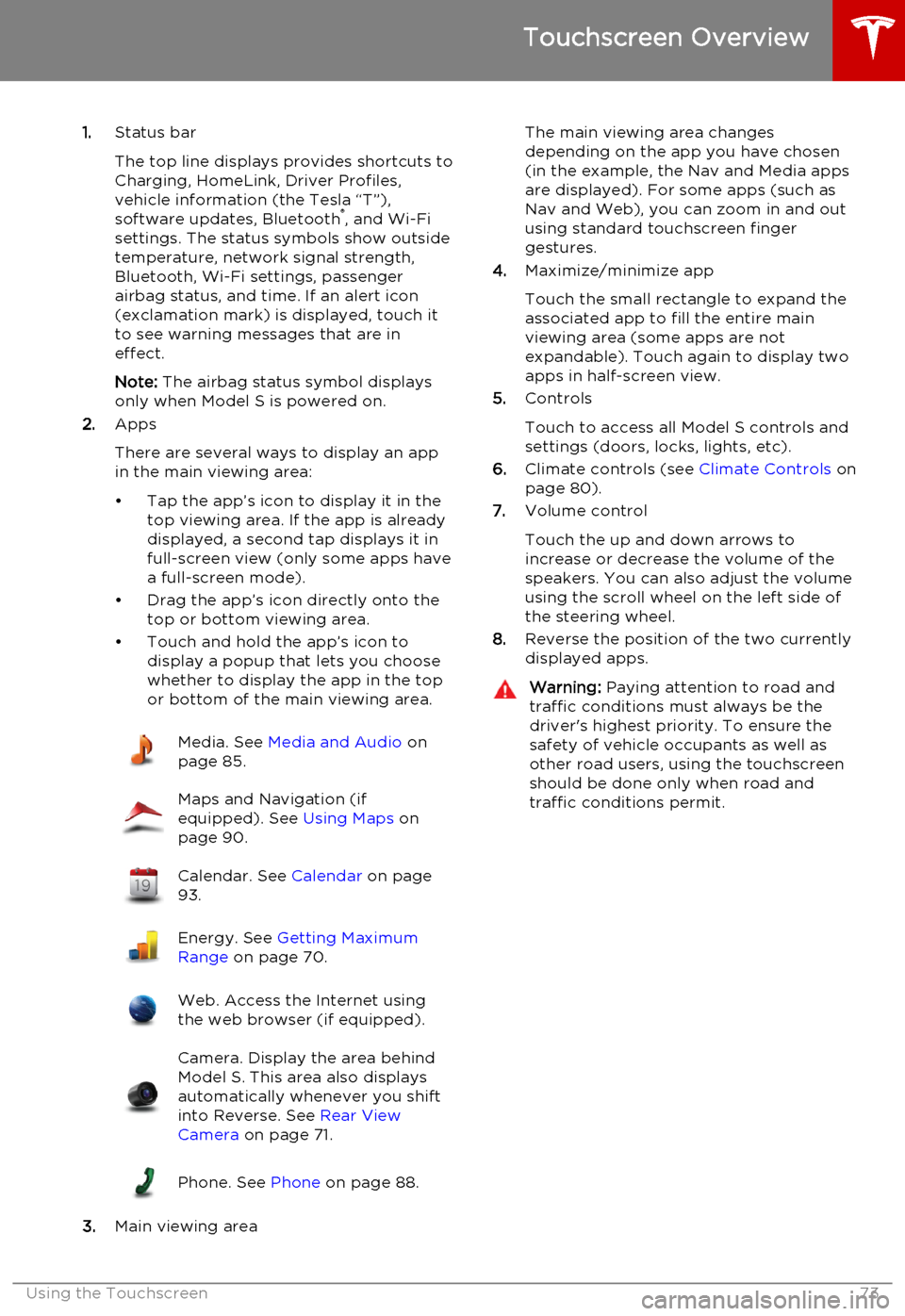
1.Status bar
The top line displays provides shortcuts to
Charging, HomeLink, Driver Profiles,
vehicle information (the Tesla “T”),
software updates, Bluetooth ®
, and Wi-Fi
settings. The status symbols show outside
temperature, network signal strength,
Bluetooth, Wi-Fi settings, passenger
airbag status, and time. If an alert icon
(exclamation mark) is displayed, touch it
to see warning messages that are in
effect.
Note: The airbag status symbol displays
only when Model S is powered on.
2. Apps
There are several ways to display an app
in the main viewing area:
• Tap the app’s icon to display it in the top viewing area. If the app is alreadydisplayed, a second tap displays it infull-screen view (only some apps have a full-screen mode).
• Drag the app’s icon directly onto the top or bottom viewing area.
• Touch and hold the app’s icon to display a popup that lets you choose
whether to display the app in the top or bottom of the main viewing area.Media. See Media and Audio on
page 85.Maps and Navigation (if
equipped). See Using Maps on
page 90.Calendar. See Calendar on page
93.Energy. See Getting Maximum
Range on page 70.Web. Access the Internet using
the web browser (if equipped).Camera. Display the area behind
Model S. This area also displays
automatically whenever you shift
into Reverse. See Rear View
Camera on page 71.Phone. See Phone on page 88.
3.Main viewing area
The main viewing area changes
depending on the app you have chosen
(in the example, the Nav and Media apps
are displayed). For some apps (such as
Nav and Web), you can zoom in and out
using standard touchscreen finger
gestures.
4. Maximize/minimize app
Touch the small rectangle to expand the
associated app to fill the entire main
viewing area (some apps are not
expandable). Touch again to display two
apps in half-screen view.
5. Controls
Touch to access all Model S controls and settings (doors, locks, lights, etc).
6. Climate controls (see Climate Controls on
page 80).
7. Volume control
Touch the up and down arrows to increase or decrease the volume of the
speakers. You can also adjust the volume
using the scroll wheel on the left side of
the steering wheel.
8. Reverse the position of the two currently
displayed apps.Warning: Paying attention to road and
traffic conditions must always be the
driver's highest priority. To ensure the
safety of vehicle occupants as well as other road users, using the touchscreenshould be done only when road andtraffic conditions permit.
Touchscreen Overview
Using the Touchscreen73
Page 76 of 164
Manually control the touchscreen’s
brightness and control its day (light
background) or night (dark background)
setting. When set to Auto, the
touchscreen automatically changes between Day and Night brightness
depending on the ambient lighting
conditions. To disable the touchscreen
momentarily for cleaning purposes, touch
Clean Mode . You can also put Model S
into an energy saving mode so it consumes less energy when not in use
(see Getting Maximum Range on page
70). Note that the Displays settings can
also be accessed from the Settings screen.
8. E-Brake & Power Off
You can manually:
• Apply and release the parking brake (see Parking Brake on page 53).
• Power off (see Powering Off on page
41).
9. Doors & Locks (see Using Interior Door
Handles on page 6)
10. Lights (see Lights on page 47)Warning: Do not read the touchscreen
while driving. Doing so increases the
likelihood of a collision. Everything you need to know when driving is displayed
on the instrument panel.
Controls
76Model S Owner's Manual
Page 78 of 164
1.Adjust settings associated with installed
apps (applications). Settings associated with apps that are either unavailable on
your Model , or have no settings that you
can adjust at this time, are grayed out.
2. Manage driver profiles (see Driver Profiles
on page 36).
3. Units & Format
Adjust how Model S displays:
• Distance: Miles or km can be shown on the range display, speedometer,
energy chart, trip meters, Google map searches and navigation routes.
• Time Format: 12 or 24 hour.
• Temperature: o
C or o
F.
• Energy & Charging: Display remaining energy and charging units as either a
percentage of battery energy
remaining, or as an estimate of the
distance that you can drive. When you choose Distance, you can display
mileage based on either:
• Rated - based on EPA testing.
• Ideal - assumes ideal driving conditions based on driving at a
steady speed of 55 mph
(89 km/h) on a flat road, and using no additional energy (seat
heaters, air conditioning, etc).
Note: When anticipating when you
need to charge, use range estimates as a general guideline only.
4. Vehicle
• Drive-away Door Lock: If on, all doors automatically lock whenever you
drive Model S over 5 mph (8 km/h)
(see Drive-away Locking on page 7).
• Walk-away Door Lock: If on, all doors automatically lock when you walkaway from Model S, carrying the key with you (see Walk-away Locking on
page 7). Available only if Model S is
equipped with the optional tech
package.
• Child-Protection Lock: If on, safety locks prevent the rear doors and theliftgate from being opened from
inside Model S.• Auto-Present Handles: If on, door handles extend automatically
whenever you approach Model S carrying a key, whether locked orunlocked (see Using Exterior Door
Handles on page 6). Note that to
preserve battery life, Model is
designed to temporarily disable the
Auto-Present Handles feature when
the key has been out of range for
more than 48 hours, or if the key
remains within range for five minutes
after all doors have been closed.
• Headlights After Exit: If on, headlights stay on for two minutes after you exit,
or until you lock Model S (see
Headlights After Exit on page 50).
• Mirror Auto-Tilt: If on, exterior mirrors tilt downward when reversing (see Mirrors on page 40). Available only if
Model S is equipped with the optional tech package.
• Mirror Auto-Fold: If on, exterior mirrors fold when you lock Model S
with the key or walk-away locking. They extend automatically when you
return to Model S. Available only if
Model S is equipped with both folding mirrors (newer models) and the
optional tech package. For newer
Model S vehicles, you can also fold
mirrors manually by touching the
center mirror control button (see
Mirrors on page 40).
• Ionizer: If on, the air ionizer freshens the air in the cabin.
• Smart Preconditioning: If on, Model S predicts your driving schedule and
adjusts the temperature of the cabin and the Battery so the vehicle is
comfortable and ready to drive. It may take some time for Model S to
learn your driving habits.
5. Safety & Security
Turn various safety and security features
on and off:
• Active safety devices Model S is equipped with, such as Park Assist
Chimes (see Park Assist on page 66).
• Alarm, and security options Model S is equipped with (see Security Settings
on page 95).
• Remote access by Tesla’s mobile applications (see Mobile App on page
100).
6. Displays
Settings
78Model S Owner's Manual
Page 95 of 164

About the Security System
If Model S does not detect a key nearby and a locked door or trunk is opened, an alarmsounds and headlights and turn signals flash.
To deactivate the alarm, press any button on
the key.
To manually enable or disable the alarm
system, touch Controls > Settings > Safety &
Security > Alarm . When set to on, Model S
activates its alarm one minute after the doors
lock and a recognized key is no longer
detected nearby.
Security Settings
Using the Touchscreen95
Page 104 of 164
Opening the Charge Port
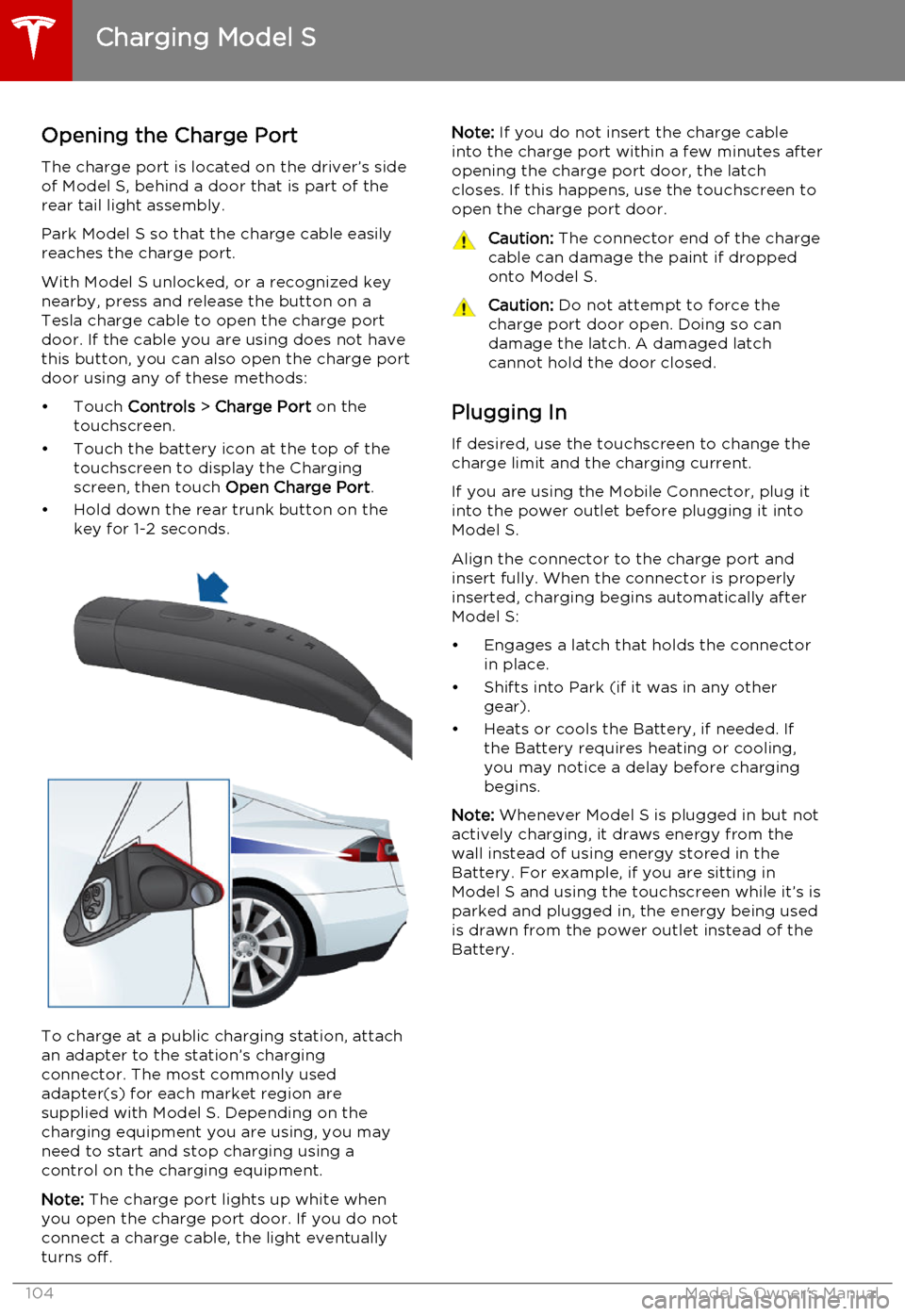
The charge port is located on the driver’s side of Model S, behind a door that is part of therear tail light assembly.
Park Model S so that the charge cable easily
reaches the charge port.
With Model S unlocked, or a recognized key
nearby, press and release the button on a
Tesla charge cable to open the charge port door. If the cable you are using does not havethis button, you can also open the charge portdoor using any of these methods:
• Touch Controls > Charge Port on the
touchscreen.
• Touch the battery icon at the top of the touchscreen to display the Charging
screen, then touch Open Charge Port.
• Hold down the rear trunk button on the key for 1-2 seconds.
To charge at a public charging station, attach
an adapter to the station’s chargingconnector. The most commonly usedadapter(s) for each market region aresupplied with Model S. Depending on thecharging equipment you are using, you may
need to start and stop charging using a control on the charging equipment.
Note: The charge port lights up white when
you open the charge port door. If you do not
connect a charge cable, the light eventually
turns off.
Note: If you do not insert the charge cable
into the charge port within a few minutes after
opening the charge port door, the latch
closes. If this happens, use the touchscreen to
open the charge port door.Caution: The connector end of the charge
cable can damage the paint if dropped onto Model S.Caution: Do not attempt to force the
charge port door open. Doing so can
damage the latch. A damaged latch
cannot hold the door closed.
Plugging In
If desired, use the touchscreen to change the
charge limit and the charging current.
If you are using the Mobile Connector, plug it into the power outlet before plugging it intoModel S.
Align the connector to the charge port and
insert fully. When the connector is properly
inserted, charging begins automatically after Model S:
• Engages a latch that holds the connector in place.
• Shifts into Park (if it was in any other gear).
• Heats or cools the Battery, if needed. If the Battery requires heating or cooling,
you may notice a delay before charging begins.
Note: Whenever Model S is plugged in but not
actively charging, it draws energy from the wall instead of using energy stored in the
Battery. For example, if you are sitting in
Model S and using the touchscreen while it’s is
parked and plugged in, the energy being used
is drawn from the power outlet instead of the
Battery.
Charging Model S
104Model S Owner's Manual
Page 105 of 164
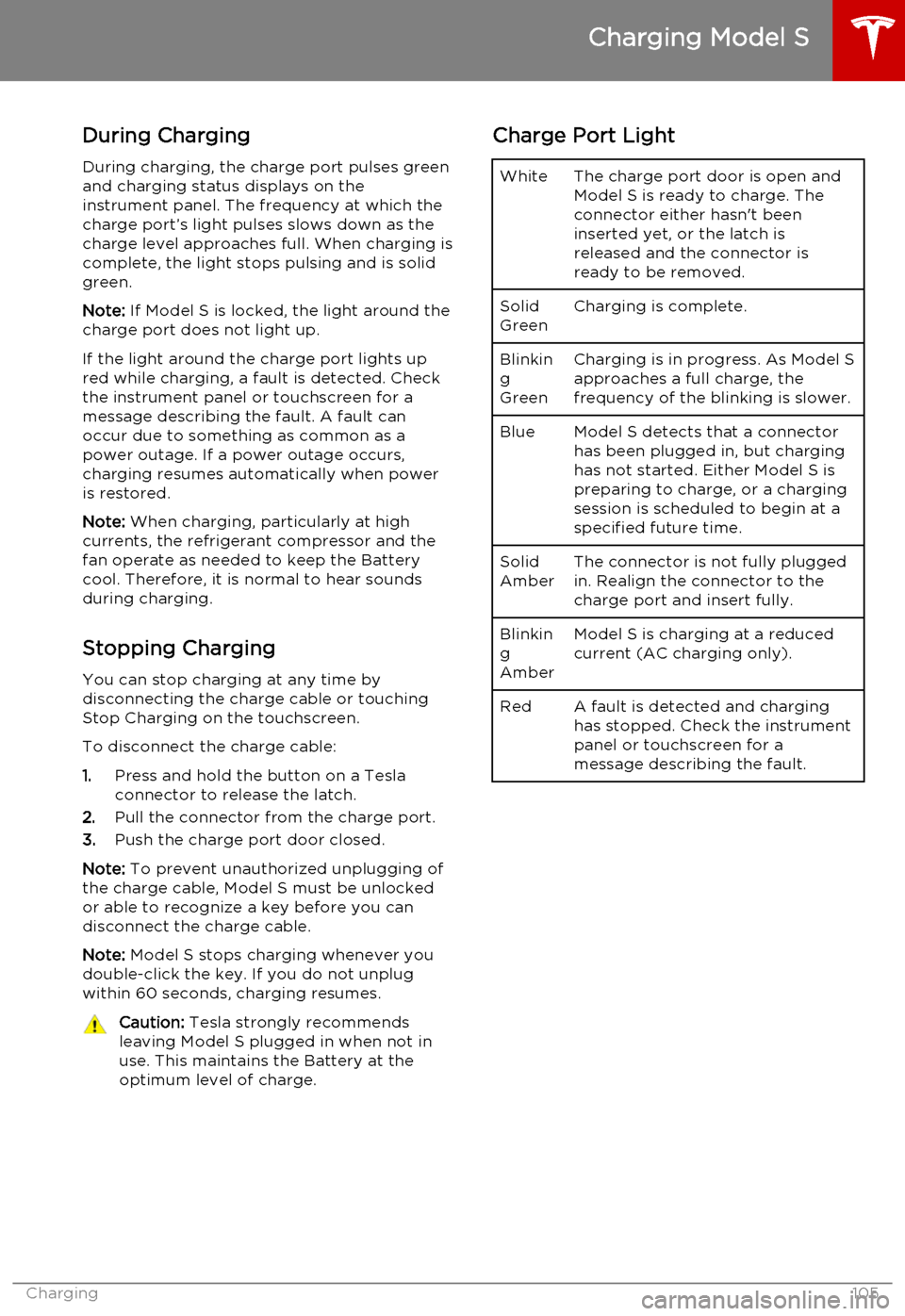
During ChargingDuring charging, the charge port pulses green
and charging status displays on the instrument panel. The frequency at which thecharge port’s light pulses slows down as thecharge level approaches full. When charging iscomplete, the light stops pulsing and is solid
green.
Note: If Model S is locked, the light around the
charge port does not light up.
If the light around the charge port lights up
red while charging, a fault is detected. Check
the instrument panel or touchscreen for a
message describing the fault. A fault can
occur due to something as common as a
power outage. If a power outage occurs,
charging resumes automatically when power
is restored.
Note: When charging, particularly at high
currents, the refrigerant compressor and the
fan operate as needed to keep the Battery cool. Therefore, it is normal to hear sounds
during charging.
Stopping Charging You can stop charging at any time by
disconnecting the charge cable or touching
Stop Charging on the touchscreen.
To disconnect the charge cable:
1. Press and hold the button on a Tesla
connector to release the latch.
2. Pull the connector from the charge port.
3. Push the charge port door closed.
Note: To prevent unauthorized unplugging of
the charge cable, Model S must be unlocked
or able to recognize a key before you can
disconnect the charge cable.
Note: Model S stops charging whenever you
double-click the key. If you do not unplug
within 60 seconds, charging resumes.Caution: Tesla strongly recommends
leaving Model S plugged in when not in
use. This maintains the Battery at the optimum level of charge.Charge Port LightWhiteThe charge port door is open and
Model S is ready to charge. The
connector either hasn't been
inserted yet, or the latch is
released and the connector is
ready to be removed.Solid
GreenCharging is complete.Blinkin
g
GreenCharging is in progress. As Model S approaches a full charge, the
frequency of the blinking is slower.BlueModel S detects that a connector has been plugged in, but charging
has not started. Either Model S is
preparing to charge, or a charging
session is scheduled to begin at a
specified future time.Solid
AmberThe connector is not fully plugged
in. Realign the connector to the
charge port and insert fully.Blinkin
g
AmberModel S is charging at a reduced
current (AC charging only).RedA fault is detected and charging
has stopped. Check the instrument
panel or touchscreen for a
message describing the fault.
Charging Model S
Charging105
Page 160 of 164
AABS (Anti-lock Braking System) 52
Acceleration (dual motor) 74
access panel, removing 123accessoriesinstalling 133
plugging into power socket 87
air circulation 81
air conditioning 80
air distribution 81
air filter 82
air suspension 84
air vents 82
airbags 32
alarm 95
all-season tires 111
always connected, setting 70
anti-lock braking (ABS) 52
audioplaying files 85
steering wheel buttons 37
auto-raising suspension 83
B
backup camera 71
battery (12V)complete discharge 103
specifications 141Battery (high voltage)care of 103
coolant 123
specifications 142
temperature limits 103
battery (key), replacing 5
Bluetoothdevices, playing audio files from 86
general information 88
phone, pairing and using 88
body repairs 133
body touch up 120
brake fluid replacement 108
brakesfluid level 124
overview of 52
specifications 141
brightness of displays 77
C
cabin temperature control 80
calendar 93
California Proposition 65 155
camera (rear view) 71
car cover 120
car washes 118
carpets, cleaning 119
CE certifications 157
CHAdeMO 102
chains 112
change of ownership 79
charge port 104
charge port light 105chargingcharge settings 106
components and equipment 101
instructions 104
public charging stations 102
scheduling 106
status of 107child protectiondisabling liftgate and rear door handles 7
disabling rear window switches 9child seatscleaning 119
installing and using 23
Tesla built-in rear facing 28
cleaning 118
climate controls 80
climate ionizer 77
Cold Weather controls 74
collision avoidance 58
console12V power socket 87
cup holders 16
USB ports 87contact informationroadside assistance 149
Tesla 156coolantBattery, checking level of 123
Battery, replacement interval 108
copyrights 153, 154
cornering lights 50
Creep 74
cruise control 60
cup holders 16
customizing Model S 77
D dashboard overview 2
data recording 155
day mode 77
delivery mileage 155
devices
Index
160Model S Owner's Manual
Page 161 of 164
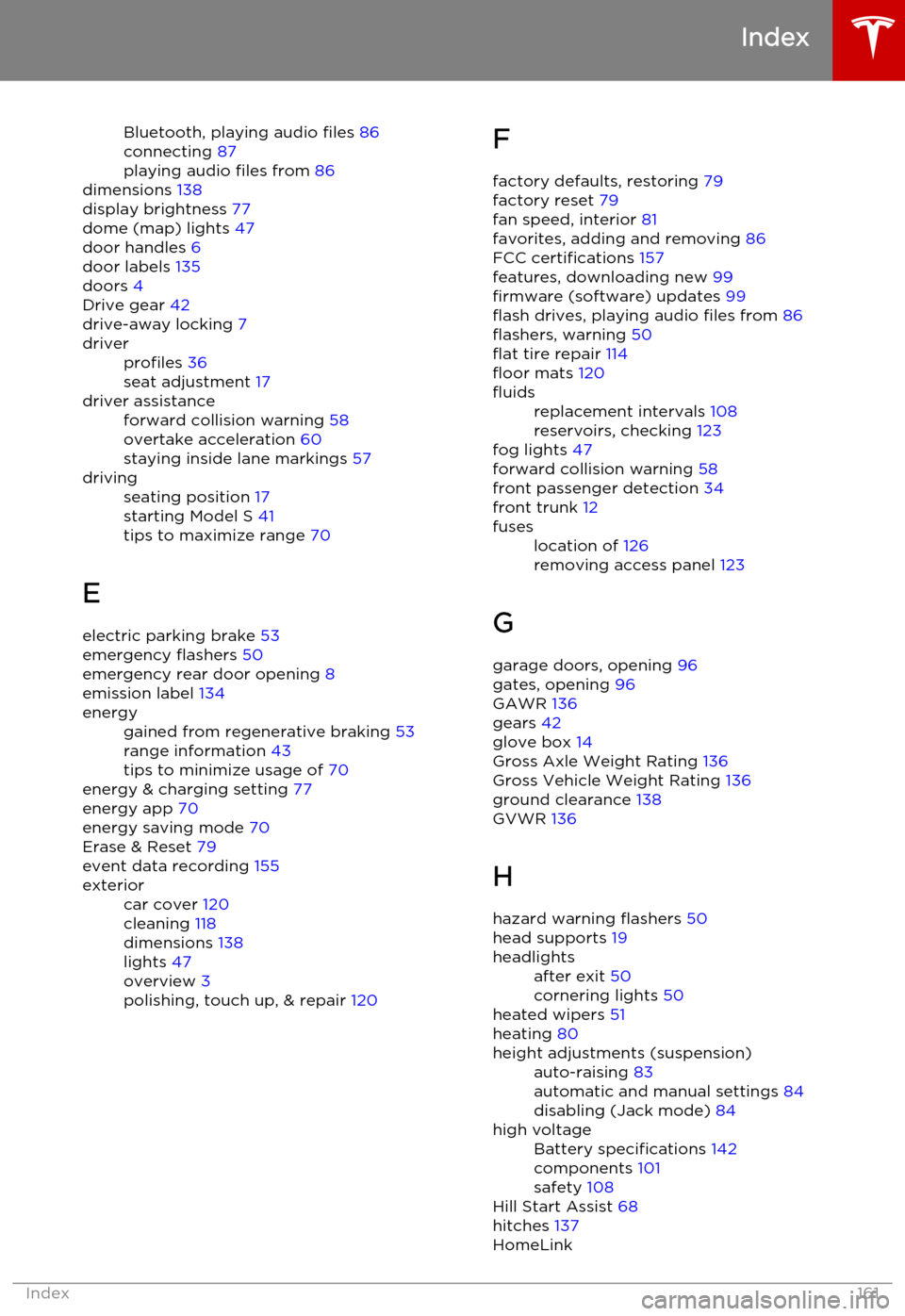
Bluetooth, playing audio files 86
connecting 87
playing audio files from 86
dimensions 138
display brightness 77
dome (map) lights 47
door handles 6
door labels 135
doors 4
Drive gear 42
drive-away locking 7driverprofiles 36
seat adjustment 17driver assistanceforward collision warning 58
overtake acceleration 60
staying inside lane markings 57drivingseating position 17
starting Model S 41
tips to maximize range 70
E
electric parking brake 53
emergency flashers 50
emergency rear door opening 8
emission label 134
energygained from regenerative braking 53
range information 43
tips to minimize usage of 70
energy & charging setting 77
energy app 70
energy saving mode 70
Erase & Reset 79
event data recording 155
exteriorcar cover 120
cleaning 118
dimensions 138
lights 47
overview 3
polishing, touch up, & repair 120F
factory defaults, restoring 79
factory reset 79
fan speed, interior 81
favorites, adding and removing 86
FCC certifications 157
features, downloading new 99
firmware (software) updates 99
flash drives, playing audio files from 86
flashers, warning 50
flat tire repair 114
floor mats 120fluidsreplacement intervals 108
reservoirs, checking 123
fog lights 47
forward collision warning 58
front passenger detection 34
front trunk 12
fuseslocation of 126
removing access panel 123
G
garage doors, opening 96
gates, opening 96
GAWR 136
gears 42
glove box 14
Gross Axle Weight Rating 136
Gross Vehicle Weight Rating 136
ground clearance 138
GVWR 136
H
hazard warning flashers 50
head supports 19
headlightsafter exit 50
cornering lights 50
heated wipers 51
heating 80
height adjustments (suspension)auto-raising 83
automatic and manual settings 84
disabling (Jack mode) 84high voltageBattery specifications 142
components 101
safety 108
Hill Start Assist 68
hitches 137
HomeLink
Index
Index161