phone TESLA MODEL S 2019 Owner's Manual
[x] Cancel search | Manufacturer: TESLA, Model Year: 2019, Model line: MODEL S, Model: TESLA MODEL S 2019Pages: 207, PDF Size: 5.41 MB
Page 2 of 207

Contents
Overview............................................................. 2
Interior Overview.........................................................................2
Exterior Overview....................................................................... 3
Touchscreen Overview..............................................................4
Opening and Closing..................................... 9
Doors............................................................................................... 9 Windows....................................................................................... 14Rear Trunk.................................................................................... 15 Front Trunk.................................................................................. 18Interior Storage and Electronics........................................ 20Sunroof......................................................................................... 23
Seating and Safety Restraints..................24 Front and Rear Seats.............................................................. 24Seat Belts..................................................................................... 27 Child Safety Seats.................................................................... 30Tesla Built-In Rear Facing Child Seats.............................. 37
Airbags.......................................................................................... 41
Driving...............................................................45 Driver Profiles ............................................................................ 45
Steering Wheel.......................................................................... 47
Mirrors.......................................................................................... 50 Starting and Powering Off.................................................... 52
Gears............................................................................................. 54 Lights.............................................................................................55Instrument Panel.......................................................................59 Wipers and Washers............................................................... 65Brakes........................................................................................... 67Traction Control........................................................................ 70 Park Assist.................................................................................... 71Vehicle Hold................................................................................ 73Acceleration Modes................................................................. 74Active Hood................................................................................ 76
Trip Information.........................................................................77 Getting Maximum Range....................................................... 78Rear View Camera................................................................... 80
Dashcam....................................................................................... 81
Autopilot.......................................................... 82 About Autopilot........................................................................ 82Traffic-Aware Cruise Control................................................ 85
Autosteer...................................................................................... 91 Autopark...................................................................................... 98 Summon..................................................................................... 100Lane Assist................................................................................ 102Collision Avoidance Assist.................................................. 104Speed Assist............................................................................. 107
Using the Touchscreen..............................109 Controls...................................................................................... 109Climate Controls....................................................................... 119 Maps and Navigation............................................................. 125Media and Audio..................................................................... 130Phone........................................................................................... 133Air Suspension......................................................................... 135Calendar......................................................................................137
Security Settings..................................................................... 138 HomeLink
Page 7 of 207

1.This area on the top of the touchscreen displays the time and provides shortcut to lock/
unlock the vehicle, access vehicle information (the Tesla "T"), choose to set up a driver profile
(see Driver Profiles on page 45), control HomeLink devices (if equipped) (see HomeLink
Universal Transceiver on page 140), view network strength, and connect to Wi-Fi (see
Connecting to Wi-Fi on page 142) and Bluetooth devices (see Pairing a Bluetooth Phone on
page 133). If you see an exclamation mark, touch it to see warning messages that are in effect. If you see a yellow clock icon, a software update is available (see Software Updates on
page 143).
Note: An airbag status symbol displays in the top corner of the touchscreen only when
Model S is powered on, ready to drive, and the airbag is turned off (see Airbags on page 41).
2. Controls. Touch to control features and customize Model S to suit your preferences (see
Controls on page 109).
3. Media Player. (see Media and Audio on page 130).
Touchscreen Overview
6Model S Owner
Page 8 of 207
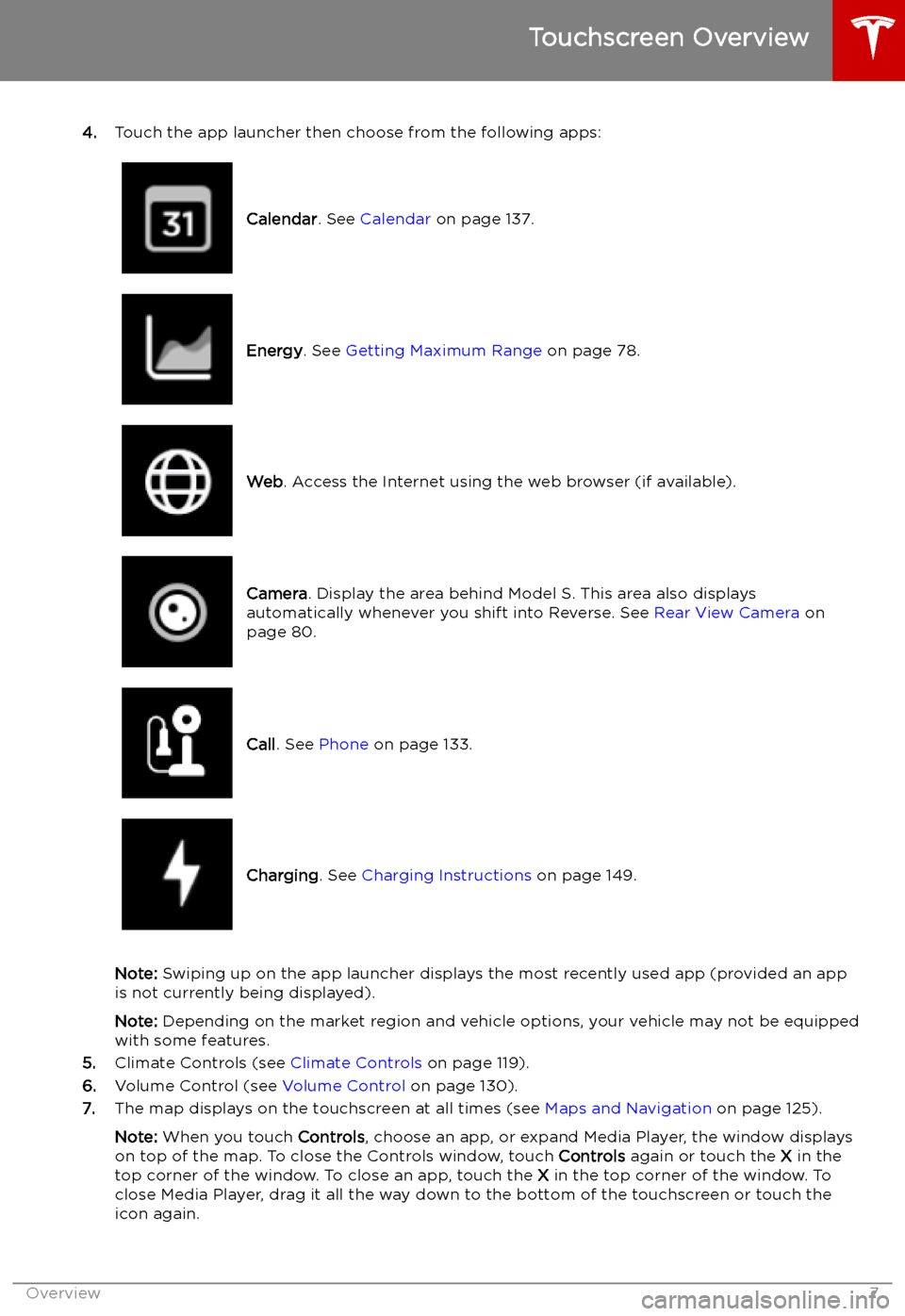
4.Touch the app launcher then choose from the following apps:
Calendar . See Calendar on page 137.Energy. See Getting Maximum Range on page 78.Web. Access the Internet using the web browser (if available).Camera . Display the area behind Model S. This area also displays
automatically whenever you shift into Reverse. See Rear View Camera on
page 80.Call . See Phone on page 133.Charging . See Charging Instructions on page 149.
Note: Swiping up on the app launcher displays the most recently used app (provided an app
is not currently being displayed).
Note: Depending on the market region and vehicle options, your vehicle may not be equipped
with some features.
5. Climate Controls (see Climate Controls on page 119).
6. Volume Control (see Volume Control on page 130).
7. The map displays on the touchscreen at all times (see Maps and Navigation on page 125).
Note: When you touch Controls, choose an app, or expand Media Player, the window displays
on top of the map. To close the Controls window, touch Controls again or touch the X in the
top corner of the window. To close an app, touch the X in the top corner of the window. To
close Media Player, drag it all the way down to the bottom of the touchscreen or touch the icon again.
Touchscreen Overview
Overview7
Page 11 of 207

If Model S is unable to detect the key, the
touchscreen displays a message indicating that a key is not inside. Place the key where
Model S can best detect it, which is below the
12V power socket (see Key Not Inside on page
52).
Radio equipment on a similar frequency can
affect the key. If this happens, move the key at
least 30 cm away from other electronic
devices (phone, laptop, etc). If the key does
not work, you may need to change its battery.
If the key
Page 134 of 207

Phone
Bluetooth
Page 135 of 207

Connecting to a Paired Phone
Model S automatically connects with the last
phone to which it was connected, provided it
is within operating range and has Bluetooth turned on. If the last phone is not within range,
it attempts to connect with the next phone
that it has been paired with.
To connect to a different phone, touch the
Bluetooth icon on the top of the touchscreen.
The Bluetooth window displays a list of paired
phones. Choose the phone you want to connect to, then touch Connect. If the phone
you want to connect to is not listed, you must
pair the phone. See Pairing a Bluetooth Phone
on page 133.
When connected, the Model S touchscreen displays the Bluetooth symbol next to thephone name to show that the connection is
active.
Using the Phone App
When your phone is connected to Model S
using Bluetooth, and you have allowed access to your phone
Page 138 of 207

Calendar
Overview
The Calendar app allows you to view scheduled events from your phone
Page 145 of 207

Mobile App
Overview
The Tesla mobile app allows you to
communicate with Model S remotely using
your iPhone
Page 186 of 207

Country-specific Phone Numbers
Note: The phone number is also available by touching the Tesla "T" at the top center of the
touchscreen.CountryPhone NumberAndorraToll: +31 13 799 9501AustriaLocal: 07208 80470BelgiumLocal: 03 808 17 82BulgariaLocal: 024 925 455CroatiaLocal: 017 776 417CyprusLocal: 022 030915Czech RepublicLocal: 0228 882 612DenmarkLocal: 898 869 84EstoniaLocal: 0880 3141FinlandLocal: 075 3263818FranceLocal: 09 70 73 08 50GermanyLocal: 08921 093303GibraltarToll: +31 13 799 9513GreeceLocal: 02111 984867HungaryLocal: 01 700 8549IcelandToll: +31 13 799 9516IrelandLocal: 01 513 4727ItalyLocal: 069 480 1252JordanLocal: 06 5803144LatviaLocal: 066 088 114LiechtensteinToll: +31 13 799 9520LithuaniaLocal: 067 859 774LuxembourgLocal: 27 86 14 16MaltaLocal: 02778 1126MonacoToll: +31 13 799 9524NetherlandsLocal: 013 799 9525NorwayLocal: 23 96 02 85PolandToll: 022 307 26 45PortugalLocal: 30 880 5628RomaniaLocal: 0316 301 257
Contacting Tesla Roadside Assistance
Roadside Assistance185
Page 187 of 207

CountryPhone NumberSan MarinoToll: +31 13 799 9531SlovakiaLocal: 023 300 26 43SloveniaLocal: 08 288 00 33SpainLocal: 911 98 26 24SwedenLocal: 0775 88 80 36SwitzerlandLocal: 061 855 30 21UKLocal: 0162 845 0660United Arab EmiratesLocal: 045217699
Contacting Tesla Roadside Assistance
186Model S Owner