heat TESLA MODEL X 2020 Owner's Manual
[x] Cancel search | Manufacturer: TESLA, Model Year: 2020, Model line: MODEL X, Model: TESLA MODEL X 2020Pages: 247, PDF Size: 6.48 MB
Page 5 of 247

Touchscreen Overview
The main components of the touchscreen are shown here. The touchscreen is used to control
many features that, in traditional cars, are controlled using physical buttons (for example,
adjusting the heating and air conditioning, headlights, etc.). You can also use the touchscreen to
customize Model X to suit your preferences.
Warning: Always pay attention to road and traffic conditions when driving. To minimize driver
distraction and ensure the safety of vehicle occupants as well as other road users, avoid using
the touchscreen to adjust settings while the vehicle is in motion.
Note: The image below is provided for demonstration purposes only. Depending on vehicle
options, software version and market region, your touchscreen may appear slightly different.
Touchscreen Overview
4Model X Owner
Page 26 of 247
of metal. Take the smartphone out of the case
and place the phone in the charger.
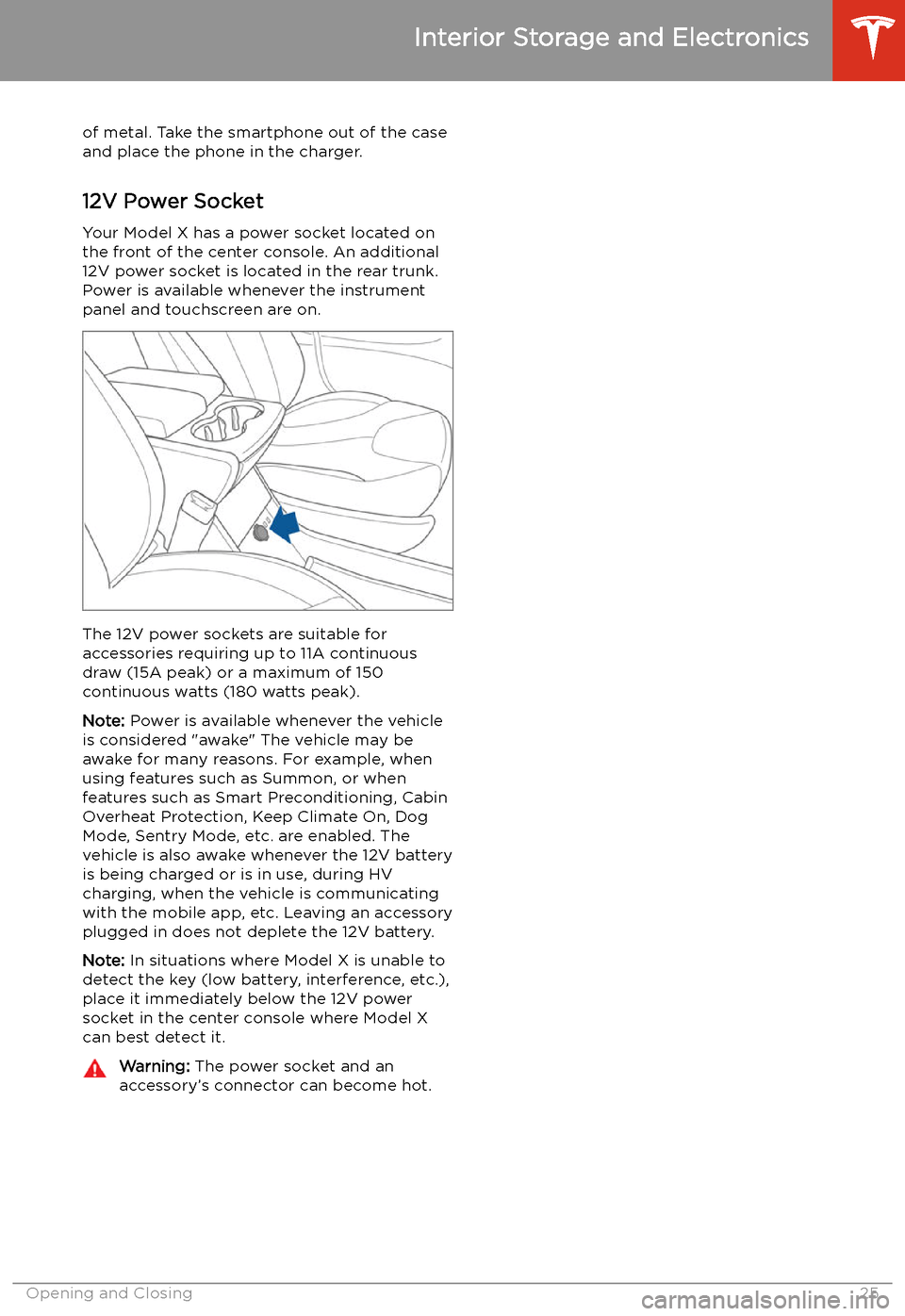
12V Power Socket Your Model X has a power socket located on
the front of the center console. An additional
12V power socket is located in the rear trunk.
Power is available whenever the instrument
panel and touchscreen are on.
The 12V power sockets are suitable for
accessories requiring up to 11A continuous
draw (15A peak) or a maximum of 150
continuous watts (180 watts peak).
Note: Power is available whenever the vehicle
is considered "awake" The vehicle may be awake for many reasons. For example, when
using features such as Summon, or when features such as Smart Preconditioning, Cabin
Overheat Protection, Keep Climate On, Dog Mode, Sentry Mode, etc. are enabled. The
vehicle is also awake whenever the 12V battery
is being charged or is in use, during HV
charging, when the vehicle is communicating
with the mobile app, etc. Leaving an accessory
plugged in does not deplete the 12V battery.
Note: In situations where Model X is unable to
detect the key (low battery, interference, etc.),
place it immediately below the 12V power
socket in the center console where Model X can best detect it.
Warning: The power socket and an
accessory
Page 73 of 247
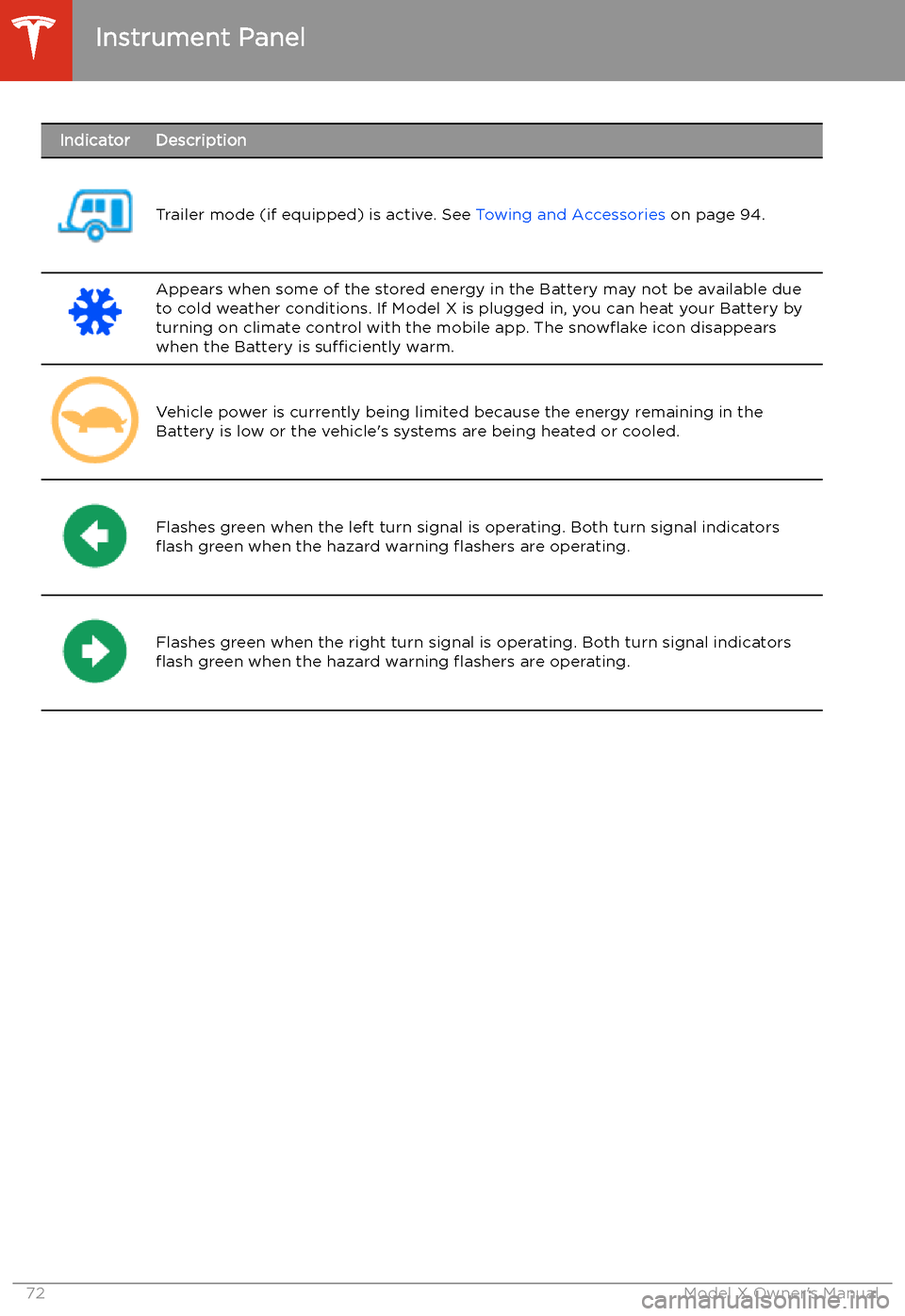
IndicatorDescription
Trailer mode (if equipped) is active. See Towing and Accessories on page 94.
Appears when some of the stored energy in the Battery may not be available due
to cold weather conditions. If Model X is plugged in, you can heat your Battery by
turning on climate control with the mobile app. The snow
Page 86 of 247
range. In addition to heating the Battery, thesesettings also cool the battery when necessary
(for example, while driving at high speeds,
during rapid acceleration, driving for long
periods, etc.).
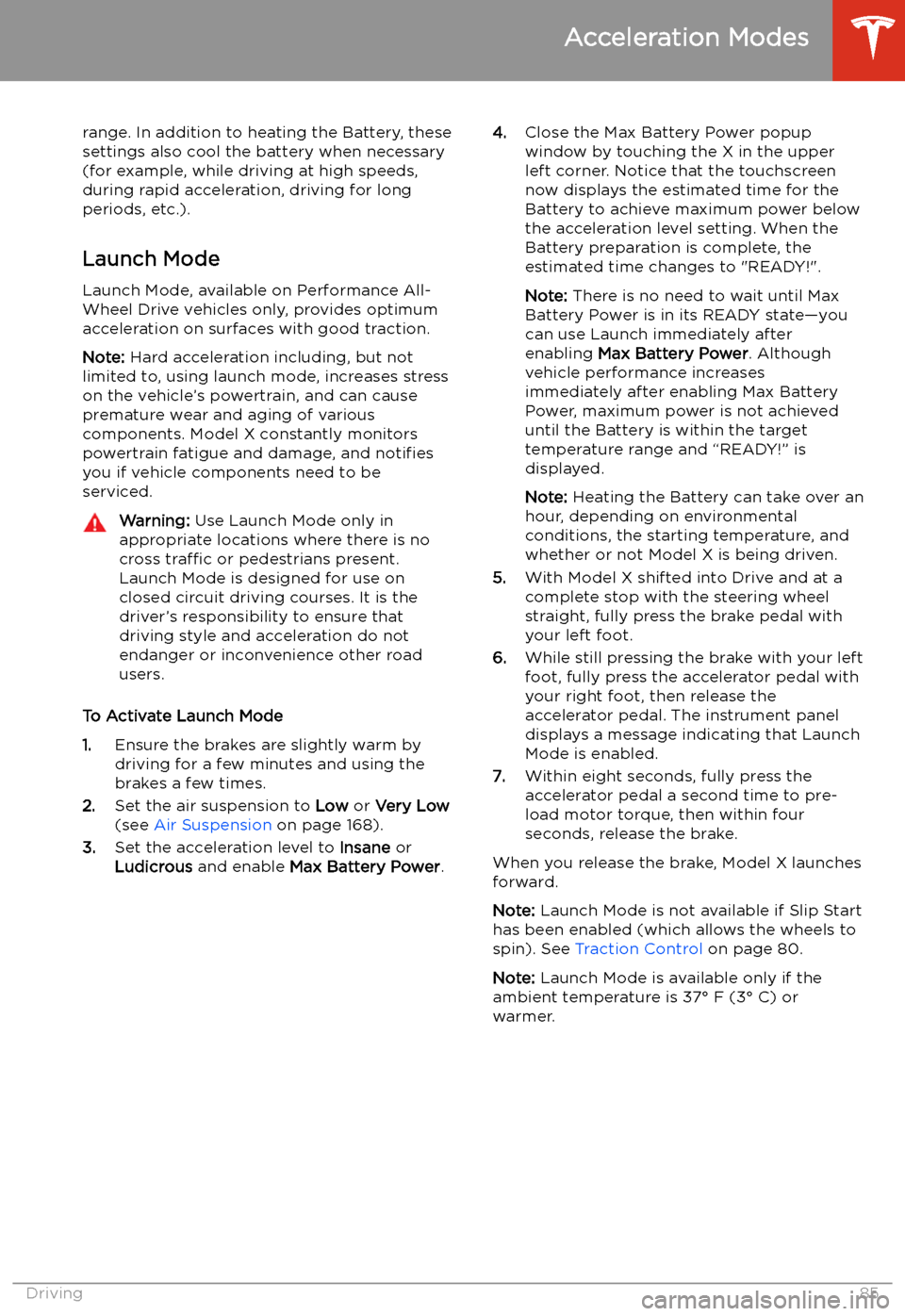
Launch Mode
Launch Mode, available on Performance All-
Wheel Drive vehicles only, provides optimum acceleration on surfaces with good traction.
Note: Hard acceleration including, but not
limited to, using launch mode, increases stress
on the vehicle
Page 151 of 247
Climate Controls
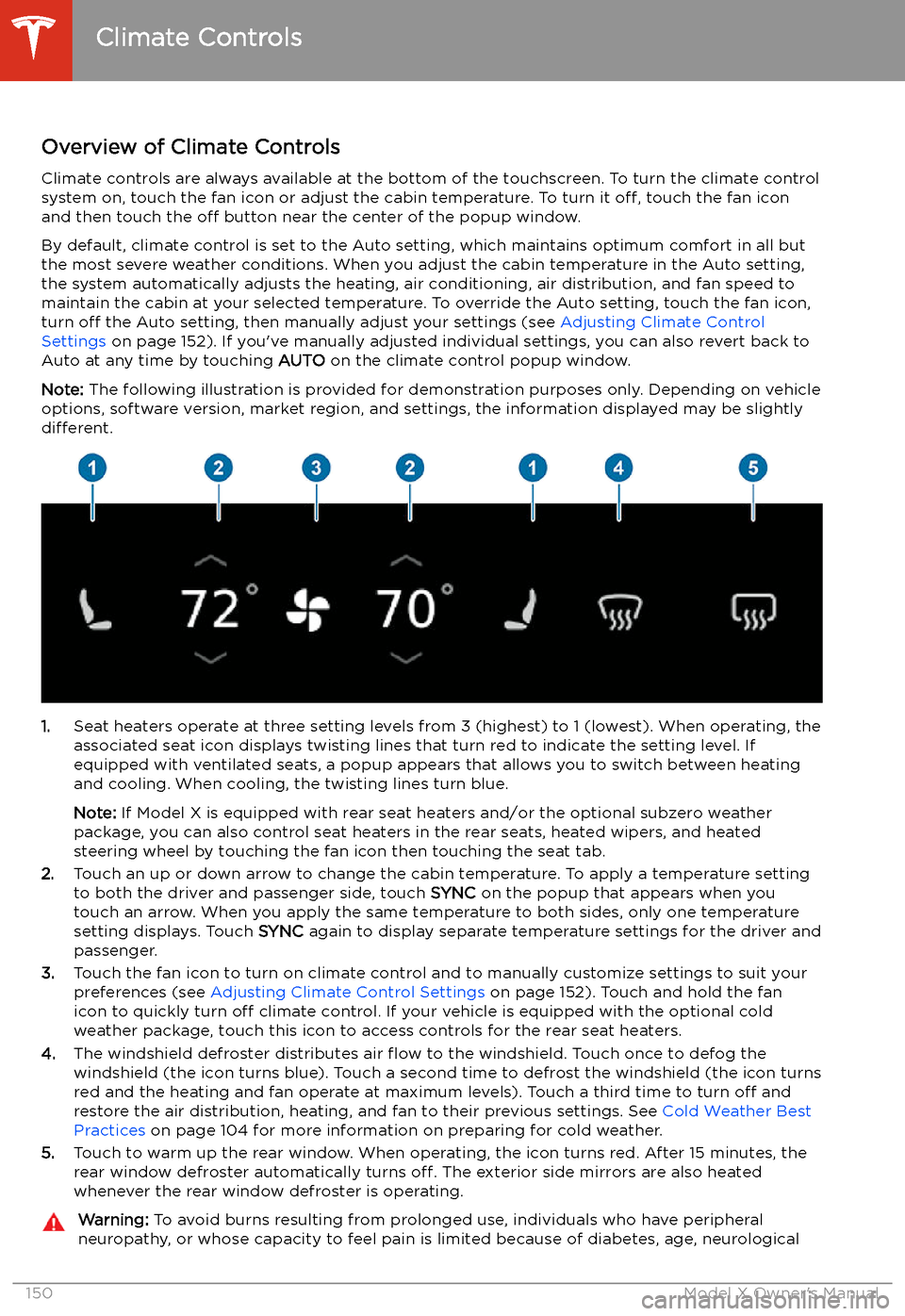
Overview of Climate Controls
Climate controls are always available at the bottom of the touchscreen. To turn the climate control system on, touch the fan icon or adjust the cabin temperature. To turn it off, touch the fan icon
and then touch the off button near the center of the popup window.
By default, climate control is set to the Auto setting, which maintains optimum comfort in all but
the most severe weather conditions. When you adjust the cabin temperature in the Auto setting,
the system automatically adjusts the heating, air conditioning, air distribution, and fan speed to maintain the cabin at your selected temperature. To override the Auto setting, touch the fan icon,
turn off the Auto setting, then manually adjust your settings (see Adjusting Climate Control
Settings on page 152). If you
Page 152 of 247

injury, or some other condition, should exercise caution when using the climate controlsystem and seat heaters.
Note: The climate control system is powered by the high voltage battery. Therefore, prolonged use
decreases driving range.Climate Controls
Using the Touchscreen151
Page 156 of 247
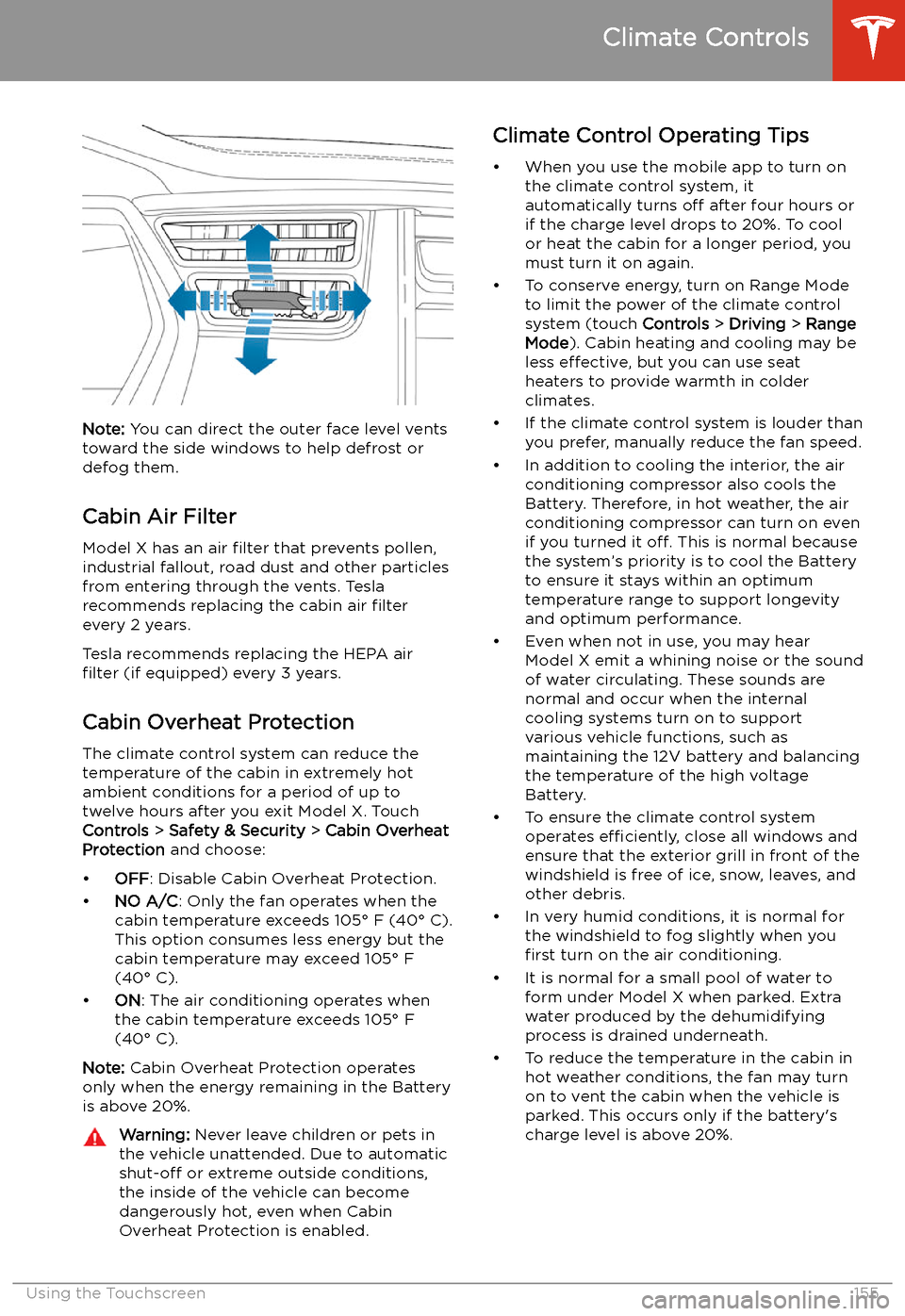
Note: You can direct the outer face level vents
toward the side windows to help defrost or
defog them.
Cabin Air Filter
Model X has an air filter that prevents pollen,
industrial fallout, road dust and other particles
from entering through the vents. Tesla
recommends replacing the cabin air filter
every 2 years.
Tesla recommends replacing the HEPA air
filter (if equipped) every 3 years.
Cabin Overheat Protection
The climate control system can reduce the
temperature of the cabin in extremely hot
ambient conditions for a period of up to twelve hours after you exit Model X. TouchControls > Safety & Security > Cabin Overheat
Protection and choose:
Page 183 of 247
Charging
Electric Vehicle Components
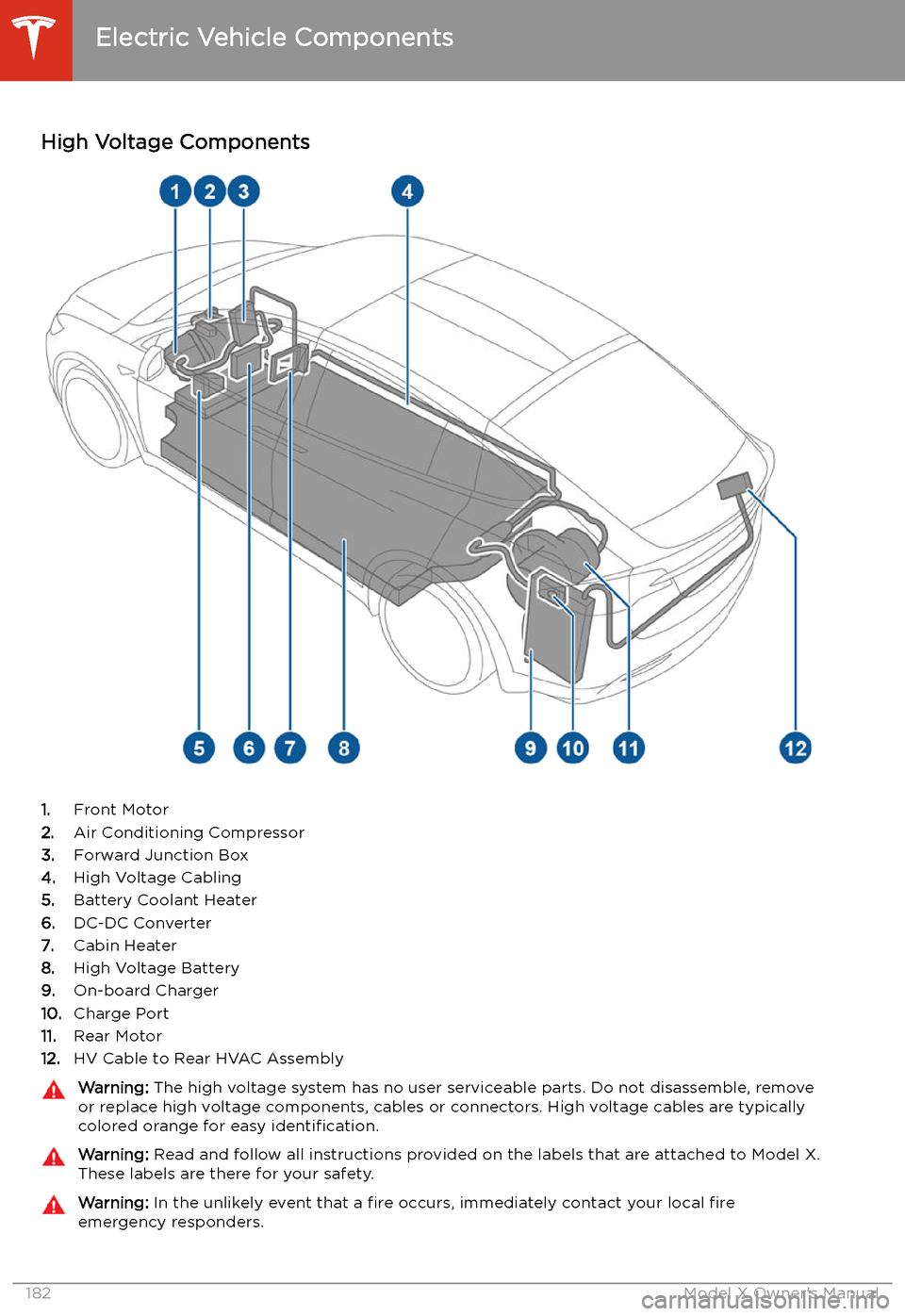
High Voltage Components
1. Front Motor
2. Air Conditioning Compressor
3. Forward Junction Box
4. High Voltage Cabling
5. Battery Coolant Heater
6. DC-DC Converter
7. Cabin Heater
8. High Voltage Battery
9. On-board Charger
10. Charge Port
11. Rear Motor
12. HV Cable to Rear HVAC Assembly
Warning:
The high voltage system has no user serviceable parts. Do not disassemble, remove
or replace high voltage components, cables or connectors. High voltage cables are typically colored orange for easy identification.Warning: Read and follow all instructions provided on the labels that are attached to Model X.
These labels are there for your safety.Warning: In the unlikely event that a fire occurs, immediately contact your local fire
emergency responders.
Electric Vehicle Components
182Model X Owner
Page 228 of 247
Instructions for Transporters
DO NOT TRANSPORT WITH
WHEELS ON THE GROUND
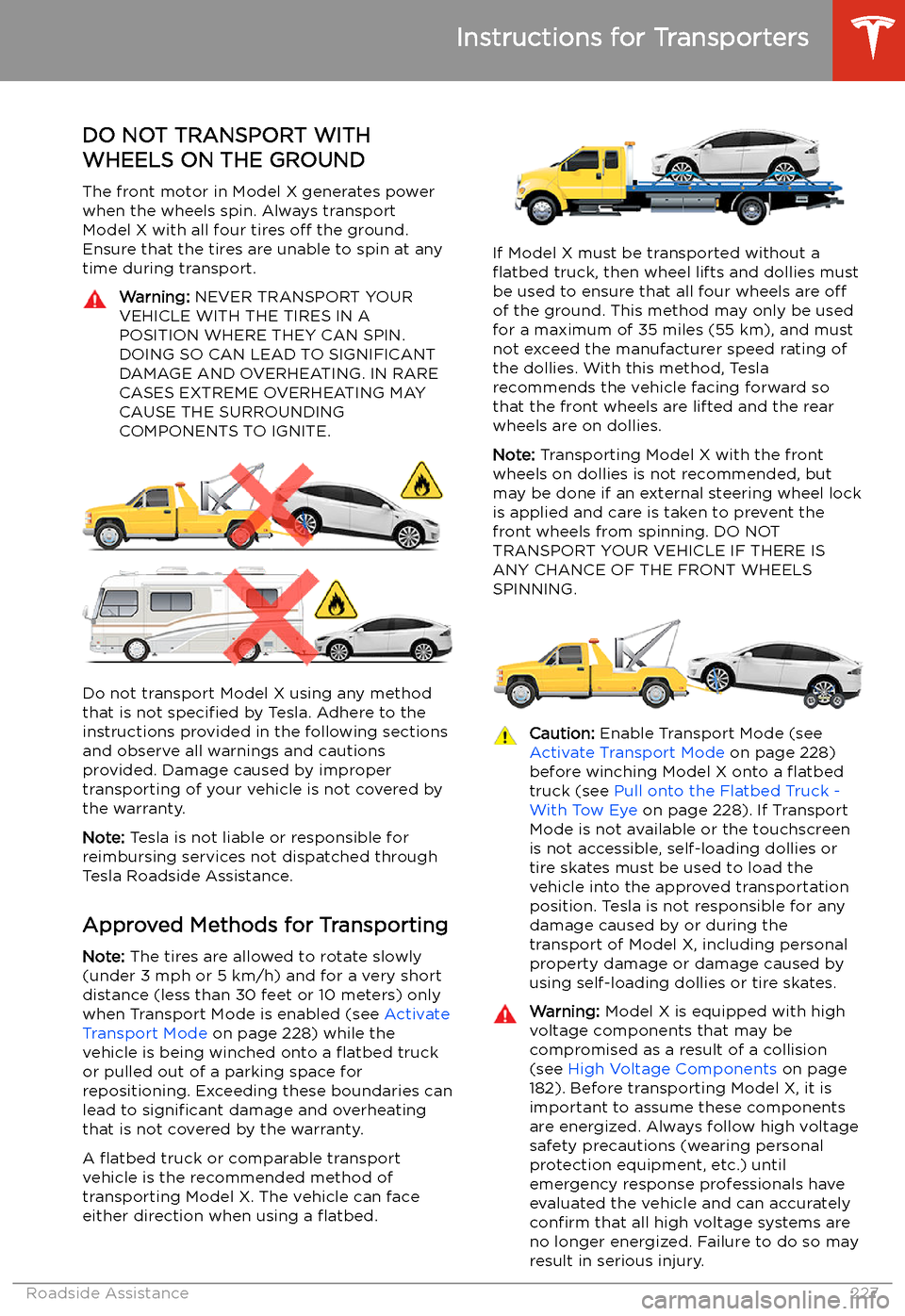
The front motor in Model X generates power
when the wheels spin. Always transport Model X with all four tires off the ground.
Ensure that the tires are unable to spin at any
time during transport.
Warning: NEVER TRANSPORT YOUR
VEHICLE WITH THE TIRES IN A
POSITION WHERE THEY CAN SPIN. DOING SO CAN LEAD TO SIGNIFICANT
DAMAGE AND OVERHEATING. IN RARE CASES EXTREME OVERHEATING MAY
CAUSE THE SURROUNDING
COMPONENTS TO IGNITE.
Do not transport Model X using any method
that is not specified by Tesla. Adhere to the
instructions provided in the following sections
and observe all warnings and cautions provided. Damage caused by impropertransporting of your vehicle is not covered by
the warranty.
Note: Tesla is not liable or responsible for
reimbursing services not dispatched through
Tesla Roadside Assistance.
Approved Methods for Transporting Note: The tires are allowed to rotate slowly
(under 3 mph or 5 km/h) and for a very short
distance (less than 30 feet or 10 meters) only
when Transport Mode is enabled (see Activate
Transport Mode on page 228) while the
vehicle is being winched onto a
Page 245 of 247
seating position 51seatsadjusting 28
heaters 150
seats, second row 29
security settings 171
sensors 106
Sentry Mode 171
service data recording 234
service intervals 192
Settings, erasing 149
shifting gears 63
Show Calendar Upon Entry 170
Side Clearance (Summon) 125
side collision warning 131
SiriusXM 162
slip start 80
Smart Summon 128
software reset 149
software update preferences 179
software updates 179
software version 9
specifications12V battery 217
brakes 216
cargo volume 214
dimensions 213
exterior 213
High Voltage Battery 217
interior 213
motor 215
steering 216
subsystems 215
suspension 217
tires 219
transmission 216
wheels 218
speed assist 137
Speed Limit Mode 149
speed limit warning 137
spoiler 93
Sport acceleration 84
stability control 80
Standard acceleration 84
starting 61
steering specifications 216
steering wheeladjusting position 56
adjusting sensitivity 56
buttons 56
heated 56
scroll buttons 56
steering, automatic 116
Stopping Mode 77
streaming radio 163
streaming services 163
summer tires 199
Summon 125
Summon Distance 125
sun visors 27
superchargingdescribed 191
idle fees 191
pay-per-use fees 191
suspension (air), settings for 168
suspension specifications 217
T telematics 234
temperatureBattery (high voltage), limits 184
cabin, controls for 150
heated steering wheel 58
outside 69
tires 222
Teslacam 90
third row seats, folding and raising 32
tie-down straps 229
tilt/intrusion detection 171
Tire and Loading Information label 211
tire noise 200
Tire Pressure Monitoring SystemFCC certification 238
overview of 198
tire pressures, checking 194
tire pressures, when towing 96
tiresall-season 199
balancing 195
chains 200
inspecting and maintaining 195
pressures, how to check 194
quality grading 222
replacing 196
replacing a tire sensor 198
rotation 195
specification 219
summer 199
temperature grades 222
tire markings 220
traction grade 222
treadwear grade 222
wheel configuration 194
winter 199
toll system transponders, attaching 209
torque specifications 215
touch up body 203
touchscreencleaning 202
overview 4
software updates 179
tow eye, locating 228
tow hitch, connecting 99
tow hitch, disconnecting 101
towing 228
towing a trailer 94
towing capacity 95
Index
244Model X Owner