ECO mode TESLA MODEL Y 2020 Owner´s Manual
[x] Cancel search | Manufacturer: TESLA, Model Year: 2020, Model line: MODEL Y, Model: TESLA MODEL Y 2020Pages: 232, PDF Size: 7.68 MB
Page 158 of 232

About the Battery
Model Y has one of the most sophisticated battery
systems in the world. The most important way to preserve the Battery is to
LEAVE YOUR VEHICLE
PLUGGED IN when you are not using it. This is
particularly important if you are not planning to drive
Model Y for several weeks. When plugged in, Model Y
wakes up when needed to automatically maintain a charge level that maximizes the lifetime of the Battery.
NOTE: When left idle and unplugged, your vehicle
periodically uses energy from the Battery for system tests and recharging the 12V battery when necessary.
There is no advantage to waiting until the Battery’s level is low before charging. In fact, the Battery performs best when charged regularly.
NOTE: If you allow the Battery to discharge to 0%,
other components may become damaged or require replacement (for example, the 12V battery). In these cases, you are responsible for repair and/or transporting expenses. Discharge-related expenses are
not covered by the warranty or under the Roadside Assistance policy.
The peak charging rate of the Battery may decrease slightly after a large number of DC Fast Charging sessions, such as those at Superchargers. To ensure maximum driving range and Battery safety, the Battery charge rate is decreased when the Battery is too cold, when the Battery’s charge is nearly full, and when the
Battery conditions change with usage and age. These changes in the condition of the Battery are driven by battery physics and may increase the total Supercharging duration by a few minutes over time.
Battery Care
Never allow the Battery to fully discharge. Even when
Model Y is not being driven, its Battery discharges very
slowly to power the onboard electronics. The Battery can discharge at a rate of approximately 1% per day, though the discharge rate may vary depending on environmental factors (such as cold weather), vehicle
configuration, and your selected settings on the
touchscreen. Situations can arise in which you must leave
Model Y unplugged for an extended period of
time (for example, at an airport when traveling). In
these situations, keep the 1% in mind to ensure that you leave the Battery with a
su
Page 160 of 232

During Charging
During charging, the charge port light (the Tesla "T"
logo) pulses green, and the touchscreen displays the
charging status. The frequency at which the charge
port light pulses slows down as the charge level approaches full. When charging is complete, the light stops pulsing and is solid green.
NOTE: If Model Y is locked, the charge port light does
not light up.
If the charge port light turns red while charging, a fault
is detected. Check the touchscreen for a message describing the fault. A fault can occur due to something as common as a power outage. If a power outage
occurs, charging resumes automatically when power is
restored.
NOTE: When charging, particularly at high currents, the
refrigerant compressor and fan operate as needed to keep the Battery cool. Therefore, it is normal to hear sounds during charging.
NOTE: Air conditioning performance is generally not
affected by charging. However, under certain
circumstances (for example, you are charging at high currents during a particularly warm day), the air coming from the vents may not be as cool as expected and a message displays on the
touchscreen. This is normal
behavior and ensures that the Battery stays within an optimum temperature range while charging to support longevity and optimum performance.
WARNING: Never spray liquid at a high velocity
(for example, if using a pressure washer) towards
the charge port while charging. Failure to follow
these instructions can result in serious injury or
damage to the vehicle, charging equipment, or
property.
Stopping Charging
Stop charging at any time by disconnecting the charge
cable or touching
Stop Charging on the touchscreen.
NOTE: To prevent unauthorized unplugging of the
charge cable, the charge cable latch remains locked
and
Model Y must be unlocked or able to recognize
your
authenticated phone before you can disconnect
the charge cable.
To disconnect the charge cable using a connector:
1.
Press and hold the button on the connector handle to release the latch. Alternatively, unlock the vehicle
by opening a door, using a
key card or key fob, or
touching
Stop Charging on the touchscreen. These
methods unlock the charge port as well.
2.
Pull the connector from the charge port.
To disconnect the charge cable using an adapter at a
public charge station:
1. Ensure that Model Y is unlocked.2.
While holding the public charging handle in one
hand and the adapter in the other hand, press and hold the button on the public charging handle and
pull both outwards, removing the handle and
adapter at the same time.
NOTE: If the charging station handle separates from
the adapter, leaving the adapter in
Model Y, use the
touchscreen to unlock the charge port (touch the charging icon on the overhead view of the vehicle).
3.
Press and hold the charging handle button again to release the adapter from the charging handle.
NOTE: The charge port automatically closes within
approximately 10 seconds of removing the connector from the charge port.
CAUTION: Tesla strongly recommends leaving
Model Y plugged in when not in use. This
maintains the Battery at the optimum level of
charge.
CAUTION: Model Y will not shift out of Park if the
charge port is unable to determine whether a
charging cable is plugged in. Ensure any charging
cables are unplugged and follow the instructions
on the touchscreen to proceed (see Park on page
51.
Manually Releasing Charge Cable
If the usual methods for releasing a charge cable from the charge port (using the charge handle release button, touchscreen, or mobile app) do not work,
carefully follow these steps:
1.
Ensure that Model Y is not actively charging by
displaying the charging screen on the touchscreen. If necessary, touch
Stop Charging.
2.
Open the rear trunk.
3.
Pull the charge port
Page 166 of 232

Maintaining Tire Pressures
If you are not towing a trailer, keep tires inflated to the
pressures shown on the Tire and Loading Information label, even if it
differs from the pressure printed on the
tire itself. The Tire and Loading Information label is located on the center door pillar and is visible when the
front door is open.
If you are towing a trailer, do not use the tire pressures printed on the Tire and Loading Information Label.
Instead, refer to the tire pressures published in the
towing topic
(see Towing and Accessories on page 73).
NOTE: If your Model Y is fitted with Tesla accessory
wheels or tires, some information may be
different from
the labels on the vehicle.
The Tire Pressure indicator light on the
touchscreen alerts you if one or more
tires is
under-inflated.
After inflating the tire to the recommended pressure,
you must drive over
15 mph (25 km/h) for a short
amount of time to activate the Tire Pressure Monitoring
System (TPMS), which turns
off the Tire Pressure
indicator light.
If the indicator light flashes for one minute whenever
you power on
Model Y, a fault with the TPMS is detected
(see
TPMS Malfunction on page 168).
NOTE: Display tire pressures in the "Cards" area, located
toward the bottom on the left side of the touchscreen
,
as described in Touchscreen Overview on page 4. You
can also choose whether you want to display tire pressures using BAR or PSI by touching
Controls >
Display > Tire Pressure.
WARNING: Under-inflation is the most common
cause of tire failures and can cause a tire to
overheat, resulting in severe tire cracking, tread
separation, or blowout, which causes unexpected
loss of vehicle control and increased risk of injury.
Under-inflation also reduces the vehicle
Page 167 of 232

Tire Wear
Adequate tread depth is important for proper tire
performance. Tires with a tread depth less than
4/32”
(3 mm) are more likely to hydroplane in wet conditions
and should not be used. Tires with a tread depth less than
5/32” (4 mm) do not perform well in snow and
slush and should not be used when driving in winter conditions.
Model Y is originally fitted with tires that have wear
indicators molded into the tread pattern. When the
tread has been worn down to
4/32” (3 mm), the
indicators start to appear at the surface of the tread pattern, producing the
effect of a continuous band of
rubber across the width of the tire. For optimal performance and safety, Tesla recommends replacing tires before the wear indicators are visible.
Tire Rotation, Balance, and Wheel
Alignment
Tesla recommends rotating the tires every 6,250 miles
(10,000 km) or if tread depth difference is 2/32 in (1.5
mm) or greater, whichever comes first.
Unbalanced wheels (sometimes noticeable as vibration through the steering wheel)
affect vehicle handling and
tire life. Even with regular use, wheels can get out of
balance. Therefore, they should be balanced as required.
If tire wear is uneven (on one side of the tire only) or
becomes abnormally excessive, check the alignment of wheels.
NOTE: When replacing only two tires, install the new
tires on the rear if your vehicle
Page 171 of 232

Tire SizeRecommended Chain21"KONIG K-SUMMIT XXL K66CAUTION: If your Model Y is equipped with aero
covers, you must remove them before installing
tire chains (see Removing and Installing Aero
Covers on page 166). Failure to do so can cause
damage not covered by the warranty.
When installing tire chains, follow the instructions and warnings provided by the tire chain manufacturer. Mount
them evenly and as tight as possible.
When using tire chains:
Page 172 of 232
Cleaning the Exterior
To prevent damage to the paint, immediately remove
corrosive substances (bird droppings, tree resin, dead insects, tar spots, road salt, industrial fallout, etc.). Do not wait until
Model Y is due for a complete wash. If
necessary, use denatured alcohol to remove tar spots and stubborn grease stains, then immediately wash the area with water and a mild, non-detergent soap to remove the alcohol.
Keep the exterior cameras free of dirt, condensation, or obstructions. Occasionally remove any buildup of dirt by
wiping the components with a soft cloth dampened with warm water. These substances can cause autopilot and safety features to stop working (see
Cleaning Cameras
and Sensors on page 82).
Follow these steps when washing the exterior of Model
Y:
1.
Rinse Thoroughly
Before washing, flush grime and grit from the vehicle
using a hose. Flush away accumulations of mud in areas where debris easily collects (such as wheel wells and panel seams). If salt has been used on the highways (such as during winter months), thoroughly
rinse all traces of road salt from the underside of the
vehicle, wheel wells, and brakes.
2.
Hand Wash
Hand wash Model Y using a clean soft cloth and cold
or lukewarm water containing a mild, high-quality car
shampoo.
CAUTION: Some cleaners and car shampoos
contain chemicals that can cause damage or
discoloration, especially to plastic trim pieces,
lamps, or camera lenses. For example, some car
cleaning formulas contain hydroxide or other
highly alkaline or caustic ingredients that can
damage exterior components. Damage or
discoloration resulting from cleaning products
is not covered by the warranty.
3.
Rinse with Clean Water
After washing, rinse with clean water to prevent soap from drying on the surfaces.
4.
Dry Thoroughly and Clean Exterior Glass
After washing and rinsing, dry thoroughly with a chamois. If necessary, dry the brakes by going on a
short drive and applying the brakes multiple times.
Clean windows and mirrors using an automotive glass cleaner. Do not scrape, or use any abrasive cleaning
fluid on glass or mirrored surfaces.
Cautions for Exterior CleaningCAUTION: Do not wash in direct sunlight.CAUTION: Do not use windshield treatment fluids.
Doing so can interfere with wiper friction and
cause a chattering sound.
CAUTION: Do not use hot water, detergents, or
highly alkaline or caustic cleaning products,
especially those containing hydroxide.
CAUTION: If using a pressure washer, maintain a
distance of at least 12" (30 cm) between the
nozzle and the surface of Model Y. Avoid aiming
the water jet directly on the camera(s) or parking
sensors (if equipped). Also do not clean a sensor
or camera lens with a sharp or abrasive object that
can scratch or damage its surface. Keep the nozzle
moving and do not concentrate the water jet on
any one area.
CAUTION: Do not aim water hoses directly at
windows, door, or hood seals or at electronic
modules or exposed cabling.
CAUTION: To avoid corrosive damage that may
not be covered by the warranty, rinse away any
road salt from the underside of the vehicle, wheel
wells, and brakes. After cleaning the vehicle, dry
the brakes by going on a short drive and applying
the brakes multiple times.
CAUTION: Avoid using tight-napped or rough
cloths, such as washing mitts. A high-quality
microfiber cleaning cloth is recommended.
CAUTION: If washing in an automatic car wash, use
touchless car washes only. These car washes have
no parts (brushes, etc.) that touch the surfaces of
Model Y. Some touchless car washes use caustic
solutions that, over time, can cause discoloration
of decorative exterior trim. Avoid exposure to
soaps and chemicals above pH 13. If unsure, check
the product label or ask the staff at the car wash.
Damage caused by improper washing is not
covered by the warranty.
CAUTION: Ensure the wipers are off before
washing Model Y to avoid the risk of damaging the
wipers.
CAUTION: Do not use chemical based wheel
cleaners or pre-wash products. These can damage
the finish on the wheels.
WARNING: Never spray liquid at a high velocity
(for example, if using a pressure washer) towards
the charge port while Model Y is charging. Failure
to follow these instructions can result in serious
injury or damage to the vehicle, charging
equipment, or property.
Cleaning
170MODEL Y OWNER
Page 174 of 232
Regularly inspect the exterior paint for damage. Treat minor chips and scratches using a paint touch-up pen (available for purchase from Tesla). Use the touch-up
pen after washing but before polishing or waxing.
Repair rock chips, fractures or scratches. Refer to
https://www.tesla.com/support/body-shop-support for
more information on repair locations and available
services.
CAUTION: Do not use cutting pastes, color
restoration compounds, or polishes containing
harsh abrasives. These can scour the surface and
permanently damage the paint.
CAUTION: Do not use chrome polish or other
abrasive cleaners.
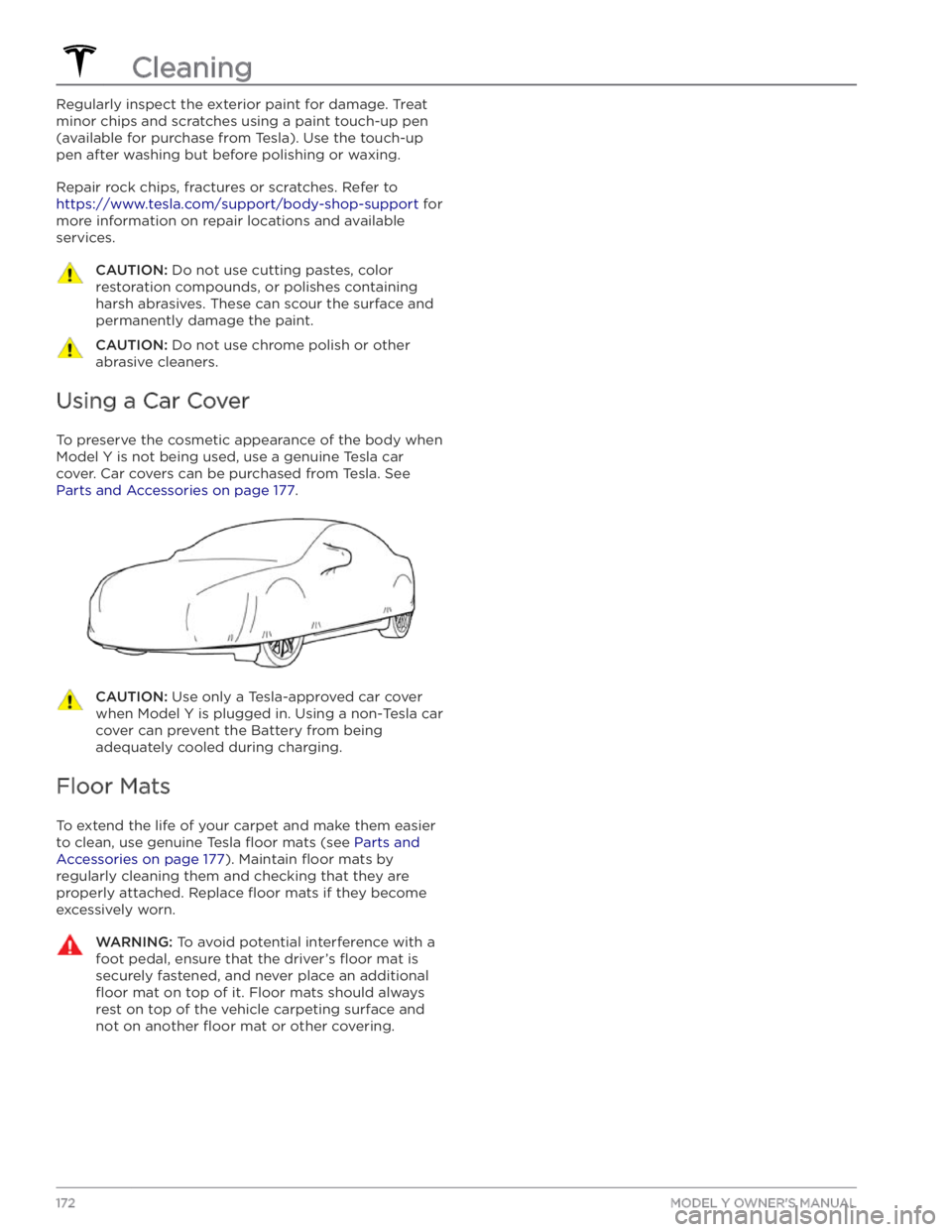
Using a Car Cover
To preserve the cosmetic appearance of the body when
Model Y is not being used, use a genuine Tesla car
cover. Car covers can be purchased from Tesla. See
Parts and Accessories on page 177.
CAUTION: Use only a Tesla-approved car cover
when Model Y is plugged in. Using a non-Tesla car
cover can prevent the Battery from being
adequately cooled during charging.
Floor Mats
To extend the life of your carpet and make them easier
to clean, use genuine Tesla
floor mats (see Parts and
Accessories on page 177). Maintain floor mats by
regularly cleaning them and checking that they are
properly attached. Replace
floor mats if they become
excessively worn.
WARNING: To avoid potential interference with a
foot pedal, ensure that the driver’s floor mat is
securely fastened, and never place an additional
floor mat on top of it. Floor mats should always
rest on top of the vehicle carpeting surface and
not on another floor mat or other covering.
Cleaning
172MODEL Y OWNER
Page 176 of 232

Removing the Maintenance Panel
To check fluid levels, remove the maintenance panel:
1.
Open the hood.
2.
Pull the maintenance panel upward to release the clips that hold it in place.
3.
If checking the Battery coolant, remove the cabin intake trim panel by pulling it upwards to release the clips that hold it in place.
CAUTION: The maintenance panel protects the
front trunk from water. When re-attaching, make
sure it is fully seated.
Checking Battery Coolant
Your Battery coolant should not need to be replaced for the life of your vehicle under most circumstances. However, if the quantity of
fluid in the cooling system
drops below the recommended level, the
touchscreen
displays a warning message. Stop driving Model Y as
soon as safety permits and contact Tesla.
Fluid Level Check
DO NOT REMOVE THE FILLER CAP AND DO NOT ADD
FLUID. Doing so can result in damage not covered by
the warranty.
Do Not Top Up Battery Coolant
WARNING: Battery coolant can be hazardous and
can irritate eyes and skin. Under no circumstances
should you remove the filler cap and/or add
coolant. If the touchscreen warns you that the
fluid level is low, contact Tesla immediately.
To maximize the performance and life of the Battery, the cooling system uses a
specific mixture of G-48
ethylene-glycol coolant (HOAT). Contact Tesla for more
specific information about the coolant.
Checking Brake FluidWARNING: Contact Tesla immediately if you
notice increased movement of the brake pedal or
a significant loss of brake fluid. Driving under
these conditions can result in extended stopping
distances or complete brake failure.
A red brake indicator on the
touchscreen alerts you if the quantity of
fluid in the brake reservoir drops below
the recommended level. If it displays while driving, stop as soon as safety permits by gently applying the brakes.
Do not continue driving. Contact Tesla
immediately.
Topping Up the Brake Fluid
Do not top up your brake fluid. The following
instructions are provided for information purposes and future reference only:
1.
Clean the filler cap before removing it to prevent dirt
from entering the reservoir.
2.
Unscrew the cap and remove it.
3.
Top up the reservoir to the MAX mark using the
appropriate brake
fluid.
4.
Replace the filler cap, ensuring it is fully secured.
WARNING: Only use new fluid from a sealed air-
tight container. Never use previously used fluid or
fluid from a previously opened container
Page 191 of 232

BeadThe inner edge of a tire that is shaped to fit to the rim and form an air tight seal. The
bead is constructed of steel wires which are wrapped, or reinforced, by the ply cords.Cold Tire PressureThe air pressure in a tire that has been standing in excess of three hours, or driven for less than one mile.Curb WeightThe weight of a standard vehicle, including any optional equipment fitted, and with the
correct
fluid levels.
Gross Vehicle WeightThe maximum permissible weight of a vehicle with driver, passengers, load, luggage,
and equipment.kPa (kilo pascal)A metric unit used to measure pressure. One kilo pascal equals approximately 0.145 psi.Maximum Inflation
Pressure
The maximum pressure to which the tire should be inflated. This pressure is given on
the tire side wall in psi (lbf/in2).
CAUTION: This pressure marked on the tire is the maximum allowed by the tire
manufacturer. It is not the pressure Tesla recommends using for Model Y.
Maximum Loaded
Vehicle WeightThe sum of curb weight, accessory weight, vehicle capacity weight, and production options weight.Production Options
WeightThe combined weight of options installed which weigh in excess of 3 lb more than the standard items that they replaced, and are not already considered in curb or accessory
weights.PSI (lbf/in2)Pounds per square inch (the unit used to measure tire pressure).Recommended Tire
Inflation Pressure
Tire inflation pressure, established by Tesla, which is based on the type of tires that are
mounted on the vehicle at the factory. This information can be found on the Tire and
Loading Information label located on the door pillar.RimThe metal support for a tire, or tire and tube, upon which the tire beads are seated.Vehicle Capacity
WeightThe number of seats multiplied by 150 lbs plus the rated amount of load/luggage.
Load Carrying Definitions
Normal occupant weight68 kilograms (150 lbs) times the number of occupants specified in the second column
of the tables for calculating load limits (see
Vehicle Loading on page 179).
Occupant distributionDistribution of occupants in a vehicle.Passenger car tireA tire intended for use on passenger cars, multipurpose passenger vehicles, and trucks, that have a gross vehicle weight rating (GVWR) of 10,000 pounds or less.Rim diameterNominal diameter of the bead seat.Rim size designationRim diameter and width.Rim type designationThe manufacturing industry
Page 195 of 232

DO NOT TRANSPORT WITH
WHEELS ON THE GROUND
The rear motor in Model Y generates power when the
wheels spin. Always transport
Model Y with all four tires
off the ground. Ensure that the tires are unable to spin
at any time during transport.
WARNING: NEVER TRANSPORT YOUR VEHICLE
WITH THE TIRES IN A POSITION WHERE THEY
CAN SPIN. DOING SO CAN LEAD TO
SIGNIFICANT DAMAGE AND OVERHEATING. IN
RARE CASES EXTREME OVERHEATING MAY
CAUSE THE SURROUNDING COMPONENTS TO
IGNITE.
Do not transport Model Y using any method that is not
specified by Tesla. Adhere to the instructions provided
in the following sections and observe all warnings and
cautions provided. Damage caused by improper
transporting of your vehicle is not covered by the
warranty.
NOTE: Tesla is not liable or responsible for reimbursing
services not dispatched through Tesla Roadside Assistance.
Approved Methods for Transporting
NOTE: The tires are allowed to rotate slowly (under 3
mph or 5 km/h) and for a very short distance (less than
30 feet or 10 meters) only when Transport Mode is
enabled (see
Activate Transport Mode on page )
while the vehicle is being winched onto a
flatbed truck
or pulled out of a parking space for repositioning.
Exceeding these boundaries can lead to
significant
damage and overheating that is not covered by the
warranty.
A flatbed truck or comparable transport vehicle is the
recommended method of transporting
Model Y. The
vehicle can face either direction when using a
flatbed.
If Model Y must be transported without a flatbed truck,
then wheel lifts and dollies must be used to ensure that
all four wheels are
off of the ground. This method may
only be used for a maximum of
35 miles (55 km), and
must not exceed the manufacturer speed rating of the
dollies. With this method, Tesla recommends the vehicle
facing forward so that the front wheels are lifted and the rear wheels are on dollies.
CAUTION: Enable Transport Mode (see Activate
Transport Mode on page ) before winching
Model Y onto a flatbed truck (see Pull Onto
Flatbed Truck From Front on page and Pull
Onto Flatbed Truck From Rear on page ). If
Transport Mode is not available or the
touchscreen is not accessible, self-loading dollies
or tire skates must be used to load the vehicle
into the approved transportation position. Tesla is
not responsible for any damage caused by or
during the transport of Model Y, including
personal property damage or damage caused by
using self-loading dollies or tire skates.
WARNING: Model Y is equipped with high voltage
components that may be compromised as a result
of a collision (see High Voltage Components on
page 154). Before transporting Model Y, it is
important to assume these components are
energized. Always follow high voltage safety
precautions (wearing personal protection
equipment, etc.) until emergency response
professionals have evaluated the vehicle and can
accurately confirm that all high voltage systems
are no longer energized. Failure to do so may
result in serious injury.
Activate Transport Mode
Transport Mode keeps the parking brake disengaged
while winching
Model Y onto a flatbed truck. When
active, Transport Mode displays a message indicating that the vehicle will remain free-rolling. The following
are required to enable Transport Mode: