wheel TESLA MODEL Y 2023 Owner's Manual
[x] Cancel search | Manufacturer: TESLA, Model Year: 2023, Model line: MODEL Y, Model: TESLA MODEL Y 2023Pages: 298, PDF Size: 10.28 MB
Page 108 of 298

Traffic Lights
When driving with Autosteer or Traffic-Aware Cruise Control engaged, and Traffic Light and Stop Sign Control
enabled,
Model Y is designed to respond as follows when approaching intersections controlled by a traffic light:
Type of Traffic LightVehicle Intended Response
At a solid green traffic light, or at a traffic light that is currently off (not
illuminated),
Model Y slows down.
If you are following a car in front of you that continues through the intersection,
the
touchscreen displays a green stop line and provided your hands are detected
on the
steering wheel, Model Y also continues. If a car is not in front of you, the
touchscreen displays a red stop line and you must confirm that you want to
continue through the intersection by
pressing down on the drive stalk or briefly
pressing the accelerator pedal. If you don
Page 110 of 298

Stop Signs and Road Markings
When driving with Autosteer or Traffic-aware Cruise Control engaged, and Traffic Light and Stop Sign Control
enabled,
Model Y is designed to respond as follows when approaching intersections controlled by stop signs, stop
lines, or road markings:
Type of IntersectionVehicle Intended Response
No Traffic Control
Arm of T-junction
Model Y assumes the right of way and continues straight without slowing down or
stopping.
End of T-junction
If Model Y detects a T-junction based on the map data, Model Y slows down and
comes to a complete stop at the red stop line displayed on the
touchscreen. When
you want to proceed, you must take over steering and acceleration.
WARNING: Model Y may not stop at a T-junction that does not have a stop
sign or stop line, or if the T-junction is not included in the map data. Drive
attentively and be prepared to stop (when necessary and/or appropriate).
Stop Sign
Model Y slows down and comes to a complete stop at the red stop line displayed on
the
touchscreen. When you want to proceed through the intersection, you must
press down on the drive stalk or briefly press the accelerator pedal.
NOTE: If you confirm that you want to proceed through an intersection controlled by
a stop sign by
pressing down on the drive stalk or briefly pressing the accelerator
pedal before
Model Y has stopped, your confirmation is ignored. Model Y is not
designed to proceed through a stop sign without stopping.
NOTE: Even when using Autosteer, and even if you have engaged a turn signal, you
must turn the
steering wheel yourself (which cancels Autosteer) to complete a turn
at an intersection.
Traffic Light and Stop Sign Control
108MODEL Y Owner
Page 114 of 298

WARNING: When Autopark is actively steering
Model Y, the steering wheel moves in accordance
with Autopark
Page 164 of 298
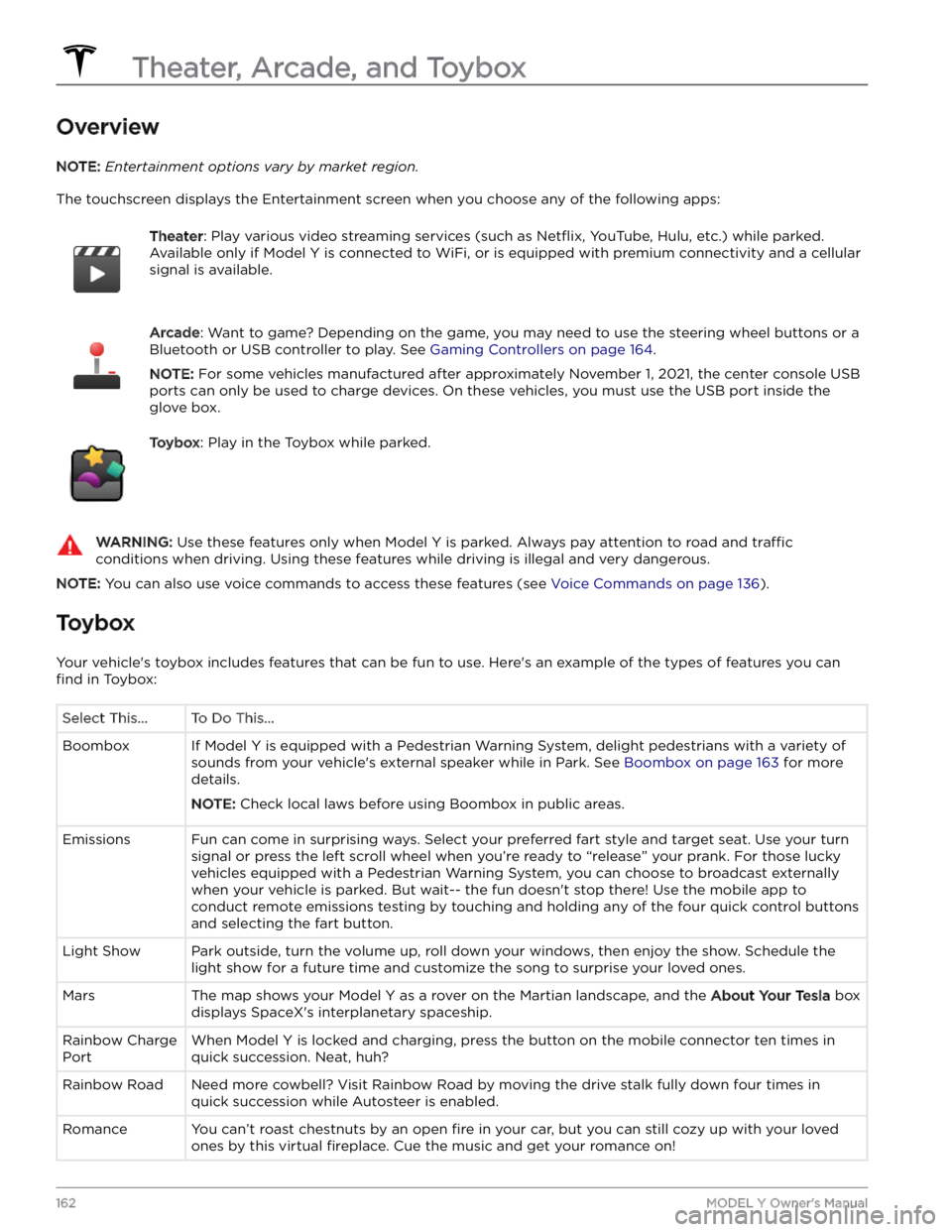
Overview
NOTE: Entertainment options vary by market region.
The touchscreen displays the Entertainment screen when you choose any of the following apps:
Theater: Play various video streaming services (such as Netflix, YouTube, Hulu, etc.) while parked.
Available only if
Model Y is connected to WiFi, or is equipped with premium connectivity and a cellular
signal is available.
Arcade: Want to game? Depending on the game, you may need to use the steering wheel buttons or a
Bluetooth or USB controller to play. See
Gaming Controllers on page 164.
NOTE: For some vehicles manufactured after approximately November 1, 2021, the center console USB
ports can only be used to charge devices. On these vehicles, you must use the USB port inside the glove box.
Toybox: Play in the Toybox while parked.WARNING: Use these features only when Model Y is parked. Always pay attention to road and traffic
conditions when driving. Using these features while driving is illegal and very dangerous.
NOTE: You can also use voice commands to access these features (see Voice Commands on page 136).
Toybox
Your vehicle
Page 188 of 298
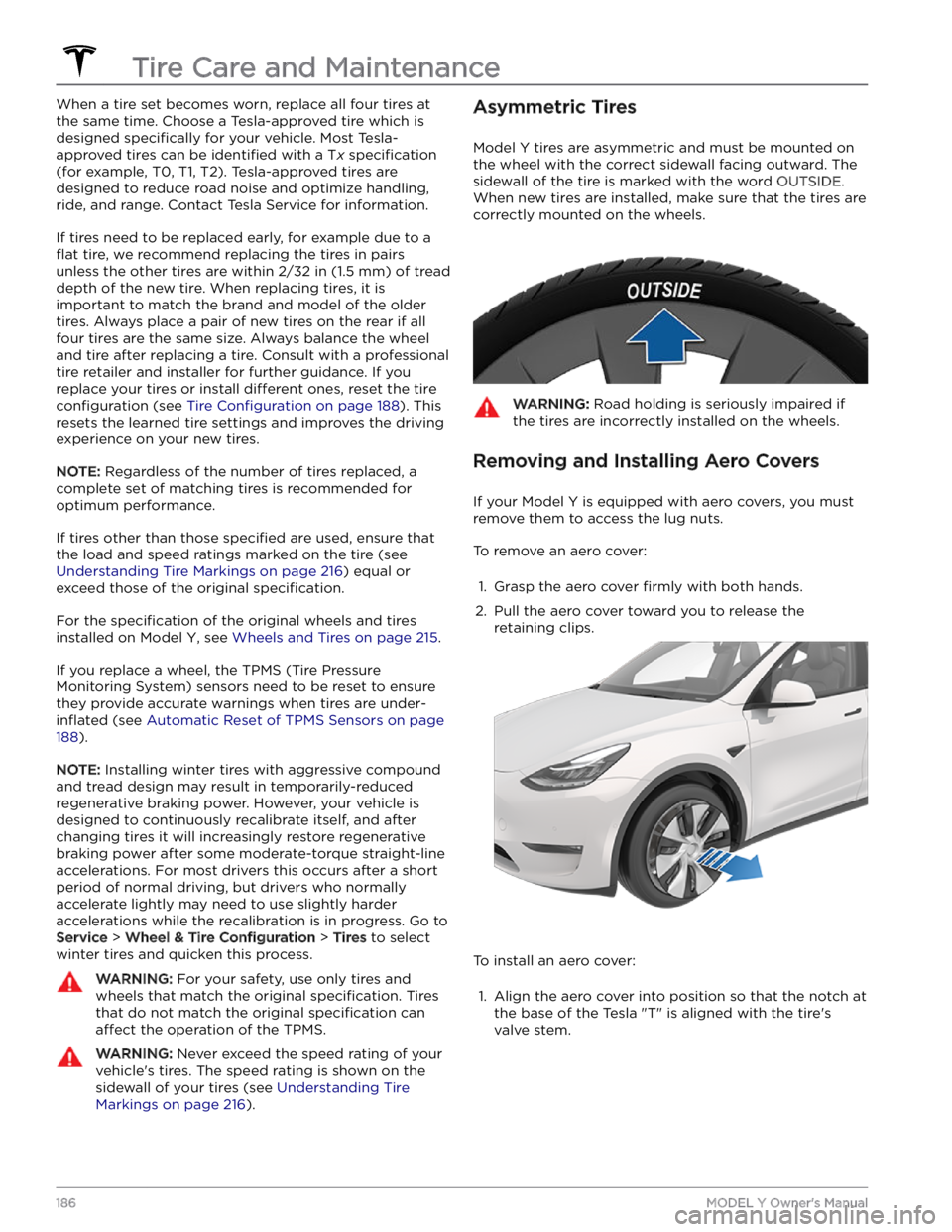
When a tire set becomes worn, replace all four tires at
the same time. Choose a Tesla-approved tire which is
designed
specifically for your vehicle. Most Tesla-
approved tires can be
identified with a Tx specification
(for example, T0, T1, T2). Tesla-approved tires are
designed to reduce road noise and optimize handling, ride, and range. Contact Tesla Service for information.
If tires need to be replaced early, for example due to a
flat tire, we recommend replacing the tires in pairs
unless the other tires are within
2/32 in (1.5 mm) of tread
depth of the new tire. When replacing tires, it is important to match the brand and model of the older
tires. Always place a pair of new tires on the rear if all four tires are the same size. Always balance the wheel and tire after replacing a tire. Consult with a professional tire retailer and installer for further guidance.
If you
replace your tires or install different ones, reset the tire
configuration (see Tire Configuration on page 188). This
resets the learned tire settings and improves the driving
experience on your new tires.
NOTE: Regardless of the number of tires replaced, a
complete set of matching tires is recommended for optimum performance.
If tires other than those specified are used, ensure that
the load and speed ratings marked on the tire
(see
Understanding Tire Markings on page 216) equal or
exceed those of the original
specification.
For the specification of the original wheels and tires
installed on
Model Y, see Wheels and Tires on page 215.
If you replace a wheel, the TPMS (Tire Pressure Monitoring System) sensors need to be reset to ensure they provide accurate warnings when tires are
under-
inflated (see Automatic Reset of TPMS Sensors on page
188).
NOTE: Installing winter tires with aggressive compound
and tread design may result in temporarily-reduced regenerative braking power. However, your vehicle is
designed to continuously recalibrate itself, and after changing tires it will increasingly restore regenerative
braking power after some moderate-torque straight-line accelerations. For most drivers this occurs after a short period of normal driving, but drivers who normally accelerate lightly may need to use slightly harder accelerations while the recalibration is in progress. Go to
Service > Wheel & Tire Configuration > Tires to select
winter tires and quicken this process.
WARNING: For your safety, use only tires and
wheels that match the original specification. Tires
that do not match the original specification can
affect the operation of the TPMS.
WARNING: Never exceed the speed rating of your
vehicle
Page 189 of 298

2.
Push firmly around the perimeter of the aero cover
until it fully snaps into place.
For Gemini wheels, press on the perimeter of the cover until it aligns with the wheel surface. Press on the Tesla
Page 190 of 298

WARNING: Only use Tesla-approved wheels when
installing or swapping wheels. Using non Tesla-
approved wheels can cause serious damage. Tesla
is not liable for damage caused by using wheels
not approved by Tesla.
Tire Configuration
After the tires on Model Y are rotated or replaced,
update your vehicle
Page 191 of 298
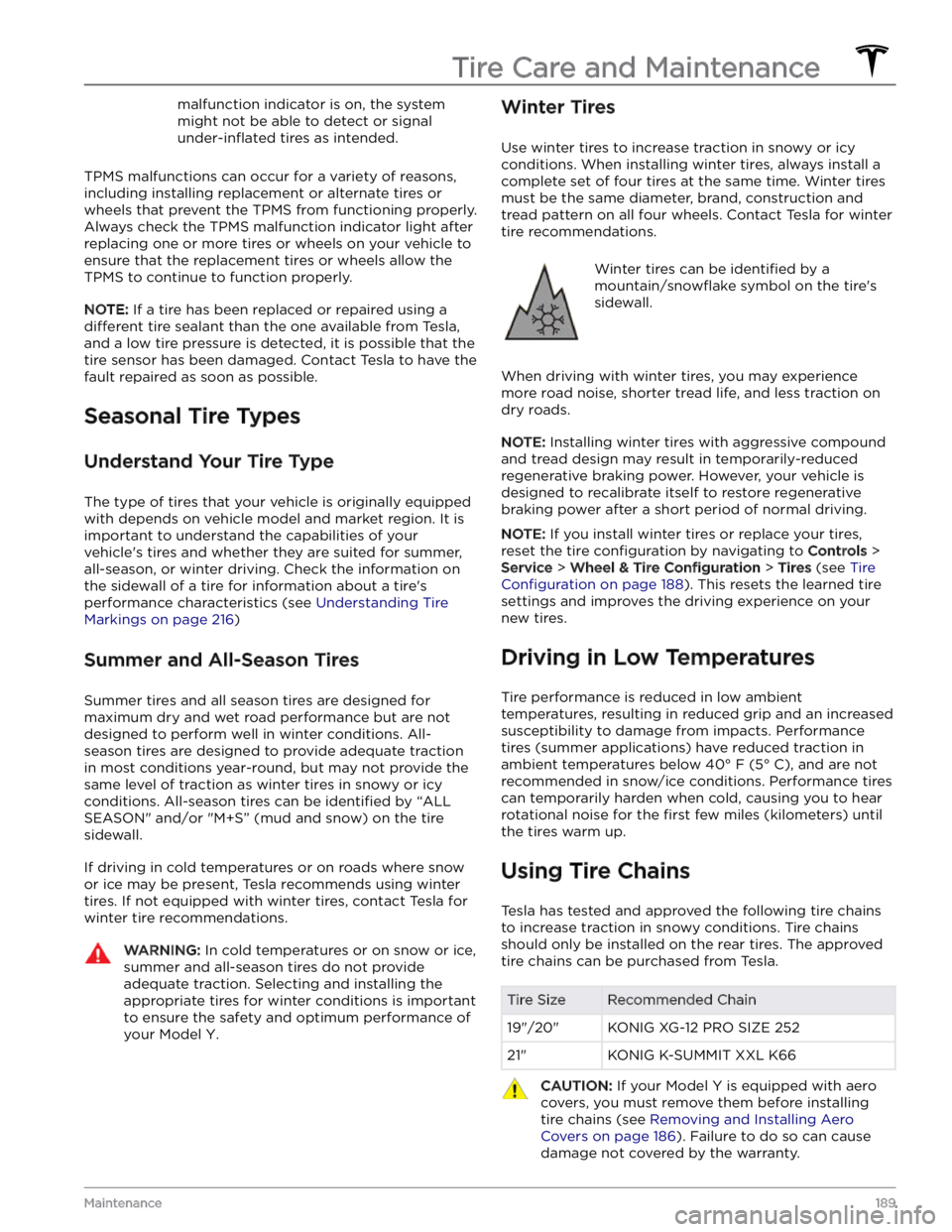
malfunction indicator is on, the system might not be able to detect or signal
under-inflated tires as intended.
TPMS malfunctions can occur for a variety of reasons,
including installing replacement or alternate tires or wheels that prevent the TPMS from functioning properly. Always check the TPMS malfunction indicator light after replacing one or more tires or wheels on your vehicle to
ensure that the replacement tires or wheels allow the
TPMS to continue to function properly.
NOTE: If a tire has been replaced or repaired using a
different tire sealant than the one available from Tesla,
and a low tire pressure is detected, it is possible that the tire sensor has been damaged. Contact Tesla to have the fault repaired as soon as possible.
Seasonal Tire Types
Understand Your Tire Type
The type of tires that your vehicle is originally equipped
with depends on vehicle model and market region. It is important to understand the capabilities of your vehicle
Page 193 of 298

Cleaning the Exterior
To prevent damage to the paint, immediately remove
corrosive substances (bird droppings, tree resin, dead insects, tar spots, road salt, industrial fallout, etc.). Do not wait until
Model Y is due for a complete wash. If
necessary, use denatured alcohol to remove tar spots
and stubborn grease stains, then immediately wash the area with water and a mild, non-detergent soap to remove the alcohol.
Keep the exterior cameras free of dirt, condensation, or obstructions. These substances can cause unclear pictures or Autopilot and safety features to stop working (see
Cleaning a Camera on page 191).
Follow these steps when washing the exterior of Model
Y:
1.
Rinse Thoroughly
Before washing, flush grime and grit from the vehicle
using a hose. Flush away accumulations of mud in areas where debris easily collects (such as wheel wells and panel seams). If salt has been used on the highways (such as during winter months), thoroughly
rinse all traces of road salt from the underside of the
vehicle, wheel wells, and brakes.
2.
Hand Wash
Hand wash Model Y using a clean soft cloth and cold
or lukewarm water containing a mild, high-quality car shampoo.
CAUTION: Some cleaners and car shampoos
contain chemicals that can cause damage or
discoloration, especially to plastic trim pieces,
lamps, or camera lenses. For example, some car
cleaning formulas contain hydroxide or other
highly alkaline or caustic ingredients that can
damage exterior components. Damage or
discoloration resulting from cleaning products
is not covered by the warranty.
3.
Rinse with Clean Water
After washing, rinse with clean water to prevent soap from drying on the surfaces.
4.
Dry Thoroughly and Clean Exterior Glass
After washing and rinsing, dry thoroughly with a chamois. If necessary, dry the brakes by going on a
short drive and applying the brakes multiple times.
Window Cleaning and Treatments
Clean windows and mirrors using an automotive glass
cleaner. Do not scrape or use any abrasive cleaning
fluid
on glass or mirrored surfaces. Follow the directions in
Cleaning the Exterior on page 191 for best practices in
cleaning the exterior glass.
To add a hydrophobic coating to your vehicle
Page 194 of 298

Cautions for Exterior CleaningCAUTION: Do not wash in direct sunlight.CAUTION: Do not use windshield treatment fluids.
Doing so can interfere with wiper friction and
cause a chattering sound.
CAUTION: Do not use hot water, detergents, or
highly alkaline or caustic cleaning products,
especially those containing hydroxide.
CAUTION: If using a pressure washer, maintain a
distance of at least 12" (30 cm) between the
nozzle and the surface of Model Y. Avoid aiming
the water jet directly at parking sensors (if
equipped). Keep the nozzle moving and do not
concentrate the water jet on any one area.
CAUTION: Do not aim water hoses directly at
windows, door, or hood seals or at electronic
modules or exposed cabling.
CAUTION: To avoid corrosive damage that may
not be covered by the warranty, rinse away any
road salt from the underside of the vehicle, wheel
wells, and brakes. After cleaning the vehicle, dry
the brakes by going on a short drive and applying
the brakes multiple times.
CAUTION: Avoid using tight-napped or rough
cloths, such as washing mitts. A high-quality
microfiber cleaning cloth is recommended.
CAUTION: If washing in an automatic car wash, use
touchless car washes only. These car washes have
no parts (brushes, etc.) that touch the surfaces of
Model Y. Some touchless car washes use caustic
solutions that, over time, can cause discoloration
of decorative exterior trim. Avoid exposure to
soaps and chemicals above pH 13. If unsure, check
the product label or ask the staff at the car wash.
Damage caused by improper washing is not
covered by the warranty.
CAUTION: If washing in an automatic car wash,
make sure the vehicle is locked. In addition, avoid
using controls on the touchscreen that can result
in accidentally opening doors or trunks while the
vehicle is being washed. Any damage caused is
not covered by the warranty.
CAUTION: Ensure the wipers are off before
washing Model Y to avoid the risk of damaging the
wipers.
CAUTION: Do not use chemical based wheel
cleaners or pre-wash products. These can damage
the finish on the wheels.
WARNING: Never spray liquid at a high velocity
(for example, if using a pressure washer) towards
the charge port while Model Y is charging. Failure
to follow these instructions can result in serious
injury or damage to the vehicle, charging
equipment, or property.
Cleaning the Interior
Frequently inspect and clean the interior to maintain its
appearance and to prevent premature wear. If possible,
immediately wipe up spills and remove marks. For
general cleaning, wipe interior surfaces using a soft cloth (such as
microfiber) dampened with a mixture of warm
water and mild non-detergent cleaner (test all cleaners on a concealed area before use). To avoid streaks, dry immediately with a soft lint-free cloth.
Interior Glass
Do not scrape, or use any abrasive cleaning fluid on
glass or mirrored surfaces. This can damage the
reflective surface of the mirror and the heating elements
in the rear window.
Airbags
Do not allow any substance to enter an airbag cover. This could
affect correct operation.
Dashboard and Plastic Surfaces
Do not polish the upper surfaces of the dashboard. Polished surfaces are
reflective and could interfere with
your driving view.
Seats
Wipe spills and chemical residues from interior surfaces as soon as possible using a soft cloth moistened with warm water and non-detergent soap. Wipe gently in a circular motion. Then wipe dry using a soft, lint-free cloth.
Although seating surfaces are designed to repel stains, Tesla recommends regular cleaning to maintain
performance and an as-new appearance. Promptly treat
dye transfer from clothing, such as indigo-dyed denim.
Avoid contact with harsh chemicals, including certain cosmetics. Never use cleaners containing alcohol or bleach. Spot-test cleaners on an inconspicuous area
before applying to visible surfaces.
Vacuum cloth seats as needed to remove any loose dirt.
CAUTION: Aftermarket, non-Tesla seat covers may
inhibit the sensitivity of a seat