ECU TESLA ROADSTER 2008 User Guide
[x] Cancel search | Manufacturer: TESLA, Model Year: 2008, Model line: ROADSTER, Model: TESLA ROADSTER 2008Pages: 115, PDF Size: 46.35 MB
Page 28 of 115
Vehicle security
4-7
Doors, locks, and security
Vehicle securityAlarm SystemYour vehicle is equipped with an anti-theft
alarm system to prevent it from being stolen.
The alarm is switched on automatically when
you lock the doors with the key fob. The turn
signals flash once to confirm that your vehicle
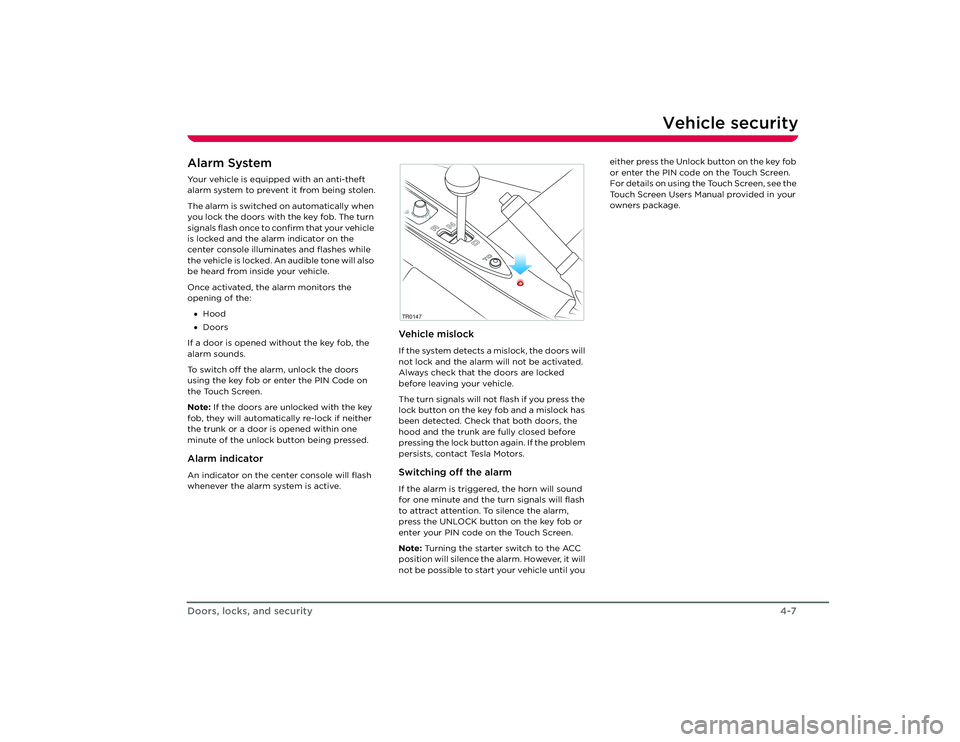
is locked and the alarm indicator on the
center console illuminates and flashes while
the vehicle is locked. An audible tone will also
be heard from inside your vehicle.
Once activated, the alarm monitors the
opening of the:
• Hood
• Doors
If a door is opened without the key fob, the
alarm sounds.
To switch off the alarm, unlock the doors
using the key fob or enter the PIN Code on
the Touch Screen.
Note: If the doors are unlocked with the key
fob, they will automatically re-lock if neither
the trunk or a door is opened within one
minute of the unlock button being pressed.Alarm indicatorAn indicator on the center console will flash
whenever the alarm system is active.
Ve h i c l e m i s l o c kIf the system detects a mislock, the doors will
not lock and the alarm will not be activated.
Always check that the doors are locked
before leaving your vehicle.
The turn signals will not flash if you press the
lock button on the key fob and a mislock has
been detected. Check that both doors, the
hood and the trunk are fully closed before
pressing the lock button again. If the problem
persists, contact Tesla Motors.Switching off the alarmIf the alarm is triggered, the horn will sound
for one minute and the turn signals will flash
to attract attention. To silence the alarm,
press the UNLOCK button on the key fob or
enter your PIN code on the Touch Screen.
Note: Turning the starter switch to the ACC
position will silence the alarm. However, it will
not be possible to start your vehicle until you either press the Unlock button on the key fob
or enter the PIN code on the Touch Screen.
For details on using the Touch Screen, see the
Touch Screen Users Manual provided in your
owners package.TR0147
Roadster OHB.book Page 7 Th
ursday, October 2, 2008 8:59 AM
Page 29 of 115
Vehicle security4-8
Doors, locks, and security
Ve h i c l e P I N c o d eAs an alternate level of vehicle security, you
can restrict operation of your vehicle until a
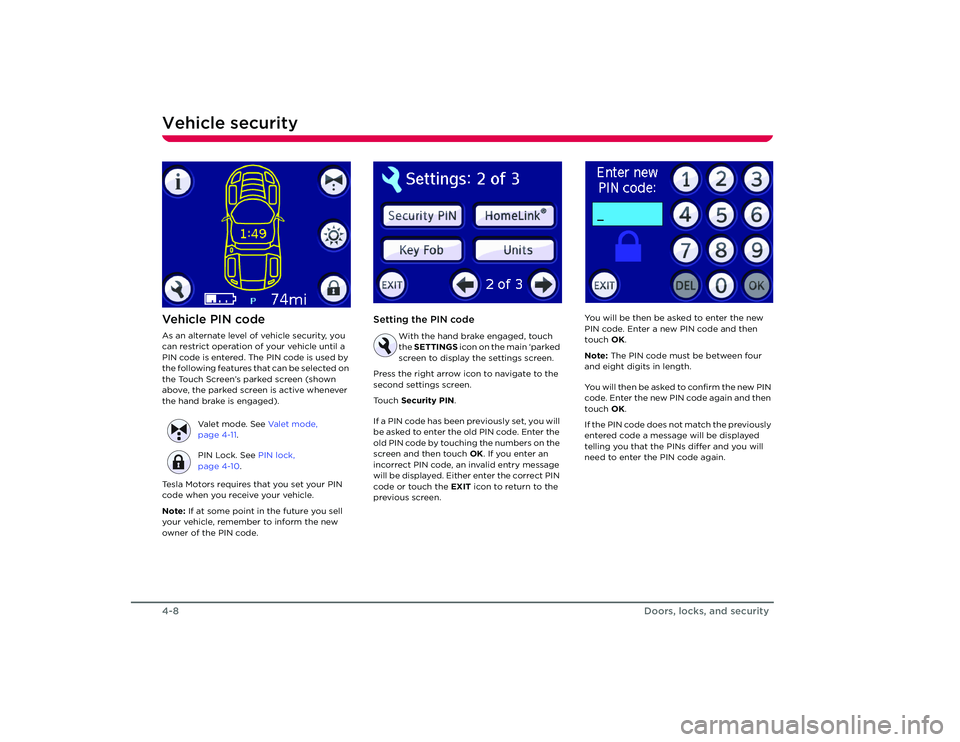
PIN code is entered. The PIN code is used by
the following features that can be selected on
the Touch Screen’s parked screen (shown
above, the parked screen is active whenever
the hand brake is engaged).
Tesla Motors requires that you set your PIN
code when you receive your vehicle.
Note: If at some point in the future you sell
your vehicle, remember to inform the new
owner of the PIN code.
Setting the PIN code
With the hand brake engaged, touch
the SETTINGS icon on the main ‘parked
screen to display the settings screen.
Press the right arrow icon to navigate to the
second settings screen.
Touch Security PIN .
If a PIN code has been previously set, you will
be asked to enter the old PIN code. Enter the
old PIN code by touching the numbers on the
screen and then touch OK. If you enter an
incorrect PIN code, an invalid entry message
will be displayed. Either enter the correct PIN
code or touch the EXIT icon to return to the
previous screen. You will be then be asked to enter the new
PIN code. Enter a new PIN code and then
touch
OK.
Note: The PIN code must be between four
and eight digits in length.
You will then be asked to confirm the new PIN
code. Enter the new PIN code again and then
touch OK.
If the PIN code does not match the previously
entered code a message will be displayed
telling you that the PINs differ and you will
need to enter the PIN code again.
Valet mode. See
Va l e t m o d e ,
page 4-11 .
PIN Lock. See PIN lock,
page 4-10 .
Roadster OHB.book Page 8 Th ursday, October 2, 2008 8:59 AM
Page 30 of 115
Vehicle security
4-9
Doors, locks, and security
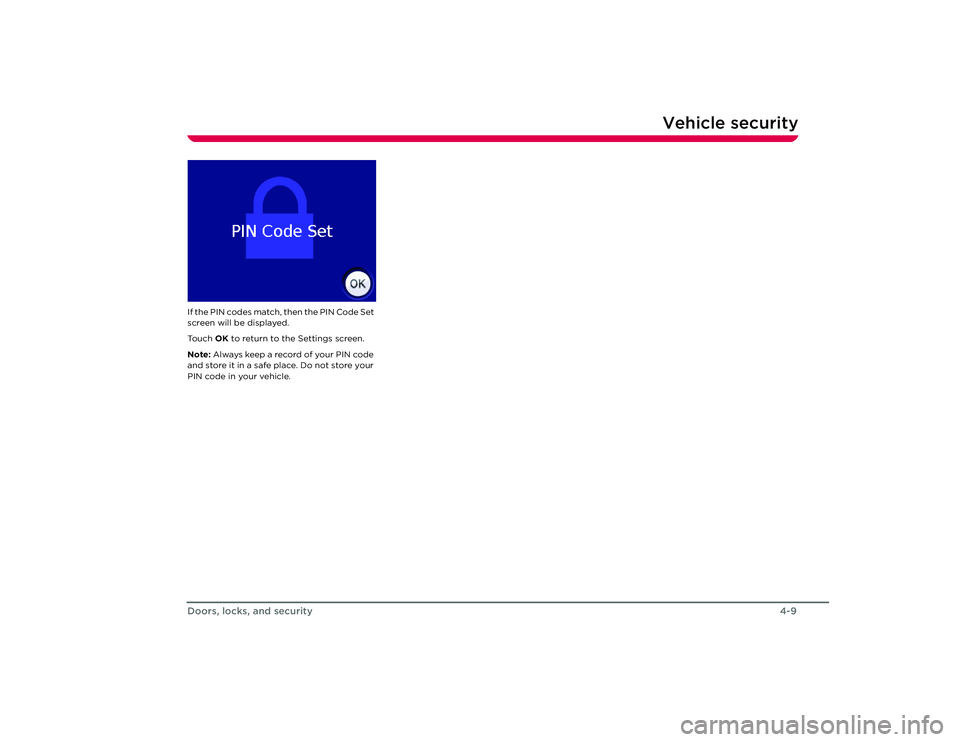
If the PIN codes match, then the PIN Code Set
screen will be displayed.
To u c h OK to return to the Settings screen.
Note: Always keep a reco rd of your PIN code
and store it in a safe place. Do not store your
PIN code in your vehicle.
Roadster OHB.book Page 9 Th ursday, October 2, 2008 8:59 AM
Page 31 of 115
Vehicle security4-10
Doors, locks, and security
PIN lockWhen activated, the PIN lock inhibits starting
and driving your vehicle until the PIN code is
entered on the Touch Screen.
Activating PIN lock
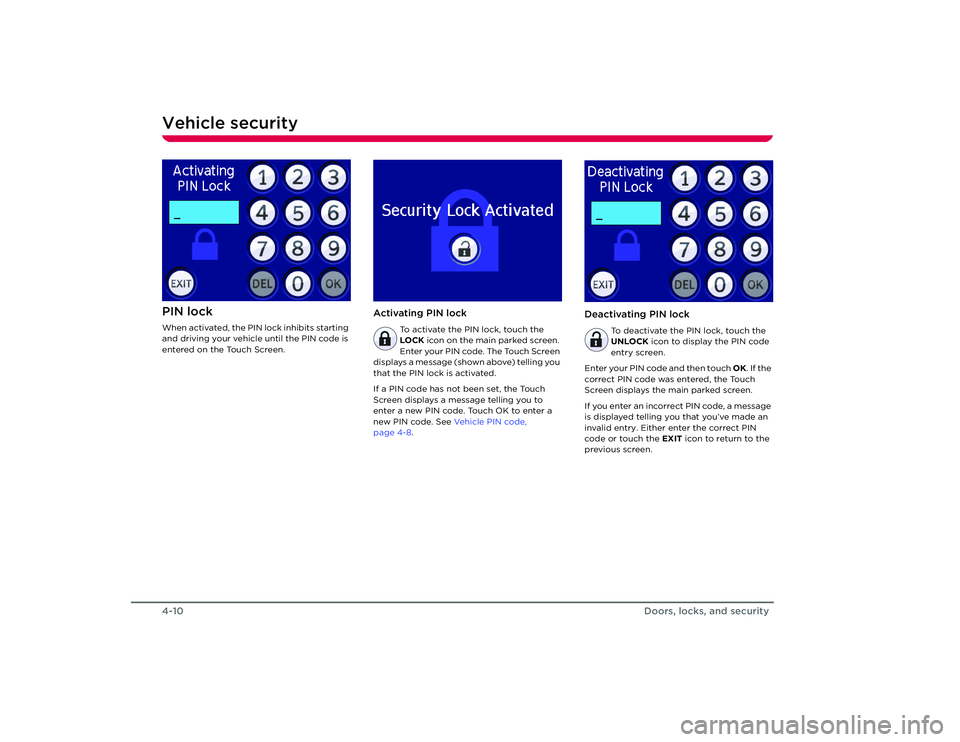
To activate the PIN lock, touch the
LOCK icon on the main parked screen.
Enter your PIN code. The Touch Screen
displays a message (shown above) telling you
that the PIN lock is activated.
If a PIN code has not been set, the Touch
Screen displays a message telling you to
enter a new PIN code. Touch OK to enter a
new PIN code. See Ve h i c l e P I N c o d e ,
page 4-8.
Deactivating PIN lock
To deactivate the PIN lock, touch the
UNLOCK icon to display the PIN code
entry screen.
Enter your PIN code and then touch OK. If the
correct PIN code was entered, the Touch
Screen displays the main parked screen.
If you enter an incorrect PIN code, a message
is displayed telling you that you’ve made an
invalid entry. Either enter the correct PIN
code or touch the EXIT icon to return to the
previous screen.
Roadster OHB.book Page 10 Thursday, October 2, 2008 8:59 AM
Page 32 of 115
Vehicle security
4-11
Doors, locks, and security
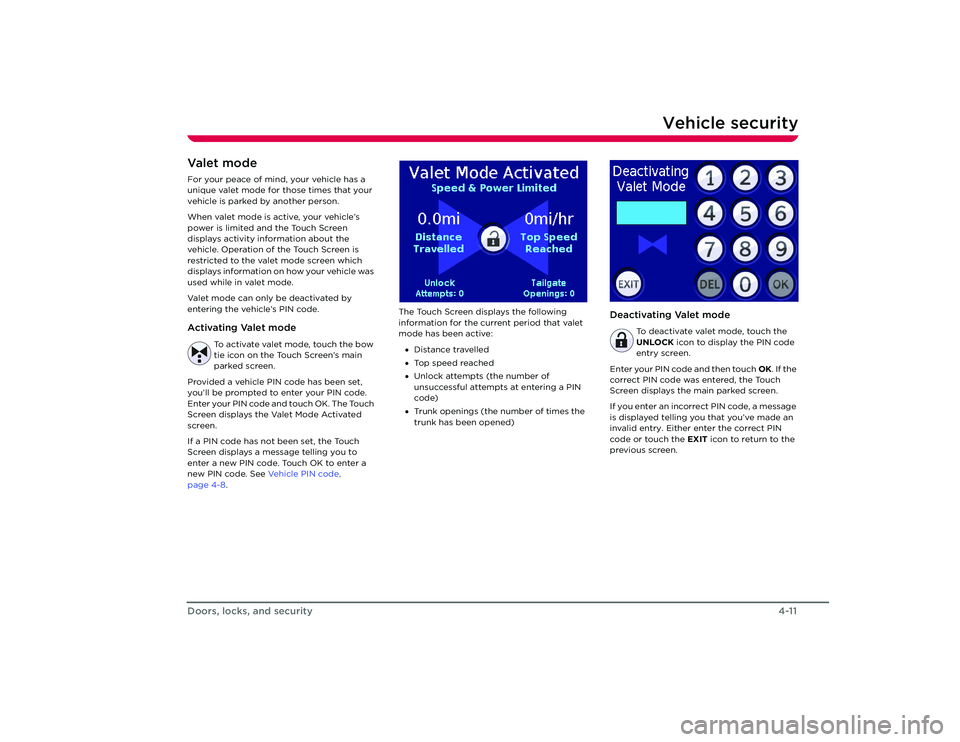
Va l e t m o d eFor your peace of mind, your vehicle has a
unique valet mode for those times that your
vehicle is parked by another person.
When valet mode is active, your vehicle’s
power is limited and the Touch Screen
displays activity information about the
vehicle. Operation of the Touch Screen is
restricted to the valet mode screen which
displays information on how your vehicle was
used while in valet mode.
Valet mode can only be deactivated by
entering the vehicle’s PIN code. Activating Valet mode
To activate valet mode, touch the bow
tie icon on the Touch Screen’s main
parked screen.
Provided a vehicle PIN code has been set,
you’ll be prompted to enter your PIN code.
Enter your PIN code and touch OK. The Touch
Screen displays the Valet Mode Activated
screen.
If a PIN code has not been set, the Touch
Screen displays a message telling you to
enter a new PIN code. Touch OK to enter a
new PIN code. See Ve h i c l e P I N c o d e ,
page 4-8 . The Touch Screen displays the following
information for the curr
ent period that valet
mode has been active:
• Distance travelled
• Top speed reached
• Unlock attempts (the number of
unsuccessful attempts at entering a PIN
code)
• Trunk openings (the number of times the
trunk has been opened)
Deactivating Valet mode
To deactivate valet mode, touch the
UNLOCK icon to display the PIN code
entry screen.
Enter your PIN code and then touch OK. If the
correct PIN code was entered, the Touch
Screen displays the main parked screen.
If you enter an incorrect PIN code, a message
is displayed telling you that you’ve made an
invalid entry. Either enter the correct PIN
code or touch the EXIT icon to return to the
previous screen.
Roadster OHB.book Page 11 Thursday, October 2, 2008 8:59 AM
Page 36 of 115
Charge settings5-4
Charging your vehicle
Note: The charge process slows down as the
Battery approaches a full charge. Therefore,
reaching a high level of charge is much
quicker than reaching a full charge. Charge settingsAbout charge settingsYour vehicle has been set up with default
charging settings. However, you can override
these default settings. You may want to
optimize the charging environment when
storing your vehicle, or you may want to
extend the vehicle’s driving range. You can
also reduce the default charge current, set a
time that you want charging to begin, and
display your electrical cost per charge.
Charge settings can be changed using the
Touch Screen. The various charge settings
are summarized below. For details on how to
use the Touch Screen to adjust settings, refer
to the Touch Screen Users Manual, provided
in your owners package.Four types of chargeThe charge setting always defaults to
Standard charge. In other words, changing
the charge type is a one-time event—the
charge type reverts back to Standard the
next time the charging port door is opened
after the vehicle has been driven over a tenth
of a mile.
StorageIf you are not using the vehicle for an
extended period of time, Tesla recommends
leaving the vehicle plugged in and setting the
charge type to Storage.
This setting charges the Battery to a medium
level of charge to ensure the maximum
lifetime of the cells within the Battery, while
also maintaining the integrity of the vehicle’s
electronic systems, su ch as the security
system.
This charge setting is automatically cancelled
and reverts back to Standard if the vehicle’s
charging port door is opened after the
vehicle has been driven over a tenth of a mile.
If the vehicle is driven after being charged
using the Storage setting, the range of the
vehicle will be limited because the charge
level is lower than the other charge types.
This is temporary and returns to normal after
charging the vehicle using the Standard
setting.StandardBy default, the vehicle is set up to charge
using the Standard charge setting—this
setting provides the best performance while
also maximizing the life of the Battery.RangeThis setting charges the Battery to the
maximum available level. It also limits the
vehicle’s power by 50%. The result is that the
vehicle can achieve the maximum number of
miles possible on a single charge. To preserve the life of the Battery, this charge
setting is automatically cancelled and reverts
back to Standard after 72 hours or if the
vehicle’s charging port door is opened after
the vehicle has been driven over a tenth of a
mile.
Caution: Repeated use of the Range
charge setting reduces the lifetime of
the cells within the Battery.
PerformanceThis setting is available for those rare times in
which you want to achieve maximum power
and hence, minimize the time it takes to
accelerate from 0-60 mph. Use this setting
with caution because it allows the Battery to
run at a higher temperature—which reduces
the life of the cells within the Battery.
Frequent use of this setting is strongly
discouraged.
This setting also charges the cells within the
Battery to the maximum available level.
To preserve the life of the Battery, this charge
setting is automatically cancelled and reverts
back to Standard after 72 hours or if the
vehicle’s charging port door is opened after
the vehicle has been driven over a tenth of a
mile.
Caution: Repeated use of the
Performance setting reduces the
lifetime of the cells within the Battery.
Roadster OHB.book Page 4 Th ursday, October 2, 2008 8:59 AM
Page 42 of 115
Driving basics6-4
Driving your vehicle
•Drive with the top on and the windows up
to minimize aerodynamic drag.
• Keep tires at the recommended inflation
pressures.
• Remove unnecessary belongings from
the trunk.
• Minimize the use of resources such as
heating and air conditioning. Using seat
heaters to keep warm is more efficient
than heating the cabin.
In addition to driv ing habits, energy
consumption is also increased based on
environmental conditions, such as cold
weather and hilly roads.
The Touch Screen’s Energy screen displays
precise real-time feedback on the amount of
energy you’re using. Energy feedback is also
displayed on the LCD display on the
instrument panel. Deep waterDo not drive through flooded areas, water of
unknown depth, or deep puddles. When
driving through even a relatively shallow
puddle, drive slowly to prevent water from
entering the vehicle. Carrying items in cabin areaThe trunk is the preferred place to carry
objects. In an accident, during hard braking,
or sudden maneuvers, loose items carried in
the vehicle’s cabin area can be thrown
around, and cause injury to occupants unless
securely fastened.Roadster OHB.book Page 4 Th ursday, October 2, 2008 8:59 AM
Page 43 of 115
Driving basics
6-5
Driving your vehicle
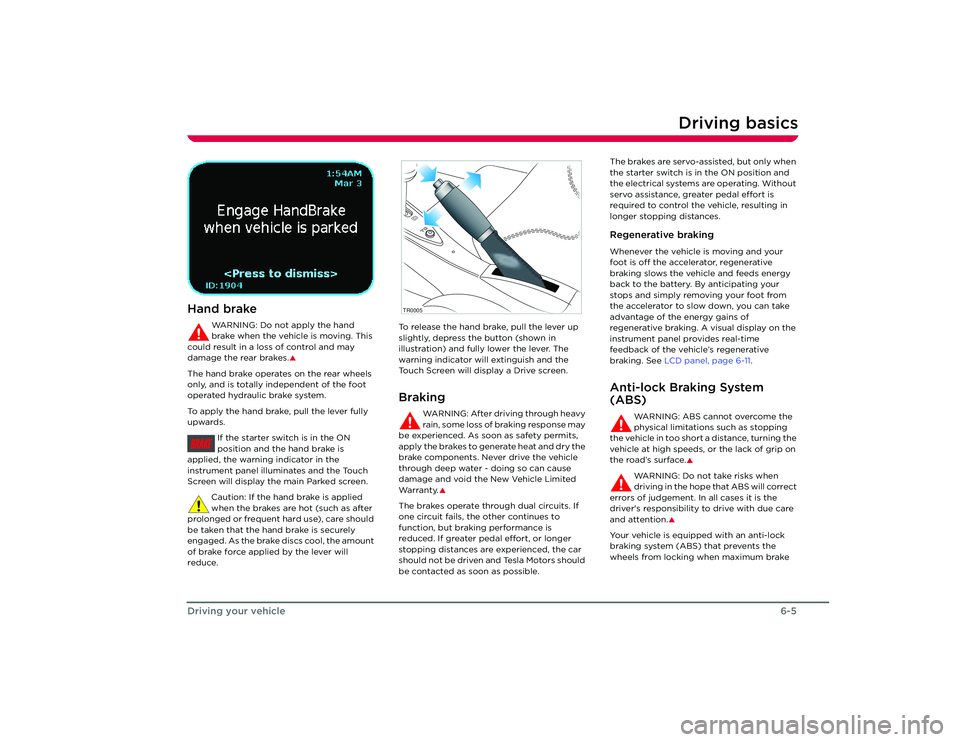
Hand brake
WARNING: Do not apply the hand
brake when the vehicle is moving. This
could result in a loss of control and may
damage the rear brakes.
S
The hand brake operates on the rear wheels
only, and is totally independent of the foot
operated hydraulic brake system.
To apply the hand brake, pull the lever fully
upwards.
If the starter switch is in the ON
position and the hand brake is
applied, the warnin g indicator in the
instrument panel illuminates and the Touch
Screen will display the main Parked screen.
Caution: If the hand brake is applied
when the brakes are hot (such as after
prolonged or frequent hard use), care should
be taken that the hand brake is securely
engaged. As the brake discs cool, the amount
of brake force applied by the lever will
reduce. To release the hand brake, pull the lever up
slightly, depress the button (shown in
illustration) and fully lower the lever. The
warning indicator will extinguish and the
Touch Screen will display a Drive screen.
Braking
WARNING: After driving through heavy
rain, some loss of braking response may
be experienced. As soon as safety permits,
apply the brakes to generate heat and dry the
brake components. Never drive the vehicle
through deep water - doing so can cause
damage and void the New Vehicle Limited
Wa r ra n t y.
S
The brakes operate through dual circuits. If
one circuit fails, the other continues to
function, but brakin g performance is
reduced. If greater pedal effort, or longer
stopping distances are experienced, the car
should not be driven and Tesla Motors should
be contacted as soon as possible. The brakes are servo-assisted, but only when
the starter switch is in the ON position and
the electrical systems are operating. Without
servo assistance, greater pedal effort is
required to control the vehicle, resulting in
longer stopping distances.
Regenerative brakingWhenever the vehicle is moving and your
foot is off the accelerator, regenerative
braking slows the vehicle and feeds energy
back to the battery. By anticipating your
stops and simply removing your foot from
the accelerator to slow down, you can take
advantage of the energy gains of
regenerative braking. A visual display on the
instrument panel provides real-time
feedback of the vehicle’s regenerative
braking. See
LCD panel, page 6-11 .Anti-lock Braking System
(ABS)
WARNING: ABS cannot overcome the
physical limitations such as stopping
the vehicle in too short a distance, turning the
vehicle at high speeds, or the lack of grip on
the road’s surface.
S
WARNING: Do not take risks when
driving in the hope that ABS will correct
errors of judgement. In all cases it is the
driver's responsibility to drive with due care
and attention.
S
Your vehicle is equipp ed with an anti-lock
braking system (ABS) that prevents the
wheels from locking when maximum brake
BRAKE
TR0005
Roadster OHB.book Page 5 Th ursday, October 2, 2008 8:59 AM
Page 60 of 115
Interior accessories7-8
Comfort and convenience
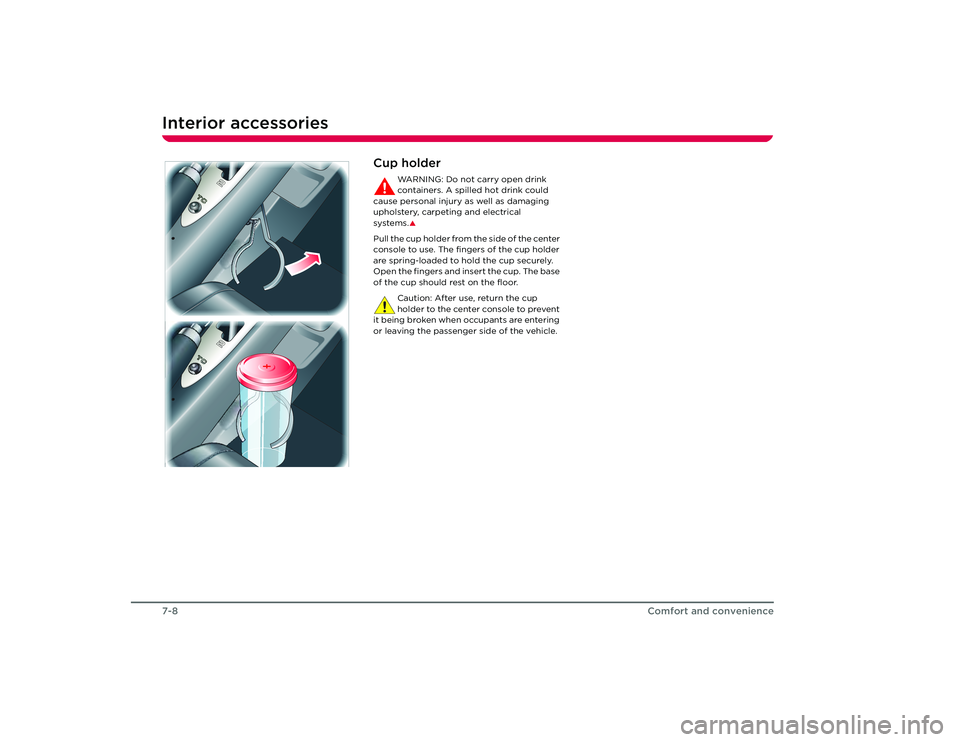
Cup holder
WARNING: Do not carry open drink
containers. A spilled hot drink could
cause personal injury as well as damaging
upholstery, carpeting and electrical
systems.S
Pull the cup holder from the side of the center
console to use. The fingers of the cup holder
are spring-loaded to hold the cup securely.
Open the fingers and insert the cup. The base
of the cup should rest on the floor.
Caution: After use, return the cup
holder to the center console to prevent
it being broken when occupants are entering
or leaving the passenger side of the vehicle.
Roadster OHB.book Page 8 Th ursday, October 2, 2008 8:59 AM
Page 62 of 115
Removable roof7-10Comfort and convenienceInstalling the soft-top
WARNING: Never attempt to install the
soft-top while the vehicle is moving.
This could cause an accident in which you or
others may be seriously injured or killed.
S
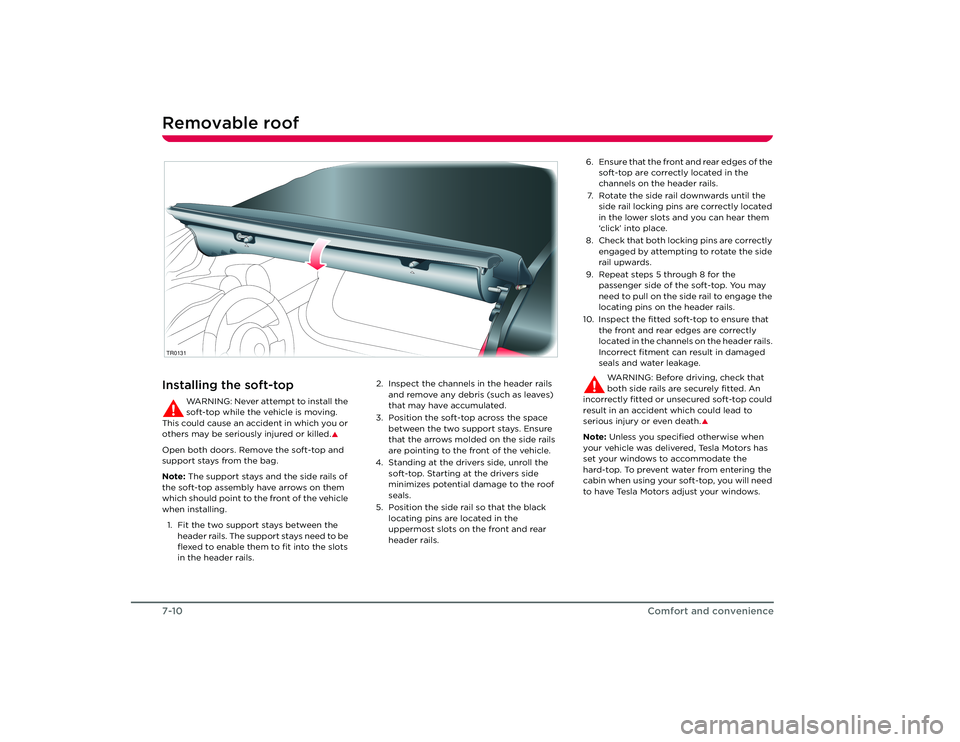
Open both doors. Remove the soft-top and
support stays from the bag.
Note: The support stays and the side rails of
the soft-top assembly have arrows on them
which should point to the front of the vehicle
when installing.
1. Fit the two support stays between the header rails. The support stays need to be
flexed to enable them to fit into the slots
in the header rails. 2. Inspect the channels in the header rails
and remove any debris (such as leaves)
that may have accumulated.
3. Position the soft-top across the space between the two support stays. Ensure
that the arrows molded on the side rails
are pointing to the front of the vehicle.
4. Standing at the drivers side, unroll the soft-top. Starting at the drivers side
minimizes potential damage to the roof
seals.
5. Position the side rail so that the black locating pins are located in the
uppermost slots on the front and rear
header rails.TR0131
6. Ensure that the front and rear edges of the soft-top are correctly located in the
channels on the header rails.
7. Rotate the side rail downwards until the side rail locking pins are correctly located
in the lower slots and you can hear them
‘click’ into place.
8. Check that both locking pins are correctly engaged by attempting to rotate the side
rail upwards.
9. Repeat steps 5 through 8 for the passenger side of the soft-top. You may
need to pull on the side rail to engage the
locating pins on the header rails.
10. Inspect the fitted soft-top to ensure that the front and rear edges are correctly
located in the channels on the header rails.
Incorrect fitment can result in damaged
seals and water leakage.
WARNING: Before driving, check that
both side rails are securely fitted. An
incorrectly fitted or unsecured soft-top could
result in an accident which could lead to
serious injury or even death.
S
Note: Unless you specified otherwise when
your vehicle was delivered, Tesla Motors has
set your windows to accommodate the
hard-top. To prevent water from entering the
cabin when using your soft-top, you will need
to have Tesla Motors adjust your windows.
Roadster OHB.book Page 10 Thursday, October 2, 2008 8:59 AM