instrument panel TOYOTA 4RUNNER 1998 User Guide
[x] Cancel search | Manufacturer: TOYOTA, Model Year: 1998, Model line: 4RUNNER, Model: TOYOTA 4RUNNER 1998Pages: 350, PDF Size: 2.25 MB
Page 111 of 350
4RUNNER (1998)
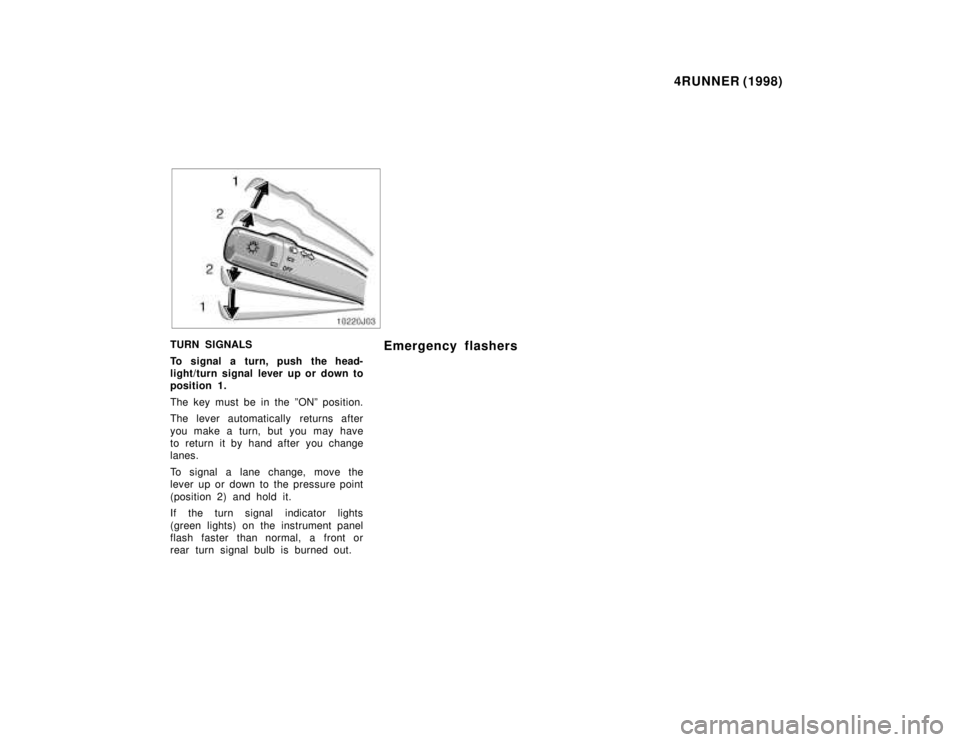
TURN SIGNALS
To signal a turn, push the head-
light/turn signal lever up or down to
position 1.
The key must be in the ºONº position.
The lever automatically returns after
you make a turn, but you may have
to return it by hand after you change
lanes.
To signal a lane change, move the
lever up or down to the pressure point
(position 2) and hold it.
If the turn signal indicator lights
(green lights) on the instrument panel
flash faster than normal, a front or
rear turn signal bulb is burned out. Emergency flashers
Page 112 of 350
4RUNNER (1998)
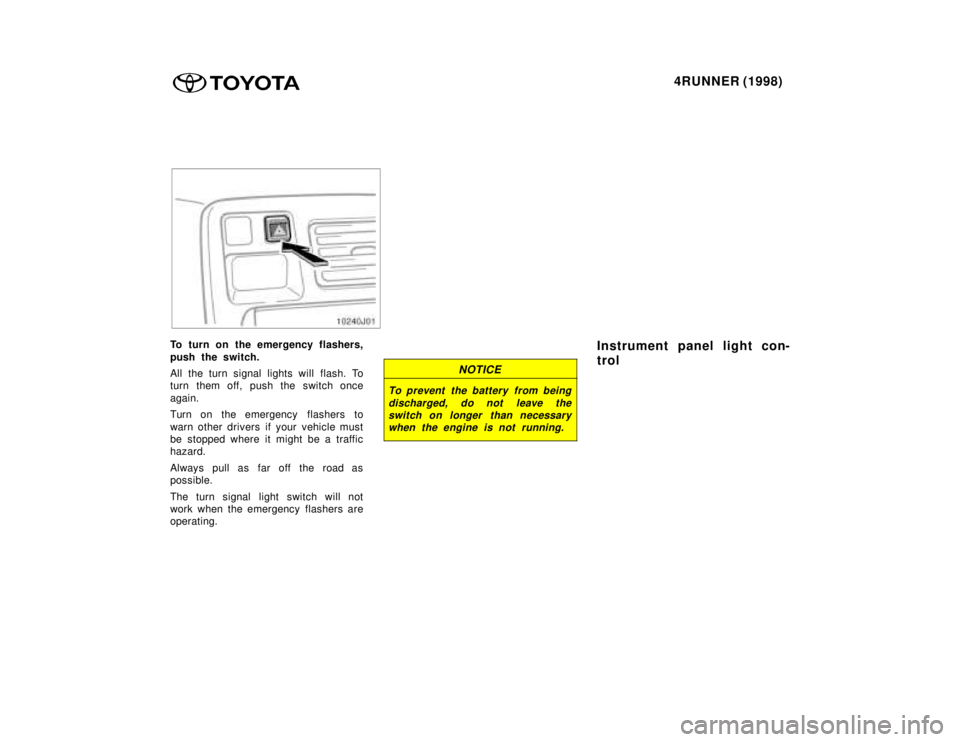
To turn on the emergency flashers,
push the switch.
All the turn signal lights will flash. To
turn them off, push the switch once
again.
Turn on the emergency flashers to
warn other drivers if your vehicle must
be stopped where it might be a traffic
hazard.
Always pull as far off the road as
possible.
The turn signal light switch will not
work when the emergency flashers are
operating.
NOTICE
To prevent the battery from being
discharged, do not leave theswitch on longer than necessarywhen the engine is not running.
Instrument panel light con-
trol
Page 113 of 350
4RUNNER (1998)
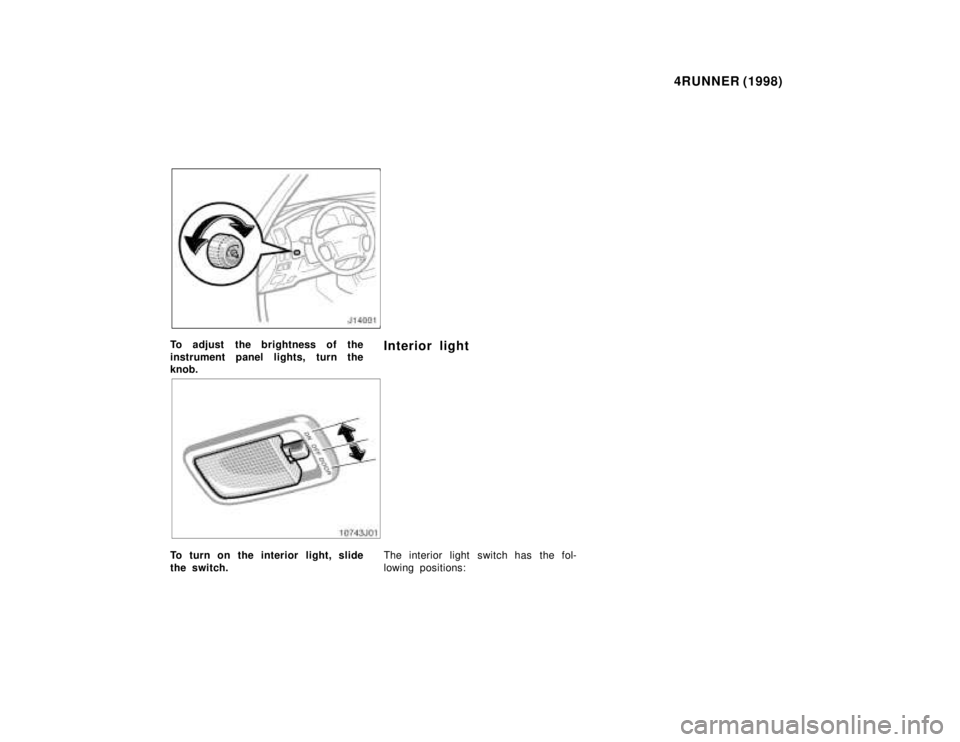
To adjust the brightness of the
instrument panel lights, turn the knob. Interior light
To turn on the interior light, slide
the switch.
The interior light switch has the fol-
lowing positions:
Page 137 of 350
4RUNNER (1998)
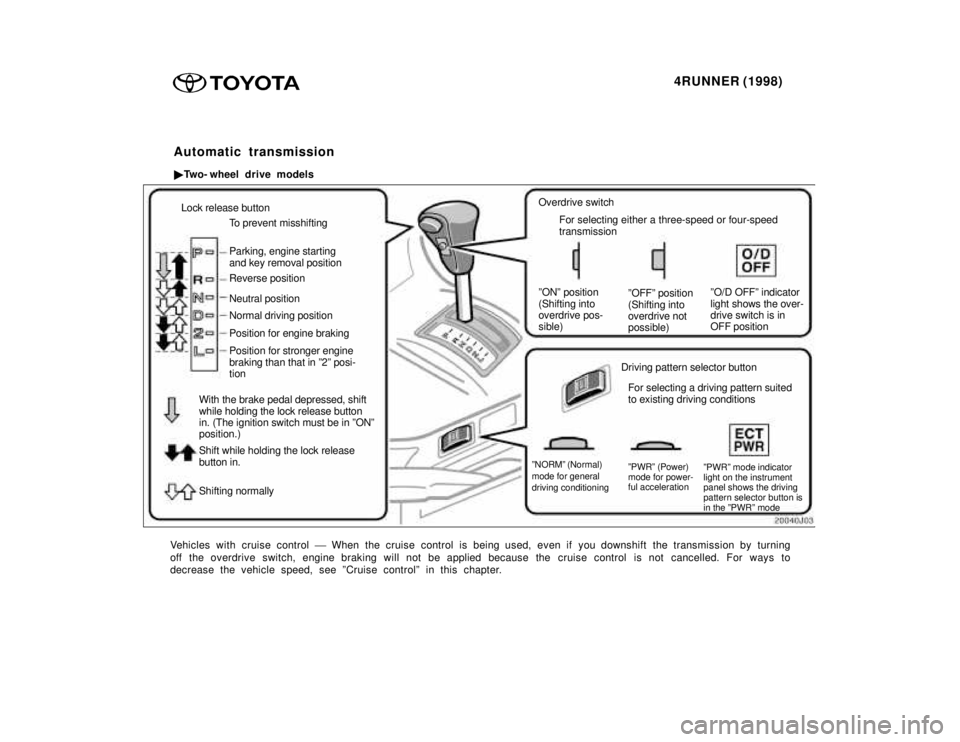
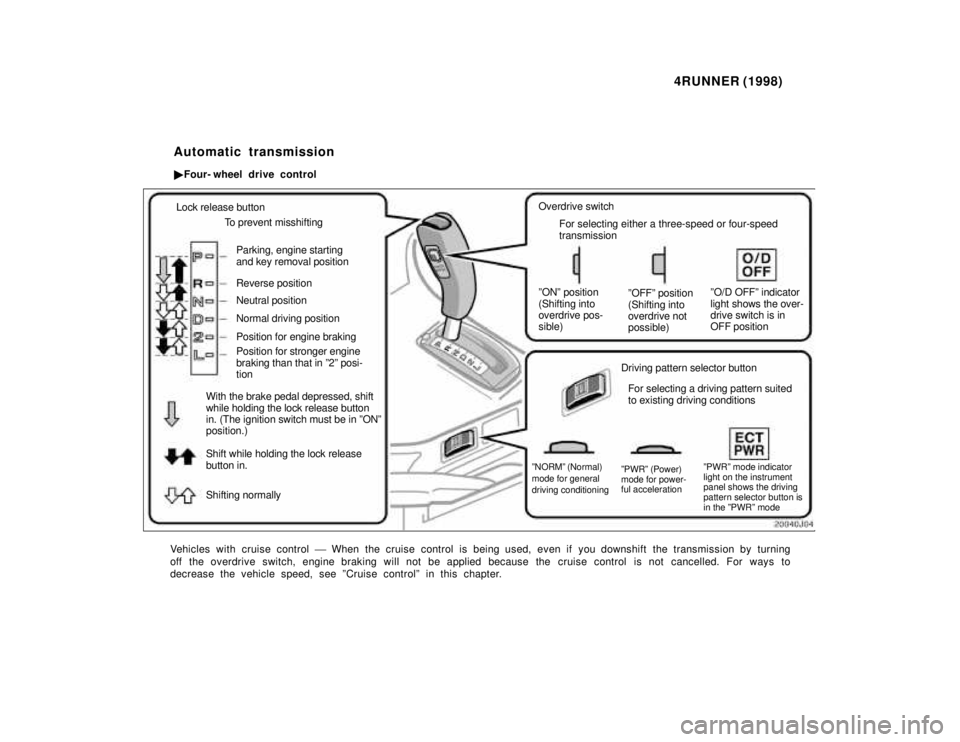
Lock release button
To prevent misshifting Parking, engine starting and key removal position Reverse position Neutral position Position for engine braking
With the brake pedal depressed, shift while holding the lock release button in. (The ignition switch must be in ºONºposition.) Shift while holding the lock release button in. Shifting normally Normal driving position Position for stronger engine braking than that in º2º posi- tion
Overdrive switch
For selecting either a three-speed or four-speed transmission
ºONº position(Shifting into overdrive pos-sible) ºOFFº position (Shifting into overdrive notpossible)ºO/D OFFº indicator light shows the over- drive switch is inOFF position
Driving pattern selector button For selecting a driving pattern suited to existing driving conditions
ºNORMº (Normal)mode for general driving conditioning ºPWRº (Power) mode for power- ful acceleration
ºPWRº mode indicator light on the instrument panel shows the driving pattern selector button isin the ºPWRº mode
Vehicles with cruise control ' When the cruise control is being used, even if you downshift the trans mission by turning
off the overdrive switch, engine braking will not be applied because the cruise control is not cancelled. For ways to
decrease the vehicle speed, see ºCruise controlº in this chapter. Automatic transmission
Two- wheel drive models
Page 142 of 350
4RUNNER (1998)
Lock release button
To prevent misshifting
Parking, engine starting and key removal position Reverse position Neutral position Normal driving position Position for engine braking Position for stronger engine braking than that in º2º posi- tion
With the brake pedal depressed, shift while holding the lock release button in. (The ignition switch must be in ºONºposition.) Shift while holding the lock release button in. Shifting normally Overdrive switch
For selecting either a three-speed or four-speed transmission
ºONº position(Shifting into overdrive pos-sible) ºOFFº position (Shifting into overdrive notpossible)ºO/D OFFº indicator light shows the over- drive switch is inOFF position
Driving pattern selector button For selecting a driving pattern suited to existing driving conditions
ºNORMº (Normal)mode for general driving conditioning ºPWRº (Power) mode for power- ful accelerationºPWRº mode indicator light on the instrument panel shows the driving pattern selector button isin the ºPWRº mode
Vehicles with cruise control ' When the cruise control is being used, even if you downshift the trans mission by turning
off the overdrive switch, engine braking will not be applied because the cruise control is not cancelled. For ways to
decrease the vehicle speed, see ºCruise controlº in this chapter. Automatic transmission
Four- wheel drive control
Page 158 of 350
4RUNNER (1998)
For easy unlocking, slightly turn the
steering wheel in either direction while
the vehicle is in motion.
When the differential lock is disen-
gaged, the indicator light will go out. The differential will also unlock if you
shift the front drive control lever out
of ºL4º. Never forget to turn off the
switch after using this feature.
To check the indicator bulb, turn the
ignition key to the ºONº position, but
do not start the engine.
CAUTION
Do not keep driving with the dif-
ferential lock switch on.
Parking brake
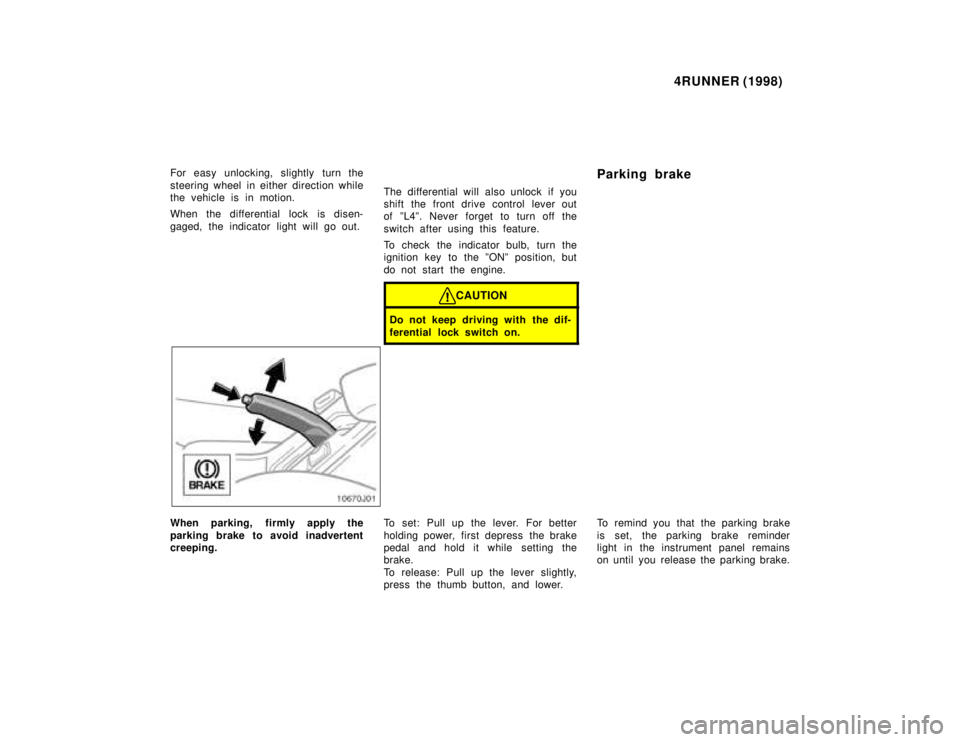
When parking, firmly apply the
parking brake to avoid inadvertent
creeping.
To set: Pull up the lever. For better
holding power, first depress the brake
pedal and hold it while setting the
brake.
To release: Pull up the lever slightly,
press the thumb button, and lower.To remind you that the parking brake
is set, the parking brake reminder
light in the instrument panel remains
on until you release the parking brake.
Page 160 of 350
4RUNNER (1998)
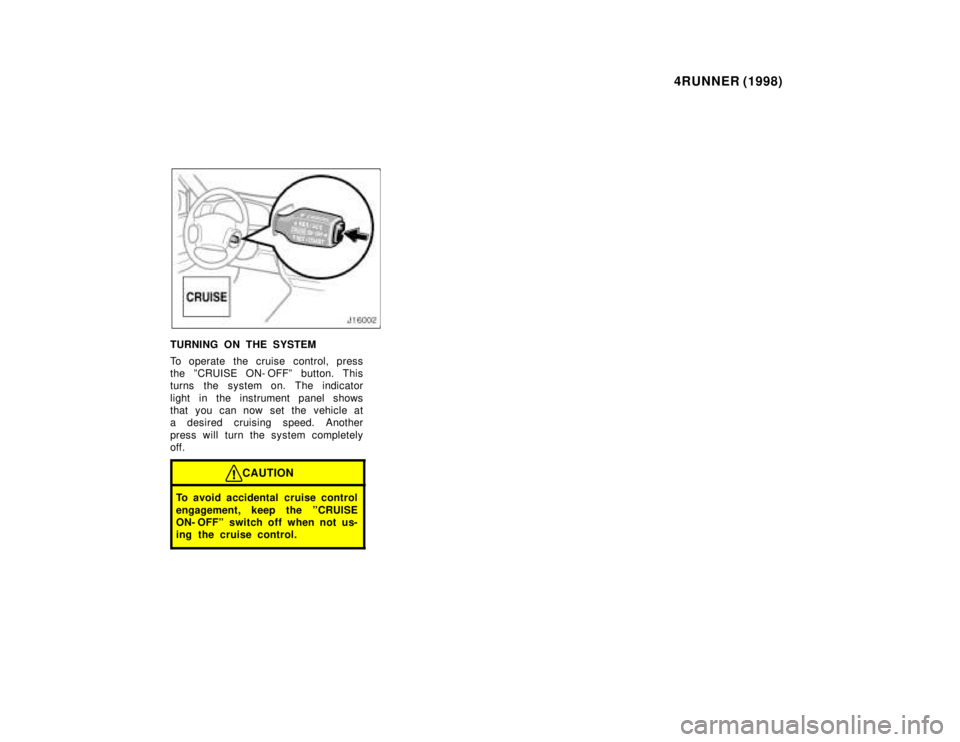
TURNING ON THE SYSTEM
To operate the cruise control, press
the ºCRUISE ON- OFFº button. This
turns the system on. The indicator
light in the instrument panel shows
that you can now set the vehicle at
a desired cruising speed. Another
press will turn the system completely
off.
CAUTION
To avoid accidental cruise control
engagement, keep the ºCRUISE
ON- OFFº switch off when not us-
ing the cruise control.
Page 165 of 350
4RUNNER (1998)
Part 1
OPERATION OF
INSTRUMENTS
AND CONTROLSÐ
Chapter 1- 7
Car audio system
and Air conditioning system
Car audio system
Reference
Using your audio system:
some basics
Using your audio system:
controls and features
Car audio system operating
hints
Air conditioning system
Controls
Air flow selector settings
Operating tips
Instrument panel vents
Rear heater system Car audio systemÐ
ÐReference
Page 198 of 350
4RUNNER (1998)
Fan speed selector
Move the lever to adjust the fan
speedÐto the right to increase, to the
left to decrease.
Temperature selector
Move the knob to adjust the tempera-
tureÐto the right to warm, to the left
to cool.
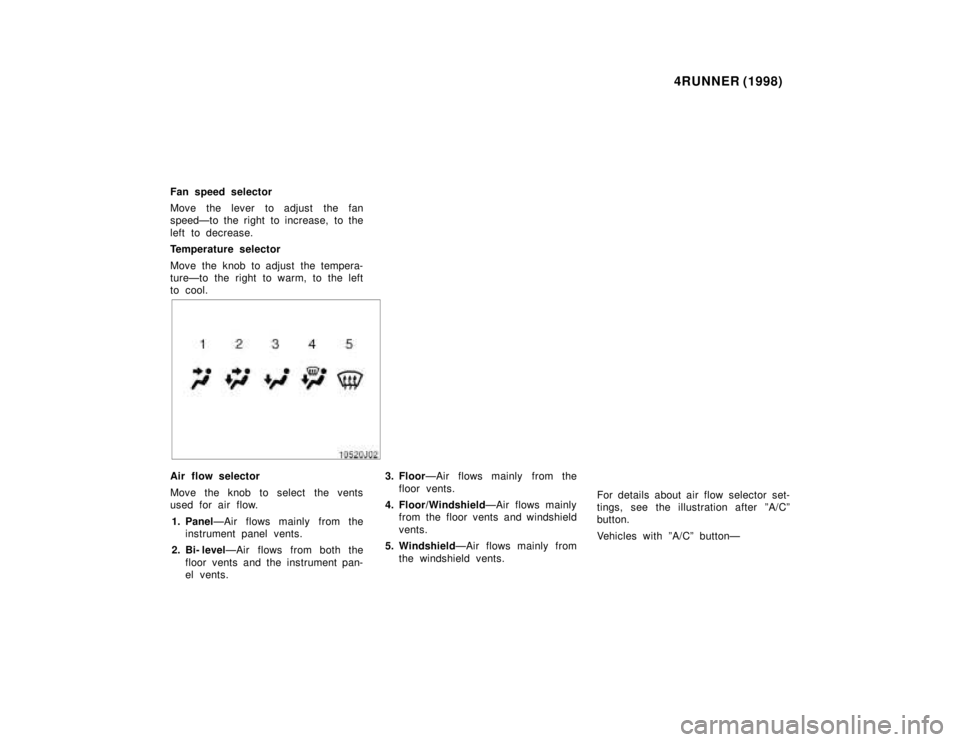
Air flow selector
Move the knob to select the vents
used for air flow. 1. Panel ÐAir flows mainly from the
instrument panel vents.
2. Bi- level ÐAir flows from both the
floor vents and the instrument pan-
el vents. 3. Floor
ÐAir flows mainly from the
floor vents.
4. Floor/Windshield ÐAir flows mainly
from the floor vents and windshield
vents.
5. Windshield ÐAir flows mainly from
the windshield vents. For details about air flow selector set-
tings, see the illustration after ºA/Cº
button.
Vehicles with ºA/Cº buttonÐ
Page 202 of 350

4RUNNER (1998)
Defogging
The inside of the windshield
For best results, set controls to: Fan speedÐ Any setting except
ºOFFº
TemperatureÐ To w a r d s WARM
(red zone) to heat; COLD (blue zone)
to
cool
Air intakeÐFRESH (outside air)
Air flowÐWINDSHIELD
Vehicles with ºA/Cº buttonÐ
Moving the air flow control knob to
windshield position turns on the de-
froster- linked air conditioning. This is
to clean up the front view more quick-
ly.
When the ºA/Cº button is not pressed
in, moving the air flow control knob to
another position turns off the air
conditioning.
On humid days, do not blow cold
air on the windshieldÐthe differ-
ence between the outside and in-
side temperatures could make the
fogging worse. Defrosting
The outside of the windshield
For best results, set controls to:
Fan speedÐ Any setting except
ºOFFº TemperatureÐ To w a r d s
WARM
(red zone)
Air intakeÐFRESH (outside air)
Air flowÐWINDSHIELD
Vehicles with ºA/Cº buttonÐ
Moving the air flow control knob to
windshield position turns on the de-
froster- linked air conditioning. This is
to clean up the front view more quick-
ly.
When the ºA/Cº button is not pressed
in, moving the air flow control knob to
another position turns off the air
conditioning.
To heat the vehicle interior while
defrosting the windshield, choose
floor/windshield air flow. ÐInstrument panel vents