key TOYOTA 4RUNNER 2009 N280 / 5.G User Guide
[x] Cancel search | Manufacturer: TOYOTA, Model Year: 2009, Model line: 4RUNNER, Model: TOYOTA 4RUNNER 2009 N280 / 5.GPages: 520, PDF Size: 10.74 MB
Page 38 of 520
38
1-2. Opening, closing and locking the doors
Back door
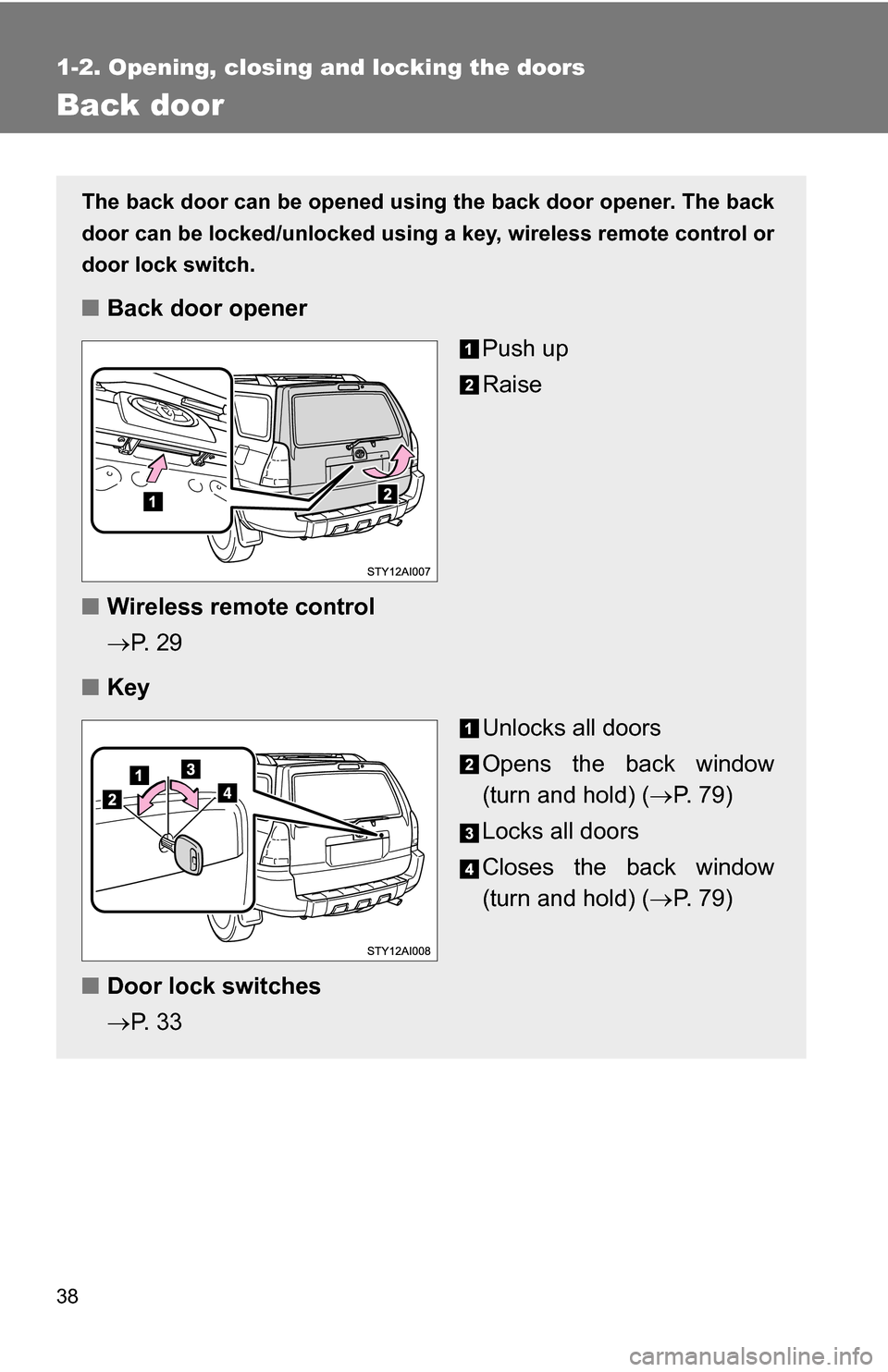
The back door can be opened using the back door opener. The back
door can be locked/unlocked using a key, wireless remote control or
door lock switch.
■ Back door opener
Push up
Raise
■ Wireless remote control
P. 2 9
■ Key
Unlocks all doors
Opens the back window
(turn and hold) (P. 7 9 )
Locks all doors
Closes the back window
(turn and hold) ( P. 7 9 )
■ Door lock switches
P. 3 3
Page 39 of 520
39
1-2. Opening, closing and locking the doors
1
Before driving
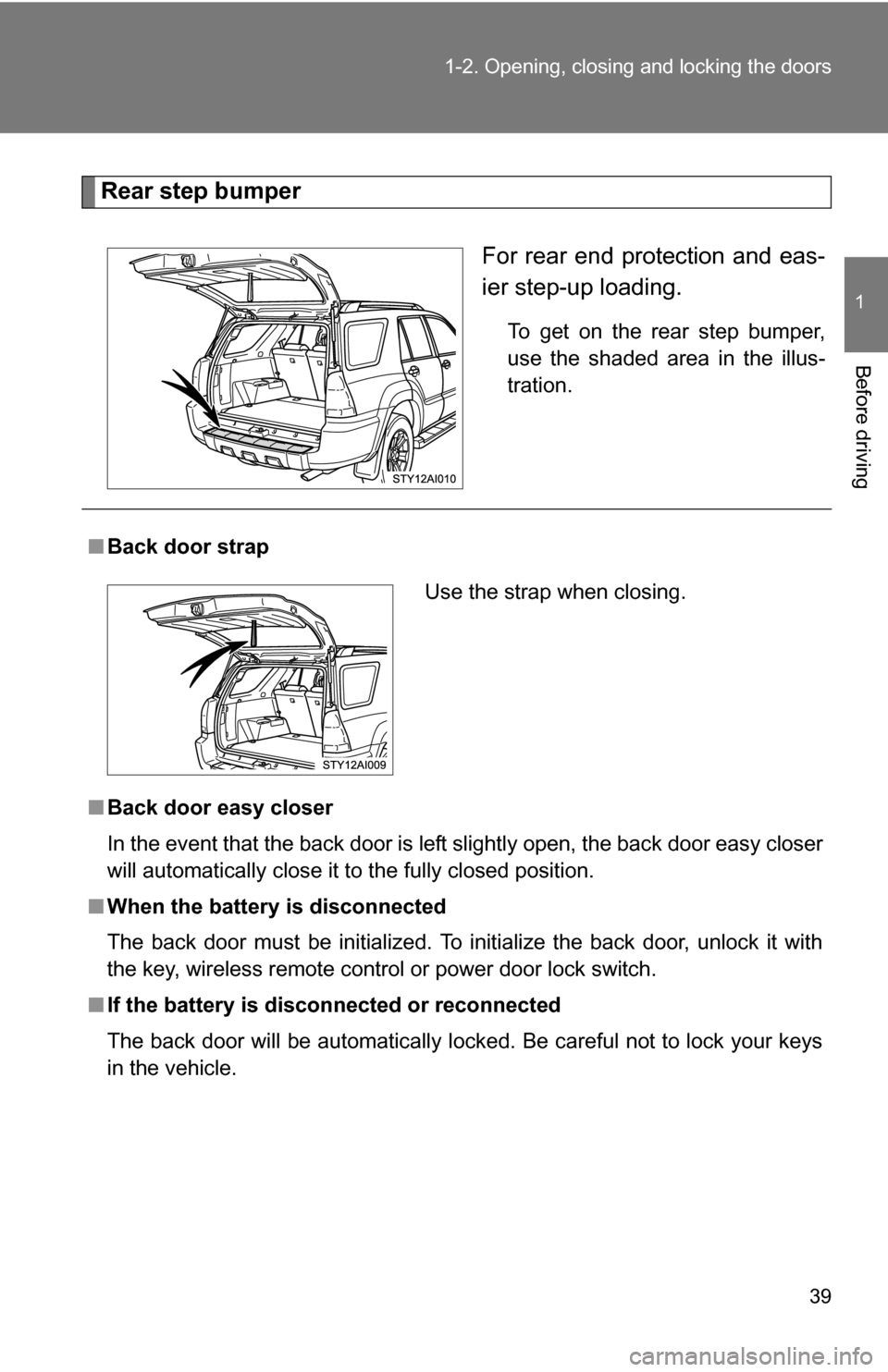
Rear step bumper
For rear end protection and eas-
ier step-up loading.
To get on the rear step bumper,
use the shaded area in the illus-
tration.
■Back door strap
■ Back door easy closer
In the event that the back door is left slightly open, the back door easy closer
will automatically close it to the fully closed position.
■ When the battery is disconnected
The back door must be initialized. To initialize the back door, unlock it with
the key, wireless remote control or power door lock switch.
■ If the battery is disconnected or reconnected
The back door will be automatically locked. Be careful not to lock your keys
in the vehicle.
Use the strap when closing.
Page 59 of 520
59
1-3. Adjustable components (s
eats, mirrors, steering wheel)
1
Before driving
■Retained accessory power
Each memorized position can be activated within 30 seconds after the
driver’s door is opened, even if the key is not in the engine switch.
■ If any position memory button is pushed while the adjustments are
being made
The operation will stop. To reactivate the system, push the button (“1” or “2”)
again.
■ If the battery is disconnected
The memorized positions must be reset because the computer’s memory is
erased when the battery is disconnected.
CAUTION
■Seat adjustment caution
Take care during seat adjustment that the seat does not strike the rear pas-
senger or squeeze your body against the steering wheel.
If this happens, you can stop the movement by pressing another seat posi-
tion memory button.
Page 79 of 520
79
1
1-4. Opening and closing the windows and moon roof
Before driving
Power back window
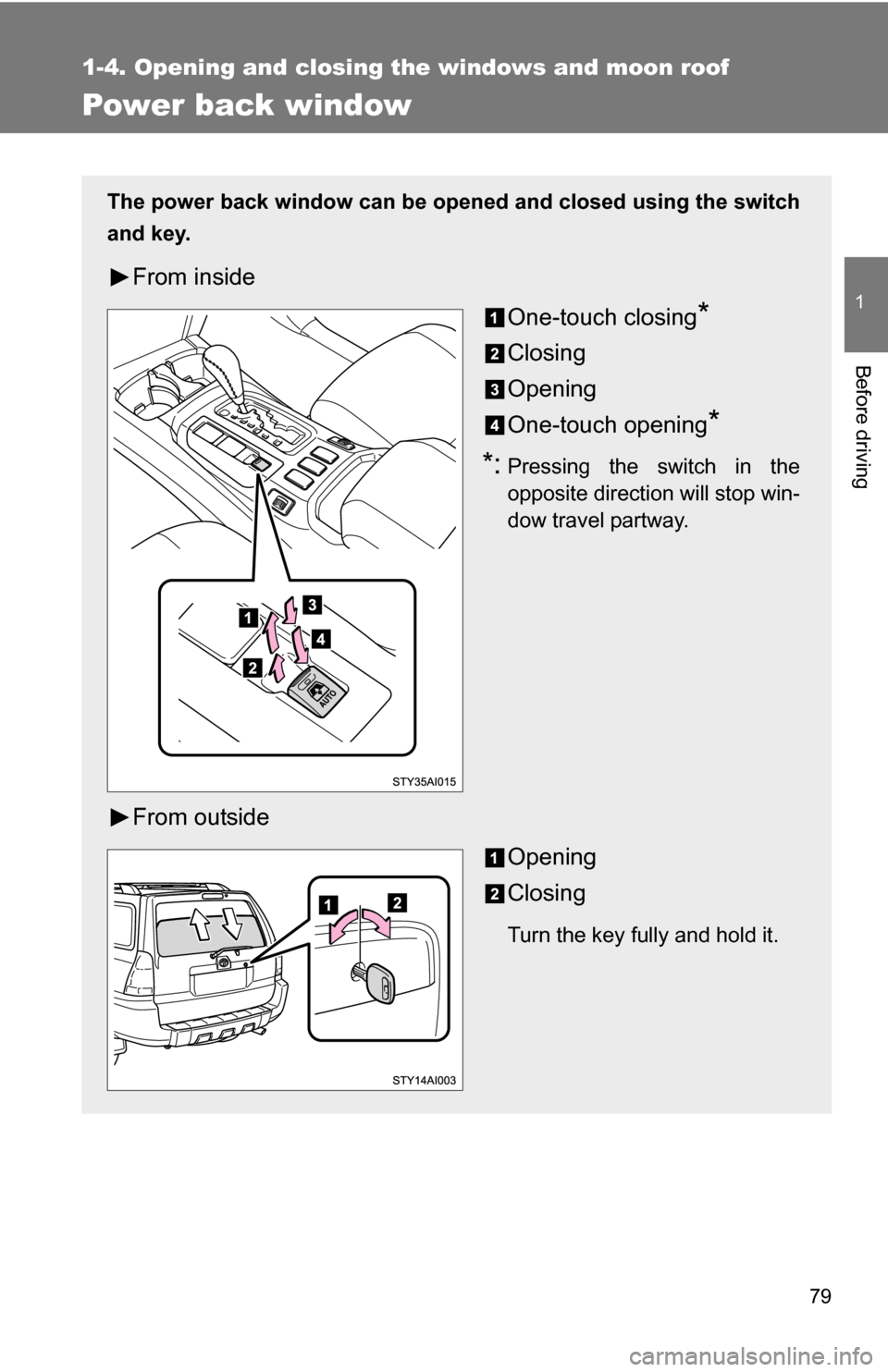
The power back window can be opened and closed using the switch
and key.
From insideOne-touch closing
*
Closing
Opening
One-touch opening
*
*:Pressing the switch in the
opposite direction will stop win-
dow travel partway.
From outsideOpening
Closing
Turn the key fully and hold it.
Page 88 of 520
88
1-6. Theft deterrent system
Engine immobilizer system
■System maintenance
The vehicle has a maintenance-free type of engine immobilizer system.
■ Conditions that may cause the system to malfunction
●If the key is in contact with a metallic object
● If the key is in close proximity to or touching a key to the security system
(key with a built-in transponder chip) of another vehicle
■ Certifications for the en gine immobilizer system
For vehicles sold in U.S.A.
This device complies with Part 15 of the FCC Rules. Operation is subject to
the following two conditions: (1) this device may not cause harmful interfer-
ence, and (2) this device must accept any interference received, including
interference that may cause undesired operation.
FCC WARNING:
Changes or modifications not expressly approved by the party responsible
for compliance could void the user’s authority to operate the equipment.
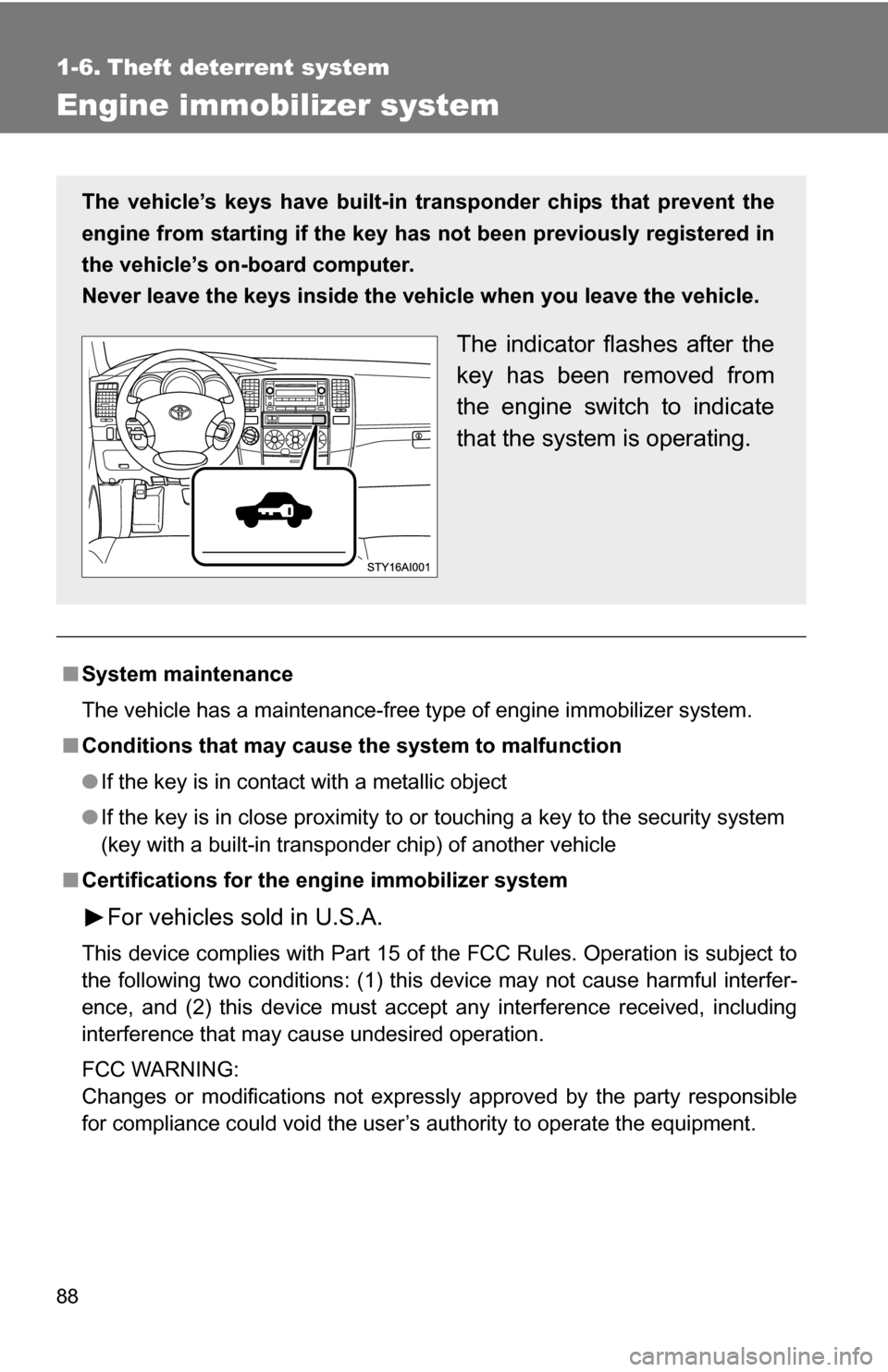
The vehicle’s keys have built-in tr ansponder chips that prevent the
engine from starting if the key has not been previously registered in
the vehicle’s on-board computer.
Never leave the keys inside the vehicle when you leave the vehicle.
The indicator flashes after the
key has been removed from
the engine switch to indicate
that the system is operating.
Page 89 of 520
89
1-6. Theft deterrent system
1
Before driving
For vehicles sold in Canada
This device complies with RSS-210 of Industry Canada.
Operation is subject to the following two conditions: (1) this device may not
cause interference, and (2) this device must accept any interference, includ-
ing interference that may cause undesired operation of the device.
NOTICE
■
To prevent damage to the key
Do not modify, remove or disable the engine immobilizer system. If any
unauthorized changes or modifications are made, the proper operation of
the system cannot be guaranteed.
Page 90 of 520
90
1-6. Theft deterrent system
Alarm (if equipped)
The system sounds the alarm and flashes lights when forcible entry
is detected.
■ Triggering of the alarm
The alarm is triggered in the following situations.
●A locked door is unlocked or opened in any way other than
using the wireless remote control door lock function or key.
The doors will lock again automatically.
● The hood is opened while t he vehicle is locked.
● The battery is reconnected.
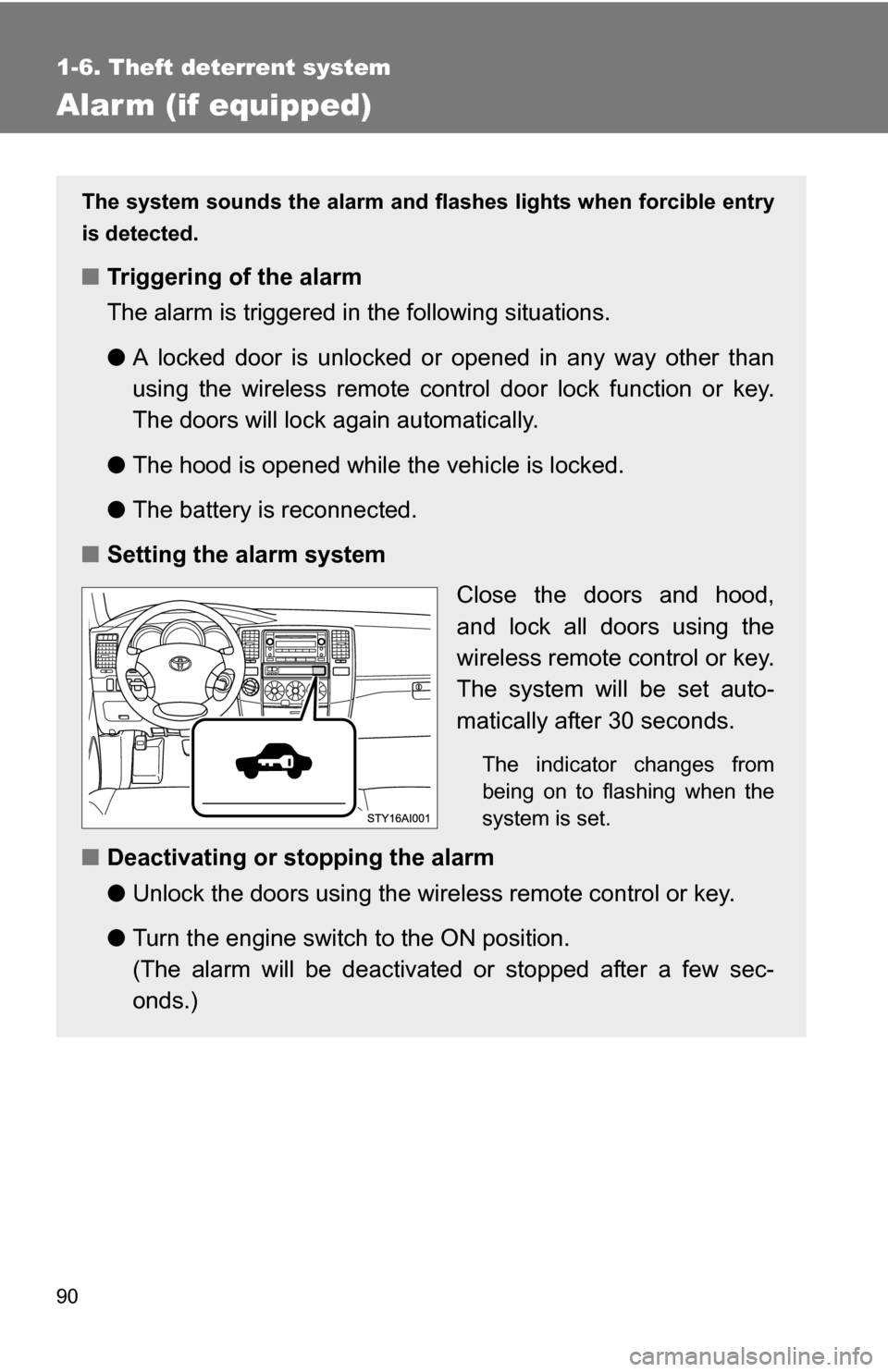
■ Setting the alarm system
Close the doors and hood,
and lock all doors using the
wireless remote control or key.
The system will be set auto-
matically after 30 seconds.
The indicator changes from
being on to flashing when the
system is set.
■Deactivating or stopping the alarm
●Unlock the doors using the wire less remote control or key.
● Turn the engine switch to the ON position.
(The alarm will be deactivated or stopped after a few sec-
onds.)
Page 132 of 520
132
2-1. Driving procedures
Driving the vehicle
Starting on a steep uphillWith the brake pedal depressed, firmly set the parking brake
and shift the shift lever to D.
Gently depress the accelerator pedal.
Release the parking brake.
The following procedures should be observed to ensure safe driv-
ing.
■ Starting the engine ( P. 140)
■ Driving
With the brake pedal depressed, shift the shift lever to D. ( P. 143)
Release the parking brake. ( P. 146)
Gradually release the brake pedal and gently depress the
accelerator pedal to accelerate the vehicle.
■ Stopping
With the shift lever in D, depress the brake pedal.
If necessary, set the parking brake.
When the vehicle is stopped for an extended period of time, shift
the shift lever to P or N. (
P. 1 4 3)
■Parking the vehicle
With the shift lever in D, depress the brake pedal.
Set the parking brake. ( P. 146)
Shift the shift lever to P. ( P. 143)
When parking on a hill, if necessary, block the wheels.
Turn the engine switch off to stop the engine.
Lock the door, making sure that you have the key on your
person.
Page 140 of 520
140
2-1. Driving procedures
Engine (ignition) switch
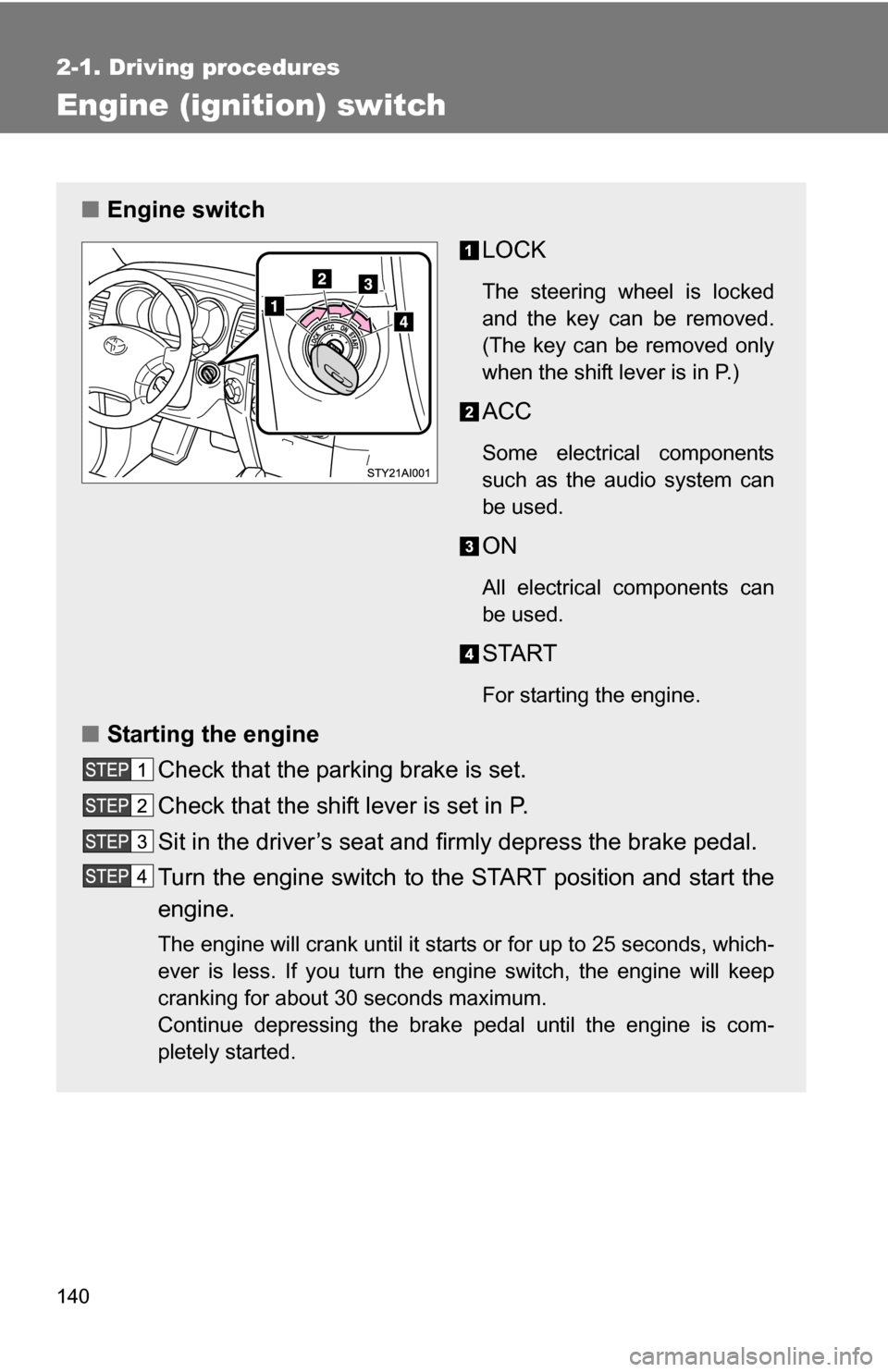
■Engine switch
LOCK
The steering wheel is locked
and the key can be removed.
(The key can be removed only
when the shift lever is in P.)
ACC
Some electrical components
such as the audio system can
be used.
ON
All electrical components can
be used.
START
For starting the engine.
■Starting the engine
Check that the parking brake is set.
Check that the shift lever is set in P.
Sit in the driver’s seat and firmly depress the brake pedal.
Turn the engine switch to the START position and start the
engine.
The engine will crank until it starts or for up to 25 seconds, which-
ever is less. If you turn the engine switch, the engine will keep
cranking for about 30 seconds maximum.
Continue depressing the brake pedal until the engine is com-
pletely started.
Page 141 of 520
141
2-1. Driving procedures
2
When driving
■
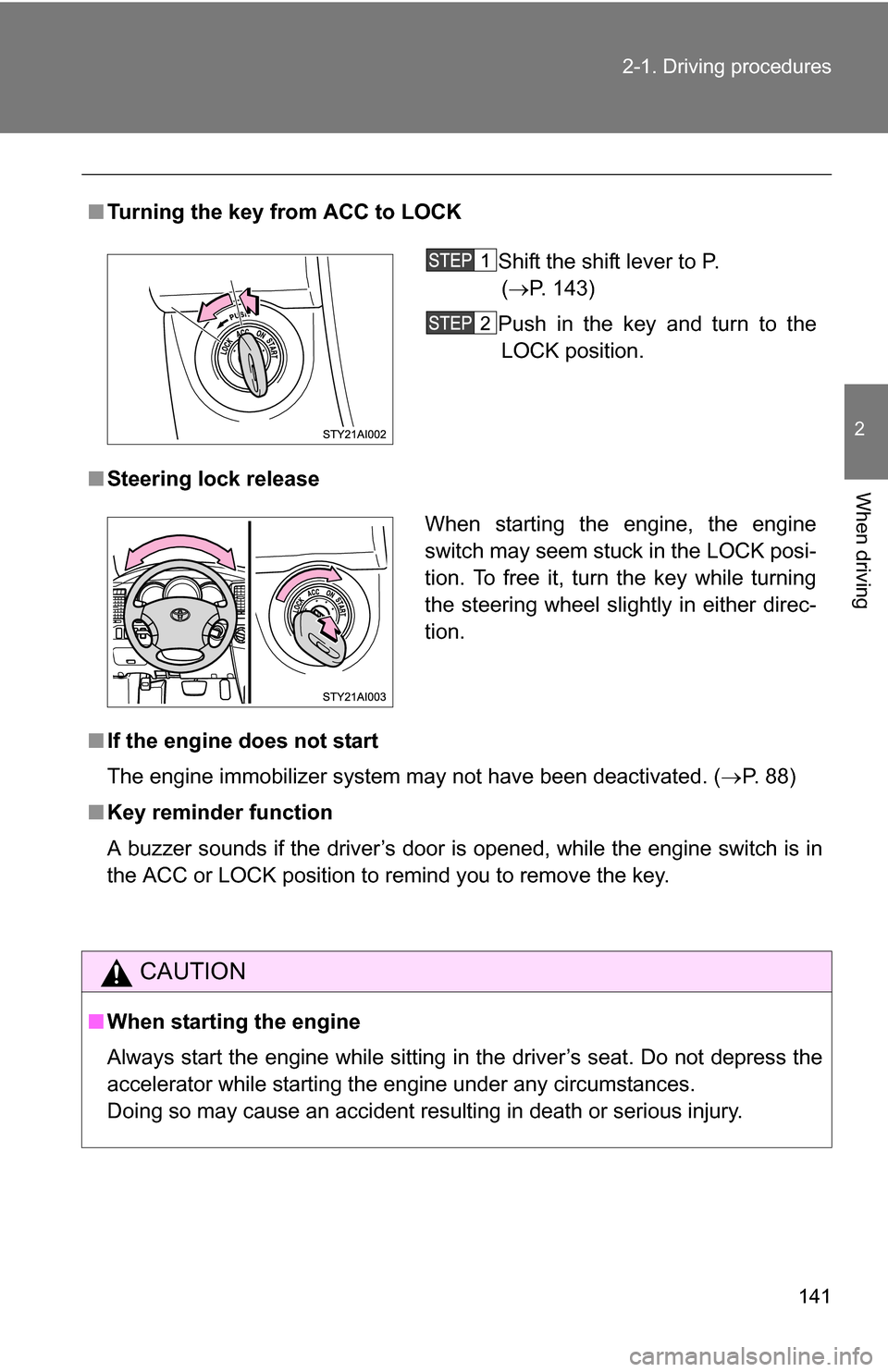
Turning the key from ACC to LOCK
■ Steering lock release
■ If the engine does not start
The engine immobilizer system may not have been deactivated. ( P. 88)
■ Key reminder function
A buzzer sounds if the driver’s door is opened, while the engine switch is in
the ACC or LOCK position to remind you to remove the key.
CAUTION
■When starting the engine
Always start the engine while sitting in the driver’s seat. Do not depress the
accelerator while starting the engine under any circumstances.
Doing so may cause an accident resulting in death or serious injury.
Shift the shift lever to P.
( P. 143)
Push in the key and turn to the LOCK position.
When starting the engine, the engine
switch may seem stuck in the LOCK posi-
tion. To free it, turn the key while turning
the steering wheel slightly in either direc-
tion.