brake TOYOTA 4RUNNER 2011 N280 / 5.G Owner's Manual
[x] Cancel search | Manufacturer: TOYOTA, Model Year: 2011, Model line: 4RUNNER, Model: TOYOTA 4RUNNER 2011 N280 / 5.GPages: 680, PDF Size: 12.58 MB
Page 173 of 680
173
2-1. Driving procedures
2
When driving
4RUNNER_U
Automatic transmission
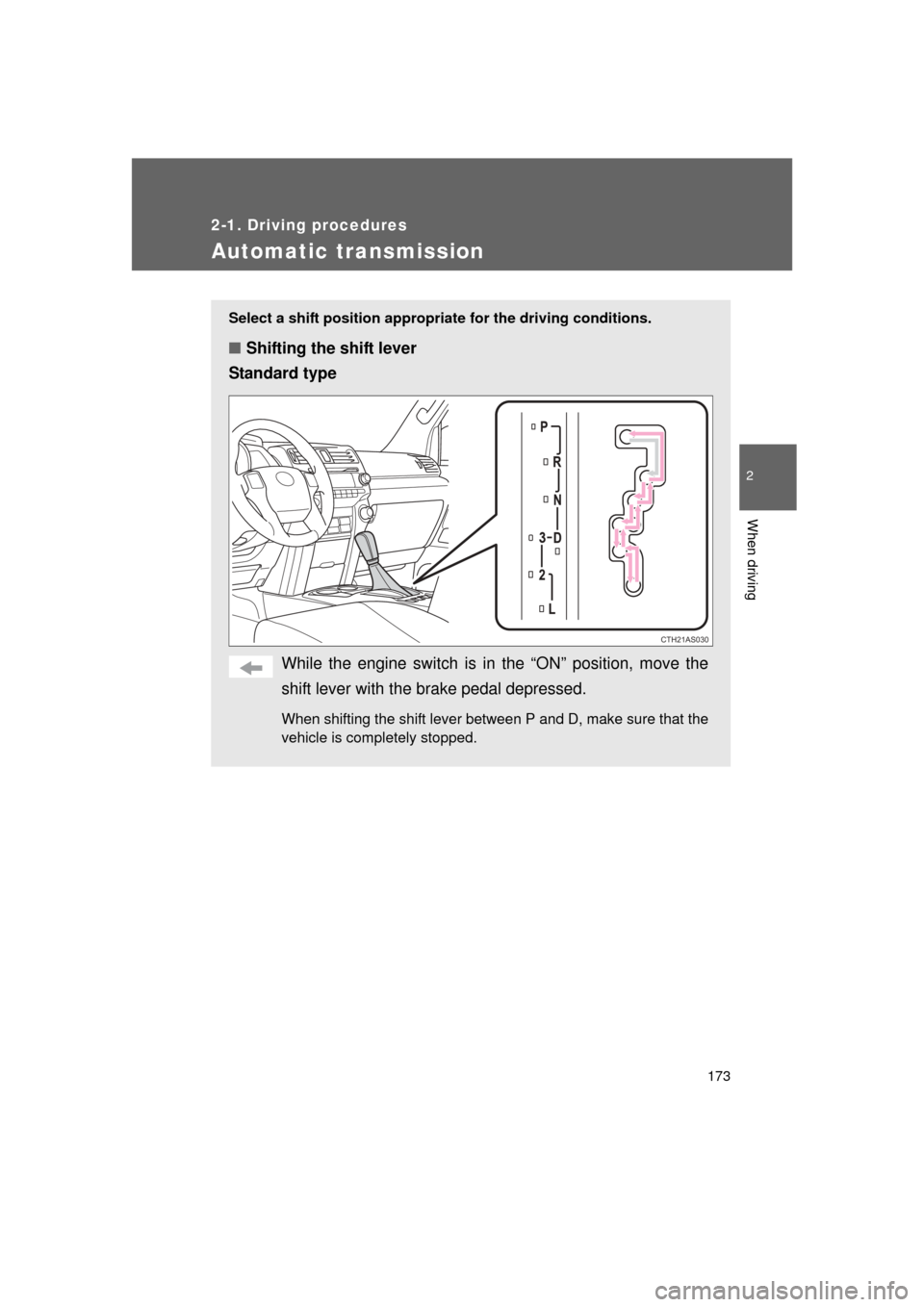
Select a shift position appropriate for the driving conditions.
■Shifting the shift lever
Standard type
While the engine switch is in the “ON” position, move the
shift lever with the brake pedal depressed.
When shifting the shift lever between P and D, make sure that the
vehicle is completely stopped.
CTH21AS030
Page 174 of 680
174 2-1. Driving procedures
4RUNNER_U
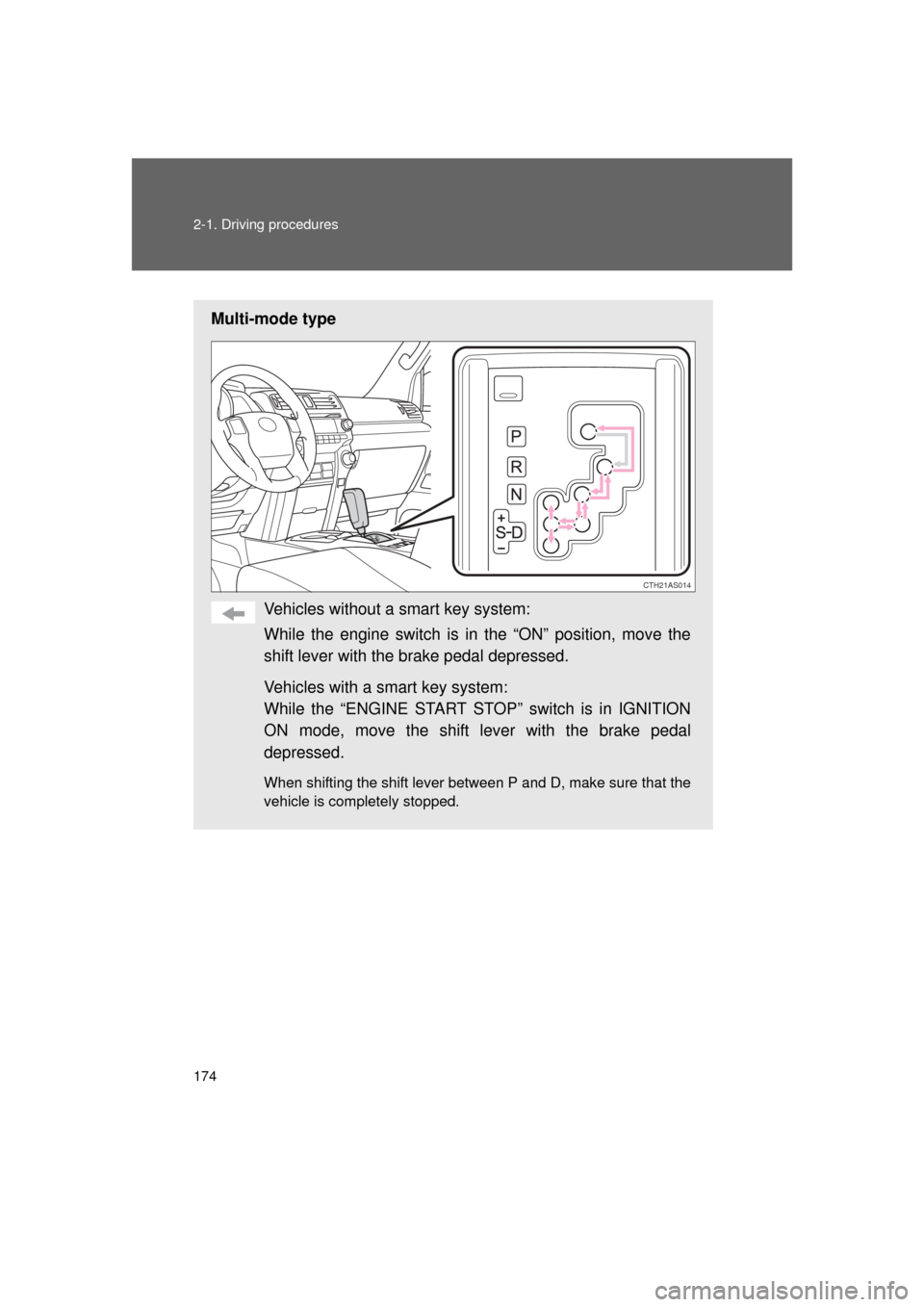
Multi-mode typeVehicles without a smart key system:
While the engine switch is in the “ON” position, move the
shift lever with the brake pedal depressed.
Vehicles with a smart key system:
While the “ENGINE START STOP” switch is in IGNITION
ON mode, move the shift lever with the brake pedal
depressed.
When shifting the shift lever between P and D, make sure that the
vehicle is completely stopped.
CTH21AS014
Page 177 of 680
177
2-1. Driving procedures
2
When driving
4RUNNER_U
■
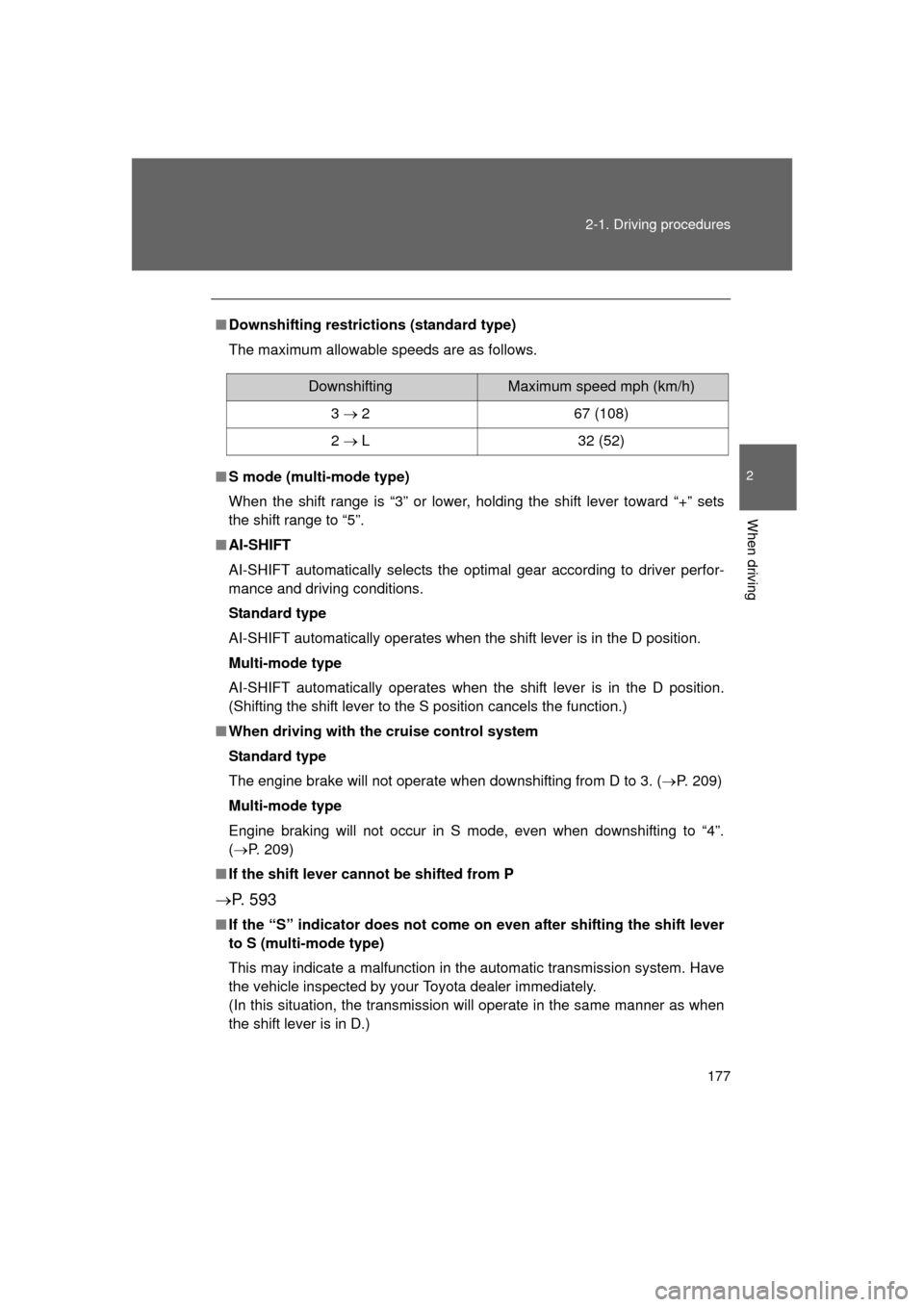
Downshifting restrictions (standard type)
The maximum allowable speeds are as follows.
■ S mode (multi-mode type)
When the shift range is “3” or lower, holding the shift lever toward “+” sets
the shift range to “5”.
■ AI-SHIFT
AI-SHIFT automatically selects the optimal gear according to driver perfor-
mance and driving conditions.
Standard type
AI-SHIFT automatically operates when the shift lever is in the D position.
Multi-mode type
AI-SHIFT automatically operates when the shift lever is in the D position.
(Shifting the shift lever to the S position cancels the function.)
■ When driving with the cruise control system
Standard type
The engine brake will not operate when downshifting from D to 3. ( P. 209)
Multi-mode type
Engine braking will not occur in S mode, even when downshifting to “4”.
( P. 209)
■ If the shift lever cannot be shifted from P
P. 5 9 3
■If the “S” indicator does not come on even after shifting the shift lever
to S (multi-mode type)
This may indicate a malfunction in the automatic transmission system. Have
the vehicle inspected by your Toyota dealer immediately.
(In this situation, the transmission will operate in the same manner as when
the shift lever is in D.)
DownshiftingMaximum speed mph (km/h)
3 267 (108)
2 L32 (52)
Page 180 of 680
180
2-1. Driving procedures
4RUNNER_U
Parking brake
■Usage in winter time
See “Winter driving tips” for parking brake usage in winter time. ( P. 275)
NOTICE
■Before driving
Fully release the parking brake.
Driving the vehicle with the parking brake set will lead to brake components
overheating, which may affect braking performance and increase brake
wear.
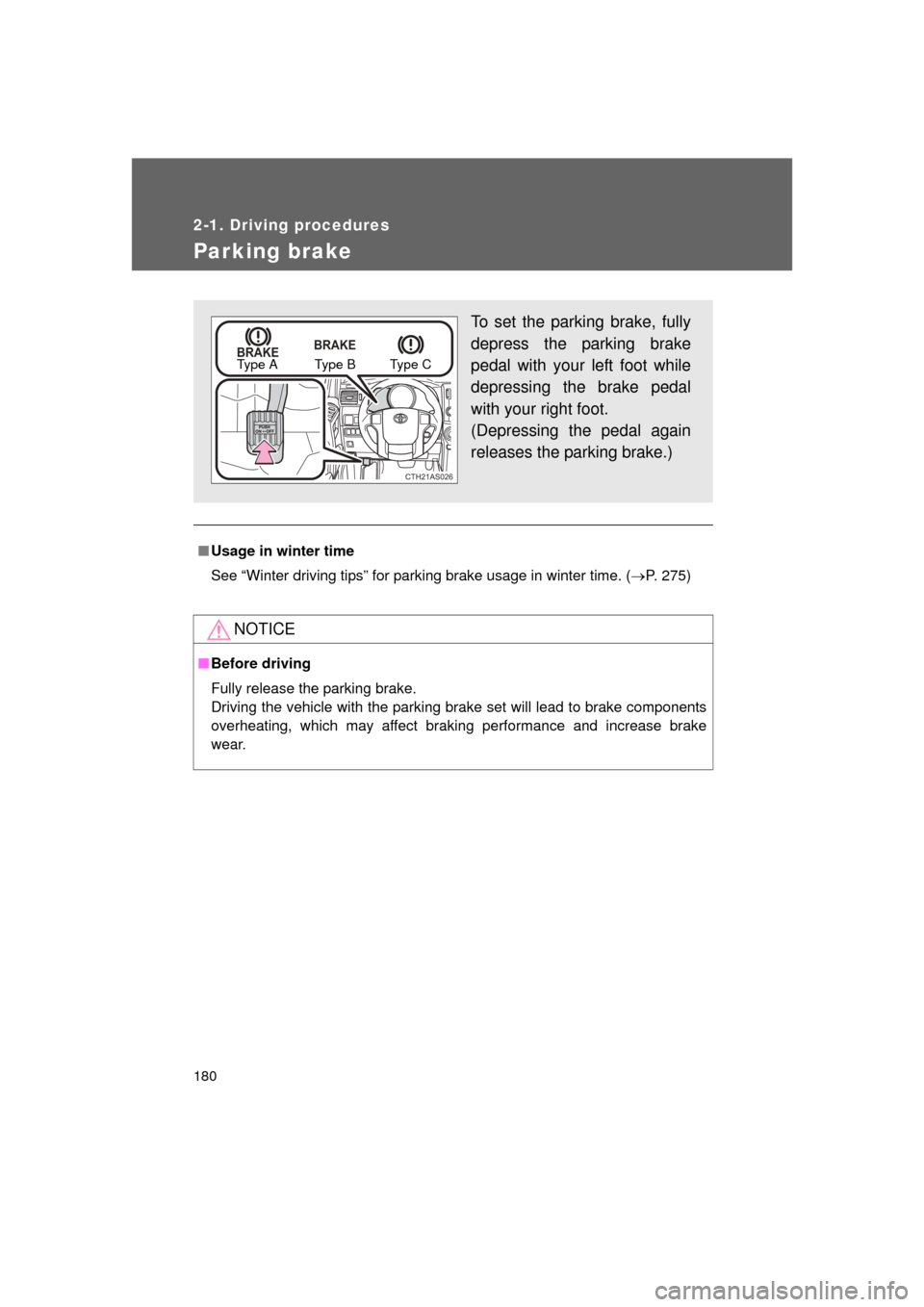
To set the parking brake, fully
depress the parking brake
pedal with your left foot while
depressing the brake pedal
with your right foot.
(Depressing the pedal again
releases the parking brake.)
BRAKE BRAKE
CTH21AS026
Type A Type B Type C
Page 202 of 680
202 2-3. Operating the lights and wipers
4RUNNER_U
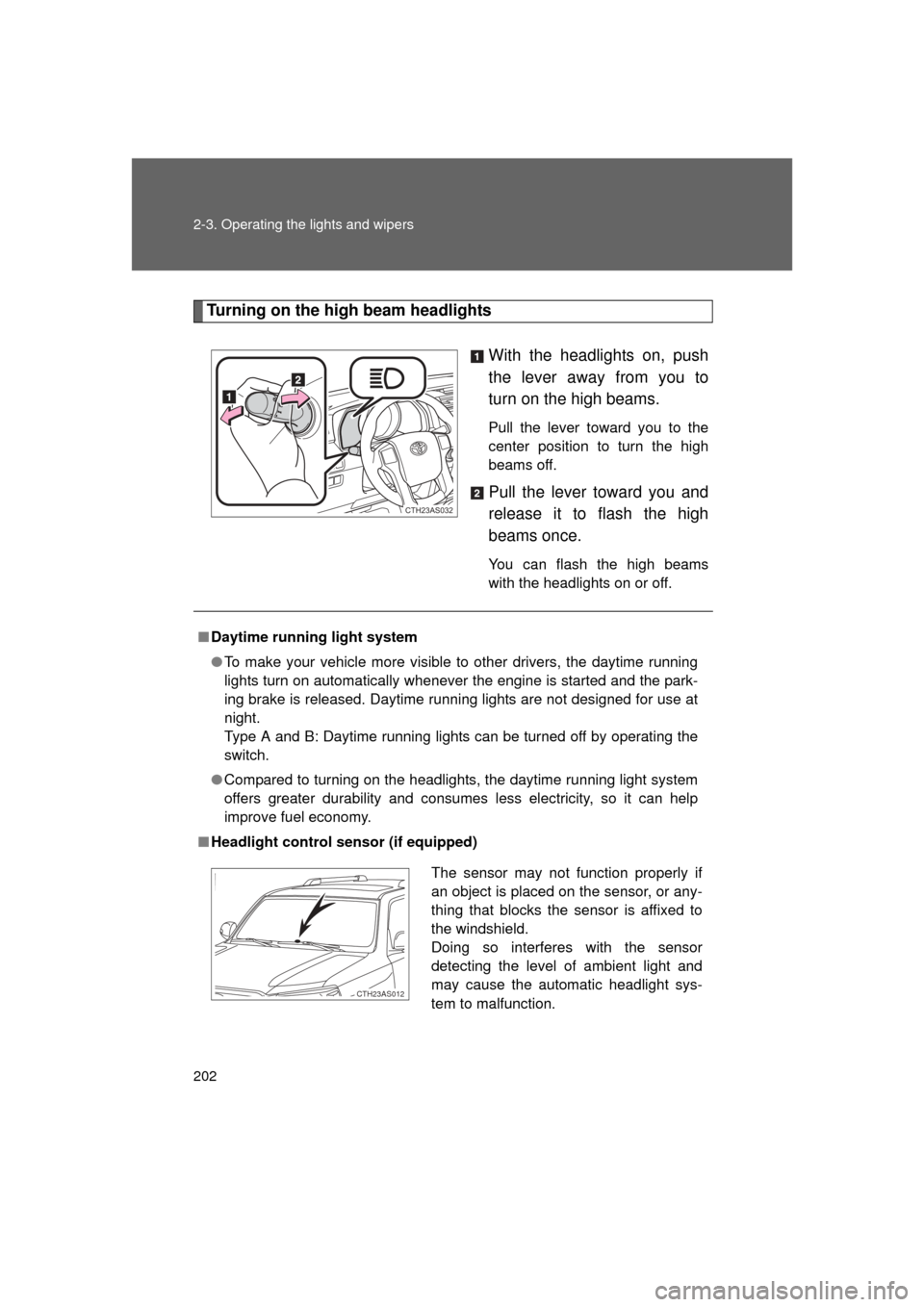
Turning on the high beam headlightsWith the headlights on, push
the lever away from you to
turn on the high beams.
Pull the lever toward you to the
center position to turn the high
beams off.
Pull the lever toward you and
release it to flash the high
beams once.
You can flash the high beams
with the headlights on or off.
CTH23AS032
■Daytime running light system
● To make your vehicle more visible to other drivers, the daytime running
lights turn on automatically whenever the engine is started and the park-
ing brake is released. Daytime running lights are not designed for use at
night.
Type A and B: Daytime running lights can be turned off by operating the
switch.
● Compared to turning on the headlights, the daytime running light system
offers greater durability and consumes less electricity, so it can help
improve fuel economy.
■ Headlight control sensor (if equipped)
The sensor may not function properly if
an object is placed on the sensor, or any-
thing that blocks the sensor is affixed to
the windshield.
Doing so interferes with the sensor
detecting the level of ambient light and
may cause the automatic headlight sys-
tem to malfunction.
CTH23AS012
Page 210 of 680
210 2-4. Using other driving systems
4RUNNER_U
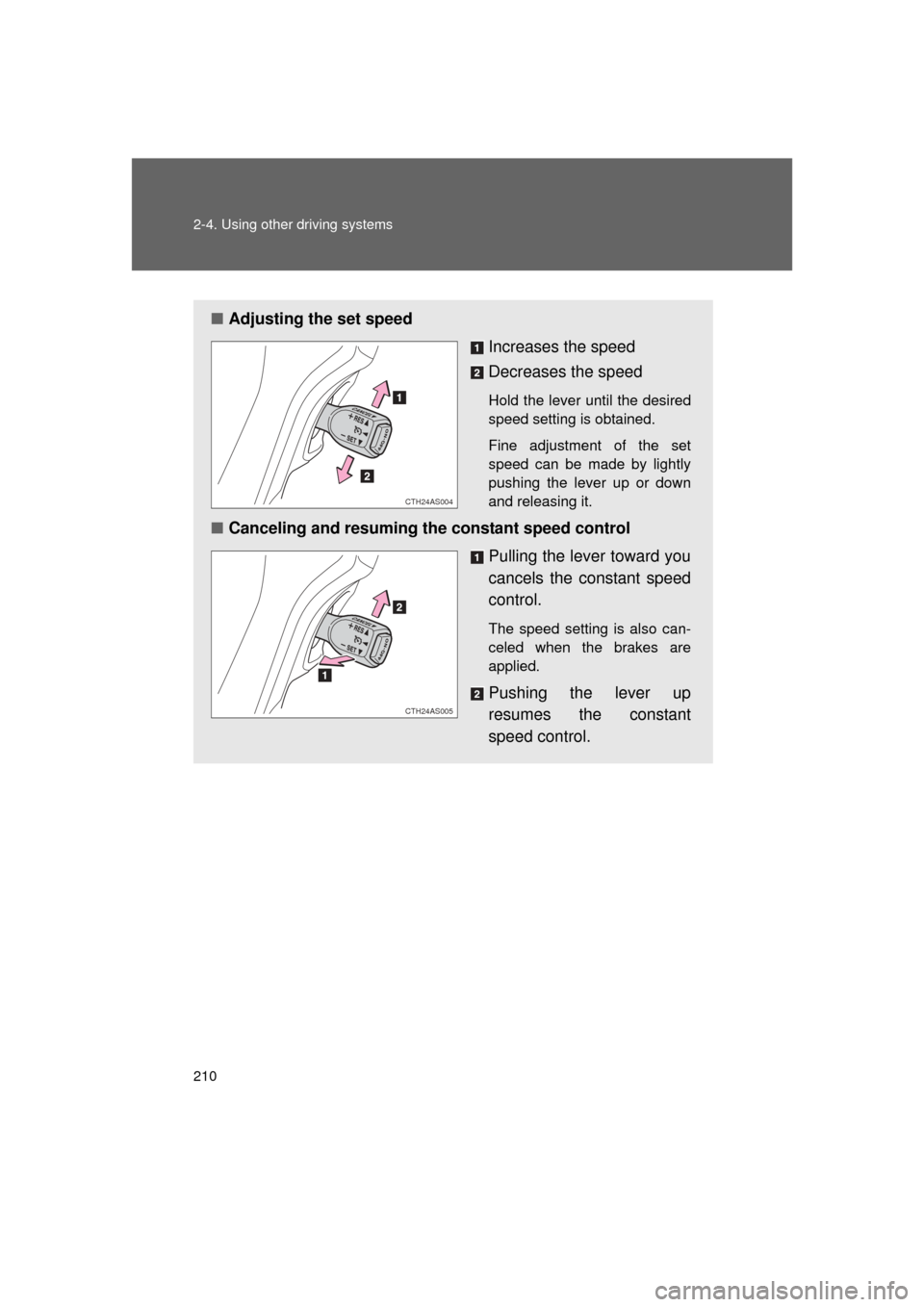
■Adjusting the set speed
Increases the speed
Decreases the speed
Hold the lever until the desired
speed setting is obtained.
Fine adjustment of the set
speed can be made by lightly
pushing the lever up or down
and releasing it.
■Canceling and resuming the constant speed control
Pulling the lever toward you
cancels the constant speed
control.
The speed setting is also can-
celed when the brakes are
applied.
Pushing the lever up
resumes the constant
speed control.
CTH24AS004
CTH24AS005
Page 216 of 680

216 2-4. Using other driving systems
4RUNNER_U
■Sensor detection information
● Certain vehicle conditions and the surrounding environment may affect
the ability of a sensor to correctly detect an obstacle. Particular instances
where this may occur are listed below.
• There is dirt, snow or ice on a sensor.
• A sensor is frozen.
• A sensor is covered in any way.
• The vehicle is leaning considerably to one side.
• On an extremely bumpy road, on an incline, on gravel, or on grass
• The vicinity of the vehicle is noisy due to vehicle horns, motorcycle
engines, air brakes of large vehicles, or other loud noises producing
ultrasonic waves.
• There is another vehicle equipped with parking assist sensors in the vicinity.
• A sensor is coated with a sheet of spray or heavy rain.
• A bumper or sensor receives a strong impact.
• The vehicle is approaching a tall or right-angled curb.
• In harsh sunlight or intense cold weather
• A non-genuine Toyota suspension (lowered suspension etc.) is installed.
In addition to the examples above, there are instances in which, because of
their shape, signs and other objects may be judged by a sensor to be closer
than they are.
● The shape of the obstacle may prevent a sensor from detecting it. Pay
particular attention to the following obstacles:
• Wires, fences, ropes, etc.
• Cotton, snow and other materials that absorb sound waves
• Sharply-angled objects
• Low obstacles
• Tall obstacles with upper sections projecting outwards in the direction
of your vehicle
Page 231 of 680
231
2-4. Using other
driving systems
2
When driving
4RUNNER_U
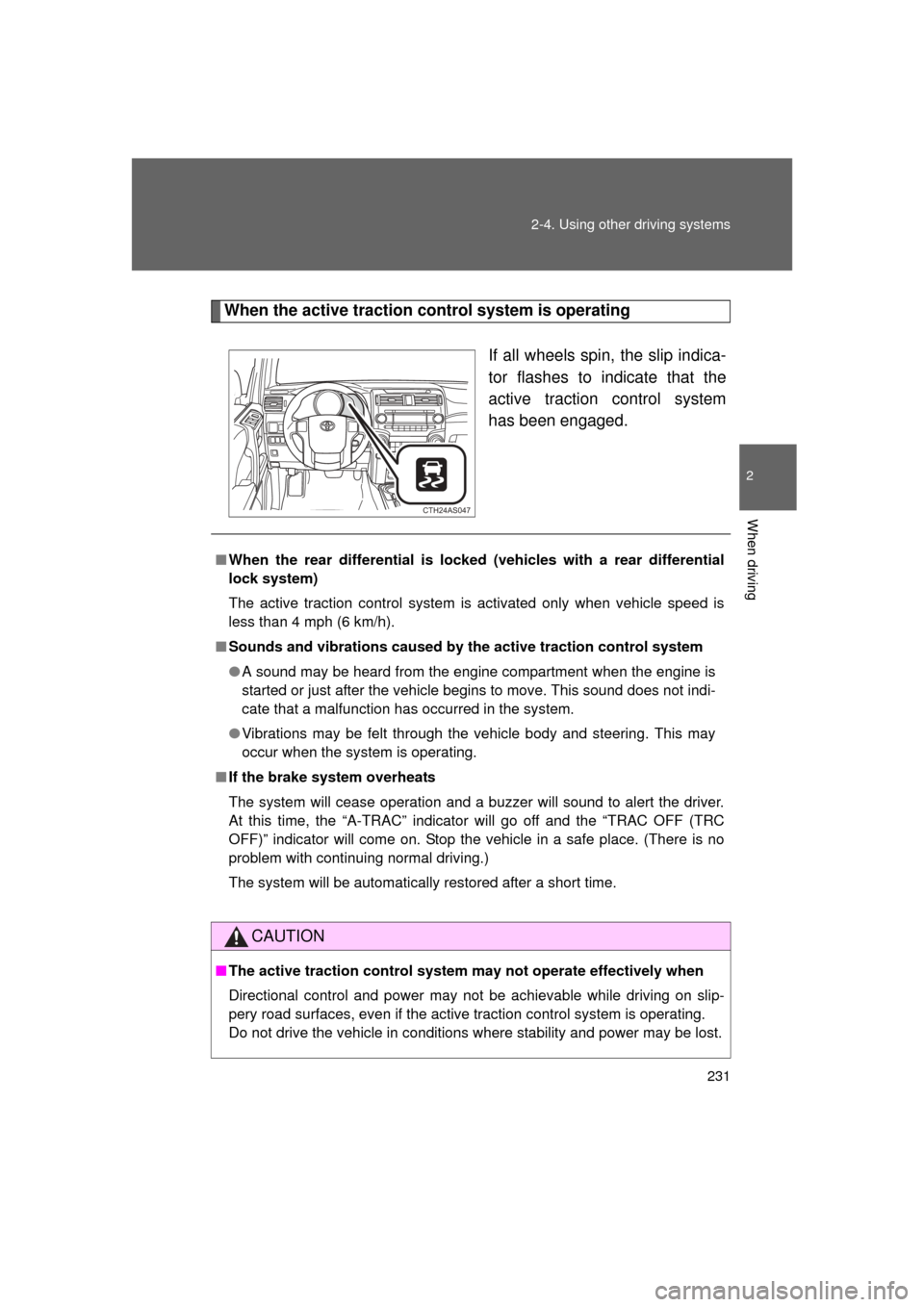
When the active traction control system is operating
If all wheels spin, the slip indica-
tor flashes to indicate that the
active traction control system
has been engaged.
CTH24AS047
■When the rear differential is locked (vehicles with a rear differential
lock system)
The active traction control system is activated only when vehicle speed is
less than 4 mph (6 km/h).
■ Sounds and vibrations caused by the active traction control system
● A sound may be heard from the engine compartment when the engine is
started or just after the vehicle begins to move. This sound does not indi-
cate that a malfunction has occurred in the system.
● Vibrations may be felt through the vehicle body and steering. This may
occur when the system is operating.
■ If the brake system overheats
The system will cease operation and a buzzer will sound to alert the driver.
At this time, the “A-TRAC” indicator will go off and the “TRAC OFF (TRC
OFF)” indicator will come on. Stop the vehicle in a safe place. (There is no
problem with continuing normal driving.)
The system will be automatically restored after a short time.
CAUTION
■The active traction control system m ay not operate effectively when
Directional control and power may not be achievable while driving on slip-
pery road surfaces, even if the active traction control system is operating.
Do not drive the vehicle in conditions where stability and power may be lost.
Page 233 of 680
233
2-4. Using other
driving systems
2
When driving
4RUNNER_U
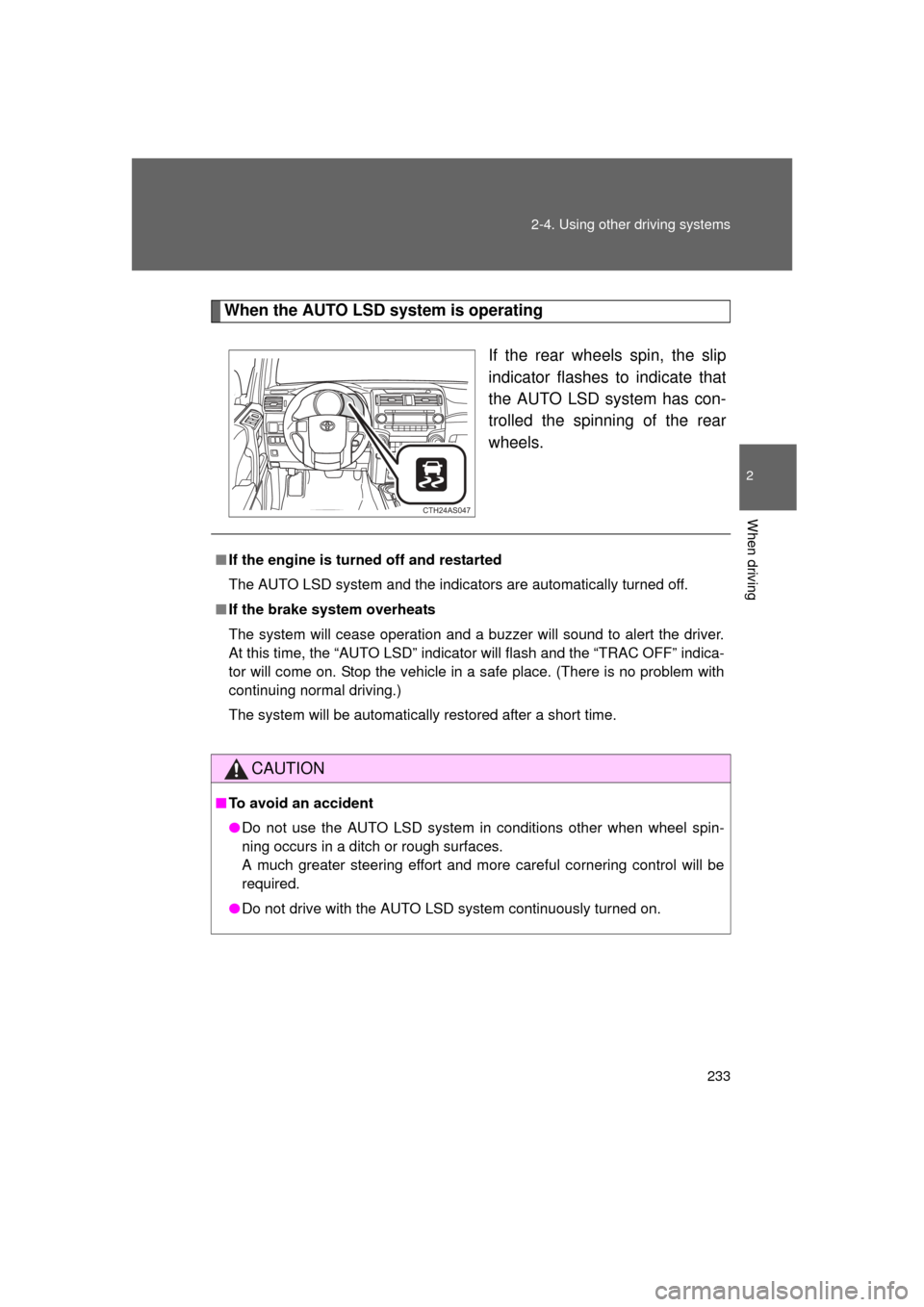
When the AUTO LSD system is operating
If the rear wheels spin, the slip
indicator flashes to indicate that
the AUTO LSD system has con-
trolled the spinning of the rear
wheels.
CTH24AS047
■If the engine is turned off and restarted
The AUTO LSD system and the indicators are automatically turned off.
■ If the brake system overheats
The system will cease operation and a buzzer will sound to alert the driver.
At this time, the “AUTO LSD” indicato r will flash and the “TRAC OFF” indica-
tor will come on. Stop the vehicle in a safe place. (There is no problem with
continuing normal driving.)
The system will be automatically restored after a short time.
CAUTION
■ To avoid an accident
● Do not use the AUTO LSD system in conditions other when wheel spin-
ning occurs in a ditch or rough surfaces.
A much greater steering effort and more careful cornering control will be
required.
● Do not drive with the AUTO LSD system continuously turned on.
Page 236 of 680

236 2-4. Using other driving systems
4RUNNER_U
Using the rear differential lock systemBefore using the rear differential lock system:
Stop the vehicle, shift the shift lever to N and shift the front-
wheel drive control lever into L4 to see if this is sufficient. If
this has no effect, additionally use the rear differential lock
system.
Be sure the wheels have stopped spinning.
Press the rear differential lock switch.
Gently depress the accelerator pedal.
After the rear differential is locked, the indicator will come on.
Unlock the rear differential as soon as the vehicle moves.
To unlock the rear differential, press the switch again.
■ Locking the rear differential
The following systems do not operate when the rear differential is locked. It
is normal operation for the ABS warning light and VSC off indicator to be on
at this time.
•ABS
• Multi Terrain ABS
• Brake assist system
•VSC
• Hill-start assist control
■ The rear differential lock is disengaged when
The front-wheel drive control lever is shifted to H2 or H4.
Never forget to turn off the switch after using this feature.
■ After unlocking the rear differential
Check that the indicator goes off.
STEP 1
STEP 2
STEP 3
STEP 4