display TOYOTA 4RUNNER 2013 N280 / 5.G User Guide
[x] Cancel search | Manufacturer: TOYOTA, Model Year: 2013, Model line: 4RUNNER, Model: TOYOTA 4RUNNER 2013 N280 / 5.GPages: 704, PDF Size: 11.56 MB
Page 190 of 704
190 2-2. Instrument cluster
4RUNNER_UOptitron type meter
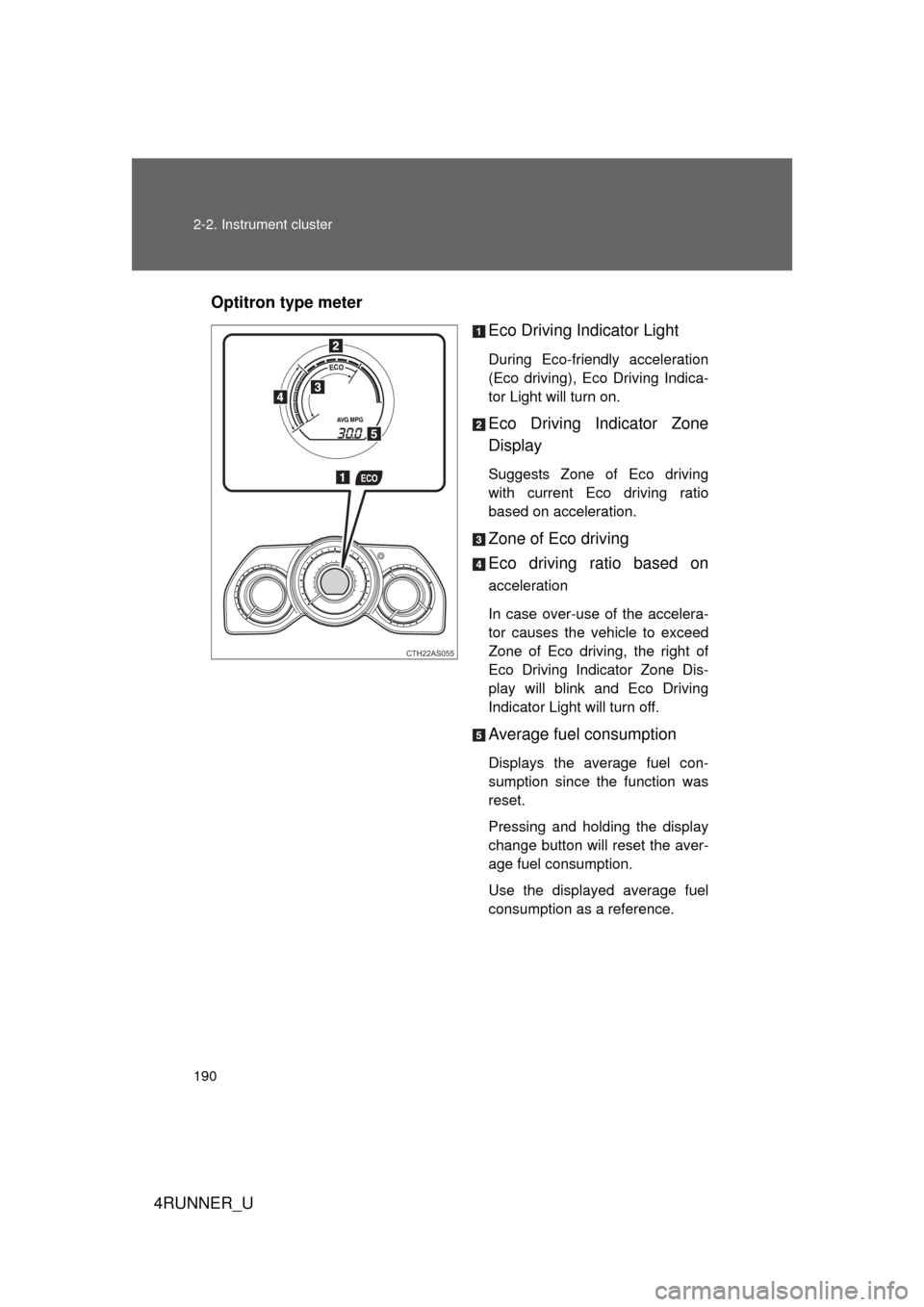
Eco Driving Indicator Light
During Eco-friendly acceleration
(Eco driving), Eco Driving Indica-
tor Light will turn on.
Eco Driving Indicator Zone
Display
Suggests Zone of Eco driving
with current Eco driving ratio
based on acceleration.
Zone of Eco driving
Eco driving ratio based on
acceleration
In case over-use of the accelera-
tor causes the vehicle to exceed
Zone of Eco driving, the right of
Eco Driving Indicator Zone Dis-
play will blink and Eco Driving
Indicator Light will turn off.
Average fuel consumption
Displays the average fuel con-
sumption since the function was
reset.
Pressing and holding the display
change button will reset the aver-
age fuel consumption.
Use the displayed average fuel
consumption as a reference.
CTH22AS055
Page 191 of 704
191
2-2. Instrument cluster
2
When driving
4RUNNER_U
■
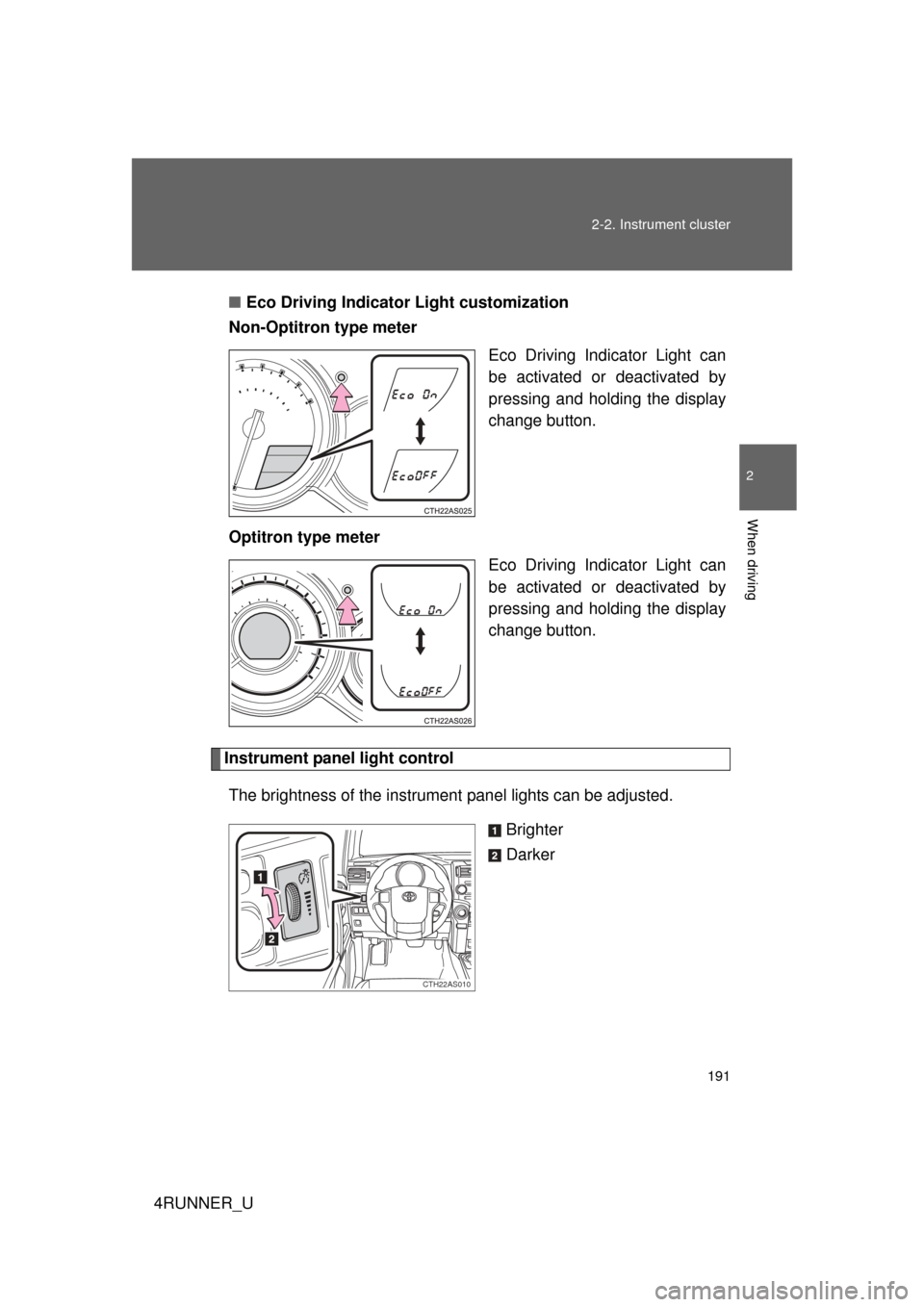
Eco Driving Indicator Light customization
Non-Optitron type meter
Eco Driving Indicator Light can
be activated or deactivated by
pressing and holding the display
change button.
Optitron type meter Eco Driving Indicator Light can
be activated or deactivated by
pressing and holding the display
change button.
Instrument panel light control
The brightness of the instrument panel lights can be adjusted.
Brighter
Darker
CTH22AS010
Page 192 of 704
192 2-2. Instrument cluster
4RUNNER_U
■The meters and display illuminate when (Optitron type meter)
Vehicles without a smart key system:
The engine switch is in the “ON” position.
Vehicles with a smart key system:
The “ENGINE START STOP” switch is in IGNITION ON mode.
■ Eco Driving Indicator Light will not operate in the following conditions
● The shift lever is in anything other than D.
● The vehicle speed is approximately 80 mph (130 km/h) or higher.
■ When the average fuel consumption is reset
The average fuel consumption displayed on the accessory meter and “Past
Record” screen of the Display Audio system (if equipped) or the navigation
system (if equipped) will be reset at the same time.
■ The brightness of the instrument panel lights (Optitron type meter)
When the headlight switch is turned to on, the brightness will be reduced
slightly unless the control dial is turned fully upward.
NOTICE
■ To prevent damage to the engine and its components
● Do not let the indicator needle of the tachometer enter the red zone, which
indicates the maximum engine speed.
● The engine may be overheating if the engine coolant temperature gauge is
in the red zone (H). In this case, immediately stop the vehicle in a safe
place, and check the engine after it has cooled completely. ( P. 631)
■ While driving (Optitron type meter)
When the voltmeter indicates more than 19 V or less than 9 V, the battery
may be malfunctioning. Have your vehicle checked at your Toyota dealer.
Page 199 of 704
199
2-2. Instrument cluster
2
When driving
4RUNNER_U
Accessor y meter
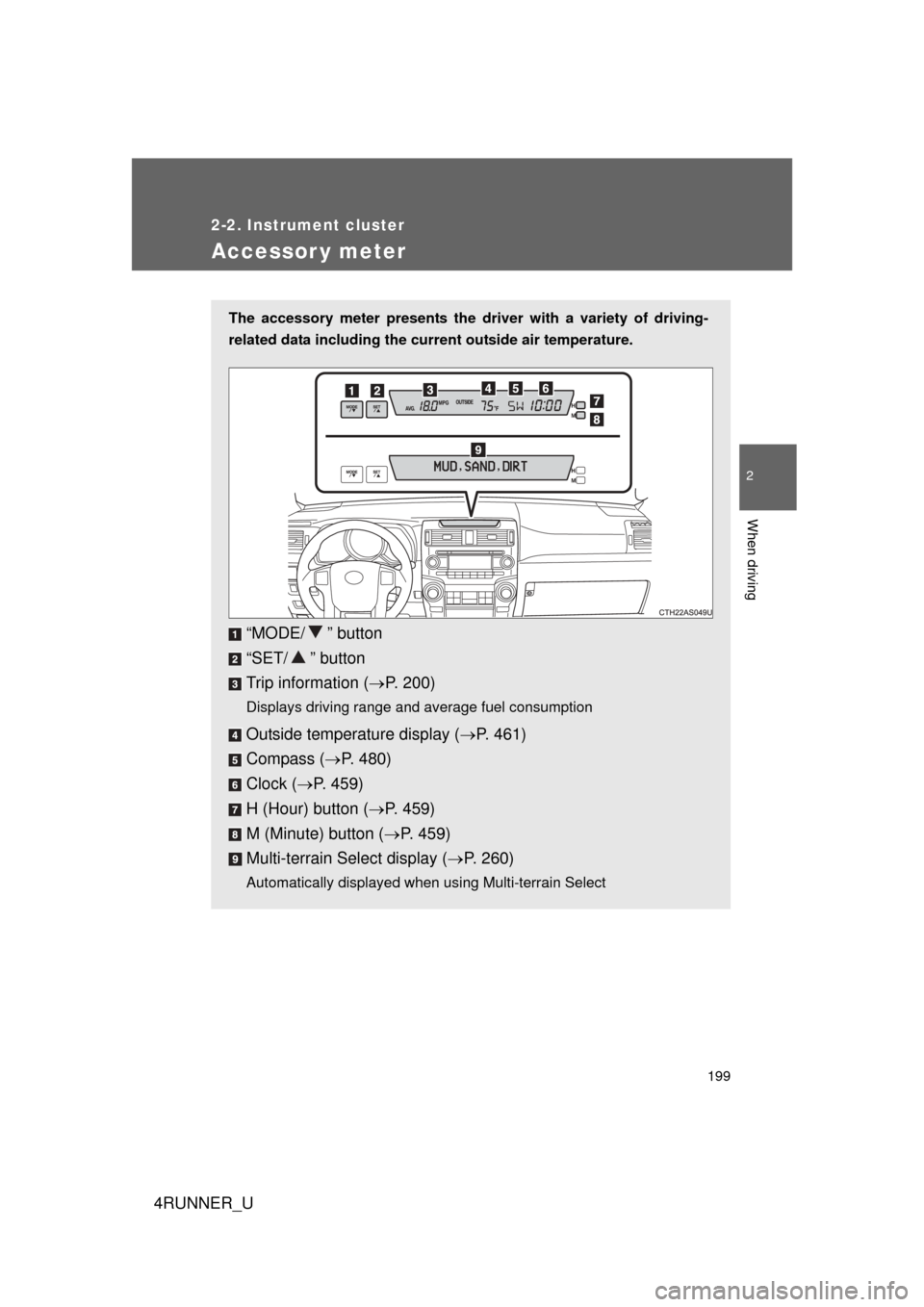
The accessory meter presents the driver with a variety of driving-
related data including the current outside air temperature.
“MODE/ ” button
“SET/ ” button
Trip information (P. 200)
Displays driving range and average fuel consumption
Outside temperature display ( P. 461)
Compass ( P. 480)
Clock ( P. 459)
H (Hour) button ( P. 459)
M (Minute) button ( P. 459)
Multi-terrain Select display ( P. 260)
Automatically displayed when using Multi-terrain Select
Page 200 of 704
200 2-2. Instrument cluster
4RUNNER_U
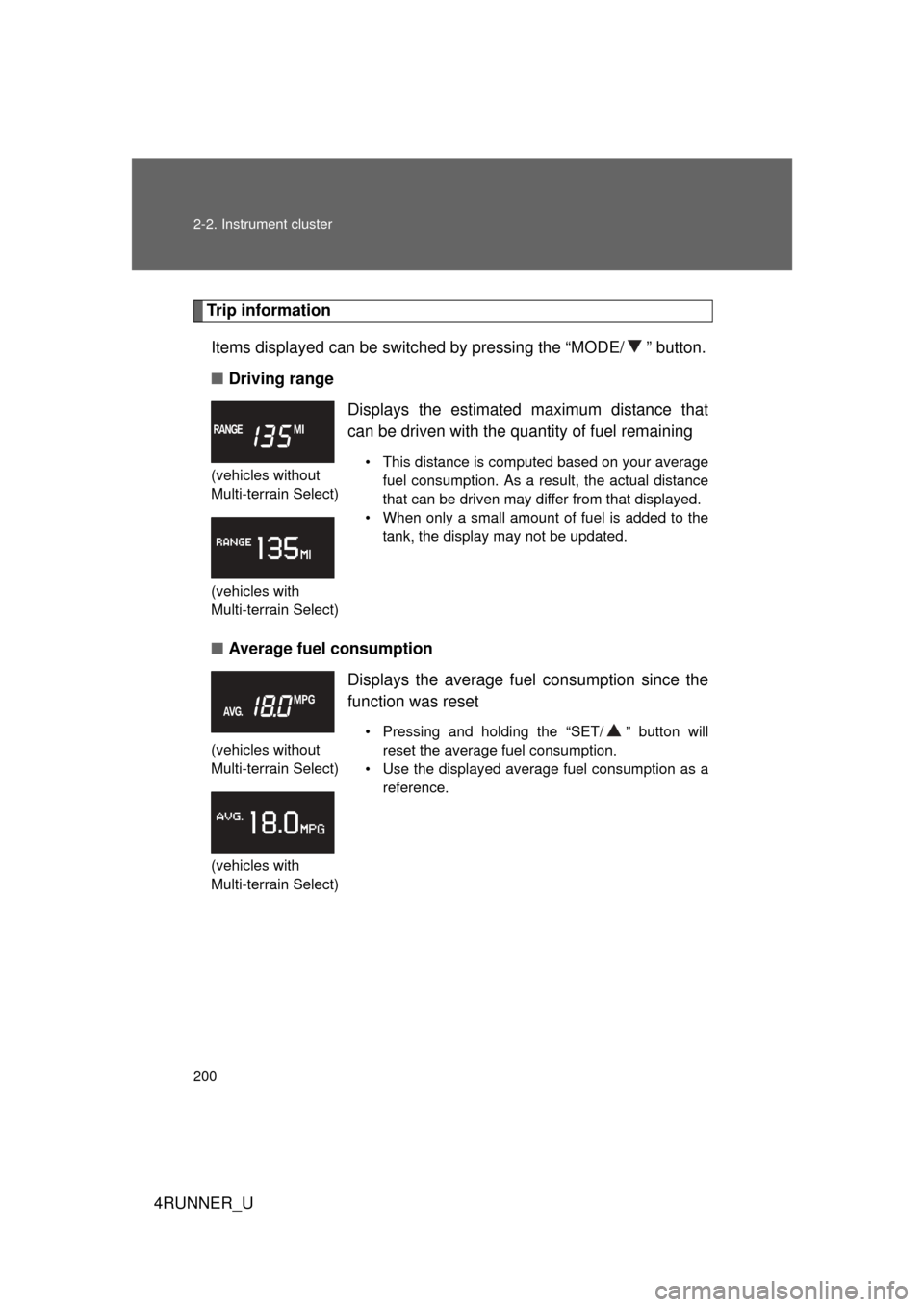
Trip informationItems displayed can be switched by pressing the “MODE/ ” button.
■ Driving range
■ Average fuel consumption
(vehicles without
Multi-terrain Select)
(vehicles with
Multi-terrain Select)
Displays the estimated maximum distance that
can be driven with the quantity of fuel remaining
• This distance is computed based on your average
fuel consumption. As a result, the actual distance
that can be driven may differ from that displayed.
• When only a small amount of fuel is added to the tank, the display may not be updated.
(vehicles without
Multi-terrain Select)
(vehicles with
Multi-terrain Select)
Displays the average fuel consumption since the
function was reset
• Pressing and holding the “SET/ ” button will reset the average fuel consumption.
• Use the displayed average fuel consumption as a reference.
Page 202 of 704
202 2-2. Instrument cluster
4RUNNER_U
■When the average fuel consumption is reset
The average fuel consumption displayed on the instrument cluster and “Past
Record” screen of the Display Audio system (if equipped) or the navigation
system (if equipped) will be reset at the same time.
■ Adjusting the brightness of the accessory meter
● If left idle for approximately 6 seconds or more while adjusting, the dis-
play will revert to the trip information display.
● When the parking lights are on, the brightness of the accessory meter
can be adjusted only with the instrument panel light control.
● If the “MODE/ ” button is pressed and held when the accessory meter
light control is displayed, the display will switch to compass calibration.
(P. 480)
■ Liquid crystal display
Small spots or light spots may appear on the display. This phenomenon is
characteristic of liquid crystal displays, and there is no problem with continu-
ing to use the display.
NOTICE
■The accessory meter at low temperatures
Allow the interior of the vehicle to warm up before using the liquid crystal dis-
play. At extremely low temperatures, the display monitor may respond
slowly, and display changes may be delayed.
Page 226 of 704
226
2-4. Using other driving systems
4RUNNER_U
Rear view monitor system (rear view mirror-attached type)
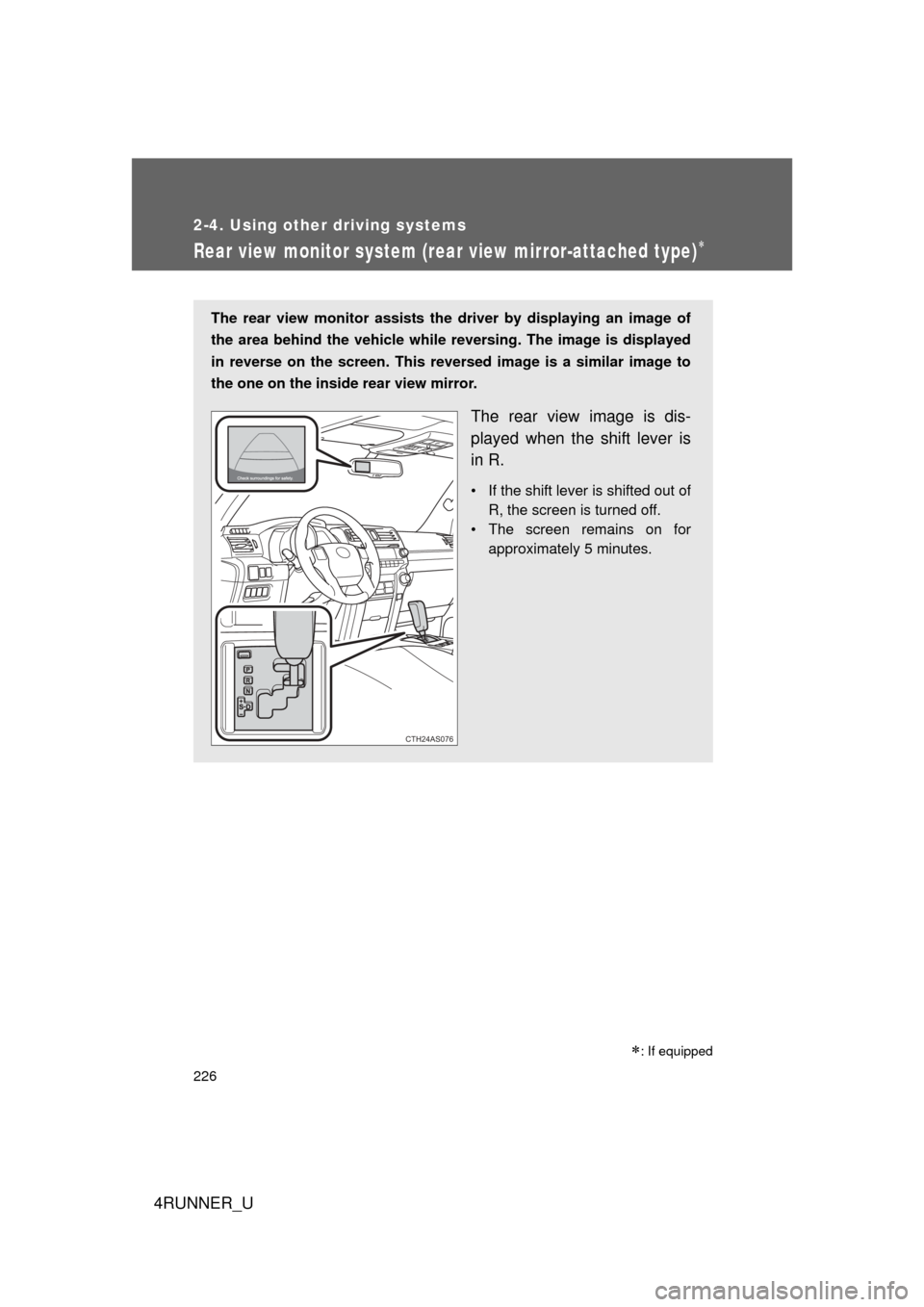
The rear view monitor assists the driver by displaying an image of
the area behind the vehicle while r eversing. The image is displayed
in reverse on the screen. This reversed image is a similar image to
the one on the inside rear view mirror.
The rear view image is dis-
played when the shift lever is
in R.
• If the shift lever is shifted out of R, the screen is turned off.
• The screen remains on for approximately 5 minutes.
CTH24AS076
: If equipped
Page 227 of 704
227
2-4. Using other
driving systems
2
When driving
4RUNNER_U■
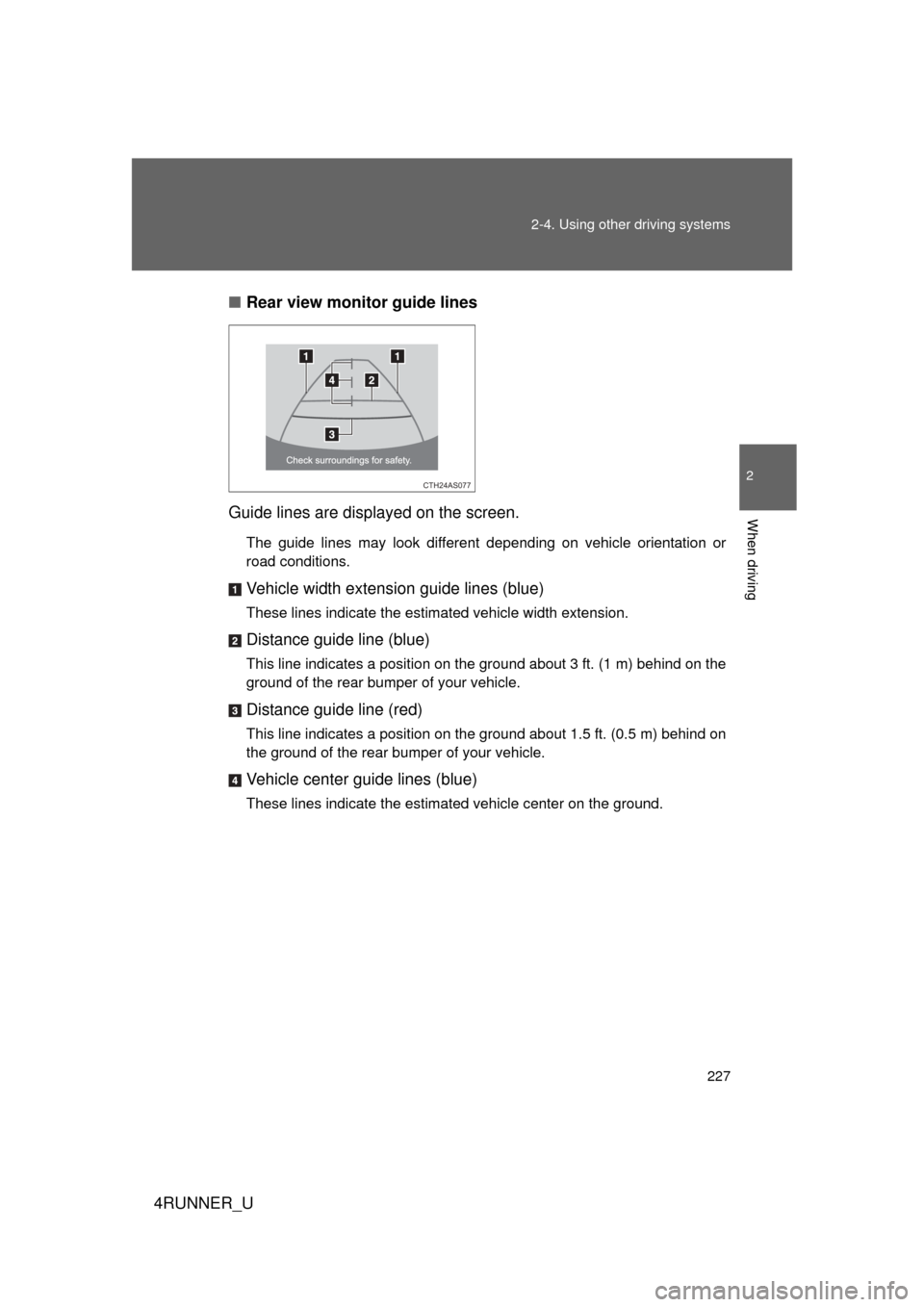
Rear view monitor guide lines
Guide lines are displayed on the screen.
The guide lines may look different depending on vehicle orientation or
road conditions.
Vehicle width extension guide lines (blue)
These lines indicate the estimated vehicle width extension.
Distance guide line (blue)
This line indicates a position on the ground about 3 ft. (1 m) behind on the
ground of the rear bumper of your vehicle.
Distance guide line (red)
This line indicates a position on the ground about 1.5 ft. (0.5 m) behind on
the ground of the rear bumper of your vehicle.
Vehicle center guide lines (blue)
These lines indicate the estimated vehicle center on the ground.
CTH24AS077
Page 228 of 704
228 2-4. Using other driving systems
4RUNNER_U
■The rear view monitor system can be operated when
Vehicles without a smart key system
The shift lever is in R, the engine switch is in the “ON” position.
Vehicles with a smart key system
The shift lever is in R, the “ENGINE START STOP” switch is in IGNITION
ON mode.
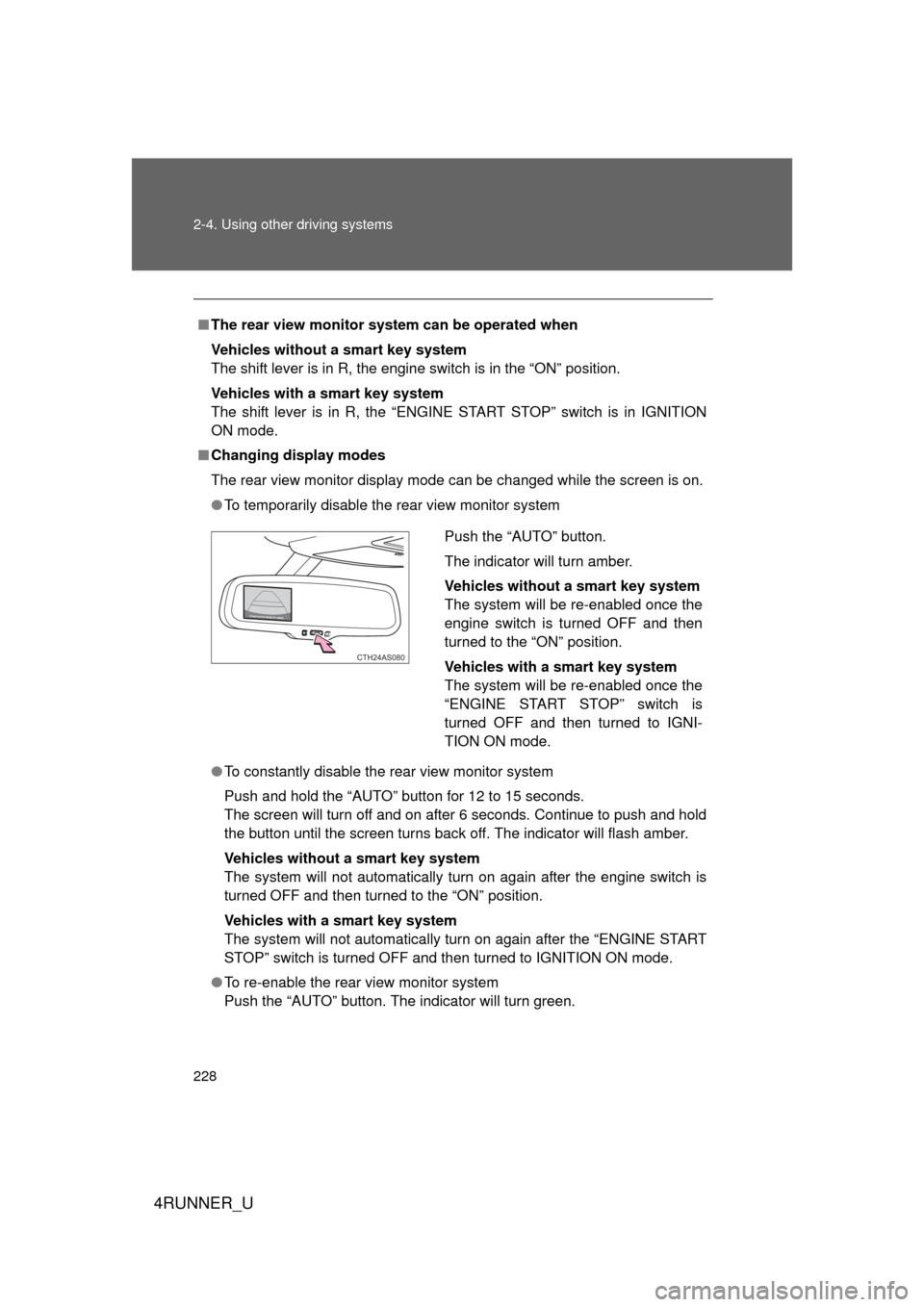
■ Changing display modes
The rear view monitor display mode can be changed while the screen is on.
● To temporarily disable the rear view monitor system
● To constantly disable the rear view monitor system
Push and hold the “AUTO” button for 12 to 15 seconds.
The screen will turn off and on after 6 seconds. Continue to push and hold
the button until the screen turns back off. The indicator will flash amber.
Vehicles without a smart key system
The system will not automatically turn on again after the engine switch is
turned OFF and then turned to the “ON” position.
Vehicles with a smart key system
The system will not automatically turn on again after the “ENGINE START
STOP” switch is turned OFF and then turned to IGNITION ON mode.
● To re-enable the rear view monitor system
Push the “AUTO” button. The indicator will turn green.
Push the “AUTO” button.
The indicator will turn amber.
Vehicles without a smart key system
The system will be re-enabled once the
engine switch is turned OFF and then
turned to the “ON” position.
Vehicles with a smart key system
The system will be re-enabled once the
“ENGINE START STOP” switch is
turned OFF and then turned to IGNI-
TION ON mode.
CTH24AS080
Page 229 of 704
229
2-4. Using other
driving systems
2
When driving
4RUNNER_U
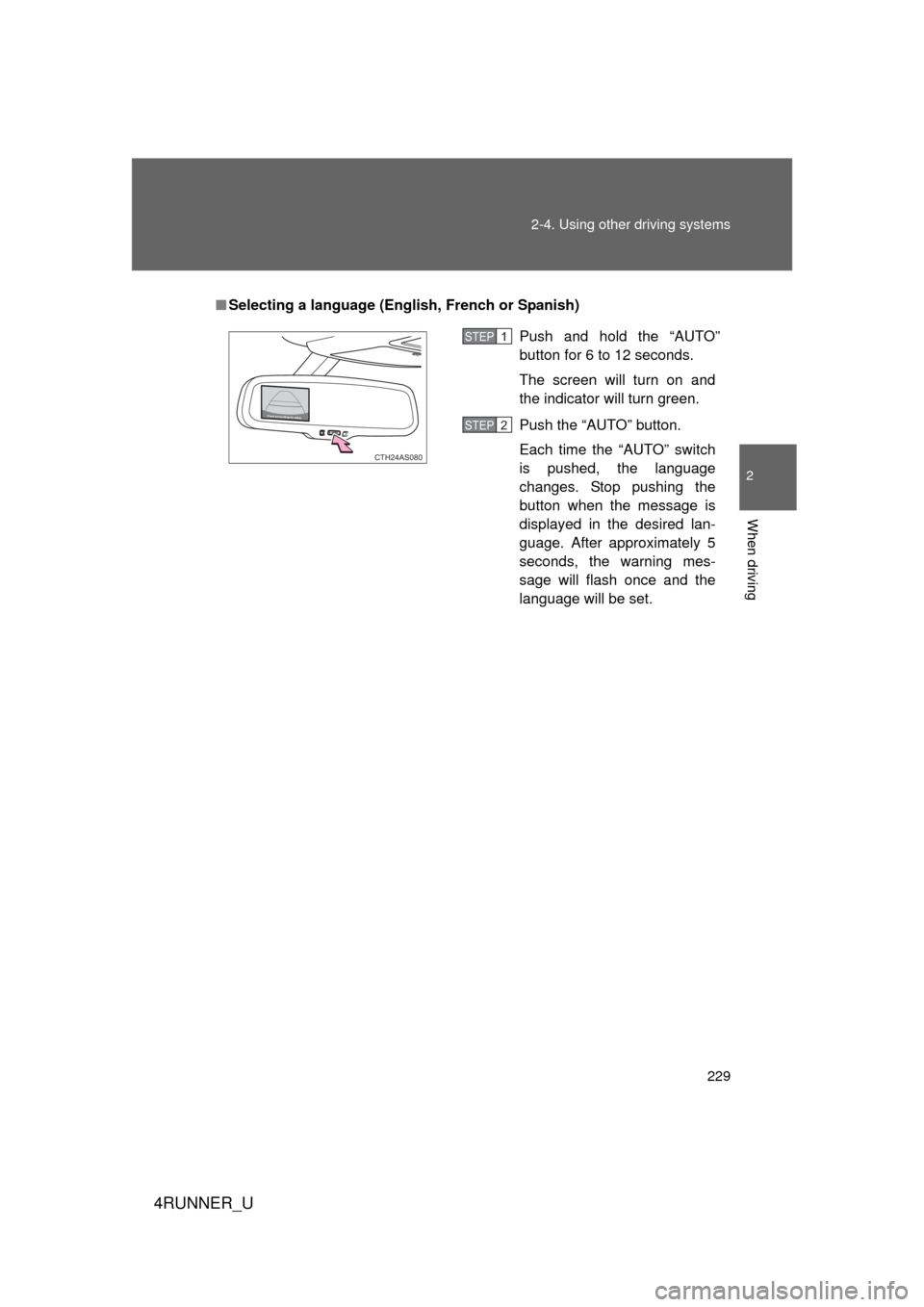
■Selecting a language (Eng lish, French or Spanish)
Push and hold the “AUTO”
button for 6 to 12 seconds.
The screen will turn on and
the indicator will turn green.
Push the “AUTO” button.
Each time the “AUTO” switch
is pushed, the language
changes. Stop pushing the
button when the message is
displayed in the desired lan-
guage. After approximately 5
seconds, the warning mes-
sage will flash once and the
language will be set.
CTH24AS080
STEP 1
STEP 2