lock TOYOTA 4RUNNER 2019 Owners Manual (in English)
[x] Cancel search | Manufacturer: TOYOTA, Model Year: 2019, Model line: 4RUNNER, Model: TOYOTA 4RUNNER 2019Pages: 528, PDF Size: 10.58 MB
Page 280 of 528

2804-6. Driving tips
4RUNNER (U)
NOTICE
■To prevent water damage
Take all necessary safety measures to ensure that water damage to the
engine or other components does not occur.
● Water entering the engine air intake will cause severe engine d amage.
● Water entering the automatic transmission will cause deteriorat ion in shift
quality, locking up of your transmission accompanied by vibrati on, and ulti-
mately damage.
● Water can wash the grease from wheel bearings, causing rusting and pre-
mature failure, and may also enter the differentials, transmission and
transfer case, reducing the gear oil’s lubricating qualities.
■ When you drive through water
If driving through water, such as when crossing shallow streams , first check
the depth of the water and the bottom of the riverbed for firmn ess. Drive
slowly and avoid deep water.
■ Inspection after off-road driving
● Sand and mud that has accumulated in brake drums and around bra ke
discs may affect braking efficiency and may damage brake system compo-
nents.
● Always perform a maintenance inspection after each day of off-r oad driv-
ing that has taken you through rough terrain, sand, mud, or wat er. For
scheduled maintenance information, refer to the “Scheduled Main tenance
Guide” or “Owner’s Manual Supplement”.
Page 281 of 528

281
Interior features5
4RUNNER (U)5-1. Using the air
conditioning system
and defogger
Manual air conditioning system............................. 282
Automatic air conditioning system............................. 288
Seat heaters/ seat ventilators ................ 295
5-2. Using the interior lights Interior lights list ................ 297
• Interior lights ................. 298
• Personal lights .............. 298
5-3. Using the storage features
List of storage features ..... 300
• Glove box...................... 301
• Console box .................. 301
• Cup holders .................. 302
• Auxiliary box ................. 304
• Coin holder/tissue pocket/
pen holder ..................... 305
• Bottle holders ................ 306
Luggage compartment features ........................... 307 5-4. Other interior features
Other interior features ....... 312
• Sun visors ..................... 312
• Vanity mirrors................ 312
• Clock ............................. 313
• Outside temperature display........................... 314
• Power outlets (120 V AC) .................... 315
• Power outlets ................ 320
• Armrest ......................... 322
• Assist grips ................... 323
Garage door opener.......... 324
Safety Connect ................. 331
Page 282 of 528
282
4RUNNER (U)
5-1. Using the air conditioning system and defogger
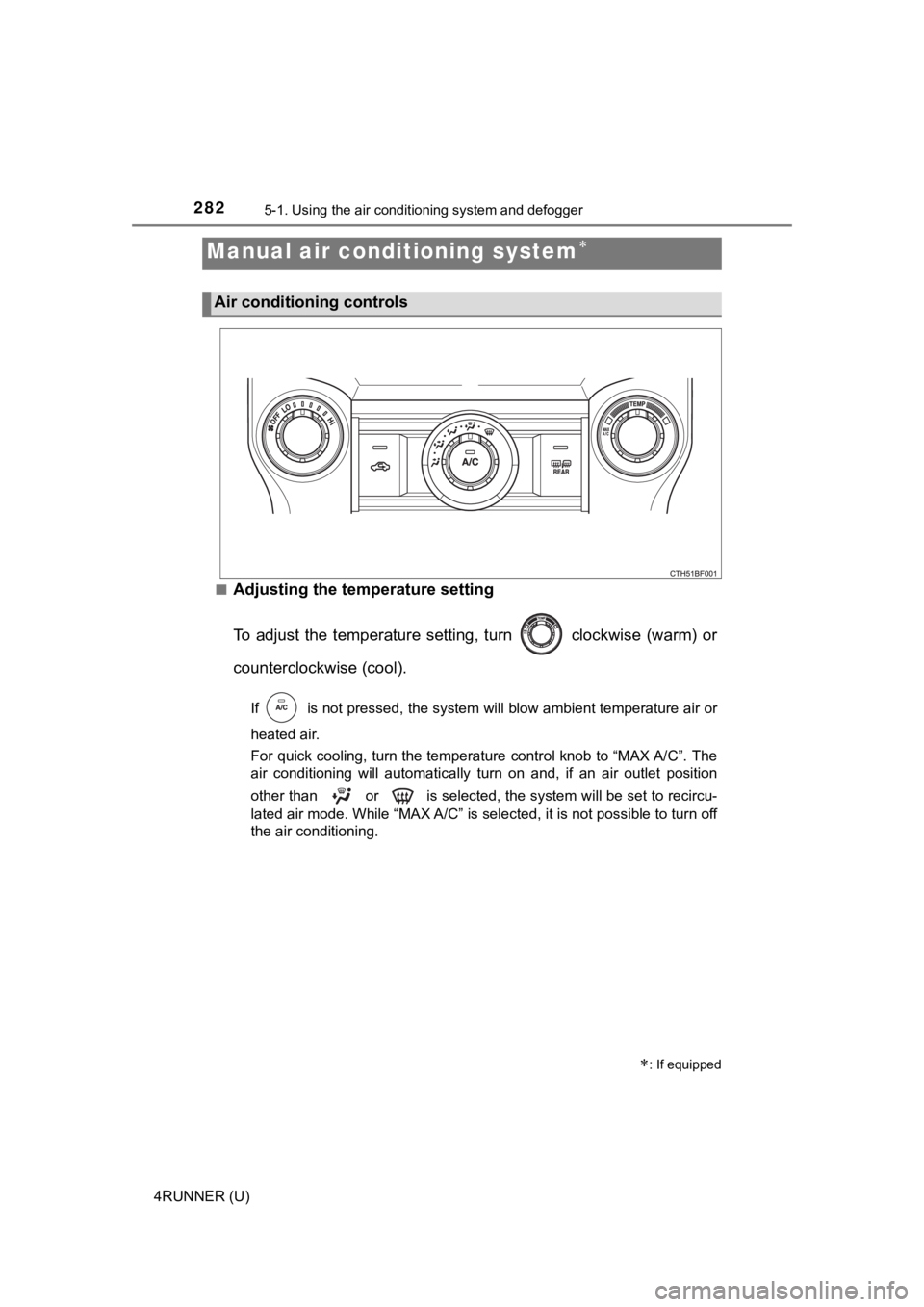
■Adjusting the temperature setting
To adjust the temperature setting, turn clockwise (warm) or
counterclockwise (cool).
If is not pressed, the system will blow ambient temperature air o r
heated air.
For quick cooling, turn the temperature control knob to “MAX A/ C”. The
air conditioning will automatically turn on and, if an air outl et position
other than or is selected, the system will be set to recircu-
lated air mode. While “MAX A/C” is selected, it is not possible to turn off
the air conditioning.
Manual air conditioning system
: If equipped
Air conditioning controls
Page 283 of 528
2835-1. Using the air conditioning system and defogger
5
Interior features
4RUNNER (U)■
Fan speed setting
To adjust the fan speed, turn clockwise (increase) or coun-
terclockwise (decrease).
Turning the knob to “OFF” turns off the fan.
■
Change the airflow mode
To select the air outlets, set to the desired position.
The positions between the air outlet selections shown below can also be
selected for more delicate adjustment.
■
Other functions
● Switching between outside a ir and recirculated air modes
● Defogging the windshield ( P. 2 8 4 )
● Defogging the rear window and outside rear view mirrors
( P. 284)
● Windshield wiper de-icer (if equipped) ( P. 2 8 4 )
■Switching between outside air and recirculated air modes
Press .
The mode switches between outside air mode (introduces air from out-
side the vehicle) (indicator off) and recirculated air mode (re cycles air
inside the vehicle) (indicator on) each time the button is pressed.
Other functions
Page 287 of 528
2875-1. Using the air conditioning system and defogger
5
Interior features
4RUNNER (U)■
When the outside tempera ture falls to nearly 32F (0 C)
The dehumidification function may not operate even when is pre ssed.
■ Ventilation and air conditioning odors
●To let fresh air in, set the air conditioning system to the out side air mode.
● During use, various odors from inside and outside the vehicle m ay enter into
and accumulate in the air conditioning system. This may then ca use odor to
be emitted from the vents.
● To reduce potential odors from occurring:
It is recommended that the air conditioning system be set to ou tside air
mode prior to turning the vehicle off.
CAUTION
■ To prevent the windshield from fogging up
● Do not use during cool air operation in extremely humid weathe r.
The difference between the temperature of the outside air and t hat of the
windshield can cause the outer surface of the windshield to fog up, block-
ing your vision.
■ To prevent burns
● Do not touch the rear view mirror surfaces when the outside rear view mir-
ror defoggers are on.
● Do not touch the glass at lower part of the windshield or to the side of the
front pillars when the windshield wiper de-icer is on.
NOTICE
■To prevent battery discharge
Do not leave the air conditioning system on longer than necessa ry when the
engine is stopped.
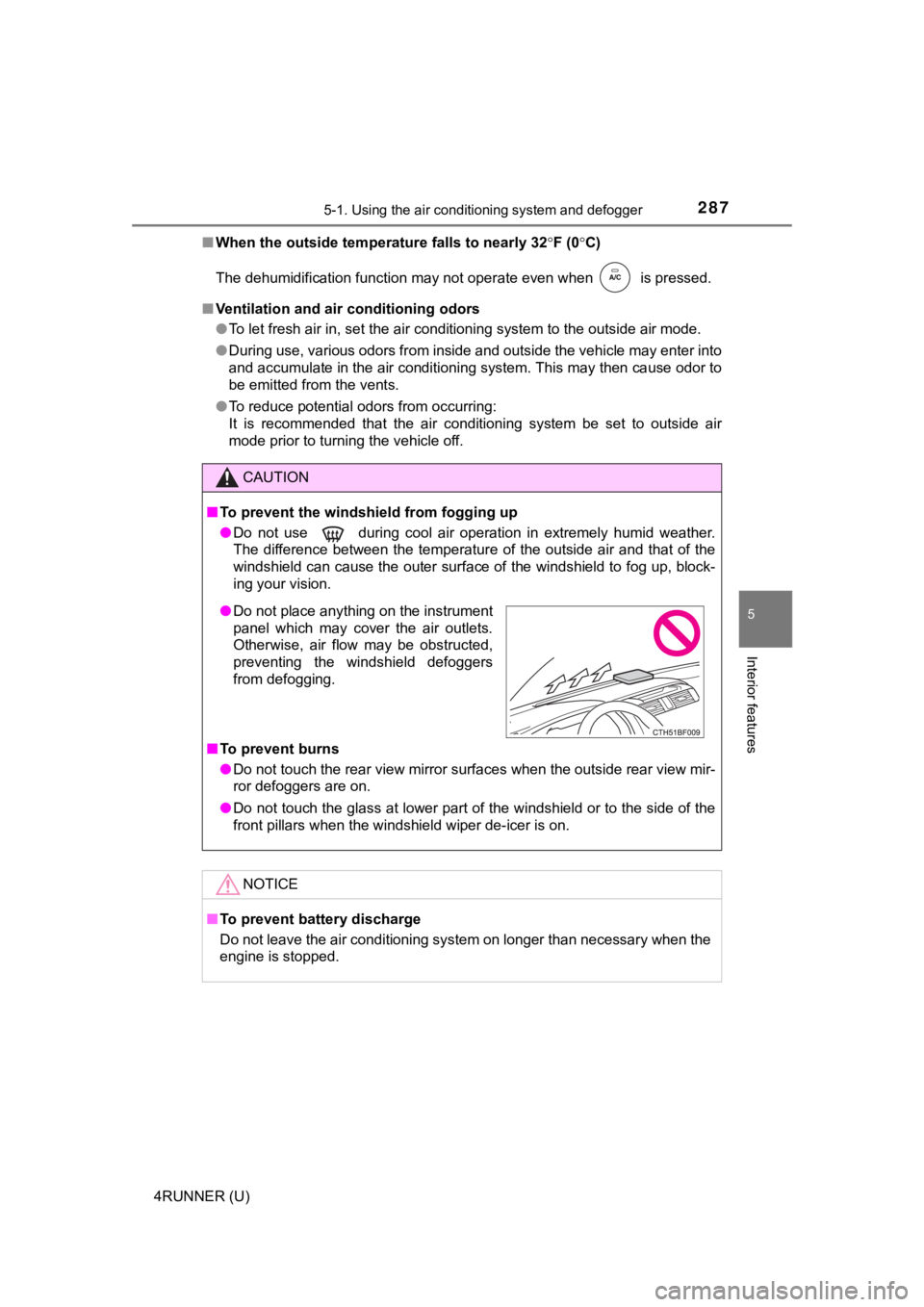
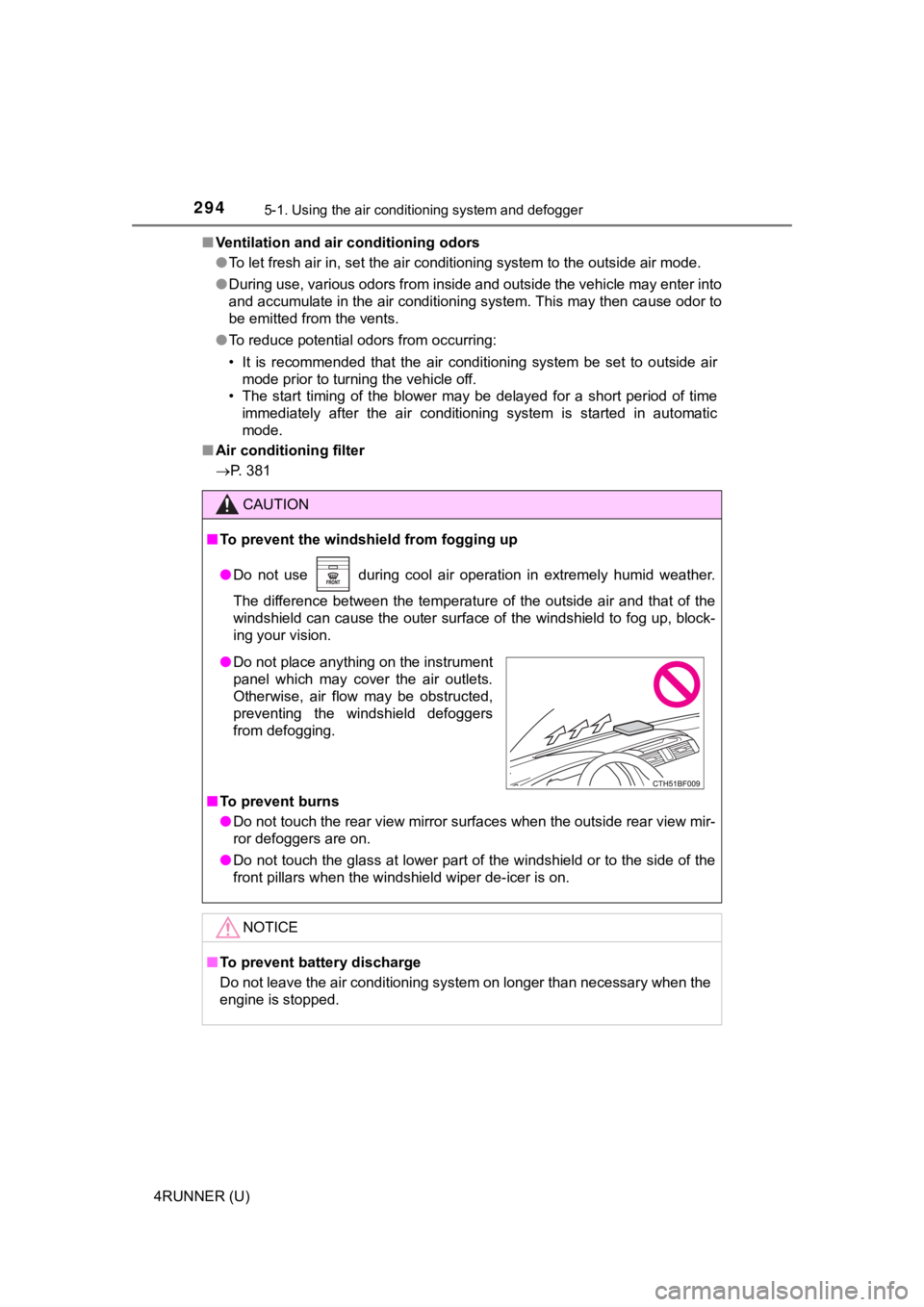
● Do not place anything on the instrument
panel which may cover the air outlets.
Otherwise, air flow may be obstructed,
preventing the windshield defoggers
from defogging.
Page 288 of 528
2885-1. Using the air conditioning system and defogger
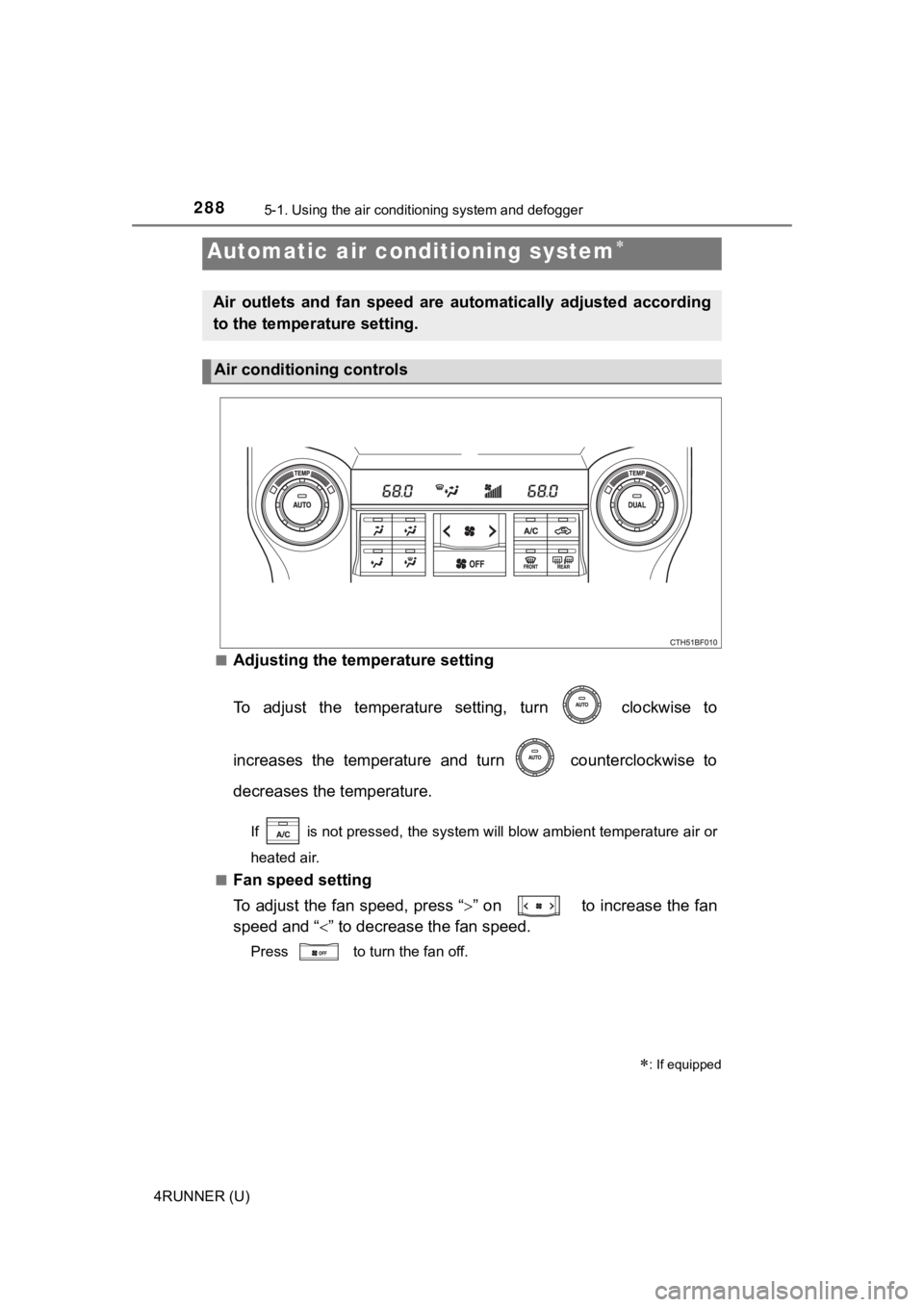
4RUNNER (U)■
Adjusting the temperature setting
To adjust the temperature setting, turn clockwise to
increases the temperature and turn counterclockwise to
decreases the temperature.
If is not pressed, the system will blow ambient temperature ai
r or
heated air.
■
Fan speed setting
To adjust the fan speed, press “ ” on to increase the fan
speed and “ ” to decrease the fan speed.
Press to turn the fan off.
Automatic air conditioning system
: If equipped
Air outlets and fan speed are automatically adjusted according
to the temperature setting.
Air conditioning controls
Page 294 of 528
2945-1. Using the air conditioning system and defogger
4RUNNER (U)■
Ventilation and air conditioning odors
●To let fresh air in, set the air conditioning system to the out side air mode.
● During use, various odors from inside and outside the vehicle m ay enter into
and accumulate in the air conditioning system. This may then ca use odor to
be emitted from the vents.
● To reduce potential odors from occurring:
• It is recommended that the air conditioning system be set to o utside air
mode prior to turning the vehicle off.
• The start timing of the blower may be delayed for a short peri od of time
immediately after the air conditioning system is started in aut omatic
mode.
■ Air conditioning filter
P. 381
CAUTION
■To prevent the windshield from fogging up
● Do not use during cool air operation in extremely humid weathe r.
The difference between the temperature of the outside air and t hat of the
windshield can cause the outer surface of the windshield to fog up, block-
ing your vision.
■ To prevent burns
● Do not touch the rear view mirror surfaces when the outside rear view mir-
ror defoggers are on.
● Do not touch the glass at lower part of the windshield or to the side of the
front pillars when the windshield wiper de-icer is on.
NOTICE
■To prevent battery discharge
Do not leave the air conditioning system on longer than necessa ry when the
engine is stopped.
● Do not place anything on the instrument
panel which may cover the air outlets.
Otherwise, air flow may be obstructed,
preventing the windshield defoggers
from defogging.
Page 296 of 528
2965-1. Using the air conditioning system and defogger
4RUNNER (U)
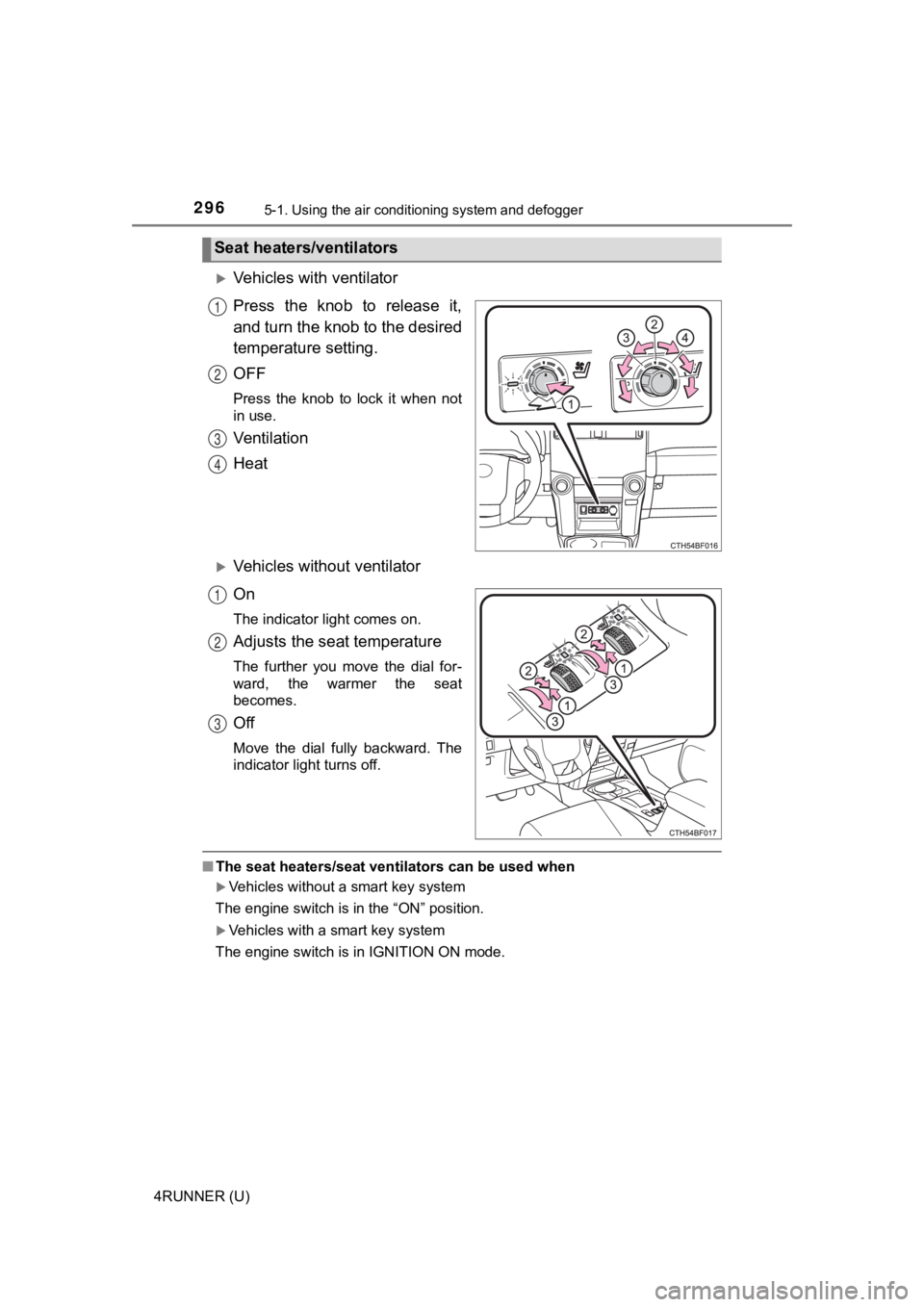
Vehicles with ventilator
Press the knob to release it,
and turn the knob to the desired
temperature setting.
OFF
Press the knob to lock it when not
in use.
Ventilation
Heat
Vehicles without ventilator
On
The indicator light comes on.
Adjusts the seat temperature
The further you move the dial for-
ward, the warmer the seat
becomes.
Off
Move the dial fully backward. The
indicator light turns off.
■The seat heaters/seat ventilators can be used when
Vehicles without a smart key system
The engine switch is in the “ON” position.
Vehicles with a smart key system
The engine switch is in IGNITION ON mode.
Seat heaters/ventilators
1
2
3
4
1
2
3
Page 299 of 528
2995-2. Using the interior lights
5
Interior features
4RUNNER (U)
■Illuminated entry system
Vehicles without a smart key system
The lights automatically turn on/off according to the engine sw itch position,
whether the doors are locked/unlocked, and whether the doors ar e open/
closed.
Vehicles with a smart key system
The lights automatically turn on/off according to engine switch mode, the
presence of the electronic key, whether the doors are locked/un locked, and
whether the doors are opened/closed.
■ To prevent battery discharge
If the following lights remain on, the lights will go off autom atically after 20
minutes:
● Engine switch light
● Front interior light
● Rear interior light
● Personal lights
● Footwell lights
● Inside door handle lights
● Door courtesy lights
■ Customization
Setting (e.g. the time elapsed before lights turn off) can be c hanged.
(Customizable features: P. 489)
NOTICE
■To prevent battery discharge
Do not leave the lights on longer than necessary when the engin e is not
running.
Page 301 of 528

3015-3. Using the storage features
5
Interior features
4RUNNER (U)
The glove box can be opened by pressing the lock release button and
can be locked and unlocked by usi ng the master key (vehicles without
a smart key system) or the mechan ical key (vehicles with a smart key
system).
Open
Unlock
Lock
Lift the lid while pulling up the
knob to release the lock.
■ The separator can be used in either of the positions shown in the illus-
tration
Glove box
1
2
3
Console box
Change the separator position.