battery TOYOTA 4RUNNER 2019 Owners Manual (in English)
[x] Cancel search | Manufacturer: TOYOTA, Model Year: 2019, Model line: 4RUNNER, Model: TOYOTA 4RUNNER 2019Pages: 528, PDF Size: 10.58 MB
Page 5 of 528
5
1
8 7
6
5
4
3
2
9
4RUNNER (U)6-1. Maintenance and care
Cleaning and protecting the vehicle exterior .......... 338
Cleaning and protecting the vehicle interior ........... 341
6-2. Maintenance Maintenance requirements ................... 344
General maintenance ........ 346
Emission inspection and maintenance (I/M)
programs ......................... 349
6-3. Do-it-yourself maintenance
Do-it-yourself service precautions ..................... 350
Hood.................................. 353
Engine compartment ......... 354
Tires .................................. 368
Tire inflation pressure........ 375
Wheels .............................. 378
Air conditioning filter .......... 381
Wireless remote control/ electronic key battery ...... 383
Checking and replacing fuses ............................... 386
Light bulbs ......................... 389 7-1. Essential information
Emergency flashers ........... 406
If your vehicle has to be stopped in an
emergency....................... 407
7-2. Steps to take in an emergency
If your vehicle needs to be towed ...................... 409
If you think something is wrong............................... 415
Fuel pump shut off system ............................. 416
If a warning light turns on or a warning buzzer
sounds ............................. 417
If a warning message or indicator is displayed ....... 426
If you have a flat tire .......... 433
If the engine will not start ................................. 448
If you cannot operate back door opener ............ 450
If the electronic key does not operate properly ........ 451
If the vehicle battery is discharged ....................... 453
If your vehicle overheats......................... 457
If the vehicle becomes stuck ................................ 460
6Maintenance and care7When trouble arises
Page 74 of 528
741-2. Theft deterrent system
4RUNNER (U)
■System maintenance
The vehicle has a maintenance-free type alarm system.
■ Items to check before locking the vehicle
To prevent unexpected triggering of the alarm and vehicle theft , make sure of
the following:
● Nobody is in the vehicle.
● The windows and moon roof are closed before the alarm is set.
● No valuables or other personal items are left in the vehicle.
■ Triggering of the alarm
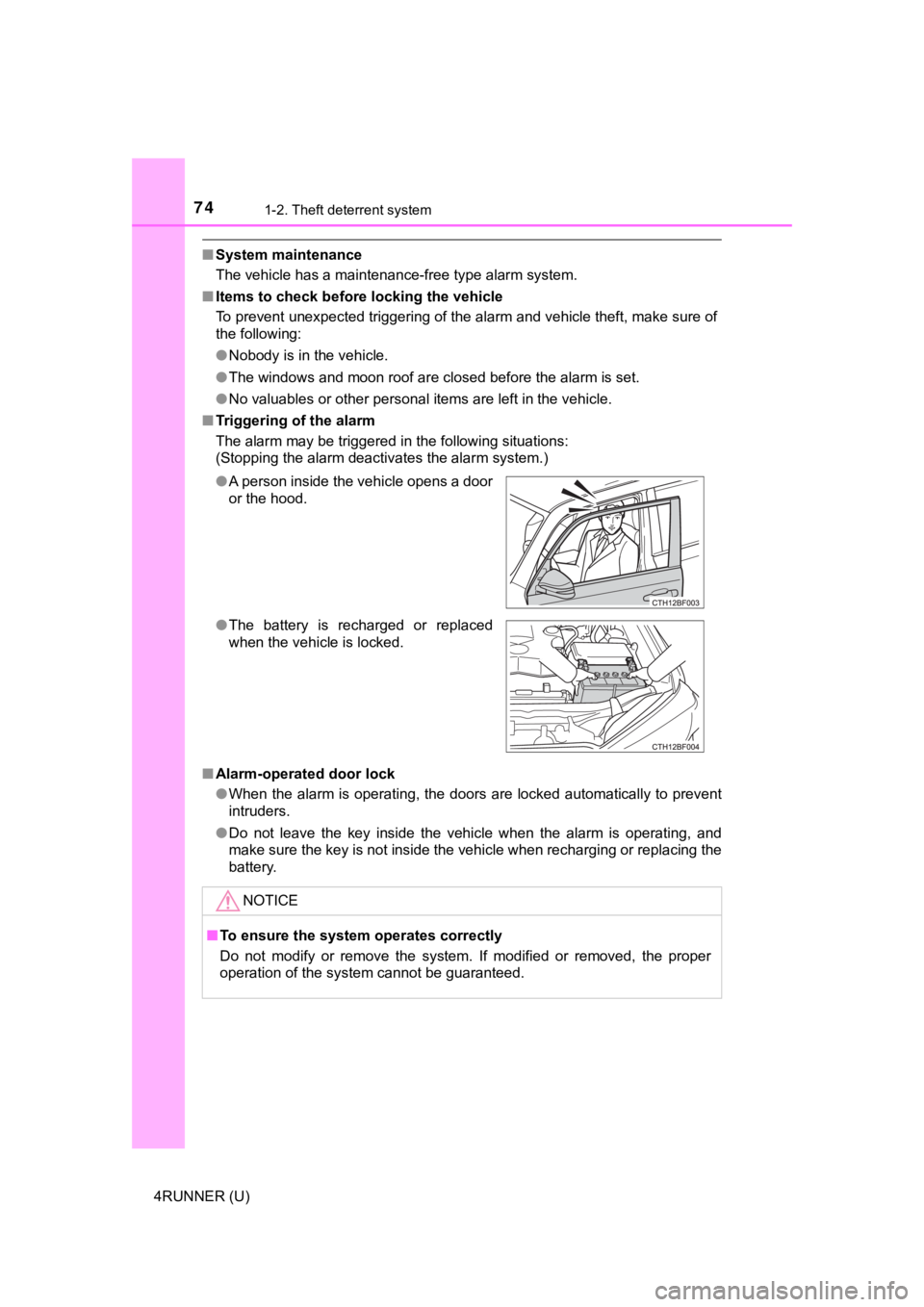
The alarm may be triggered in the following situations:
(Stopping the alarm deactivates the alarm system.)
■ Alarm-operated door lock
●When the alarm is operating, the doors are locked automatically to prevent
intruders.
● Do not leave the key inside the vehicle when the alarm is operating, and
make sure the key is not inside the vehicle when recharging or replacing the
battery.
●
A person inside the vehicle opens a door
or the hood.
● The battery is recharged or replaced
when the vehicle is locked.
NOTICE
■To ensure the system operates correctly
Do not modify or remove the system. If modified or removed, the proper
operation of the system cannot be guaranteed.
Page 87 of 528
872. Instrument cluster
2
Instrument cluster
4RUNNER (U)
●Items that can be changed
*: The default setting varies according to countries.
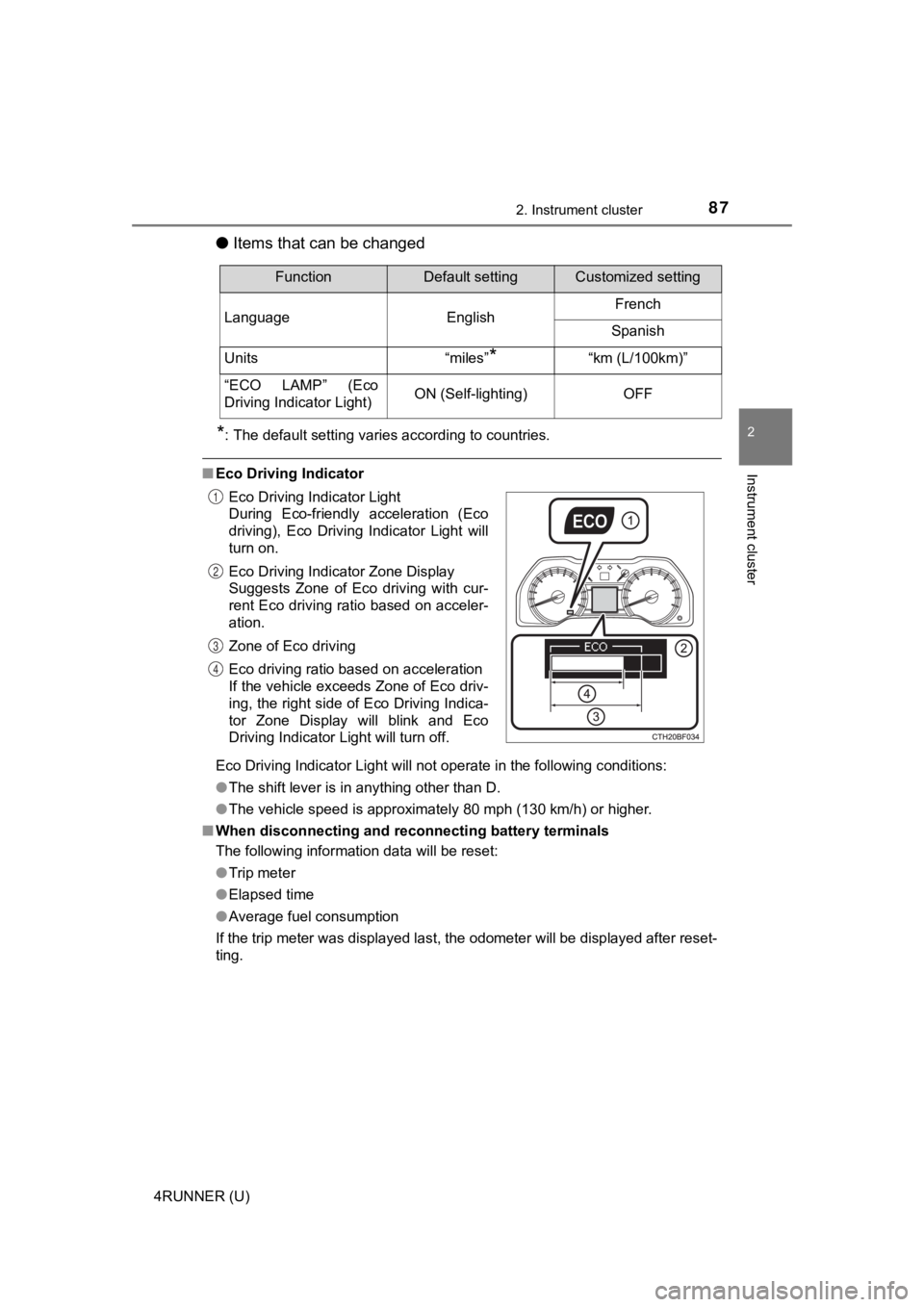
■Eco Driving Indicator
Eco Driving Indicator Light will not operate in the following c onditions:
● The shift lever is in anything other than D.
● The vehicle speed is approximately 80 mph (130 km/h) or higher.
■ When disconnecting and reco nnecting battery terminals
The following information data will be reset:
● Trip meter
● Elapsed time
● Average fuel consumption
If the trip meter was displayed last, the odometer will be disp layed after reset-
ting.
FunctionDefault settingCustomized setting
Language EnglishFrench
Spanish
Units “miles”
*“km (L/100km)”
“ECO LAMP” (Eco
Driving Indicator Light)ON (Self-lighting)OFF
Eco Driving Indicator Light
During Eco-friendly acceleration (Eco
driving), Eco Driving Indicator Light will
turn on.
Eco Driving Indicator Zone Display
Suggests Zone of Eco driving with cur-
rent Eco driving ratio based on acceler-
ation.
Zone of Eco driving
Eco driving ratio based on acceleration
If the vehicle exceeds Zone of Eco driv-
ing, the right side of Eco Driving Indica-
tor Zone Display will blink and Eco
Driving Indicator Light will turn off.
1
2
3
4
Page 94 of 528

943-1. Key information
4RUNNER (U)■
Key battery depletion
Vehicles with a smart key system
● The standard battery life is 1 to 2 years.
● If the battery becomes low, an alarm will sound in the cabin wh en the engine
stops. ( P. 431)
● As the electronic key always receives radio waves, the battery will become
depleted even if the electronic key is not used. The following symptoms indi-
cate that the electronic key battery may be depleted. Replace the battery
when necessary. ( P. 383)
• The smart key system or the wireless remote control does not o perate.
• The detection area becomes smaller.
• The LED indicator on the key surface does not turn on.
● To avoid serious deterioration, do not leave the electronic key within 3 ft. (1
m) of the following electrical appliances that produce a magnet ic field:
•TVs
• Personal computers
• Cellular phones, cordless phones and battery chargers
• Recharging cellular phones or cordless phones
• Table lamps
• Induction cookers
Vehicles without a smart key system
If the wireless remote control function does not operate, the b attery may be
depleted. Replace the battery when necessary. ( P. 383)
■ Precautions when disconnecting the battery (vehicles with a sma rt key
system)
● In some cases, it may not be possible to unlock the doors using the smart
key system immediately after the battery has been disconnected. Use the
wireless remote control or the mechanical key to lock or unlock the doors.
● The engine may not start on the first attempt after reconnectin g the battery
but will start normally after the second attempt. This is not a malfunction.
● The engine switch mode is memorized by the vehicle. When the ba ttery is
reconnected, the system will return to the mode it was in befor e the battery
was disconnected. Before disconnecting the battery, turn the en gine switch
off.
If you are unsure what mode the engine switch was in when the b attery was
disconnected, be especially careful when reconnecting the batte ry.
Page 95 of 528
953-1. Key information
3
Operation of each component
4RUNNER (U)■
Replacing the battery
P. 383
■ Confirmation of the registered key number
The number of keys already registered to the vehicle can be confirmed. Ask
your Toyota dealer for details.
■ If a wrong key is used (vehicles with a smart key system)
The key cylinder rotates freely to isolate inside mechanism.
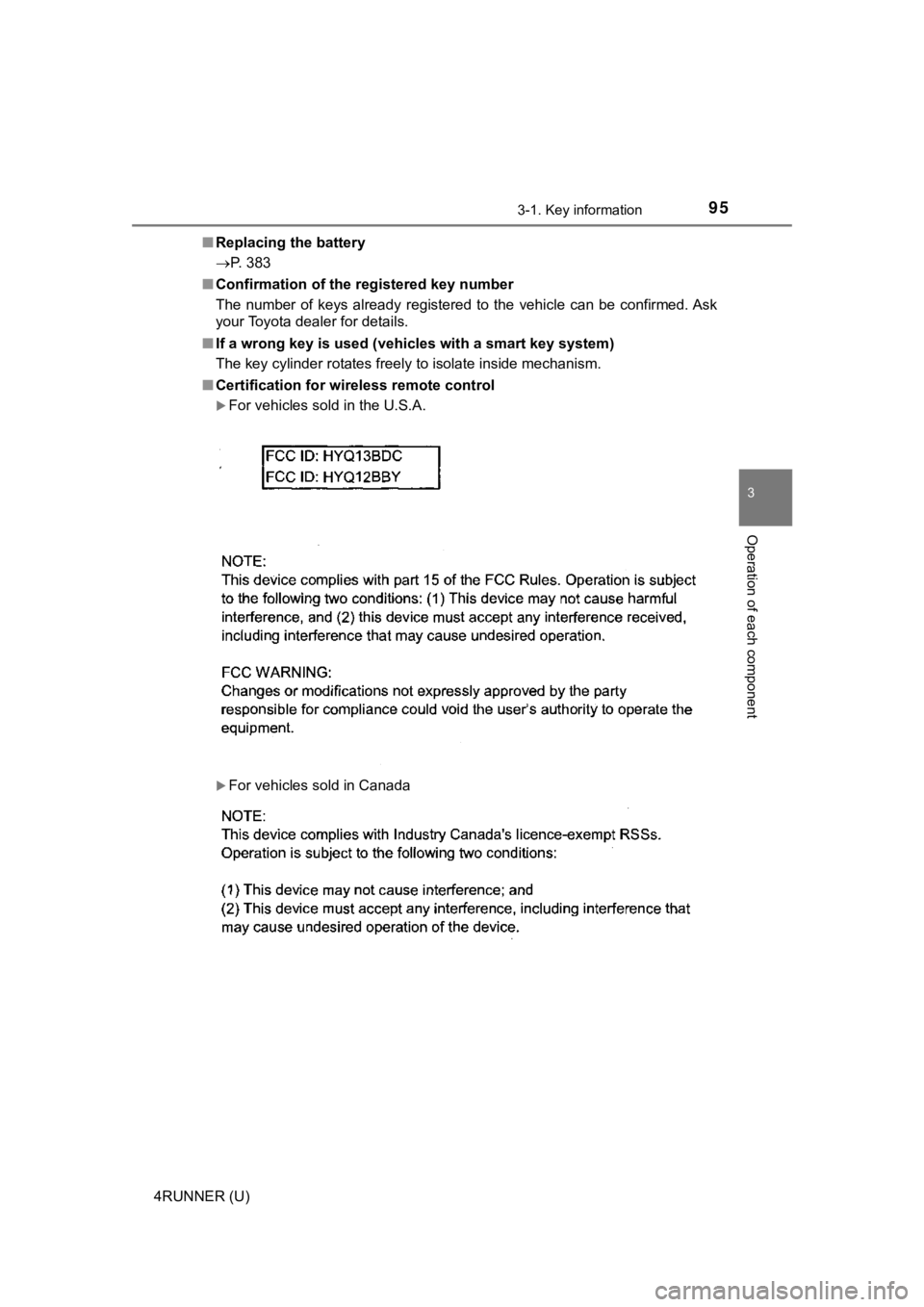
■ Certification for wireless remote control
For vehicles sold in the U.S.A.
For vehicles sold in Canada
Page 99 of 528
993-1. Key information
3
Operation of each component
4RUNNER (U)■
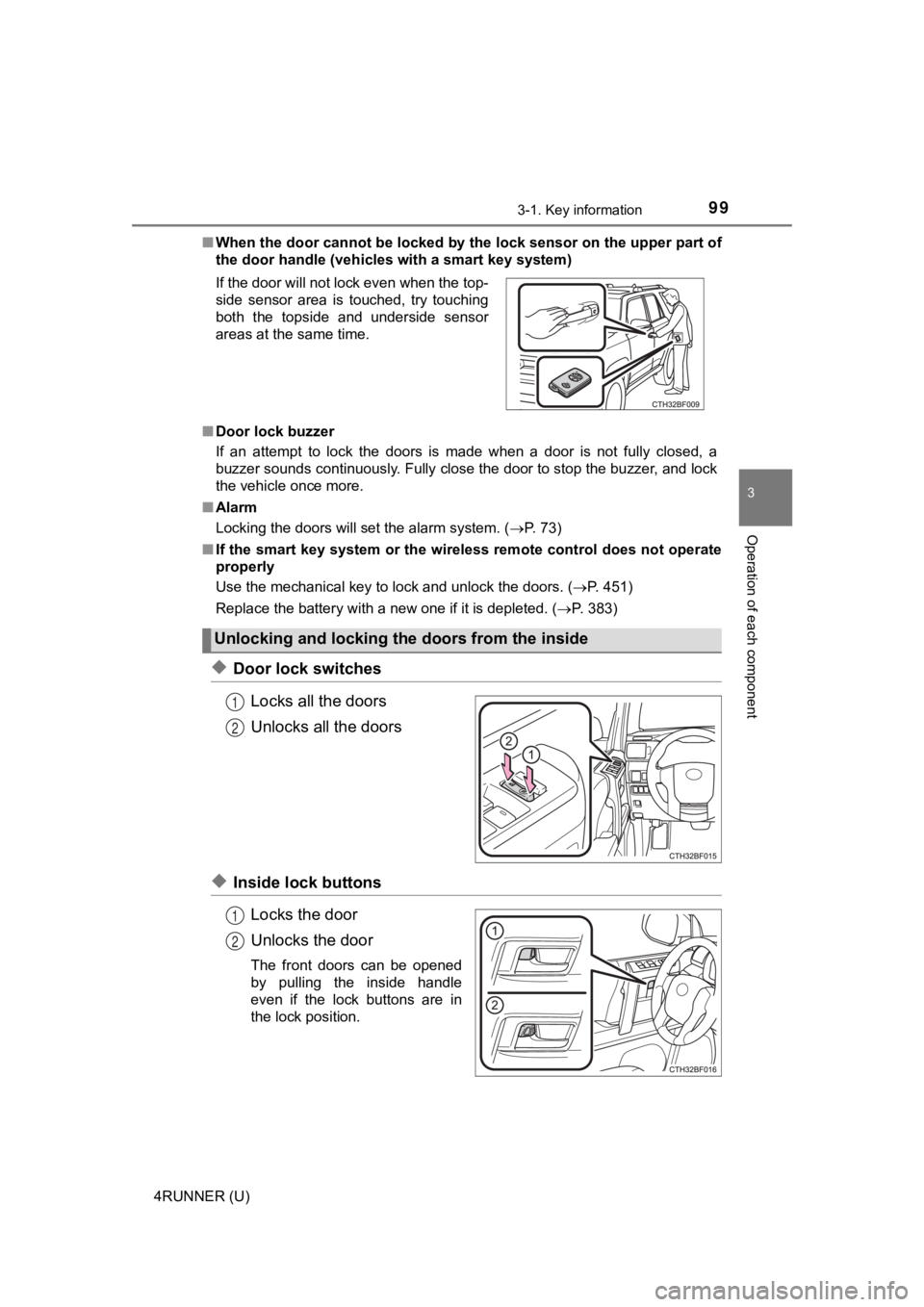
When the door cannot be locked by the lock sensor on the upper part of
the door handle (vehicles with a smart key system)
■ Door lock buzzer
If an attempt to lock the doors is made when a door is not full y closed, a
buzzer sounds continuously. Fully close the door to stop the bu zzer, and lock
the vehicle once more.
■ Alarm
Locking the doors will set the alarm system. ( P. 73)
■ If the smart key system or the wireless remote control does not operate
properly
Use the mechanical key to lock and unlock the doors. ( P. 451)
Replace the battery with a new one if it is depleted. ( P. 383)
◆Door lock switches
Locks all the doors
Unlocks all the doors
◆Inside lock buttonsLocks the door
Unlocks the door
The front doors can be opened
by pulling the inside handle
even if the lock buttons are in
the lock position.
If the door will not lock even when the top-
side sensor area is touched, try touching
both the topside and underside sensor
areas at the same time.
Unlocking and locking
the doors from the inside
1
2
1
2
Page 107 of 528
1073-2. Opening, closing and locking the doors
3
Operation of each component
4RUNNER (U)■
Battery-saving function
The battery-saving function will be activated in order to preve nt the electronic
key battery and the vehicle battery from being discharged while the vehicle is
not in operation for a long time.
● In the following situations, the smart key system may take some time to
unlock the doors.
• The electronic key has been left in an area of approximately 6 ft. (2 m) of
the outside of the vehicle for 10 minutes or longer.
• The smart key system has not been used for 5 days or longer.
● If the smart key system has not been used for 14 days or longer , the doors
cannot be unlocked at any doors except the driver’s door. In th is case, take
hold of the driver’s door handle, or use the wireless remote co ntrol or the
mechanical key, to unlock the doors.
The system will resume operation when
● The vehicle is locked using the door handle lock switch when ca rrying the
electronic key on your person.
● The vehicle is locked/unlocked using the wireless remote contro l.
( P. 97)
● The vehicle is locked/unlocked using the mechanical key. ( P. 451)
■ Conditions affecting operation
The smart key system uses weak radio waves. In the following si tuations, the
communication between the electronic key and the vehicle may be affected,
preventing the smart key system, wireless remote control and en gine immobi-
lizer system from operating properly. (Ways of coping: P. 451)
● When the electronic key battery is depleted
● Near a TV tower, electric power plant, gas station, radio stati on, large dis-
play, airport or other facility that generates strong radio wav es or electrical
noise
● When carrying a portable radio, cellular phone, cordless phone or other
wireless communication device
Interior alarm sounds
once.
The engine switch was
pressed after the doors
were unlocked with the
mechanical key.
Touch the electronic
key to the engine
switch while depressing
the brake pedal.
The engine switch was
pressed two consecu-
tive times without the
electronic key being
present.
AlarmSituationCorrection procedure
Page 113 of 528
1133-2. Opening, closing and locking the doors
3
Operation of each component
4RUNNER (U)
■Jam protection function
During Automatic running boards operation:
If a board contacts an obstacle when extending, it will retract . If an obstacle
gets caught between a board and the vehicle when retracting, th e board will
extend.
If an obstacle is detected 3 times in a row during Automatic ru nning boards
operation, the board will stop at the position it contacts the obstacle. When a
side door on the same side as the board is opened and closed on e more
time, the board will extend and retract, or retract and extend. After this, the
board will resume normal operation.
■ Automatic retraction function
The boards will be automatically retracted, for safety, under t he following con-
ditions:
● A board is not completely retracted
● Vehicle speed is approximately 5 mph (8 km/h) or higher
The boards will not automatically extend again when vehicle spe ed returns to
less than 5 mph (8 km/h).
■ If the Automatic running boards indicator comes on when driving first
commences
A board has not completely retracted. Check that nothing is caught between
the board and the vehicle.
Additionally, if the engine is started immediately after a door has been closed,
the automatic running board may not retract completely and the automatic
running boards indicator may illuminate. In this case, open and close the door
to retract the running board and turn off the indicator.
■ If the Automatic running boards indicator light flashes
There may be a malfunction in the Automatic running boards syst em. Have
the vehicle inspected by your Toyota dealer immediately.
■ When snow or mud is attached to the board or the board is froze n
The Automatic running boards may not operate correctly. Before stepping on
a board, check that it is completely extended. If the Automatic running boards
are not operating correctly, turn the Automatic running boards switch off and
refrain from use.
When removing snow or mud, turn the Automatic running boards sw itch off.
■ After recharging/reconnecting the battery
If the Automatic running boards have not completely extended or retracted,
the boards may not move in the intended direction the first tim e they are oper-
ated. However, from the second time onwards, the boards will re sume normal
operation.
■ When getting in and out of the vehicle
Take care because clothes and shoes may become dirty due to con tact with
the lower part of the vehicle body.
Page 117 of 528
1173-2. Opening, closing and locking the doors
3
Operation of each component
4RUNNER (U)
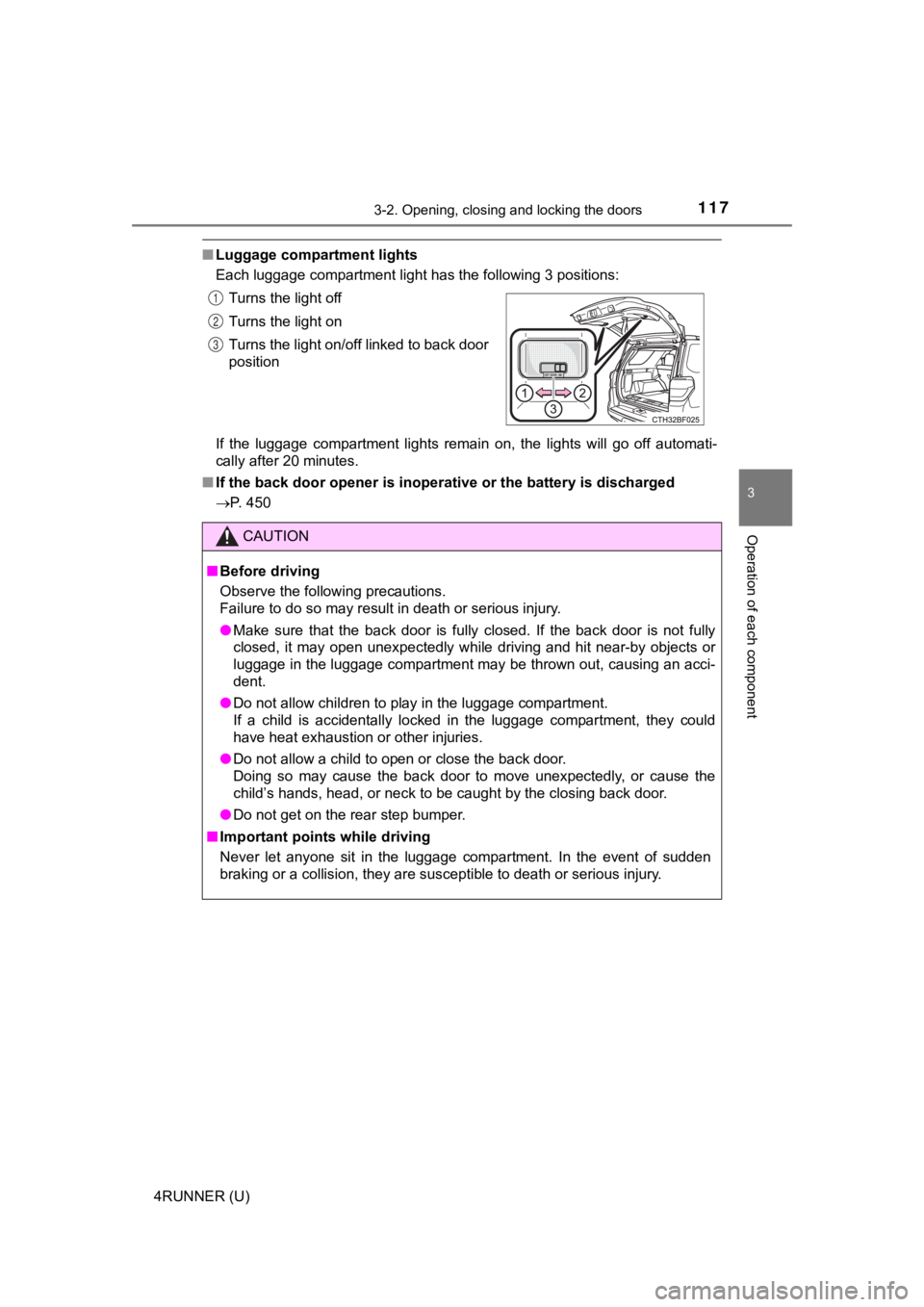
■Luggage compartment lights
Each luggage compartment light has the following 3 positions:
If the luggage compartment lights remain on, the lights will go off automati-
cally after 20 minutes.
■ If the back door opener is inoperative or the battery is discha rged
P. 450 Turns the light off
Turns the light on
Turns the light on/off linked to back door
position
CAUTION
■
Before driving
Observe the following precautions.
Failure to do so may result in death or serious injury.
● Make sure that the back door is fully closed. If the back door is not fully
closed, it may open unexpectedly while driving and hit near-by objects or
luggage in the luggage compartment may be thrown out, causing a n acci-
dent.
● Do not allow children to play in the luggage compartment.
If a child is accidentally locked in the luggage compartment, they could
have heat exhaustion or other injuries.
● Do not allow a child to open or close the back door.
Doing so may cause the back door to move unexpectedly, or cause the
child’s hands, head, or neck to be caught by the closing back d oor.
● Do not get on the rear step bumper.
■ Important points while driving
Never let anyone sit in the luggage compartment. In the event of sudden
braking or a collision, they are susceptible to death or seriou s injury.
1
2
3
Page 195 of 528
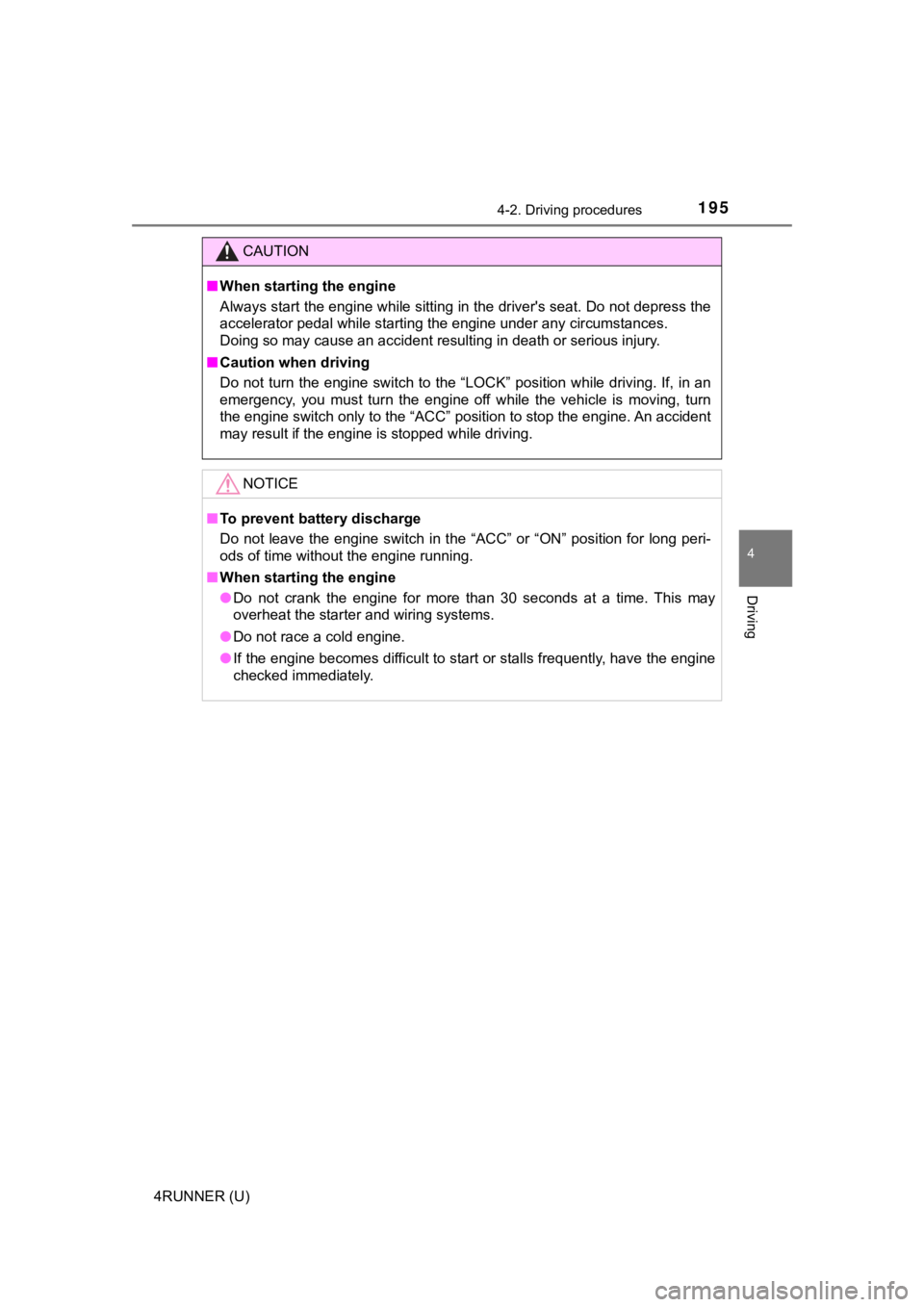
1954-2. Driving procedures
4
Driving
4RUNNER (U)
CAUTION
■When starting the engine
Always start the engine while sitting in the driver's seat. Do not depress the
accelerator pedal while starting the engine under any circumsta nces.
Doing so may cause an accident resulting in death or serious in jury.
■ Caution when driving
Do not turn the engine switch to the “LOCK” position while driving. If, in an
emergency, you must turn the engine off while the vehicle is mo ving, turn
the engine switch only to the “ACC” position to stop the engine . An accident
may result if the engine is stopped while driving.
NOTICE
■ To prevent battery discharge
Do not leave the engine switch in the “ACC” or “ON” position fo r long peri-
ods of time without the engine running.
■ When starting the engine
● Do not crank the engine for more than 30 seconds at a time. Thi s may
overheat the starter and wiring systems.
● Do not race a cold engine.
● If the engine becomes difficult to start or stalls frequently, have the engine
checked immediately.