automatic TOYOTA 4RUNNER 2022 Owner's Manual
[x] Cancel search | Manufacturer: TOYOTA, Model Year: 2022, Model line: 4RUNNER, Model: TOYOTA 4RUNNER 2022Pages: 616, PDF Size: 12.01 MB
Page 128 of 616

1283-2. Opening, closing and locking the doors
4RUNNER (U)
■Jam protection function
During Automatic running boards operation:
If a board contacts an obstacle when extending, it will retract . If an obstacle
gets caught between a board and the vehicle when retracting, th e board will
extend.
If an obstacle is detected 3 times in a row during Automatic ru nning boards
operation, the board will stop at the position it contacts the obstacle. When a
side door on the same side as the board is opened and closed on e more
time, the board will extend and retract, or retract and extend. After this, the
board will resume normal operation.
■ Automatic retraction function
The boards will be automatically retracted, for safety, under t he following con-
ditions:
● A board is not completely retracted
● Vehicle speed is approximately 5 mph (8 km/h) or higher
The boards will not automatically extend again when vehicle spe ed returns to
less than 5 mph (8 km/h).
■ If the Automatic running boards indicator comes on when driving first
commences
A board has not completely retracted. Check that nothing is caught between
the board and the vehicle.
Additionally, if the engine is started immediately after a door has been closed,
the automatic running board may not retract completely and the automatic
running boards indicator may illuminate. In this case, open and close the door
to retract the running board and turn off the indicator.
■ If the Automatic running boards indicator light flashes
There may be a malfunction in the Automatic running boards syst em. Have
the vehicle inspected by your Toyota dealer immediately.
■ When snow or mud is attached to the board or the board is froze n
The Automatic running boards may not operate correctly. Before stepping on
a board, check that it is completely extended. If the Automatic running boards
are not operating correctly, turn the Automatic running boards switch off and
refrain from use.
When removing snow or mud, turn the Automatic running boards sw itch off.
■ After recharging/reconnecting the battery
If the Automatic running boards have not completely extended or retracted,
the boards may not move in the intended direction the first tim e they are oper-
ated. However, from the second time onwards, the boards will re sume normal
operation.
■ When getting in and out of the vehicle
Take care because clothes and shoes may become dirty due to con tact with
the lower part of the vehicle body.
Page 129 of 616
1293-2. Opening, closing and locking the doors
3
Operation of each component
4RUNNER (U)
WARNING
■Jam protection function
Observe the following precautions.
Failure to do so may cause serious injury.
Never use any part of your body to intentionally activate the j am protection
function.
The jam protection function may not work depending on the shape of the
object that is caught. Be careful not to get fingers or other b ody parts
caught.
■ Cautions regarding the Automatic running boards
Observe the following precautions.
Failure to do so may cause serious injury.
● Check to make sure that all passengers and people in the vehicle’s sur-
rounding area do not have a hand on a board or any part of thei r body in a
position where it could be caught between a board and the vehicle when
an Automatic running board is being operated.
● Confirm that the boards have completely extended or retracted b efore get-
ting in or out of the vehicle. If someone gets in or out of the vehicle during
Automatic running board operation, the boards may stop extendin g or
retracting.
● Drive the vehicle after confirming that the boards have complet ely
retracted. Driving with a board extended is dangerous because it may hit
other people or objects.
● Take care when pressing the Automatic running boards switch. The board
will extend or retract and may hit other people or objects.
● Always check that the Automatic running boards switch is turned off when
cleaning a board.
● Do not allow children to operate the Automatic running boards.
Operating Automatic running boards in a manner so that a board contacts
someone can cause serious injury, and in some instances, even death.
Page 148 of 616
1483-3. Adjusting the seats
4RUNNER (U)
Your preferred driving position (the position of the driver’s seat) can
be recorded and recalled by pressing a button.
Two different driving positions can be recorded into memory.
■Recording procedure
Check that the shift lever is in P.
Turn the engine switch to IGNITION ON mode.
Adjust the driver’s seat t o the desired positions.
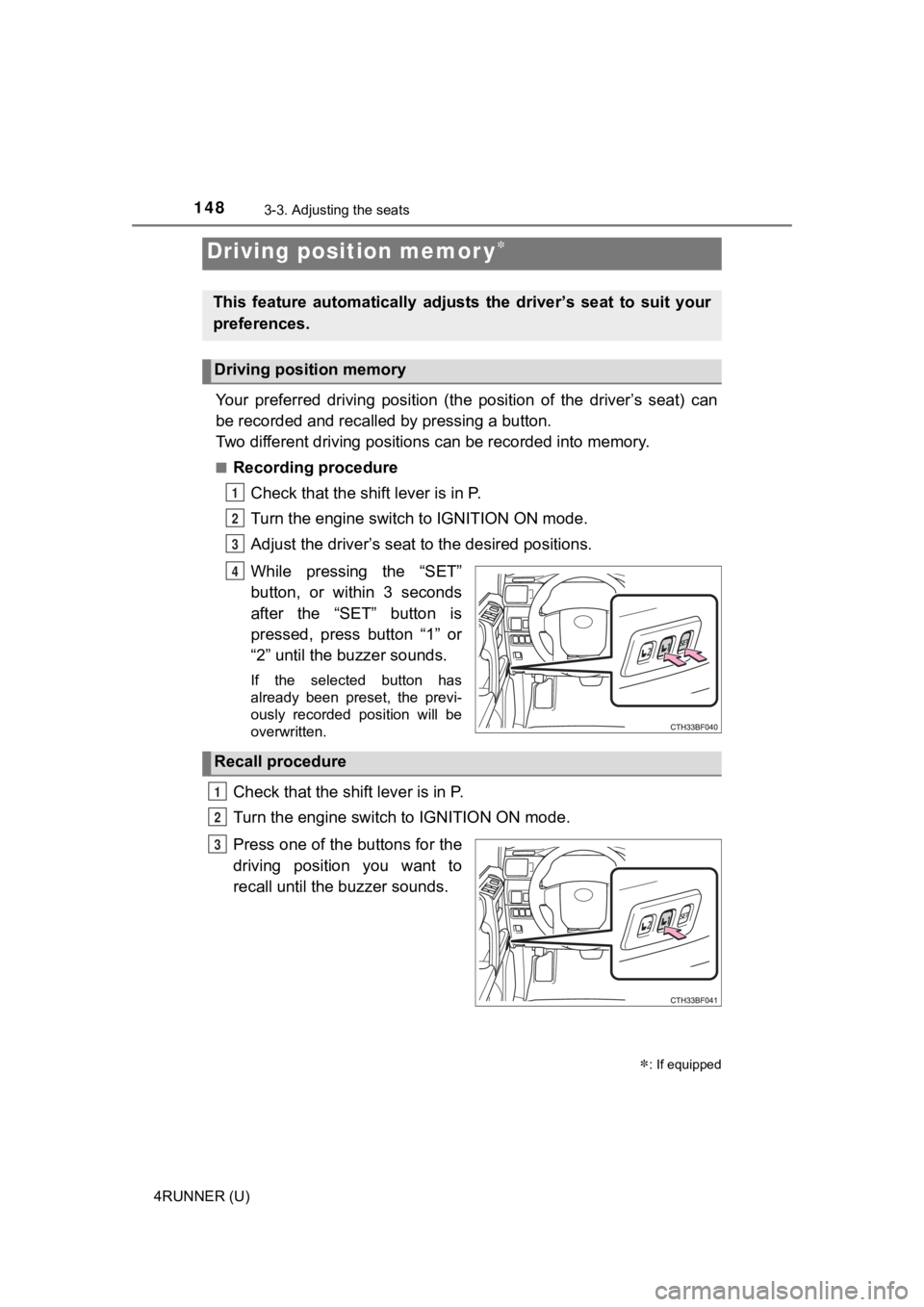
While pressing the “SET”
button, or within 3 seconds
after the “SET” button is
pressed, press button “1” or
“2” until the buzzer sounds.
If the selected button has
already been preset, the previ-
ously recorded position will be
overwritten.
Check that the shift lever is in P.
Turn the engine switch to IGNITION ON mode.
Press one of the buttons for the
driving position you want to
recall until the buzzer sounds.
Driving position memor y
: If equipped
This feature automatically adjusts the driver’s seat to suit yo ur
preferences.
Driving position memory
1
2
3
4
Recall procedure
1
2
3
Page 157 of 616
1573-4. Adjusting the steering wheel and mirrors
3
Operation of each component
4RUNNER (U)
The height of the rear view mirror can be adjusted to suit your driving
posture.
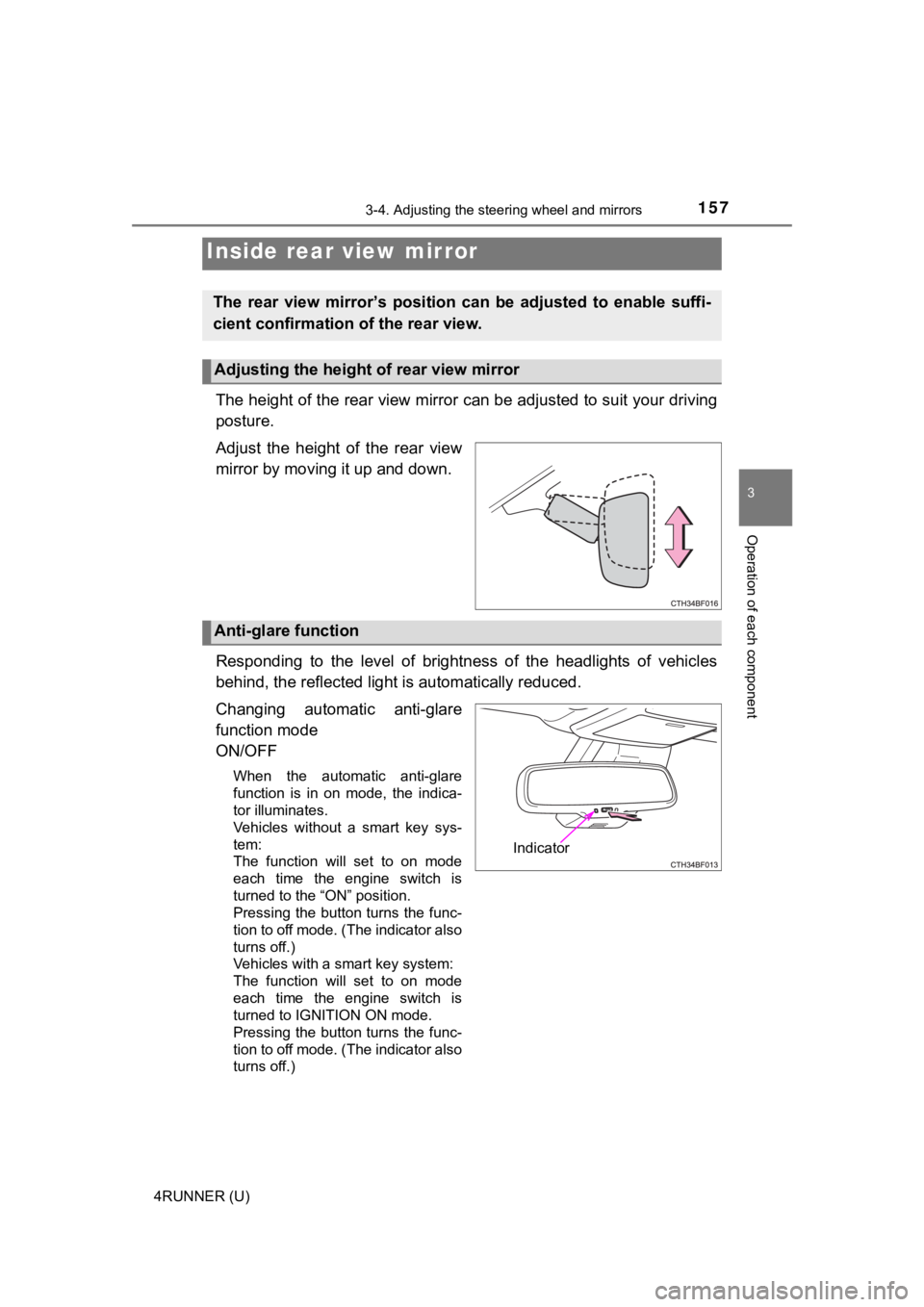
Adjust the height of the rear view
mirror by moving it up and down.
Responding to the level of brightness of the headlights of vehi cles
behind, the reflected light is automatically reduced.
Changing automatic anti-glare
function mode
ON/OFF
When the automatic anti-glare
function is in on mode, the indica-
tor illuminates.
Vehicles without a smart key sys-
tem:
The function will set to on mode
each time the engine switch is
turned to the “ON” position.
Pressing the button turns the func-
tion to off mode. (The indicator also
turns off.)
Vehicles with a smart key system:
The function will set to on mode
each time the engine switch is
turned to IGNITION ON mode.
Pressing the button turns the func-
tion to off mode. (The indicator also
turns off.)
Inside rear view mirror
The rear view mirror’s position ca n be adjusted to enable suffi-
cient confirmation of the rear view.
Adjusting the height of rear view mirror
Anti-glare function
Indicator
Page 170 of 616

1703-5. Opening, closing the windows and moon roof
4RUNNER (U)
■The moon roof can be operated when
Vehicles without a smart key system
The engine switch is in the “ON” position.
Vehicles with a smart key system
The engine switch is in IGNITION ON mode.
■ Operating the moon roof after turning the engine off
Vehicles without a smart key system
The moon roof can be operated for approximately 45 seconds even after the
engine switch is turned to the “ACC” or “LOCK” position. They c annot, how-
ever, be operated once either front door is opened.
Vehicles with a smart key system
The moon roof can be operated for approximately 45 seconds afte r the
engine switch is turned to ACCESSORY mode or turned off. It can not, how-
ever, be operated once either front door is opened.
■ Jam protection function
If an object is detected between the moon roof and the frame wh ile the moon
roof is closing or tilting down, travel is stopped and the moon roof opens
slightly.
■ To reduce moon roof wind noise
When the moon roof is opened automatically, it will stop slightly before the
fully open position. Driving with the moon roof in this position can help reduce
wind noise.
■ Sunshade
The sunshade can be opened and closed manually. However, the su nshade
will open automatically when the moon roof is opened.
Page 171 of 616
1713-5. Opening, closing the windows and moon roof
3
Operation of each component
4RUNNER (U)■
When the moon roof does not close normally
Perform the following procedure:
●If the moon roof closes but then re-opens slightly
Stop the vehicle.
Press and hold the “SLIDE (open/close)” switch in the close position.
*1
The moon roof will close, reopen and pause for approximately 10 sec-
onds.
*2 Then it will close again, tilt up and pause for approximately 1 sec-
ond. Finally, it will tilt down, open and close.
Check to make sure that the moon roof is completely closed and then
release the switch.
● If the moon roof tilts down but then tilts back up
Stop the vehicle.
Press and hold the “UP” switch
*1 until the moon roof moves into the tilt
up position and stops.
Release the “UP” switch once and then press and hold the “UP” s witch
again.
*1
The moon roof will pause for approximately 10 seconds in the tilt up posi-
tion.
*2 Then it will adjust slightly and pause for approximately 1 second.
Finally, it will tilt down, open and close.
Check to make sure that the moon roof is completely closed and then
release the switch.
*1: If the switch is released at the incorrect time, the procedure will have to
be performed again from the beginning.
*2: If the switch is released after the above mentioned 10 second pause, automatic operation will be disabled. In that case, press and h old the
“UP” or “DOWN” switch, and the moon roof will tilt up and pause for
approximately 1 second. Then it will tilt down, open and close. Check to
make sure that the moon roof is completely closed and then release the
switch.
If the moon roof does not fully close even after performing the above proce-
dure correctly, have the vehicle inspected by your Toyota deale r.
■ Moon roof open reminder function
An alarm will sound when the driver’s door is opened with the m oon roof not
fully closed and the engine switch off.
■ Door lock linked moon roof operation
●The moon roof can be opened and closed using the key or mechani cal key.
*
(P. 111, 520)
● The moon roof can be opened using the wireless remote control.
*
( P. 110)
*: These settings must be customized at your Toyota dealer.
1
2
3
1
2
3
4
Page 173 of 616
173
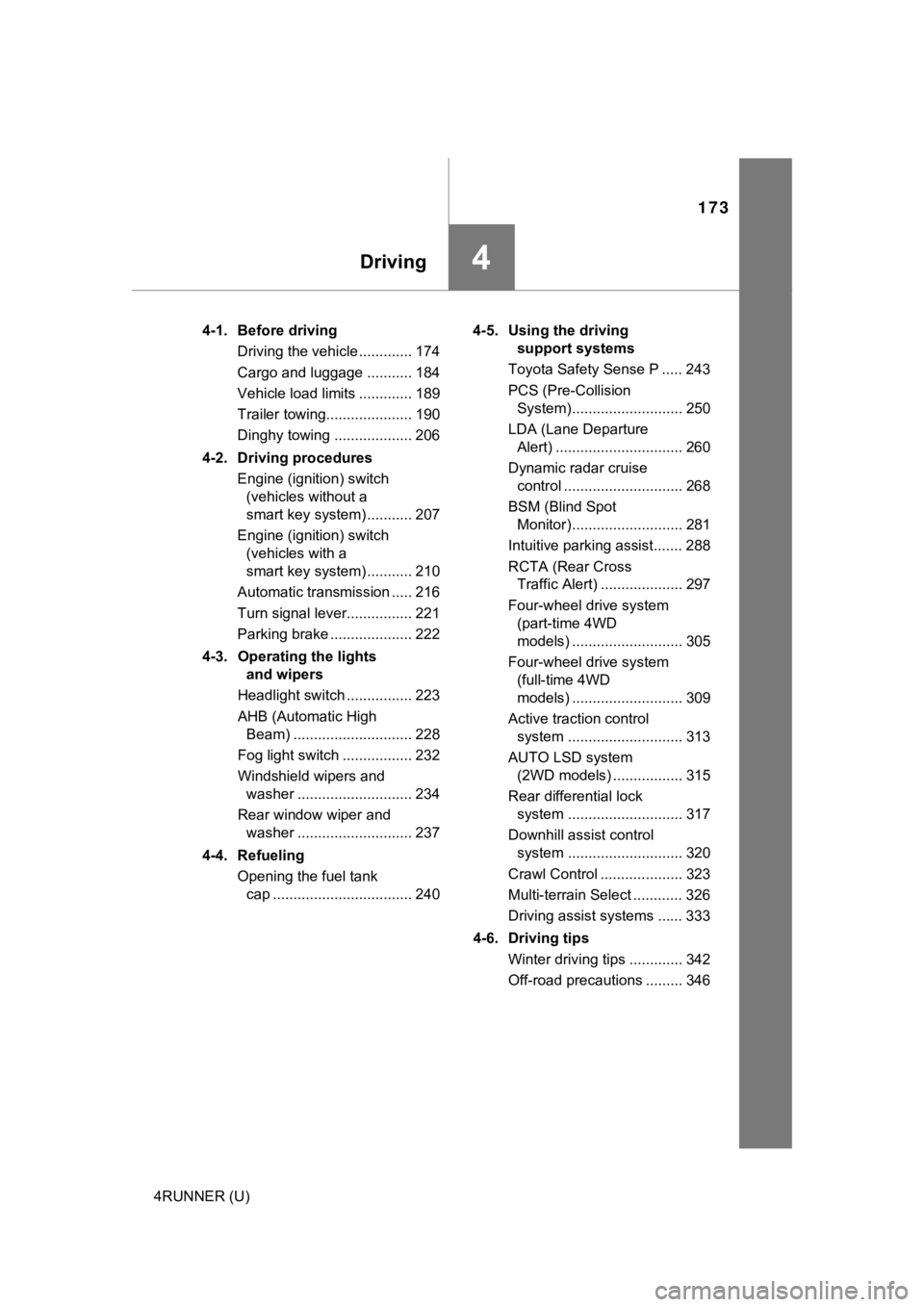
Driving4
4RUNNER (U)4-1. Before driving
Driving the vehicle ............. 174
Cargo and luggage ........... 184
Vehicle load limits ............. 189
Trailer towing..................... 190
Dinghy towing ................... 206
4-2. Driving procedures Engine (ignition) switch (vehicles without a
smart key system) ........... 207
Engine (ignition) switch (vehicles with a
smart key system) ........... 210
Automatic transmission ..... 216
Turn signal lever................ 221
Parking brake .................... 222
4-3. Operating the lights and wipers
Headlight switch ................ 223
AHB (Automatic High Beam) ............................. 228
Fog light switch ................. 232
Windshield wipers and washer ............................ 234
Rear window wiper and washer ............................ 237
4-4. Refueling Opening the fuel tank cap .................................. 240 4-5. Using the driving
support systems
Toyota Safety Sense P ..... 243
PCS (Pre-Collision System)........................... 250
LDA (Lane Departure Alert) ............................... 260
Dynamic radar cruise control ............................. 268
BSM (Blind Spot Monitor)........................... 281
Intuitive parking assist....... 288
RCTA (Rear Cross Traffic Alert) .................... 297
Four-wheel drive system (part-time 4WD
models) ........................... 305
Four-wheel drive system (full-time 4WD
models) ........................... 309
Active traction control system ............................ 313
AUTO LSD system (2WD models) ................. 315
Rear differential lock system ............................ 317
Downhill assist control system ............................ 320
Crawl Control .................... 323
Multi-terrain Select ............ 326
Driving assist systems ...... 333
4-6. Driving tips Winter driving tips ............. 342
Off-road precautions ......... 346
Page 175 of 616
1754-1. Before driving
4
Driving
4RUNNER (U)
Make sure that the parking brake is set and shift the shift lever to D.
Gently depress the accelerator pedal.
Release the parking brake.
■ Driving in the rain
●Drive carefully when it is raining, because visibility will be reduced, the win-
dows may become fogged-up, and the road will be slippery.
● Drive carefully when it starts to rain, because the road surface will be espe-
cially slippery.
● Refrain from driving at high speeds in the rain, as there may b e a layer of
water between the tires and the road surface, preventing the st eering and
brakes from operating properly.
■ Engine speed while driving
In the following conditions, the engine speed may become high while driving.
This is due to automatic up-shifting control or down-shifting implementation to
meet driving conditions. It does not indicate sudden acceleration.
●The vehicle is judged to be driving uphill or downhill
● When the accelerator pedal is released
■ Restraining the engine out put (Brake Override System)
● When the accelerator and brake pedals are depressed at the same time, the
engine output may be restrained.
● A warning message is displayed on the multi-information display while the
system is operating.
■ Restraining sudden start (Drive-Start Control)
● When the following unusual operation is performed, the engine o utput may
be restrained.
• When the shift lever is shifted from R to D, D to R, N to R, P to D, or P to
R (D includes S) with the accelerator pedal depressed, a warnin g mes-
sage appears on the multi-information display.
• When the accelerator pedal is depressed too much while the veh icle is in
reverse.
● While Drive-Start Control is being activated, your vehicle may have trouble
escaping from the mud or fresh snow. In such case, perform the following
actions to cancel Drive-Start Control so that the vehicle may b ecome able to
escape from the mud or fresh snow.
• Deactivate TRAC ( P. 335, 336)
• 2WD models: When the AUTO LSD system is turned on. ( P. 315)
• Part-time 4WD models: The four-wheel drive control switch is in “L4” position. ( P. 305)
• Full-time 4WD models: The four-wheel drive control switch is i n “L4L”
position. ( P. 309)
Starting off on a steep uphill
1
2
3
Page 212 of 616
2124-2. Driving procedures
4RUNNER (U)
If the engine is stopped with the shift lever in a position other than P,
the engine switch will not be turned off but instead be turned to
ACCESSORY mode. Perform the following procedure to turn the
switch off:
Check that the park ing brake is set.
Shift the shift lever to P.
Check that “Turn Power Off” is displayed on the multi-informati on
display and then press the engine switch once.
Check that “Turn Power Off” on the multi-information display is
turned off.
■ Auto power off function
If the vehicle is left in ACCESSORY mode for more than 20 minut es or IGNI-
TION ON mode (the engine is not running) for more than an hour with the
shift lever in P, the engine switch will automatically turn off. However, this
function cannot entirely prevent battery discharge. Do not leav e the vehicle
with the engine switch in ACCESSORY or IGNITION ON mode for lon g peri-
ods of time when the engine is not running.
■ Automatic engine shut off feature
●The vehicle is equipped with a feature that automatically shuts off the
engine when the shift lever is in P with the engine running for an extended
period.
● The engine will automatically shut off after approximately 1 hour if it has
been left running while the shift lever is in P.
● The timer for the automatic engine shut off feature will reset if the brake
pedal is depressed or if the shift lever is in a position other than P.
● After the vehicle is parked, if the door is locked with the door lock switch
(P. 113) from the inside or the mechanical key (P. 520) from the outside,
the automatic engine shut off feature will be disabled. The tim er for the auto-
matic engine shut off feature will be re-enabled if the driver’ s door is
opened.
■ Electronic key battery depletion
P. 108
■ Conditions affecting operation
P. 123
■ Notes for the entry function
P. 124
When stopping the engine with the shift lever in a position other
than P
1
2
3
4
Page 216 of 616
2164-2. Driving procedures
4RUNNER (U)
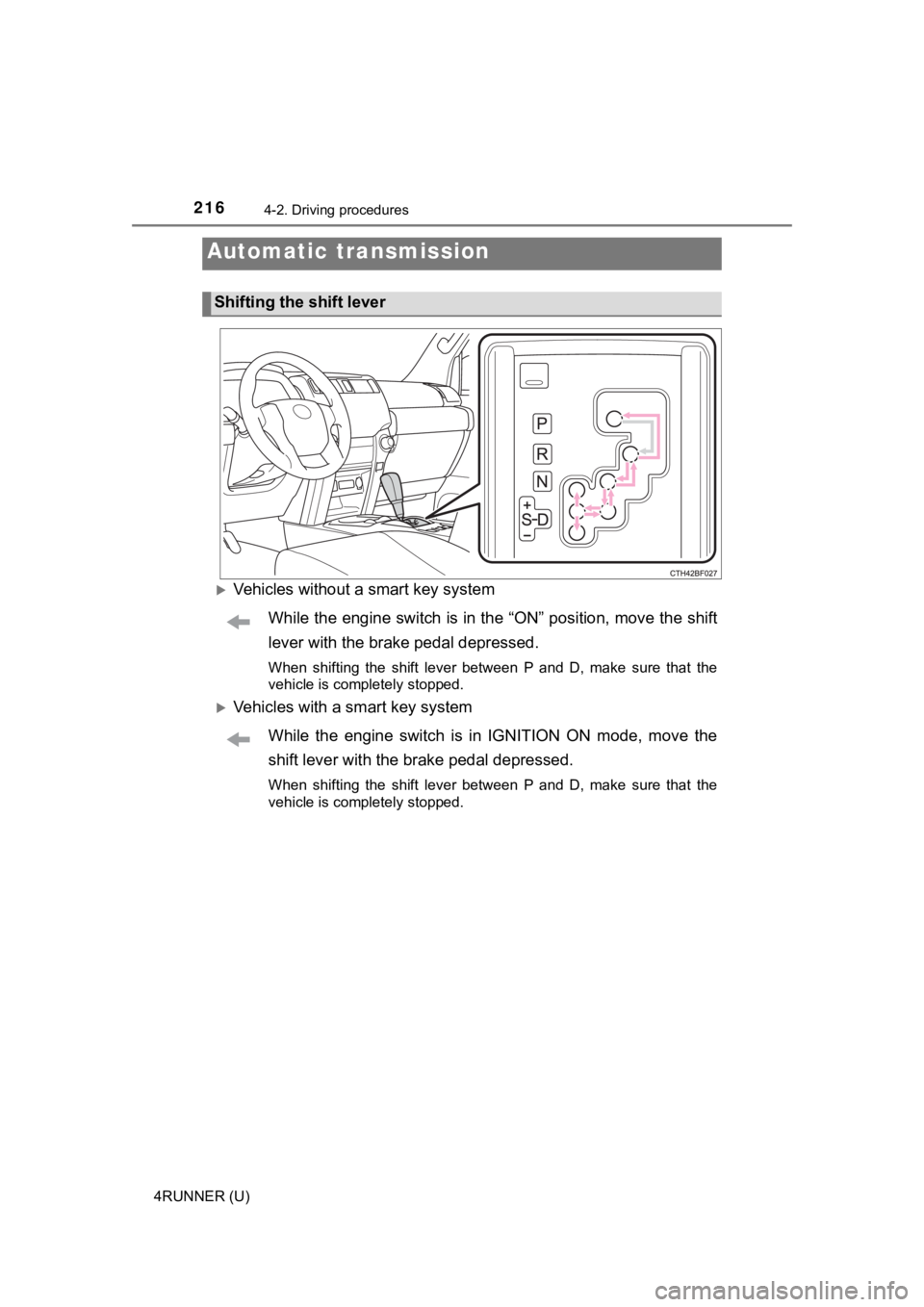
Vehicles without a smart key systemWhile the engine switch is in the “ON” position, move the shift
lever with the brake pedal depressed.
When shifting the shift lever between P and D, make sure that t he
vehicle is completely stopped.
Vehicles with a smart key system
While the engine switch is in IGNITION ON mode, move the
shift lever with the brake pedal depressed.
When shifting the shift lever between P and D, make sure that t he
vehicle is completely stopped.
Automatic transmission
Shifting the shift lever