lane TOYOTA 4RUNNER 2023 User Guide
[x] Cancel search | Manufacturer: TOYOTA, Model Year: 2023, Model line: 4RUNNER, Model: TOYOTA 4RUNNER 2023Pages: 608, PDF Size: 11.8 MB
Page 232 of 608
232
4RUNNER (U)
4-5. Using the driving support systems
◆PCS (Pre-Collision System)
P. 2 3 9
◆LDA (Lane Departure Alert)
P. 2 4 9
◆AHB (Automatic High Beam)
P. 2 1 7
◆Dynamic radar cruise control
P. 2 5 7
Toyota Safety Sense P
The Toyota Safety Sense P consists of the following drive assis t
systems and contributes to a safe and comfortable driving expe-
rience:
Driving assist system
WARNING
■ Toyota Safety Sense P
The Toyota Safety Sense P is designed to operate under the assumption
that the driver will drive safely, and is designed to help reduce the impact to
the occupants and the vehicle in the case of a collision or assist the driver in
normal driving conditions.
As there is a limit to the degree of recognition accuracy and control perfor-
mance that this system can provide, do not overly rely on this system. The
driver is always responsible for paying attention to the vehicle's surround-
ings and driving safely.
Page 244 of 608
2444-5. Using the driving support systems
4RUNNER (U)■
Cancelation of the pre-collision braking
If either of the following occur while the pre-collision brakin g function is oper-
ating, it will be canceled:
● The accelerator pedal is depressed strongly.
● The steering wheel is turned sharply or abruptly.
■ Conditions under which the system may operate even if there is no pos-
sibility of a collision
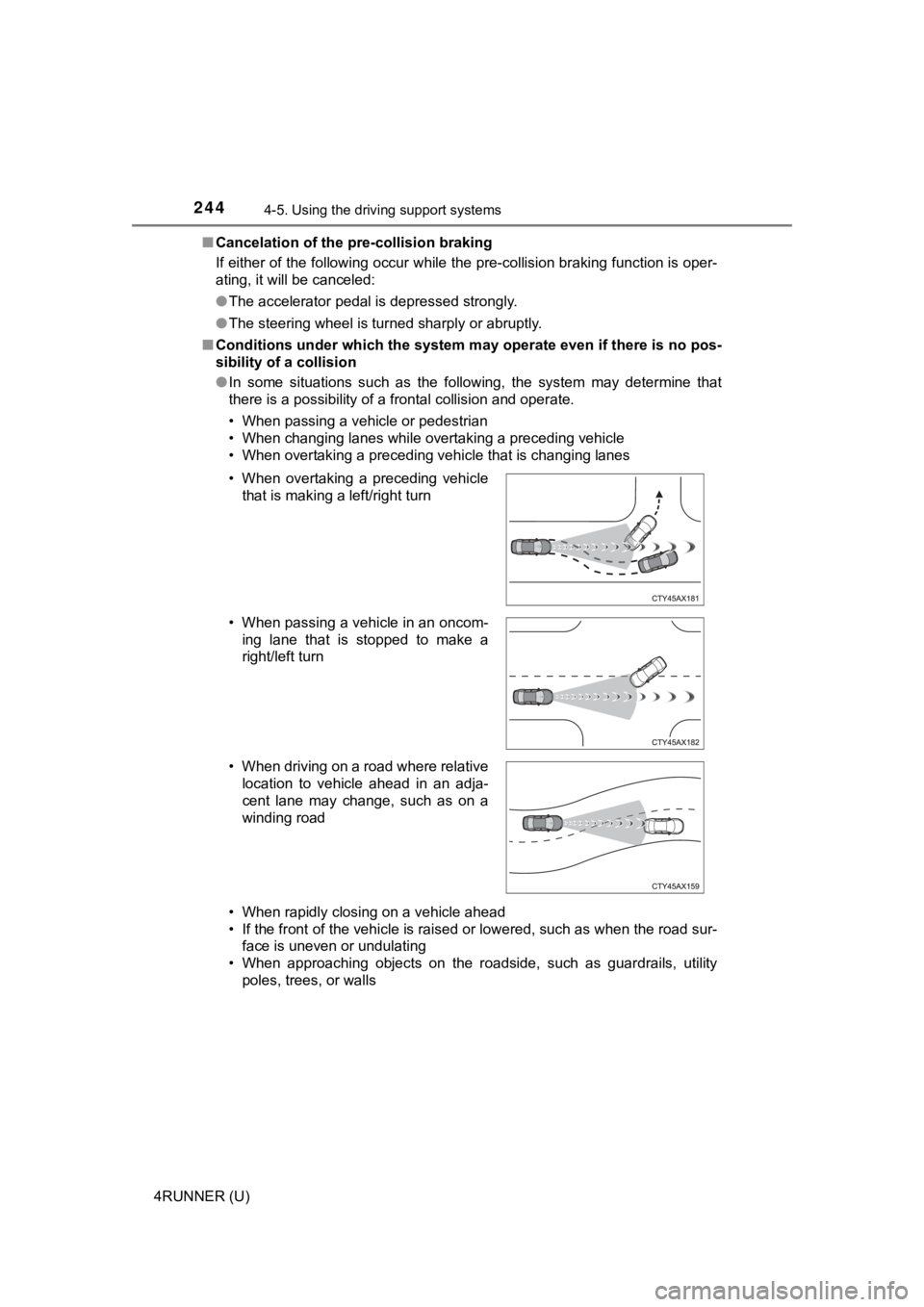
● In some situations such as the following, the system may determ ine that
there is a possibility of a frontal collision and operate.
• When passing a vehicle or pedestrian
• When changing lanes while overtaking a preceding vehicle
• When overtaking a preceding vehicle that is changing lanes
• When rapidly closing on a vehicle ahead
• If the front of the vehicle is raised or lowered, such as when the road sur-
face is uneven or undulating
• When approaching objects on the roadside, such as guardrails, utility
poles, trees, or walls
• When overtaking a preceding vehicle
that is making a left/right turn
• When passing a vehicle in an oncom- ing lane that is stopped to make a
right/left turn
• When driving on a road where relative location to vehicle ahead in an adja-
cent lane may change, such as on a
winding road
Page 249 of 608
2494-5. Using the driving support systems
4
Driving
4RUNNER (U)
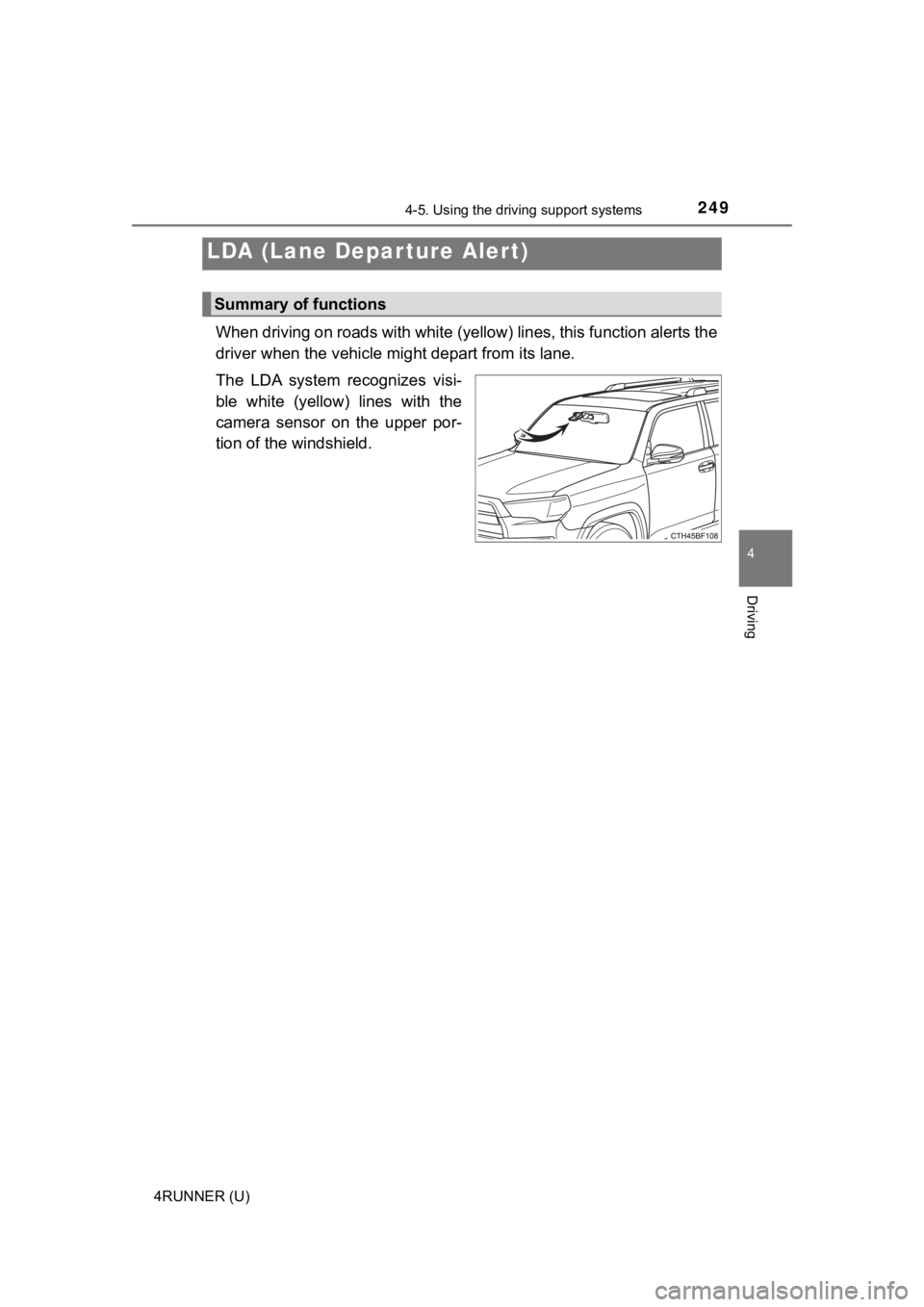
When driving on roads with white (yellow) lines, this function alerts the
driver when the vehicle mi ght depart from its lane.
The LDA system recognizes visi-
ble white (yellow) lines with the
camera sensor on the upper por-
tion of the windshield.
LDA (Lane Depar ture Alert)
Summary of functions
Page 250 of 608
2504-5. Using the driving support systems
4RUNNER (U)
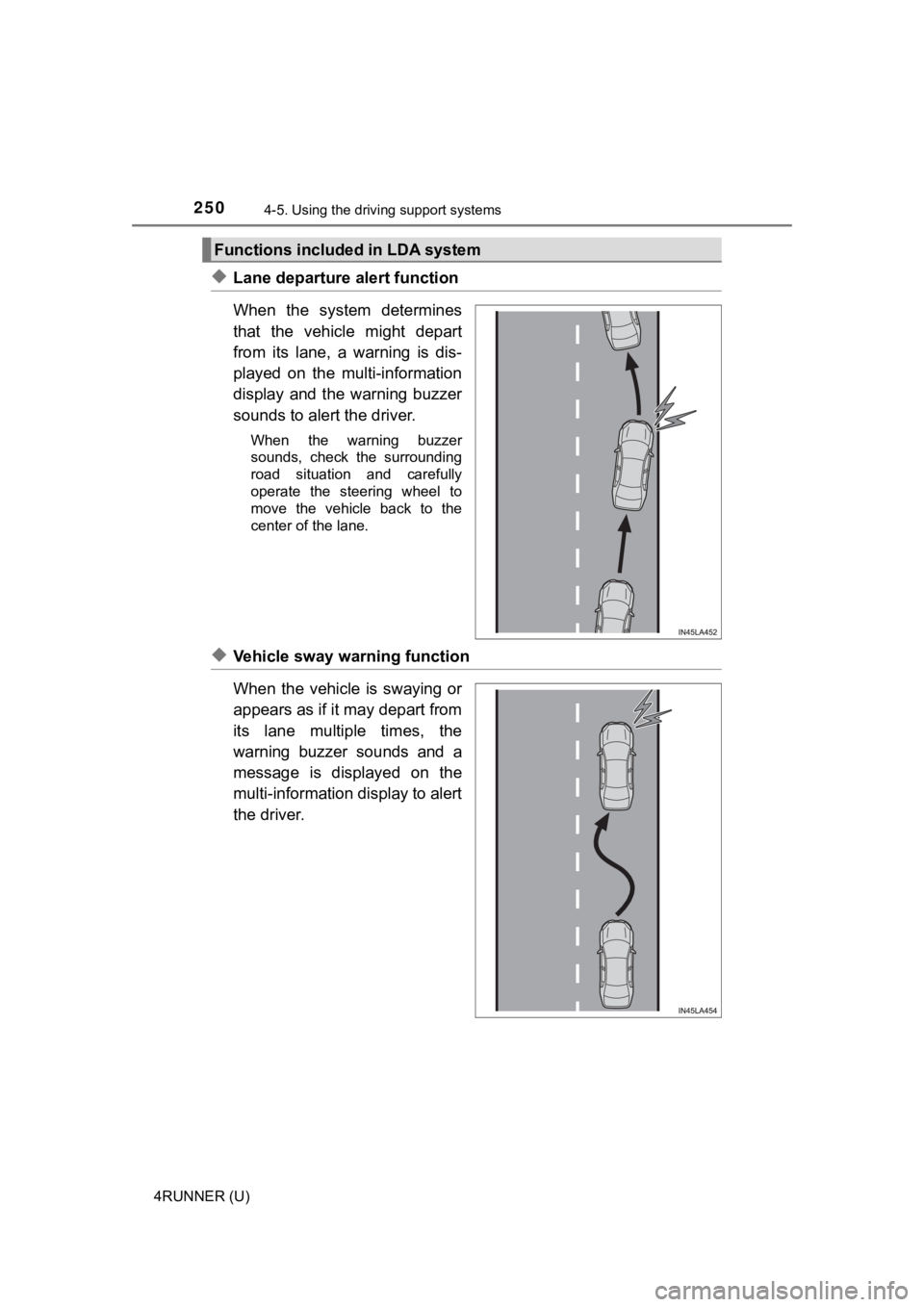
◆Lane departure alert function
When the system determines
that the vehicle might depart
from its lane, a warning is dis-
played on the multi-information
display and the warning buzzer
sounds to alert the driver.
When the warning buzzer
sounds, check the surrounding
road situation and carefully
operate the steering wheel to
move the vehicle back to the
center of the lane.
◆Vehicle sway warning function
When the vehicle is swaying or
appears as if it may depart from
its lane multiple times, the
warning buzzer sounds and a
message is displayed on the
multi-information display to alert
the driver.
Functions included in LDA system
Page 251 of 608

2514-5. Using the driving support systems
4
Driving
4RUNNER (U)
WARNING
■Before using LDA system
Do not rely solely upon the LDA system. The LDA system does not auto-
matically drive the vehicle or reduce the amount of attention that must be
paid to the area in front of the vehicle. The driver must always assume full
responsibility for driving safely by paying careful attention to the surround-
ing conditions and operating the steering wheel to correct the path of the
vehicle. Also, the driver must take adequate breaks when fatigu ed, such as
from driving for a long period of time.
Failure to perform appropriate driving operations and pay careful attention
may lead to an accident, resulting in death or serious injury.
■ To avoid operating LDA system by mistake
When not using the LDA system, use the LDA switch to turn the system off.
■ Situations unsuitable for LDA system
Do not use the LDA system in the following situations.
The system may not operate properly and lead to an accident, re sulting in
death or serious injury.
● A spare tire, tire chains, etc. are equipped.
● Objects or patterns that could be mistaken for white (yellow) l ines are
present on the side of the road (guardrails, curbs, reflective poles, etc.).
● Vehicle is driven on a snow-covered road.
● White (yellow) lines are difficult to see due to rain, snow, fog, dust, etc.
● Asphalt repair marks, white (yellow) line marks, etc. are prese nt due to
road repair.
● Vehicle is driven in a temporary lane or restricted lane due to construction
work.
● Vehicle is driven in a construction zone.
■ Preventing LDA system malfunctions and operations performed by
mistake
● Do not modify the headlights or place stickers, etc. on the sur face of the
lights.
● Do not modify the suspension etc. If the suspension etc. needs to be
replaced, contact your Toyota dealer.
● Do not install or place anything on the hood or grille. Also, d o not install a
grille guard (bull bars, kangaroo bar, etc.).
● If your windshield needs repairs, contact your Toyota dealer.
Page 253 of 608
2534-5. Using the driving support systems
4
Driving
4RUNNER (U)
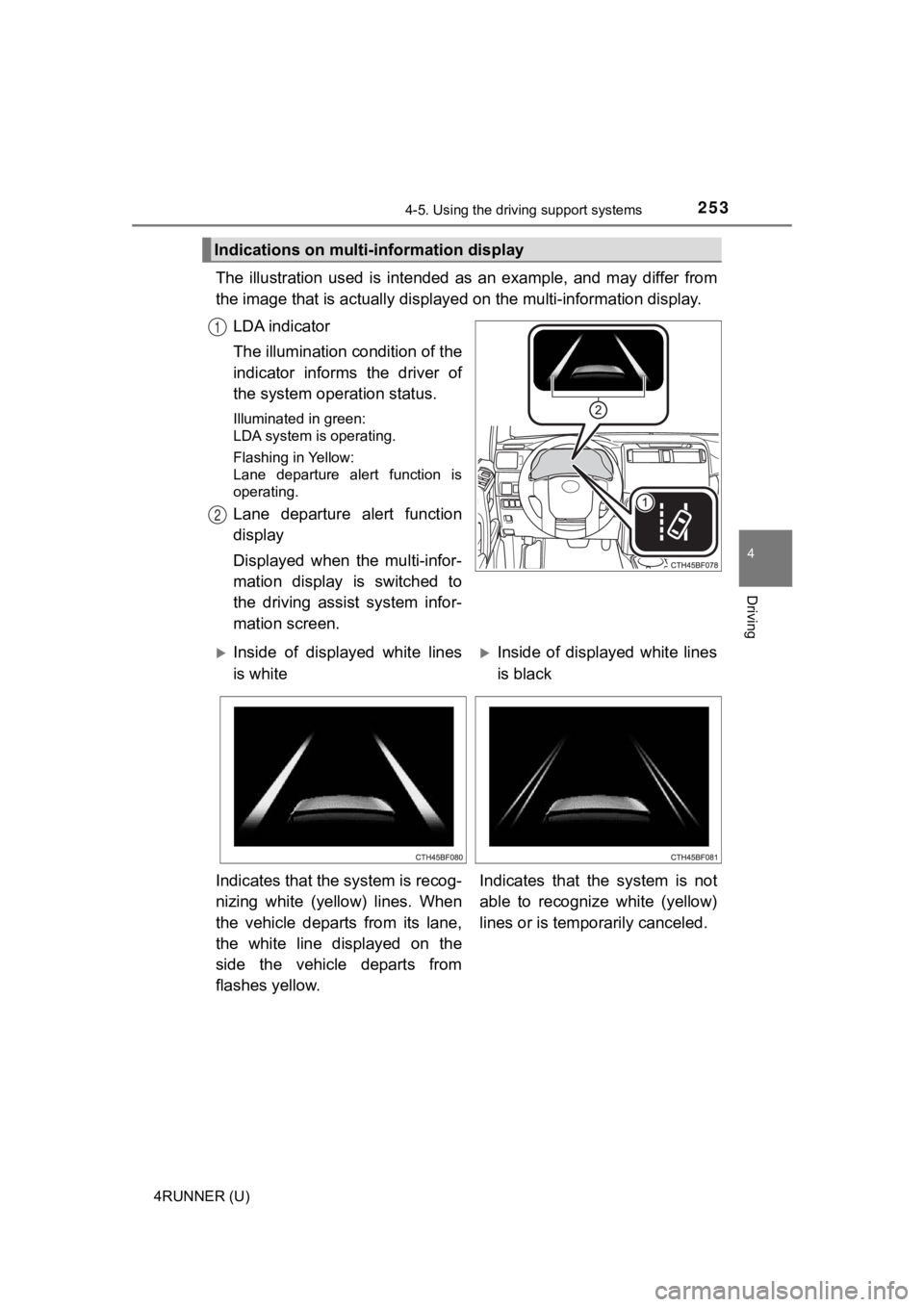
The illustration used is intended as an example, and may differ from
the image that is actually display ed on the multi-information display.
LDA indicator
The illumination condition of the
indicator informs the driver of
the system ope ration status.
Illuminated in green:
LDA system is operating.
Flashing in Yellow:
Lane departure alert function is
operating.
Lane departure alert function
display
Displayed when the multi-infor-
mation display is switched to
the driving assist system infor-
mation screen.
Indications on multi-information display
1
2
Inside of displayed white lines
is whiteInside of displayed white lines
is black
Indicates that the system is recog-
nizing white (yellow) lines. When
the vehicle departs from its lane,
the white line displayed on the
side the vehicle departs from
flashes yellow. Indicates that the system is not
able to recognize white (yellow)
lines or is tempo
rarily canceled.
Page 254 of 608

2544-5. Using the driving support systems
4RUNNER (U)
■Operation conditions of each function
●Lane departure alert function
This function operates when all of the following conditions are met.
• LDA is turned on.
• Vehicle speed is approximately 32 mph (50 km/h) or more.
• System recognizes white (yellow) lines.
• Width of traffic lane is approximately 9.8 ft. (3 m) or more.
• Turn signal lever is not operated.
• Vehicle is driven on a straight road or around a gentle curve with a radius
of more than approximately 492 ft. (150 m).
• No system malfunctions are detected. ( P. 256)
● Vehicle sway warning function
This function operates when all of the following conditions are met.
• Setting for “Sway Warning” in of the multi-information display is set to “On”. ( P. 96)
• Vehicle speed is approximately 32 mph (50 km/h) or more.
• Width of traffic lane is approximately 9.8 ft. (3 m) or more.
• No system malfunctions are detected. ( P. 256)
■ Temporary cancellation of functions
When the operation conditions are no longer met, a function may be tempo-
rarily canceled. However, when the operation conditions are met again, oper-
ation of the function is automatically restored. ( P. 254)
■ Lane departure alert function
The warning buzzer may be difficult to hear due to external noi se, audio play-
back, etc.
■ Vehicle sway warning function
Depending on the vehicle and road conditions, the warning may n ot operate.
■ White (yellow) lines are only on one side of road
The LDA system will not operate for the side on which white (yellow) lines
could not be recognized.
When the system determines that the
vehicle is swaying while the vehicle sway
warning function is operating, a buzzer
sounds and a warning message urging
the driver to rest and the symbol shown
in the illustration are simultaneously dis-
played on the multi-information display.
Page 255 of 608
2554-5. Using the driving support systems
4
Driving
4RUNNER (U)■
Conditions in which functions may not operate properly
In the following situations, the camera sensor may not detect w hite (yellow)
lines and various functions may not operate normally.
● There are shadows on the road that run parallel with, or cover, the white
(yellow) lines.
● The vehicle is driven in an area without white (yellow) lines, such as in front
of a tollgate or checkpoint, or at an intersection, etc.
● The white (yellow) lines are cracked, “Botts’ dots”, “Raised pa vement
marker” or stones are present.
● The white (yellow) lines cannot be seen or are difficult to see due to sand,
etc.
● The vehicle is driven on a road surface that is wet due to rain , puddles, etc.
● The traffic lines are yellow (which may be more difficult to re cognize than
lines that are white).
● The white (yellow) lines cross over a curb, etc.
● The vehicle is driven on a bright surface, such as concrete.
● The vehicle is driven on a surface that is bright due to reflec ted light, etc.
● The vehicle is driven in an area where the brightness changes s uddenly,
such as at the entrances and exits of tunnels, etc.
● Light from the headlights of an oncoming vehicle, the sun, etc. enters the
camera.
● The vehicle is driven where the road diverges, merges, etc.
● The vehicle is driven on a slope.
● The vehicle is driven on a road which tilts left or right, or a winding road.
● The vehicle is driven on an unpaved or rough road.
● The vehicle is driven around a sharp curve.
● The traffic lane is excessively narrow or wide.
● The vehicle is extremely tilted due to carrying heavy luggage or having
improper tire pressure.
● The distance to the preceding vehicle is extremely short.
● The vehicle is moving up and down a large amount due to road co nditions
during driving (poor roads or road seams).
● The headlight lenses are dirty and emit a faint amount of light at night, or the
beam axis has deviated.
● The vehicle has just changed lanes or crossed an intersection.
Page 268 of 608
2684-5. Using the driving support systems
4RUNNER (U)■
Automatic cancelation of c onstant speed control mode
Constant speed control mode is automatically canceled in the following situa-
tions:
● Actual vehicle speed is more than approximately 10 mph (16 km/h ) below
the set vehicle speed.
● Actual vehicle speed falls below approximately 25 mph (40 km/h) .
● VSC is activated.
● TRAC is activated for a period of time.
● When the VSC or TRAC system is turned off.
● Pre-collision braking is activated.
If constant speed control mode is automatically canceled for an y other rea-
son, there may be a malfunction in the system. Contact your Toyota dealer.
■ Brake system operation sound
If the brakes are applied automatically while the vehicle is in vehicle-to-vehi-
cle distance control mode, a brake system operation sound may b e heard.
This does not indicate a malfunction.
■ Warning messages and buzzers for d ynamic radar cruise control
Warning messages and buzzers are used to indicate a system malfunction or
to inform the driver of the need for caution while driving. If a warning message
is shown on the multi-information display, read the message and follow the
instructions.
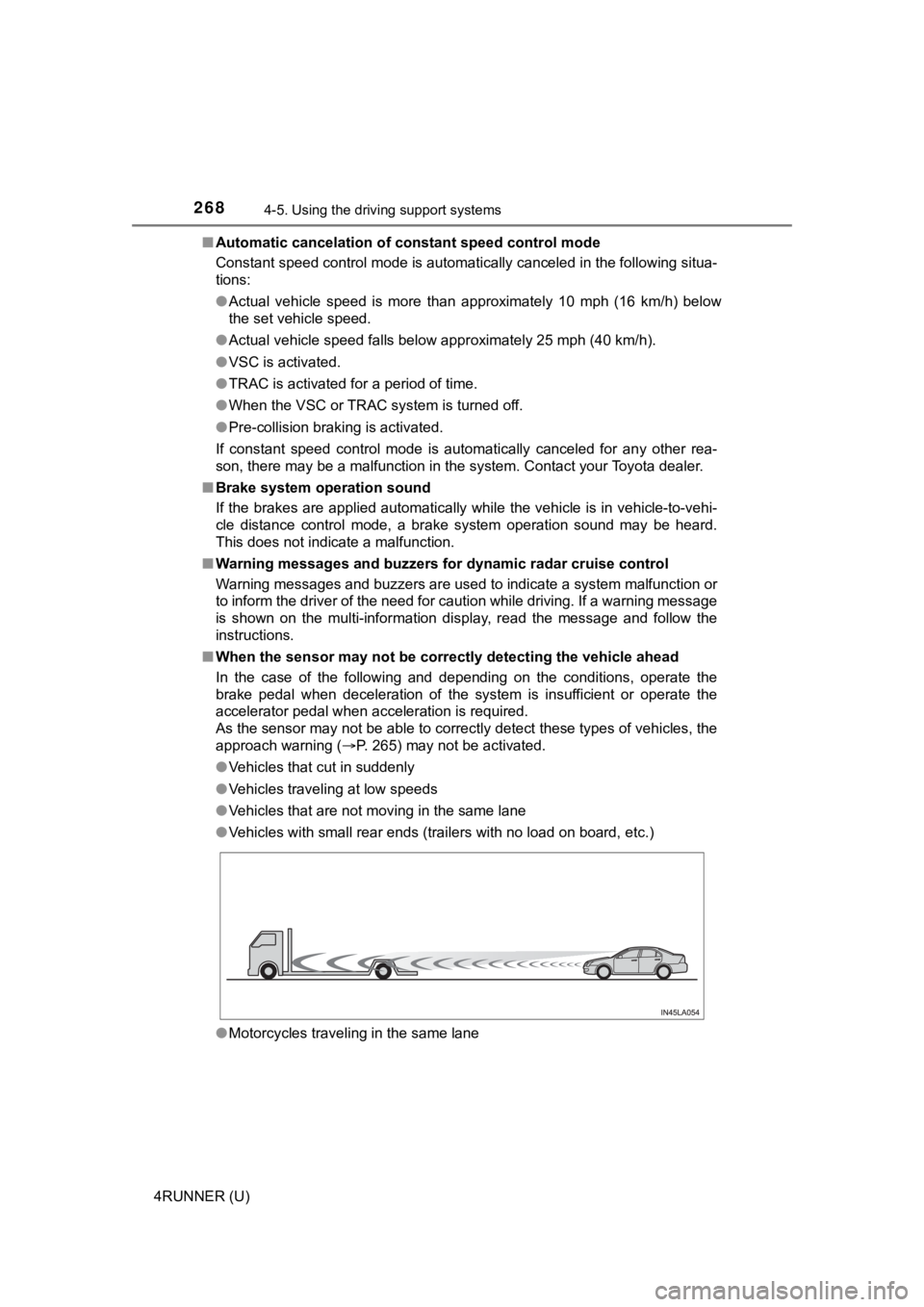
■ When the sensor may not be correctly detect ing the vehicle ahead
In the case of the following and depending on the conditions, o perate the
brake pedal when deceleration of the system is insufficient or operate the
accelerator pedal when acceleration is required.
As the sensor may not be able to correctly detect these types o f vehicles, the
approach warning ( P. 265) may not be activated.
● Vehicles that cut in suddenly
● Vehicles traveling at low speeds
● Vehicles that are not moving in the same lane
● Vehicles with small rear ends (trailers with no load on board, etc.)
● Motorcycles traveling in the same lane
Page 269 of 608
2694-5. Using the driving support systems
4
Driving
4RUNNER (U)●
When water or snow thrown up by the surrounding vehicles hinders the
detecting of the sensor
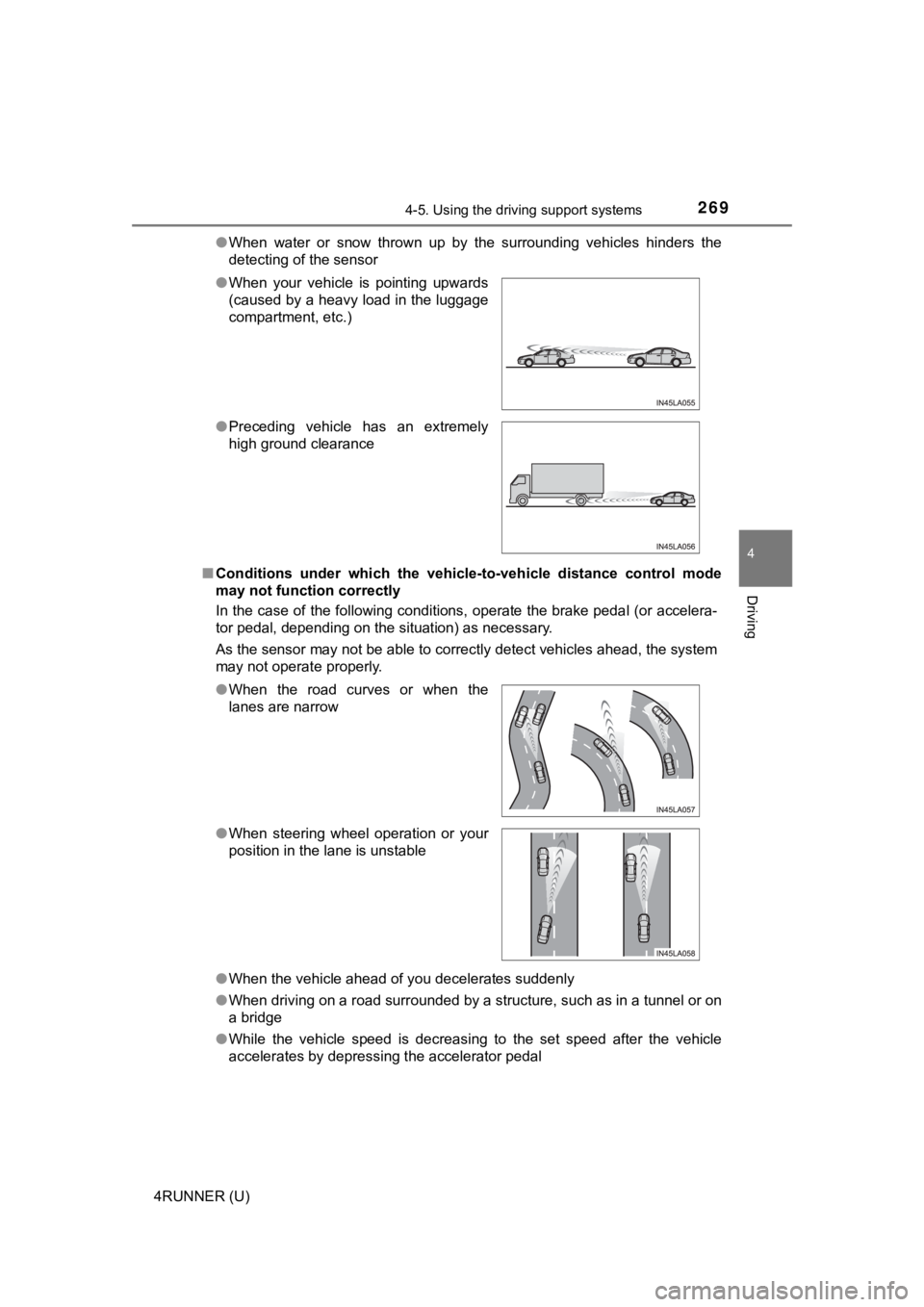
■ Conditions under which the vehic le-to-vehicle distance control mode
may not function correctly
In the case of the following conditions, operate the brake peda l (or accelera-
tor pedal, depending on the situation) as necessary.
As the sensor may not be able to correctly detect vehicles ahead, the system
may not operate properly.
● When the vehicle ahead of you decelerates suddenly
● When driving on a road surrounded by a structure, such as in a tunnel or on
a bridge
● While the vehicle speed is decreasing to the set speed after th e vehicle
accelerates by depressing the accelerator pedal
●
When your vehicle is pointing upwards
(caused by a heavy load in the luggage
compartment, etc.)
● Preceding vehicle has an extremely
high ground clearance
●When the road curves or when the
lanes are narrow
● When steering wheel operation or your
position in the lane is unstable