lane TOYOTA 4RUNNER 2023 Owners Manual
[x] Cancel search | Manufacturer: TOYOTA, Model Year: 2023, Model line: 4RUNNER, Model: TOYOTA 4RUNNER 2023Pages: 608, PDF Size: 11.8 MB
Page 3 of 608
3
1
8 7
6
5
4
3
2
9
4RUNNER (U)4-1. Before driving
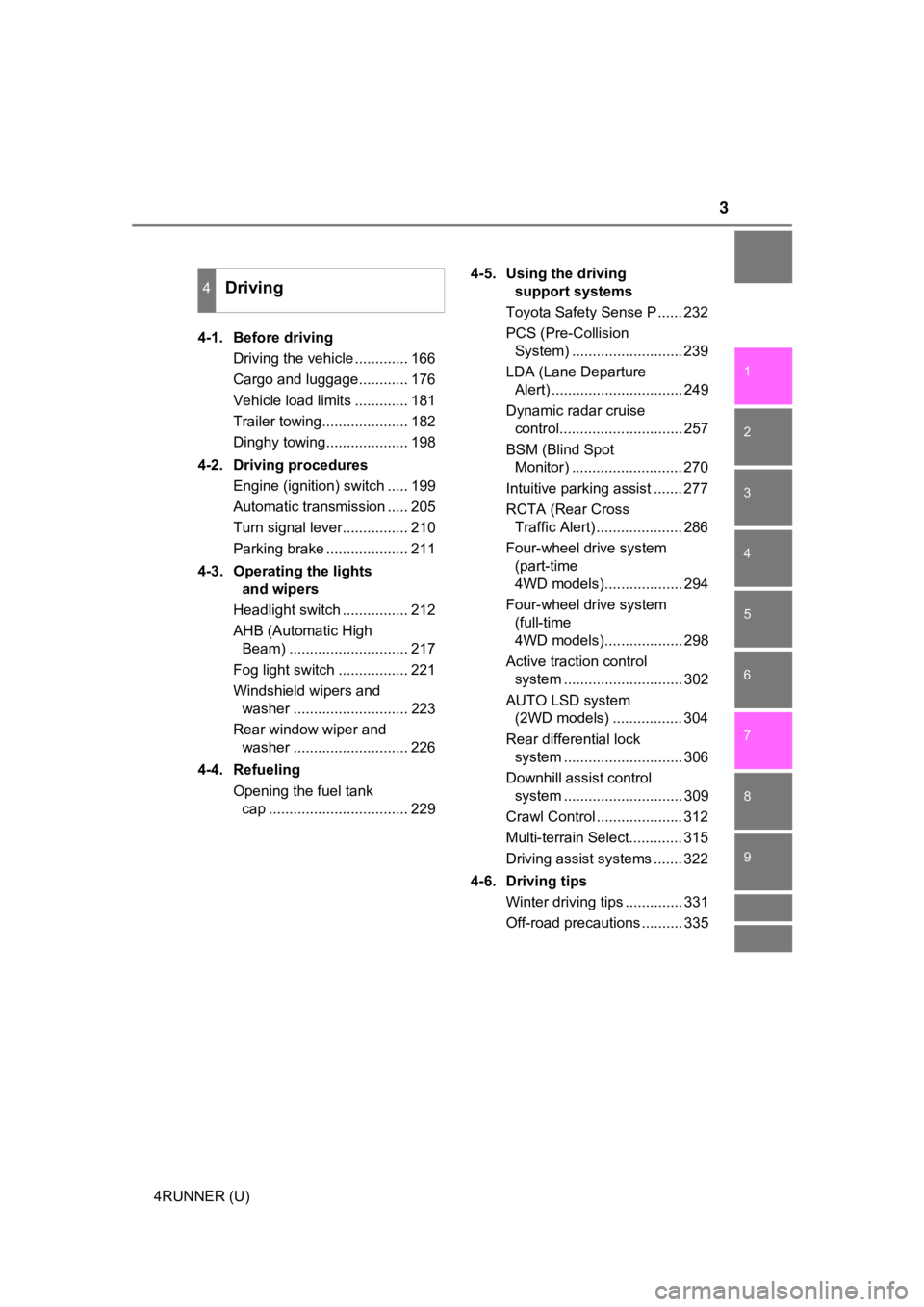
Driving the vehicle ............. 166
Cargo and luggage............ 176
Vehicle load limits ............. 181
Trailer towing..................... 182
Dinghy towing.................... 198
4-2. Driving procedures Engine (ignition) switch ..... 199
Automatic transmission ..... 205
Turn signal lever................ 210
Parking brake .................... 211
4-3. Operating the lights and wipers
Headlight switch ................ 212
AHB (Automatic High Beam) ............................. 217
Fog light switch ................. 221
Windshield wipers and washer ............................ 223
Rear window wiper and washer ............................ 226
4-4. Refueling Opening the fuel tank cap .................................. 229 4-5. Using the driving
support systems
Toyota Safety Sense P ...... 232
PCS (Pre-Collision System) ........................... 239
LDA (Lane Departure Alert) ................................ 249
Dynamic radar cruise control.............................. 257
BSM (Blind Spot Monitor) ........................... 270
Intuitive parking assist ....... 277
RCTA (Rear Cross Traffic Alert) ..................... 286
Four-wheel drive system (part-time
4WD models)................... 294
Four-wheel drive system (full-time
4WD models)................... 298
Active traction control system ............................. 302
AUTO LSD system (2WD models) ................. 304
Rear differential lock system ............................. 306
Downhill assist control system ............................. 309
Crawl Control ..................... 312
Multi-terrain Select............. 315
Driving assist systems ....... 322
4-6. Driving tips Winter driving tips .............. 331
Off-road precautions .......... 335
4Driving
Page 22 of 608
22Pictorial index
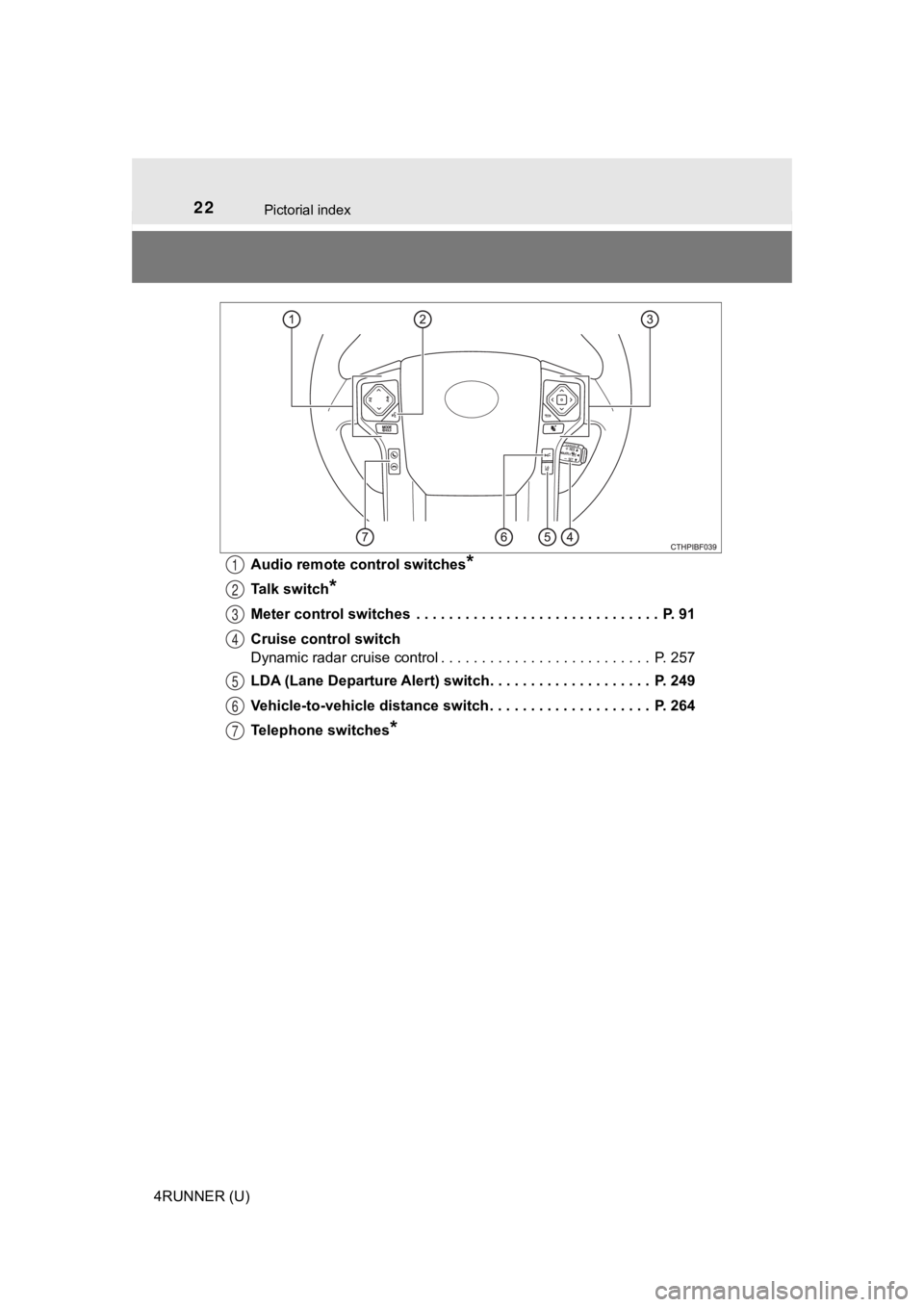
4RUNNER (U)Audio remote control switches
*
Talk switch*
Meter control switches . . . . . . . . . . . . . . . . . . . . . . . . . . . . . . P. 91
Cruise control switch
Dynamic radar cruise control . . . . . . . . . . . . . . . . . . . . . . . . . . P. 257
LDA (Lane Departure Alert) switch. . . . . . . . . . . . . . . . . . . . P. 249
Vehicle-to-vehicle distance switch . . . . . . . . . . . . . . . . . . . . P. 264
Telephone switches
*
1
2
3
4
5
6
7
Page 92 of 608
922. Instrument cluster
4RUNNER (U)
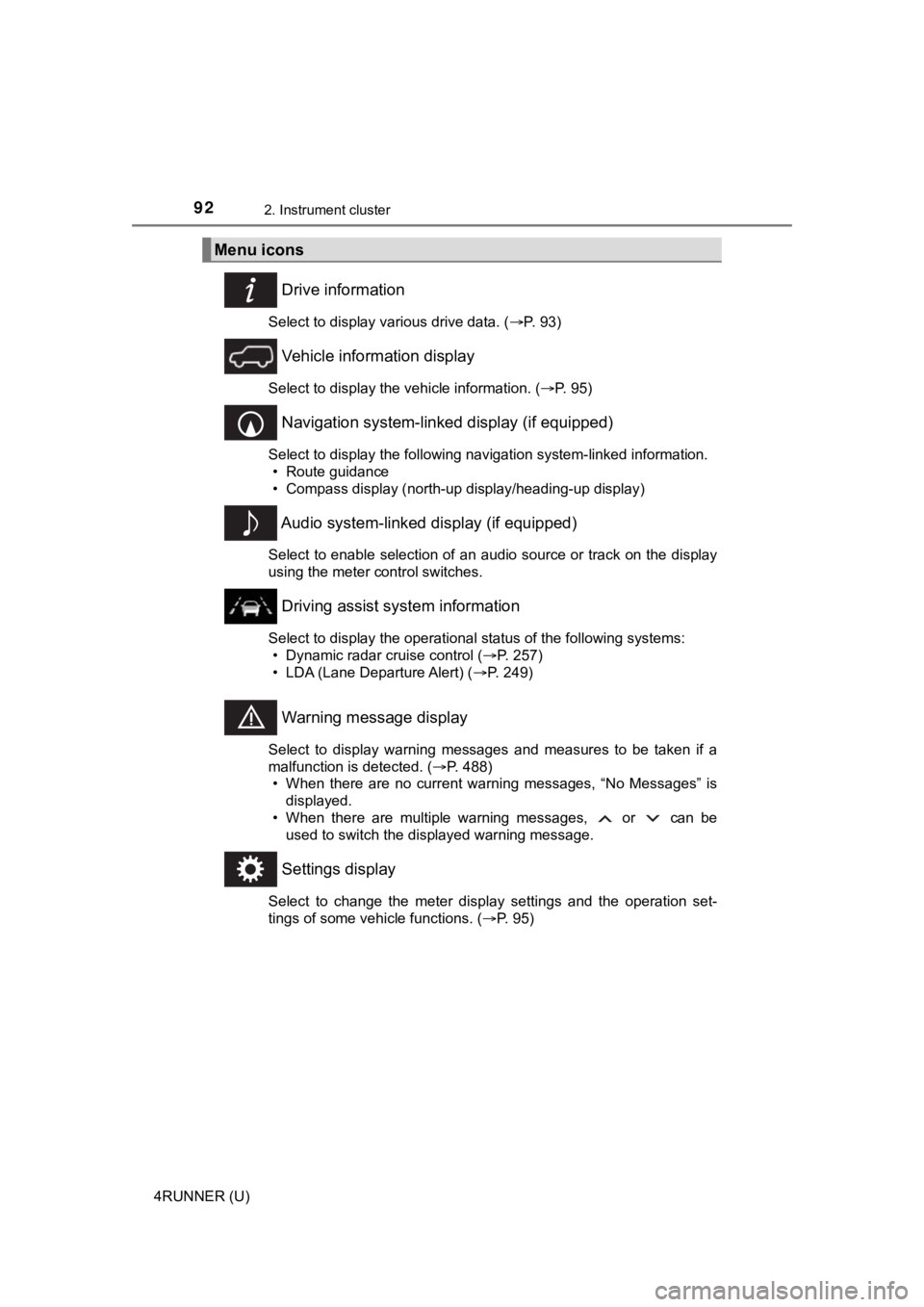
Drive information
Select to display various drive data. (P. 93)
Vehicle information display
Select to display the vehicle information. ( P. 95)
Navigation system-linked display (if equipped)
Select to display the following navigation system-linked information.
• Route guidance
• Compass display (north-up display/heading-up display)
Audio system-linked display (if equipped)
Select to enable selection of an audio source or track on the d isplay
using the meter control switches.
Driving assist system information
Select to display the operational status of the following syste ms:
• Dynamic radar cruise control ( P. 257)
• LDA (Lane Departure Alert) ( P. 249)
Warning message display
Select to display warning messages and measures to be taken if a
malfunction is detected. ( P. 488)
• When there are no current warning messages, “No Messages” is displayed.
• When there are multiple warning messages, or can be used to switch the displayed warning message.
Settings display
Select to change the meter display settings and the operation set-
tings of some vehicle functions. ( P. 95)
Menu icons
Page 94 of 608
942. Instrument cluster
4RUNNER (U)■
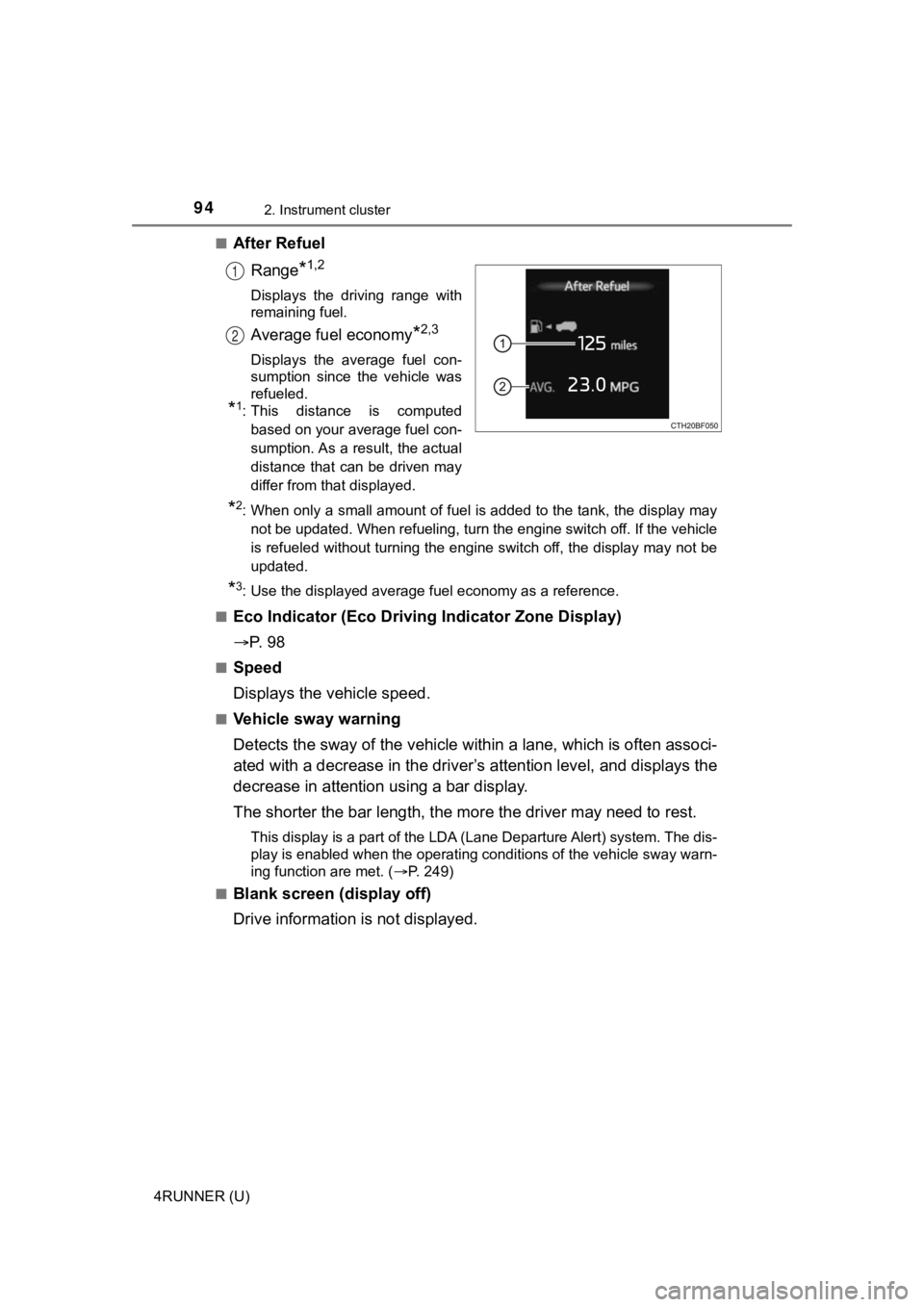
After Refuel
Range
*1,2
Displays the driving range with
remaining fuel.
Average fuel economy*2,3
Displays the average fuel con-
sumption since the vehicle was
refueled.
*1: This distance is computedbased on your average fuel con-
sumption. As a result, the actual
distance that can be driven may
differ from that displayed.
*2: When only a small amount of fuel is added to the tank, the dis play may
not be updated. When refueling, turn the engine switch off. If the vehicle
is refueled without turning the engine switch off, the display may not be
updated.
*3: Use the displayed average fuel economy as a reference.
■
Eco Indicator (Eco Drivi ng Indicator Zone Display)
P. 9 8
■Speed
Displays the vehicle speed.
■Vehicle sway warning
Detects the sway of the vehicle within a lane, which is often associ-
ated with a decrease in the driv er’s attention level, and displays the
decrease in attention using a bar display.
The shorter the bar length, the m ore the driver may need to rest.
This display is a part of the LDA (Lane Departure Alert) system. The dis-
play is enabled when the operating conditions of the vehicle sw ay warn-
ing function are met. ( P. 249)
■
Blank screen (display off)
Drive information is not displayed.
1
2
Page 96 of 608

962. Instrument cluster
4RUNNER (U)■
Setting items
●
LDA (Lane Departure Alert)
Select to set up LDA. ( P. 560)
• Alert sensitivity
• Sway warning
• Sway sensitivity
● BSM (Blind Spot Monitor)
Select to activate/deactivate BSM. ( P. 558)
• BSM on/off
• BSM sensitivity
• Outside rear view mirror indicator brightness
● RCTA (Rear Cross Traffic Alert)
Select to activate/deactivate RCTA. ( P. 558)
•RCTA on/off
● PCS (Pre-Collision System)
Select to set the f ollowing items. (P. 242)
• PCS on/off
• PCS sensitivity
● Intuitive parking assist (if equipped)
Select to set the Intuiti ve parking assist on/off
● Vehicle settings
“TPWS” (Tire Pressure Warning System) ( P. 430)
• “Set Pressure” Select to initialize the tire pressure warning system.
• “Change Wheel Set” Select to register the ID codes of the tire pressure sensors to
the tire pressure warning system.3
Page 165 of 608
165
Driving4
4RUNNER (U)4-1. Before driving
Driving the vehicle ............. 166
Cargo and luggage ........... 176
Vehicle load limits ............. 181
Trailer towing..................... 182
Dinghy towing ................... 198
4-2. Driving procedures Engine (ignition) switch ..... 199
Automatic transmission ..... 205
Turn signal lever................ 210
Parking brake .................... 211
4-3. Operating the lights and wipers
Headlight switch ................ 212
AHB (Automatic High Beam) ............................. 217
Fog light switch ................. 221
Windshield wipers and washer ............................ 223
Rear window wiper and washer ............................ 226
4-4. Refueling Opening the fuel tank cap .................................. 229 4-5. Using the driving
support systems
Toyota Safety Sense P ..... 232
PCS (Pre-Collision System)........................... 239
LDA (Lane Departure Alert) ............................... 249
Dynamic radar cruise control ............................. 257
BSM (Blind Spot Monitor)........................... 270
Intuitive parking assist....... 277
RCTA (Rear Cross Traffic Alert) .................... 286
Four-wheel drive system (part-time 4WD
models) ........................... 294
Four-wheel drive system (full-time 4WD
models) ........................... 298
Active traction control system ............................ 302
AUTO LSD system (2WD models) ................. 304
Rear differential lock system ............................ 306
Downhill assist control system ............................ 309
Crawl Control .................... 312
Multi-terrain Select ............ 315
Driving assist systems ...... 322
4-6. Driving tips Winter driving tips ............. 331
Off-road precautions ......... 335
Page 192 of 608

1924-1. Before driving
4RUNNER (U)
●Avoid jerky starts or sudden acceleration.
● Avoid jerky steering and sharp turns, and slow down before maki ng
turn.
● Note that when making a turn, the trailer wheels will be closer than
the vehicle wheels to the inside of the turn. Compensate by mak ing
a wider than normal turning radius.
● Slow down before making a turn, in cross winds, on wet or slipp ery
surfaces, etc.
Increasing vehicle speed can destabilize the trailer.
● Take care when passing other vehicles. Passing requires consider-
able distance. After passing a vehicle, do not forget the lengt h of
your trailer, and be sure you have plenty of room before changi ng
lanes.
● To maintain engine braking efficiency and charging system perfo r-
mance when using engine braking, do not put the transmission in
D.
● Instability happens more frequently when descending steep or lo ng
downhill grades. Before descending, slow down and downshift. Do
not make sudden downshifts while descending steep or long down-
hill grades.
● Avoid holding the brake pedal down too long or applying the bra kes
too frequently. This could cause the brakes to overheat and result in
reduced braking efficiency.
● Due to the added load of the trailer, your vehicle’s engine may over-
heat on hot days (at temperatures over 85°F [30°C]) when drivin g
up a long or steep grade. If the engine coolant temperature gau ge
indicates overheating, immediately turn off the air conditionin g (if in
use), pull your vehicle off the road and stop in a safe spot.
( P. 519)
Page 194 of 608
1944-1. Before driving
4RUNNER (U)■
Before towing
Check that the following conditions are met:
●Ensure that your vehicle’s tires are properly inflated. ( P. 532)
● Trailer tires are inflated according to the trailer manufacture r’s recommen-
dation.
● All trailer lights work as required by law.
● All lights work each time you connect them.
● The trailer ball is set at the proper height for the coupler on the trailer.
● The trailer is level when it is hitched.
Do not drive if the trailer is not level, and check for imprope r tongue weight,
overloading, worn suspension, or other possible causes.
● The trailer cargo is securely loaded.
● The rear view mirrors conform to all applicable federal, state/provincial or
local regulations. If they do not, install rear view mirrors ap propriate for tow-
ing purposes.
■ When towing a trailer
Disable the following systems, as the systems may not operate p roperly.
● LDA (Lane Departure Alert) ( P. 249)
● Dynamic radar cruise control ( P. 257)
● BSM (Blind Spot Monitor) ( P. 270)
● Intuitive parking assist ( P. 277)
● RCTA (Rear Cross Traffic Alert) function (P. 286)
■ Break-in schedule
If your vehicle is new or equipped with any new power train com ponents
(such as an engine, transmission, differential or wheel bearing ), Toyota rec-
ommends that you do not tow a trailer until the vehicle has bee n driven for
over 500 miles (800 km).
After the vehicle has been driven for over 500 miles (800 km), you can start
towing. However, for the next 500 miles (800 km), drive the veh icle at a speed
of less than 45 mph (72 km/h) when towing a trailer, and avoid full throttle
acceleration.
■ Maintenance
●If you tow a trailer, your vehicle will require more frequent m aintenance due
to the additional load. (See “Scheduled Maintenance Guide” or “ Owner’s
Manual Supplement”.)
● Retighten the fixing bolts of the towing ball and bracket after approximately
600 miles (1000 km) of trailer towing.
Page 210 of 608
2104-2. Driving procedures
4RUNNER (U)
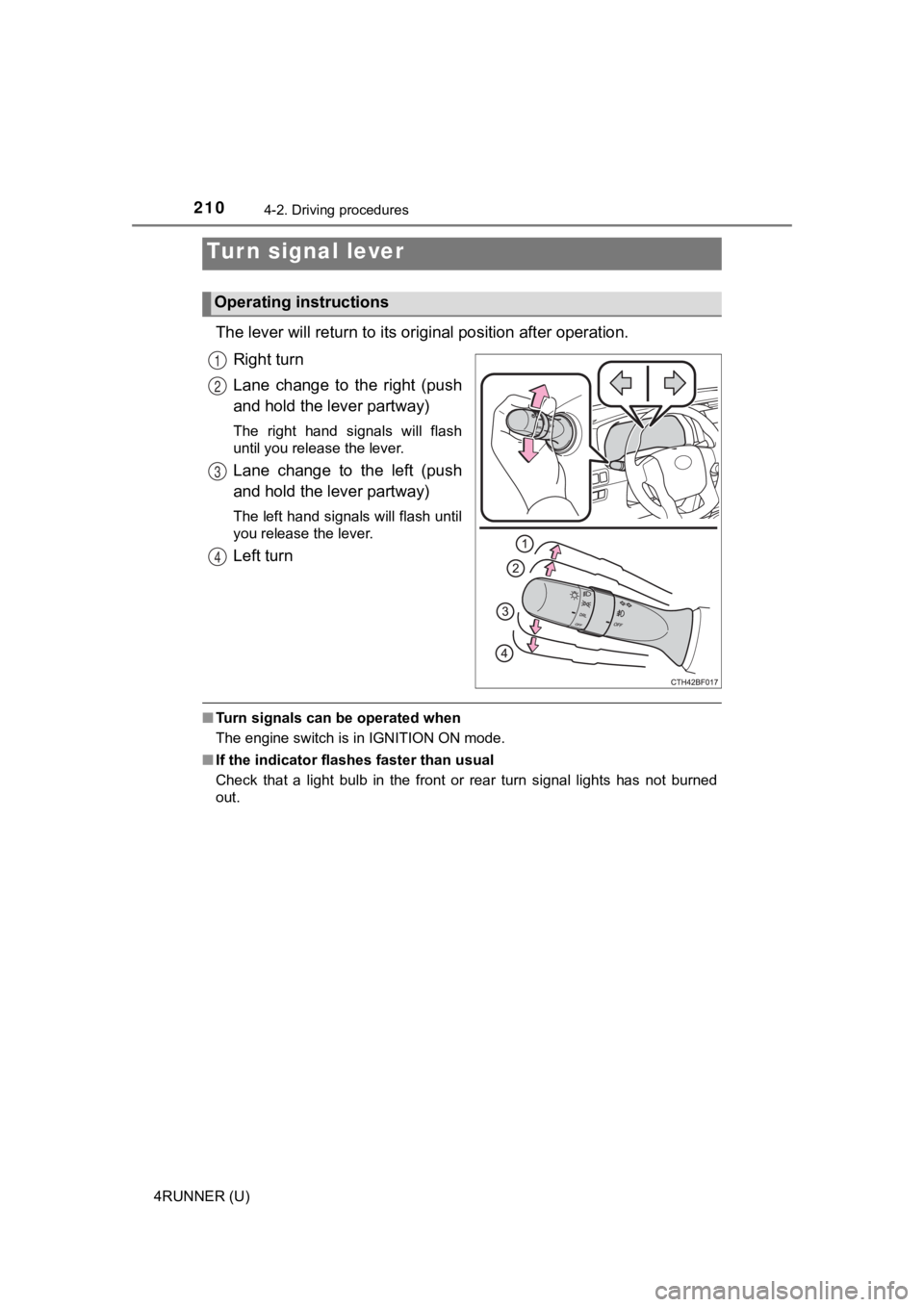
The lever will return to its original position after operation.
Right turn
Lane change to the right (push
and hold the lever partway)
The right hand signals will flash
until you release the lever.
Lane change to the left (push
and hold the lever partway)
The left hand signals will flash until
you release the lever.
Left turn
■ Turn signals can be operated when
The engine switch is in IGNITION ON mode.
■ If the indicator flashes faster than usual
Check that a light bulb in the front or rear turn signal lights has not burned
out.
Turn signal lever
Operating instructions
1
2
3
4
Page 219 of 608
2194-3. Operating the lights and wipers
4
Driving
4RUNNER (U)
■Conditions to turn the high beams on/off automatically
●When all of the following conditions are met, the high beams will be turned
on automatically (after approximately 1 second):
• The vehicle speed is approximately 21 mph (34 km/h) or more.
• The area ahead of the vehicle is dark.
• There are no vehicles ahead with headlights or tail lights turned on.
• There are few streetlights on the road ahead.
● If any of the following conditions is met, the high beams will turn off automat-
ically:
• The vehicle speed is below approximately 17 mph (27 km/h).
• The area ahead of the vehicle is not dark.
• Vehicles ahead have their headlights or tail lights turned on.
• There are many streetlights on the road ahead.
■ Camera sensor detection information
●The high beams may not be automatically turned off in the follo wing situa-
tions:
• When a vehicle suddenly appears from around a curve
• When the vehicle is cut in front of by another vehicle
• When vehicles ahead cannot be detected due to repeated curves, road dividers or roadside trees
• When vehicles ahead appear in a faraway lane on a wide road
• When the lights of vehicles ahead are not on
● The high beams may be turned off if a vehicle ahead that is usi ng fog lights
without its headlights turned on is detected.
● House lights, street lights, traffic signals, and illuminated billboards or signs
and other reflective objects may cause the high beams to change to the low
beams, or the low beams to remain on.
● The following factors may affect the amount of time taken for t he high
beams to turn on or off:
• The brightness of the headlights, fog lights, and tail lights of vehicles
ahead
• The movement and direction of vehicles ahead
• When a vehicle ahead only has operational lights on one side
• When a vehicle ahead is a two-wheeled vehicle
• The condition of the road (gradient, curve, condition of the r oad surface,
etc.)
• The number of passengers and amount of luggage in the vehicle
● The high beams may turn on or off unexpectedly.
● Bicycles or similar vehicles may not be detected.
● In the following situations the system may not be able to correctly detect the
surrounding brightness level. This may cause the low beams to r emain on
or the high beams to flash or dazzle pedestrians or vehicles ah ead. In such
a case, it is necessary to manually switch between the high and low beams.