light TOYOTA 4RUNNER 2023 Service Manual
[x] Cancel search | Manufacturer: TOYOTA, Model Year: 2023, Model line: 4RUNNER, Model: TOYOTA 4RUNNER 2023Pages: 608, PDF Size: 11.8 MB
Page 99 of 608
992. Instrument cluster
2
Instrument cluster
4RUNNER (U)■
Pop-Up display
The pop-up display is displayed on the multi-information displa y according to
the operating conditions of the following functions:
● Route guidance display of the navigation system-linked system ( if equipped)
● Incoming call display of the hands-free phone system
The pop-up display function can be disabled.
■ Tire inflation pressure
●It may take a few minutes to display the tire inflation pressur e after the
engine switch is turned to IGNITION ON mode. It may also take a few min-
utes to display the tire inflation pressure after inflation pre ssure has been
adjusted.
● “---” may be displayed if the tire information cannot be determined due to
unfavorable radio wave conditions.
● Tire inflation pressure changes with temperature. The displayed values may
also be different from the values measured using a tire pressur e gauge.
■ Outside temperature display
In the following situations, the correct outside temperature ma y not be dis-
played, or the display may take longer than normal to change:
● When the vehicle is stopped, or moving at low speeds (less than 12 mph [20
km/h])
● When the outside temperature has changed suddenly (at the entra nce/exit
of a garage, tunnel, etc.)
● When “--” or “E” is displayed, the system may be malfunctioning. Take your
vehicle to Toyota dealer.
■ Liquid crystal display
Small spots or light spots may appear on the display. This phen omenon is
characteristic of liquid crystal displays, and there is no prob lem continuing to
use the display.
Page 103 of 608
1033-1. Key information
3
Operation of each component
4RUNNER (U)
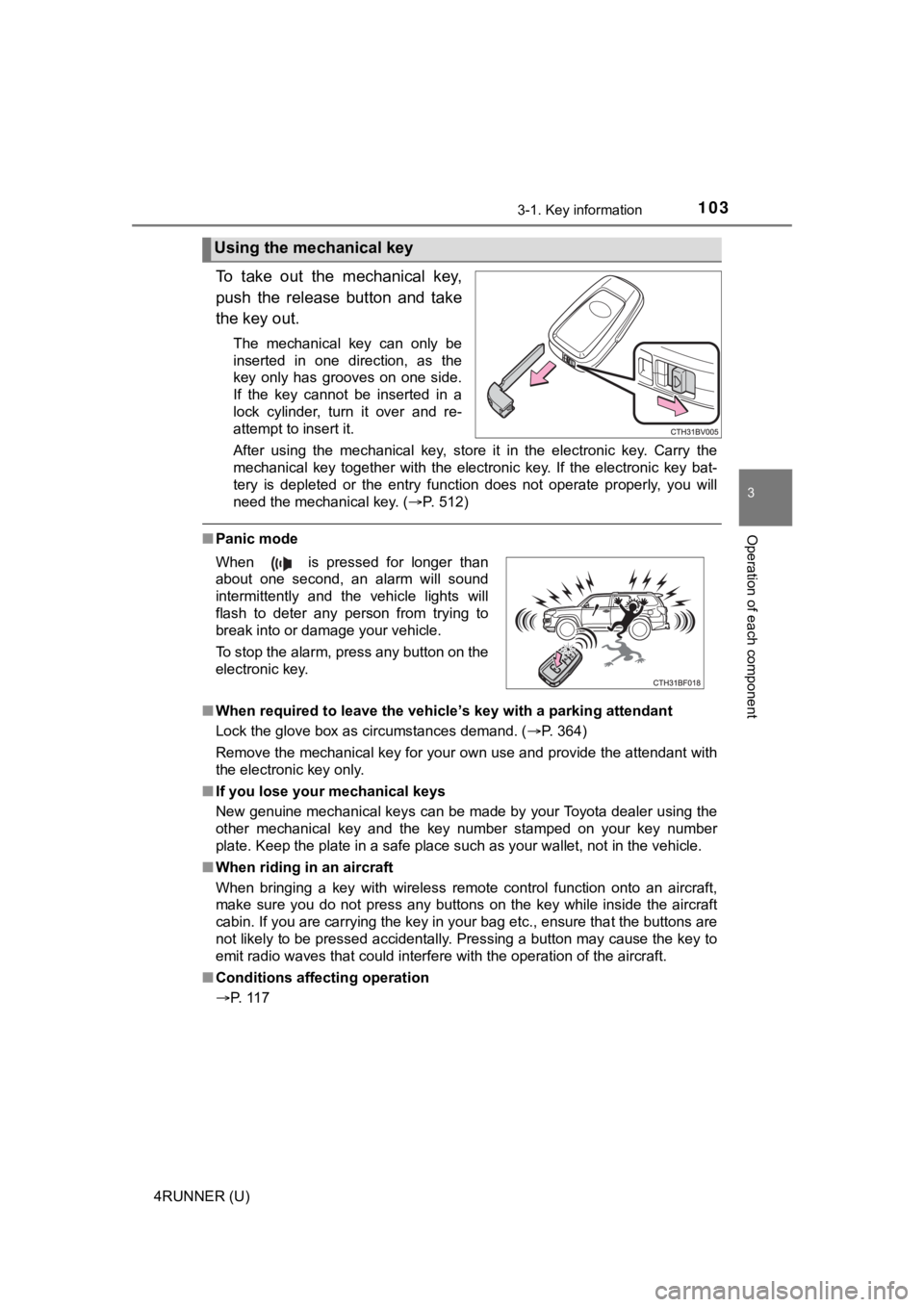
To take out the mechanical key,
push the release button and take
the key out.
The mechanical key can only be
inserted in one direction, as the
key only has grooves on one side.
If the key cannot be inserted in a
lock cylinder, turn it over and re-
attempt to insert it.
After using the mechanical key, store it in the electronic key. Carry the
mechanical key together with the electronic key. If the electro nic key bat-
tery is depleted or the entry function does not operate properl y, you will
need the mechanical key. ( P. 512)
■Panic mode
■ When required to leave the vehicle’s key with a parking attendant
Lock the glove box as circumstances demand. ( P. 364)
Remove the mechanical key for your own use and provide the attendant with
the electronic key only.
■ If you lose your mechanical keys
New genuine mechanical keys can be made by your Toyota dealer u sing the
other mechanical key and the key number stamped on your key num ber
plate. Keep the plate in a safe place such as your wallet, not in the vehicle.
■ When riding in an aircraft
When bringing a key with wireless remote control function onto an aircraft,
make sure you do not press any buttons on the key while inside the aircraft
cabin. If you are carrying the key in your bag etc., ensure tha t the buttons are
not likely to be pressed accidentally. Pressing a button may cause the key to
emit radio waves that could interfere with the operation of the aircraft.
■ Conditions affecting operation
P. 117
Using the mechanical key
When is pressed for longer than
about one second, an alarm will sound
intermittently and the vehicle lights will
flash to deter any person from trying to
break into or damage your vehicle.
To stop the alarm, press any button on the
electronic key.
Page 111 of 608
1113-1. Key information
3
Operation of each component
4RUNNER (U)
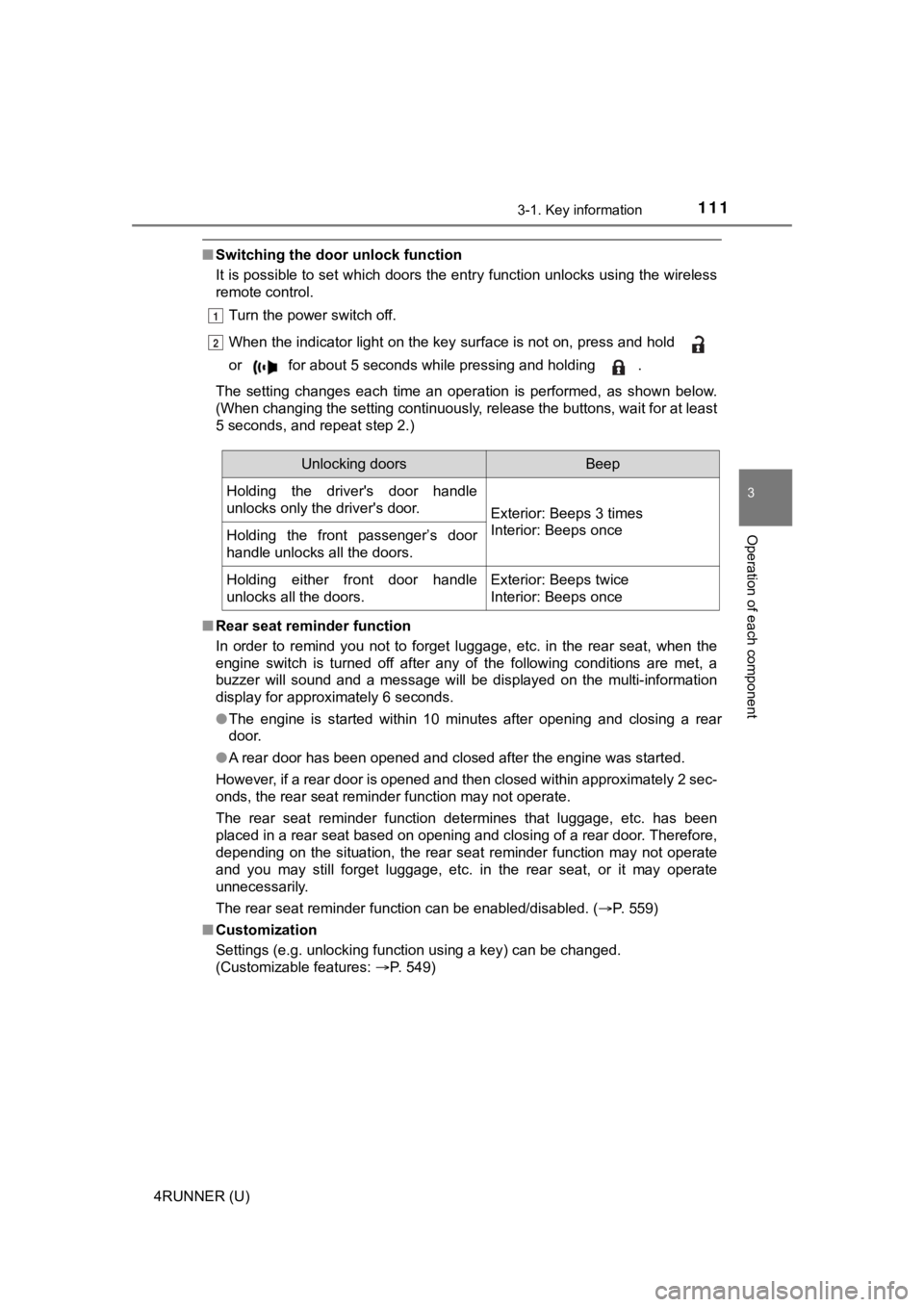
■Switching the door unlock function
It is possible to set which doors the entry function unlocks using the wireless
remote control.
Turn the power switch off.
When the indicator light on the key surface is not on, press an d hold
or for about 5 seconds while pressing and holding .
The setting changes each time an operation is performed, as sho wn below.
(When changing the setting continuously, release the buttons, w ait for at least
5 seconds, and repeat step 2.)
■ Rear seat reminder function
In order to remind you not to forget luggage, etc. in the rear seat, when the
engine switch is turned off after any of the following conditio ns are met, a
buzzer will sound and a message will be displayed on the multi- information
display for approximately 6 seconds.
● The engine is started within 10 minutes after opening and closi ng a rear
door.
● A rear door has been opened and closed after the engine was sta rted.
However, if a rear door is opened and then closed within approx imately 2 sec-
onds, the rear seat reminder function may not operate.
The rear seat reminder function determines that luggage, etc. h as been
placed in a rear seat based on opening and closing of a rear do or. Therefore,
depending on the situation, the rear seat reminder function may not operate
and you may still forget luggage, etc. in the rear seat, or it may operate
unnecessarily.
The rear seat reminder function can be enabled/disabled. ( P. 559)
■ Customization
Settings (e.g. unlocking function using a key) can be changed.
(Customizable features: P. 549)
1
2
Unlocking doorsBeep
Holding the driver's door handle
unlocks only the driver's door.
Exterior: Beeps 3 times
Interior: Beeps once
Holding the front passenger’s door
handle unlocks all the doors.
Holding either front door handle
unlocks all the doors.Exterior: Beeps twice
Interior: Beeps once
Page 119 of 608
1193-2. Opening, closing and locking the doors
3
Operation of each component
4RUNNER (U)■
Note for the unlocking function
●Gripping the door handle when wearing a glove may not unlock th e door.
● A sudden approach to the effective range or door handle may prevent the
doors from being unlocked. In this case, return the door handle to the origi-
nal position and check that the doors unlock before pulling the door handle
again.
● If there is another electronic key in the detection area, it ma y take slightly
longer to unlock the doors after the door handle is gripped.
■ When the vehicle is not driven for extended periods
●To prevent theft of the vehicle, do not leave the electronic ke y within 6 ft. (2
m) of the vehicle.
● The smart key system can be deactivated in advance. Ask your To yota
dealer for details.
● Setting the electronic key to battery- saving mode helps to reduce key bat-
tery depletion. ( P. 116)
■ To operate the system properly
●Make sure to carry the electronic key when operating the system. Do not get
the electronic key too close to the vehicle when operating the system from
the outside of the vehicle.
● Depending on the position and holding condition of the electronic key, the
key may not be detected correctly and the system may not operat e properly.
(The alarm may go off accidentally, or the door lock prevention function may
not operate.)
■ If the smart key system does not operate properly
●Locking and unlocking the doors: Use the mechanical key. ( P. 512)
● Starting the engine: P. 513
■ Customization
Settings (e. g. operation signal) can be changed.
(Customizable features: P. 549)
■ If the smart key system has been d eactivated in a customized setting
● Locking and unlocking the doors: P. 512
● Starting the engine and changing engine switch modes: P. 513
● Stopping the engine: P. 200
Page 122 of 608
1223-2. Opening, closing and locking the doors
4RUNNER (U)
■Jam protection function
During Automatic running boards operation:
If a board contacts an obstacle when extending, it will retract . If an obstacle
gets caught between a board and the vehicle when retracting, th e board will
extend.
If an obstacle is detected 3 times in a row during Automatic ru nning boards
operation, the board will stop at the position it contacts the obstacle. When a
side door on the same side as the board is opened and closed on e more
time, the board will extend and retract, or retract and extend. After this, the
board will resume normal operation.
■ Automatic retraction function
The boards will be automatically retracted, for safety, under t he following con-
ditions:
● A board is not completely retracted
● Vehicle speed is approximately 5 mph (8 km/h) or higher
The boards will not automatically extend again when vehicle spe ed returns to
less than 5 mph (8 km/h).
■ If the Automatic running boards indicator comes on when driving first
commences
A board has not completely retracted. Check that nothing is caught between
the board and the vehicle.
Additionally, if the engine is started immediately after a door has been closed,
the automatic running board may not retract completely and the automatic
running boards indicator may illuminate. In this case, open and close the door
to retract the running board and turn off the indicator.
■ If the Automatic running boards indicator light flashes
There may be a malfunction in the Automatic running boards syst em. Have
the vehicle inspected by your Toyota dealer immediately.
■ When snow or mud is attached to the board or the board is froze n
The Automatic running boards may not operate correctly. Before stepping on
a board, check that it is completely extended. If the Automatic running boards
are not operating correctly, turn the Automatic running boards switch off and
refrain from use.
When removing snow or mud, turn the Automatic running boards sw itch off.
■ After recharging/reconnecting the battery
If the Automatic running boards have not completely extended or retracted,
the boards may not move in the intended direction the first tim e they are oper-
ated. However, from the second time onwards, the boards will re sume normal
operation.
■ When getting in and out of the vehicle
Take care because clothes and shoes may become dirty due to con tact with
the lower part of the vehicle body.
Page 126 of 608
1263-2. Opening, closing and locking the doors
4RUNNER (U)
■Luggage compartment lights
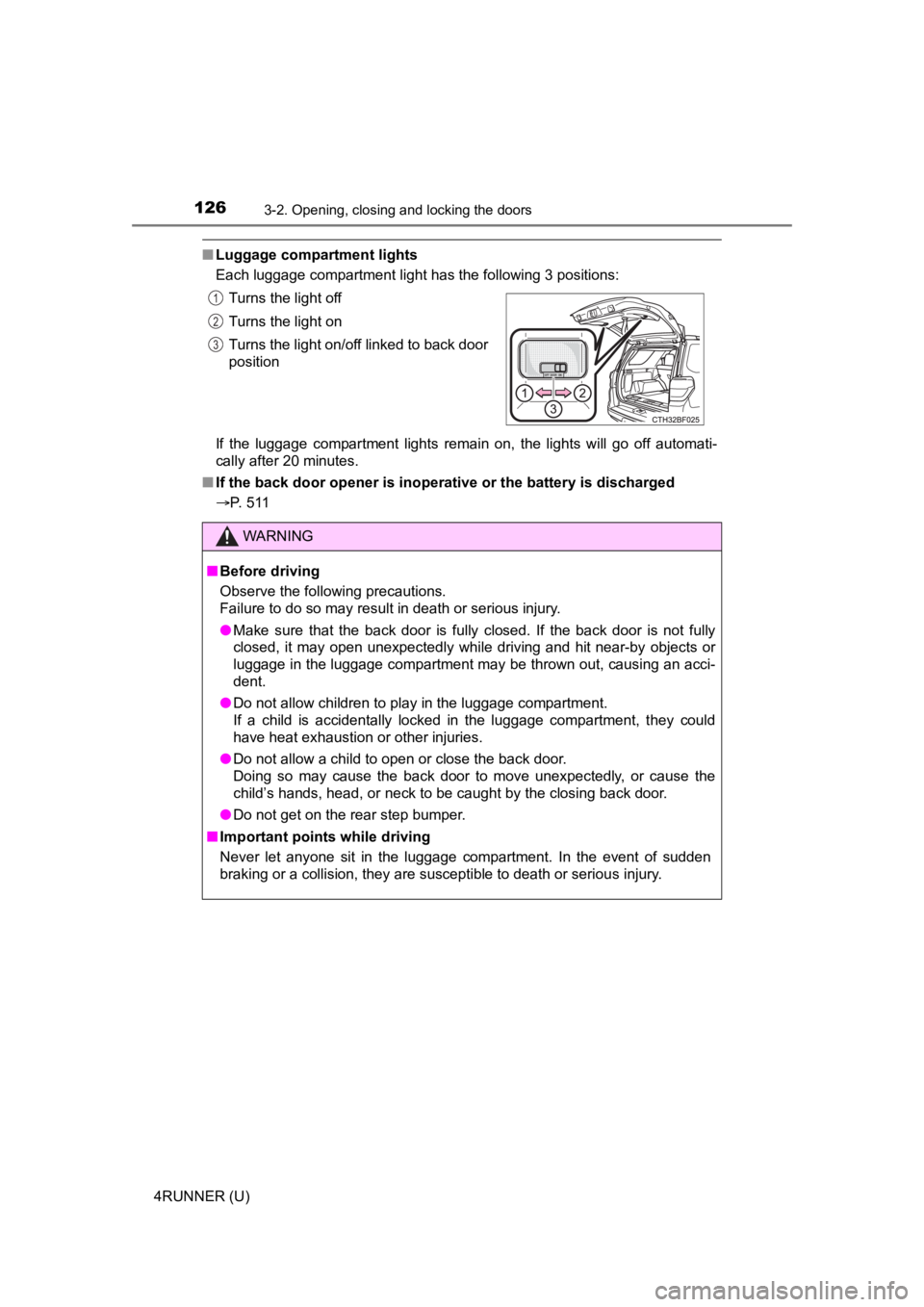
Each luggage compartment light has the following 3 positions:
If the luggage compartment lights remain on, the lights will go off automati-
cally after 20 minutes.
■ If the back door opener is inoperative or the battery is discha rged
P. 511 Turns the light off
Turns the light on
Turns the light on/off linked to back door
position
WARNING
■
Before driving
Observe the following precautions.
Failure to do so may result in death or serious injury.
● Make sure that the back door is fully closed. If the back door is not fully
closed, it may open unexpectedly while driving and hit near-by objects or
luggage in the luggage compartment may be thrown out, causing an acci-
dent.
● Do not allow children to play in the luggage compartment.
If a child is accidentally locked in the luggage compartment, they could
have heat exhaustion or other injuries.
● Do not allow a child to open or close the back door.
Doing so may cause the back door to move unexpectedly, or cause the
child’s hands, head, or neck to be caught by the closing back door.
● Do not get on the rear step bumper.
■ Important points while driving
Never let anyone sit in the luggage compartment. In the event of sudden
braking or a collision, they are susceptible to death or seriou s injury.
1
2
3
Page 127 of 608
1273-2. Opening, closing and locking the doors
3
Operation of each component
4RUNNER (U)
WARNING
■Operating the back door
Observe the following precautions.
Failure to do so may cause parts of the body to be caught, resu lting in death
or serious injury.
● Remove any heavy loads, such as snow and ice, from the back door
before opening it. Failure to do so may cause the back door to suddenly
shut again after it is opened.
● When opening or closing the back door, thoroughly check to make sure
the surrounding area is safe.
● If anyone is in the vicinity, make sure they are safe and let them know that
the back door is about to open or close.
● Use caution when opening or closing the back door in windy weat her as it
may move abruptly in strong wind.
● Do not pull on the back door damper stay to close the back door, and do
not hang on the back door damper stay.
Doing so may cause hands to be caught or the back door damper stay to
break, causing an accident.
● If a bicycle carrier or similar heavy object is attached to the back door, it
may suddenly shut again after being opened, causing someone’s hands,
head or neck to be caught and injured. When installing an acces sory part
to the back door, using a genuine Toyota part is recommended.
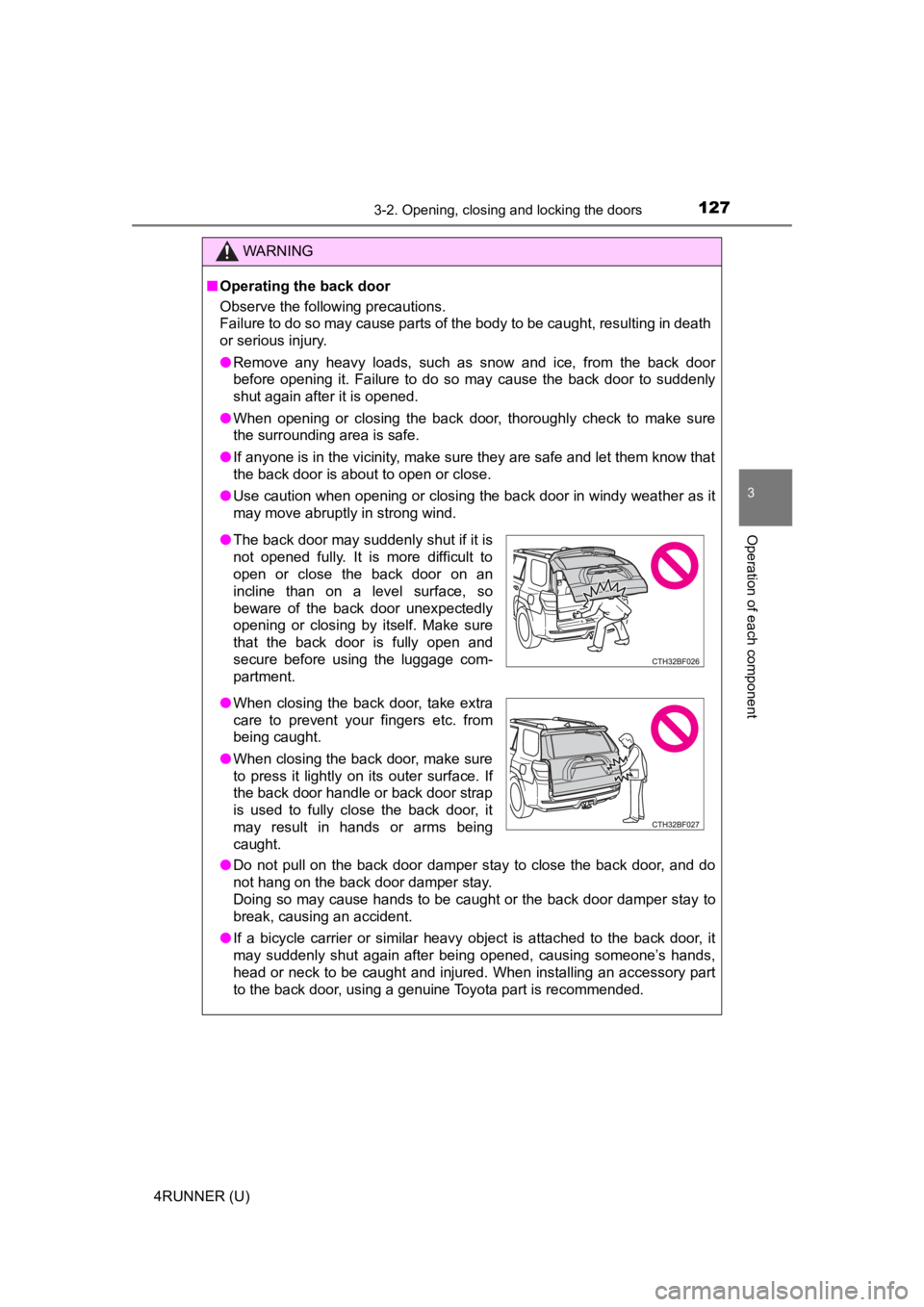
● The back door may suddenly shut if it is
not opened fully. It is more difficult to
open or close the back door on an
incline than on a level surface, so
beware of the back door unexpectedly
opening or closing by itself. Make sure
that the back door is fully open and
secure before using the luggage com-
partment.
● When closing the back door, take extra
care to prevent your fingers etc. from
being caught.
● When closing the back door, make sure
to press it lightly on its outer surface. If
the back door handle or back door strap
is used to fully close the back door, it
may result in hands or arms being
caught.
Page 130 of 608
1303-3. Adjusting the seats
4RUNNER (U)
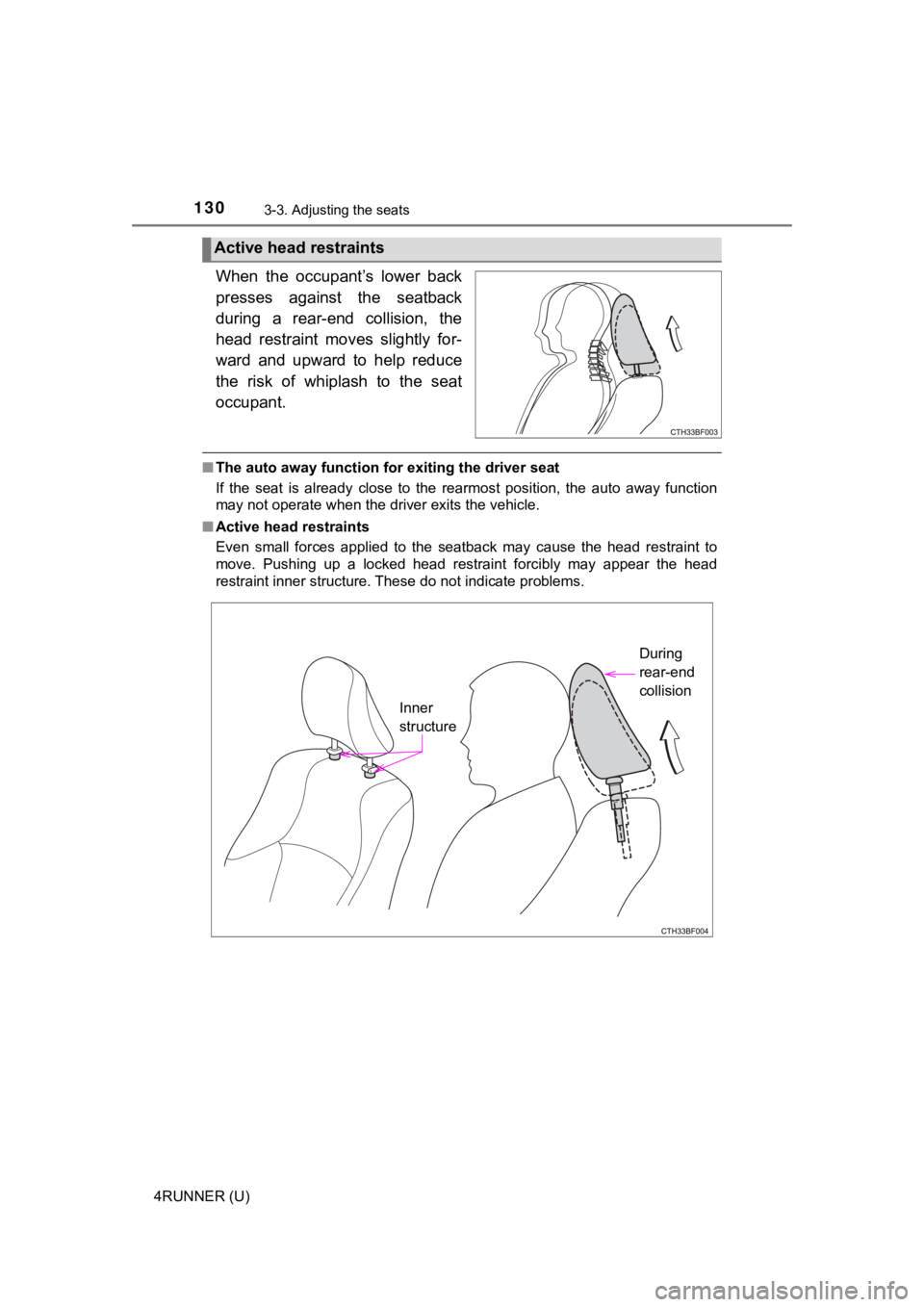
When the occupant’s lower back
presses against the seatback
during a rear-end collision, the
head restraint moves slightly for-
ward and upward to help reduce
the risk of whiplash to the seat
occupant.
■The auto away function for exiting the driver seat
If the seat is already close to the rearmost position, the auto away function
may not operate when the driver exits the vehicle.
■ Active head restraints
Even small forces applied to the seatback may cause the head re straint to
move. Pushing up a locked head restraint forcibly may appear th e head
restraint inner structure. These do not indicate problems.
Active head restraints
Inner
structure During
rear-end
collision
Page 151 of 608
1513-4. Adjusting the steering wheel and mirrors
3
Operation of each component
4RUNNER (U)
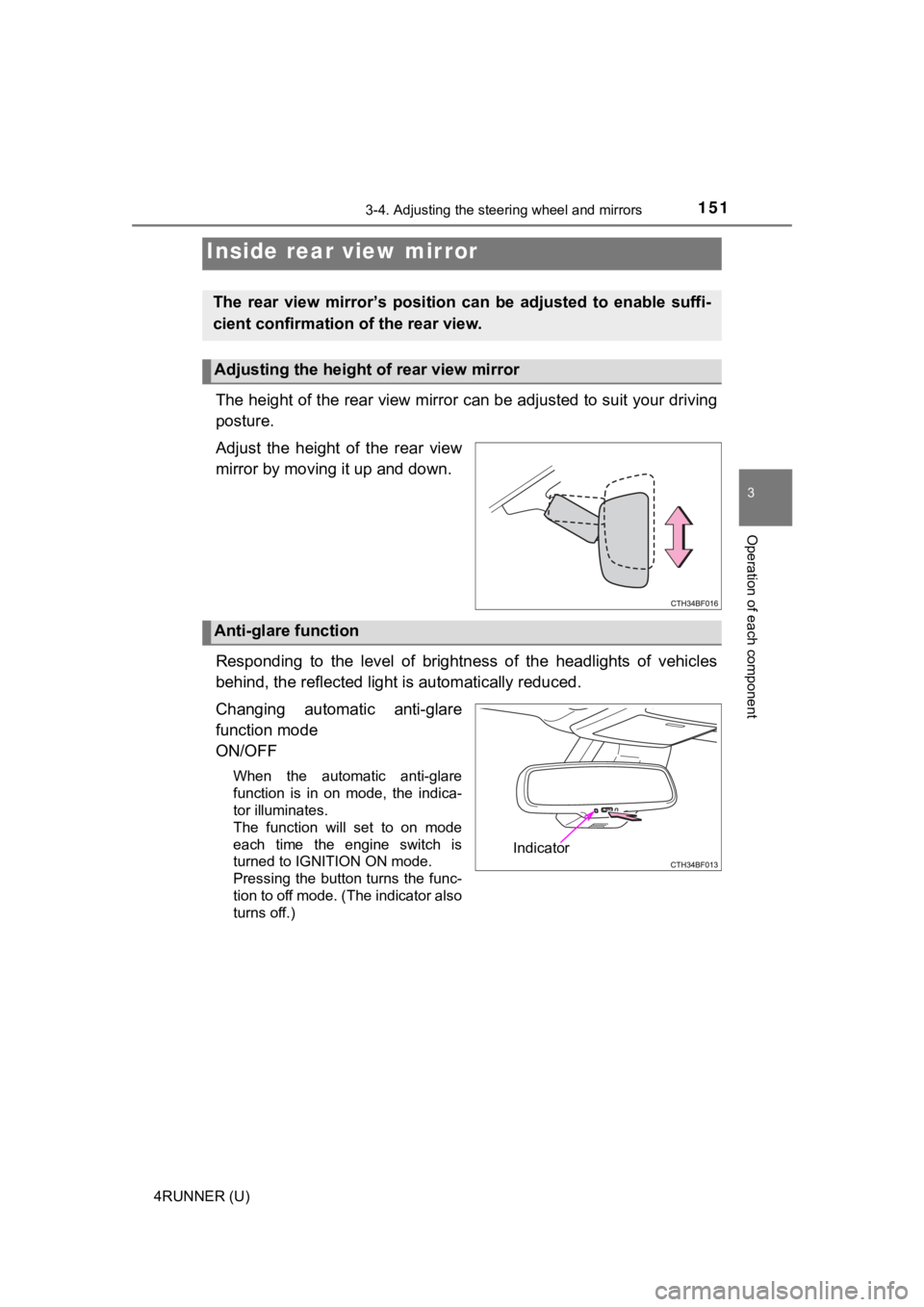
The height of the rear view mirror can be adjusted to suit your driving
posture.
Adjust the height of the rear view
mirror by moving it up and down.
Responding to the level of brightness of the headlights of vehi cles
behind, the reflected light is automatically reduced.
Changing automatic anti-glare
function mode
ON/OFF
When the automatic anti-glare
function is in on mode, the indica-
tor illuminates.
The function will set to on mode
each time the engine switch is
turned to IGNITION ON mode.
Pressing the button turns the func-
tion to off mode. (The indicator also
turns off.)
Inside rear view mirror
The rear view mirror’s position ca n be adjusted to enable suffi-
cient confirmation of the rear view.
Adjusting the height of rear view mirror
Anti-glare function
Indicator
Page 155 of 608
155
3
Operation of each component
4RUNNER (U)
3-5. Opening, closing the windows and moon roof
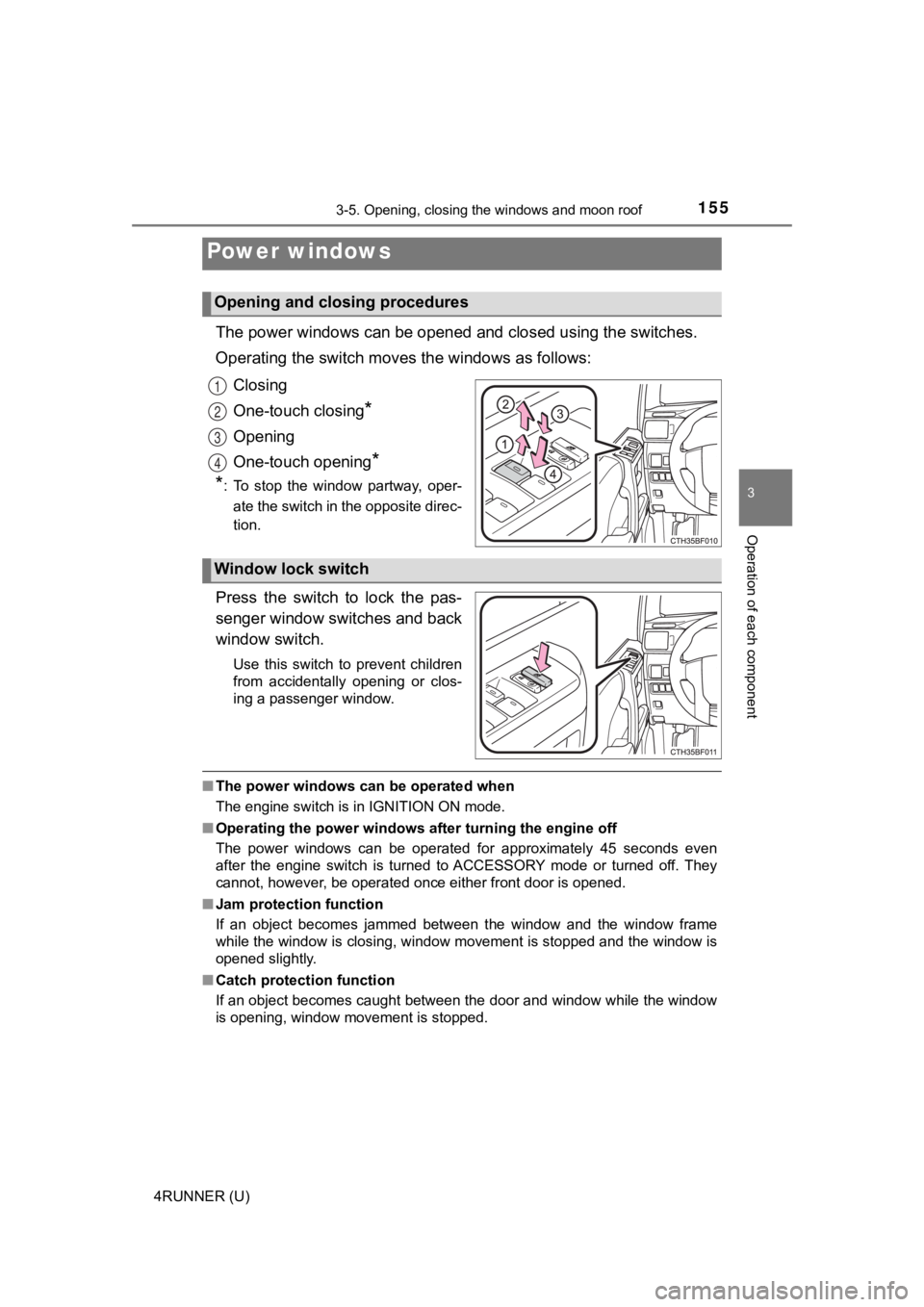
The power windows can be opened and closed using the switches.
Operating the switch moves the windows as follows:
Closing
One-touch closing
*
Opening
One-touch opening
*
*
: To stop the window partway, oper-
ate the switch in the opposite direc-
tion.
Press the switch to lock the pas-
senger window switches and back
window switch.
Use this switch to prevent children
from accidentally opening or clos-
ing a passenger window.
■ The power windows can be operated when
The engine switch is in IGNITION ON mode.
■ Operating the power windows after turning the engine off
The power windows can be operated for approximately 45 seconds even
after the engine switch is turned to ACCESSORY mode or turned o ff. They
cannot, however, be operated once either front door is opened.
■ Jam protection function
If an object becomes jammed between the window and the window f rame
while the window is closing, window movement is stopped and the window is
opened slightly.
■ Catch protection function
If an object becomes caught between the door and window while the window
is opening, window movement is stopped.
Power windows
Opening and closing procedures
1
2
3
4
Window lock switch