key TOYOTA 4RUNNER 2023 Workshop Manual
[x] Cancel search | Manufacturer: TOYOTA, Model Year: 2023, Model line: 4RUNNER, Model: TOYOTA 4RUNNER 2023Pages: 608, PDF Size: 11.8 MB
Page 490 of 608
4907-2. Steps to take in an emergency
4RUNNER (U)
■Warning messages
The warning messages explained below may differ from the actual messages
according to operation conditions and vehicle specifications.
■ System warning lights
The master warning light does not come on or flash in the following cases.
Instead, a separate system warning light will come on along wit h a message
or image shown on the multi-information display.
● Malfunction in the ABS
The ABS warning light comes on. ( P. 478)
● Indicates that the PCS (Pre-Collision System) is not currently functional
The PCS warning light comes on or flashes. ( P. 481)
● Malfunction in the tire pressure warning system
The tire pressure warning light comes on. ( P. 481)
■ If a message instructing to refer to the Owner’s Manual is disp layed
● If the following message is shown, there may be a malfunction.
Immediately stop the vehicle in a safe place and contact your T oyota dealer.
Continuing to drive the vehicle may be dangerous.
• “Braking Power Low Stop in a Safe Place See Owner’s Manual”
• “Oil Pressure Low Stop in a Safe Place See Owner’s Manual”
● If “Engine Coolant Temp High Stop in a Safe Place See Owner’s M anual” is
displayed, follow the instructions accordingly. ( P. 519)
● If “Front Camera Unavailable See Owner’s Manual” is displayed, follow the
instructions accordingly. ( P. 237, 488)
● If the following message is shown, there may be a malfunction.
Immediately have the vehicle inspected by your Toyota dealer.
• “Smart Key System Malfunction See Owner’s Manual”
■ If “High transmission fluid temperature” is shown, it indicates that the
automatic transmission fluid temperature is too high.
Immediately stop the vehicle in a safe place, shift the shift l ever to P and wait
until the warning message and light go off. If the warning message and light
go off, you may start the vehicle again. If the warning message and light do
not go off, contact your Toyota dealer.
Page 512 of 608
5127-2. Steps to take in an emergency
4RUNNER (U)
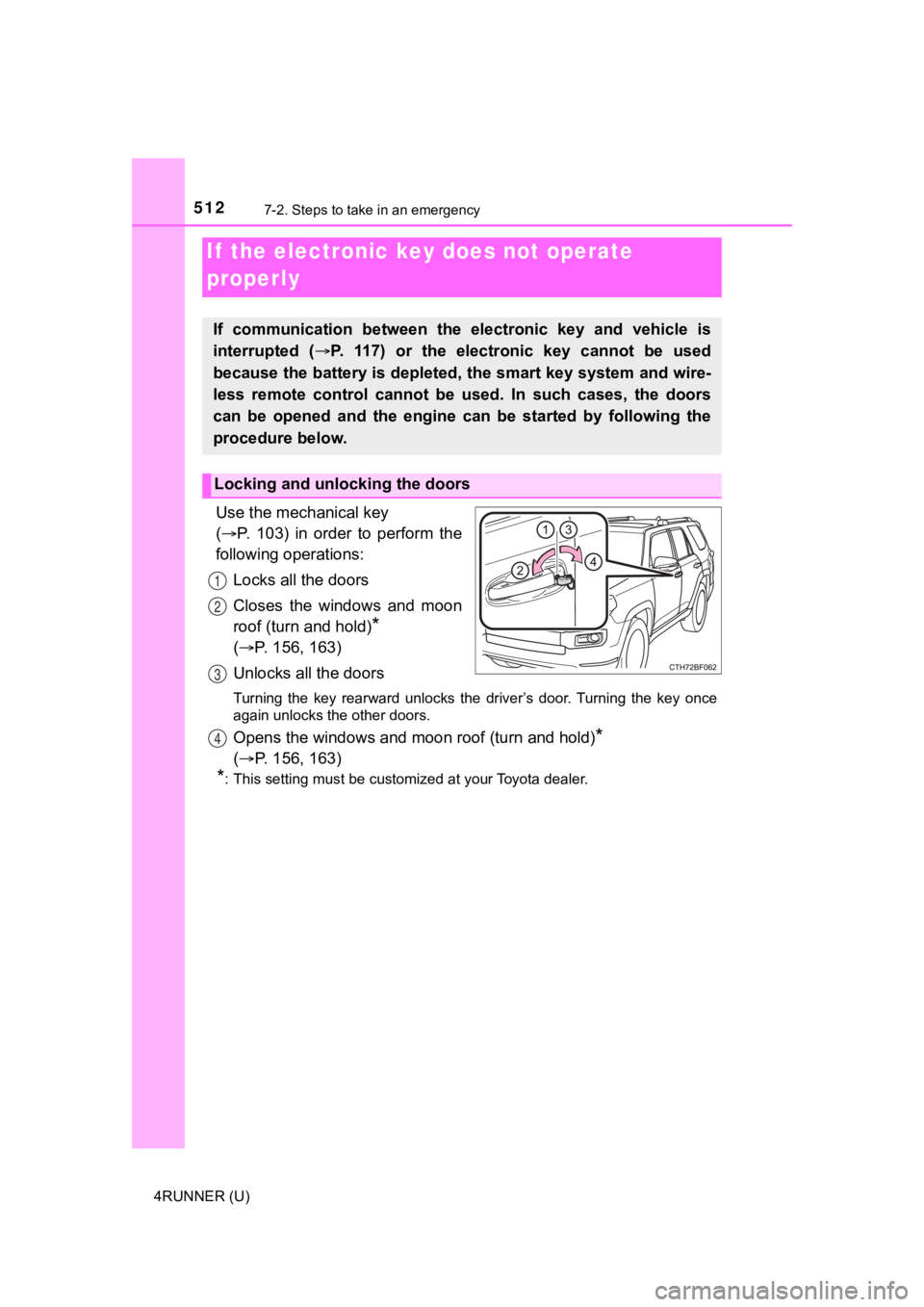
Use the mechanical key
( P. 103) in order to perform the
following operations:
Locks all the doors
Closes the windows and moon
roof (turn and hold)
*
( P. 156, 163)
Unlocks all the doors
Turning the key rearward unlocks the driver’s door. Turning the key once
again unlocks the other doors.
Opens the windows and moon roof (turn and hold)*
( P. 156, 163)
*: This setting must be customized at your Toyota dealer.
If the electronic key does not operate
properly
If communication between the electronic key and vehicle is
interrupted ( P. 117) or the electr onic key cannot be used
because the battery is depleted, the smart key system and wire-
less remote control cannot be used. In such cases, the doors
can be opened and the engine c an be started by following the
procedure below.
Locking and unlocking the doors
1
2
3
4
Page 513 of 608
5137-2. Steps to take in an emergency
7
When trouble arises
4RUNNER (U)
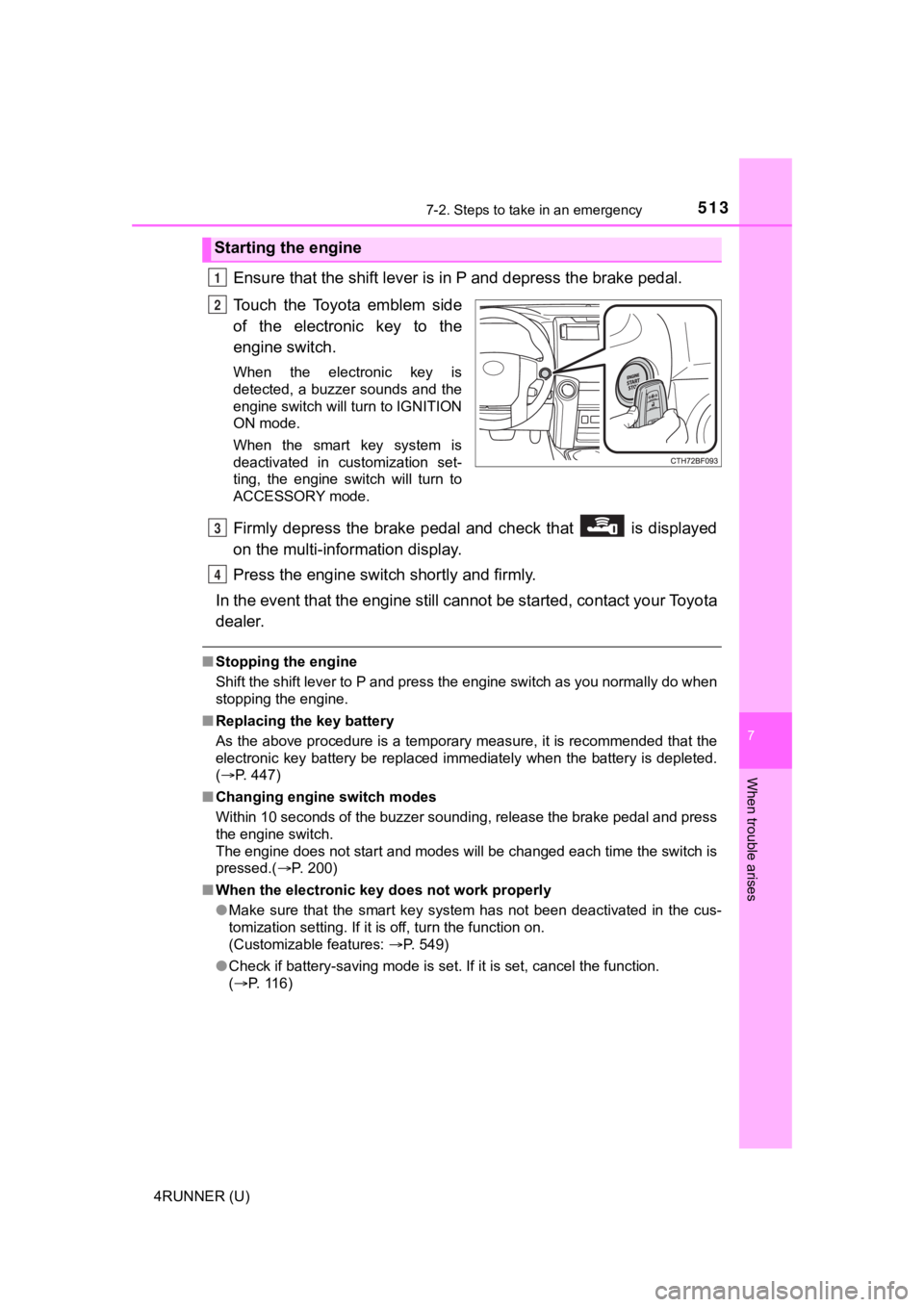
Ensure that the shift lever is in P and depress the brake pedal.
Touch the Toyota emblem side
of the electronic key to the
engine switch.
When the electronic key is
detected, a buzzer sounds and the
engine switch will turn to IGNITION
ON mode.
When the smart key system is
deactivated in customization set-
ting, the engine switch will turn to
ACCESSORY mode.
Firmly depress the brake pedal and check that is displayed
on the multi-information display.
Press the engine switch shortly and firmly.
In the event that the engine still cannot be started, contact your Toyota
dealer.
■ Stopping the engine
Shift the shift lever to P and press the engine switch as you normally do when
stopping the engine.
■ Replacing the key battery
As the above procedure is a temporary measure, it is recommende d that the
electronic key battery be replaced immediately when the battery is depleted.
( P. 447)
■ Changing engine switch modes
Within 10 seconds of the buzzer sounding, release the brake ped al and press
the engine switch.
The engine does not start and modes will be changed each time t he switch is
pressed.( P. 200)
■ When the electronic key does not work properly
●Make sure that the smart key system has not been deactivated in the cus-
tomization setting. If it is off, turn the function on.
(Customizable features: P. 549)
● Check if battery-saving mode is set. If it is set, cancel the f unction.
( P. 116)
Starting the engine
1
2
3
4
Page 514 of 608

5147-2. Steps to take in an emergency
4RUNNER (U)
WARNING
■When using the mechanical key and operating the power windows,
power back window or moon roof
Operate the power windows, power back window or moon roof after check-
ing to make sure that there is no possibility of any passenger having any of
their body parts caught in the window or moon roof.
Also, do not allow children to operate the mechanical key. It is possible for
children and other passengers to get caught in the power window s, power
back window or moon roof.
Page 515 of 608
5157-2. Steps to take in an emergency
7
When trouble arises
4RUNNER (U)
If you have a set of jumper (or booster) cables and a second vehicle
with a 12-volt battery, you can jump start your vehicle by foll owing the
steps below.
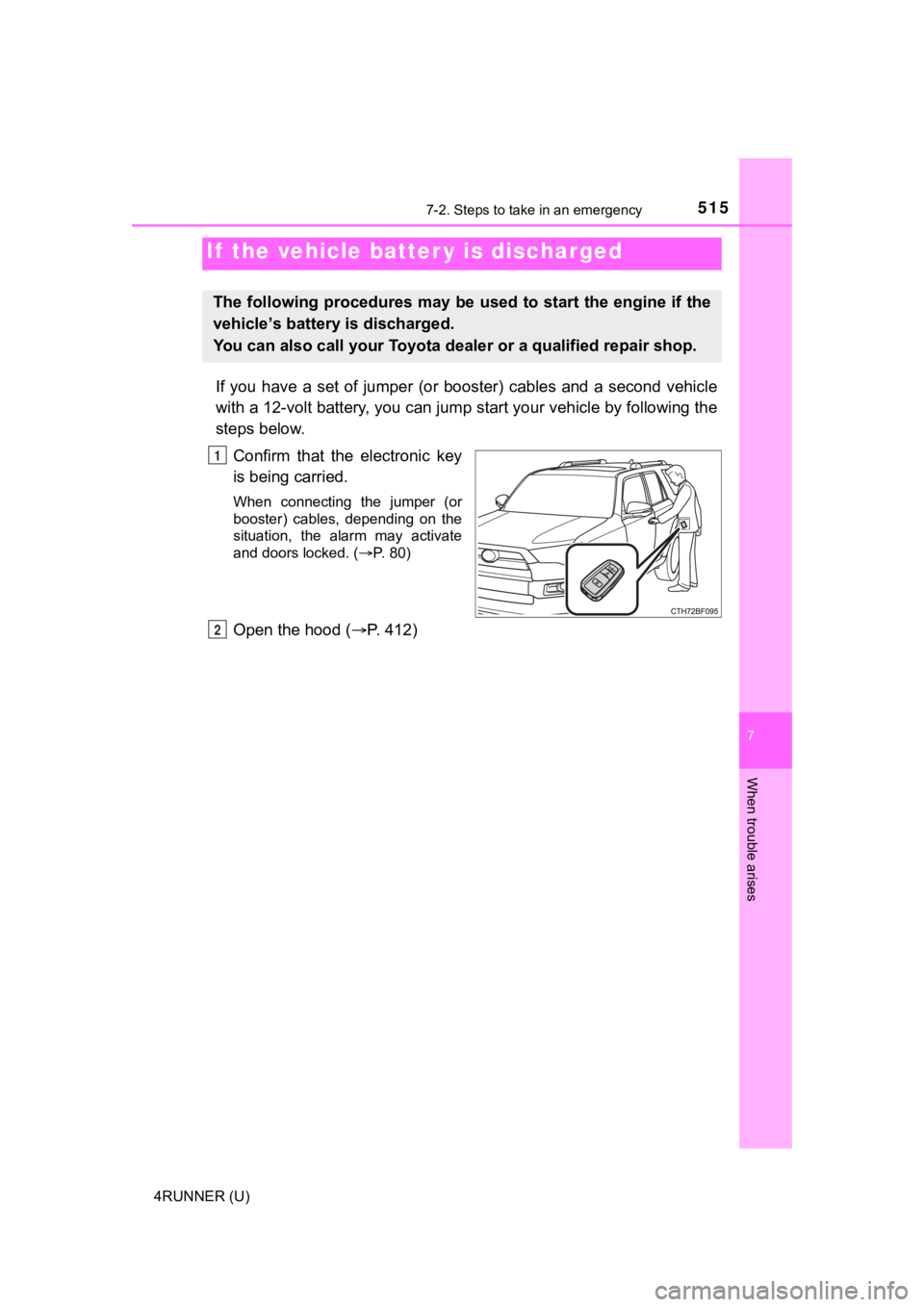
Confirm that the electronic key
is being carried.
When connecting the jumper (or
booster) cables, depending on the
situation, the alarm may activate
and doors locked. ( P. 80)
Open the hood ( P. 412)
If the vehicle batt er y is discharged
The following procedures may be used to start the engine if the
vehicle’s battery is discharged.
You can also call your Toyota de aler or a qualified repair shop.
1
2
Page 517 of 608
5177-2. Steps to take in an emergency
7
When trouble arises
4RUNNER (U)
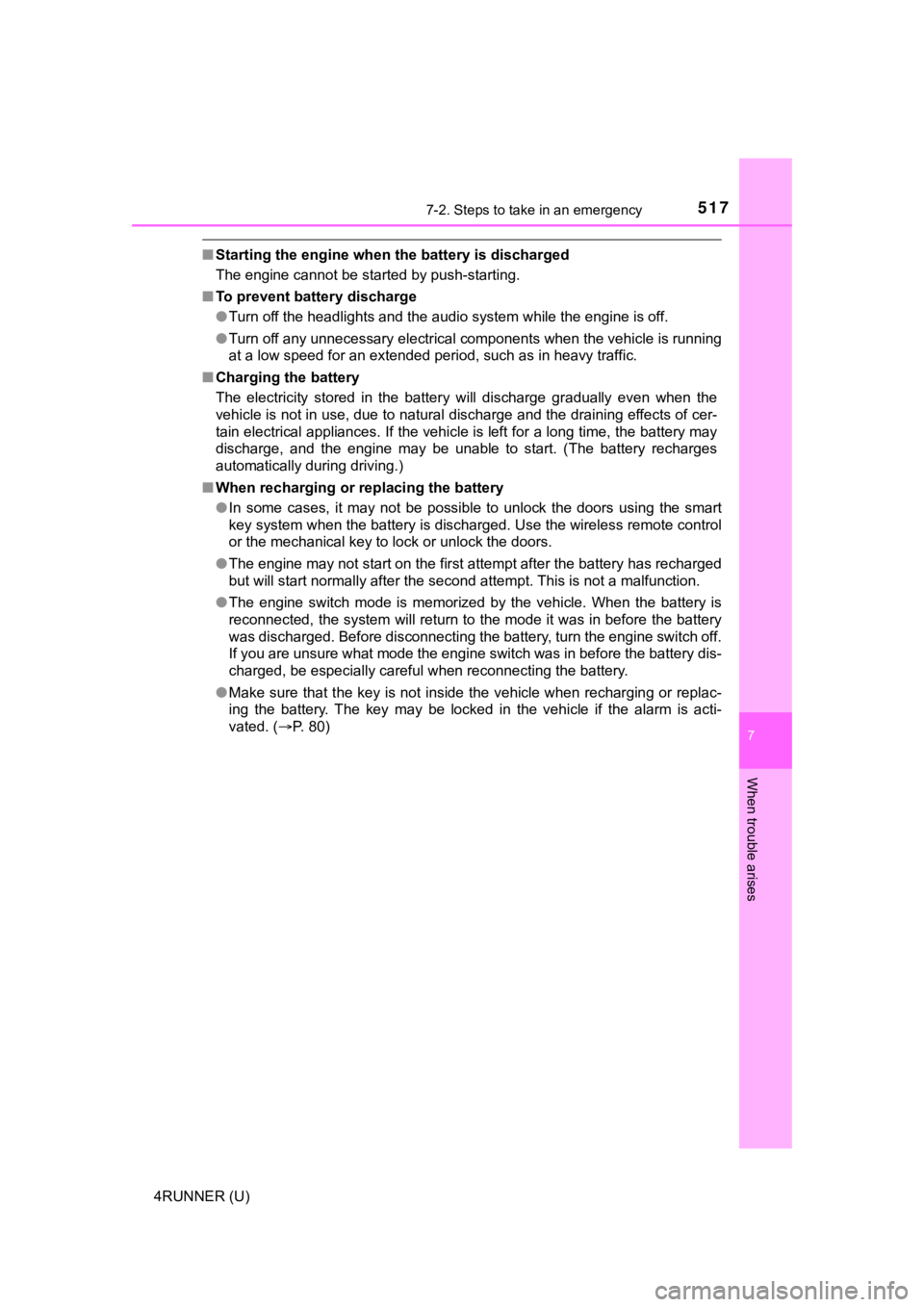
■Starting the engine when t he battery is discharged
The engine cannot be started by push-starting.
■ To prevent battery discharge
●Turn off the headlights and the audio system while the engine is off.
● Turn off any unnecessary electrical components when the vehicle is running
at a low speed for an extended period, such as in heavy traffic .
■ Charging the battery
The electricity stored in the battery will discharge gradually even when the
vehicle is not in use, due to natural discharge and the draining effects of cer-
tain electrical appliances. If the vehicle is left for a long t ime, the battery may
discharge, and the engine may be unable to start. (The battery recharges
automatically during driving.)
■ When recharging or replacing the battery
●In some cases, it may not be possible to unlock the doors using the smart
key system when the battery is discharged. Use the wireless rem ote control
or the mechanical key to lock or unlock the doors.
● The engine may not start on the first attempt after the battery has recharged
but will start normally after the second attempt. This is not a malfunction.
● The engine switch mode is memorized by the vehicle. When the ba ttery is
reconnected, the system will return to the mode it was in befor e the battery
was discharged. Before disconnecting the battery, turn the engine switch off.
If you are unsure what mode the engine switch was in before the battery dis-
charged, be especially careful when reconnecting the battery.
● Make sure that the key is not inside the vehicle when rechargin g or replac-
ing the battery. The key may be locked in the vehicle if the al arm is acti-
vated. ( P. 80)
Page 550 of 608
5508-2. Customization
4RUNNER (U)
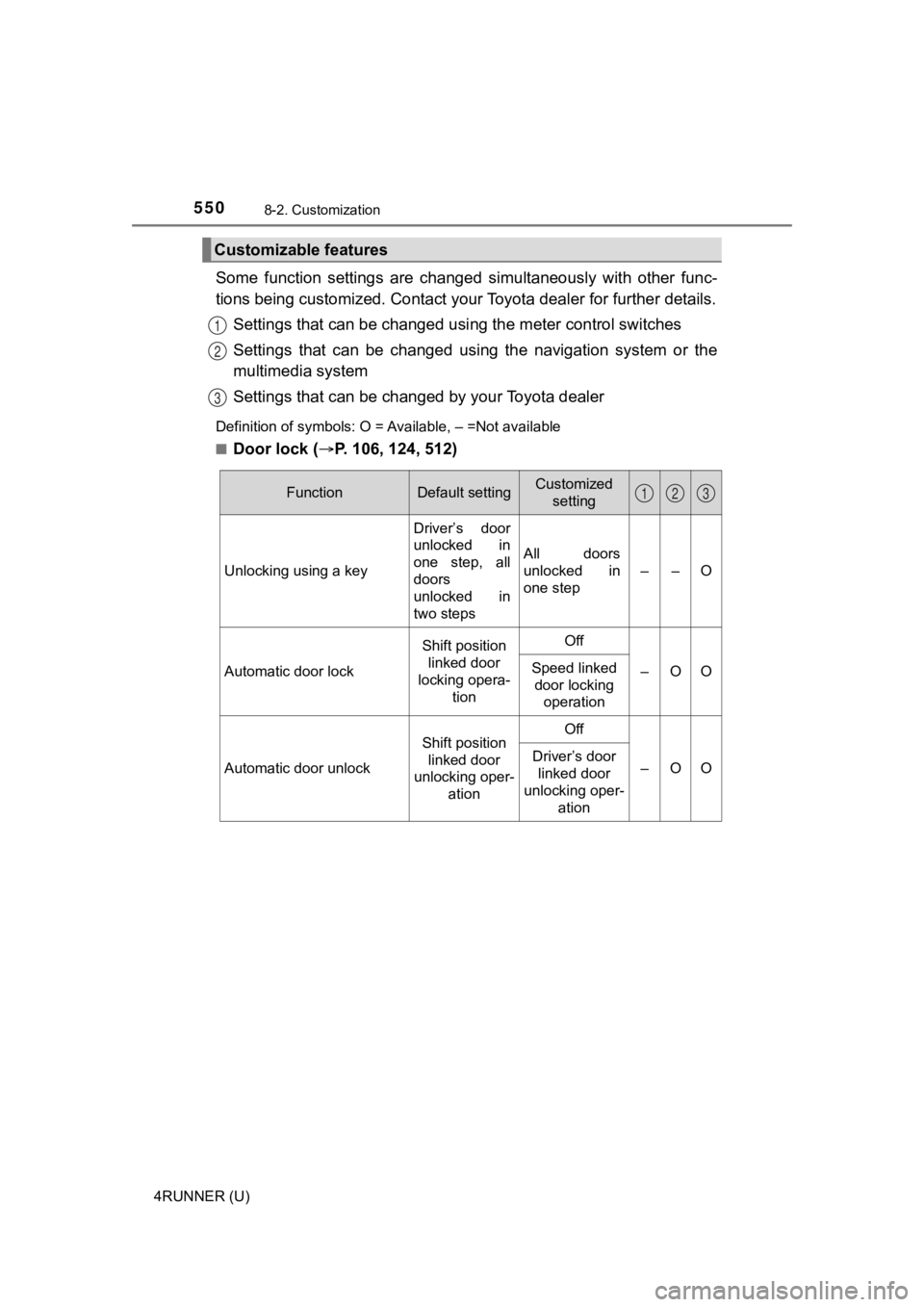
Some function settings are changed simultaneously with other func-
tions being customized. Contact your Toyota dealer for further details.
Settings that can be changed usi ng the meter control switches
Settings that can be changed usin g the navigation system or the
multimedia system
Settings that can be chan ged by your Toyota dealer
Definition of symbols: O = Available, – =Not available
■
Door lock (P. 106, 124, 512)
Customizable features
1
2
3
FunctionDefault settingCustomized
setting
Unlocking using a key Driver’s door
unlocked in
one step, all
doors
unlocked in
two stepsAll doors
unlocked in
one step
––O
Automatic door lock
Shift position
linked door
locking opera-
tionOff
–OOSpeed linked door locking operation
Automatic door unlock
Shift position
linked door
unlocking oper- ationOff
–OODriver’s door
linked door
unlocking oper- ation
123
Page 551 of 608
5518-2. Customization
8
Vehicle specifications
4RUNNER (U)■
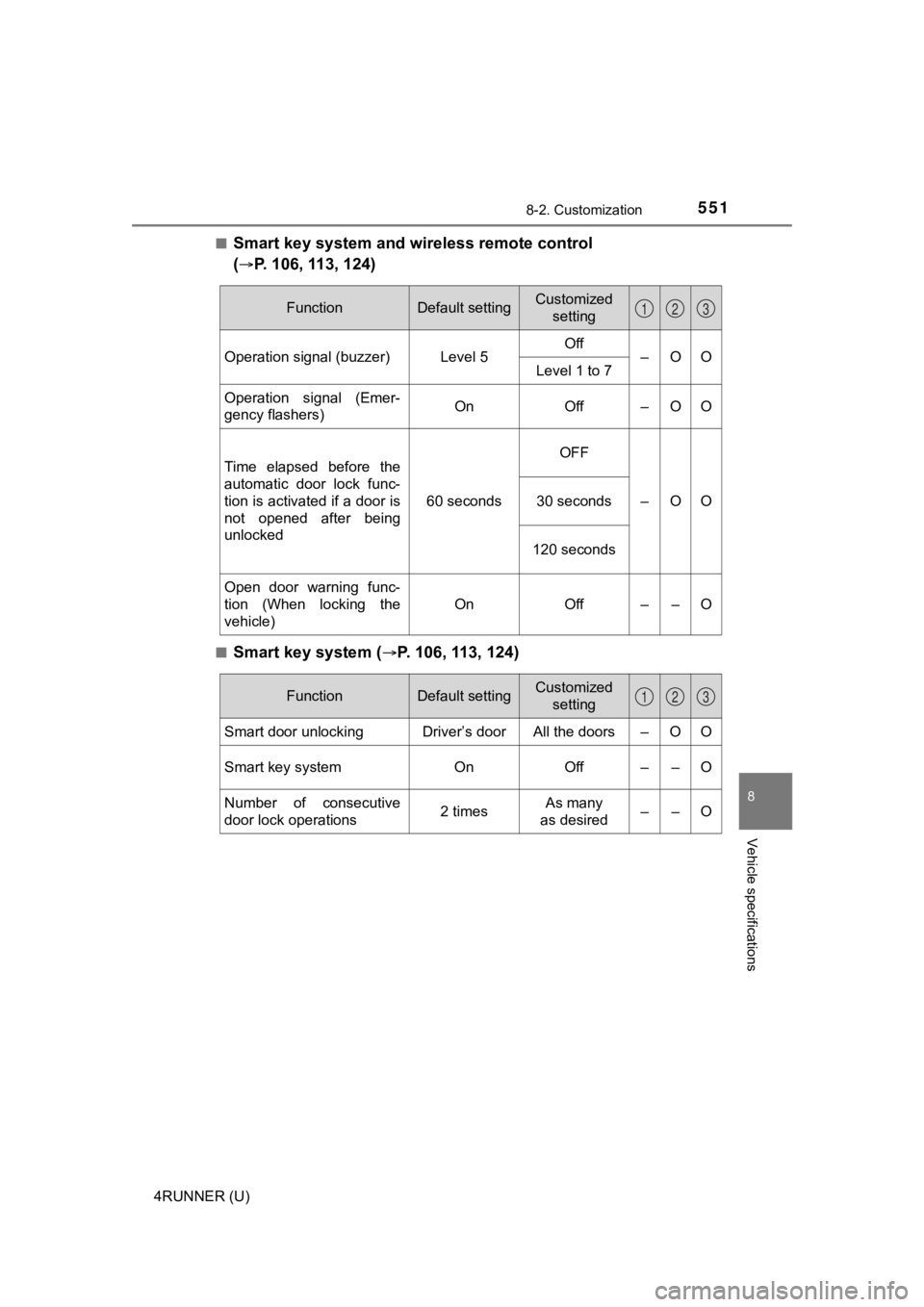
Smart key system and wireless remote control
(
P. 106, 113, 124)
■Smart key system (P. 106, 113, 124)
FunctionDefault settingCustomized
setting
Operation signal (buzzer) Level 5 Off
–OO
Level 1 to 7
Operation signal (Emer-
gency flashers) On Off – O O
Time elapsed before the
automatic door lock func-
tion is activated if a door is
not opened after being
unlocked 60 secondsOFF
–OO
30 seconds
120 seconds
Open door warning func-
tion (When locking the
vehicle) On Off – – O
123
FunctionDefault settingCustomized
setting
Smart door unlocking Driver’s door All the doors – O O
Smart key system On Off – – O
Number of consecutive
door lock operations 2 timesAs many
as desired ––O
123
Page 553 of 608

5538-2. Customization
8
Vehicle specifications
4RUNNER (U)■
Interior lights (P. 3 6 0 )
*: If equipped
FunctionDefault settingCustomized
setting
Time elapsed before the
interior lights turn off 15 secondsOff
–OO
7.5 seconds
30 seconds
Operation after the engine
switch is turned to OFF On Off – – O
Operation when the doors
are unlocked with the
smart key system or wire-
less remote control On Off – – O
Operation when you
approach the vehicle with
the electronic key on your
person On Off – – O
Operation of the footwell
lights
*On Off – – O
Lounge illumination con-
trol
*On Off – – O
123
Page 554 of 608
5548-2. Customization
4RUNNER (U)■
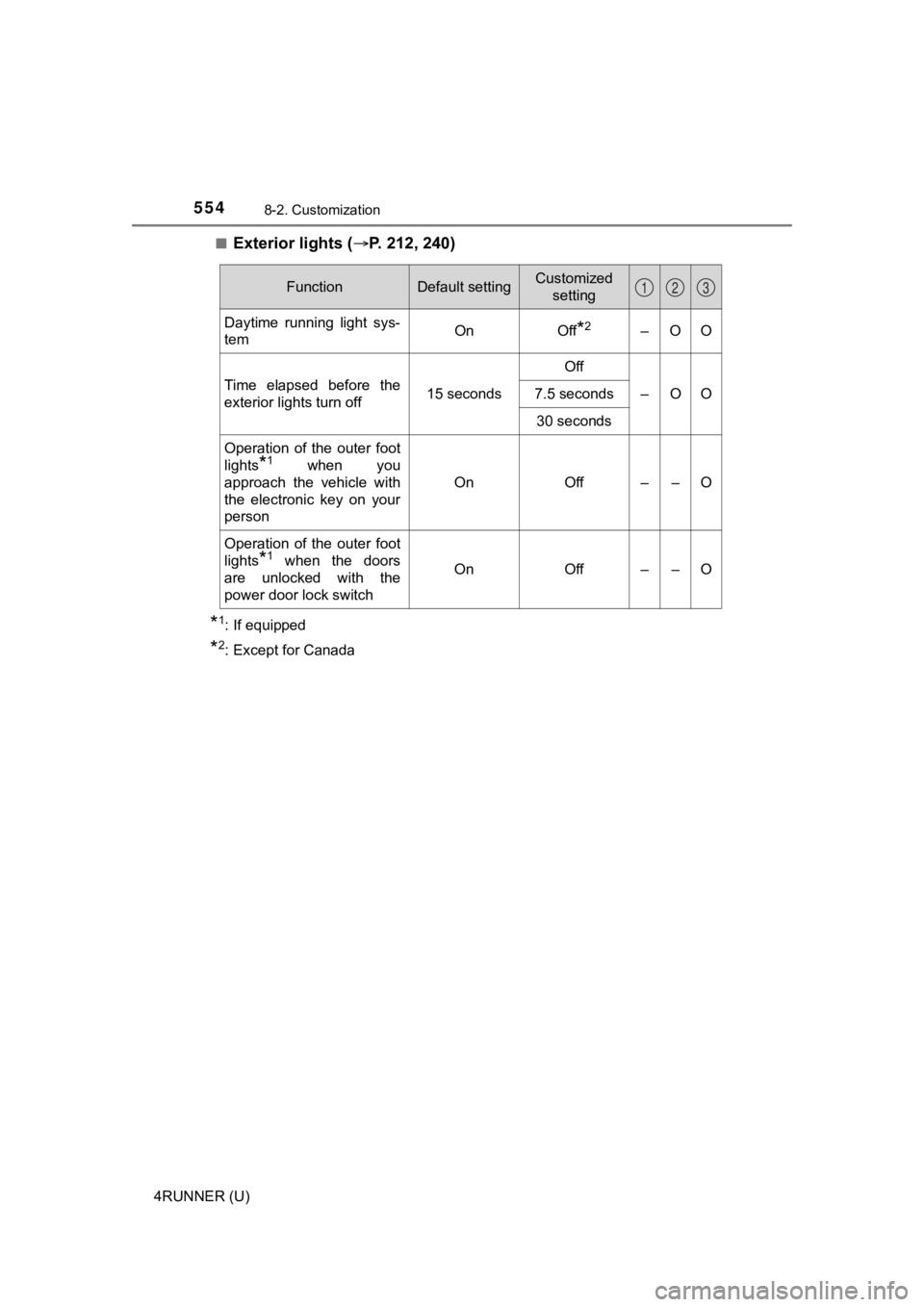
Exterior lights (
P. 212, 240)
*1: If equipped
*2: Except for Canada
FunctionDefault settingCustomized
setting
Daytime running light sys-
tem On Off*2–OO
Time elapsed before the
exterior lights turn off 15 secondsOff
–OO
7.5 seconds
30 seconds
Operation of the outer foot
lights
*1 when you
approach the vehicle with
the electronic key on your
person On Off – – O
Operation of the outer foot
lights
*1 when the doors
are unlocked with the
power door lock switch On Off – – O
123