cruise control TOYOTA 4RUNNER 2023 Owners Manual
[x] Cancel search | Manufacturer: TOYOTA, Model Year: 2023, Model line: 4RUNNER, Model: TOYOTA 4RUNNER 2023Pages: 608, PDF Size: 11.8 MB
Page 3 of 608
3
1
8 7
6
5
4
3
2
9
4RUNNER (U)4-1. Before driving
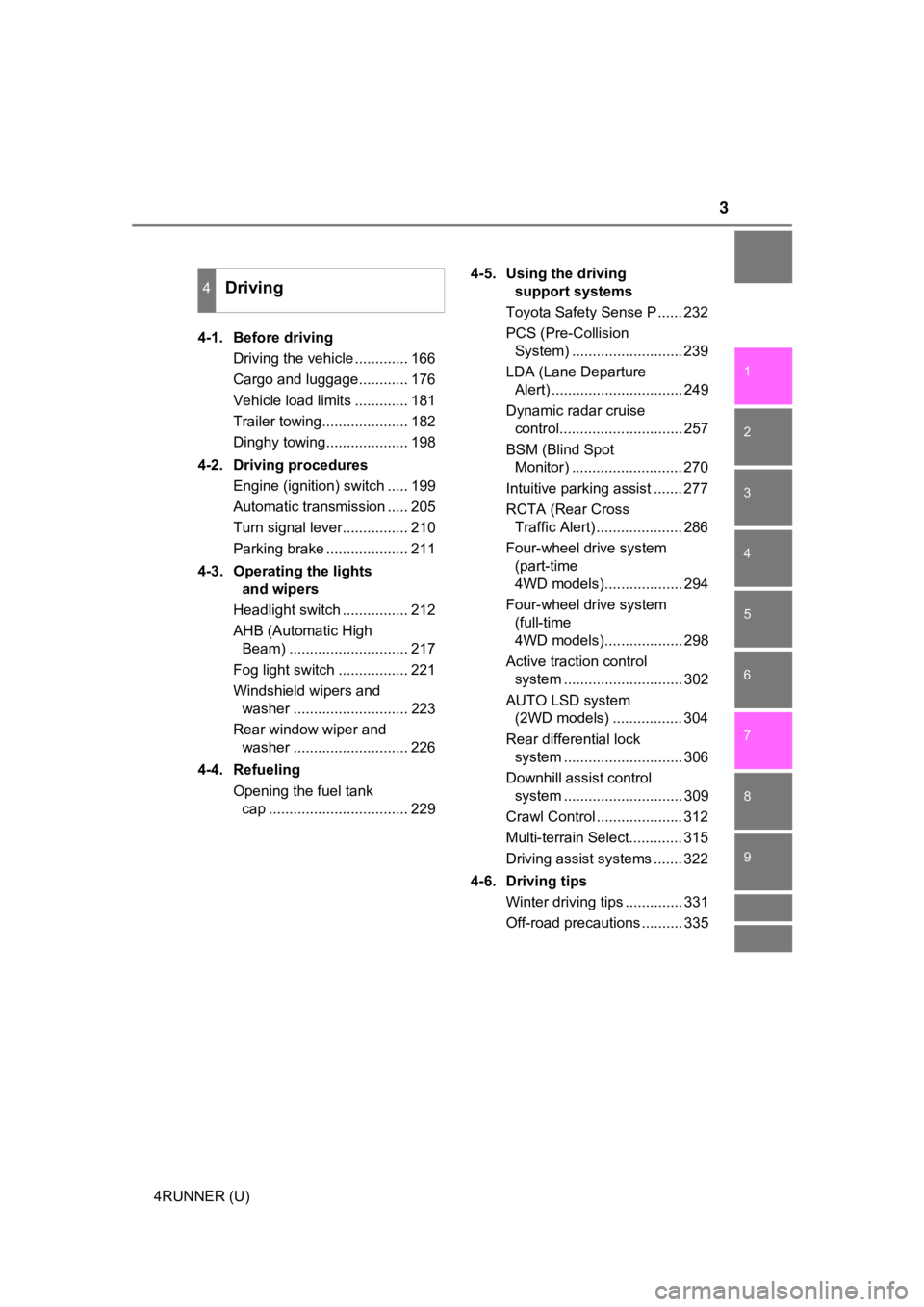
Driving the vehicle ............. 166
Cargo and luggage............ 176
Vehicle load limits ............. 181
Trailer towing..................... 182
Dinghy towing.................... 198
4-2. Driving procedures Engine (ignition) switch ..... 199
Automatic transmission ..... 205
Turn signal lever................ 210
Parking brake .................... 211
4-3. Operating the lights and wipers
Headlight switch ................ 212
AHB (Automatic High Beam) ............................. 217
Fog light switch ................. 221
Windshield wipers and washer ............................ 223
Rear window wiper and washer ............................ 226
4-4. Refueling Opening the fuel tank cap .................................. 229 4-5. Using the driving
support systems
Toyota Safety Sense P ...... 232
PCS (Pre-Collision System) ........................... 239
LDA (Lane Departure Alert) ................................ 249
Dynamic radar cruise control.............................. 257
BSM (Blind Spot Monitor) ........................... 270
Intuitive parking assist ....... 277
RCTA (Rear Cross Traffic Alert) ..................... 286
Four-wheel drive system (part-time
4WD models)................... 294
Four-wheel drive system (full-time
4WD models)................... 298
Active traction control system ............................. 302
AUTO LSD system (2WD models) ................. 304
Rear differential lock system ............................. 306
Downhill assist control system ............................. 309
Crawl Control ..................... 312
Multi-terrain Select............. 315
Driving assist systems ....... 322
4-6. Driving tips Winter driving tips .............. 331
Off-road precautions .......... 335
4Driving
Page 22 of 608
22Pictorial index
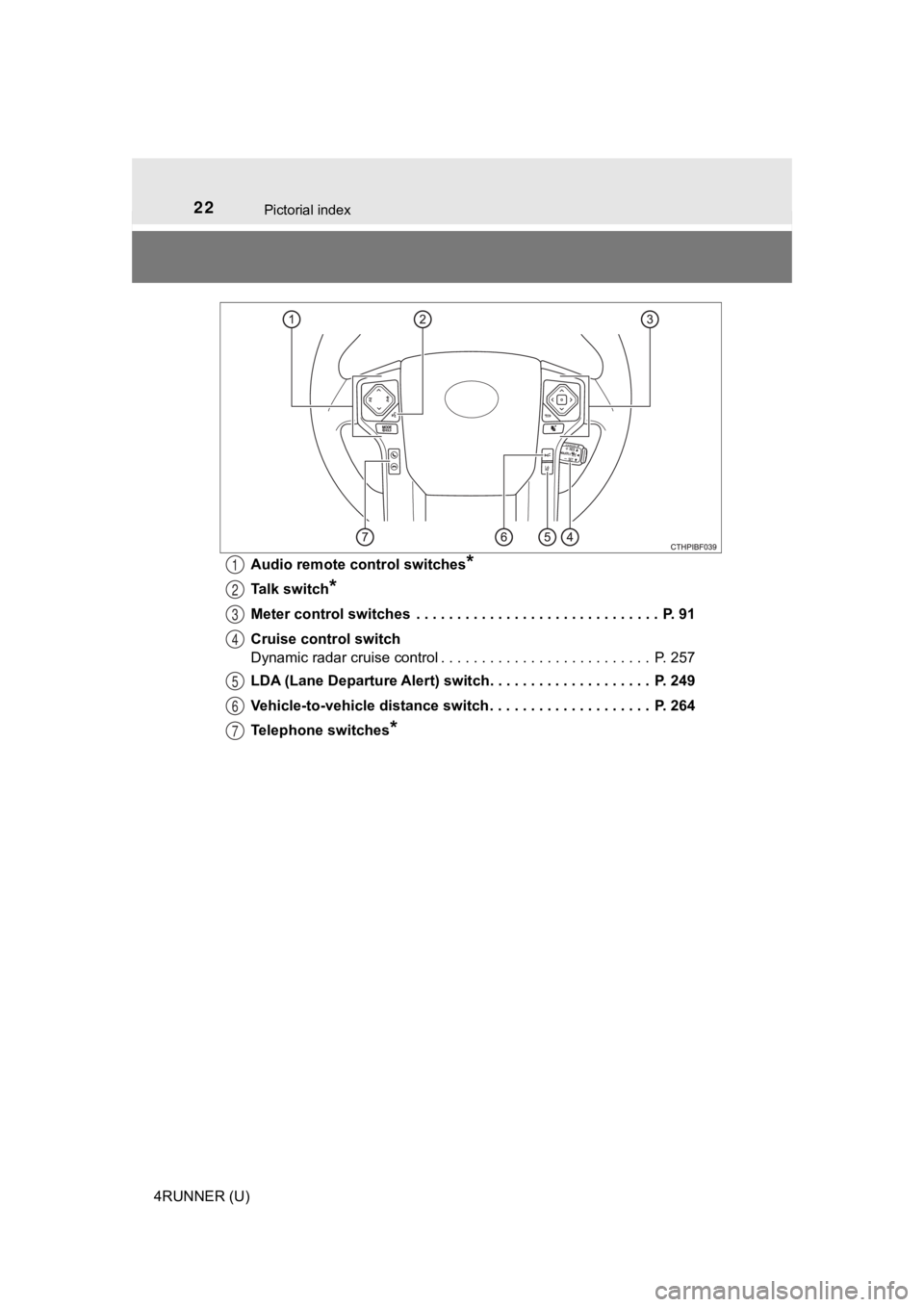
4RUNNER (U)Audio remote control switches
*
Talk switch*
Meter control switches . . . . . . . . . . . . . . . . . . . . . . . . . . . . . . P. 91
Cruise control switch
Dynamic radar cruise control . . . . . . . . . . . . . . . . . . . . . . . . . . P. 257
LDA (Lane Departure Alert) switch. . . . . . . . . . . . . . . . . . . . P. 249
Vehicle-to-vehicle distance switch . . . . . . . . . . . . . . . . . . . . P. 264
Telephone switches
*
1
2
3
4
5
6
7
Page 85 of 608
852. Instrument cluster
2
Instrument cluster
4RUNNER (U)
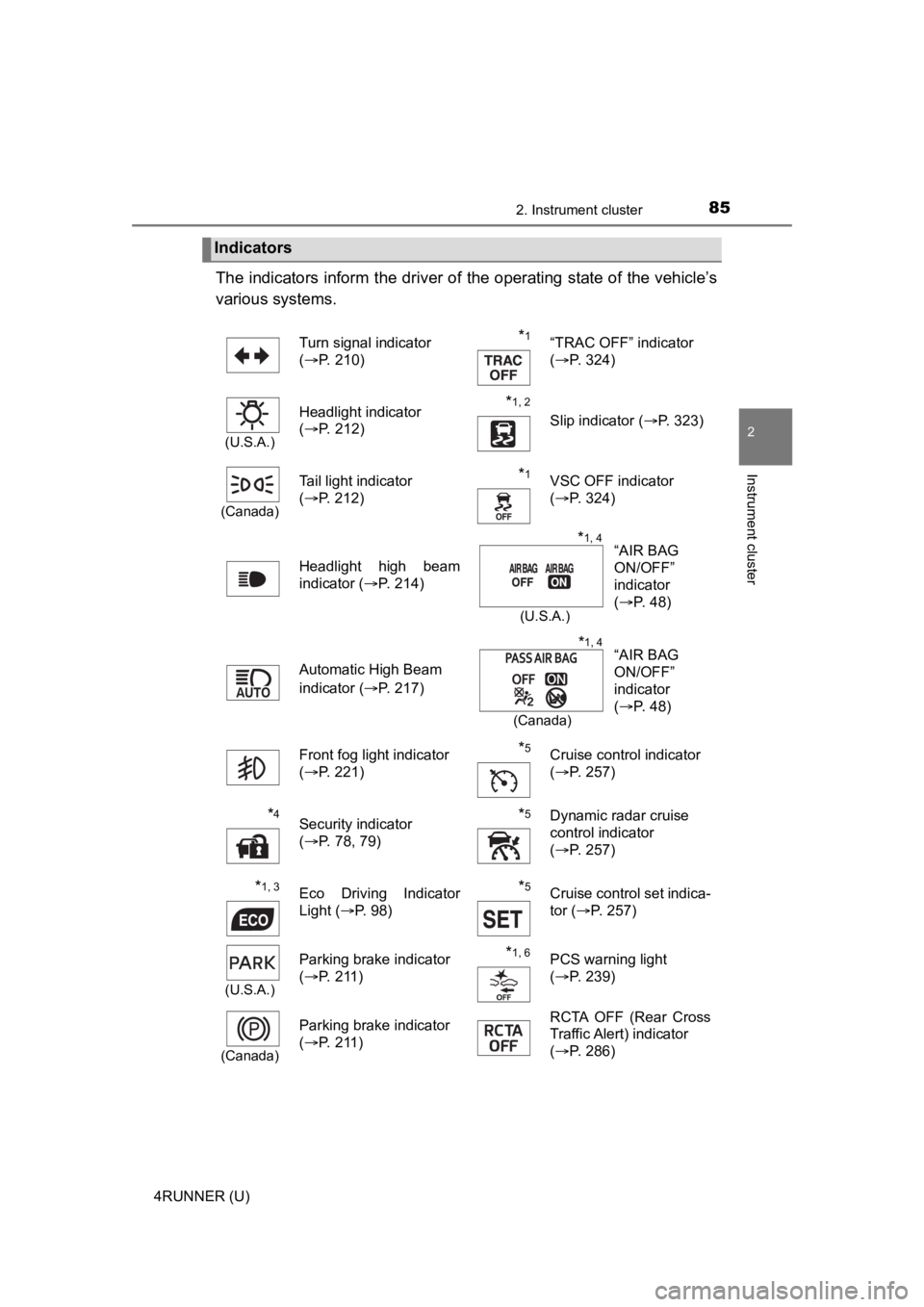
The indicators inform the driver of the operating state of the vehicle’s
various systems.
Indicators
Turn signal indicator
( P. 210)*1“TRAC OFF” indicator
(P. 324)
(U.S.A.)
Headlight indicator
(P. 212)*1, 2 Slip indicator ( P. 323)
(Canada)
Tail light indicator
(P. 212) *1VSC OFF indicator
(P. 324)
Headlight high beam
indicator ( P. 214)
Automatic High Beam
indicator ( P. 217)
Front fog light indicator
( P. 221)
*5Cruise control indicator
(P. 257)
*4Security indicator
(P. 78, 79)*5Dynamic radar cruise
control indicator
(P. 257)
*1, 3Eco Driving Indicator
Light ( P. 98)*5Cruise control set indica-
tor (P. 257)
(U.S.A.)
Parking brake indicator
(P. 211)*1, 6PCS warning light
(P. 239)
(Canada)
Parking brake indicator
(P. 211)RCTA OFF (Rear Cross
Traffic Alert) indicator
(P. 286)
“AIR BAG
ON/OFF”
indicator
(P. 48)*1, 4
(U.S.A.)
“AIR BAG
ON/OFF”
indicator
(P. 48)*1, 4
(Canada)
Page 92 of 608
922. Instrument cluster
4RUNNER (U)
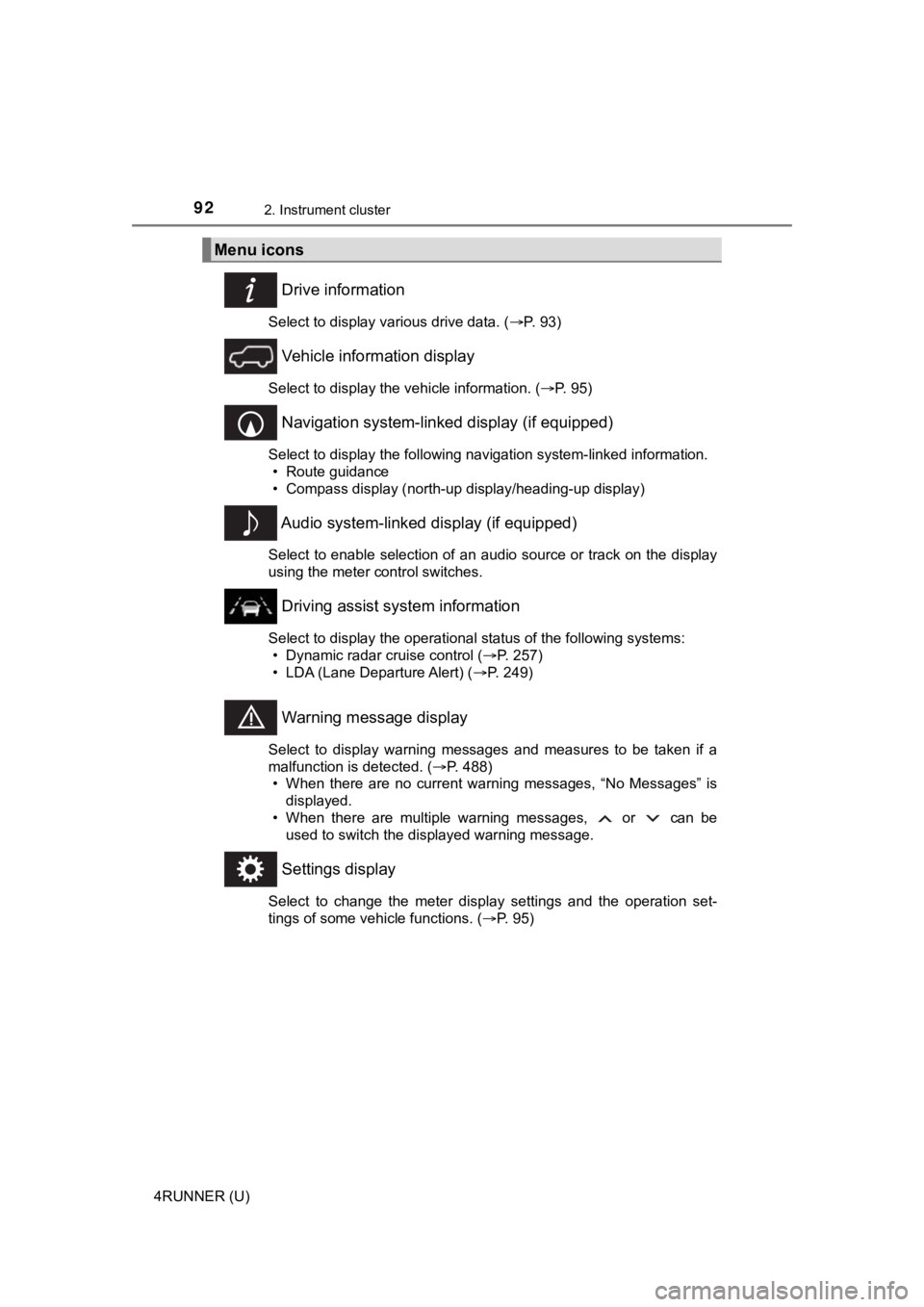
Drive information
Select to display various drive data. (P. 93)
Vehicle information display
Select to display the vehicle information. ( P. 95)
Navigation system-linked display (if equipped)
Select to display the following navigation system-linked information.
• Route guidance
• Compass display (north-up display/heading-up display)
Audio system-linked display (if equipped)
Select to enable selection of an audio source or track on the d isplay
using the meter control switches.
Driving assist system information
Select to display the operational status of the following syste ms:
• Dynamic radar cruise control ( P. 257)
• LDA (Lane Departure Alert) ( P. 249)
Warning message display
Select to display warning messages and measures to be taken if a
malfunction is detected. ( P. 488)
• When there are no current warning messages, “No Messages” is displayed.
• When there are multiple warning messages, or can be used to switch the displayed warning message.
Settings display
Select to change the meter display settings and the operation set-
tings of some vehicle functions. ( P. 95)
Menu icons
Page 165 of 608
165
Driving4
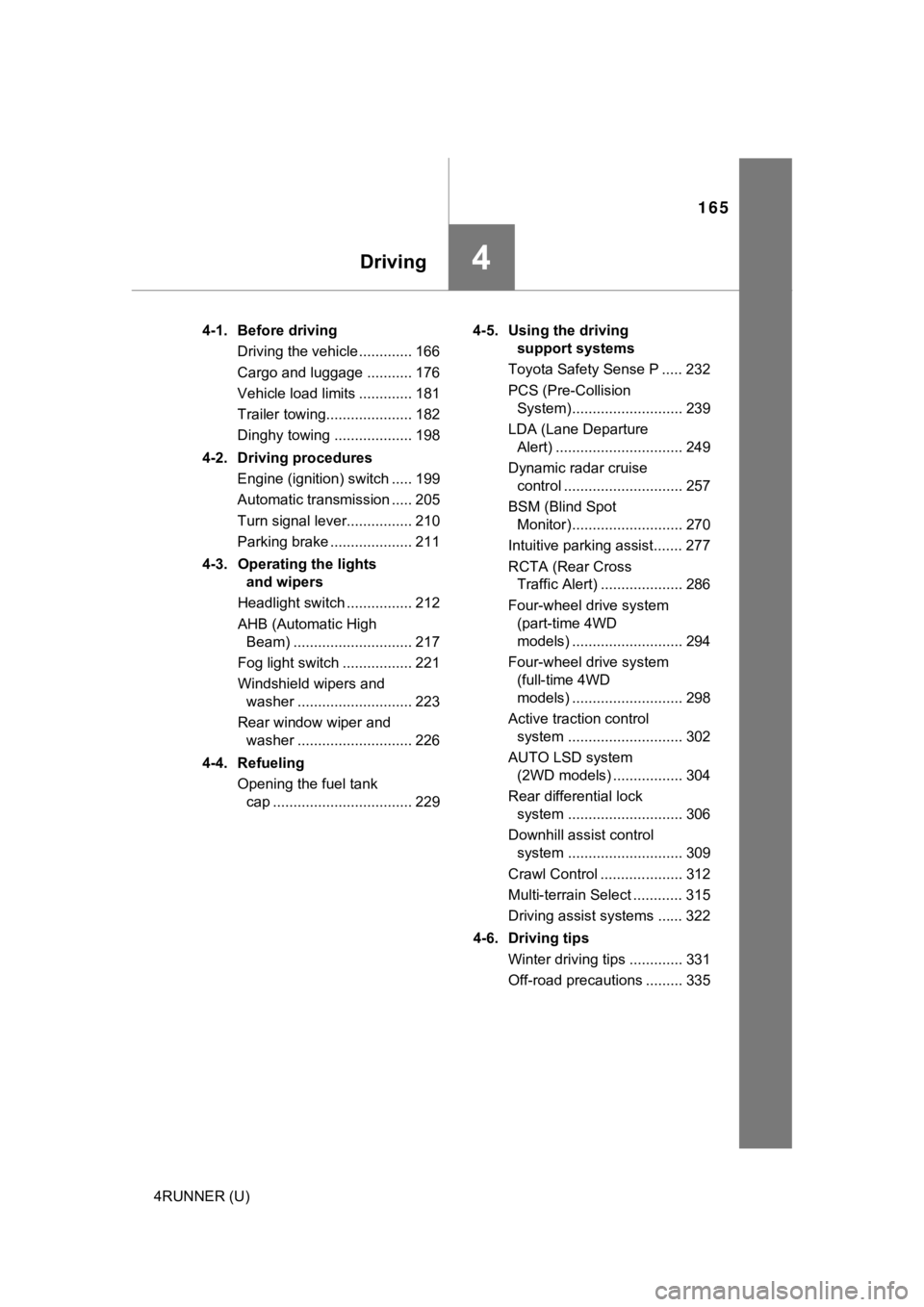
4RUNNER (U)4-1. Before driving
Driving the vehicle ............. 166
Cargo and luggage ........... 176
Vehicle load limits ............. 181
Trailer towing..................... 182
Dinghy towing ................... 198
4-2. Driving procedures Engine (ignition) switch ..... 199
Automatic transmission ..... 205
Turn signal lever................ 210
Parking brake .................... 211
4-3. Operating the lights and wipers
Headlight switch ................ 212
AHB (Automatic High Beam) ............................. 217
Fog light switch ................. 221
Windshield wipers and washer ............................ 223
Rear window wiper and washer ............................ 226
4-4. Refueling Opening the fuel tank cap .................................. 229 4-5. Using the driving
support systems
Toyota Safety Sense P ..... 232
PCS (Pre-Collision System)........................... 239
LDA (Lane Departure Alert) ............................... 249
Dynamic radar cruise control ............................. 257
BSM (Blind Spot Monitor)........................... 270
Intuitive parking assist....... 277
RCTA (Rear Cross Traffic Alert) .................... 286
Four-wheel drive system (part-time 4WD
models) ........................... 294
Four-wheel drive system (full-time 4WD
models) ........................... 298
Active traction control system ............................ 302
AUTO LSD system (2WD models) ................. 304
Rear differential lock system ............................ 306
Downhill assist control system ............................ 309
Crawl Control .................... 312
Multi-terrain Select ............ 315
Driving assist systems ...... 322
4-6. Driving tips Winter driving tips ............. 331
Off-road precautions ......... 335
Page 194 of 608

1944-1. Before driving
4RUNNER (U)■
Before towing
Check that the following conditions are met:
●Ensure that your vehicle’s tires are properly inflated. ( P. 532)
● Trailer tires are inflated according to the trailer manufacture r’s recommen-
dation.
● All trailer lights work as required by law.
● All lights work each time you connect them.
● The trailer ball is set at the proper height for the coupler on the trailer.
● The trailer is level when it is hitched.
Do not drive if the trailer is not level, and check for imprope r tongue weight,
overloading, worn suspension, or other possible causes.
● The trailer cargo is securely loaded.
● The rear view mirrors conform to all applicable federal, state/provincial or
local regulations. If they do not, install rear view mirrors ap propriate for tow-
ing purposes.
■ When towing a trailer
Disable the following systems, as the systems may not operate p roperly.
● LDA (Lane Departure Alert) ( P. 249)
● Dynamic radar cruise control ( P. 257)
● BSM (Blind Spot Monitor) ( P. 270)
● Intuitive parking assist ( P. 277)
● RCTA (Rear Cross Traffic Alert) function (P. 286)
■ Break-in schedule
If your vehicle is new or equipped with any new power train com ponents
(such as an engine, transmission, differential or wheel bearing ), Toyota rec-
ommends that you do not tow a trailer until the vehicle has bee n driven for
over 500 miles (800 km).
After the vehicle has been driven for over 500 miles (800 km), you can start
towing. However, for the next 500 miles (800 km), drive the veh icle at a speed
of less than 45 mph (72 km/h) when towing a trailer, and avoid full throttle
acceleration.
■ Maintenance
●If you tow a trailer, your vehicle will require more frequent m aintenance due
to the additional load. (See “Scheduled Maintenance Guide” or “ Owner’s
Manual Supplement”.)
● Retighten the fixing bolts of the towing ball and bracket after approximately
600 miles (1000 km) of trailer towing.
Page 196 of 608
1964-1. Before driving
4RUNNER (U)
WARNING
■Trailer towing precautions
To tow a trailer safely, use extreme care and drive the vehicle in accordance
with the trailer’s characteristics and operating conditions. Failure to do so
could cause an accident resulting in death or serious injury. V ehicle stability
and braking performance are affected by trailer stability, brake setting and
performance, and the hitch. Your vehicle will handle differently when towing
a trailer.
■ To avoid accident or injury
● Do not exceed the TWR, unbraked TWR, GCWR, GVWR or GAWR.
● If the gross trailer weight is over 2000 lb. (907 kg), a sway control device
with sufficient capacity is required.
● Adjust the tongue weight within the appropriate range. Place heavier loads
as close to the trailer axle as possible.
● Do not exceed 65 mph (104 km/h), the posted towing speed limit or the
speed limit for your trailer as set forth in your trailer owner’s manual,
whichever is lowest. Slow down sufficiently before making a tur n, in cross
winds, on wet or slippery surface, etc. to help avoid an accident. If you
experience a vehicle-trailer instability from reducing a certai n speed, slow
down and make sure you keep your vehicle speed under the speed of
which you experience the instability.
● Do not make jerky, abrupt or sharp turns.
● Do not apply the brakes suddenly as you may skid, resulting in jackknifing
and loss of vehicle control. This is especially true on wet or slippery sur-
faces.
● Do not exceed the trailer hitch assembly weight, gross vehicle weight,
gross axle weight and trailer tongue weight capacities.
● Do not use cruise control when towing.
● Slow down and downshift before descending steep or long downhil l
grades. Do not make sudden downshifts while descending steep or long
downhill grades.
● Vehicle-trailer instability is more likely on steep long downhi lls. Before
descending steep or long downhill grades, slow down and downshift. Do
not make sudden downshifts when descending steep or long downhi ll
grades. Avoid holding the brake pedal down too long or applying the
brakes too frequently. This could cause the brakes to overheat and result
in reduced braking efficiency.
Page 207 of 608
2074-2. Driving procedures
4
Driving
4RUNNER (U)
■S mode
When the shift range is “3” or lower, holding the shift lever t oward “+” sets the
shift range to “5”.
■ AI-SHIFT
AI-SHIFT automatically selects the optimal gear according to driver perfor-
mance and driving conditions.
AI-SHIFT automatically operates when the shift lever is in the D position.
(Shifting the shift lever to the S position or paddle shifting cancels the func-
tion.)
The engine speed may remain high after releasing the accelerato r pedal. This
does not indicate a malfunction.
■ When driving with Dynamic r adar cruise control system
Engine braking will not occur in S mode, even when downshifting to “3”.
( P. 257)
■ Restraining sudden start (Drive-start Control)
P. 167
■ Shift lock system
The shift lock system is a system to prevent accidental operation of the shift
lever in starting.
The shift lever can be shifted from P only when the engine switch is in the
IGNITION ON mode the brake pedal is depressed and the shift release but-
ton is pushed.
Page 232 of 608
232
4RUNNER (U)
4-5. Using the driving support systems
◆PCS (Pre-Collision System)
P. 2 3 9
◆LDA (Lane Departure Alert)
P. 2 4 9
◆AHB (Automatic High Beam)
P. 2 1 7
◆Dynamic radar cruise control
P. 2 5 7
Toyota Safety Sense P
The Toyota Safety Sense P consists of the following drive assis t
systems and contributes to a safe and comfortable driving expe-
rience:
Driving assist system
WARNING
■ Toyota Safety Sense P
The Toyota Safety Sense P is designed to operate under the assumption
that the driver will drive safely, and is designed to help reduce the impact to
the occupants and the vehicle in the case of a collision or assist the driver in
normal driving conditions.
As there is a limit to the degree of recognition accuracy and control perfor-
mance that this system can provide, do not overly rely on this system. The
driver is always responsible for paying attention to the vehicle's surround-
ings and driving safely.
Page 257 of 608
2574-5. Using the driving support systems
4
Driving
4RUNNER (U)
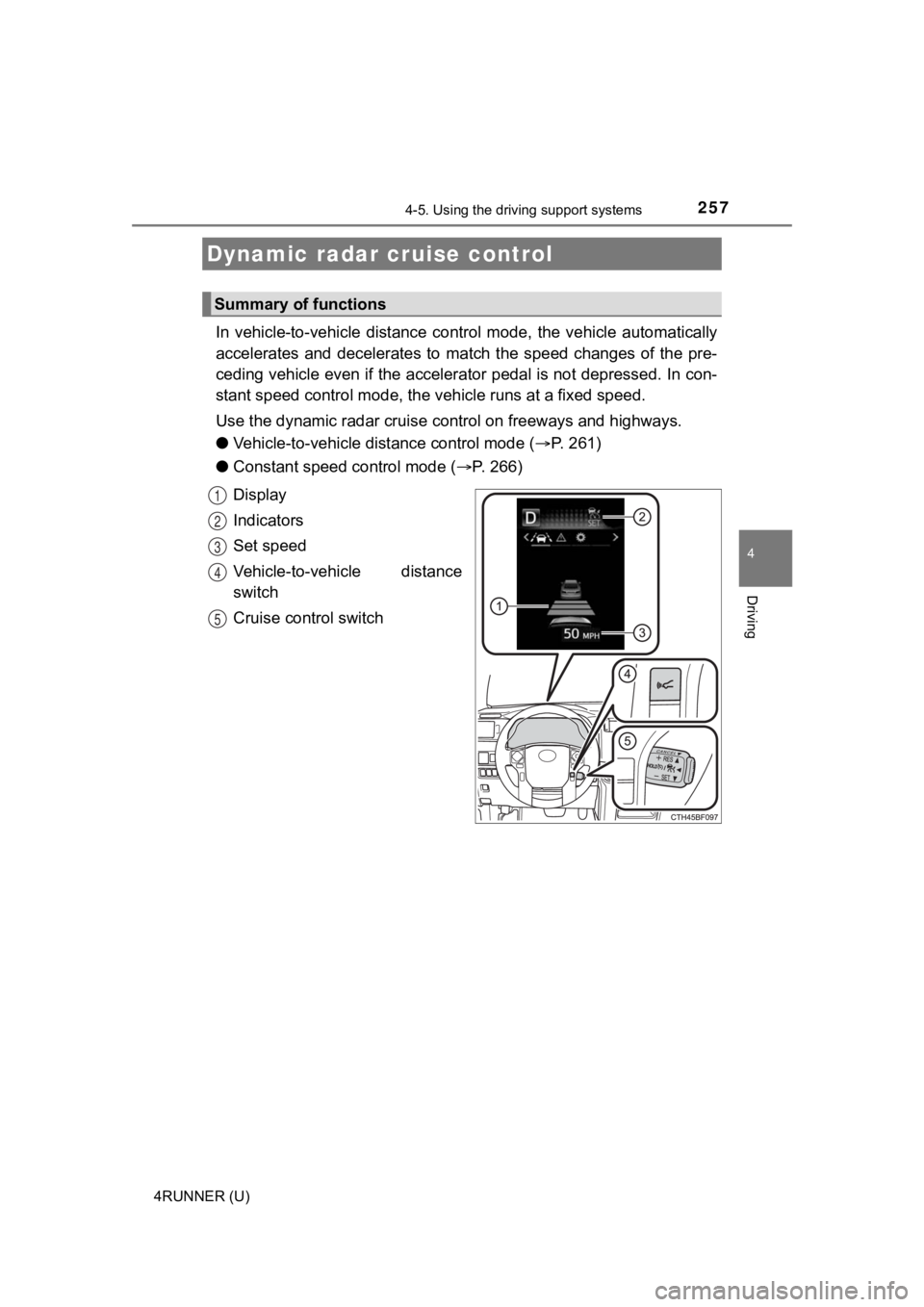
In vehicle-to-vehicle distance control mode, the vehicle automatically
accelerates and decelerates to match the speed changes of the p re-
ceding vehicle even if the accelerator pedal is not depressed. In con-
stant speed control mode, t he vehicle runs at a fixed speed.
Use the dynamic radar cruise c ontrol on freeways and highways.
● Vehicle-to-vehicle distance control mode ( P. 261)
● Constant speed c ontrol mode (P. 266)
Display
Indicators
Set speed
Vehicle-to-vehicle distance
switch
Cruise control switch
Dynamic radar cruise control
Summary of functions
1
2
3
4
5