remote control TOYOTA 86 2019 User Guide
[x] Cancel search | Manufacturer: TOYOTA, Model Year: 2019, Model line: 86, Model: TOYOTA 86 2019Pages: 532, PDF Size: 6.89 MB
Page 35 of 532

351-2. Opening, closing and locking the doors and trunk
1
Before driving ■ Electronic key battery depletion
● The standard battery life is 1 to 2 years.
● If the battery charge becomes low, a buzzer will sound in the c abin and a
message will be displayed on the multi-information display when the
engine is stopped. ( P. 413)
● As the electronic key always receives radio waves, the battery will
become depleted even if the electronic key is not used. The fol lowing
symptoms indicate that the electronic key battery may be depleted.
Replace the battery when necessary. ( P. 363)
• The smart key system or the wireless remote control does not o perate.
• The detection area becomes smaller.
• The LED indicator on the key surface does not turn on.
● To avoid serious deterioration, do not leave the electronic key close to
any of the following electrical appliances that produce a magne tic field:
•TVs
• Personal computers
• Cellular phones, cordless phones and battery chargers
• Recharging cellular phones or cordless phones
• Induction cookers
• Table lamps
■ When the electronic key battery is fully depleted
P. 363
■ If the smart key system has been d eactivated in a customized se tting
● Locking and unlocking the doors, unlocking the trunk: Use the w ireless
remote control or mechanical key. ( P. 38, 440)
● Starting the engine and changing “ENGINE START STOP” switch
modes: P. 4 4 1
● Stopping the engine: P. 443
■ Customization that can be configured at Toyota dealer
Settings (e.g. smart key system) can be changed.
(Customizable features: P. 487)
Page 38 of 532
381-2. Opening, closing and locking the doors and trunk
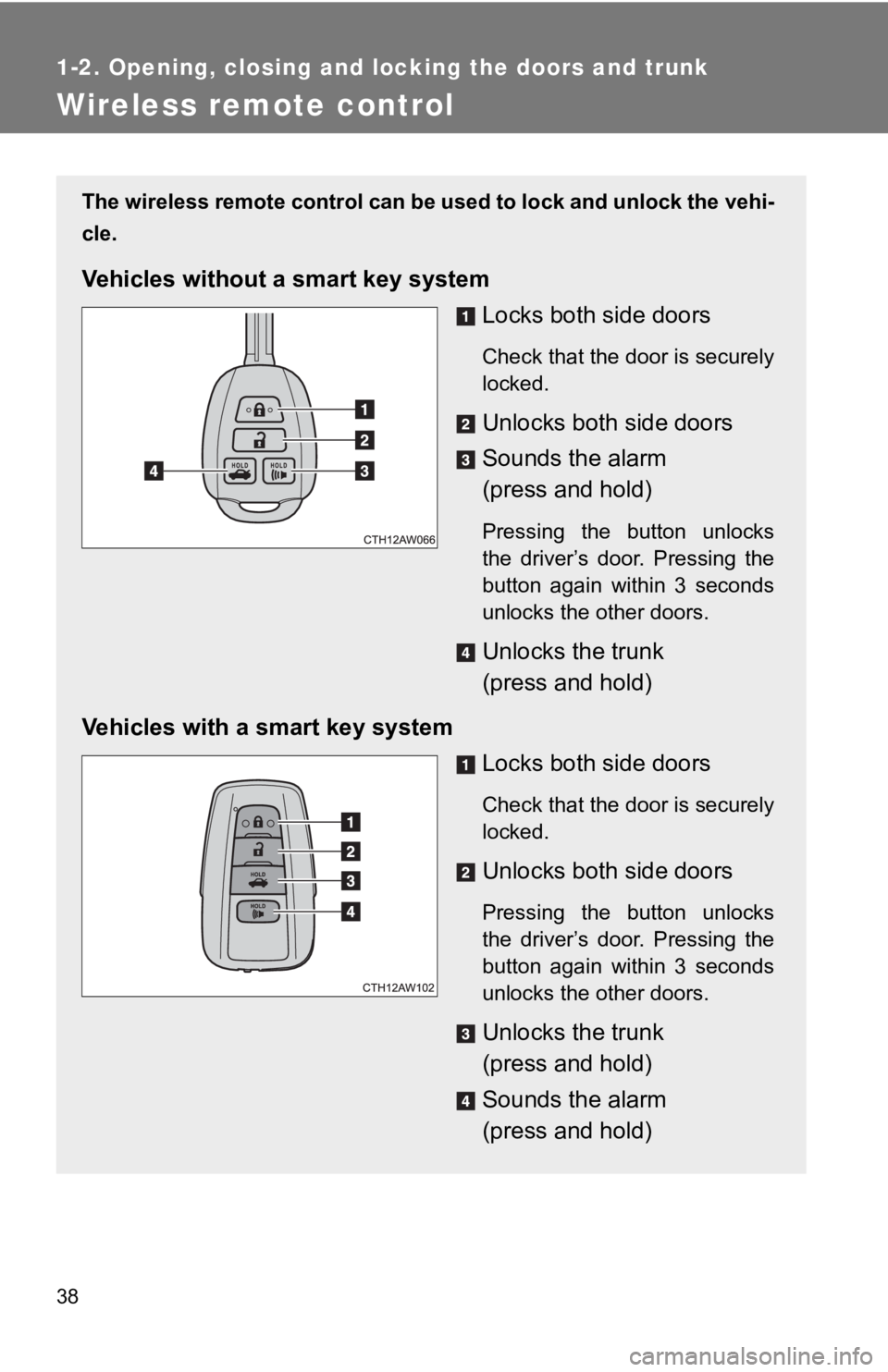
Wireless remote control The wireless remote control can b e used to lock and unlock the vehi-
cle.
Vehicles without a smart key system
Locks both side doors Check that the door is securely
locked.
Unlocks both side doors
Sounds the alarm
(press and hold) Pressing the button unlocks
the driver’s door. Pressing the
button again within 3 seconds
unlocks the other doors.
Unlocks the trunk
(press and hold)
Vehicles with a smart key system
Locks both side doors Check that the door is securely
locked.
Unlocks both side doors Pressing the button unlocks
the driver’s door. Pressing the
button again within 3 seconds
unlocks the other doors.
Unlocks the trunk
(press and hold)
Sounds the alarm
(press and hold)
Page 39 of 532
391-2. Opening, closing and locking the doors and trunk
1
Before driving ■ Operation signals
Doors: A buzzer sounds and the emergency flashers flash to indic ate that
the doors have been locked/unlocked. (Locked: once; Unlocked:
twice)
Trunk: A buzzer sounds to indicate that the trunk has been unloc ked.
■ Door lock buzzer (vehicles with a smart key system)
If an attempt to lock the doors is made when a door is not full y closed, a
buzzer sounds continuously. Fully close the door to stop the bu zzer, and lock
the vehicle once more.
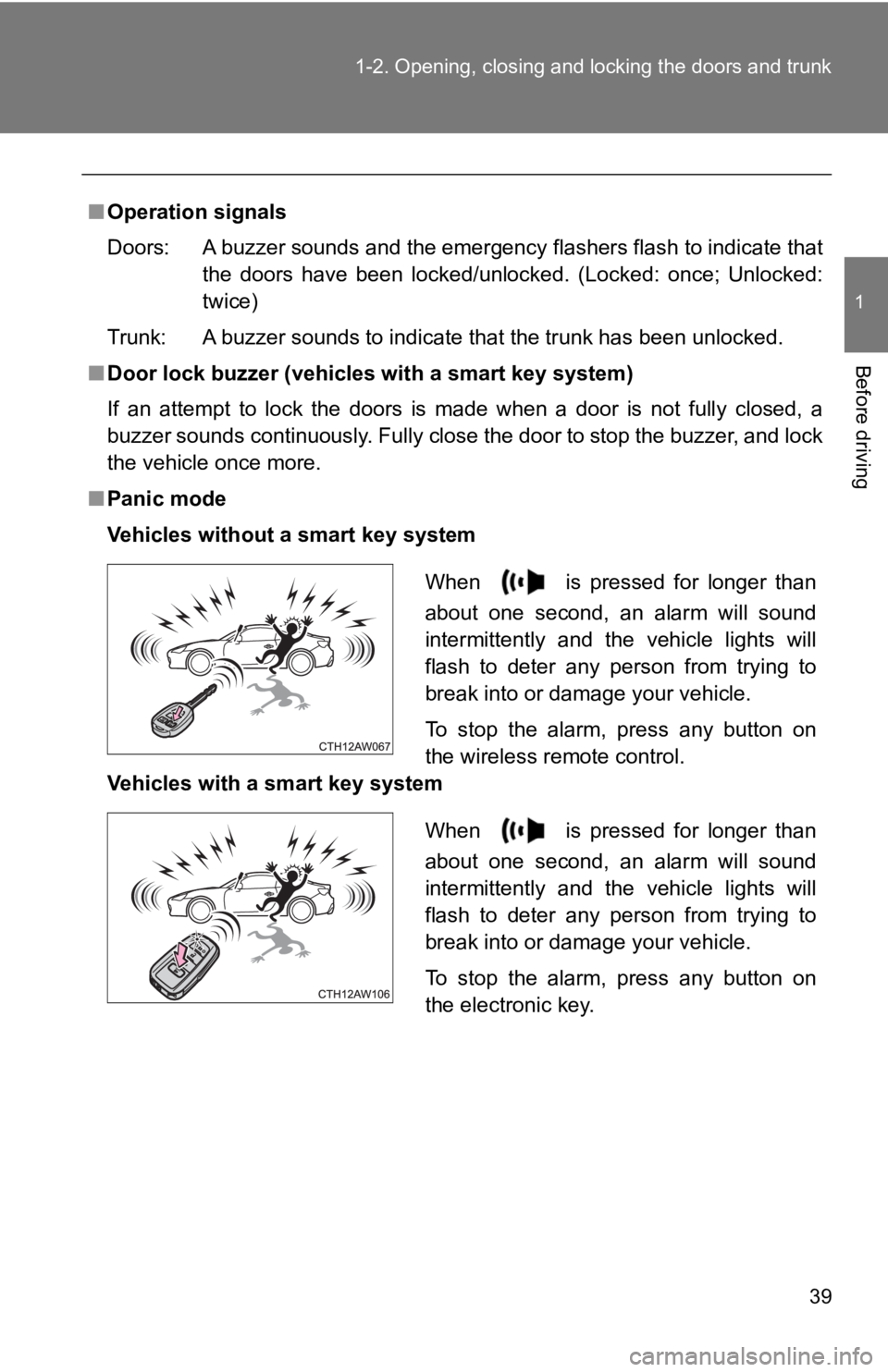
■ Panic mode
Vehicles without a smart key system
Vehicles with a smart key system When is pressed for longer than
about one second, an alarm will sound
intermittently and the vehicle lights will
flash to deter any person from trying to
break into or damage your vehicle.
To stop the alarm, press any button on
the wireless remote control.
When is pressed for longer than
about one second, an alarm will sound
intermittently and the vehicle lights will
flash to deter any person from trying to
break into or damage your vehicle.
To stop the alarm, press any button on
the electronic key.
Page 41 of 532

411-2. Opening, closing and locking the doors and trunk
1
Before driving ■ Security feature
If a door is not opened within approximately 60 seconds after t he vehicle is
unlocked, the security feature automatically locks the vehicle again.
■ Alarm (vehicles with a smart key system)
Using the wireless remote control to lock the doors will set th e alarm system.
( P. 82)
■ Conditions affecting operation
Vehicles without a smart key system
The wireless remote control function may not operate normally i n the follow-
ing situations:
● When the wireless key battery is depleted
● Near a TV tower, electric power plant, gas station, radio stati on, large dis-
play, airport or other facility that generates strong radio wav es or electri-
cal noise
● When carrying a portable radio, cellular phone or other wireles s commu-
nication devices
● When the wireless key is in contact with, or is covered by a me tallic
object
● When other wireless key (that emit radio waves) is being used n earby
● If window tint with a metallic content or metallic objects are attached to
the rear window
Vehicles with a smart key system
P. 31
■ If the wireless remote control do es not operate properly (vehic les with
a smart key system)
Locking and unlocking the doors, unlocking the trunk: Use the m echanical
key. ( P. 440)
■ Key battery depletion
Vehicles without a smart key system
If the wireless remote control function does not operate, the b attery may be
depleted. Replace the battery when necessary. ( P. 363)
Vehicles with a smart key system
P. 35
Page 42 of 532

421-2. Opening, closing and locking the doors and trunk
■ When the electronic key battery is fully depleted
P. 363
■ Confirmation of the registered key number (vehicles with a smar t key
system)
The number of keys already registered to the vehicle can be con firmed. Ask
your Toyota dealer for details.
■ Customization that can be conf igured at your Toyota dealer
Settings (e.g. wireless remote control system) can be changed.
(Customizable features P. 487)
■ Certification for wir eless remote control
For vehicles sold in the U.S.A.
FCC ID: HYQ23AAC FCC ID: HYQ12BEL
NOTE:
This device complies with part 15 of the FCC Rules. Operation i s subject to
the following two conditions: (1) This device may not cause har mful interfer-
ence, and (2) this device must accept any interference received, including
interference that may cause undesired operation.
FCC WARNING:
Changes or modifications not expressly approved by the party re sponsible
for compliance could void the user's authority to operate the equipment.
For vehicles sold in Canada
NOTE:
This device complies with Industry Canada’s licence-exempt RSSs . Opera-
tion is subject to the following two conditions: (1) This devic e may not cause
interference; and (2) This device must accept any interference, including
interference that may cause undesired operation of the device.
NOTE:
Le présent appareil est conforme aux CNR d’Industrie Canada app licables
aux appareils radio exempts de licence. L’exploitation est auto risée aux
deux conditions suivantes: (1) l’appareil ne doit pas produire de brouillage;
(2) l’utilisateur de l’appareil doit accepter tout brouillage r adioélectrique subi,
même si le brouillage est susceptible d’en compromettre le fonc tionnement.
Page 43 of 532
43 11-2. Opening, closing and locking the doors and trunk
Before driving
Doors The vehicle can be locked and unlocked using the entry function ,
wireless remote control, k ey or door lock switch.
■ Entry function (vehicles with a smart key system)
P. 26
■ Wireless remote control
P. 3 8
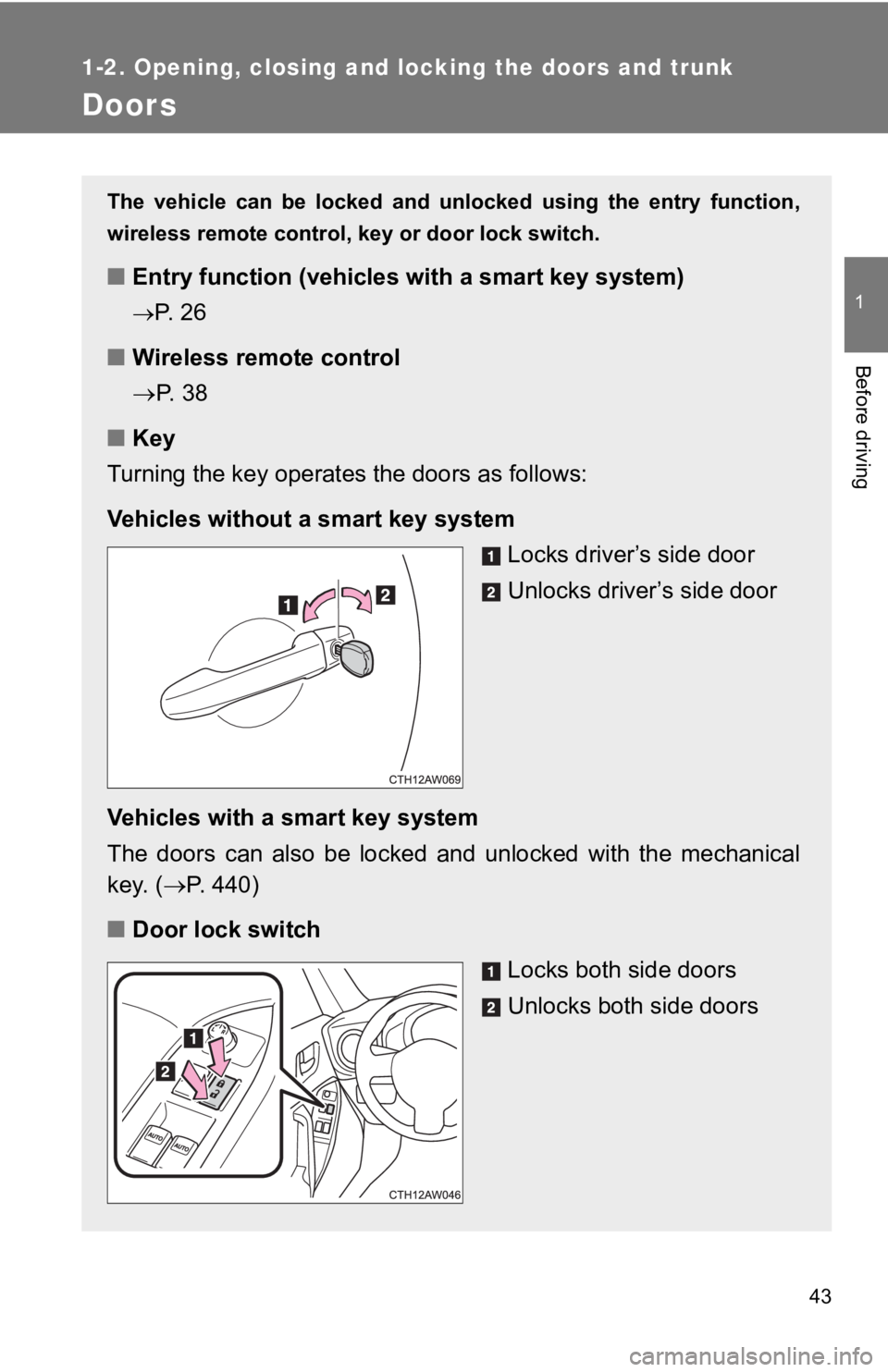
■ Key
Turning the key operates the doors as follows:
Vehicles without a smart key system
Locks driver’s side door
Unlocks driver ’s side door
Vehicles with a smart key system
The doors can also be locked and unlocked with the mechanical
key. ( P. 440)
■ Door lock switch
Locks both side doors
Unlocks both side doors
Page 45 of 532

451-2. Opening, closing and locking the doors and trunk
1
Before driving ■ Window open/close function linked to door operation
In order to make opening and closing the doors easier, complete ly closed
windows are linked to door operations. Therefore, when a door is opened, its
window opens slightly. When a door is closed, its window closes completely.
However, if the battery has discharged or is disconnected, this function will
not operate. ( P. 448)
■ If the smart key system has been deactivated in a customized se tting
(vehicles with a smart key system)
Use the wireless remote control or mechanical key. ( P. 38, 440)
WARNING■ To prevent an accident
Observe the following precautions while driving the vehicle.
Failure to do so may result in a door opening and an occupant f alling out,
resulting in death or serious injury.
● Always use a seat belt.
● Always lock both side doors.
● Ensure that both side doors are properly closed.
● Do not pull the inside handle of the doors while driving.
The doors may be opened and the passengers are thrown out of th e vehi-
cle and it may result in serious injury or death.
Page 46 of 532
461-2. Opening, closing and locking the doors and trunk
Trunk The trunk can be opened using th e key, trunk opener, entry func tion
or wireless remote control.
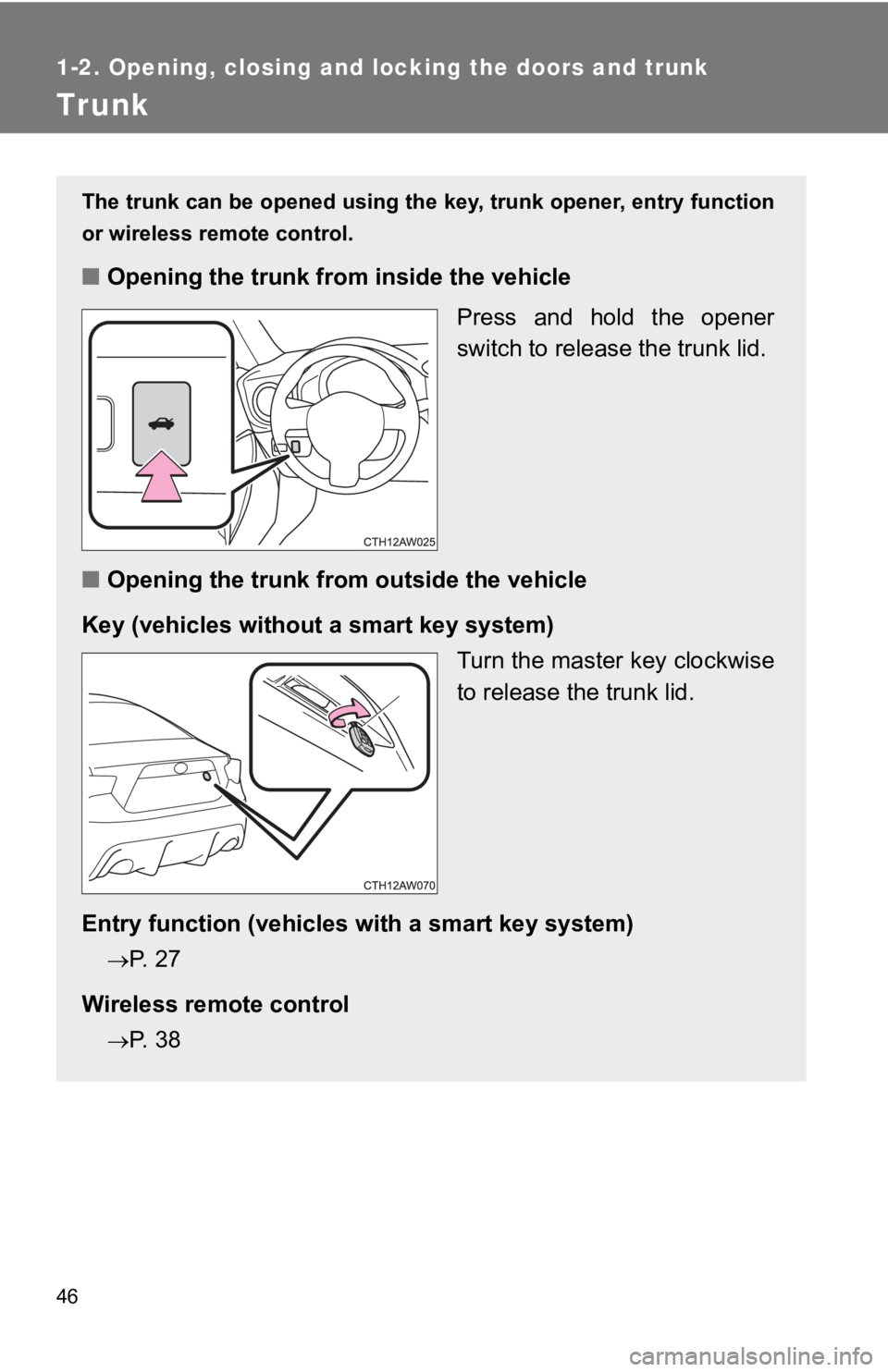
■ Opening the trunk from inside the vehicle
Press and hold the opener
switch to release the trunk lid.
■ Opening the trunk from outside the vehicle
Key (vehicles without a smart key system)
Turn the master key clockwise
to release the trunk lid.
Entry function (vehicles with a smart key system)
P. 27
Wireless remote control
P. 38
Page 82 of 532
821-6. Theft deterrent system
Alarm
: If equippedThe alarm’s default setting is set to off. To use the alarm, pe rform the
activating the alarm system procedures.
The system sounds the alarm and flashes the lights when forcibl e
entry is detected.
■ Triggering of the alarm
The alarm is triggered when a locked door or the trunk is
unlocked or opened in any way ot her than using the entry func-
tion or wireless remote cont rol while the alarm is set.
■ Setting the alarm system
Close the doors and/or trunk an d perform one of the following:
● Lock the doors using the entry function.
● Lock the doors using the wi reless remote control.
● Lock the doors from the outsi de without using a key.
( P. 4 4 )
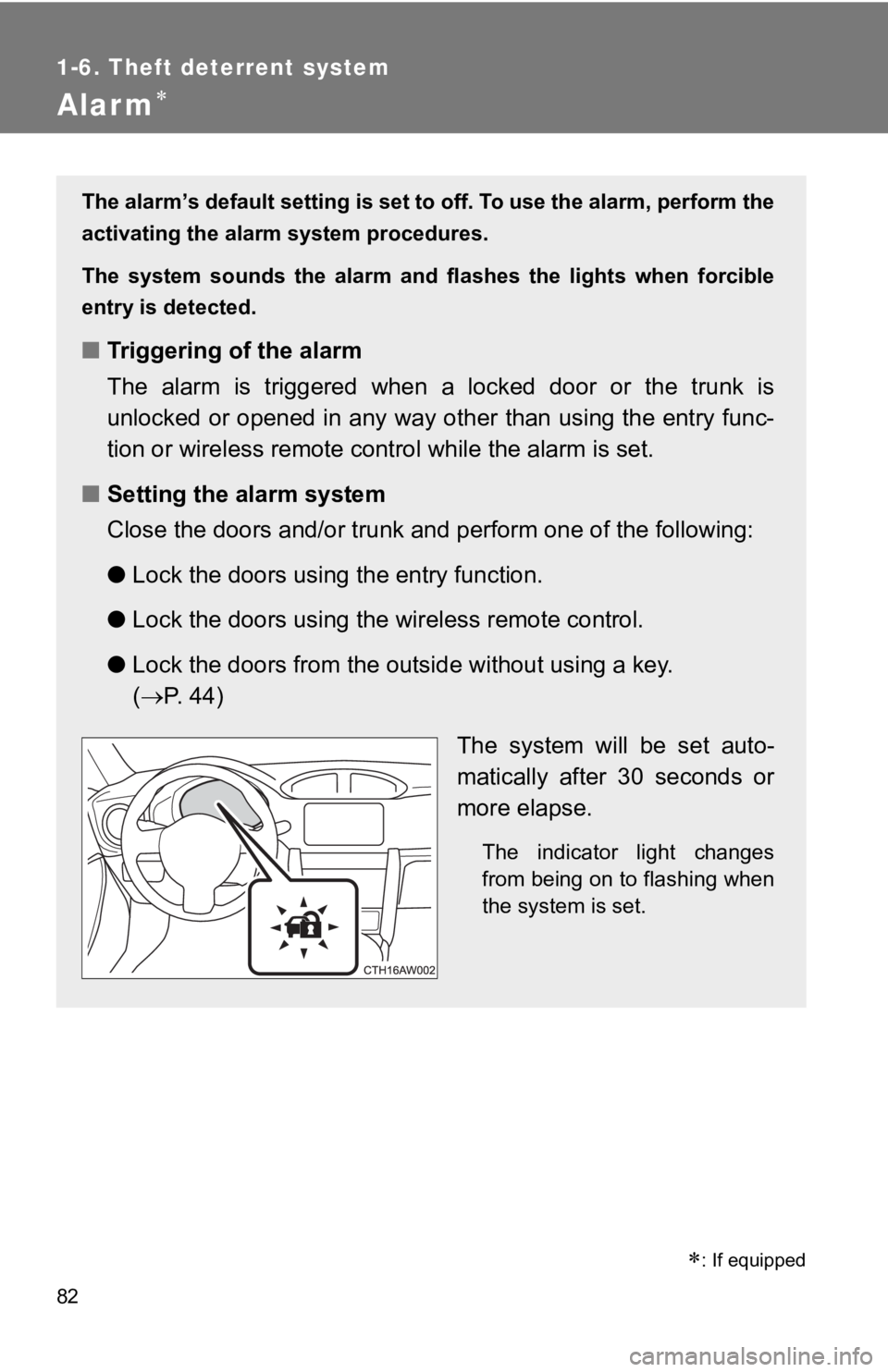
The system will be set auto-
matically after 30 seconds or
more elapse. The indicator light changes
from being on to flashing when
the system is set.
Page 83 of 532
831-6. Theft deterrent system
1
Before driving
Activating/deactivating the alarm system
Check that both side doors and the trunk are closed.
Turn the “ENGINE START STOP” switch to IGNITION ON
mode.
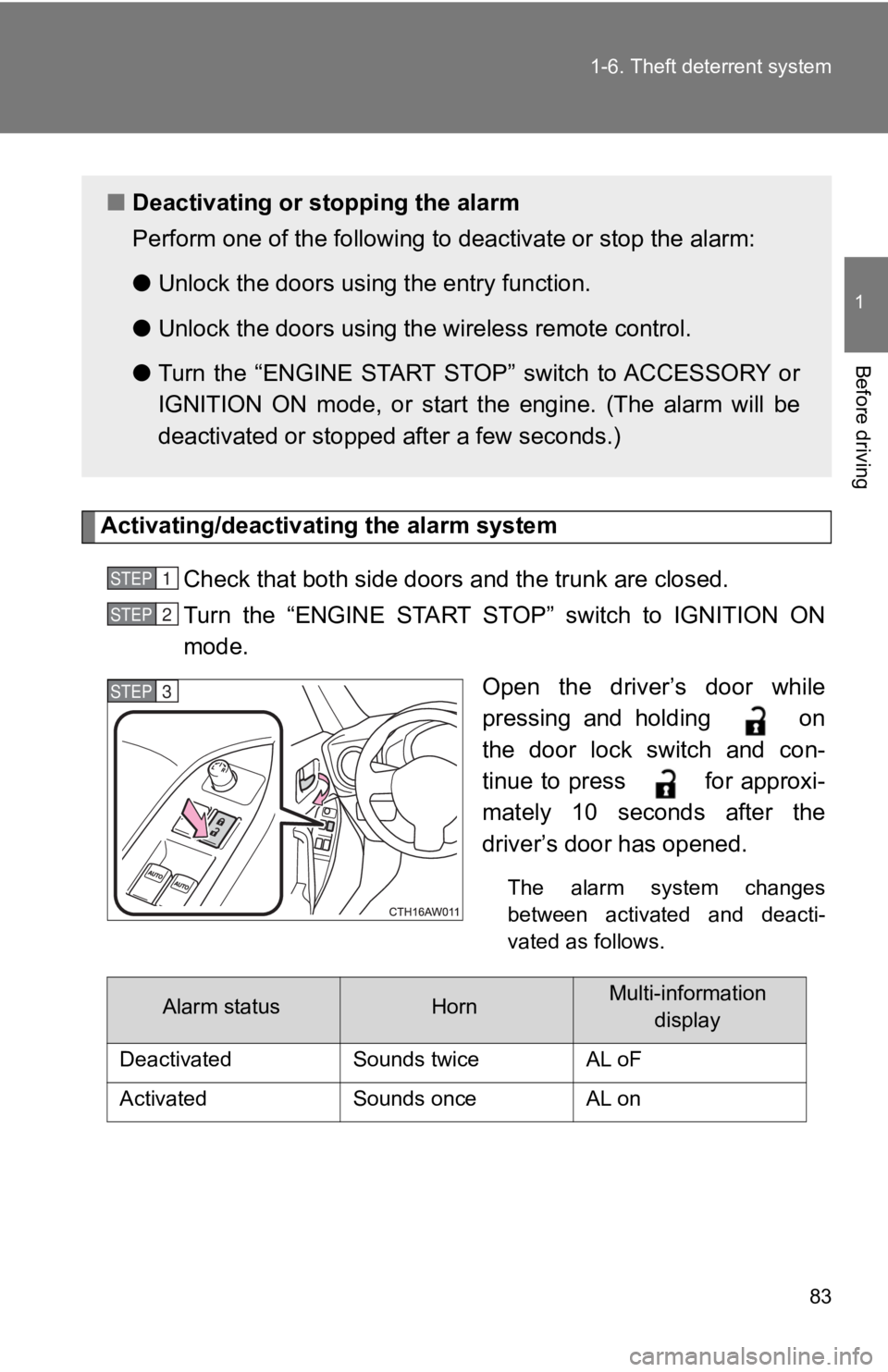
Open the driver’s door while
pressing and holding on
the door lock switch and con-
tinue to press for approxi-
mately 10 seconds after the
driver’s door has opened. The alarm system changes
between activated and deacti-
vated as follows.■ Deactivating or s topping the alarm
Perform one of the following to deactivate or stop the alarm:
● Unlock the doors using the entry function.
● Unlock the doors using the wireless remote control.
● Turn the “ENGINE START STOP” switch to ACCESSORY or
IGNITION ON mode, or start t he engine. (The alarm will be
deactivated or stopped after a few seconds.) STEP 1
STEP 2
STEP 3
Alarm status Horn Multi-information
display
Deactivated Sounds twice AL oF
Activated Sounds once AL on