lights TOYOTA 86 2019 Owner's Manual
[x] Cancel search | Manufacturer: TOYOTA, Model Year: 2019, Model line: 86, Model: TOYOTA 86 2019Pages: 532, PDF Size: 6.89 MB
Page 227 of 532

2272-3. Operating the light s and windshield wipers
2
When driving NOTICE■ To prevent battery discharge
Do not leave the lights on longer than necessary when the engine is not run-
ning.
Page 228 of 532
2282-3. Operating the lights and windshield wipers
Fog light switch
■ Fog lights can be used when
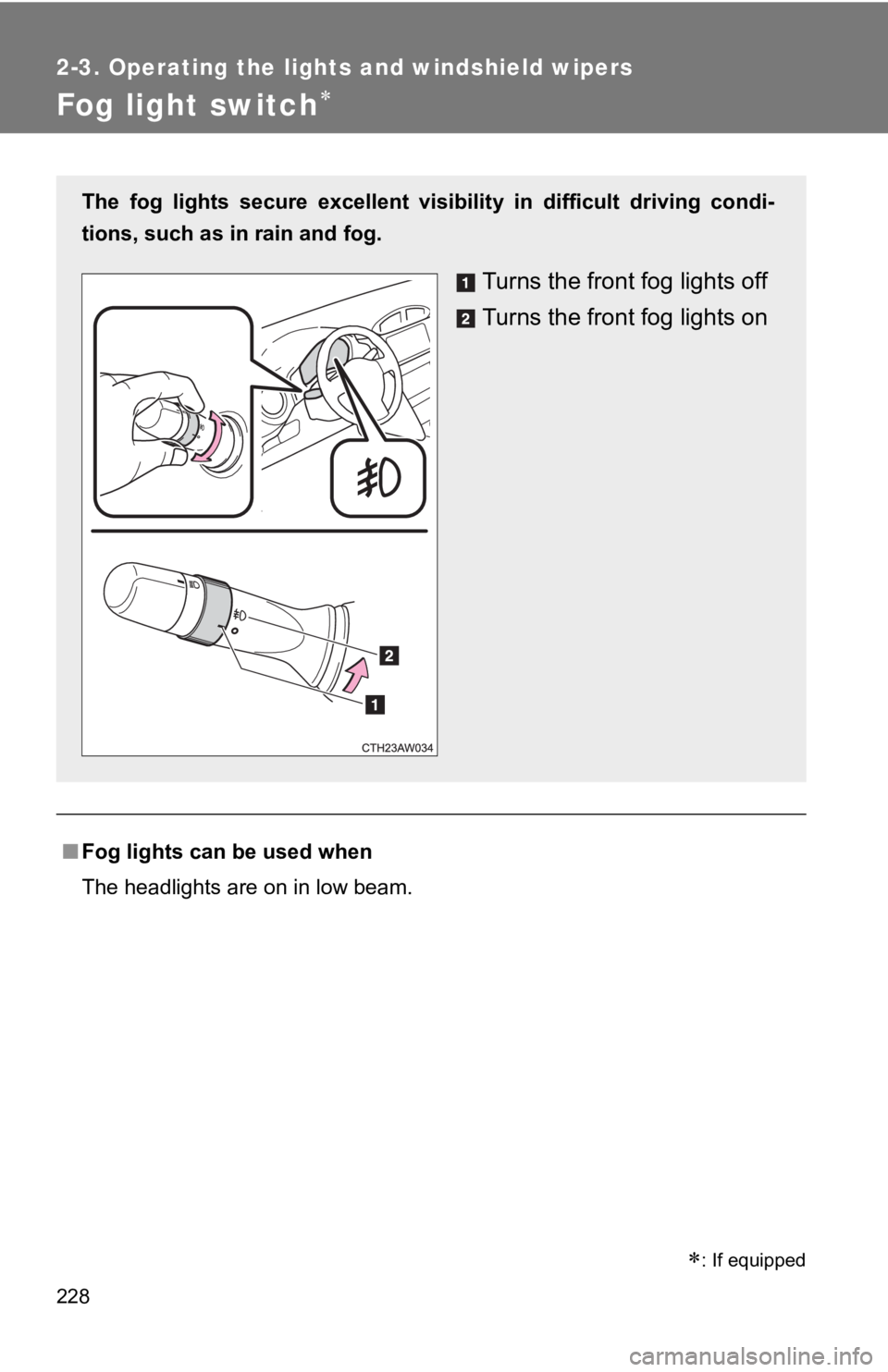
The headlights are on in low beam.The fog lights secure excellent vis ibility in difficult driving condi-
tions, such as in rain and fog.
Turns the front fog lights off
Turns the front fog lights on
: If equipped
Page 229 of 532
2292-3. Operating the lights and windshield wipers
2
When driving
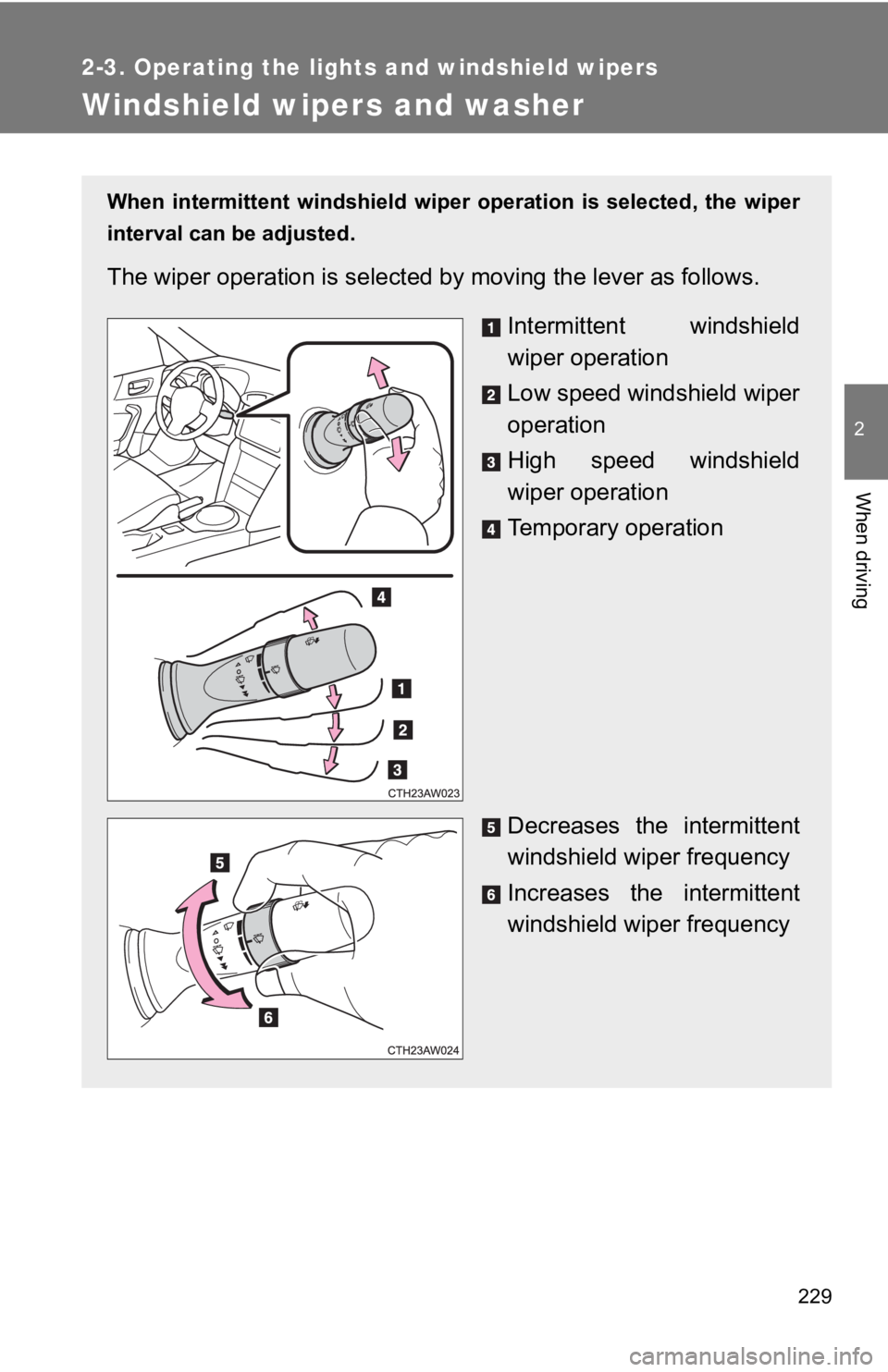
Windshield wipers and washer When intermittent windshield wiper operation is selected, the w iper
interval can be adjusted.
The wiper operation is selected by moving the lever as follows.
Intermittent windshield
wiper operation
Low speed windshield wiper
operation
High speed windshield
wiper operation
Temporary operation
Decreases the intermittent
windshield wiper frequency
Increases the intermittent
windshield wiper frequency
Page 230 of 532
2302-3. Operating the lights and windshield wipers
■ The windshield wipers and w asher can be operated when
Vehicles without a smart key system
The engine switch is in the “ON” position.
Vehicles with a smart key system
The “ENGINE START STOP” switch is in IGNITION ON mode.
■ If no windshield washer fluid sprays
Check that the washer nozzles are not blocked if there is washe r fluid in the
windshield washer fluid tank.
WARNING■ Caution regarding the use of washer fluid
When it is cold, do not use the washer fluid until the windshield becomes
warm. The fluid may freeze on the windshield and cause low visi bility. This
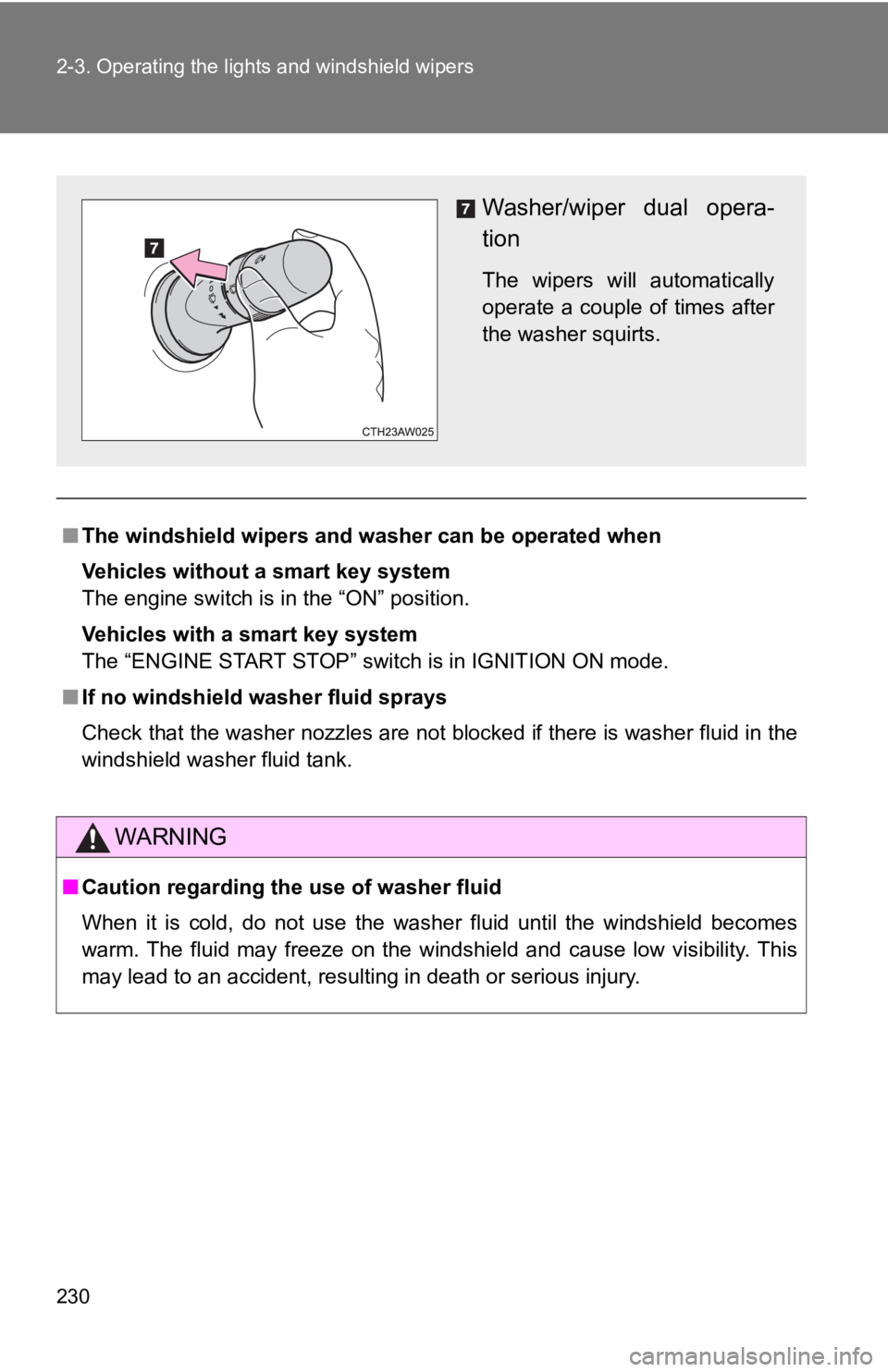
may lead to an accident, resulting in death or serious injury. Washer/wiper dual opera-
tion The wipers will automatically
operate a couple of times after
the washer squirts.
Page 241 of 532
2412-4. Using other driving systems
2
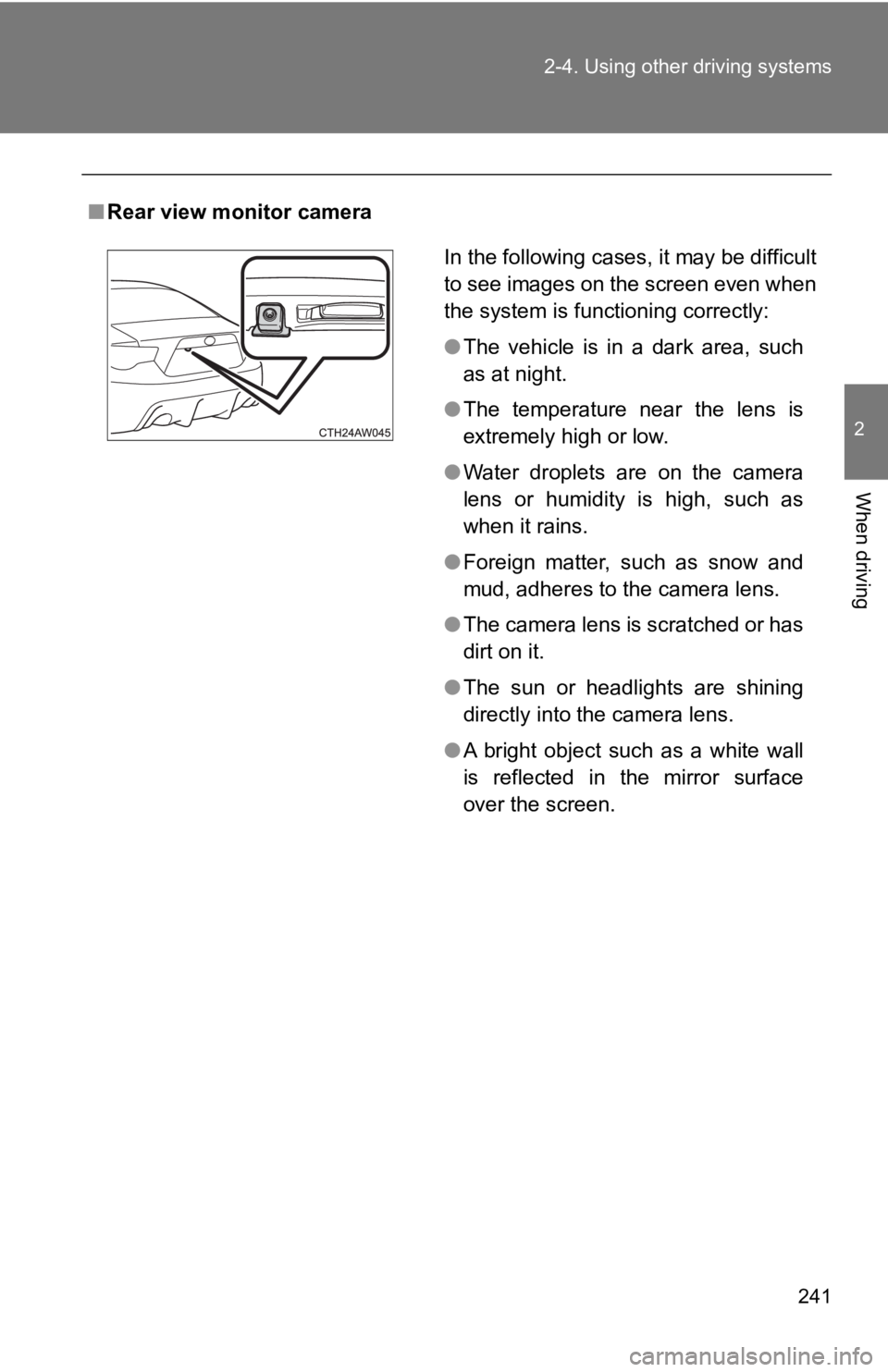
When driving ■ Rear view monitor camera
In the following cases, it may be difficult
to see images on the screen even when
the system is functioning correctly:
● The vehicle is in a dark area, such
as at night.
● The temperature near the lens is
extremely high or low.
● Water droplets are on the camera
lens or humidity is high, such as
when it rains.
● Foreign matter, such as snow and
mud, adheres to the camera lens.
● The camera lens is scratched or has
dirt on it.
● The sun or headlights are shining
directly into the camera lens.
● A bright object such as a white wall
is reflected in the mirror surface
over the screen.
Page 242 of 532
2422-4. Using other driving systems
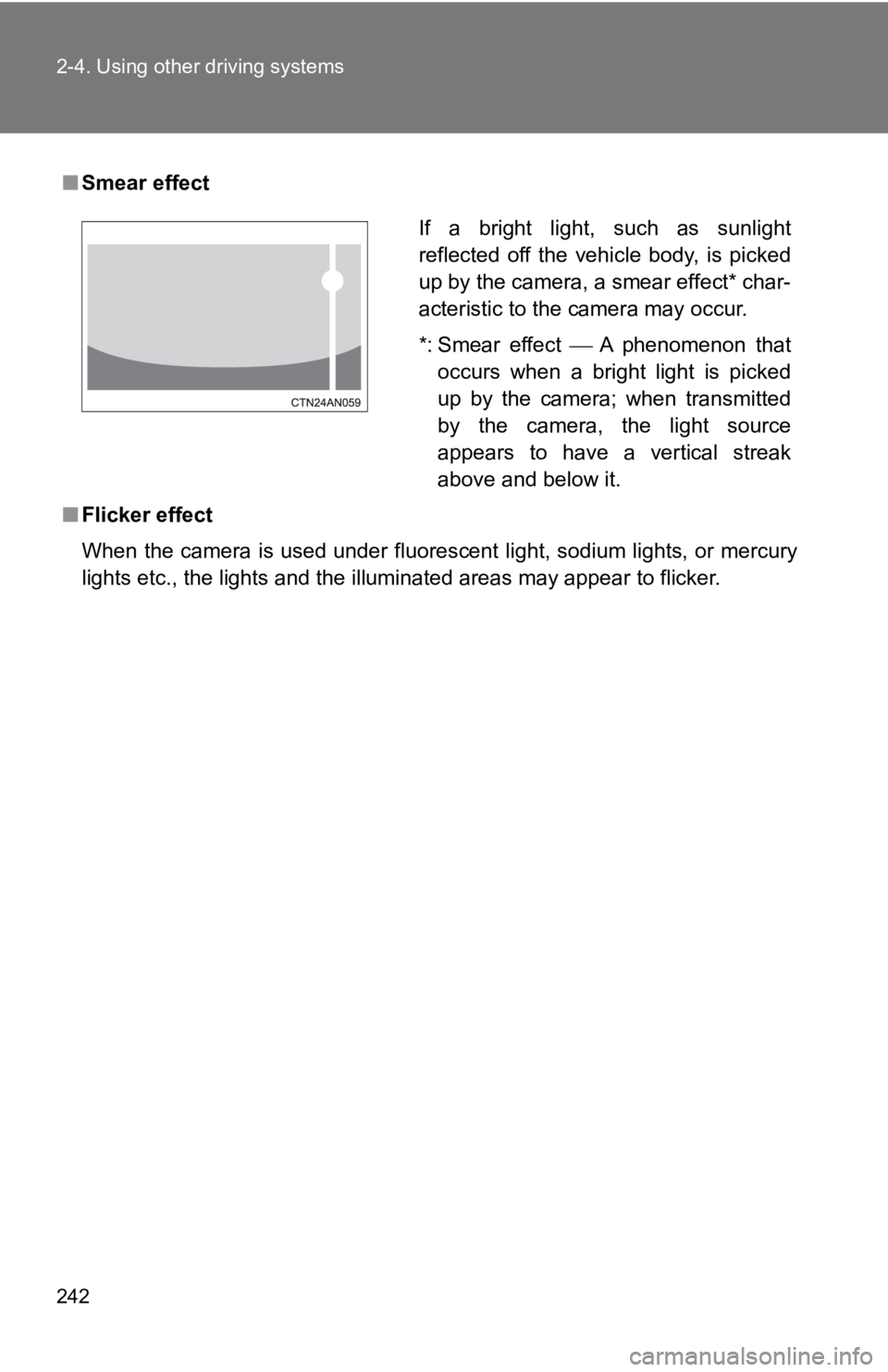
■ Smear effect
■ Flicker effect
When the camera is used under fluorescent light, sodium lights, or mercury
lights etc., the lights and the illuminated areas may appear to flicker.If a bright light, such as sunlight
reflected off the vehicle body, is picked
up by the camera, a smear effect* char-
acteristic to the camera may occur.
*: Smear effect A phenomenon that
occurs when a bright light is picked
up by the camera; when transmitted
by the camera, the light source
appears to have a vertical streak
above and below it.
Page 248 of 532
2482-4. Using other driving systems
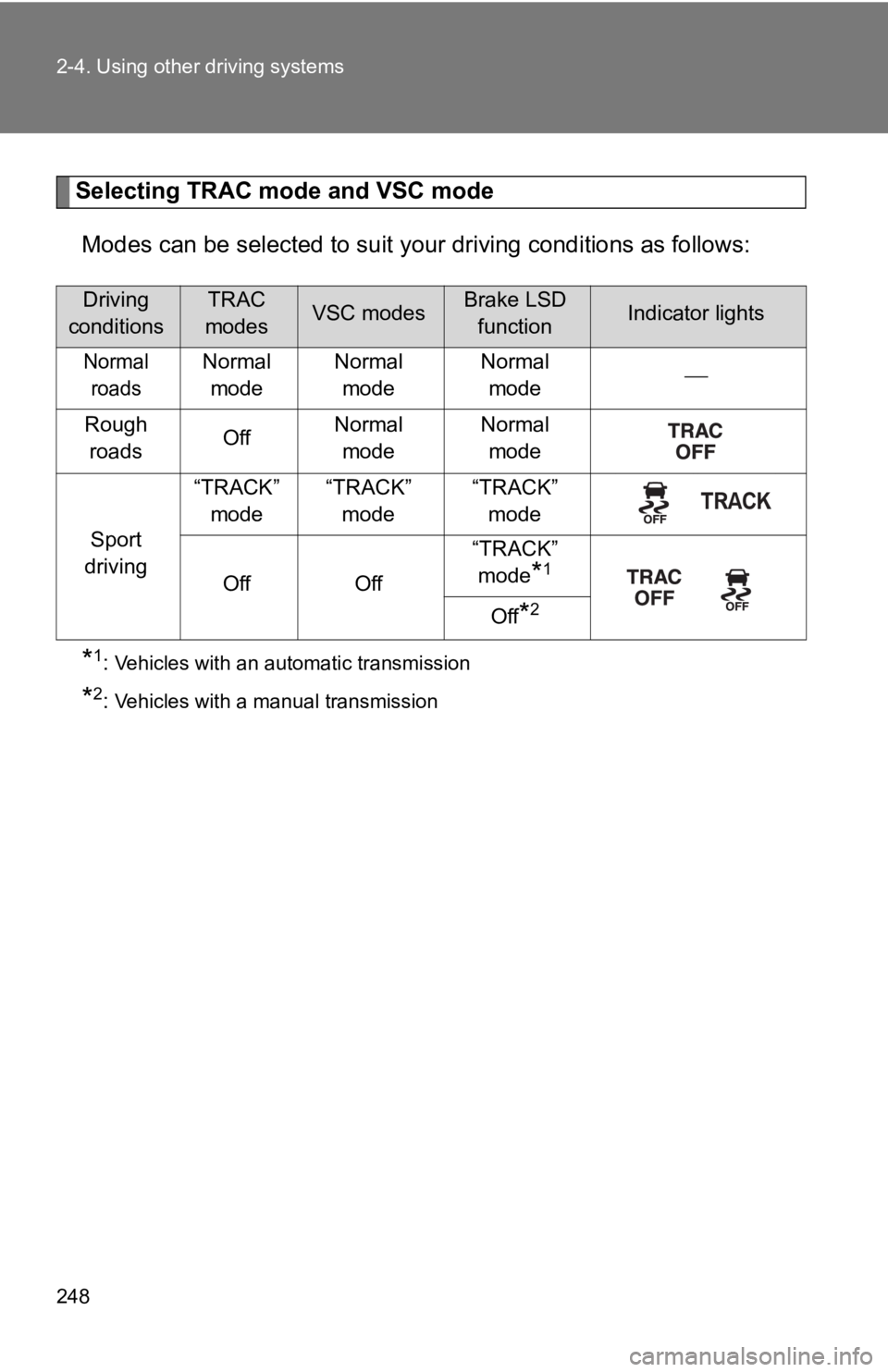
Selecting TRAC mode and VSC mode
Modes can be selected to suit y our driving conditions as follow s:
* 1
: Vehicles with an automatic transmission
* 2
: Vehicles with a manual transmissionDriving
conditions TRAC
modes VSC modes Brake LSD
function Indicator lights
Normal
roads Normal
mode Normal
mode Normal
mode
Rough
roads Off Normal
mode Normal
mode
Sport
driving “TRACK”
mode “TRACK”
mode “TRACK”
mode
Off Off “TRACK”
mode
* 1
Off
* 2
Page 253 of 532
2532-4. Using other driving systems
2
When driving
■ When enabling the hill-start assist control
● If the hill-start assist control ON indicator does not illumina te or if an
incorrect operation is performed, turn the engine switch to the “LOCK”
position (vehicles without a smart key system) or turn the “ENG INE
START STOP” switch off (vehicles with a smart key system) and t hen
restart the enabling procedure from .
● If is pressed and held for approximately 30 seconds or more, t he
VSC off indicator and “TRAC OFF” indicator will turn off and su bsequent
operations of the switch will be rejected. In this case, the VSC system will
operate in normal mode. ( P. 248) To enable , turn the engine
switch to the “ACC” or “LOCK” position (vehicles without a smar t key sys-
tem) or turn the “ENGINE START STOP” switch off (vehicles with a smart
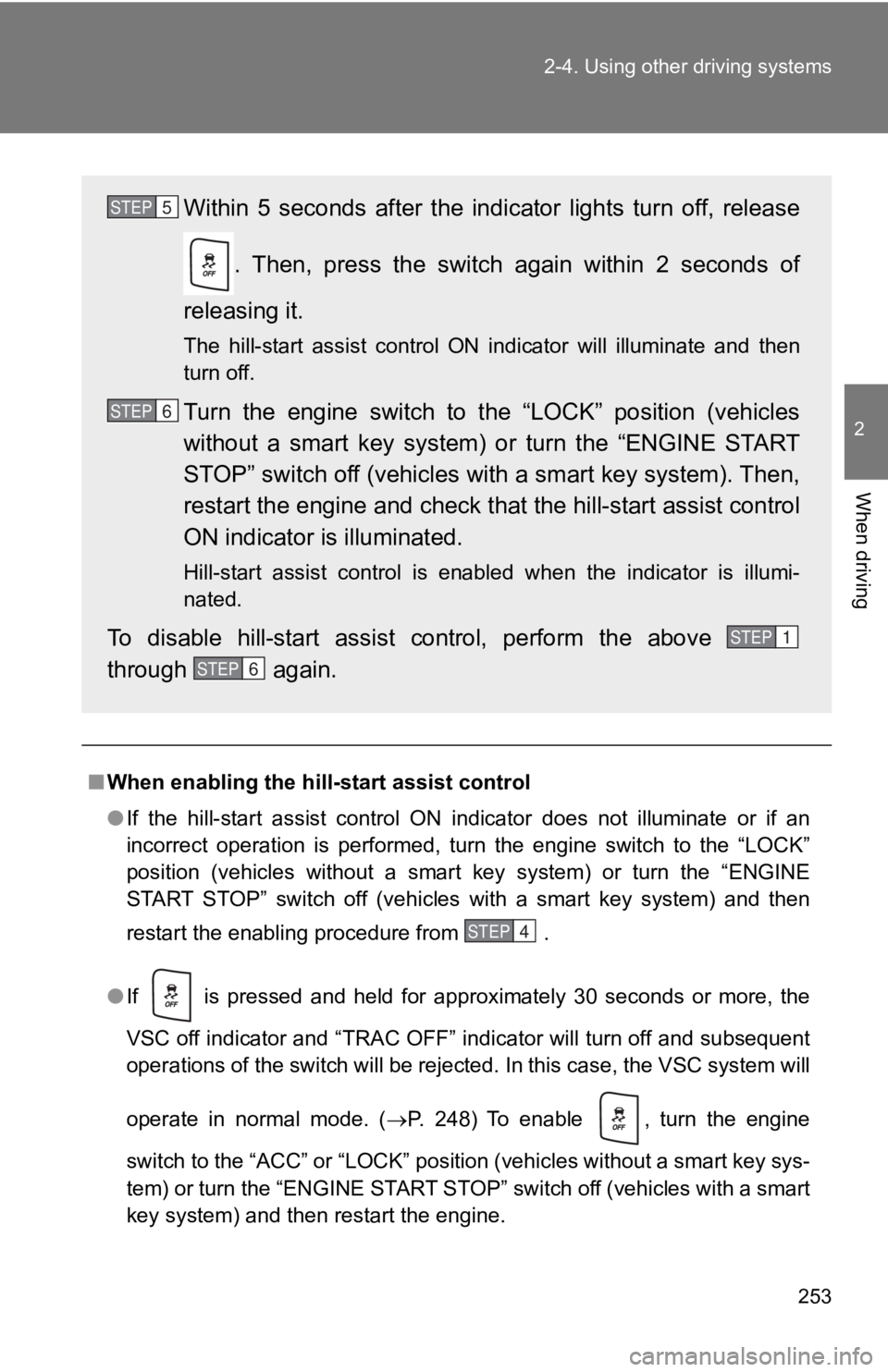
key system) and then restart the engine. Within 5 seconds after the indicator lights turn off, release
. Then, press the switch again within 2 seconds of
releasing it. The hill-start assist control ON indicator will illuminate and then
turn off.
Turn the engine switch to the “LOCK” position (vehicles
without a smart key system) or turn the “ENGINE START
STOP” switch off (vehicles with a smart key system). Then,
restart the engine and check that the hill-start assist control
ON indicator is illuminated. Hill-start assist control is enabled when the indicator is illu mi-
nated.
To disable hill-start assist control, perform the above
through again. STEP 5
STEP 6
STEP 1
STEP 6
STEP 4
Page 267 of 532
Interior features
3
2673-1. Using the air
conditioning system
and defogger
Manual air conditioning
system ........................... 268
Automatic air conditioning
system ........................... 275
Rear window and outside
rear view mirror
defoggers ....................... 284
3-2. Using the audio system
Using the AUX/
USB port ........................ 286
Steering wheel audio
switches ......................... 287
Using the microphone ...... 288
3-3. Using the interior lights
Interior lights list ............... 289
• Interior light .................... 290 3-4. Using the storage
features
List of storage features .... 291
• Glove box....................... 292
• Bottle holders ................. 293
• Cup holders/
console tray ................... 294
3-5. Other interior features
Sun visors ........................ 296
Vanity mirrors ................... 297
Clock ................................ 298
Power outlets ................... 299
Seat heaters..................... 301
Floor mat .......................... 303
Page 289 of 532
289 3
Interior features 3-3. Using the interior lights
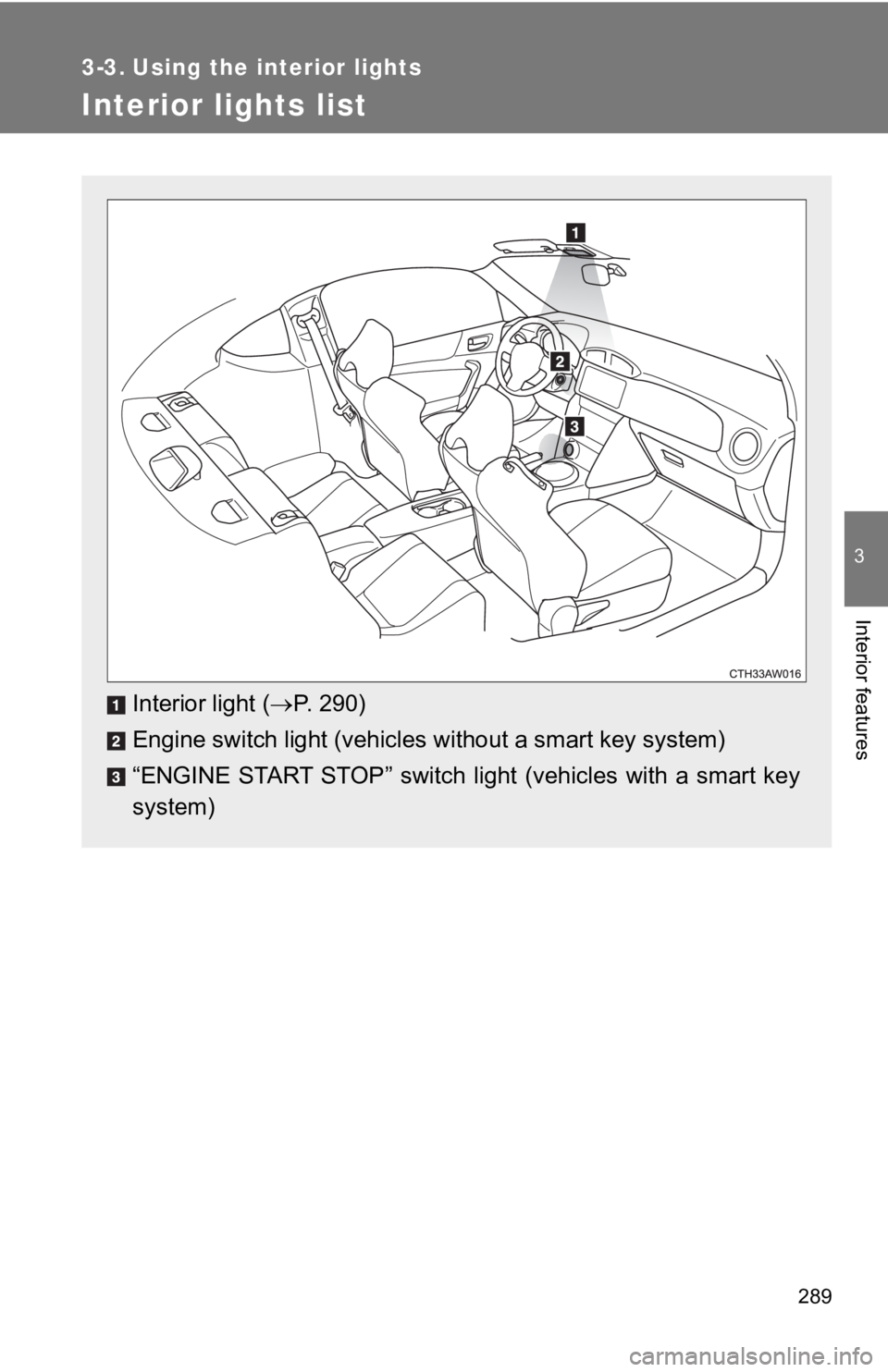
Interior lights list
Interior light ( P. 290)
Engine switch light (vehicles without a smart key system)
“ENGINE START STOP” switch light (vehicles with a smart key
system)