warning lights TOYOTA 86 2022 User Guide
[x] Cancel search | Manufacturer: TOYOTA, Model Year: 2022, Model line: 86, Model: TOYOTA 86 2022Pages: 449, PDF Size: 8.5 MB
Page 84 of 449
842-1. Instrument cluster
2-1.Instrument cluster
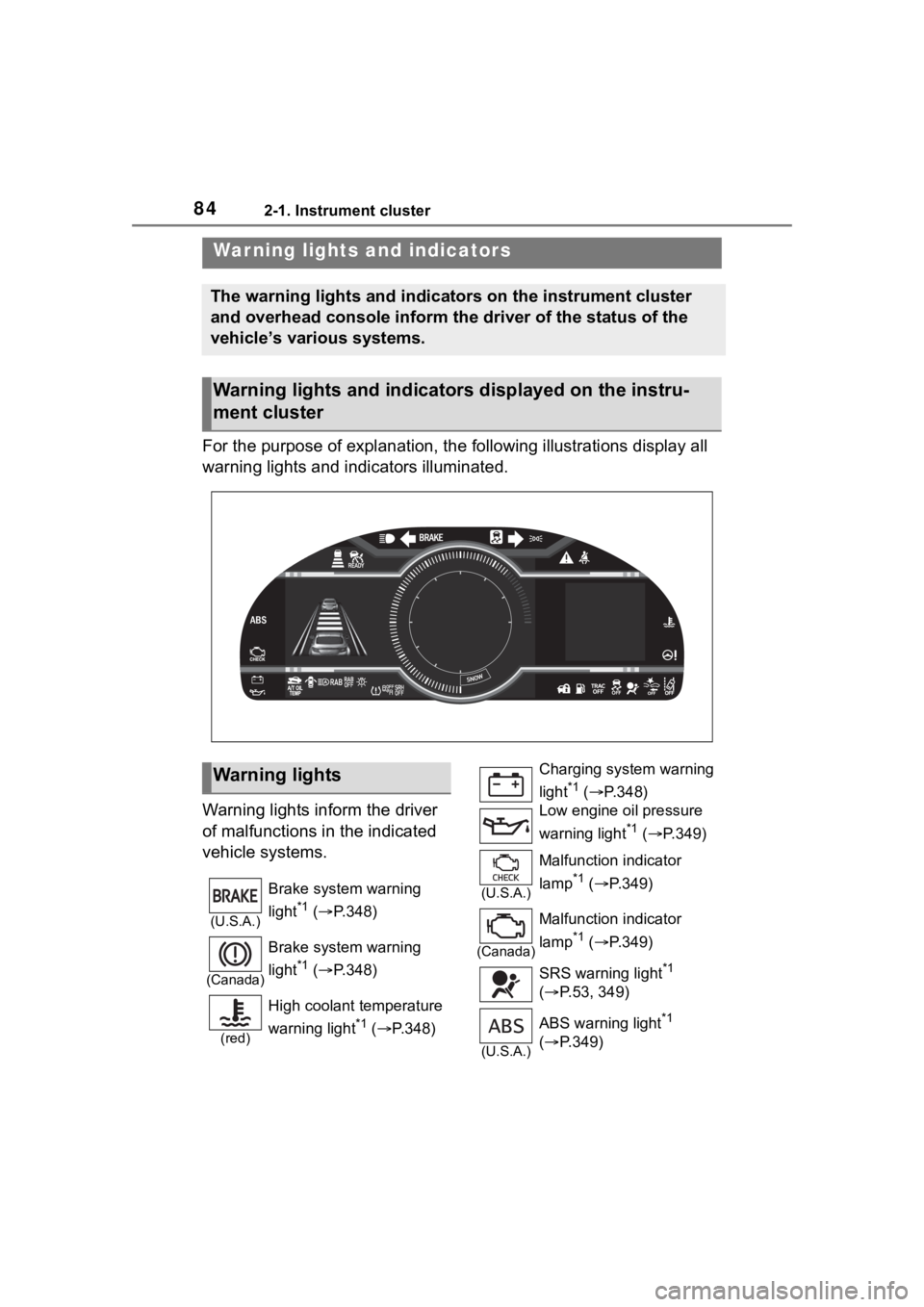
For the purpose of explanation, the following illustrations display all
warning lights and indicators illuminated.
Warning lights inform the driver
of malfunctions in the indicated
vehicle systems.
War ning lights and indicators
The warning lights and indicators on the instrument cluster
and overhead console inform the driver of the status of the
vehicle’s various systems.
Warning lights and indicators displayed on the instru-
ment cluster
Warning lights
(U.S.A.)
Brake system warning
light
*1 ( P.348)
(Canada)
Brake system warning
light
*1 ( P.348)
(red)
High coolant temperature
warning light
*1 ( P.348)
Charging system warning
light
*1 ( P.348)
Low engine oil pressure
warning light
*1 ( P.349)
(U.S.A.)
Malfunction indicator
lamp
*1 ( P.349)
(Canada)
Malfunction indicator
lamp
*1 ( P.349)
SRS warning light
*1
( P.53, 349)
(U.S.A.)
ABS warning light*1
( P.349)
Page 85 of 449
852-1. Instrument cluster
2
Vehicle status information and indicators
*1: These lights turn on when the
engine switch is turned to ON to
indicate that a system check is
being performed. They will turn
off after the engine is started, or
after a few seconds. There may
be a malfunction in a system if a
light does not come on, or turn
off. Have the vehicle inspected
by your Toyota dealer.
*2: The front passenger’s seat belt reminder light is located on the
overhead console.
*3: This light illuminates on the over-head console.
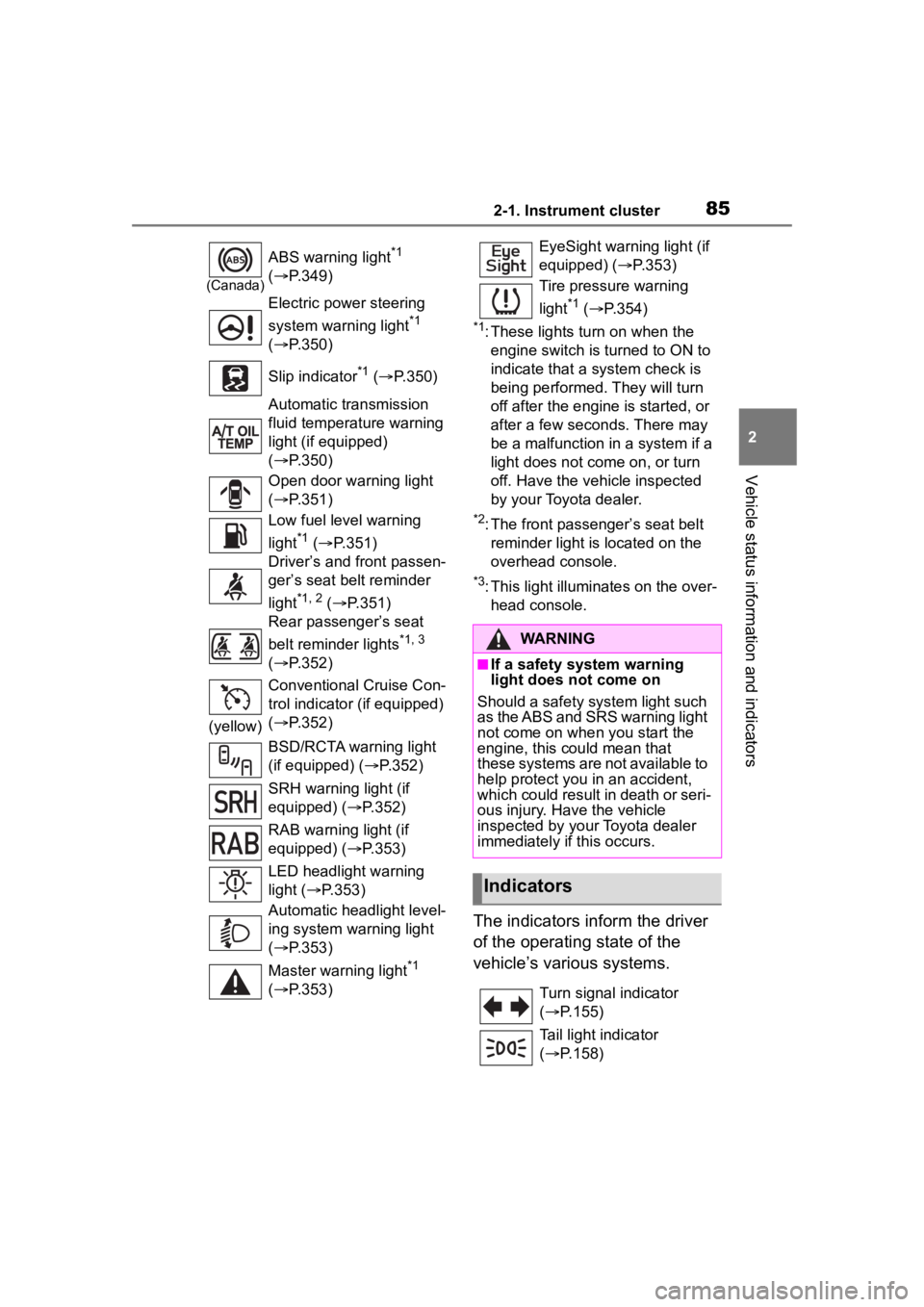
The indicators inform the driver
of the operating state of the
vehicle’s various systems.
(Canada)
ABS warning light*1
( P.349)
Electric power steering
system warning light
*1
( P.350)
Slip indicator
*1 ( P.350)
Automatic transmission
fluid temperature warning
light (if equipped)
( P.350)
Open door warning light
( P.351)
Low fuel level warning
light
*1 ( P.351)
Driver’s and front passen-
ger’s seat belt reminder
light
*1, 2 ( P.351)
Rear passenger’s seat
belt reminder lights
*1, 3
( P.352)
(yellow) Conventional Cruise Con-
trol indicator (if equipped)
(
P.352)
BSD/RCTA warning light
(if equipped) ( P.352)
SRH warning light (if
equipped) ( P.352)
RAB warning light (if
equipped) ( P.353)
LED headlight warning
light ( P.353)
Automatic headlight level-
ing system warning light
( P.353)
Master warning light
*1
( P.353)
EyeSight warning light (if
equipped) ( P.353)
Tire pressure warning
light
*1 ( P.354)
WARNING
■If a safety system warning
light does not come on
Should a safety system light such
as the ABS and SRS warning light
not come on when you start the
engine, this could mean that
these systems are not available to
help protect you in an accident,
which could result in death or seri-
ous injury. Have the vehicle
inspected by you r Toyota dealer
immediately if this occurs.
Indicators
Turn signal indicator
( P.155)
Tail light indicator
( P.158)
Page 126 of 449
1263-4. Adjusting the steering wheel and mirrors
The height of the rear view mir-
ror can be adjusted to suit your
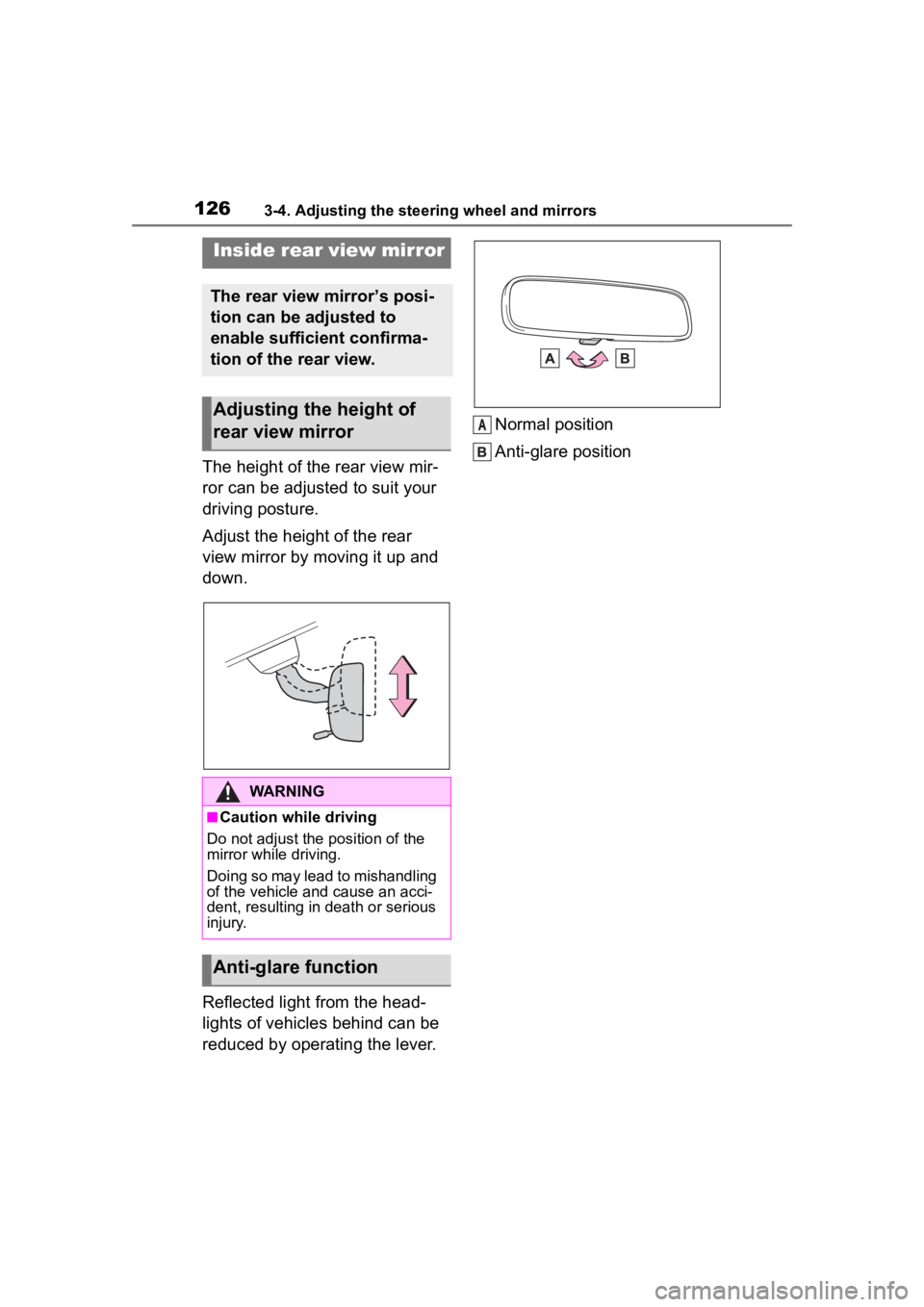
driving posture.
Adjust the height of the rear
view mirror by moving it up and
down.
Reflected light from the head-
lights of vehicles behind can be
reduced by operating the lever.Normal position
Anti-glare position
Inside rear view mirror
The rear view mirror’s posi-
tion can be adjusted to
enable sufficient confirma-
tion of the rear view.
Adjusting the height of
rear view mirror
WARNING
■Caution while driving
Do not adjust the position of the
mirror while driving.
Doing so may lead to mishandling
of the vehicle and cause an acci-
dent, resulting in death or serious
injury.
Anti-glare function
A
Page 131 of 449
131
4
4
Driving
Driving
.4-1. Before drivingDriving the vehicle....... 132
Cargo and luggage ..... 140
Vehicle load limits ....... 143
Trailer towing............... 143
Dinghy towing ............. 144
4-2. Driving procedures Engine (ignition) switch.................................. 145
Automatic transmission .................................. 149
Manual transmission ... 153
Turn signal lever.......... 155
Parking brake .............. 156
ASC (Active Sound Control) .................................. 157
4-3. Operating the lights and wipers
Headlight switch .......... 158
High Beam Assist ........ 162
Windshield wipers and washer....................... 165
4-4. Refueling Opening the fuel tank cap.................................. 167
4-5. EyeSight EyeSight...................... 170
Pre-Collision Braking Sys- tem ............................ 179
Adaptive Cruise Control .................................. 190Conventional Cruise Control
.................................. 207
Pre-Collision Throttle Man- agement .................... 215
Lane Departure Warning .................................. 219
Lane Sway Warning .... 221
Lead Vehicle Start Alert .................................. 223
List of alert/notification sounds ......... ..............225
EyeSight malfunction and temporary stop .......... 227
4-6. Using other driving sys- tems
BSD/RCTA................... 231
Reverse Automatic Braking (RAB) system ............ 239
Rear view camera ....... 249
Conventional Cruise Control .................................. 254
Driving mode select switch .................................. 257
Hill-start assist control . 258
Driving assist systems .................................. 261
4-7. Driving tips Winter driving tips........ 265
Page 156 of 449
1564-2. Driving procedures
turn signal lights will blink 3 times.
■If the turn signals do not
stop flashing after turning
left or right, or if you want
to stop them flashing
Operate the lever in the oppo-
site direction to either position 2
or 3. If you move the lever to
either position 1 or 4, the
selected turn signals will flash.
■Turn signals can be operated
when
The engine switch is in ON.
■If the indicator flashes faster
than usual
Check that a light bulb in the front or
rear turn signal lights has not
burned out.
■If the turn signals stop flashing
before a lane change has been
performed
Operate the lever again.
■Customization
Some functions can be customized.
( P.400)
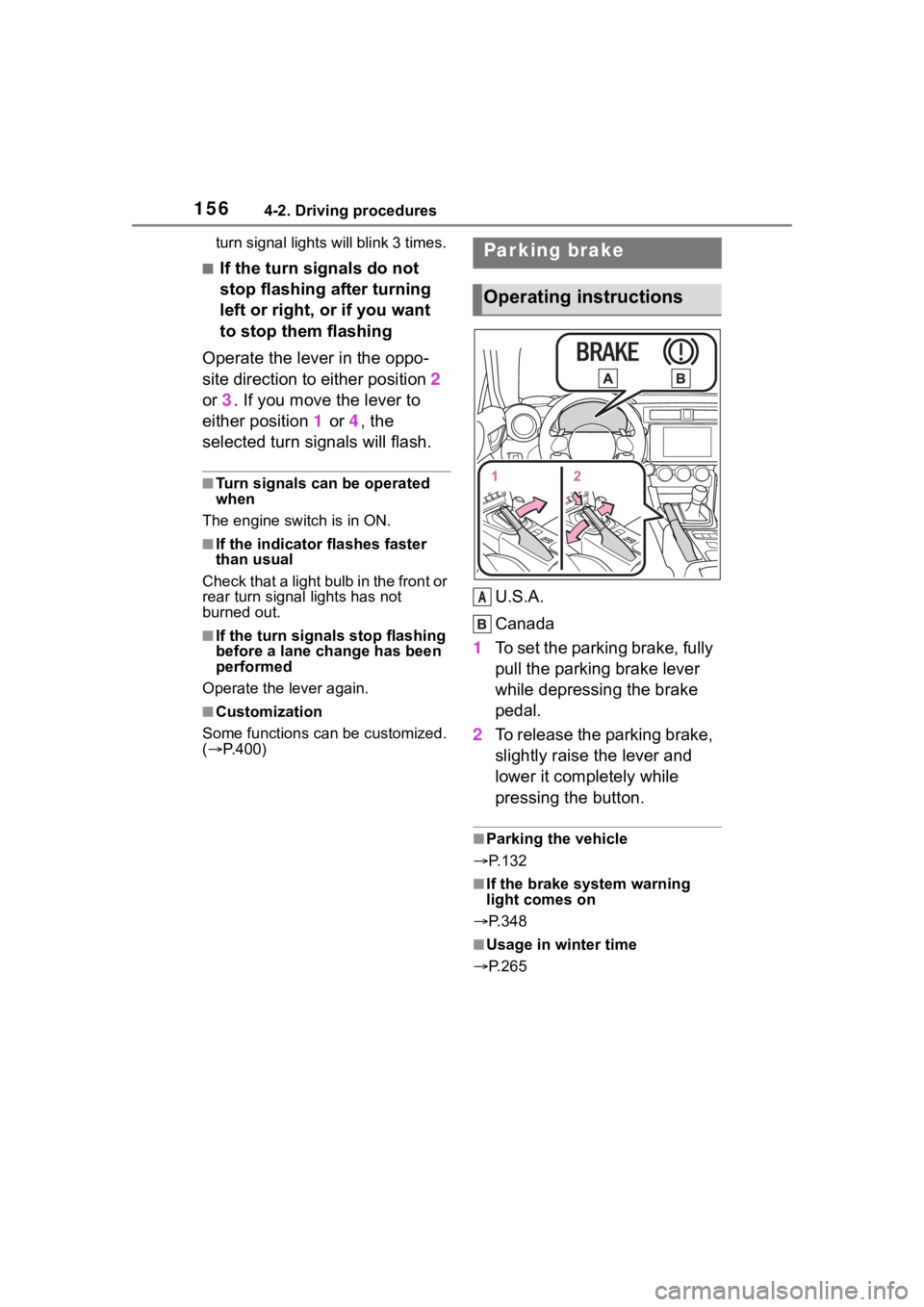
U.S.A.
Canada
1 To set the parking brake, fully
pull the parking brake lever
while depressing the brake
pedal.
2 To release the parking brake,
slightly raise the lever and
lower it completely while
pressing the button.
■Parking the vehicle
P.132
■If the brake system warning
light comes on
P.348
■Usage in winter time
P.265
Parking brake
Operating instructions
A
Page 161 of 449
1614-3. Operating the lights and wipers
4
Driving
*: If equipped
The SRH (Steering Responsive
Headlights) is a function which,
according to the steering wheel
operation and vehicle speed
when the vehicle is being driven
forward, automatically adjusts
the angle of the headlights to
illuminate intersections and cor-
ners, improving visibility.
This function operates when the
vehicle speed is 8 km/h or higher.
■Tu r n i n g S R H o f f
The SRH can be turned off
through a setting on the meter.
( P.400)
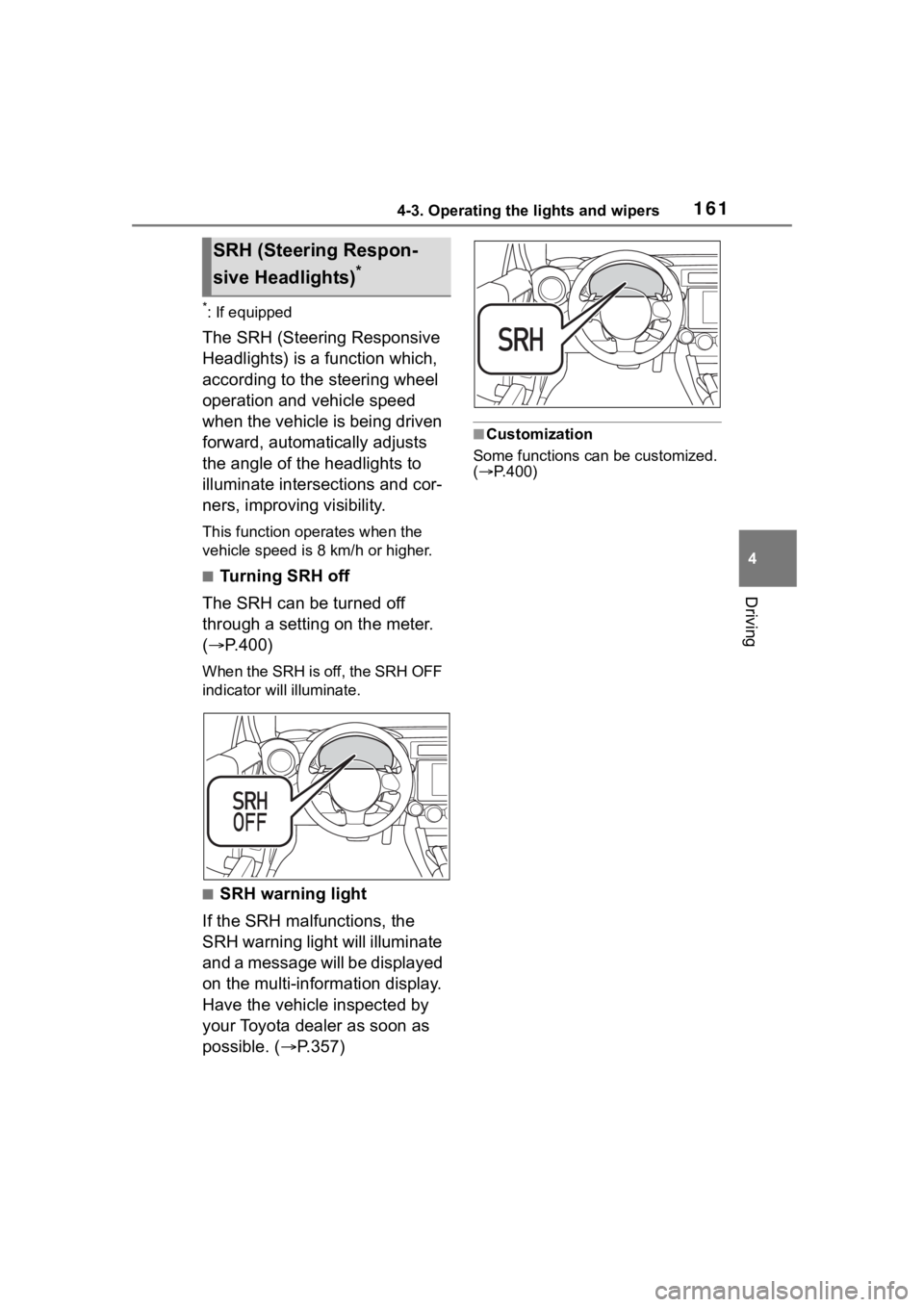
When the SRH is off, the SRH OFF
indicator will illuminate.
■SRH warning light
If the SRH malfunctions, the
SRH warning light will illuminate
and a message will be displayed
on the multi-information display.
Have the vehicle inspected by
your Toyota dealer as soon as
possible. ( P.357)
■Customization
Some functions can be customized.
( P.400)
SRH (Steer ing Respon-
sive Headlights)
*
Page 162 of 449
1624-3. Operating the lights and wipers
*: If equipped
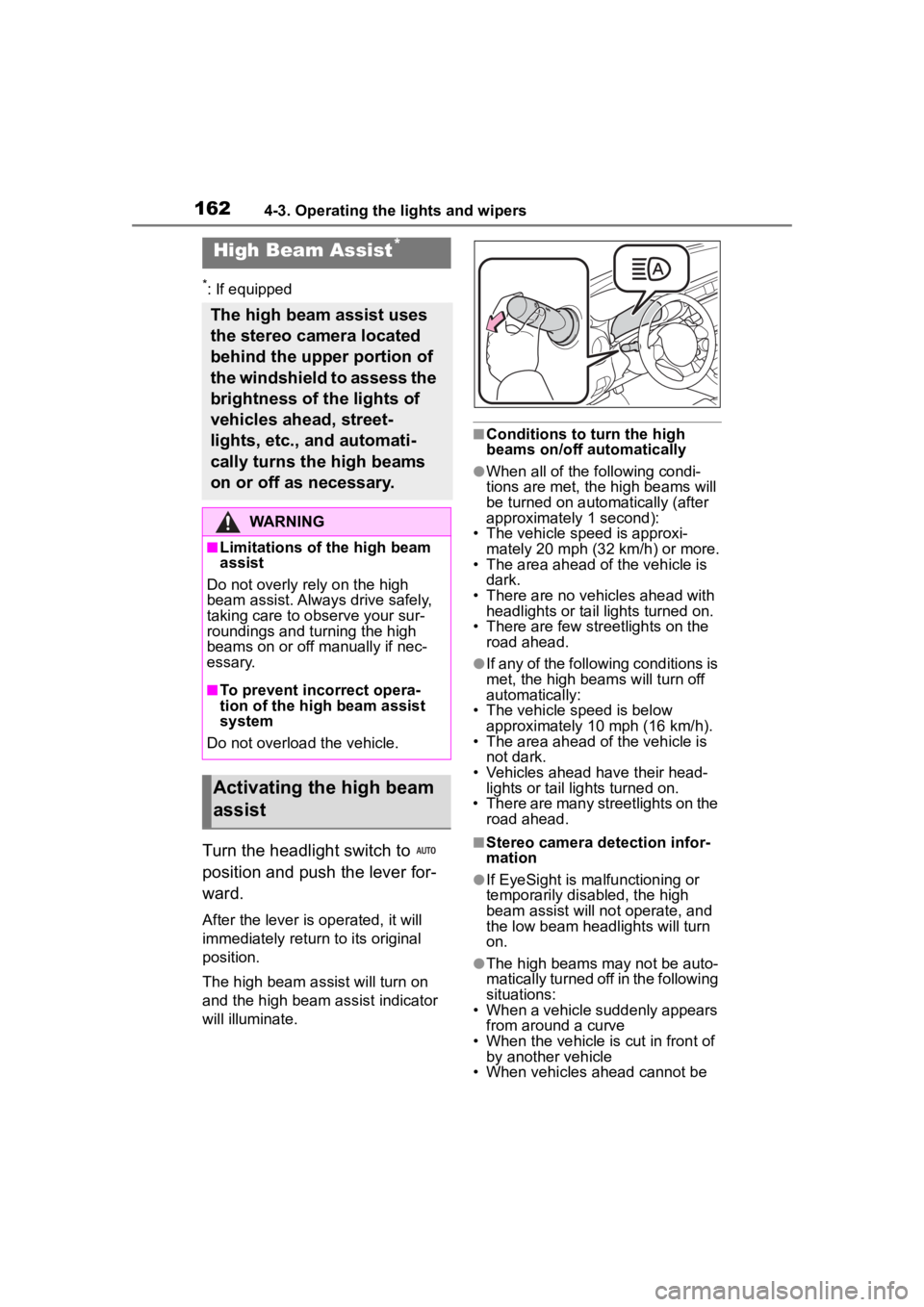
Turn the headlight switch to
position and push the lever for-
ward.
After the lever is operated, it will
immediately return to its original
position.
The high beam ass ist will turn on
and the high beam assist indicator
will illuminate.
■Conditions to turn the high
beams on/off automatically
●When all of the following condi-
tions are met, the high beams will
be turned on autom atically (after
approximately 1 second):
• The vehicle speed is approxi-
mately 20 mph (32 km/h) or more.
• The area ahead of the vehicle is dark.
• There are no vehicles ahead with headlights or tail lights turned on.
• There are few str eetlights on the
road ahead.
●If any of the following conditions is
met, the high beams will turn off
automatically:
• The vehicle speed is below
approximately 10 mph (16 km/h).
• The area ahead of the vehicle is not dark.
• Vehicles ahead have their head- lights or tail lights turned on.
• There are many streetlights on the
road ahead.
■Stereo camera detection infor-
mation
●If EyeSight is malfunctioning or
temporarily disabled, the high
beam assist will no t operate, and
the low beam headlights will turn
on.
●The high beams m ay not be auto-
matically turned off in the following
situations:
• When a vehicle suddenly appears
from around a curve
• When the vehicle is cut in front of by another vehicle
• When vehicles ahead cannot be
High Beam Assist*
The high beam assist uses
the stereo camera located
behind the upper portion of
the windshield to assess the
brightness of the lights of
vehicles ahead, street-
lights, etc., and automati-
cally turns the high beams
on or off as necessary.
WARNING
■Limitations of the high beam
assist
Do not overly rely on the high
beam assist. Always drive safely,
taking care to o bserve your sur-
roundings and turning the high
beams on or off manually if nec-
essary.
■To prevent incorrect opera-
tion of the high beam assist
system
Do not overload the vehicle.
Activating the high beam
assist
Page 164 of 449
1644-3. Operating the lights and wipers
The sensitivity of the high beam
assist function can be lowered
by using the following opera-
tions.
1After turning the engine
switch to ON, turn the head-
light switch to position
and push the lever forward.
2 After the high beam assist
indicator on the meter will
illuminate, turn the engine
switch off.
3 Turn the engine switch to ON
and within approximately 15
seconds, press the switch
more than 10 times consecu-
tively.
When the sensitivity of the high
beam assist function is lowered, the
high beam assist i ndicator on the
meter will flash.
■The sensitivity of the high beam
assist function
●The sensitivity of the high beam
assist function cannot be lowered
in the following conditions:
• Adaptive Cruise Control or Con- ventional Cruise Control indicator
is illuminated.
• The EyeSight warning light is illu- minated.
●The sensitivity of the high beam
assist function re turns to normal
level the next time the engine
switch is turned off and the engine
is restarted.
■Switching to the low beams
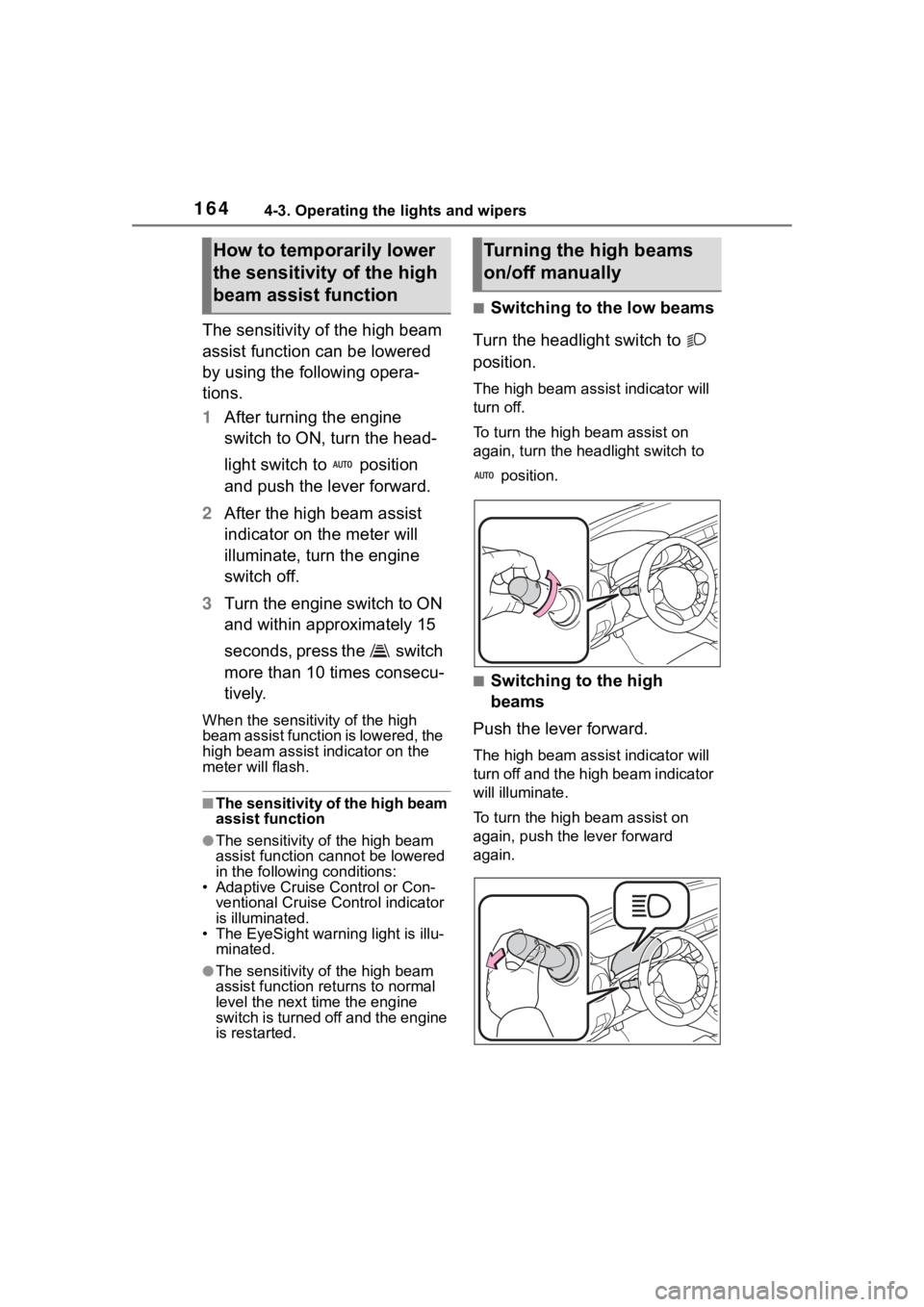
Turn the headlight switch to
position.
The high bea m assist indicator will
turn off.
To turn the high beam assist on
again, turn the headlight switch to
position.
■Switching to the high
beams
Push the lever forward.
The high bea m assist indicator will
turn off and the high beam indicator
will illuminate.
To turn the high beam assist on
again, push the lever forward
again.
How to temporarily lower
the sensitivity of the high
beam assist functionTurning the high beams
on/off manually
Page 166 of 449
1664-3. Operating the lights and wipers
■The windshield wiper and
washer can be operated when
The engine switch is in ON.
■If no windshield washer fluid
sprays
Check that the wash er nozzles are
not blocked if there is washer fluid in
the windshield washer fluid reser-
v oi r.
WARNING
■Caution regarding the use of
washer fluid
When it is cold, do not use the
washer fluid until the windshield
becomes warm. The fluid may
freeze on the windshield and
cause low visibility. This may lead
to an accident, resulting in death
or serious injury.
NOTICE
■When the washer fluid tank is
empty
Do not operate the switch continu-
ally as the washer fluid pump may
overheat.
■When a nozzle becomes
blocked
In this case, contact your Toyota
dealer. Do not try to clear it with a
pin or other object. The nozzle will
be damaged.
Page 171 of 449
1714-5. EyeSight
4
Driving
WARNING
There are limits to the EyeSight
recognition performance and con-
trol performance. Be sure to read
the instructions for each function
before using the system, and
always use it properly. Improper
use may lead to failure of control
performance, which could cause
an accident.
Refer to the fo llowing pages for
each function:
●For Pre-Collision Braking Sys-
tem, refer to P.179.
●For Adaptive Cruise Control,
refer to P.190.
●For Conventional Cruise Con-
trol, refer to P.207.
●For Pre-Collision Throttle Man-
agement, refer to P.215.
●For Lane Departure Warning,
refer to P.219.
●For Lane Sway Warning, refer
to P.221.
●For Lead Vehicle Start Alert,
refer to P.223.
In left-hand drive vehicles, Eye-
Sight is configured for driving on
the right-hand side of the road.
However, it can be reconfigured
by changing the driving lane set-
ting for driving o n the left-hand
side.
* (P.400)
If the setting for the traffic lane
(driving side of the road) does not
match the traffic lane, full Eye-
Sight performance may not be
available.
*: Characteristics and settings that are affected by specific differ-
ences between right-hand drive
and left-hand drive vehicles
cannot be changed.
●The system may not operate
correctly under the conditions
listed below. When these condi-
tions occur, turn off Pre-Colli-
sion Braking Sy stem. Also, do
not use Adaptive Cruise Control
or Conventional Cruise Control.
• The tire pressure is not cor- rect.
*1
• The temporary spare tire is installed.*1
• Tires that are unevenly worn or tires with uneven wear patterns
are installed.
*1
• Tires that are the wrong size are
installed.*1
• A flat tire has been fixed tempo-rarily with a tire repair kit.
• The suspension has been modi- fied (including a genuine Toyota
suspension that has been modi-
fied).
• An object that obstructs the ste- reo camera’s view is installed
on the vehicle.
• Tire chains are installed.
• The headlights are dirty or they have snow and ice or dirt on
them. (Objects are not correctly
illuminated and are difficult to
detect.)
• The optical axes are not aligned correctly. (Objects are not cor-
rectly illuminated and are diffi-
cult to detect.)