warning TOYOTA 86 2023 Owners Manual
[x] Cancel search | Manufacturer: TOYOTA, Model Year: 2023, Model line: 86, Model: TOYOTA 86 2023Pages: 449, PDF Size: 8.5 MB
Page 171 of 449
1714-5. EyeSight
4
Driving
WARNING
There are limits to the EyeSight
recognition performance and con-
trol performance. Be sure to read
the instructions for each function
before using the system, and
always use it properly. Improper
use may lead to failure of control
performance, which could cause
an accident.
Refer to the fo llowing pages for
each function:
●For Pre-Collision Braking Sys-
tem, refer to P.179.
●For Adaptive Cruise Control,
refer to P.190.
●For Conventional Cruise Con-
trol, refer to P.207.
●For Pre-Collision Throttle Man-
agement, refer to P.215.
●For Lane Departure Warning,
refer to P.220.
●For Lane Sway Warning, refer
to P.222.
●For Lead Vehicle Start Alert,
refer to P.224.
In left-hand drive vehicles, Eye-
Sight is configured for driving on
the right-hand side of the road.
However, it can be reconfigured
by changing the driving lane set-
ting for driving o n the left-hand
side.
* (P.400)
If the setting for the traffic lane
(driving side of the road) does not
match the traffic lane, full Eye-
Sight performance may not be
available.
*: Characteristics and settings that are affected by specific differ-
ences between right-hand drive
and left-hand drive vehicles
cannot be changed.
●The system may not operate
correctly under the conditions
listed below. When these condi-
tions occur, turn off Pre-Colli-
sion Braking Sy stem. Also, do
not use Adaptive Cruise Control
or Conventional Cruise Control.
• The tire pressure is not cor- rect.
*1
• The temporary spare tire is installed.*1
• Tires that are unevenly worn or tires with uneven wear patterns
are installed.
*1
• Tires that are the wrong size are
installed.*1
• A flat tire has been fixed tempo-rarily with a tire repair kit.
• The suspension has been modi- fied (including a genuine Toyota
suspension that has been modi-
fied).
• An object that obstructs the ste- reo camera’s view is installed
on the vehicle.
• Tire chains are installed.
• The headlights are dirty or they have snow and ice or dirt on
them. (Objects are not correctly
illuminated and are difficult to
detect.)
• The optical axes are not aligned correctly. (Objects are not cor-
rectly illuminated and are diffi-
cult to detect.)
Page 172 of 449
1724-5. EyeSight
WARNING
• The lights including headlights and fog lights have been modi-
fied.
• Vehicle operation has become unstable due to an accident or
malfunction.
• The brake system warning light is illuminated in red.
*2
• A heavy cargo is inside the vehicle.
• The maximum number of occu- pants is exceeded.
• The meter is not operating prop- erly; such as when the lights do
not illuminate, the beeps do not
sound, the display is different
from when it is normal, etc.
*3
●The system will not operate cor-
rectly in the following condi-
tions. Do not use Adaptive
Cruise Control or Conventional
Cruise Control.
• The wheels are out of balance (e.g., the balance weight is
removed or misaligned).
*1
• The wheels are out of align-
ment.*1
• A trailer or another vehicle, etc. is being towed.
*1: The wheels and tires have
functions that are critically
important. Be sure to use the
correct ones. (
P.386)
*2: If the brake system warning
light (red) does not turn off,
immediately pull the vehicle
over in a safe place and con-
tact a Toyota dealer to have the
system inspected.
*3: For details about the meter, refer to P.88.
NOTICE
●The characteristics of the stereo
camera are simila r to those of
human eyes. For this reason,
conditions that make it difficult
for the driver to see in the for-
ward direction have the same
effect on the stereo camera.
They also make it difficult for the
system to detect vehicles,
obstacles, and traffic lanes.
●Detection by the EyeSight sys-
tem is limited to objects that are
within the range of the stereo
camera’s field of view. Also,
after an object enters the range
of the camera’s field of view, it
may take some time for the sys-
tem to detect it as a controllable
target and to warn the driver.
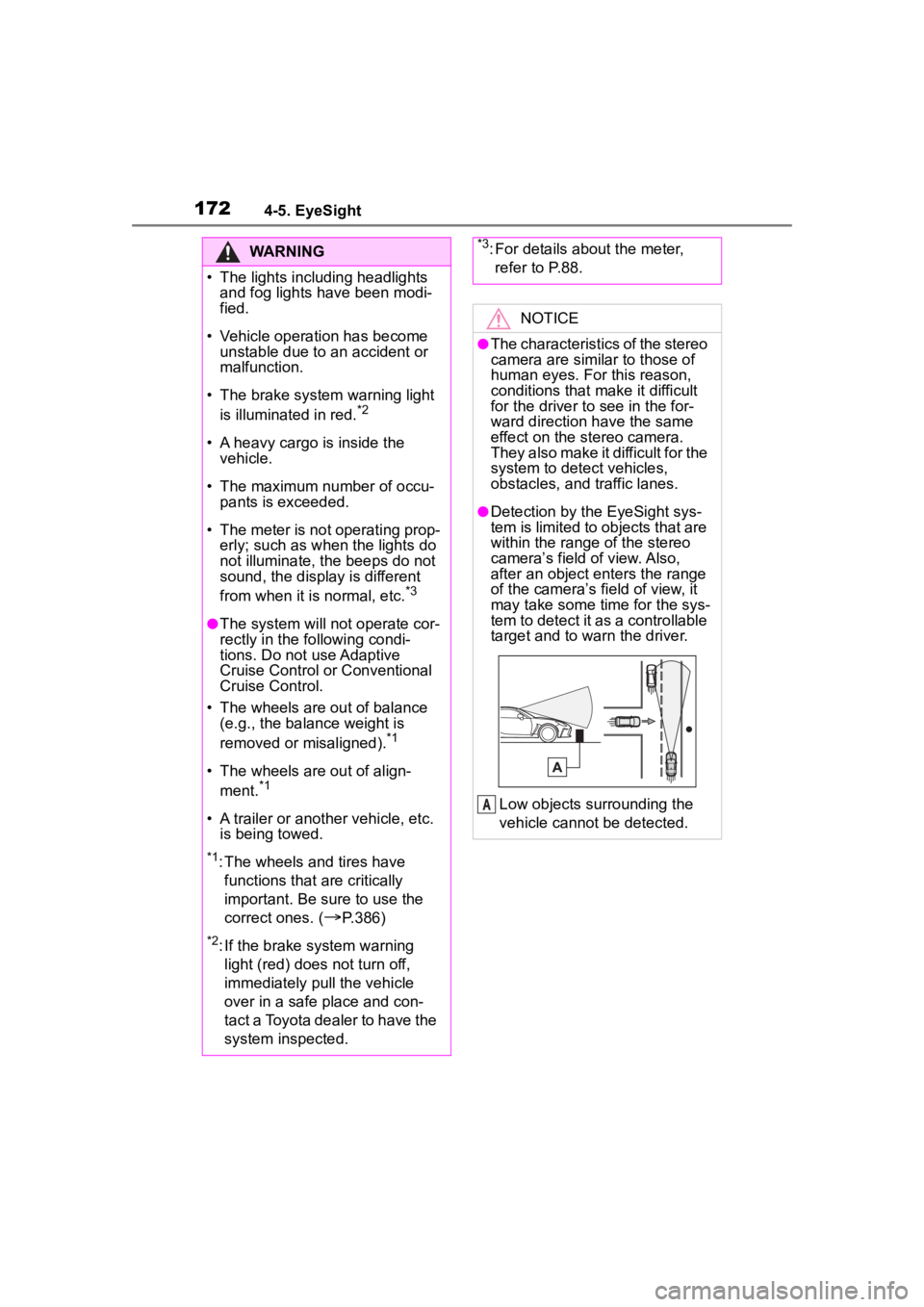
Low objects surrounding the
vehicle cannot be detected.
A
Page 174 of 449
1744-5. EyeSight
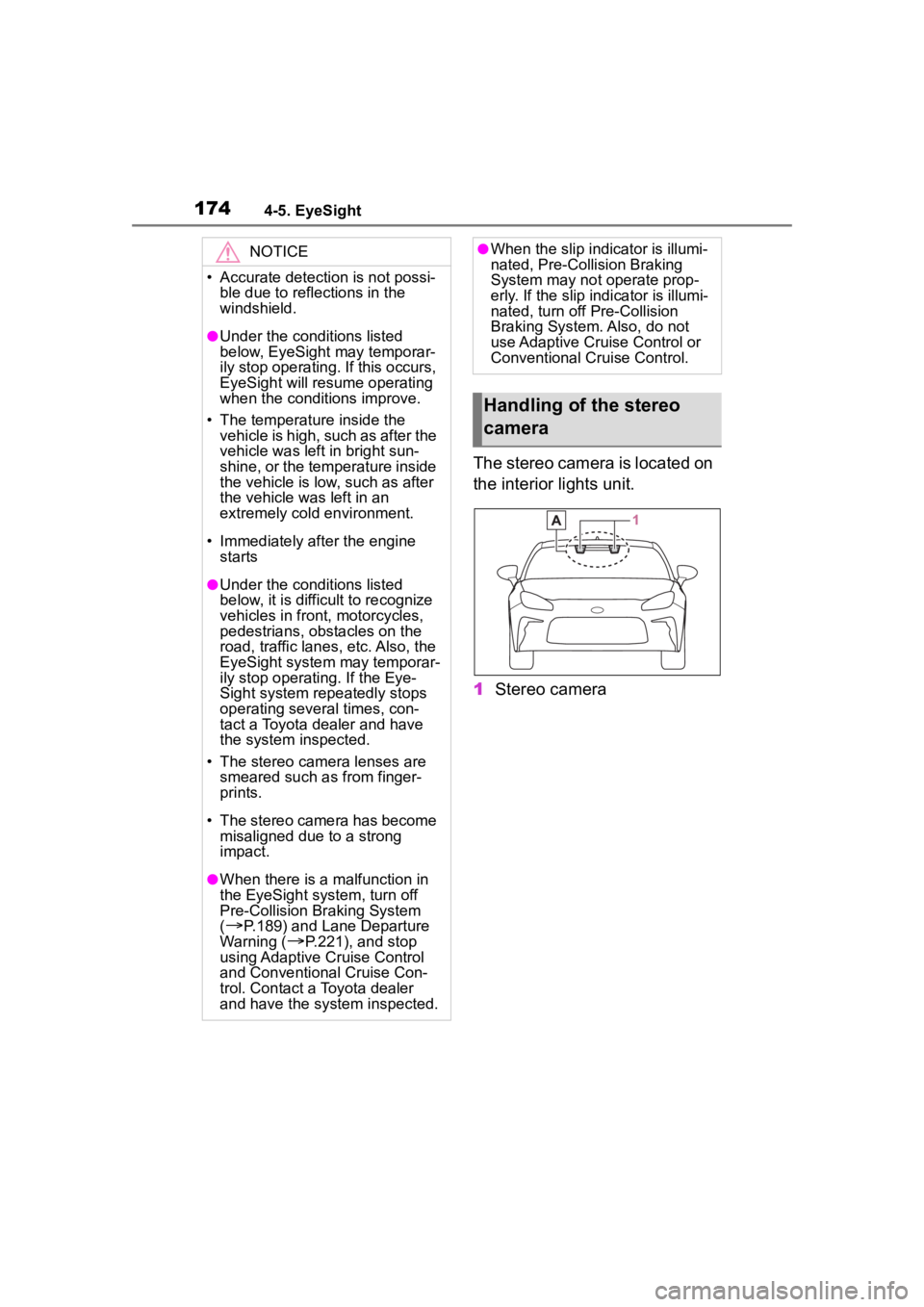
The stereo camera is located on
the interior lights unit.
1Stereo camera
NOTICE
• Accurate detecti on is not possi-
ble due to reflections in the
windshield.
●Under the conditions listed
below, EyeSight may temporar-
ily stop operating. If this occurs,
EyeSight will resume operating
when the conditions improve.
• The temperature inside the vehicle is high, such as after the
vehicle was left in bright sun-
shine, or the temperature inside
the vehicle is low, such as after
the vehicle was left in an
extremely cold environment.
• Immediately after the engine starts
●Under the conditions listed
below, it is difficult to recognize
vehicles in front, motorcycles,
pedestrians, obstacles on the
road, traffic lanes, etc. Also, the
EyeSight system may temporar-
ily stop operating. If the Eye-
Sight system repeatedly stops
operating several times, con-
tact a Toyota dealer and have
the system inspected.
• The stereo camera lenses are smeared such as from finger-
prints.
• The stereo camera has become misaligned due to a strong
impact.
●When there is a malfunction in
the EyeSight system, turn off
Pre-Collision Br aking System
(
P.189) and Lane Departure
Warning (
P.221), and stop
using Adaptive Cruise Control
and Conventional Cruise Con-
trol. Contact a Toyota dealer
and have the system inspected.
●When the slip indicator is illumi-
nated, Pre-Collision Braking
System may not operate prop-
erly. If the slip indicator is illumi-
nated, turn off Pre-Collision
Braking System. Also, do not
use Adaptive Cruise Control or
Conventional Cruise Control.
Handling of the stereo
camera
Page 177 of 449
1774-5. EyeSight
4
Driving
EyeSight includes the following
functions.
■Pre-Collision Braking Sys-
tem
This function uses a following
distance warning feature to
warn the driver to take evasive
action when there is the possi-
bility of a collision with a vehicle,
pedestrian or obstacle in front of
you. If the driver does not take
evasive action, the brakes are
applied automatically to help
reduce vehicle collision dam-
age or, if possible, help prevent
a collision. ( P.179)
■Adaptive Cruise Control
This function maintains the set
vehicle speed and when there is
a vehicle in front in the same
traffic lane, it follows the speed
of the vehicle in front up to the
maximum of the set vehicle
speed. ( P.190)
■Conventional Cruise Con-
trol
In this mode, the system main-
tains a constant vehicle speed.
It does not follow the vehicle in
front. This function can be used
even when the stereo camera
has temporarily stopped operat-
ing ( P.229). This function is
used by switching from Adaptive
Cruise Control to Conventional
Cruise Control. ( P.207)
NOTICE
●Keep the windshield (outside
and inside) clean at all times.
When the windshield has
become fogged, or it has a dirt
or an oil film on it, the stereo
camera may not detect objects
accurately and the EyeSight
system may not operate cor-
rectly. Never mount any device
to the center air vent, as any air-
flow change may impact Eye-
Sight performance.
●Do not place any stickers or
accessories on the windshield
(outside or inside). If you have
to do so (for example, legally
required or electronic toll tag),
avoid the area directly in front of
the camera. Otherwise, it may
adversely affect the field of view
of the stereo camera and can
cause improper operation of the
system. For details, contact a
Toyota dealer.
●Do not use any glass coating
agents or similar substances on
the windshield. Doing so may
interfere with the proper opera-
tion of the system.
●Do not install any film or an
additional layer of glass on the
windshield. The system may not
operate correctly.
●If there are scratches or cracks
on the windshield, contact a
Toyota dealer.
●To have the windshield replaced
or repaired, contact a Toyota
dealer. Do not install a wind-
shield other than a genuine Toy-
ota windshield. The stereo
camera may not be able to
detect objects accurately and
the EyeSight system may not
operate properly.
EyeSight functions
Page 178 of 449
1784-5. EyeSight
■Pre-Collision Throttle Man-
agement
This function reduces accidental
forward movement caused by
the shift lever being placed in
the wrong position or the accel-
erator pedal being accidentally
depressed, or depressed too
strongly. ( P.215)
■Lane Departure Warning
This function warns the driver
when the vehicle is about to drift
off the road. ( P.220)
■Lane Sway Warning
This function warns the driver
when it detects vehicle drifting
caused by driver fatigue, failure
to concentrate on the road, inat-
tention, strong crosswinds or
other factors. ( P.222)
■Lead Vehicle Start Alert
This function notifies the driver
when the vehicle stopped in
front starts moving but the
driver’s vehicle remains station-
ary. ( P.224)
EyeSight does not operate when the
engine is not running.
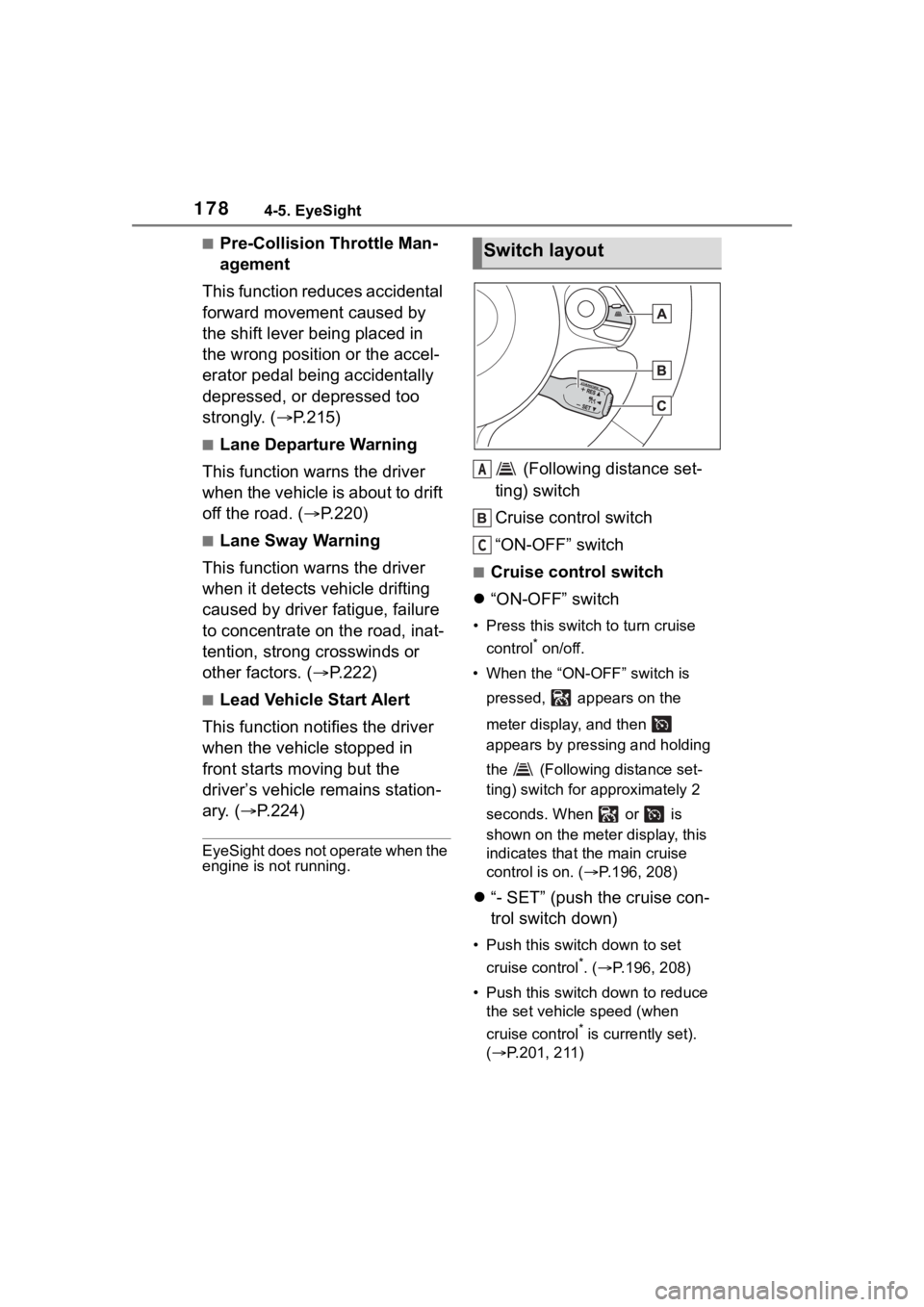
(Following distance set-
ting) switch
Cruise control switch
“ON-OFF” switch
■Cruise control switch
“ON-OFF” switch
• Press this switch to turn cruise
control
* on/off.
• When the “ON-OFF” switch is pressed, appears on the
meter display, and then
appears by pressing and holding
the (Following distance set-
ting) switch for a pproximately 2
seconds. When or is
shown on the meter display, this
indicates that the main cruise
control is on. ( P.196, 208)
“- SET” (push the cruise con-
trol switch down)
• Push this switch down to set
cruise control
*. ( P.196, 208)
• Push this switch down to reduce the set vehicle speed (when
cruise control
* is currently set).
( P.201, 211)
Switch layout
A
C
Page 179 of 449
1794-5. EyeSight
4
Driving
“+ RES” (push the cruise con-
trol switch up)
• Push this switch up to set cruise
control
*. ( P.196, 208)
• After cruise control* is canceled, push this switch up to resume the
cruise control function at the vehi-
cle speed that was previously set.
( P.205, 214)
• Push this switch up to increase the set vehicle speed (when
cruise control
* is currently set).
( P.200, 211)
“CANCEL” (pull the cruise
control switch toward you)
Pull this switch to cancel cruise
control
*. ( P.203, 212)
*: Adaptive Cruise Control and Con-
ventional Cruise Control
■ (Following distance set-
ting) switch
• Press this switch to select the set following distance in 4
stages (only when Adaptive
Cruise Control is on).
( P.202)
• When the main cruise control is on, switching between
Adaptive Cruise Control and
Conventional Cruise Control
is possible by pressing the
(Following distance set-
ting)switch
*.
*: To switch to Conventional Cruise Control, press and hold the
switch for appro ximately 2 sec-
onds or longer.
*: If equipped
Some unusual noises may be audi-
ble during automatic braking. This is
caused by the braking control and is
normal.
Pre-Collision Braking
System*
When there is the risk of a
rear-end collision with an
obstacle or pedestrian in
front, the EyeSight system
helps to prevent or minimize
a collision by warning the
driver. If the driver still does
not take evasive action to
avoid a collision, the brakes
can be automatically
applied just before the colli-
sion in order to reduce
impact damage, or if possi-
ble, prevent the collision. If
the driver takes evasive
action to avoid a collision,
Pre-Collision Braking Assist
will operate in order to help
the driver to prevent or min-
imize the collision.
This function can be acti-
vated when the shift lever is
in the D, M or N position.
Page 180 of 449
1804-5. EyeSight
WARNING
●Never use Pre-Collision Braking
System and Pre-Collision Brak-
ing Assist to stop your car or
avoid a collision under ordinary
conditions. These functions
cannot prevent collisions under
all conditions. If the driver relies
only on Pre-Collision Braking
System for Brake operation, col-
lisions may occur.
●When a warning is activated,
pay attention to the front of the
vehicle and its surroundings,
and operate the brake pedal
and/or take other actions if nec-
essary.
●The EyeSight Pre-Collision
Braking System is primarily
designed to prevent rear-end
collisions with other vehicles
when possible or to minimize
damage and injuries in the
event of a collision. In addition
to other vehicles, things such as
motorbikes, bicycles and pedes-
trians can also be treated as
obstacles. However, there may
be cases when detection is not
possible depending on a variety
of conditions
*2. For example,
when a vehicle is viewed from
the side, oncoming vehicle,
vehicles approaching in
reverse, small animals or chil-
dren, or walls or doors are not
likely to be detected.
●Pre-Collision Br aking System
will operate at the point when it
determines that a collision can-
not be avoided and is designed
to apply strong braking force
just before a collision. The result
of this varies d epending on a
variety of conditions
*2. Because
of this, performance of this func-
tion will not always be the same.
●When Pre-Collision Braking
System is activated, it will con-
tinue to operate even if the
accelerator pedal is partially
depressed. However, it will be
canceled if the accelerator
pedal is suddenly or fully
depressed.
●If the driver depresses the brake
pedal or turns the steering
wheel, the system may deter-
mine that this constitutes eva-
sive action by the driver, and the
automatic braking control may
not activate in order to allow the
driver full control.
●When the difference in speed
with the obstacle in front is the
following figure
*1or more, it may
not be possible to avoid a colli-
sion. Even if the speed differ-
ence is the following figure
*1 or
less, in cases such as when
another vehicle cuts in front of
you, or in other cases depend-
ing on visibility, the condition of
road surface and other fac-
tors
*2, the function may be
unable to stop the vehicle or
may not activate. Pre-Collision
Braking Assist also may not
activate depending on the con-
ditions
*2 listed below.
*1: For vehicles: approximately 30
mph (50 km/h),
For pedestrians: approxi-
mately 20 mph (35 km/h)
*2: Conditions in which Pre-Colli-sion Braking System cannot
detect obstacles:
• Distance to obstacle in front of you, speed difference, proxim-
ity conditions, lateral displace-
ment (the amount of offset)
• Vehicle conditions (amount of load, number of occupants, etc.)
Page 181 of 449
1814-5. EyeSight
4
Driving
WARNING
Page 182 of 449
1824-5. EyeSight
WARNING
Fluid has not been fully wiped
off the windshield during or after
washer use.
The target cannot be correctly
recognized because the stereo
camera’s view is obstructed by
water droplets from rain or the
window washer, or by the wiper
blades.
The stereo camera’s field of
view is obstructed.
The rear aspect of the vehicle
in front is low, s mall or irregular
(the system may recognize
another part of the vehicle as its
rear and will determine operation
from that).
• There is an empty truck or trailer with no r ear and/or side
panels on the cargo bed.
• Vehicles that have cargo pro- truding from their back ends
• Non-standard shaped vehicles (vehicle transporters or vehi-
cles with a sidecar fitted, etc.)
• The height of the vehicle is low, etc.
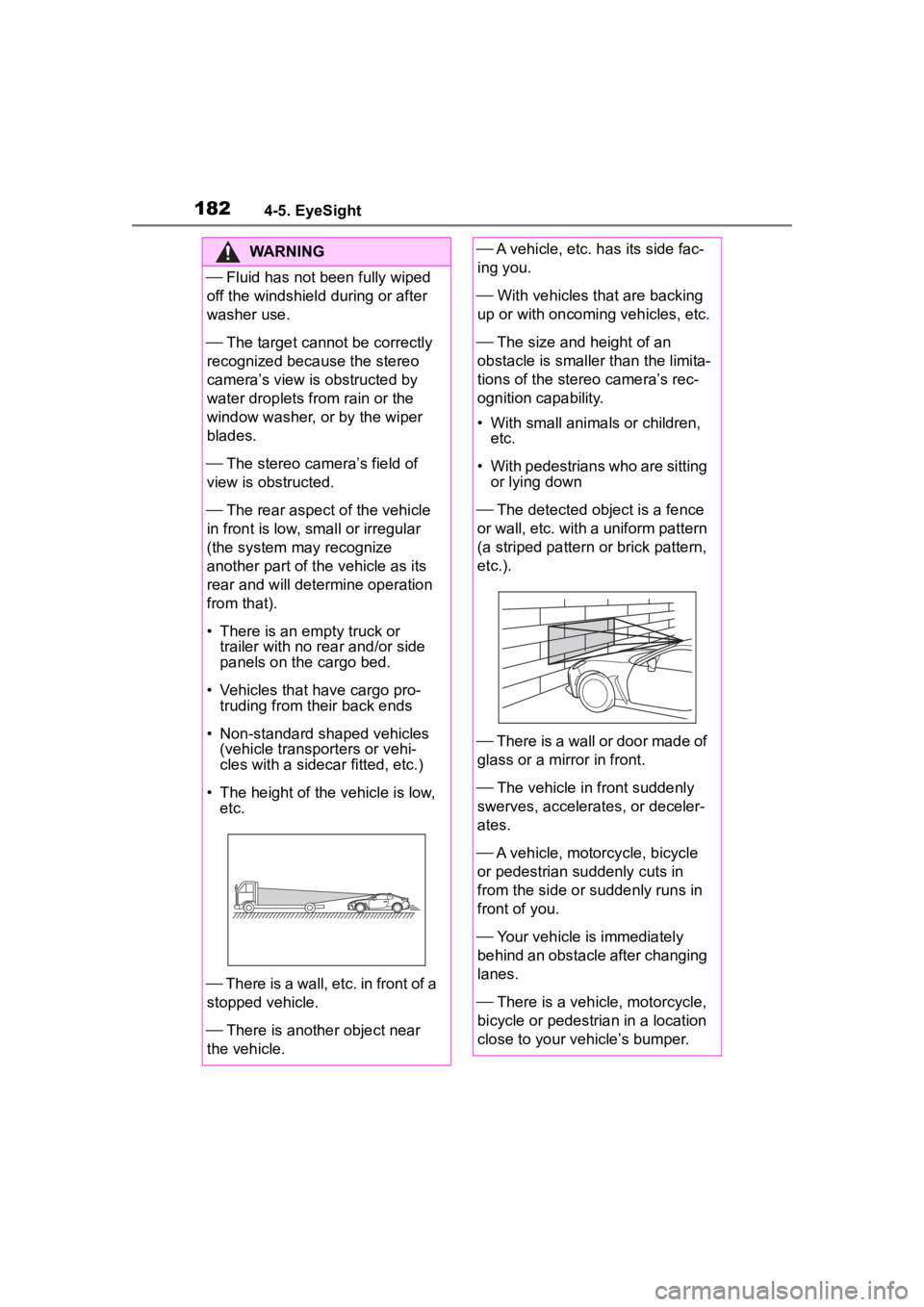
There is a wall, etc. in front of a
stopped vehicle.
There is another object near
the vehicle.
A vehicle, etc. has its side fac-
ing you.
With vehicles that are backing
up or with oncoming vehicles, etc.
The size and height of an
obstacle is smaller than the limita-
tions of the stereo camera’s rec-
ognition capability.
• With small animals or children, etc.
• With pedestrians who are sitting or lying down
The detected ob ject is a fence
or wall, etc. with a uniform pattern
(a striped pattern or brick pattern,
etc.).
There is a wall or door made of
glass or a mirror in front.
The vehicle in front suddenly
swerves, accelerates, or deceler-
ates.
A vehicle, motorcycle, bicycle
or pedestrian suddenly cuts in
from the side or suddenly runs in
front of you.
Your vehicle is immediately
behind an obstacle after changing
lanes.
There is a vehicle, motorcycle,
bicycle or pedestrian in a location
close to your vehicle’s bumper.
Page 183 of 449
1834-5. EyeSight
4
Driving
WARNING
The speed difference between
your vehicle and an obstacle is 4
mph (5 km/h) or less (As braking
is performed once the obstacle is
in close proximity to your vehicle,
depending on the shape and size
of the obstacle, there may be
some cases when the obstacle is
outside the range of the camera’s
field of view.).
On sharp curves, steep uphill
grades or steep downhill grades
On a bumpy or unpaved road
There are changes in bright-
ness, such as at a tunnel
entrance or exit.
●Do not test Pre-Collision Brak-
ing System on its own. It may
operate improperly and cause
an accident.
●The system may not operate
correctly under the conditions
listed below. When these condi-
tions occur, turn off Pre-Colli-
sion Braking System. (
P.189)
• The tire pressure is not cor- rect.
*1
• The temporary spare tire is installed.*1
• Tires that are unevenly worn or tires with uneven wear patterns
are installed.
*1
• Tires that are the wrong size are
installed.*1
• A flat tire has been fixed tempo-rarily with a tire repair kit.
• The suspension has been modi- fied (including a genuine Toyota
suspension that has been modi-
fied).
• An object that obstructs the ste- reo camera’s view is installed
on the vehicle.
• Tire chains are installed.
• The headlights are dirty or they have snow and ice or dirt on
them. (Objects are not correctly
illuminated and are difficult to
detect.)
• The optical axes are not aligned correctly. (Objects are not cor-
rectly illuminated and are diffi-
cult to detect.)
• The lights including headlights and fog lights have been modi-
fied.
• Vehicle operation has become unstable due to an accident or
malfunction.
• The brake system warning light is illuminated in red.
*2
• A heavy cargo is inside the vehicle.
• The maximum number of occu- pants is exceeded.
• The meter is not operating prop- erly; such as when the lights do
not illuminate, the beeps do not
sound, the display is different
from when it is normal, etc.
*3
*1
: The wheels and tires have functions that are critically
important. Be sure to use the
correct ones. ( P.386)