warning TOYOTA 86 2023 Owners Manual
[x] Cancel search | Manufacturer: TOYOTA, Model Year: 2023, Model line: 86, Model: TOYOTA 86 2023Pages: 449, PDF Size: 8.5 MB
Page 198 of 449
1984-5. EyeSight
from white to green.Green
●The set vehicle speed can be set
between 20 mph (30 km/h) and 90
mph (145 km/h).
●If the vehicle speed is approxi-
mately 20 mph ( 30 km/h) or less
when the vehicle speed is set, the
set vehicle speed is set to 20 mph
(30 km/h).
●When driving on a curve, the vehi-
cle may not acce lerate, or may
decelerate, even if the set vehicle
speed is higher than the current
vehicle speed.
●If does not illu minate, even
when the “ON-OFF” switch is
pressed, Adaptive Cruise Control
will not operate.
●If does not illu minate, even
when the “ON-OFF” switch is
pressed and this occurs fre-
quently, there may be a malfunc-
tion in the system. Contact a
Toyota dealer and have the sys-
tem inspected.
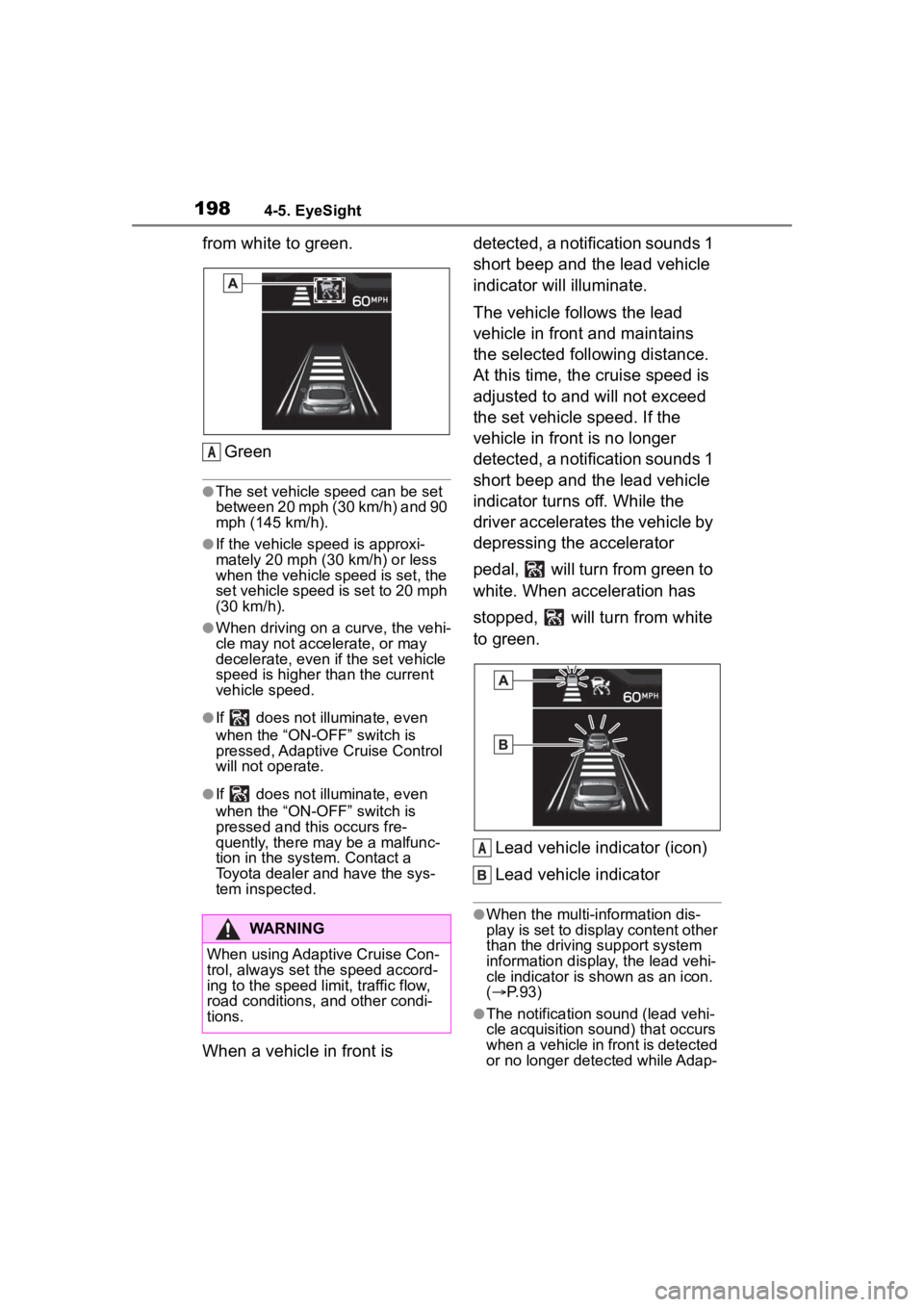
When a vehicle in front is detected, a notification sounds 1
short beep and the lead vehicle
indicator will illuminate.
The vehicle follows the lead
vehicle in front and maintains
the selected following distance.
At this time, the cruise speed is
adjusted to and will not exceed
the set vehicle speed. If the
vehicle in front is no longer
detected, a notification sounds 1
short beep and the lead vehicle
indicator turns off. While the
driver accelerates the vehicle by
depressing the accelerator
pedal, will turn from green to
white. When acceleration has
stopped, will turn from white
to green.
Lead vehicle indicator (icon)
Lead vehicle indicator
●When the multi-information dis-
play is set to display content other
than the driving support system
information display, the lead vehi-
cle indicator is shown as an icon.
( P. 9 3 )
●The notification sound (lead vehi-
cle acquisition sound) that occurs
when a vehicle in front is detected
or no longer detected while Adap-
WARNING
When using Adaptive Cruise Con-
trol, always set the speed accord-
ing to the speed limit, traffic flow,
road conditions, and other condi-
tions.
A
A
Page 201 of 449
2014-5. EyeSight
4
Driving
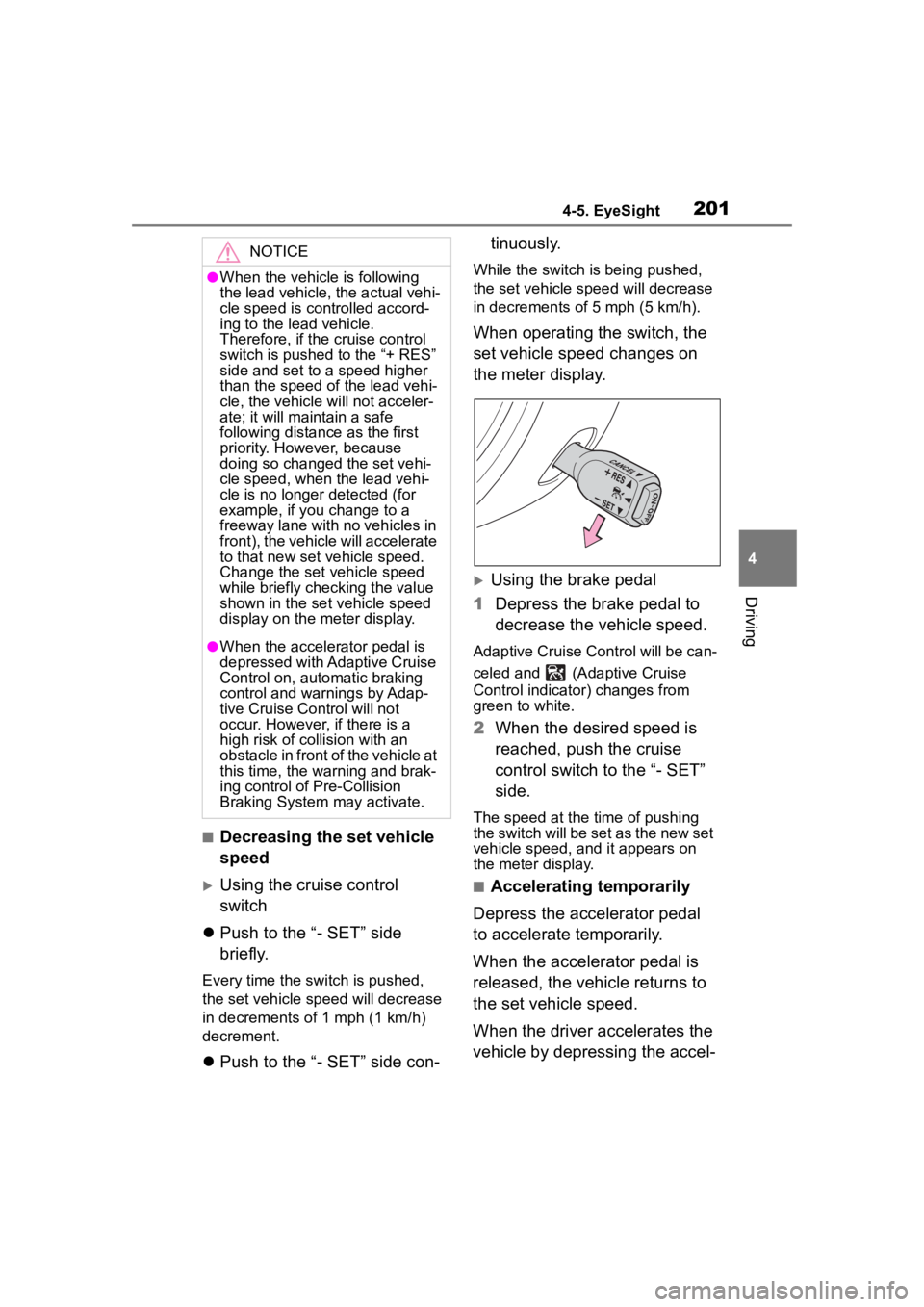
■Decreasing the set vehicle
speed
Using the cruise control
switch
Push to the “- SET” side
briefly.
Every time the switch is pushed,
the set vehicle speed will decrease
in decrements o f 1 mph (1 km/h)
decrement.
Push to the “- SET” side con- tinuously.
While the switch is being pushed,
the set vehicle spee
d will decrease
in decrements of 5 mph (5 km/h).
When operating the switch, the
set vehicle speed changes on
the meter display.
Using the brake pedal
1 Depress the brake pedal to
decrease the vehicle speed.
Adaptive Cruise Control will be can-
celed and (Adaptive Cruise
Control indicator) changes from
green to white.
2When the desired speed is
reached, push the cruise
control switch to the “- SET”
side.
The speed at the time of pushing
the switch will be set as the new set
vehicle speed, and it appears on
the meter display.
■Accelerating temporarily
Depress the accelerator pedal
to accelerate temporarily.
When the accelerator pedal is
released, the vehicle returns to
the set vehicle speed.
When the driver accelerates the
vehicle by depressing the accel-
NOTICE
●When the vehicle is following
the lead vehicle, the actual vehi-
cle speed is controlled accord-
ing to the lead vehicle.
Therefore, if the cruise control
switch is pushed to the “+ RES”
side and set to a speed higher
than the speed of the lead vehi-
cle, the vehicle will not acceler-
ate; it will maintain a safe
following distance as the first
priority. However, because
doing so changed the set vehi-
cle speed, when the lead vehi-
cle is no longer detected (for
example, if you change to a
freeway lane with no vehicles in
front), the vehicle will accelerate
to that new set vehicle speed.
Change the set vehicle speed
while briefly checking the value
shown in the set vehicle speed
display on the meter display.
●When the accelerator pedal is
depressed with Adaptive Cruise
Control on, automatic braking
control and warnings by Adap-
tive Cruise Control will not
occur. However, if there is a
high risk of collision with an
obstacle in front of the vehicle at
this time, the warning and brak-
ing control o f Pre-Collision
Braking System may activate.
Page 204 of 449
2044-5. EyeSight
In the following cases, a notifica-
tion will sound 1 short beep and
1 long beep and Adaptive
Cruise Control is automatically
canceled. changes from
green to white. Also, the Adap-
tive Cruise Control cancellation
message is displayed on the
multi-information display.
The grade of the road is very
steep.
TRAC or VSC is activated.
The vehicle speed has
exceeded approximately 100
mph (160 km/h) while cruise
control is activated.
The steering wheel is turned
significantly in either direction.
The shift lever is moved to a
position other than D or M.
• Adaptive Cruise Control can be
resumed after the shift lever is
returned to the D or M position.
Either the driver's door or the
front passenger's door is
opened.
The driver’s seatbelt is unfas-
tened.
The EyeSight system has a malfunction. ( :yellow)
(
P.228)
The EyeSight system has
stopped temporarily. (
:white) ( P.229)
The Pre-Collision secondary
braking is activated.
Parking brake is applied.
The engine revolutions
approached the red zone.
The driving mode is set to
snow mode. ( P.258)
Pre-Collision Braking System
is turned off during TRACK
mode. ( P.189, 263)
TRAC and VSC system are
off. ( P.263)
The driving wheels spin on a
slippery road.
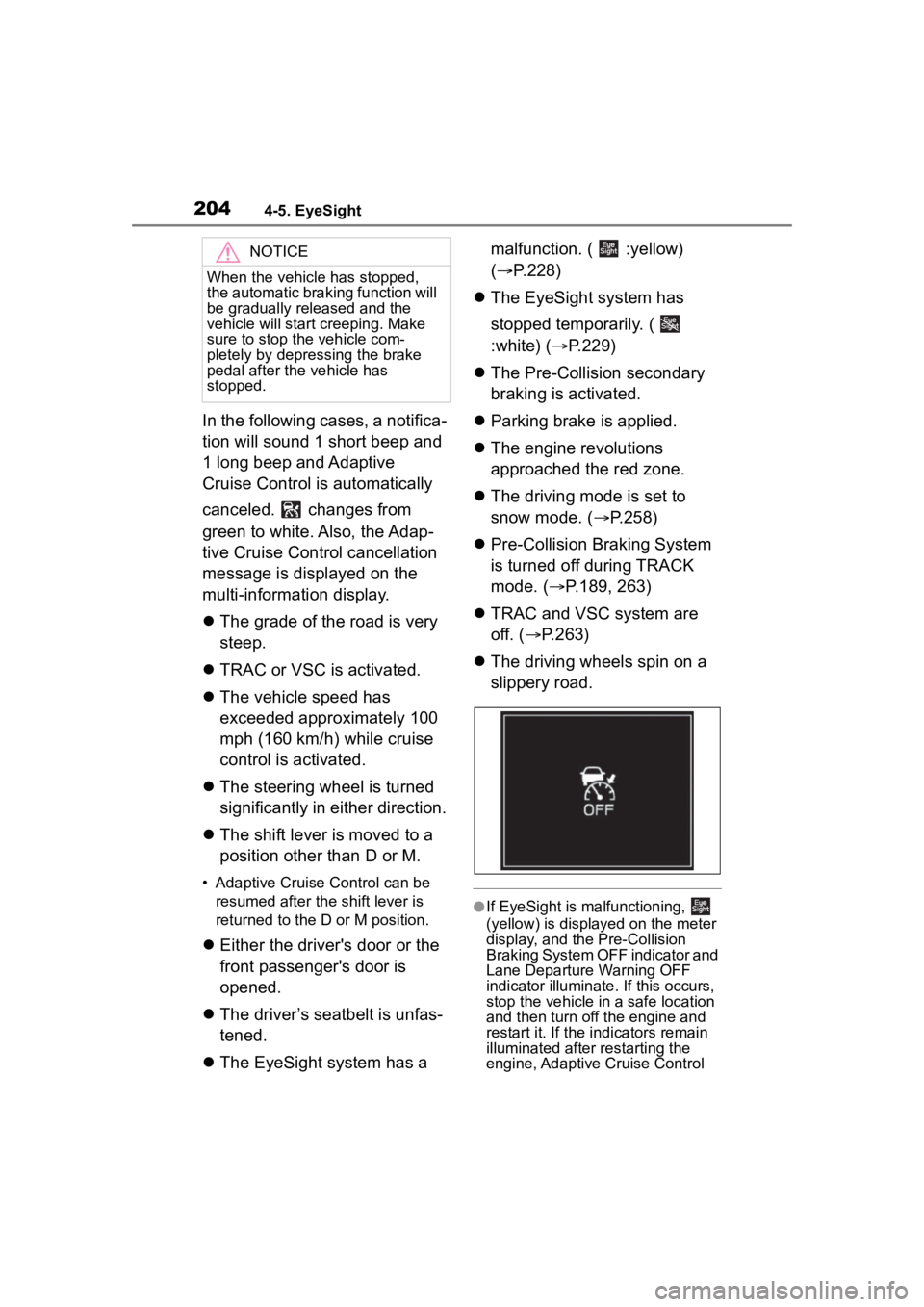
●If EyeSight is malfunctioning,
(yellow) is displayed on the meter
display, and the Pre-Collision
Braking System OFF indicator and
Lane Departure Warning OFF
indicator illuminate. If this occurs,
stop the vehicle in a safe location
and then turn off the engine and
restart it. If the in dicators remain
illuminated after restarting the
engine, Adaptive Cruise Control
NOTICE
When the vehicle has stopped,
the automatic braking function will
be gradually released and the
vehicle will start creeping. Make
sure to stop the vehicle com-
pletely by depressing the brake
pedal after the vehicle has
stopped.
Page 205 of 449
2054-5. EyeSight
4
Driving
cannot be used. This will not inter-
fere with ordinary driving. How-
ever, contact a Toyota dealer and
have the system inspected.
( P.228)
●If the EyeSight operation has tem-
porarily stopped, the Pre-Collision
Braking System OFF indicator and
Lane Departure Warning OFF
indicator illuminate, and
(white) is displayed on the meter
display. ( P.229)
●When the operation of Adaptive
Cruise Control has been automati-
cally canceled, p erform the Adap-
tive Cruise Control setting
operation again after the condition
that caused the cancellation has
been corrected. If the Adaptive
Cruise Control func tion cannot be
activated even after the condition
has been corrected, EyeSight
may be malfunctioning. This will
not interfere with ordinary driving.
However, contact a Toyota dealer
and have the system inspected.
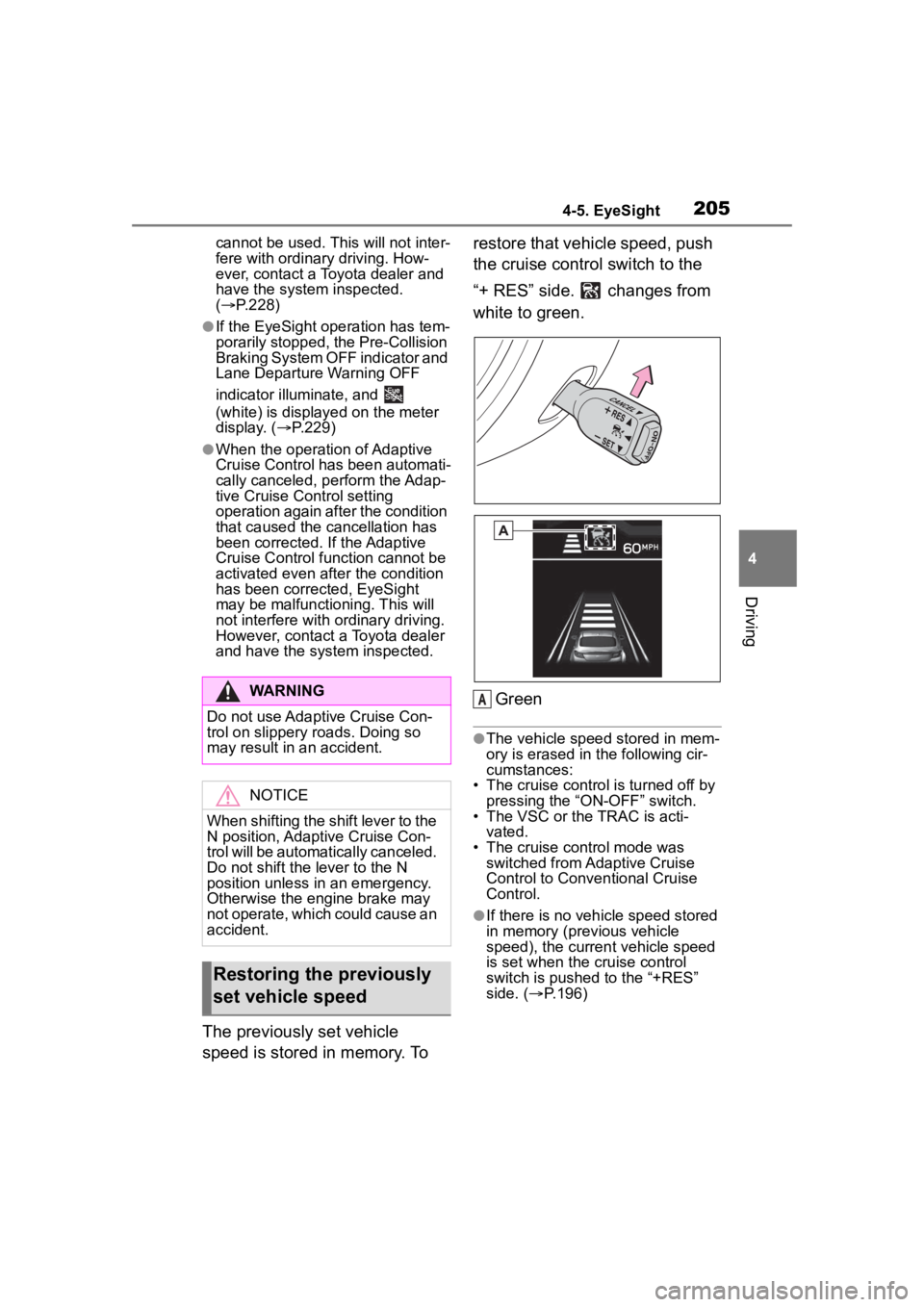
The previously set vehicle
speed is stored in memory. To restore that vehicle speed, push
the cruise control switch to the
“+ RES” side. changes from
white to green.
Green
●The vehicle speed stored in mem-
ory is erased in the following cir-
cumstances:
• The cruise control is turned off by pressing the “ON-OFF” switch.
• The VSC or the TRAC is acti- vated.
• The cruise control mode was
switched from Adaptive Cruise
Control to Conve ntional Cruise
Control.
●If there is no vehicle speed stored
in memory (previous vehicle
speed), the current vehicle speed
is set when the cruise control
switch is pushed to the “+RES”
side. ( P.196)
WARNING
Do not use Adaptive Cruise Con-
trol on slippery roads. Doing so
may result in an accident.
NOTICE
When shifting the shift lever to the
N position, Adaptive Cruise Con-
trol will be automatically canceled.
Do not shift the lever to the N
position unless in an emergency.
Otherwise the engine brake may
not operate, which could cause an
accident.
Restoring the previously
set vehicle speed
A
Page 206 of 449
2064-5. EyeSight
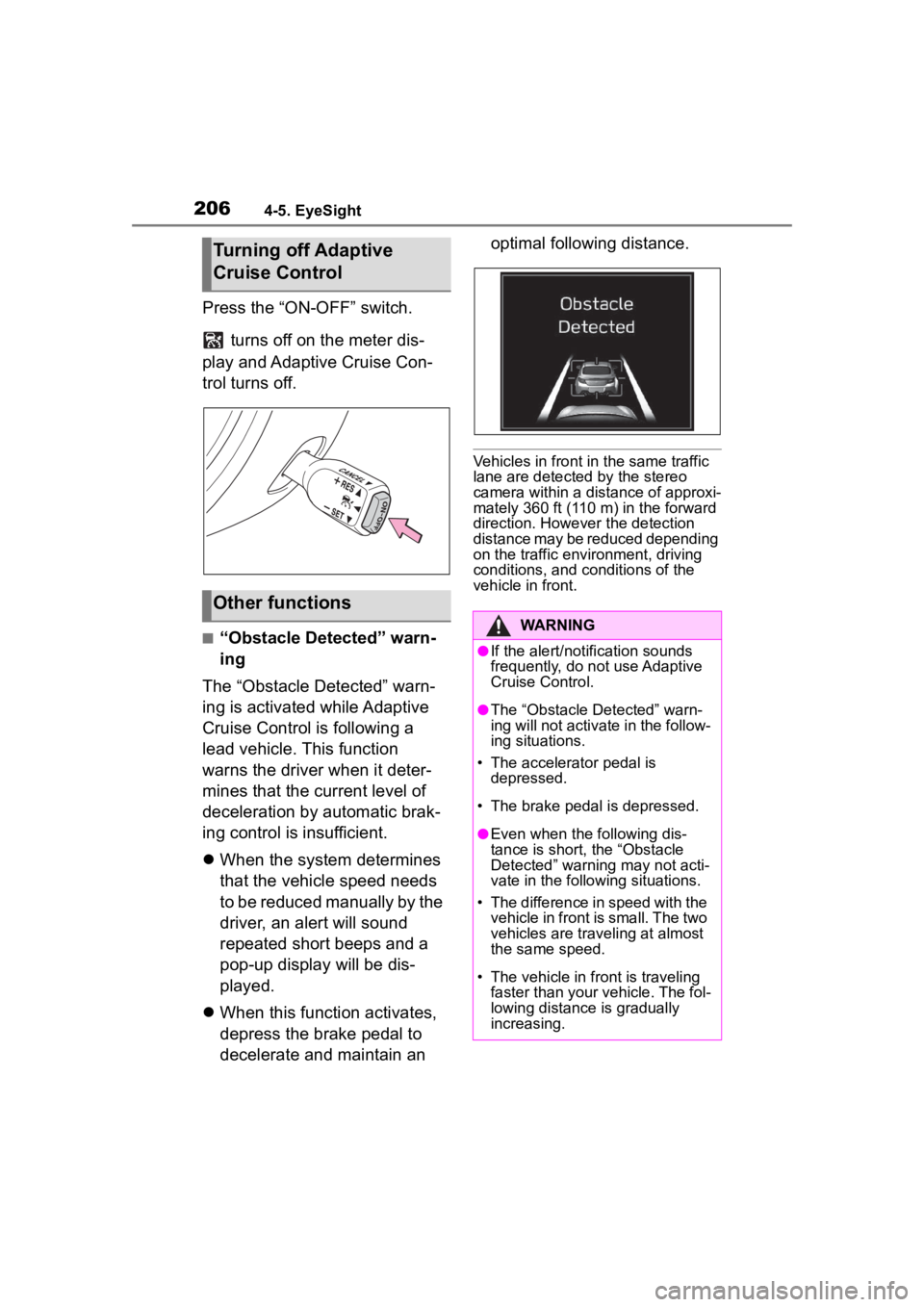
Press the “ON-OFF” switch. turns off on the meter dis-
play and Adaptive Cruise Con-
trol turns off.
■“Obstacle Detected” warn-
ing
The “Obstacle Detected” warn-
ing is activated while Adaptive
Cruise Control is following a
lead vehicle. This function
warns the driver when it deter-
mines that the current level of
deceleration by automatic brak-
ing control is insufficient.
When the system determines
that the vehicle speed needs
to be reduced manually by the
driver, an alert will sound
repeated short beeps and a
pop-up display will be dis-
played.
When this function activates,
depress the brake pedal to
decelerate and maintain an optimal following distance.
Vehicles in front in the same traffic
lane are detected by the stereo
camera within a distance of approxi-
mately 360 ft (110 m) in the forward
direction. Howev
er the detection
distance may be reduced depending
on the traffic environment, driving
conditions, and conditions of the
vehicle in front.
Turning off Adaptive
Cruise Control
Other functions
WARNING
●If the alert/notification sounds
frequently, do not use Adaptive
Cruise Control.
●The “Obstacle Detected” warn-
ing will not activate in the follow-
ing situations.
• The accelerator pedal is depressed.
• The brake pedal is depressed.
●Even when the following dis-
tance is short, the “Obstacle
Detected” warning may not acti-
vate in the follo wing situations.
• The difference in speed with the vehicle in front is small. The two
vehicles are traveling at almost
the same speed.
• The vehicle in front is traveling faster than your vehicle. The fol-
lowing distance is gradually
increasing.
Page 207 of 449
2074-5. EyeSight
4
Driving
*: If equipped
●When the main cruise control is off
and the “ON-OFF” switch is
pressed, Adaptive Cruise Control
is activated.
●When the main cruise control is
on, switching between Adaptive
Cruise Control and Conventional
Cruise Control is possible by
pressing the (Following dis-
tance setting) switch
*.*: To switch to Conventional Cruise Control, press and hold the switch
for approximately 2 seconds or
longer.
●Conventional Cruise Control can
be used even when EyeSight is
temporarily stopped.
WARNING
Page 208 of 449
2084-5. EyeSight
■Setting Conventional
Cruise Control
1 Setting Adaptive Cruise Con-
trol to standby status.
Press the “ON-OFF” switch. At this
time, (white) and the following
distance setting indicator are dis-
played on the meter display.
The set vehicle speed display will
read “- - - MPH (- - - km/h)”.
When the “ON-OFF” switch is
pressed, the initial cruise control
mode is always Adaptive Cruise
WARNING
●When Conventional Cruise
Control is functioning, the sys-
tem does not perform the follow-
ing control to maintain a
following distance, as when
using Adaptive Cruise Control.
Strive for safe driving and
depress the brake pedal to
decelerate the vehicle as nec-
essary in order to ensure a safe
following distance from the vehi-
cle in front.
●Under the following conditions,
do not use Conventional Cruise
Control. Doing so may result in
an accident.
• Roads with heavy traffic or roads with sharp curves
Maintaining an appropriate
speed for such road conditions
may be difficult.
• Frozen roads, snow-covered roads or slippery road surfaces
The tires may spin, causing
your vehicle to lose control.
• Steep downhill grades
The set vehicle speed may be
exceeded.
• On a steep continuous downhill grade
The brakes may overheat.
●When using Conventional
Cruise Control, always set the
speed according to the speed
limit, traffic flow, road condi-
tions, and other conditions.
NOTICE
When using Cruise Control, be
sure to check the meter display to
confirm which Cr uise Control
mode is selected: Adaptive Cruise
Control or Conventional Cruise
Control.
●If Adaptive Cruise Control is
selected, illuminates.
●If Conventional Cruise Control
is selected, illuminates.
How to use Conventional
Cruise Control
Page 211 of 449
2114-5. EyeSight
4
Driving■Increasing the set vehicle
speed
Using the cruise control
switch
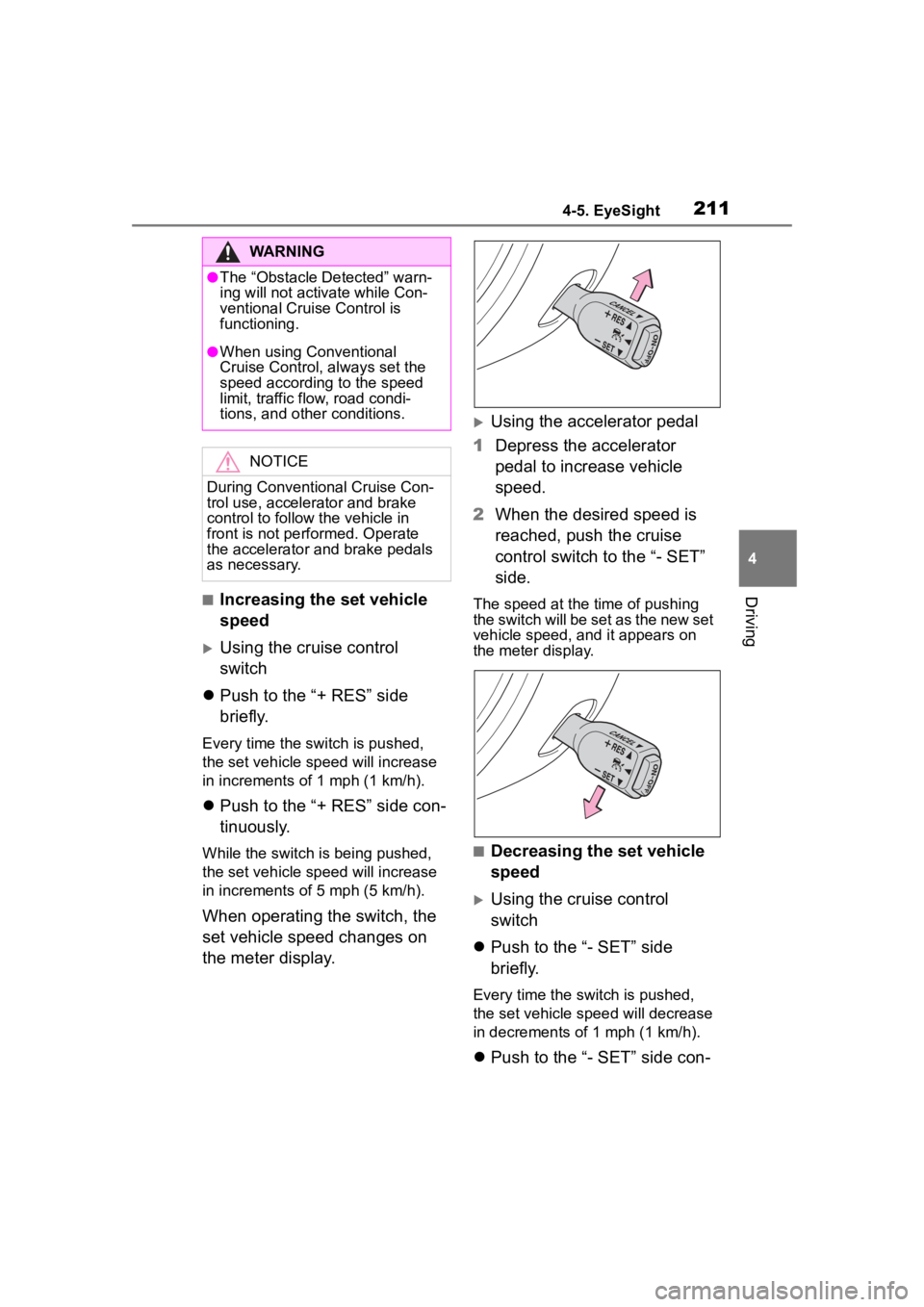
Push to the “+ RES” side
briefly.
Every time the switch is pushed,
the set vehicle sp eed will increase
in increments of 1 mph (1 km/h).
Push to the “+ RES” side con-
tinuously.
While the switch is being pushed,
the set vehicle sp eed will increase
in increments of 5 mph (5 km/h).
When operating the switch, the
set vehicle speed changes on
the meter display.
Using the accelerator pedal
1 Depress the accelerator
pedal to increase vehicle
speed.
2 When the desired speed is
reached, push the cruise
control switch to the “- SET”
side.
The speed at the time of pushing
the switch will be set as the new set
vehicle speed, and it appears on
the meter display.
■Decreasing the set vehicle
speed
Using the cruise control
switch
Push to the “- SET” side
briefly.
Every time the switch is pushed,
the set vehicle spee d will decrease
in decrements of 1 mph (1 km/h).
Push to the “- SET” side con-
WARNING
●The “Obstacle Detected” warn-
ing will not activ ate while Con-
ventional Cruise Control is
functioning.
●When using Conventional
Cruise Control, always set the
speed according to the speed
limit, traffic flow, road condi-
tions, and other conditions.
NOTICE
During Conventional Cruise Con-
trol use, accelerator and brake
control to follow the vehicle in
front is not performed. Operate
the accelerator and brake pedals
as necessary.
Page 214 of 449
2144-5. EyeSight
slippery road.
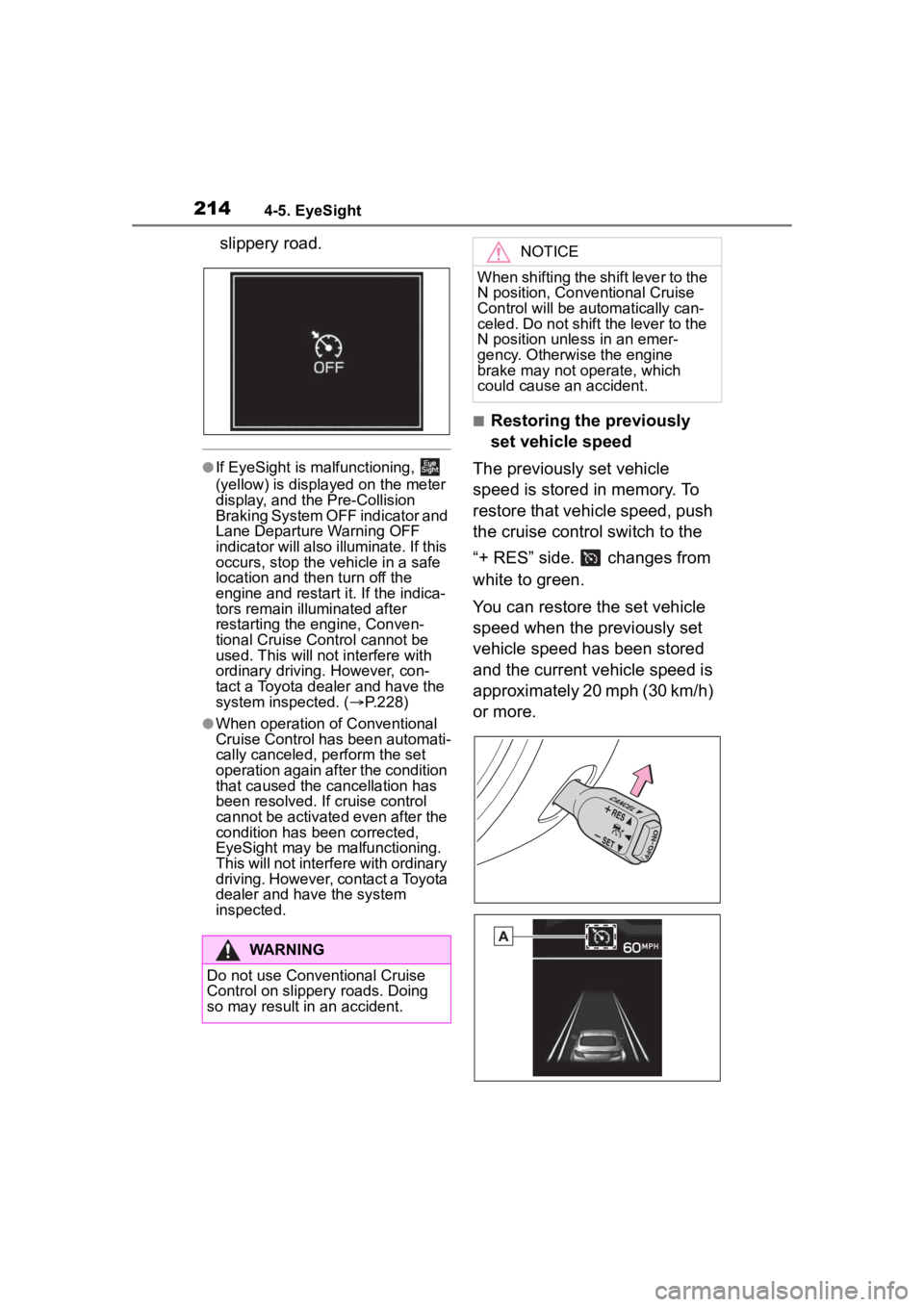
●If EyeSight is malfunctioning,
(yellow) is displayed on the meter
display, and the Pre-Collision
Braking System OFF indicator and
Lane Departure Warning OFF
indicator will also illuminate. If this
occurs, stop the vehicle in a safe
location and then turn off the
engine and restart it. If the indica-
tors remain illuminated after
restarting the engine, Conven-
tional Cruise Control cannot be
used. This will not interfere with
ordinary driving. However, con-
tact a Toyota dealer and have the
system inspected. ( P.228)
●When operation of Conventional
Cruise Control has been automati-
cally canceled, perform the set
operation again after the condition
that caused the cancellation has
been resolved. If cruise control
cannot be activated even after the
condition has been corrected,
EyeSight may be malfunctioning.
This will not interfere with ordinary
driving. However, contact a Toyota
dealer and have the system
inspected.
■Restoring the previously
set vehicle speed
The previously set vehicle
speed is stored in memory. To
restore that vehicle speed, push
the cruise control switch to the
“+ RES” side. changes from
white to green.
You can restore the set vehicle
speed when the previously set
vehicle speed has been stored
and the current vehicle speed is
approximately 20 mph (30 km/h)
or more.
WARNING
Do not use Conventional Cruise
Control on slippery roads. Doing
so may result in an accident.
NOTICE
When shifting the shift lever to the
N position, Conventional Cruise
Control will be aut omatically can-
celed. Do not shift the lever to the
N position unless in an emer-
gency. Otherwise the engine
brake may not operate, which
could cause an accident.
Page 216 of 449
2164-5. EyeSight
seconds, Pre-Collision Throttle
Management will be released
gradually.
●When Pre-Collision Braking Sys-
tem is turned off, Pre-Collision
Throttle Management is also
turned off. ( P.219)
WARNING
Do not rely excessively on
Pre-Collision Throttle Manage-
ment. Pre-Collisi on Throttle Man-
agement is not designed to help
you avoid collisions in all situa-
tions. Always check the shift lever
and pedal positions as well as the
surrounding environment before
starting and operating the vehicle.
Relying only on Pre-Collision
Throttle Management could result
in an accident.
●Pre-Collision Throttle Manage-
ment is not designed to main-
tain the vehicle in a stopped
condition.
●Pre-Collision Throttle Manage-
ment will not reduce accelera-
tion under all conditions. It is
also not designed to prevent
collisions.
●Pre-Collision Throttle Manage-
ment will operate when an
obstacle is detected in front.
However, this function will not
reduce accelera tion in cases
where no obstacle is detected
(for example when approaching
a cliff, etc.).
●Do not intentionally depress the
accelerator pedal excessively
when there are obstacles
nearby. If the driv er relies only
on Pre-Collision Throttle Man-
agement to control acceleration,
collisions may occur.
●If your vehicle is trapped on a
railroad crossing and you are
trying to escape by driving
through the crossing gate, the
stereo camera may recognize
the crossing gate as an obstacle
and Pre-Collision Throttle Man-
agement system may activate.
In this case, rem ain calm and
either continue to depress the
accelerator pedal or turn off the
Pre-Collision Throttle Manage-
ment system. (
P.219)
Pre-Collision Throttle Manage-
ment may not activate depending
on the following conditions:
●The distance between your
vehicle and the obstacle, speed
difference, and horizontal offset
●Recognition status of the stereo
camera
In particular, the function may not
activate in the following cases:
• Bad weather (for example heavy rain, a blizzard or thick
fog)
• Visibility is poor due to sand or
smoke in the air.
• Light is poor in the evening, early morning, or at night.
• In a dark area (indoor parking area, etc.)
• There is an obstacle outside the area illuminated by the head-
lights.
• Strong light is coming from the front (for example sunlight at
sunrise or sunset headlight
beams, etc.).