parking brake TOYOTA 86 2023 User Guide
[x] Cancel search | Manufacturer: TOYOTA, Model Year: 2023, Model line: 86, Model: TOYOTA 86 2023Pages: 449, PDF Size: 8.5 MB
Page 145 of 449
1454-2. Driving procedures
4
Driving
4-2.Driving procedures
1Check that the parking brake
is set.
2 Check that the shift lever is in
P (automatic transmission) or
N (manual transmission).
3 Firmly depress the brake
pedal (automatic transmis-
sion) or clutch pedal (manual
transmission).
, and a mess age will be dis-
played on the multi-information dis-
play.
If it is not displayed, the engine
cannot be started.
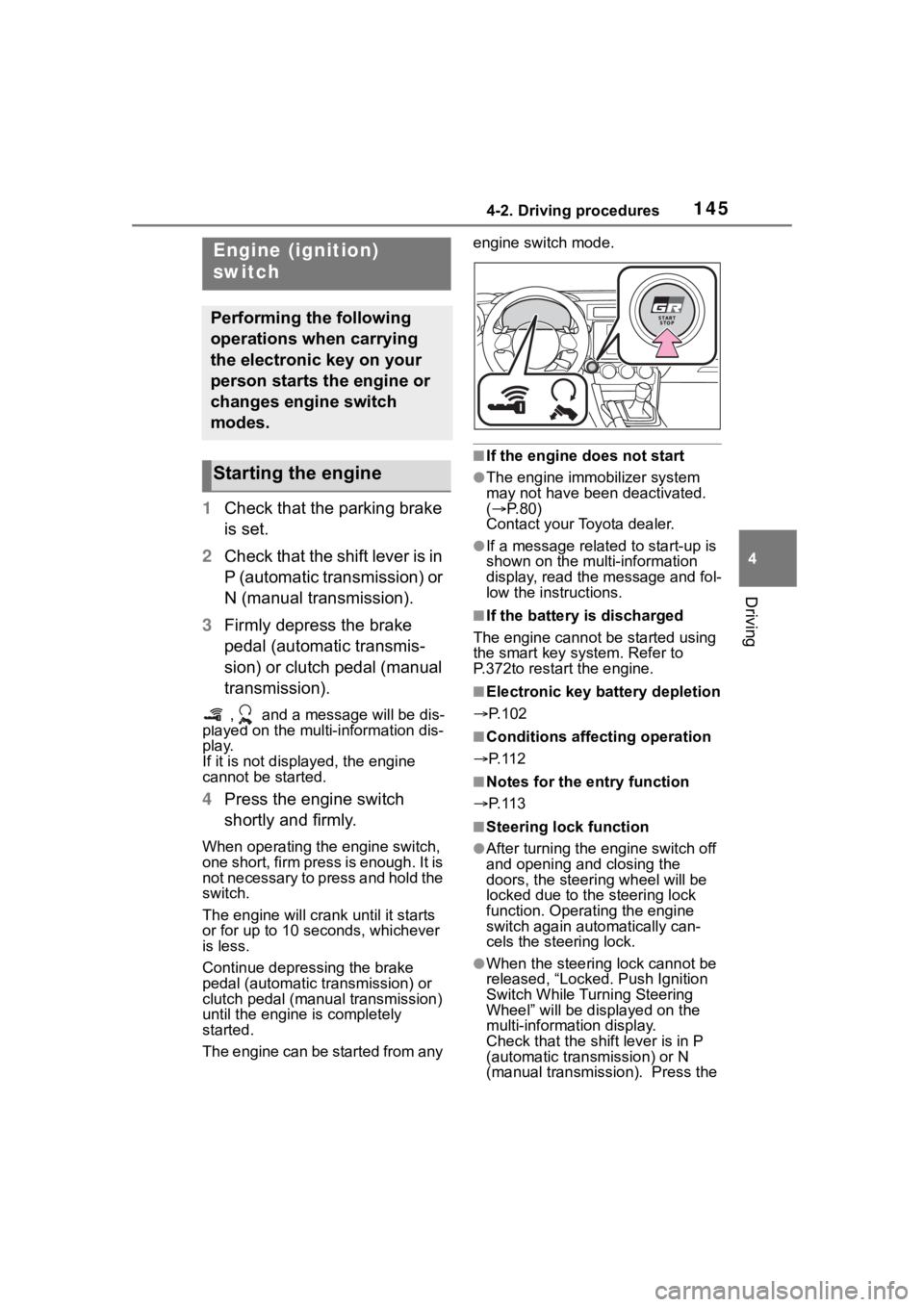
4 Press the engine switch
shortly and firmly.
When operating the engine switch,
one short, firm press is enough. It is
not necessary to press and hold the
switch.
The engine will crank until it starts
or for up to 10 seco nds, whichever
is less.
Continue depressing the brake
pedal (automatic tr ansmission) or
clutch pedal (manual transmission)
until the engine is completely
started.
The engine can be started from any engine switch mode.
■If the engine does not start
●The engine immobilizer system
may not have been deactivated.
(
P. 8 0 )
Contact your Toyota dealer.
●If a message related to start-up is
shown on the multi-information
display, read the message and fol-
low the instructions.
■If the battery is discharged
The engine cannot be started using
the smart key system. Refer to
P.372to restart the engine.
■Electronic key battery depletion
P.102
■Conditions affecting operation
P. 1 1 2
■Notes for the entry function
P. 1 1 3
■Steering lock function
●After turning the engine switch off
and opening and closing the
doors, the steeri ng wheel will be
locked due to the steering lock
function. Operating the engine
switch again automatically can-
cels the steering lock.
●When the steering lock cannot be
released, “Locked. Push Ignition
Switch While Turning Steering
Wheel” will be dis played on the
multi-information display.
Check that the shift lever is in P
(automatic transmission) or N
(manual transmission). Press the
Engine (ignition)
switch
Performing the following
operations when carrying
the electronic key on your
person starts the engine or
changes engine switch
modes.
Starting the engine
Page 147 of 449
1474-2. Driving procedures
4
Driving
Automatic transmission
1 Stop the vehicle completely.
2 Set the parking brake
( P.156), and shift the shift
lever to P.
Check the parking brake indicator
is illuminated.
3 Press the engine switch.
The engine will stop, and the meter
display will be extinguished.
4Release the brake pedal and
check that “ACCESSORY” or
“IGNITION ON” is not shown
on the meters.
Manual transmission
1 Stop the vehicle completely.
2 Set the parking brake.
( P.156)
Check the parking brake indicator
is illuminated.
3Shift the shift lever to N.
( P.153)
4 Press the engine switch.
The engine will stop, and the meter
display will be extinguished.
5Release the brake pedal and
check that “ACCESSORY” or
“IGNITION ON” is not shown
on the meters.
Modes can be changed by NOTICE
■Symptoms indicating a mal-
function with the engine
switch
If the engine switch seems to be
operating somewh at differently
than usual, such as the switch
sticking slightly, there may be a
malfunction. Contact your Toyota
dealer immediately.
Stopping the engine
WARNING
■Stopping the engine in an
emergency
If you want to stop the engine in
an emergency while driving the
vehicle, press and hold the engine
switch for more than 2 seconds,
or press it briefly 3 times or more
in succession. ( P.338)
However, do not touch the engine
switch while driving except in an
emergency. Turning the engine off
while driving will not cause loss of
steering or braking control, but the
power assist to these systems will
be lost. This will make it more dif-
ficult to steer a nd brake, so you
should pull over and stop the
vehicle as soon as it is safe to do
so.
●If the engine switch is operated
while the vehicle is running, a
warning message will be shown
on the multi-information display
and a buzzer sounds.
●Vehicles with an automatic
transmission: To restart the
engine after performing an
emergency shutdown, shift the
shift lever to N and then press
the engine switch.
●Vehicles with a manual trans-
mission: To restart the engine
after performing an emergency
shutdown, depress the clutch
pedal and then press the engine
switch.
Changing engine switch
modes
Page 149 of 449
1494-2. Driving procedures
4
Driving
than P, the engine switch will not
be turned off but instead be
turned to ACC. Perform the fol-
lowing procedure to turn the
switch off:
1Check that the parking brake
is set.
2 Shift the shift lever to P.
3 Check that “ACCESSORY” is
displayed on the meters and
press the engine switch
shortly and firmly.
4 Check that “ACCESSORY”
or “IGNITION ON” on the
meters are off.
*: If equipped
*1: To improve fuel efficiency and
reduce noise, shift the shift lever
to D for normal driving.
*2: Any gear range can be fixed when driving in Manual mode.
■To protect the a utomatic trans-
mission
If the automatic transmission fluid
temperature is high, “Transmission
Oil Temperature Check Owner's
Manual” will be displayed on the
multi-information display and the
NOTICE
■To prevent battery discharge
Do not stop the engine when the
shift lever is in a position other
than P. If the engin e is stopped in
another shift lever position, the
engine switch will not be turned
off but instead be turned to ACC
mode. If the vehicle is left in ACC,
battery discharge may occur.
Automatic transmis-
sion*
Select the shift position
depending on your purpose
and situation.
Shift position purpose
and functions
Shift posi-
tionObjective or function
PParking the vehi-
cle/starting the engine
RReversing
N
Neutral
(Condition in which the power is not transmit- ted)
D
Normal driving*1
Temporary manual
mode driving ( P.151)
MManual mode driving*2
( P.152)
Page 151 of 449
1514-2. Driving procedures
4
Driving
with your foot on the brake pedal,
there may be a problem with the
shift lock system. Have the vehicle
inspected by your Toyota dealer
immediately.
The following steps may be used as
an emergency measure to ensure
that the shift lev er can be shifted.
Releasing the shift lock:
1 Set the parking brake.
2 Turn the engine switch off.
3 Depress the brake pedal.
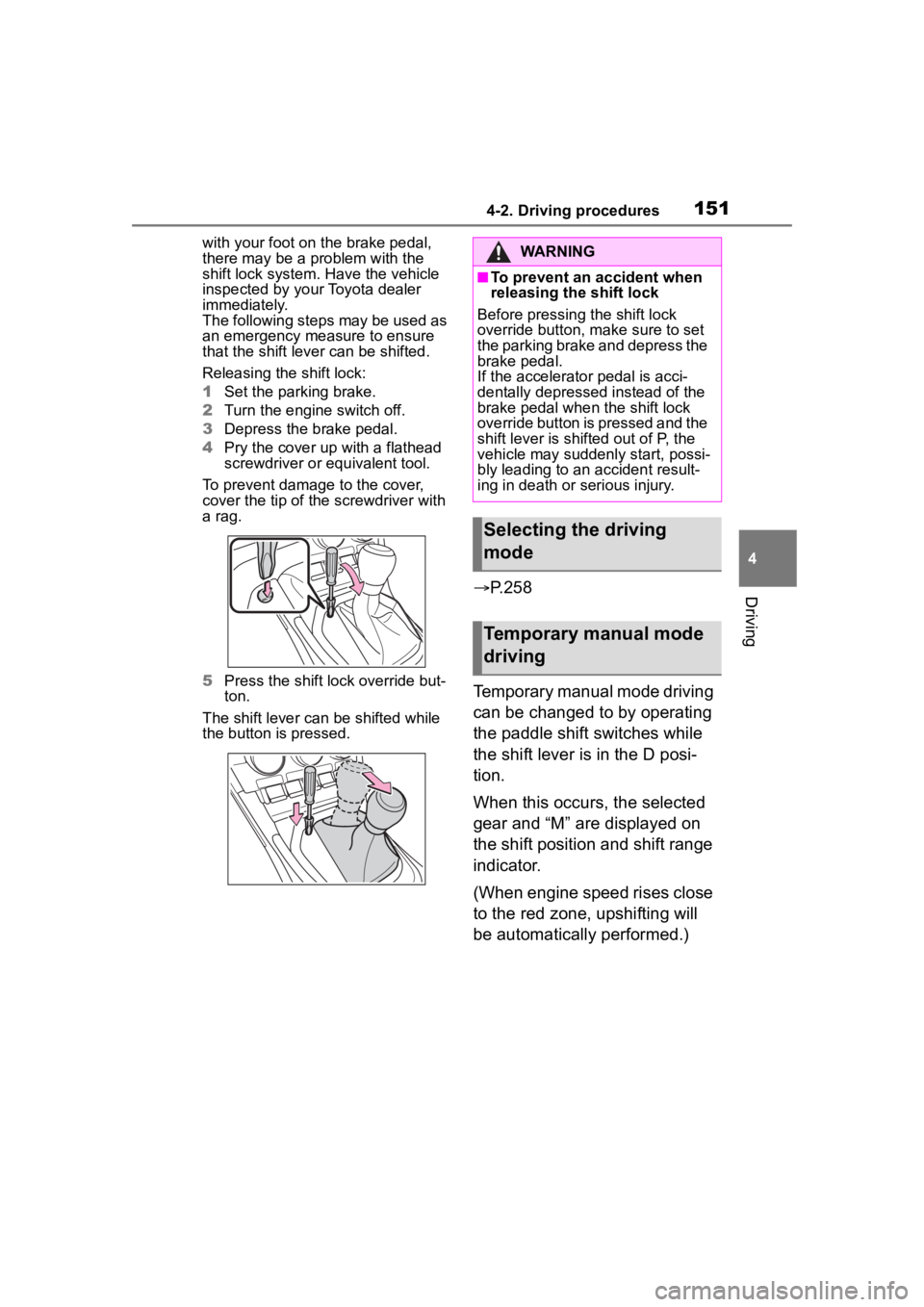
4 Pry the cover up with a flathead
screwdriver or equivalent tool.
To prevent damage to the cover,
cover the tip of the screwdriver with
a rag.
5 Press the shift lock override but-
ton.
The shift lever can be shifted while
the button is pressed.
P.258
Temporary manual mode driving
can be changed to by operating
the paddle shift switches while
the shift lever is in the D posi-
tion.
When this occurs, the selected
gear and “M” are displayed on
the shift position and shift range
indicator.
(When engine speed rises close
to the red zone, upshifting will
be automatically performed.)
WARNING
■To prevent an accident when
releasing the shift lock
Before pressing the shift lock
override button, m ake sure to set
the parking brake and depress the
brake pedal.
If the accelerator pedal is acci-
dentally depressed instead of the
brake pedal when the shift lock
override button is pressed and the
shift lever is shifted out of P, the
vehicle may suddenly start, possi-
bly leading to an accident result-
ing in death or serious injury.
Selecting the driving
mode
Temporary manual mode
driving
Page 156 of 449
1564-2. Driving procedures
turn signal lights will blink 3 times.
■If the turn signals do not
stop flashing after turning
left or right, or if you want
to stop them flashing
Operate the lever in the oppo-
site direction to either position 2
or 3. If you move the lever to
either position 1 or 4, the
selected turn signals will flash.
■Turn signals can be operated
when
The engine switch is in ON.
■If the indicator flashes faster
than usual
Check that a light bulb in the front or
rear turn signal lights has not
burned out.
■If the turn signals stop flashing
before a lane change has been
performed
Operate the lever again.
■Customization
Some functions can be customized.
( P.400)
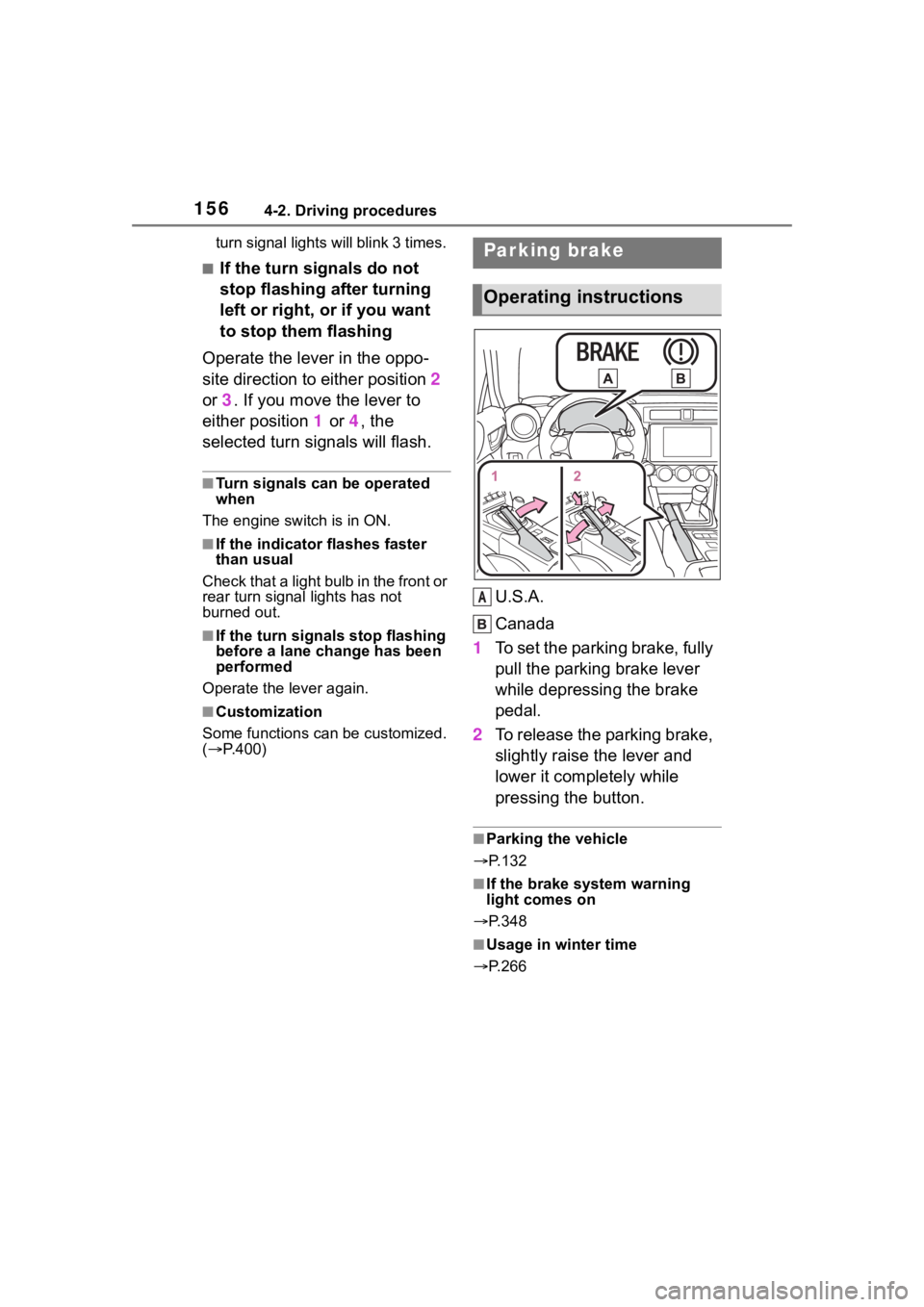
U.S.A.
Canada
1 To set the parking brake, fully
pull the parking brake lever
while depressing the brake
pedal.
2 To release the parking brake,
slightly raise the lever and
lower it completely while
pressing the button.
■Parking the vehicle
P.132
■If the brake system warning
light comes on
P.348
■Usage in winter time
P.266
Parking brake
Operating instructions
A
Page 157 of 449
1574-2. Driving procedures
4
Driving
■When changing the driving
mode (vehicles with an auto-
matic transmission)
When the driving mode is changed,
the sound of the active sound con-
trol will be stopped for approxi-
mately 1 second, this is not a
malfunction.
■Customization
Some functions can be customized.
( P.400)
NOTICE
■When parking the vehicle
Before you leave the vehicle, set
the parking brake, shift the shift
lever to P (automatic transmis-
sion) or N (manual transmission)
and make sure that the vehicle
does not move.
■Before driving
Fully release the parking brake.
Driving the vehicle with the park-
ing brake set will lead to brake
components overheating, which
may affect braking performance
and increase brake wear.
ASC (Active Sound
Control)
The active sound control
provides dynamic engine
sounds. When driving with
sport mode
* ( P.258)
selected, the engine sounds
will be particularly loud.
*: If equipped
Page 159 of 449
1594-3. Operating the lights and wipers
4
Driving
parking lights and illuminate
brighter than the parking lights.
●To make your vehicle more visible
to other drivers during daytime
driving, the daytime running lights
turn on automatically when all of
the following conditions are met.
(The daytime running lights are
not designed for use at night.)
• The engine is running
• The shift lever is shifted out of P (vehicles with an automatic trans-
mission)
• The parking brake is released
• The headlight s witch is in the
(U.S.A. only), or
* position
*: When the surroundings are bright
The daytime running lights remain
on after they illumi nate, even if the
parking brake is set again.
●When the turn signal indicators
are flashing, the daytime running
light on the side that the turn sig-
nals are flashing will turn off.
●When the emergency flashers are
flashing, both daytime running
lights will turn off.
●Compared to turning on the head-
lights, the daytime running light
system offers gr eater durability
and consumes less electricity, so
it can help improve fuel economy.
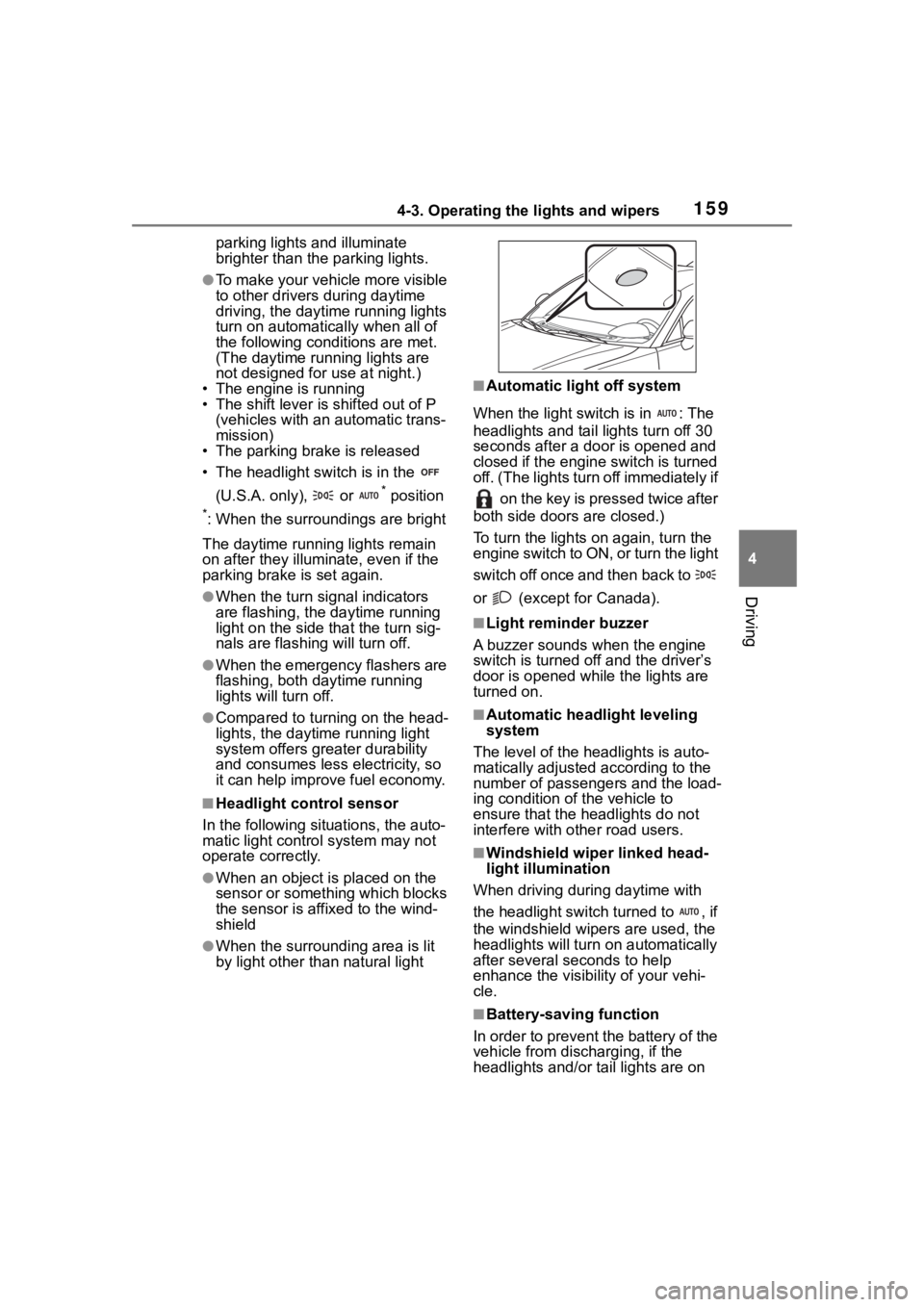
■Headlight control sensor
In the following si tuations, the auto-
matic light control system may not
operate correctly.
●When an object is placed on the
sensor or something which blocks
the sensor is affixed to the wind-
shield
●When the surrounding area is lit
by light other than natural light
■Automatic light off system
When the light switch is in : The
headlights and tail lights turn off 30
seconds after a door is opened and
closed if the engine switch is turned
off. (The lights turn off immediately if on the key is pressed twice after
both side doors are closed.)
To turn the lights on again, turn the
engine switch to ON, or turn the light
switch off once and then back to
or (except for Canada).
■Light reminder buzzer
A buzzer sounds when the engine
switch is turned off and the driver’s
door is opened wh ile the lights are
turned on.
■Automatic headlight leveling
system
The level of the headlights is auto-
matically adjusted according to the
number of passengers and the load-
ing condition of the vehicle to
ensure that the headlights do not
interfere with o ther road users.
■Windshield wiper linked head-
light illumination
When driving during daytime with
the headlight switch turned to , if
the windshield wipers are used, the
headlights will turn o n automatically
after several se conds to help
enhance the visibility of your vehi-
cle.
■Battery-saving function
In order to prevent the battery of the
vehicle from discharging, if the
headlights and/or tail lights are on
Page 192 of 449
1924-5. EyeSight
WARNING
●Ordinary roads (roads other
than those mentioned above)
• Depending on the driving envi- ronment (complexity of roads
and other factors), the system
may not be able to perform as
the traffic conditions require,
and that may result in an acci-
dent.
●Sharp curves or winding roads
●Frozen roads, snow-covered
roads or other slippery road sur-
faces
• The tires may spin, causing loss of control of the vehicle.
●Traffic conditions when fre-
quent acceleration and deceler-
ation make it difficult to maintain
the following distance
• It may not be po ssible for the
system to perform as the traffic
conditions require.
●Steep downhill grades
• The set vehicle speed may be exceeded.
●On a steep continuous downhill
grade
• The brakes may overheat.
●Roads and overpasses with
repeated steep uphill and down-
hill grades
• Detection of the vehicle in front may be lost, or the road surface
may be detected instead of the
vehicle in front, making correct
control impossible.
●Entering a sharp curve/turn into
an interchange or junction, or a
service area, parking area, toll
booth or other facilities
• Detection of the vehicle in front may not be possible.
●There are changes in bright-
ness, such as at a tunnel
entrance or exit.
Page 197 of 449
1974-5. EyeSight
4
Driving
indicator
Following distance setting
indicator (icon)
When the multi-information display
is set to display content other than
the driving suppor t system informa-
tion display, the following distance
setting indicator is shown as an
icon.
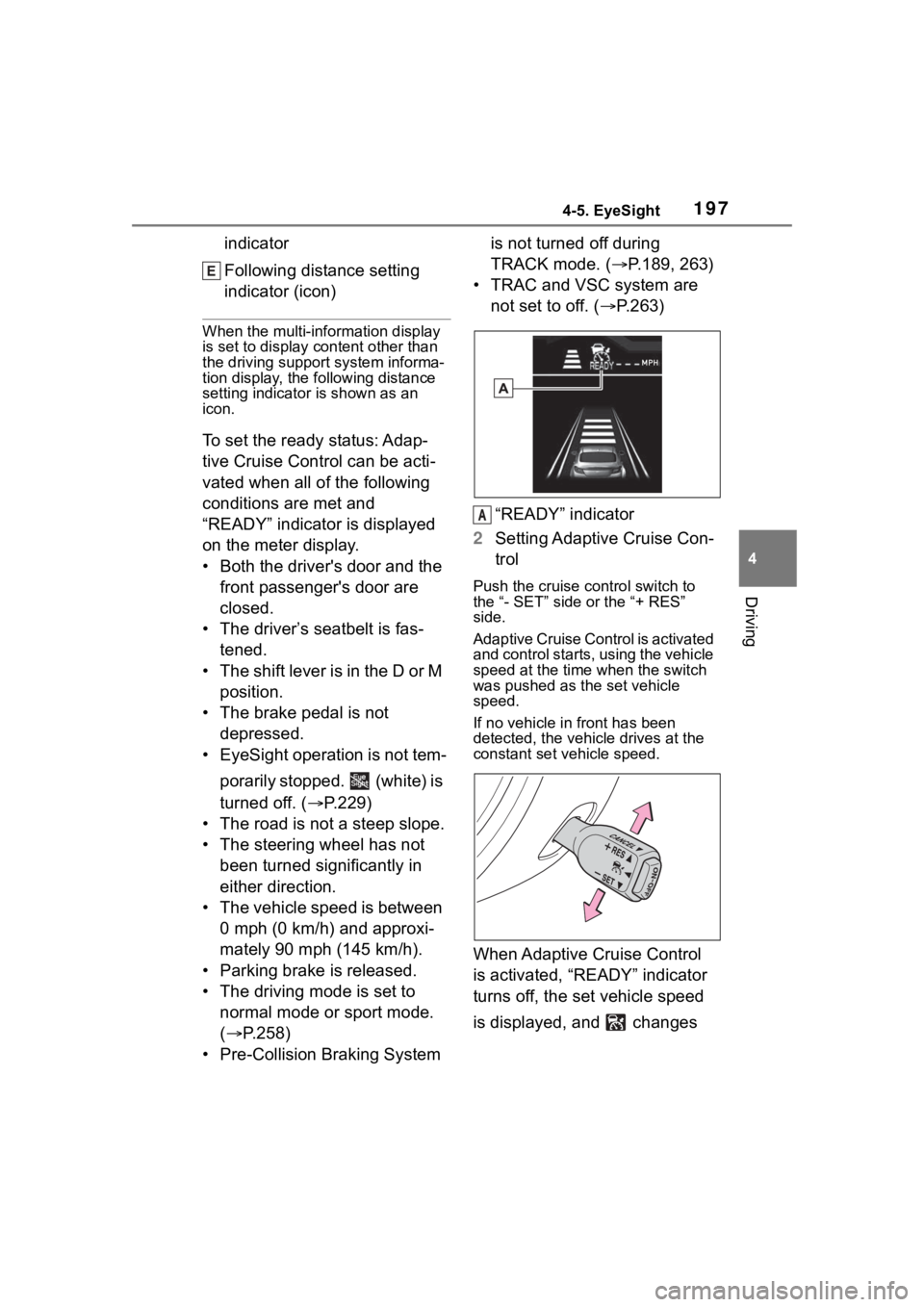
To set the ready status: Adap-
tive Cruise Control can be acti-
vated when all of the following
conditions are met and
“READY” indicator is displayed
on the meter display.
• Both the driver's door and the
front passenger's door are
closed.
• The driver’s seatbelt is fas- tened.
• The shift lever is in the D or M position.
• The brake pedal is not depressed.
• EyeSight operation is not tem-
porarily stopped. (white) is
turned off. ( P.229)
• The road is not a steep slope.
• The steering wheel has not been turned significantly in
either direction.
• The vehicle speed is between 0 mph (0 km/h) and approxi-
mately 90 mph (145 km/h).
• Parking brake is released.
• The driving mode is set to normal mode or sport mode.
( P.258)
• Pre-Collision Braking System is not turned off during
TRACK mode. (
P.189, 263)
• TRAC and VSC system are not set to off. ( P.263)
“READY” indicator
2 Setting Adaptive Cruise Con-
trol
Push the cruise control switch to
the “- SET” side or the “+ RES”
side.
Adaptive Cruise Control is activated
and control starts, using the vehicle
speed at the time when the switch
was pushed as the set vehicle
speed.
If no vehicle in front has been
detected, the vehicle drives at the
constant set vehicle speed.
When Adaptive Cruise Control
is activated, “READY” indicator
turns off, the set vehicle speed
is displayed, and changes
A
Page 204 of 449
2044-5. EyeSight
In the following cases, a notifica-
tion will sound 1 short beep and
1 long beep and Adaptive
Cruise Control is automatically
canceled. changes from
green to white. Also, the Adap-
tive Cruise Control cancellation
message is displayed on the
multi-information display.
The grade of the road is very
steep.
TRAC or VSC is activated.
The vehicle speed has
exceeded approximately 100
mph (160 km/h) while cruise
control is activated.
The steering wheel is turned
significantly in either direction.
The shift lever is moved to a
position other than D or M.
• Adaptive Cruise Control can be
resumed after the shift lever is
returned to the D or M position.
Either the driver's door or the
front passenger's door is
opened.
The driver’s seatbelt is unfas-
tened.
The EyeSight system has a malfunction. ( :yellow)
(
P.228)
The EyeSight system has
stopped temporarily. (
:white) ( P.229)
The Pre-Collision secondary
braking is activated.
Parking brake is applied.
The engine revolutions
approached the red zone.
The driving mode is set to
snow mode. ( P.258)
Pre-Collision Braking System
is turned off during TRACK
mode. ( P.189, 263)
TRAC and VSC system are
off. ( P.263)
The driving wheels spin on a
slippery road.
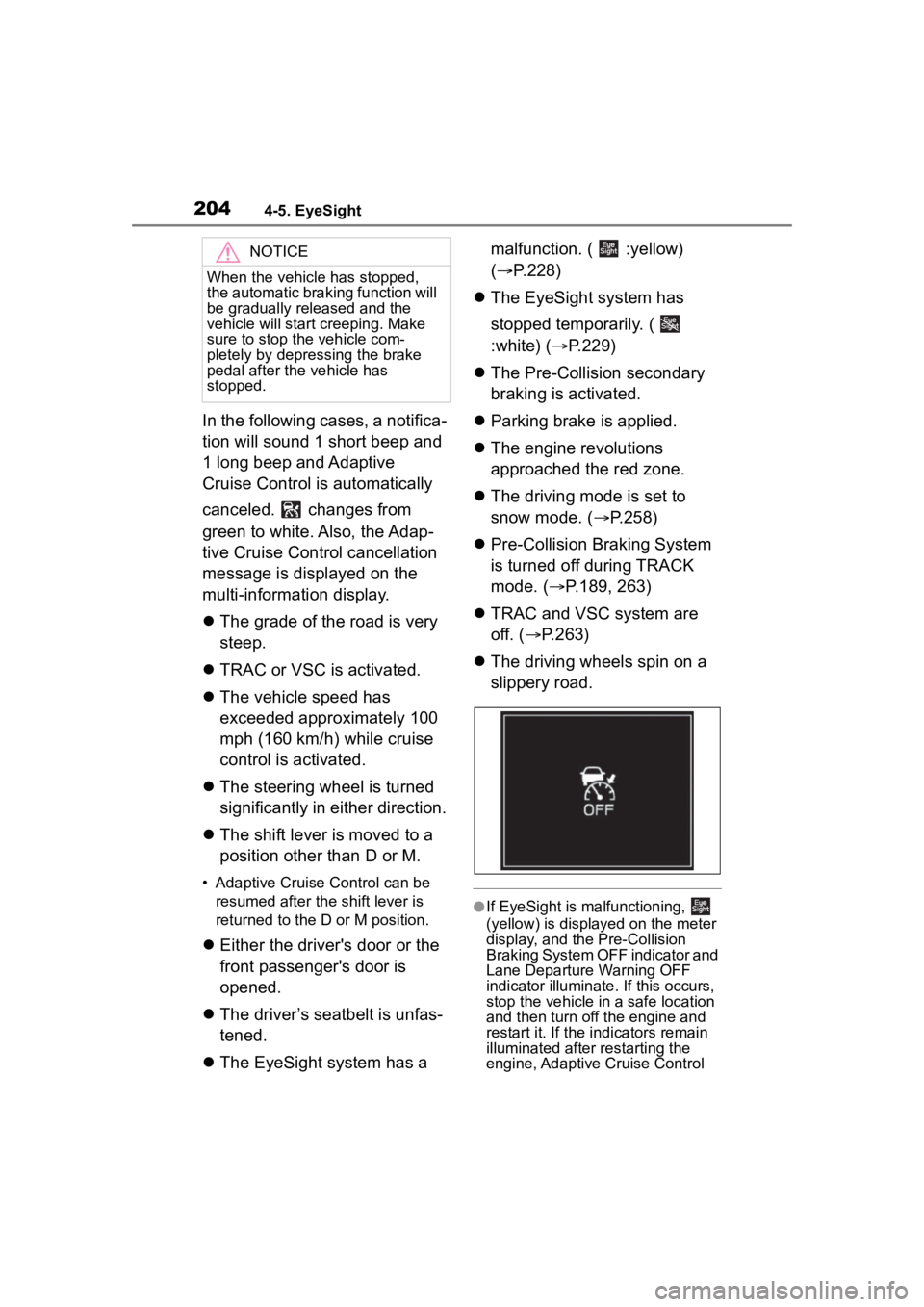
●If EyeSight is malfunctioning,
(yellow) is displayed on the meter
display, and the Pre-Collision
Braking System OFF indicator and
Lane Departure Warning OFF
indicator illuminate. If this occurs,
stop the vehicle in a safe location
and then turn off the engine and
restart it. If the in dicators remain
illuminated after restarting the
engine, Adaptive Cruise Control
NOTICE
When the vehicle has stopped,
the automatic braking function will
be gradually released and the
vehicle will start creeping. Make
sure to stop the vehicle com-
pletely by depressing the brake
pedal after the vehicle has
stopped.