engine TOYOTA 86 2023 Owner's Manual
[x] Cancel search | Manufacturer: TOYOTA, Model Year: 2023, Model line: 86, Model: TOYOTA 86 2023Pages: 449, PDF Size: 8.5 MB
Page 80 of 449
801-4. Theft deterrent system
1-4.Theft deterrent system
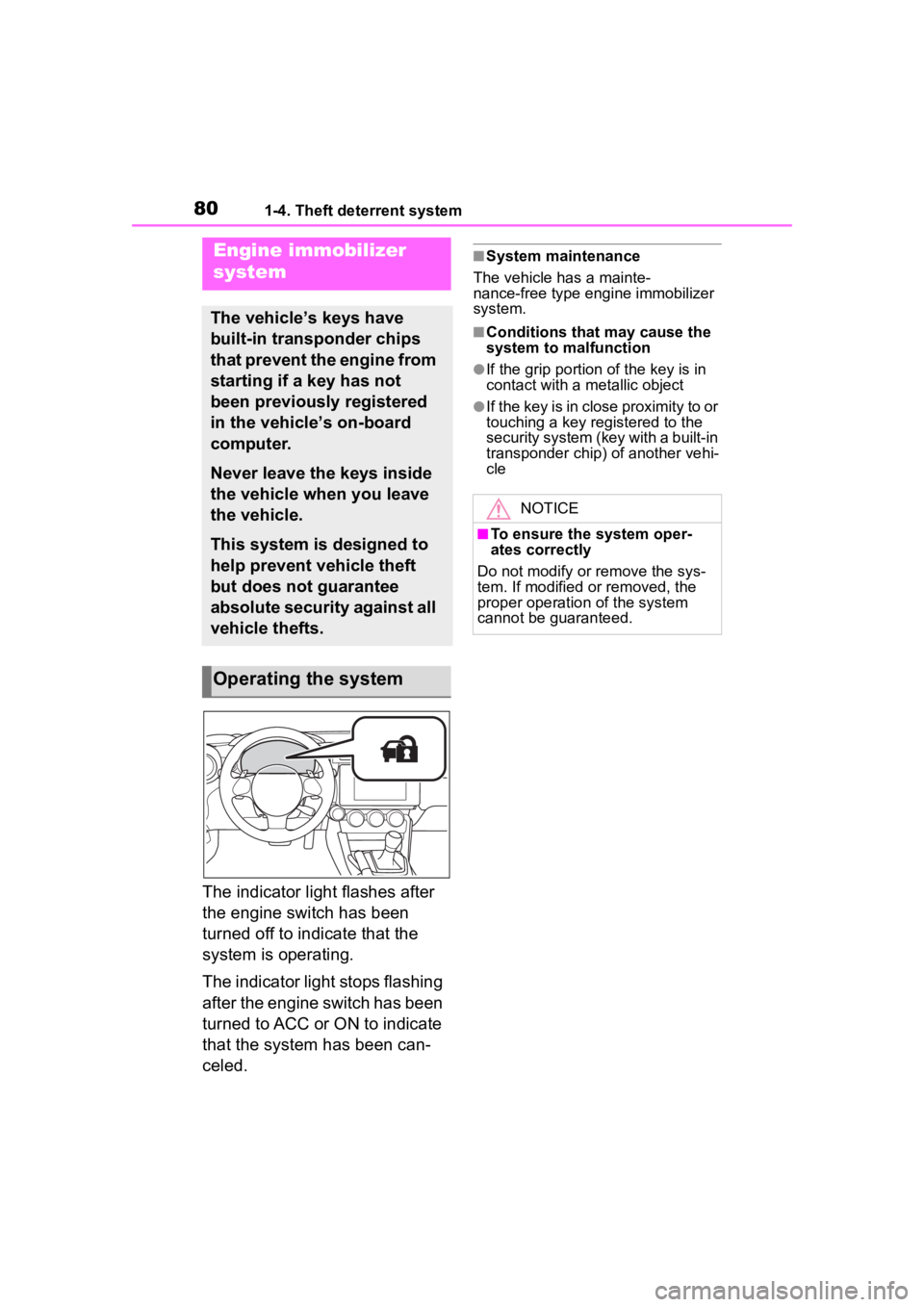
The indicator light flashes after
the engine switch has been
turned off to indicate that the
system is operating.
The indicator light stops flashing
after the engine switch has been
turned to ACC or ON to indicate
that the system has been can-
celed.
■System maintenance
The vehicle has a mainte-
nance-free type engine immobilizer
system.
■Conditions that may cause the
system to malfunction
●If the grip portion of the key is in
contact with a metallic object
●If the key is in close proximity to or
touching a key registered to the
security system (key with a built-in
transponder chip) of another vehi-
cle
Engine immobilizer
system
The vehicle’s keys have
built-in transponder chips
that prevent the engine from
starting if a key has not
been previously registered
in the vehicle’s on-board
computer.
Never leave the keys inside
the vehicle when you leave
the vehicle.
This system is designed to
help prevent vehicle theft
but does not guarantee
absolute security against all
vehicle thefts.
Operating the system
NOTICE
■To ensure the system oper-
ates correctly
Do not modify or remove the sys-
tem. If modified or removed, the
proper operation of the system
cannot be guaranteed.
Page 81 of 449
811-4. Theft deterrent system
1
For safety and security
■Items to check before lock-
ing the vehicle
To prevent unexpected trigger-
ing of the alarm and vehicle
theft, make sure of the following:
Nobody is in the vehicle.
The windows are closed
before the alarm is set.
No valuables or other per-
sonal items are left in the
vehicle.
■Setting
Close the doors, trunk and hood, and lock both side doors
using the entry function or wire-
less remote control. The system
will set automatically after 30
seconds.
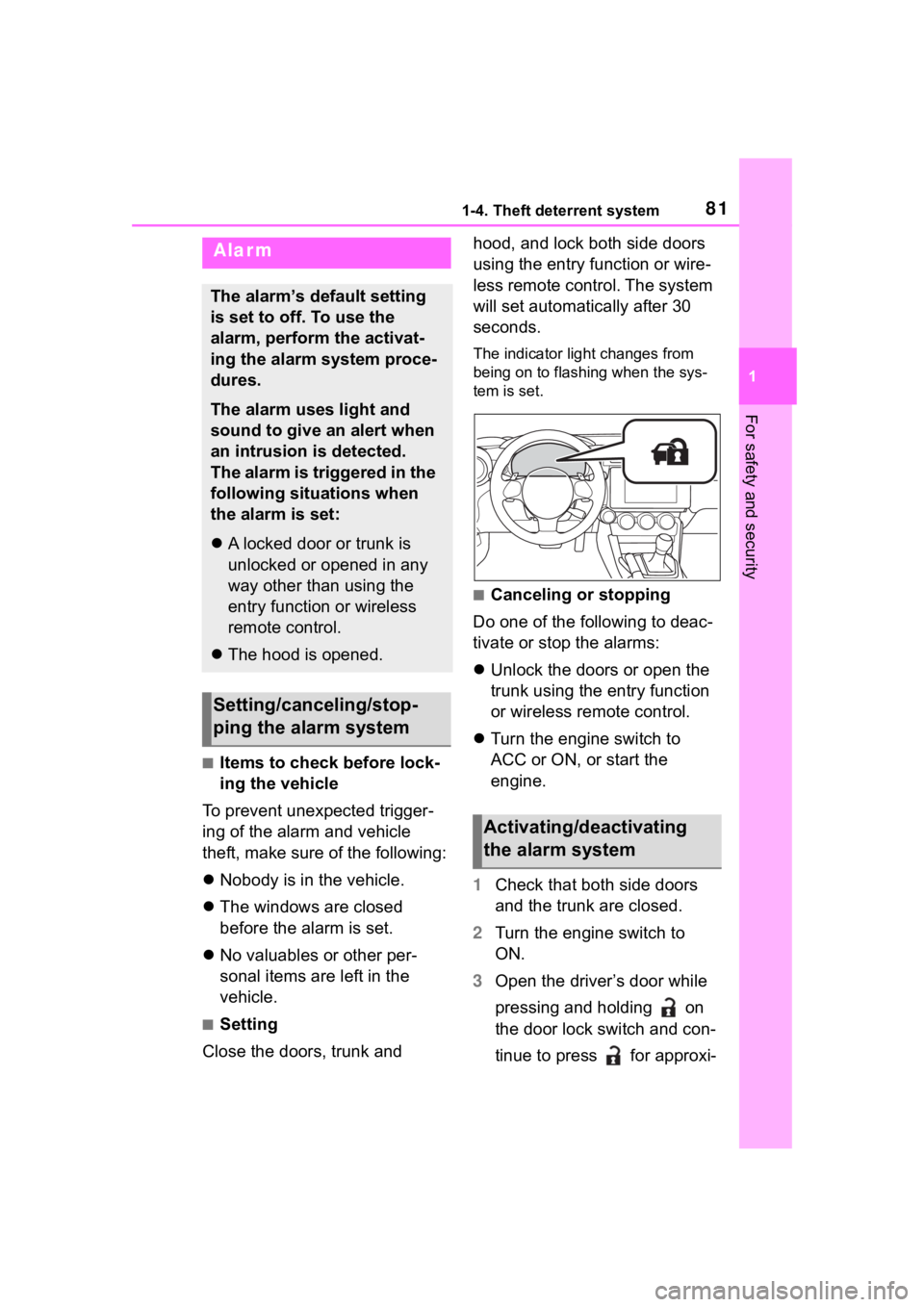
The indicator light changes from
being on to flashing when the sys-
tem is set.
■Canceling or stopping
Do one of the following to deac-
tivate or stop the alarms:
Unlock the doors or open the
trunk using the entry function
or wireless remote control.
Turn the engine switch to
ACC or ON, or start the
engine.
1 Check that both side doors
and the trunk are closed.
2 Turn the engine switch to
ON.
3 Open the driver’s door while
pressing and holding on
the door lock switch and con-
tinue to press for approxi-
Alarm
The alarm’s default setting
is set to off. To use the
alarm, perform the activat-
ing the alarm system proce-
dures.
The alarm uses light and
sound to give an alert when
an intrusion is detected.
The alarm is triggered in the
following situations when
the alarm is set:
A locked door or trunk is
unlocked or opened in any
way other than using the
entry function or wireless
remote control.
The hood is opened.
Setting/canceling/stop-
ping the alarm system
Activating/deactivating
the alarm system
Page 84 of 449
842-1. Instrument cluster
2-1.Instrument cluster
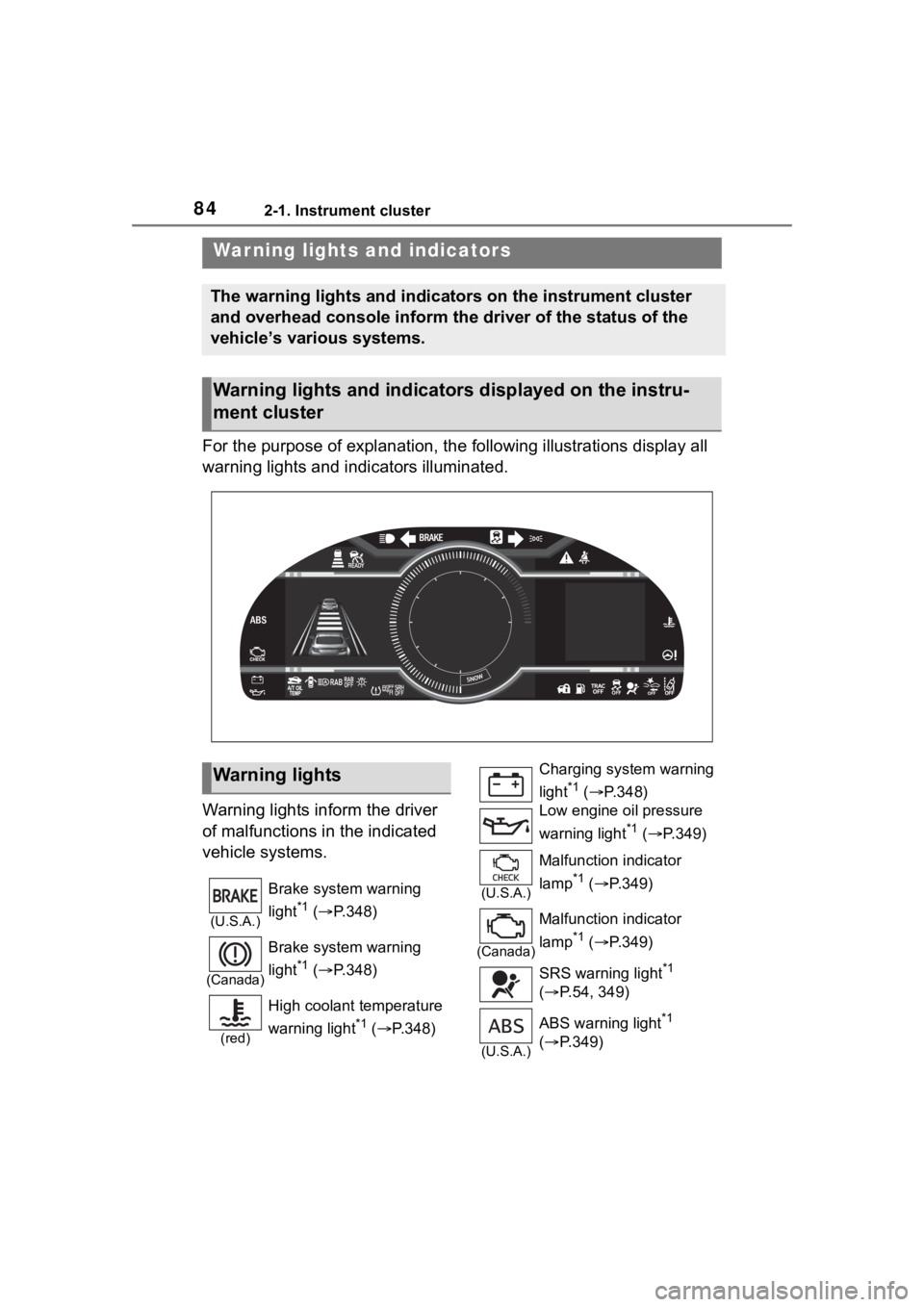
For the purpose of explanation, the following illustrations display all
warning lights and indicators illuminated.
Warning lights inform the driver
of malfunctions in the indicated
vehicle systems.
War ning lights and indicators
The warning lights and indicators on the instrument cluster
and overhead console inform the driver of the status of the
vehicle’s various systems.
Warning lights and indicators displayed on the instru-
ment cluster
Warning lights
(U.S.A.)
Brake system warning
light
*1 ( P.348)
(Canada)
Brake system warning
light
*1 ( P.348)
(red)
High coolant temperature
warning light
*1 ( P.348)
Charging system warning
light
*1 ( P.348)
Low engine oil pressure
warning light
*1 ( P.349)
(U.S.A.)
Malfunction indicator
lamp
*1 ( P.349)
(Canada)
Malfunction indicator
lamp
*1 ( P.349)
SRS warning light
*1
( P.54, 349)
(U.S.A.)
ABS warning light*1
( P.349)
Page 85 of 449
852-1. Instrument cluster
2
Vehicle status information and indicators
*1: These lights turn on when the
engine switch is turned to ON to
indicate that a system check is
being performed. They will turn
off after the engine is started, or
after a few seconds. There may
be a malfunction in a system if a
light does not come on, or turn
off. Have the vehicle inspected
by your Toyota dealer.
*2: The front passenger’s seat belt reminder light is located on the
overhead console.
*3: This light illuminates on the over-head console.
The indicators inform the driver
of the operating state of the
vehicle’s various systems.
(Canada)
ABS warning light*1
( P.349)
Electric power steering
system warning light
*1
( P.350)
Slip indicator
*1 ( P.350)
Automatic transmission
fluid temperature warning
light (if equipped)
( P.350)
Open door warning light
( P.351)
Low fuel level warning
light
*1 ( P.351)
Driver’s and front passen-
ger’s seat belt reminder
light
*1, 2 ( P.351)
Rear passengers’ seat
belt reminder lights
*1, 3
( P.352)
(yellow) Conventional Cruise Con-
trol indicator (if equipped)
(
P.352)
BSD/RCTA warning light
(if equipped) ( P.352)
SRH warning light (if
equipped) ( P.352)
RAB warning light (if
equipped) ( P.353)
LED headlight warning
light ( P.353)
Automatic headlight level-
ing system warning light
( P.353)
Master warning light
*1
( P.353)
EyeSight warning light (if
equipped) ( P.353)
Tire pressure warning
light
*1 ( P.354)
WARNING
■If a safety system warning
light does not come on
Should a safety system light such
as the ABS and SRS warning light
not come on when you start the
engine, this could mean that
these systems are not available to
help protect you in an accident,
which could result in death or seri-
ous injury. Have the vehicle
inspected by you r Toyota dealer
immediately if this occurs.
Indicators
Turn signal indicator
( P.155)
Tail light indicator
( P.158)
Page 87 of 449
872-1. Instrument cluster
2
Vehicle status information and indicators
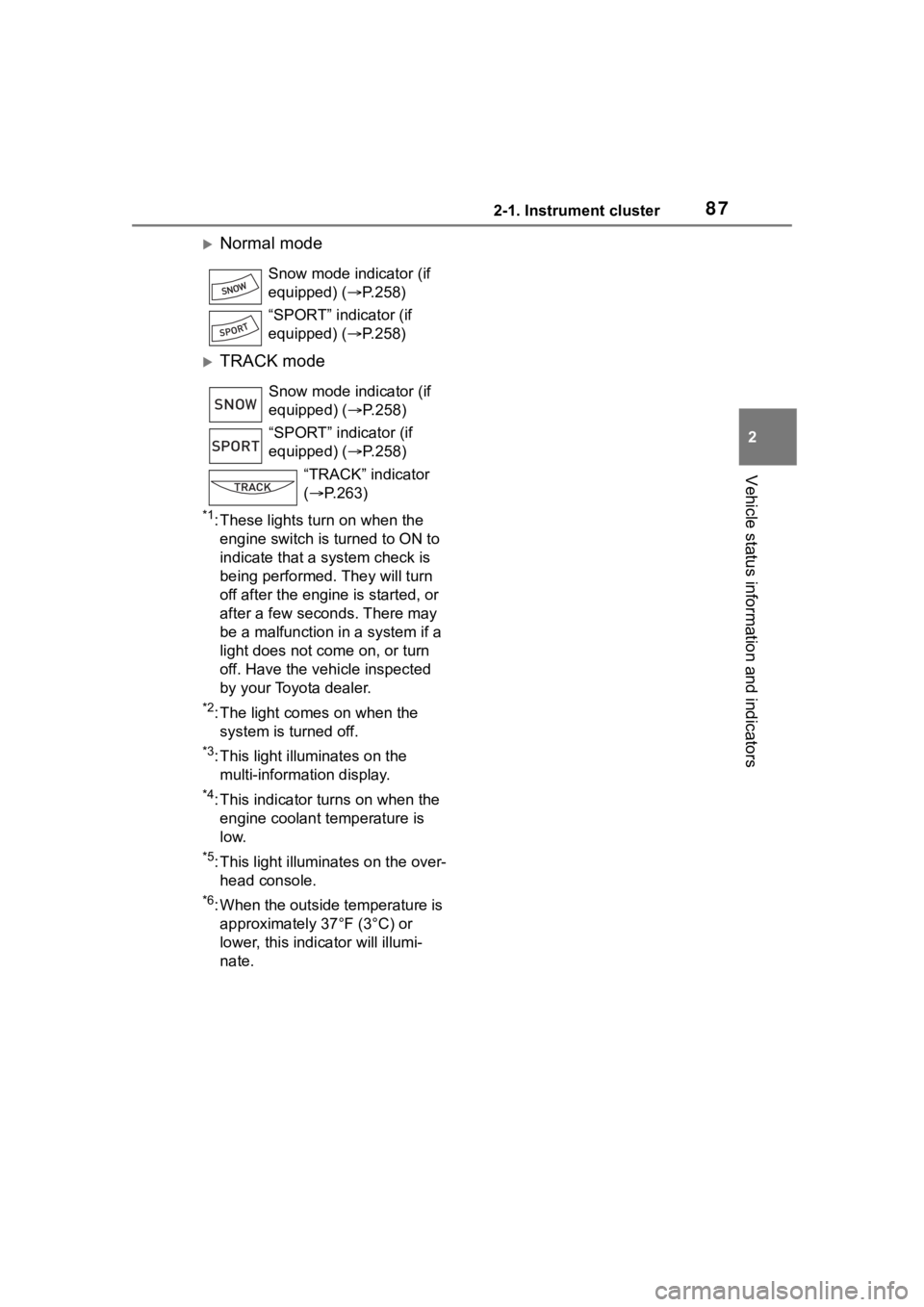
Normal mode
TRACK mode
*1: These lights turn on when the engine switch is turned to ON to
indicate that a system check is
being performed. They will turn
off after the engine is started, or
after a few seconds. There may
be a malfunction in a system if a
light does not co me on, or turn
off. Have the vehicle inspected
by your Toyota dealer.
*2: The light comes on when the system is turned off.
*3: This light illuminates on the multi-information display.
*4: This indicator turns on when the engine coolant temperature is
low.
*5: This light illuminates on the over-head console.
*6: When the outside temperature is approximately 37°F (3°C) or
lower, this indicator will illumi-
nate. Snow mode indicator (if
equipped) (P.258)
“SPORT” indicator (if
equipped) (P.258)
Snow mode indicator (if
equipped) ( P.258)
“SPORT” indicator (if
equipped) ( P.258)
“TRACK” indicator
( P.263)
SNOW
SPORT
Page 88 of 449
882-1. Instrument cluster
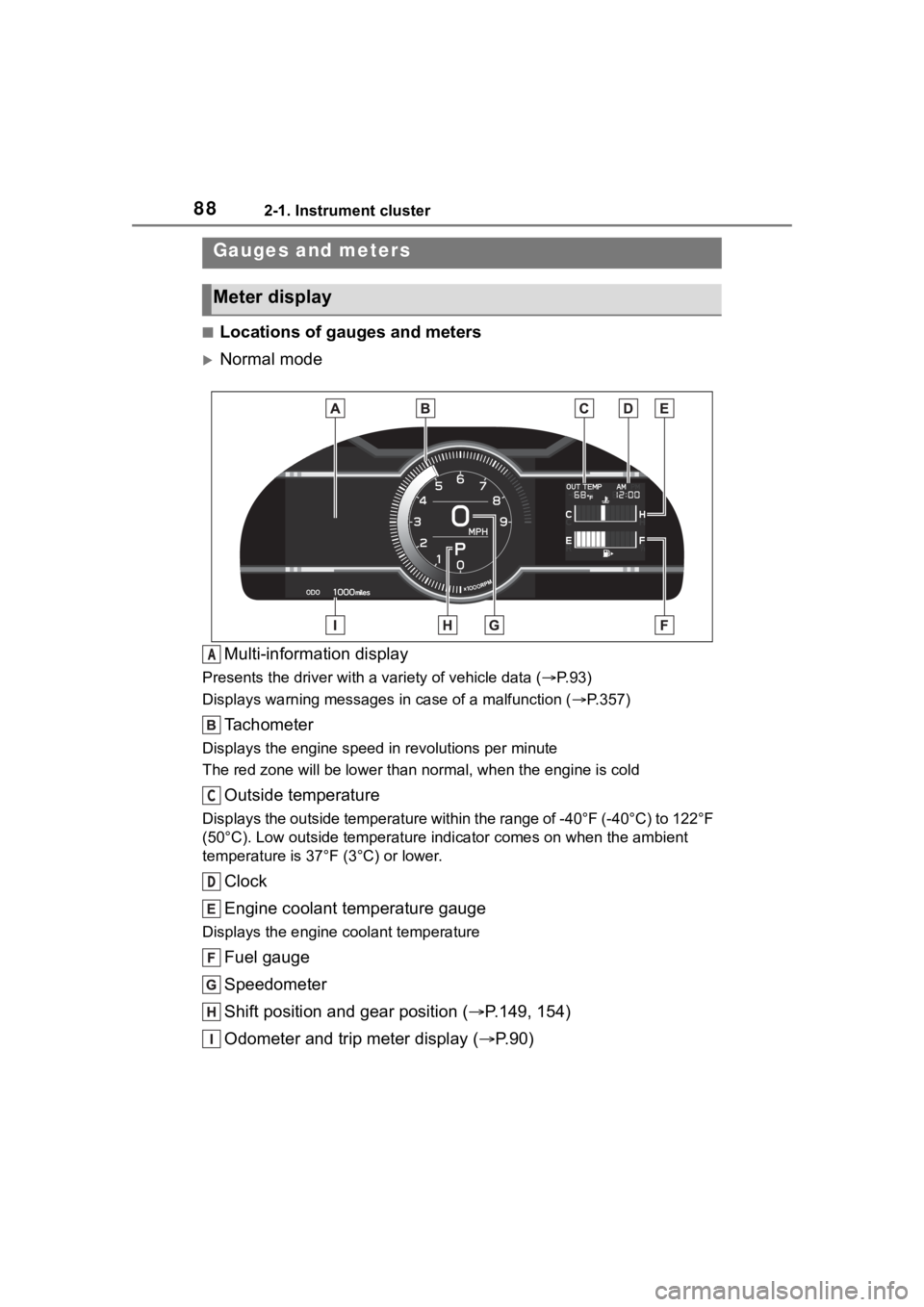
■Locations of gauges and meters
Normal modeMulti-information display
Presents the driver with a variety of vehicle data (P.93)
Displays warning messages in case of a malfunction (P.357)
Tachometer
Displays the engine speed in revolutions per minute
The red zone will be lower than n ormal, when the engine is cold
Outside temperature
Displays the outside temperature within the range of -40°F (-40 °C) to 122°F
(50°C). Low outside temperature indicator comes on when the amb ient
temperature is 37°F (3°C) or lower.
Clock
Engine coolant temperature gauge
Displays the engine c oolant temperature
Fuel gauge
Speedometer
Shift position and gear position ( P.149, 154)
Odometer and trip meter display ( P.90)
Gauges and meters
Meter display
A
C
D
Page 89 of 449
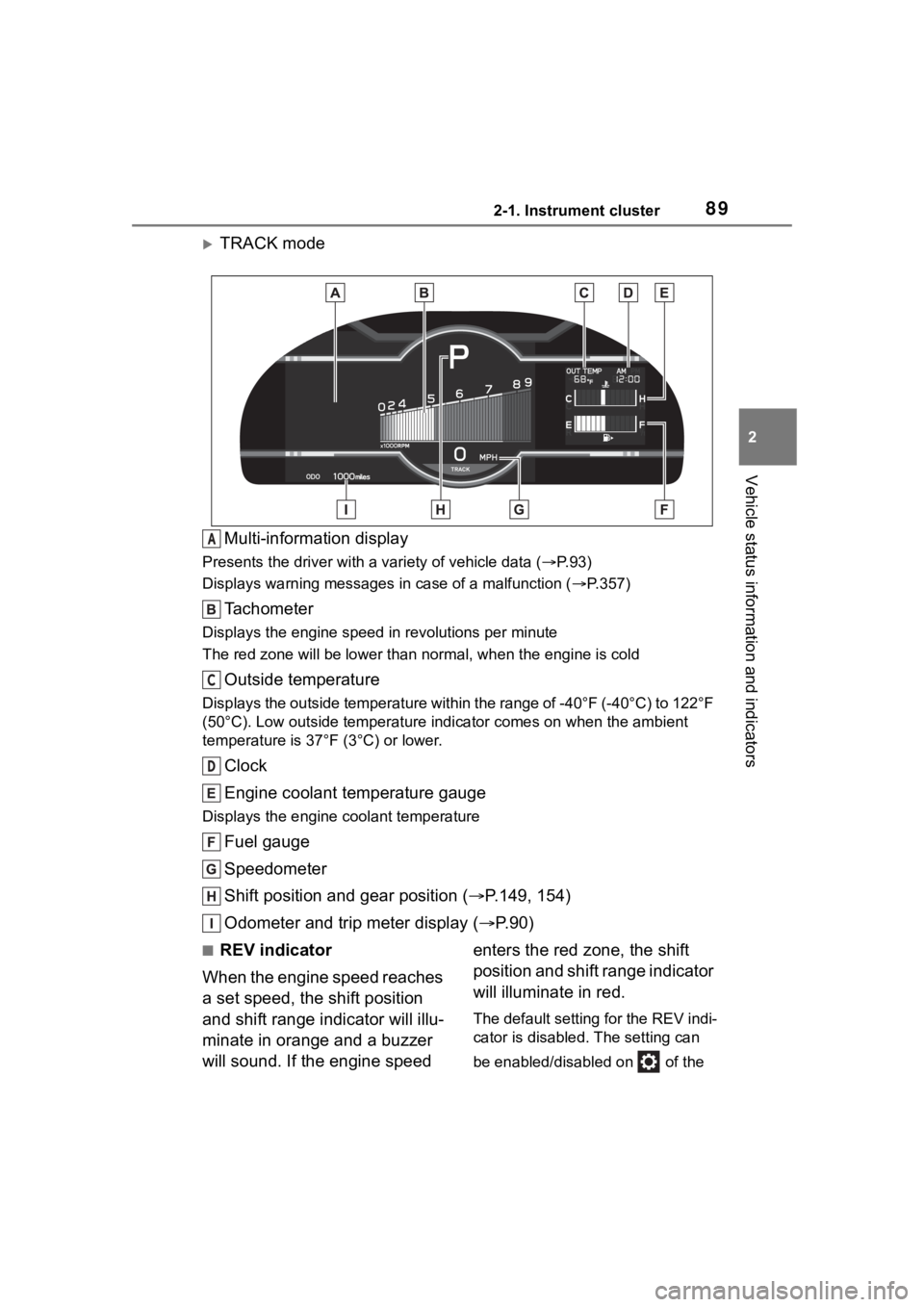
892-1. Instrument cluster
2
Vehicle status information and indicators
TRACK modeMulti-information display
Presents the driver with a variety of vehicle data (P.93)
Displays warning messages in case of a malfunction (P.357)
Tachometer
Displays the engine speed in revolutions per minute
The red zone will be lower than n ormal, when the engine is cold
Outside temperature
Displays the outside temperature within the range of -40°F (-40 °C) to 122°F
(50°C). Low outside temperature indicator comes on when the amb ient
temperature is 37°F (3°C) or lower.
Clock
Engine coolant temperature gauge
Displays the engine c oolant temperature
Fuel gauge
Speedometer
Shift position and gear position ( P.149, 154)
Odometer and trip meter display ( P.90)
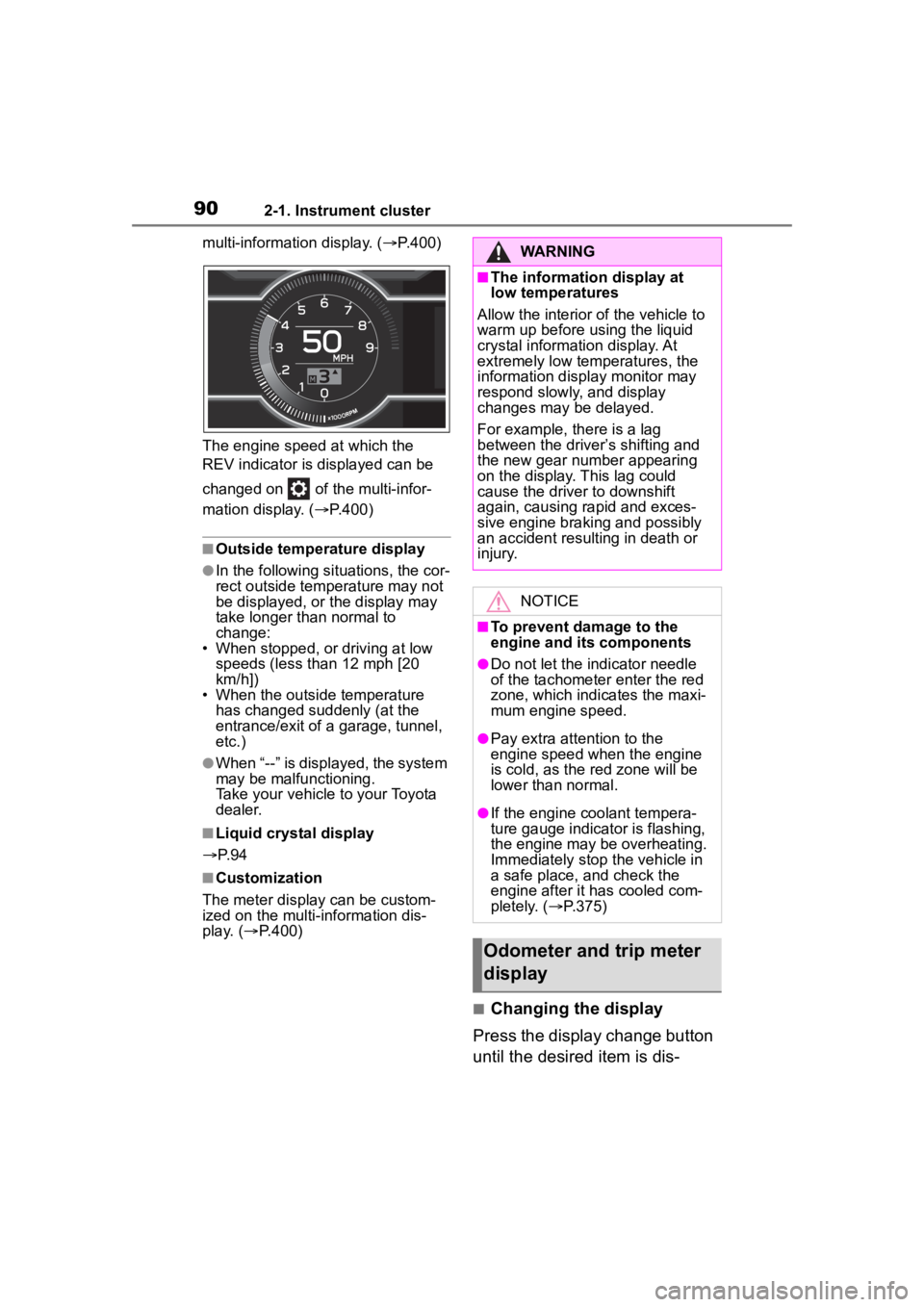
■REV indicator
When the engine speed reaches
a set speed, the shift position
and shift range indicator will illu-
minate in orange and a buzzer
will sound. If the engine speed enters the red zone, the shift
position and shift range indicator
will illuminate in red.
The default setting for the REV indi-
cator is disabled. The setting can
be enabled/disabled on of the
A
C
D
Page 90 of 449
902-1. Instrument cluster
multi-information display. (P.400)
The engine speed at which the
REV indicator is d isplayed can be
changed on of the multi-infor-
mation display. ( P.400)
■Outside temperature display
●In the following si tuations, the cor-
rect outside tempe rature may not
be displayed, or the display may
take longer than normal to
change:
• When stopped, or driving at low speeds (less than 12 mph [20
km/h])
• When the outside temperature has changed suddenly (at the
entrance/exit of a garage, tunnel,
etc.)
●When “--” is displayed, the system
may be malfunctioning.
Take your vehicle to your Toyota
dealer.
■Liquid crystal display
P. 9 4
■Customization
The meter display can be custom-
ized on the multi-information dis-
play. ( P.400)
■Changing the display
Press the display change button
until the desired item is dis-
WARNING
■The information display at
low temperatures
Allow the interior of the vehicle to
warm up before using the liquid
crystal information display. At
extremely low temperatures, the
information disp lay monitor may
respond slowly, and display
changes may be delayed.
For example, there is a lag
between the driver’s shifting and
the new gear number appearing
on the display. This lag could
cause the driver to downshift
again, causing rapid and exces-
sive engine braking and possibly
an accident resulting in death or
injury.
NOTICE
■To prevent damage to the
engine and its components
●Do not let the indicator needle
of the tachometer enter the red
zone, which indicates the maxi-
mum engine speed.
●Pay extra attention to the
engine speed when the engine
is cold, as the red zone will be
lower than normal.
●If the engine coolant tempera-
ture gauge indicator is flashing,
the engine may be overheating.
Immediately stop the vehicle in
a safe place, and check the
engine after it has cooled com-
pletely. ( P.375)
Odometer and trip meter
display
Page 93 of 449
932-1. Instrument cluster
2
Vehicle status information and indicators
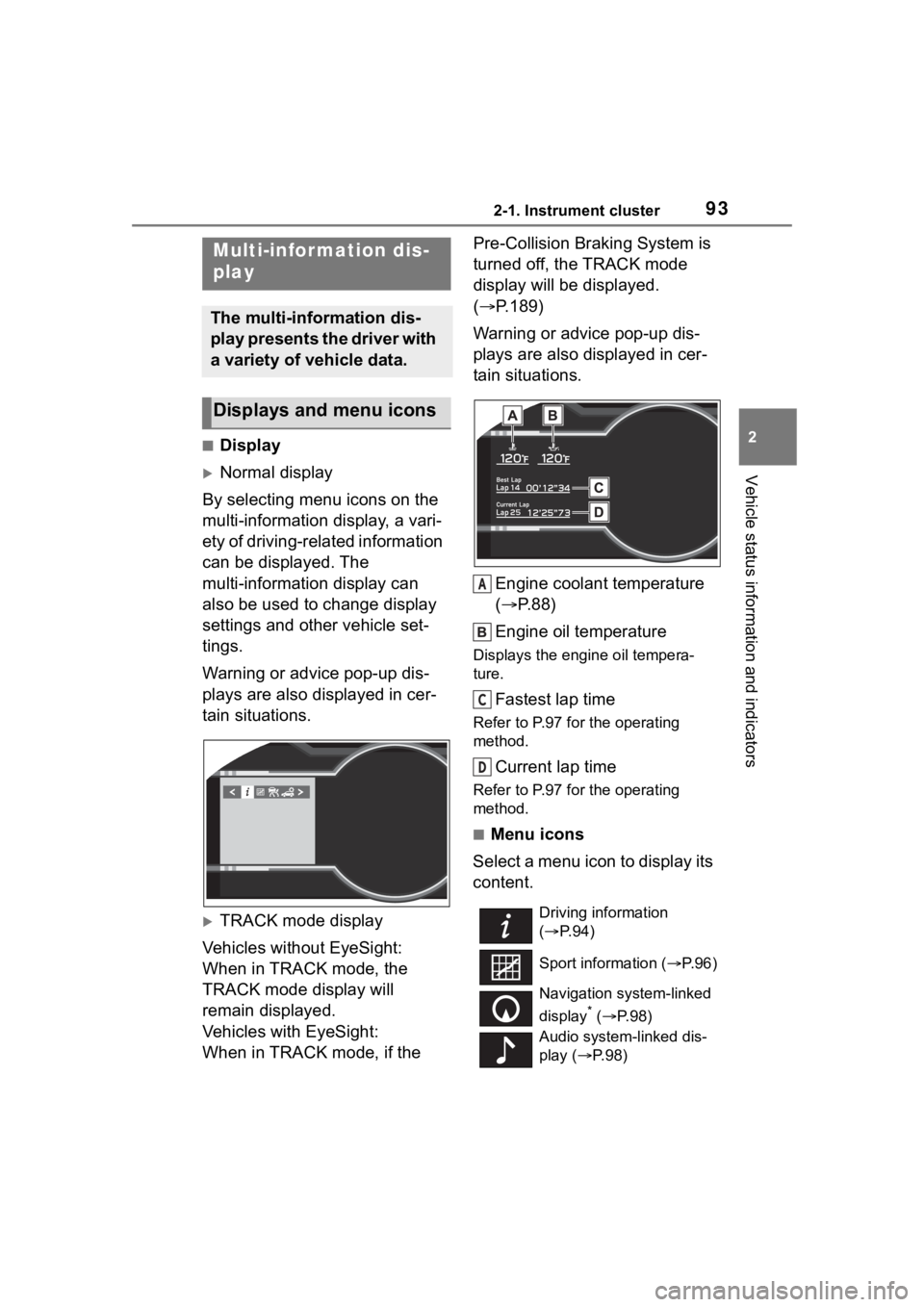
■Display
Normal display
By selecting menu icons on the
multi-information display, a vari-
ety of driving-related information
can be displayed. The
multi-information display can
also be used to change display
settings and other vehicle set-
tings.
Warning or advice pop-up dis-
plays are also displayed in cer-
tain situations.
TRACK mode display
Vehicles without EyeSight:
When in TRACK mode, the
TRACK mode display will
remain displayed.
Vehicles with EyeSight:
When in TRACK mode, if the Pre-Collision Braking System is
turned off, the TRACK mode
display will be displayed.
(
P.189)
Warning or advice pop-up dis-
plays are also displayed in cer-
tain situations.
Engine coolant temperature
( P.88)
Engine oil temperature
Displays the engine oil tempera-
ture.
Fastest lap time
Refer to P.97 for the operating
method.
Current lap time
Refer to P.97 for the operating
method.
■Menu icons
Select a menu icon to display its
content.
Multi-infor mation dis-
play
The multi-information dis-
play presents the driver with
a variety of vehicle data.
Displays and menu icons
Driving information
( P. 9 4 )
Sport information ( P.96)
Navigation system-linked
display
* ( P. 9 8 )
Audio system-linked dis-
play ( P. 9 8 )
A
C
D
Page 94 of 449
942-1. Instrument cluster
*: Displayed when the navigation system of Apple CarPlay or
Android Auto is operating. For
details, refer to the “MULTIMEDIA
OWNER’S MANUAL”.
■Liquid crystal display
Small spots or light spots may
appear on the display. This phenom-
enon is characteristi c of liquid crys-
tal displays, and there is no problem
continuing to use the display.
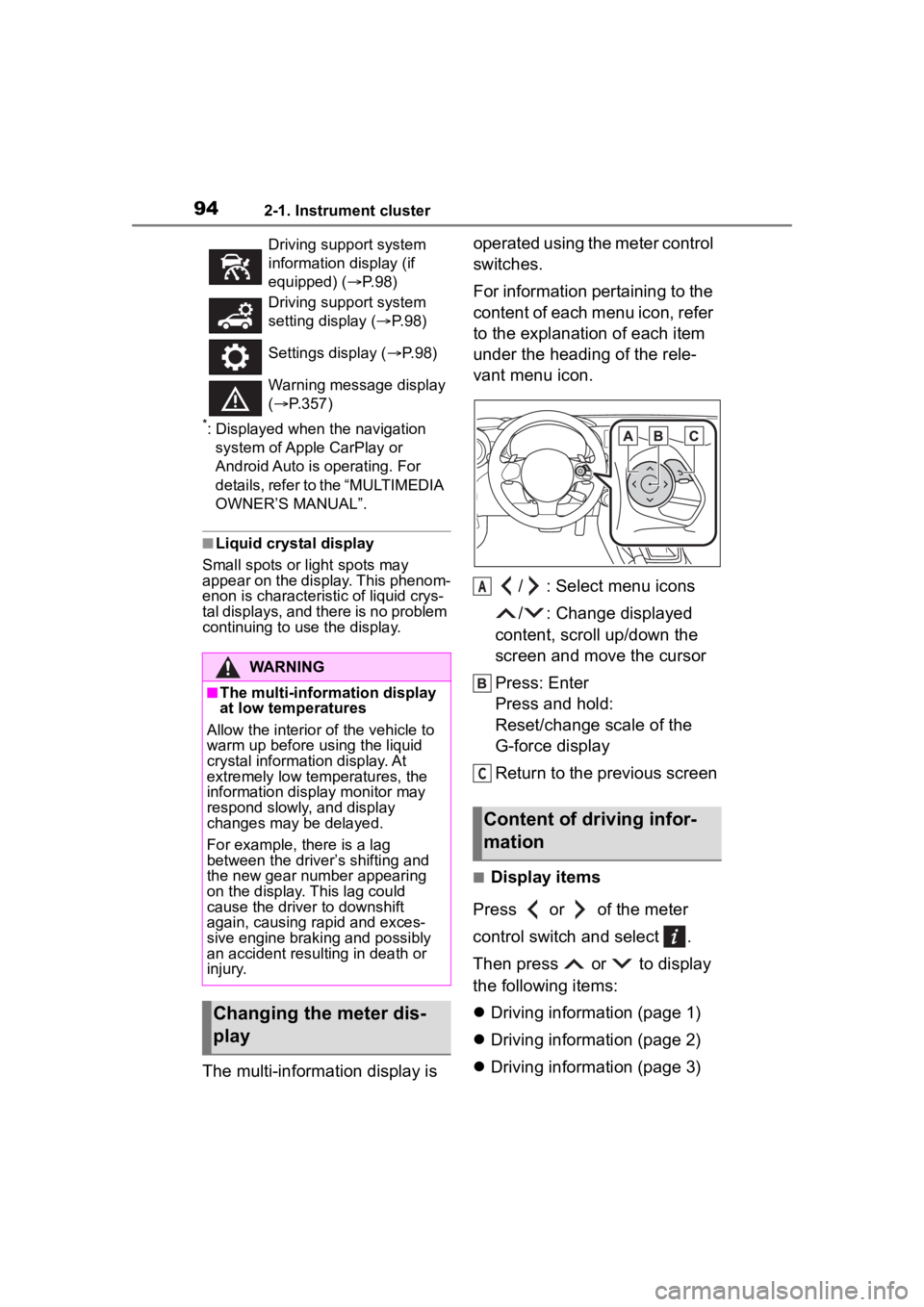
The multi-information display is operated using the meter control
switches.
For information pertaining to the
content of each menu icon, refer
to the explanation of each item
under the heading of the rele-
vant menu icon.
/ : Select menu icons
/ : Change displayed
content, scroll up/down the
screen and move the cursor
Press: Enter
Press and hold:
Reset/change scale of the
G-force display
Return to the previous screen
■Display items
Press or of the meter
control switch and select .
Then press or to display
the following items:
Driving information (page 1)
Driving information (page 2)
Driving information (page 3)
Driving support system
information display (if
equipped) ( P. 9 8 )
Driving support system
setting display ( P. 9 8 )
Settings display ( P. 9 8 )
Warning message display
( P.357)
WARNING
■The multi-information display
at low temperatures
Allow the interior of the vehicle to
warm up before u sing the liquid
crystal informat ion display. At
extremely low temperatures, the
information display monitor may
respond slowly, and display
changes may be delayed.
For example, there is a lag
between the driver’s shifting and
the new gear number appearing
on the display. This lag could
cause the driver to downshift
again, causing rapid and exces-
sive engine braking and possibly
an accident resulting in death or
injury.
Changing the meter dis-
play
Content of driving infor-
mation
A
C