wheel TOYOTA 86 2023 Service Manual
[x] Cancel search | Manufacturer: TOYOTA, Model Year: 2023, Model line: 86, Model: TOYOTA 86 2023Pages: 449, PDF Size: 8.5 MB
Page 213 of 449
2134-5. EyeSight
4
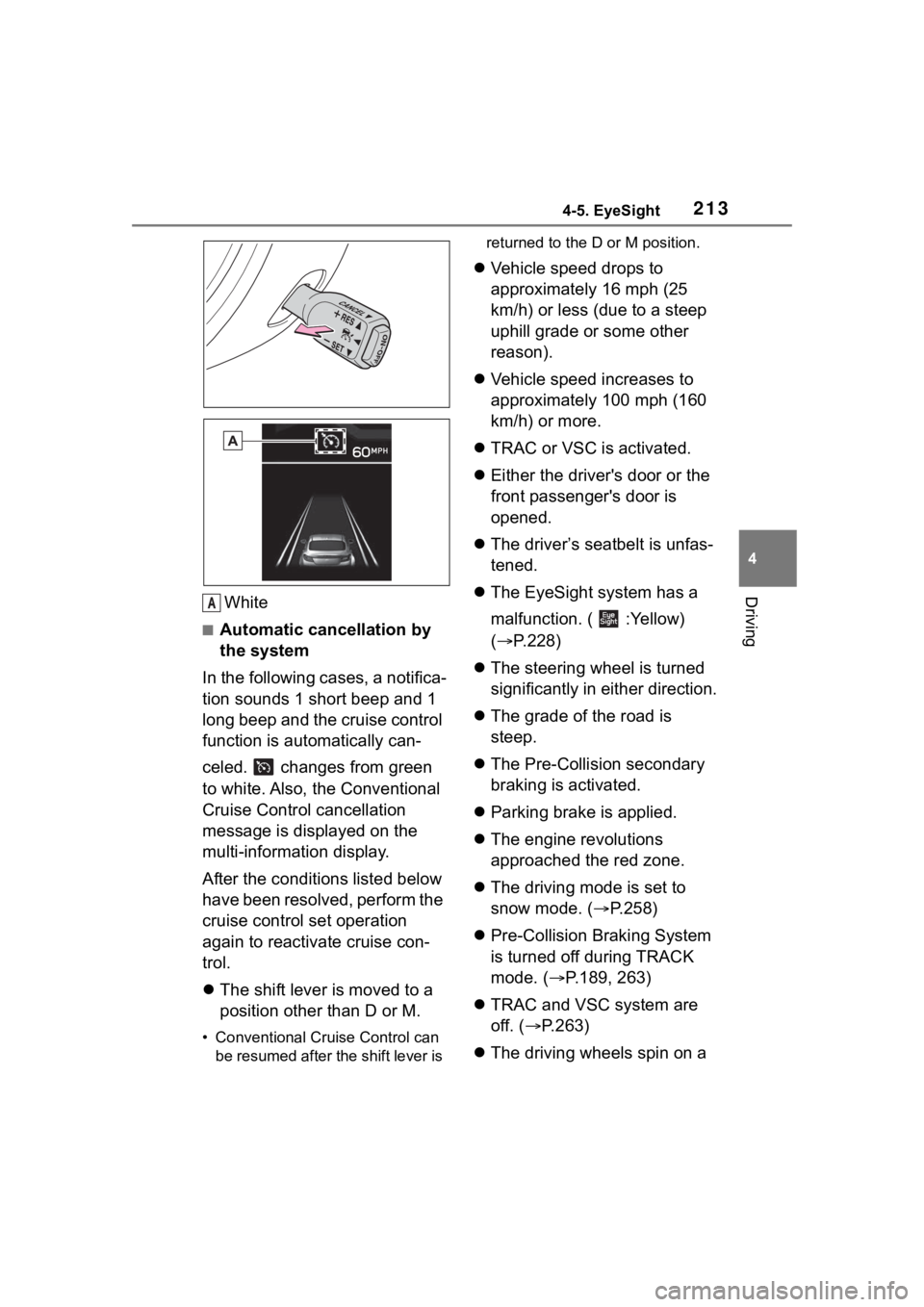
DrivingWhite
■Automatic cancellation by
the system
In the following cases, a notifica-
tion sounds 1 short beep and 1
long beep and the cruise control
function is automatically can-
celed. changes from green
to white. Also, the Conventional
Cruise Control cancellation
message is displayed on the
multi-information display.
After the conditi ons listed below
have been resolved, perform the
cruise control set operation
again to reactivate cruise con-
trol.
The shift lever is moved to a
position other than D or M.
• Conventional Cruise Control can
be resumed after the shift lever is returned to the D or M position.
Vehicle speed drops to
approximately 16 mph (25
km/h) or less (due to a steep
uphill grade or some other
reason).
Vehicle speed increases to
approximately 100 mph (160
km/h) or more.
TRAC or VSC is activated.
Either the driver's door or the
front passenger's door is
opened.
The driver’s seatbelt is unfas-
tened.
The EyeSight system has a
malfunction. ( :Yellow)
( P.228)
The steering wheel is turned
significantly in either direction.
The grade of the road is
steep.
The Pre-Collision secondary
braking is activated.
Parking brake is applied.
The engine revolutions
approached the red zone.
The driving mode is set to
snow mode. ( P.258)
Pre-Collision Braking System
is turned off during TRACK
mode. ( P.189, 263)
TRAC and VSC system are
off. ( P.263)
The driving wheels spin on a
A
Page 218 of 449
2184-5. EyeSight
NOTICE
●A chassis dynamometer,
free-rollers or similar equip-
ment is being used.
●A mechanic lifts up the vehicle,
starts the engine and allows the
wheels to spin freely.
●Driving on a race track
●Passing hanging banners, flags
or branches
●Thick/tall vegeta tion is touching
the vehicle.
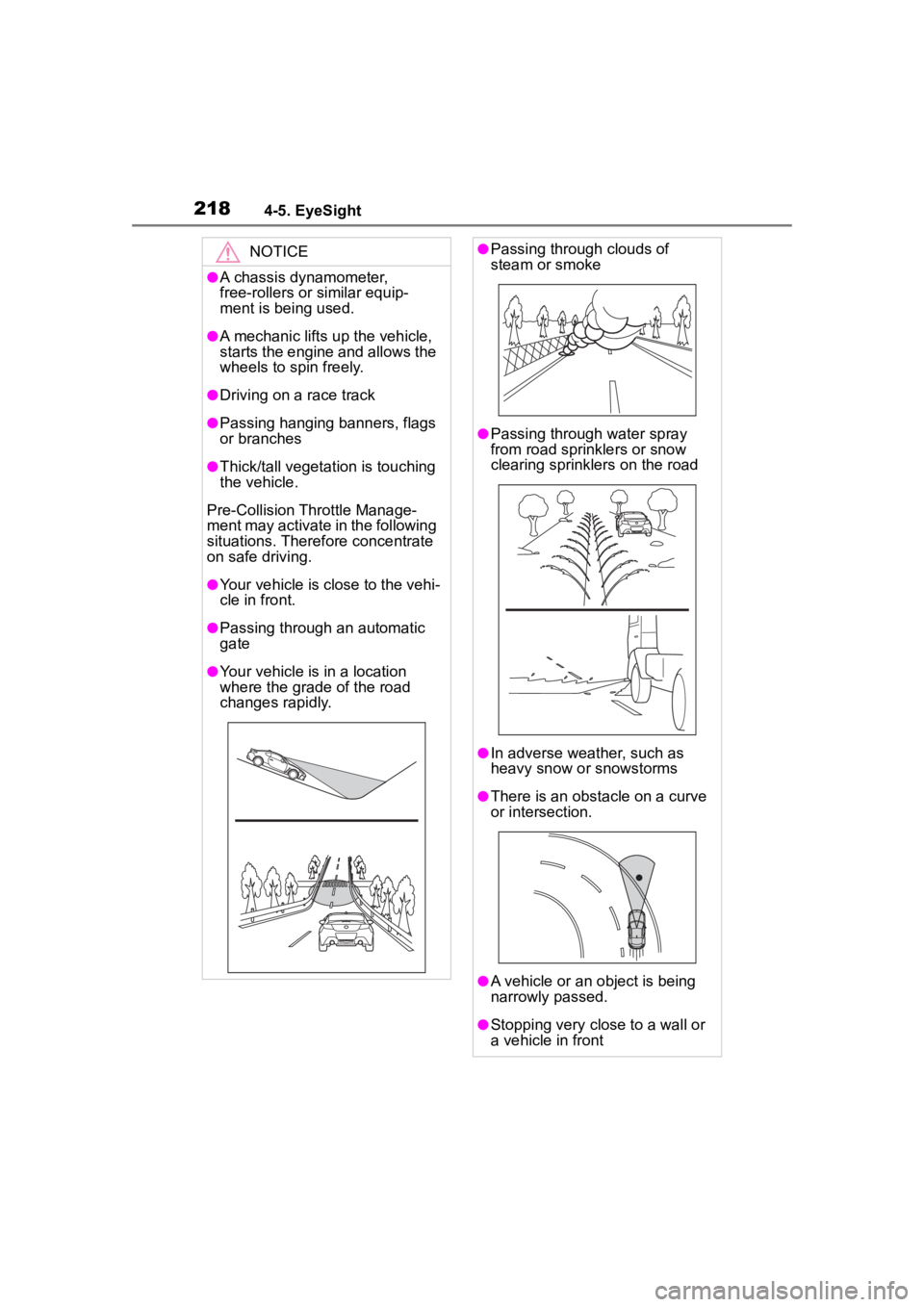
Pre-Collision Throttle Manage-
ment may activate in the following
situations. Theref ore concentrate
on safe driving.
●Your vehicle is close to the vehi-
cle in front.
●Passing through an automatic
gate
●Your vehicle is in a location
where the grade of the road
changes rapidly.
●Passing through clouds of
steam or smoke
●Passing through water spray
from road sprinklers or snow
clearing sprinklers on the road
●In adverse weather, such as
heavy snow or snowstorms
●There is an obstacle on a curve
or intersection.
●A vehicle or an object is being
narrowly passed.
●Stopping very close to a wall or
a vehicle in front
Page 220 of 449
2204-5. EyeSight
*: If equipped
●The following situations may
cause incorrect lane detection and
a faulty Lane Departure Warning
to occur.
• There are tire tracks on a wet road or snow-covered road.
• There are boundaries between
snow and asphalt, or marks from
road repair, etc.
• There are the shadows of guard-
rails.
• Lane markings are drawn in dou- ble.
• There are some lane markings left from roadwork or markings from
the previous road.
●When the Lane Departure Warn-
ing OFF indicator is illuminated,
Lane Departure Warning is inac-
tive. ( P.221)Lane Depar ture War n-
ing*
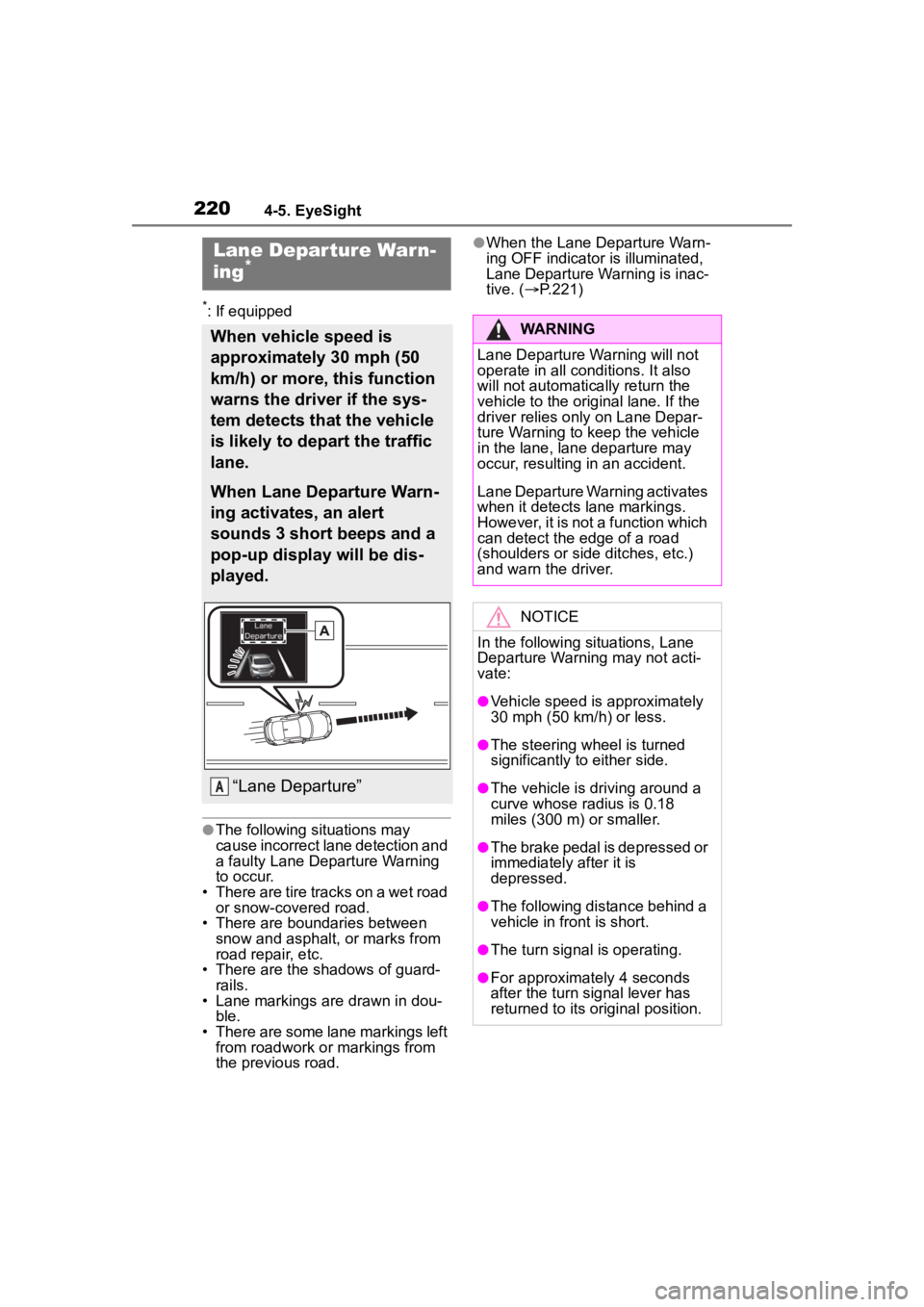
When vehicle speed is
approximately 30 mph (50
km/h) or more, this function
warns the driver if the sys-
tem detects that the vehicle
is likely to depart the traffic
lane.
When Lane Departure Warn-
ing activates, an alert
sounds 3 short beeps and a
pop-up display will be dis-
played.
“Lane Departure”A
WARNING
Lane Departure Wa rning will not
operate in all conditions. It also
will not automatically return the
vehicle to the ori ginal lane. If the
driver relies only on Lane Depar-
ture Warning to keep the vehicle
in the lane, lane departure may
occur, resulting in an accident.
Lane Departure Warning activates
when it detects lane markings.
However, it is not a function which
can detect the edge of a road
(shoulders or side ditches, etc.)
and warn the driver.
NOTICE
In the following situations, Lane
Departure Warning may not acti-
vate:
●Vehicle speed is approximately
30 mph (50 km/h) or less.
●The steering wheel is turned
significantly to either side.
●The vehicle is driving around a
curve whose radius is 0.18
miles (300 m ) or smaller.
●The brake pedal is depressed or
immediately after it is
depressed.
●The following distance behind a
vehicle in front is short.
●The turn signal is operating.
●For approximately 4 seconds
after the turn signal lever has
returned to its or iginal position.
Page 239 of 449
2394-6. Using other driving systems
4
Driving
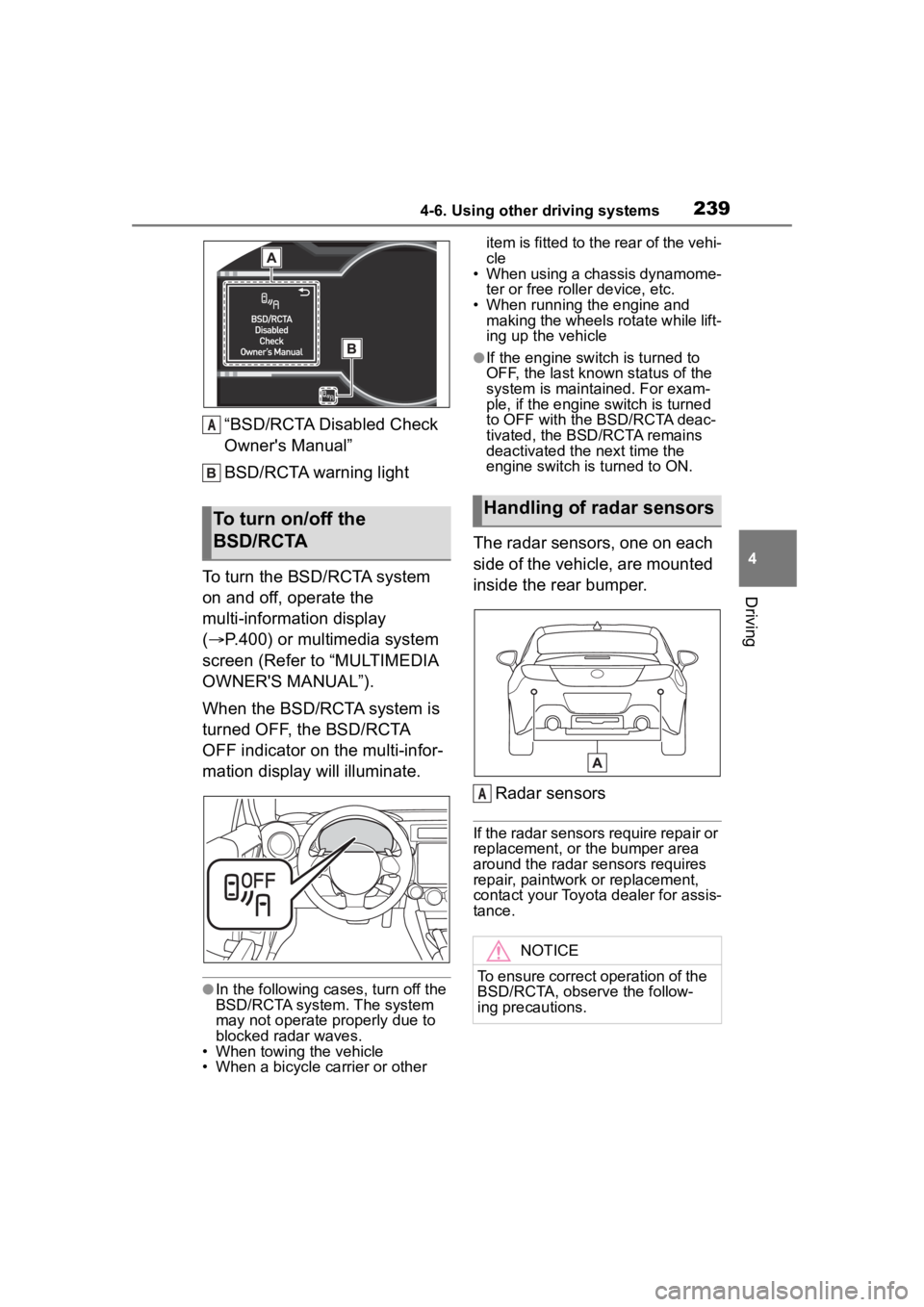
“BSD/RCTA Disabled Check
Owner's Manual”
BSD/RCTA warning light
To turn the BSD/RCTA system
on and off, operate the
multi-information display
( P.400) or multimedia system
screen (Refer to “MULTIMEDIA
OWNER'S MANUAL”).
When the BSD/RCTA system is
turned OFF, the BSD/RCTA
OFF indicator on the multi-infor-
mation display will illuminate.
●In the following cases, turn off the
BSD/RCTA system. The system
may not operate properly due to
blocked radar waves.
• When towing the vehicle
• When a bicycle carrier or other item is fitted to the rear of the vehi-
cle
• When using a chassis dynamome-
ter or free rolle r device, etc.
• When running the engine and making the wheels rotate while lift-
ing up the vehicle
●If the engine switch is turned to
OFF, the last known status of the
system is maintained. For exam-
ple, if the engine switch is turned
to OFF with the BSD/RCTA deac-
tivated, the BSD/RCTA remains
deactivated the next time the
engine switch is turned to ON.
The radar sensors, one on each
side of the vehicle, are mounted
inside the rear bumper.
Radar sensors
If the radar sensors require repair or
replacement, or the bumper area
around the radar sensors requires
repair, paintwork or replacement,
contact your Toyota dealer for assis-
tance.
To turn on/off the
BSD/RCTA
A
Handling of radar sensors
NOTICE
To ensure correct operation of the
BSD/RCTA, observe the follow-
ing precautions.
A
Page 244 of 449
2444-6. Using other driving systems
temperatures in which the area
near the sonar sensor becomes
too hot or too cold to operate.
• The sonar sensors or the rear bumper near the sonar sensors
are exposed to heavy rain or a
significant amount of water.
• Fog, snow or sandstorm, etc.
• Air is moving rapidly such as when a strong wind is blowing.
●Parts attached to the rear bumper
near the sonar sensor:
• Commercial electronic parts (fog light, fender pole, radio antenna)
or commercial attachment parts
(trailer hitch, bicycle carrier,
bumper guard) are attached.
• Parts that emit high frequency sound, such as a horn or speaker,
are attached.
●Vehicle conditions:
• Ice, snow or mud is adhered to the
sonar sensors or the rear bumper
near the sonar sensor.
• The vehicle is significantly
inclined.
• The ground clearance is signifi- cantly reduced due to the vehi-
cle’s loading condition, etc.
• When the sonar sensor is mis- aligned due to a collision or an
accident.
●Surrounding environment:
• A cloth banner, flag, hanging branch or railroad crossing bars
are present in the reversing direc-
tion.
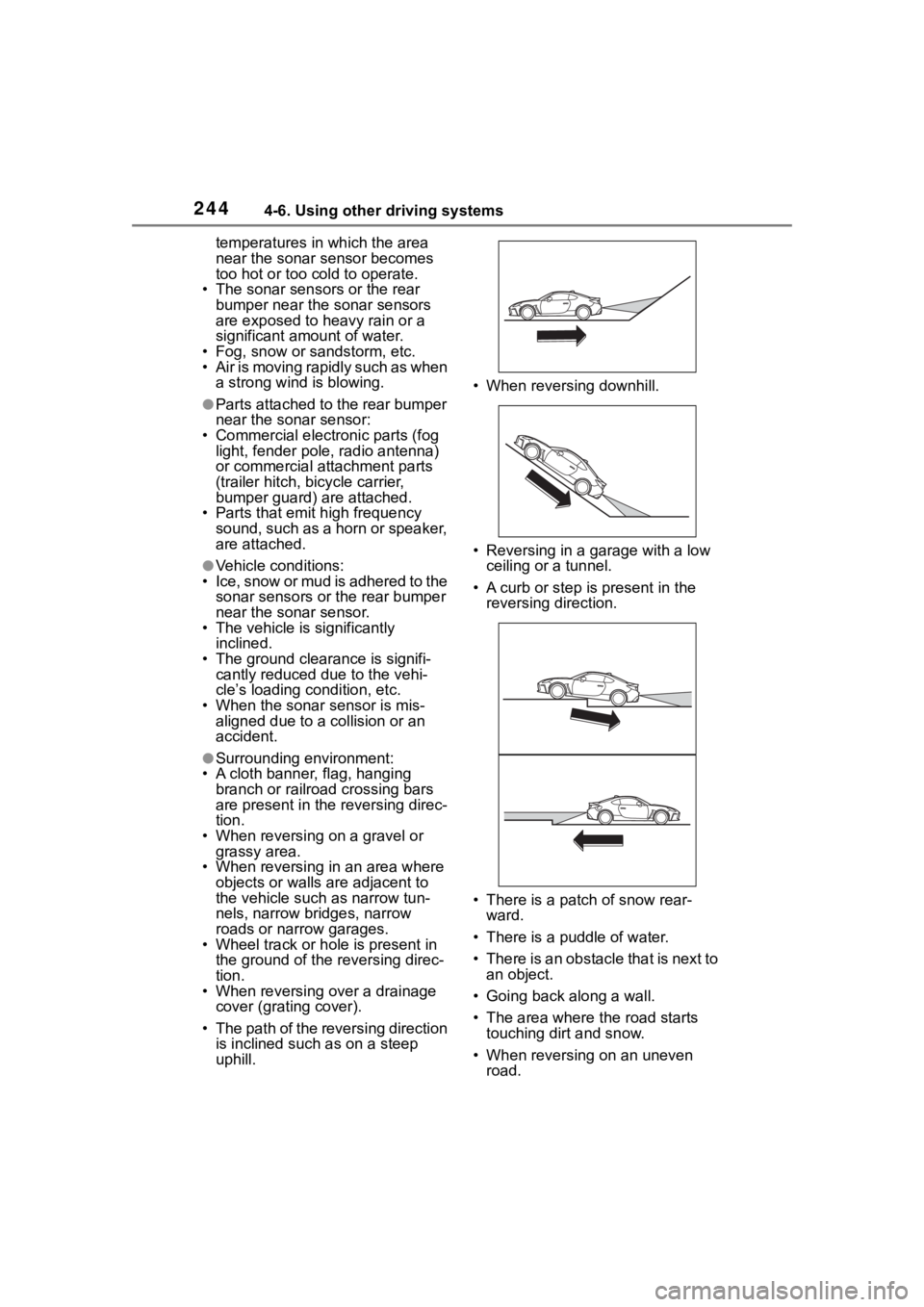
• When reversing on a gravel or grassy area.
• When reversing in an area where objects or walls are adjacent to
the vehicle such as narrow tun-
nels, narrow bridges, narrow
roads or narrow garages.
• Wheel track or hole is present in the ground of the reversing direc-
tion.
• When reversing over a drainage cover (grating cover).
• The path of the reversing direction is inclined such as on a steep
uphill. • When reversing downhill.
• Reversing in a garage with a low
ceiling or a tunnel.
• A curb or step is present in the
reversing direction.
• There is a patch of snow rear- ward.
• There is a puddle of water.
• There is an obstacle that is next to an object.
• Going back along a wall.
• The area where the road starts touching dirt and snow.
• When reversing on an uneven road.
Page 262 of 449
2624-6. Using other driving systems
■ABS (Anti-lock Brake Sys-
tem)
Helps to prevent wheel lock
when the brakes are applied
suddenly, or if the brakes are
applied while driving on a slip-
pery road surface
■Brake assist
Generates an increased level of
braking force after the brake
pedal is depressed when the
system detects a panic stop sit-
uation
■VSC (Vehicle Stability Con-
trol)
Helps the driver to control skid-
ding when swerving suddenly or
turning on slippery road sur-
faces
■TRAC (Traction Control)
Helps to maintain drive power and prevent the drive wheels
from spinning when starting the
vehicle or accelerating on slip-
pery roads
The TRAC system is also
equipped with the brake LSD
function.
■Hill-start assist control
P.259
■EPS (Electric Power Steer-
ing)
Employs an electric motor to
reduce the amount of effort
needed to turn the steering
wheel
■When the TRAC/VSC systems
are operating
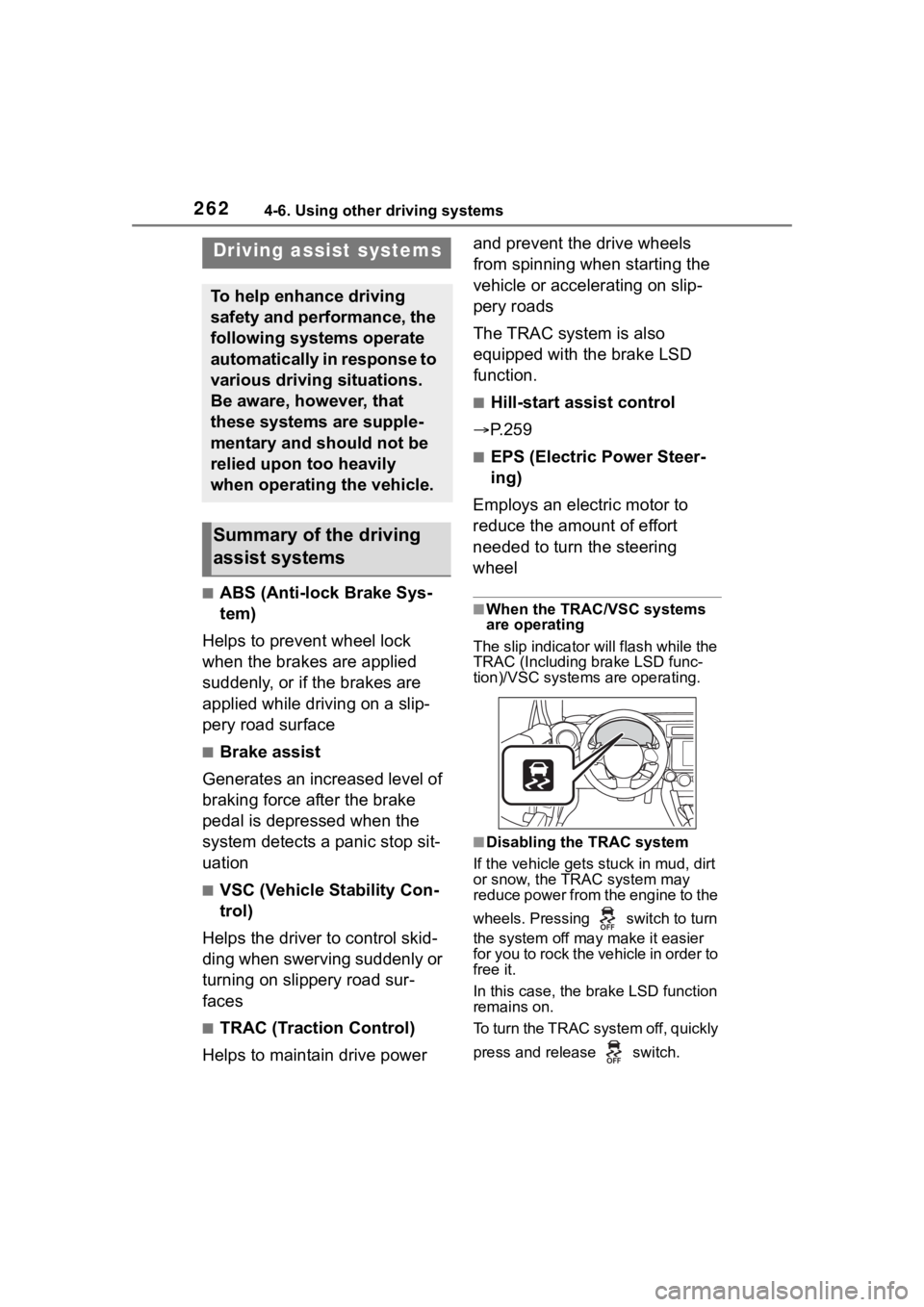
The slip indicator will flash while the
TRAC (Including brake LSD func-
tion)/VSC systems are operating.
■Disabling the TRAC system
If the vehicle gets stuck in mud, dirt
or snow, the TRAC system may
reduce power from the engine to the
wheels. Pressing switch to turn
the system off may make it easier
for you to rock the vehicle in order to
free it.
In this case, the brake LSD function
remains on.
To turn the TRAC system off, quickly
press and release switch.
Driving assist systems
To help enhance driving
safety and performance, the
following systems operate
automatically in response to
various driving situations.
Be aware, however, that
these systems are supple-
mentary and should not be
relied upon too heavily
when operating the vehicle.
Summary of the driving
assist systems
Page 264 of 449
2644-6. Using other driving systems
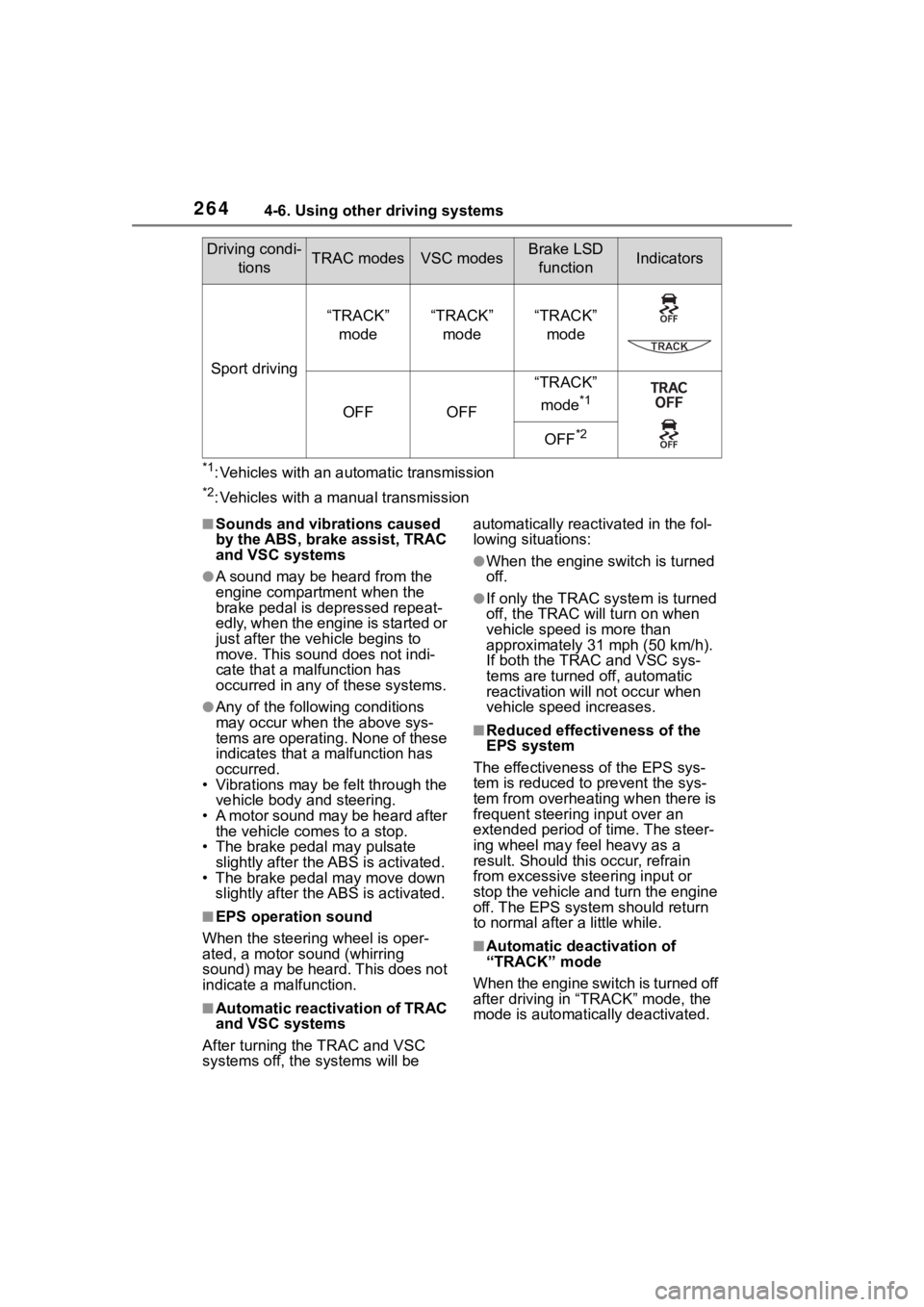
*1: Vehicles with an automatic transmission
*2: Vehicles with a manual transmission
■Sounds and vibrations caused
by the ABS, brake assist, TRAC
and VSC systems
●A sound may be heard from the
engine compartment when the
brake pedal is depressed repeat-
edly, when the engine is started or
just after the vehicle begins to
move. This sound does not indi-
cate that a malfunction has
occurred in any of these systems.
●Any of the following conditions
may occur when t he above sys-
tems are operating. None of these
indicates that a malfunction has
occurred.
• Vibrations may be felt through the vehicle body and steering.
• A motor sound may be heard after the vehicle comes to a stop.
• The brake pedal may pulsate
slightly after the ABS is activated.
• The brake pedal may move down slightly after the ABS is activated.
■EPS operation sound
When the steering wheel is oper-
ated, a motor sou nd (whirring
sound) may be heard. This does not
indicate a malfunction.
■Automatic reactivation of TRAC
and VSC systems
After turning the TRAC and VSC
systems off, the systems will be automatically reactivated in the fol-
lowing situations:
●When the engine switch is turned
off.
●If only the TRAC sy
stem is turned
off, the TRAC will turn on when
vehicle speed is more than
approximately 31 mph (50 km/h).
If both the TRAC and VSC sys-
tems are turned o ff, automatic
reactivation will not occur when
vehicle speed increases.
■Reduced effectiveness of the
EPS system
The effectiveness of the EPS sys-
tem is reduced to prevent the sys-
tem from overheating when there is
frequent steering input over an
extended period o f time. The steer-
ing wheel may f eel heavy as a
result. Should this occur, refrain
from excessive steering input or
stop the vehicle and turn the engine
off. The EPS system should return
to normal after a little while.
■Automatic deactivation of
“TRACK” mode
When the engine switch is turned off
after driving in “ TRACK” mode, the
mode is automatically deactivated.
Sport driving
“TRACK”
mode“TRACK” mode“TRACK” mode
OFFOFF
“TRACK”
mode
*1
OFF*2
Driving condi- tionsTRAC modesVSC modesBrake LSD functionIndicators
Page 265 of 449
2654-6. Using other driving systems
4
Driving
WARNING
■The ABS does not operate
effectively when
●The limits of tire gripping perfor-
mance have been exceeded
(such as excessively worn tires
on a snow covered road).
●The vehicle hydroplanes while
driving at high speed on wet or
slick roads.
■Stopping distance when the
ABS is operating may exceed
that of normal conditions
The ABS is not designed to
shorten the vehicle’s stopping dis-
tance. Always maintain a safe dis-
tance from the vehicle in front of
you, especially in the following sit-
uations:
●When driving on d irt, gravel or
snow-covered roads
●When driving with tire chains
●When driving over bumps in the
road
●When driving over roads with
potholes or uneven surfaces
■TRAC may not operate effec-
tively when
Directional control and power may
not be achievable while driving on
slippery road surfaces, even if the
TRAC system is operating. Do not
drive the vehicle in conditions
where stability and power may be
lost.
■When the VSC and/or brake
LSD function is activated
The slip indicator flashes. Always
drive carefully. Reckless driving
may cause an accident. Exercise
particular care wh en the indicator
flashes.
■When the TRAC/VSC systems
are turned off
Be especially careful and drive at
a speed appropriate to the road
conditions. As these are the sys-
tems to help ensure vehicle stabil-
ity and driving force, do not turn
the TRAC/VSC systems off
unless necessary.
■Replacing tires
Make sure that all tires are of the
specified size, brand, tread pat-
tern and total load capacity. In
addition, make sure that the tires
are inflated to the recommended
tire inflation p ressure level.
The ABS, TRAC and VSC sys-
tems will not functi on correctly if
different tires are installed on the
vehicle.
Contact your Toyota dealer for fur-
ther information when replacing
tires or wheels.
■Handling of tires and the sus-
pension
Using tires with any kind of prob-
lem or modifying the suspension
will affect the driving assist sys-
tems, and may cause a system to
malfunction.
Page 266 of 449
2664-7. Driving tips
4-7.Driving tips
Use fluids that are appropriate
to the prevailing outside tem-
peratures.
• Engine oil
• Engine coolant
• Washer fluid
Have a service technician
inspect the condition of the
battery.
Have the vehicle fitted with
four snow tires.
Make sure to install 4 tires that are
of the specified size, and that all 4
tires are the sa me size, same
maker, same brand and tread pat-
tern.
Perform the following according
to the driving conditions:
Do not try to forcibly open a
window or move a wiper that
is frozen. Pour warm water
over the frozen area to melt
the ice. Wipe away the water
immediately to prevent it from
freezing.
To ensure proper operation of
the climate control system
fan, remove any snow that
has accumulated on the air
inlet vents in front of the wind-
shield.
Check for and remove any
excess ice or snow that may
have accumulated on the
exterior lights, vehicle’s roof,
Winter driving tips
Carry out the necessary
preparations and inspec-
tions before driving the
vehicle in winter. Always
drive the vehicle in a man-
ner appropriate to the pre-
vailing weather conditions.
Preparation for winter
WARNING
■Driving with snow tires
Observe the following precautions
to reduce the risk of accidents.
Failure to do so m ay result in a
loss of vehicle control and cause
death or serious injury.
●Use tires of the specified size,
and that are the same size,
same maker, same brand and
tread pattern.
●Maintain the recommended
level of air pressure.
●Do not drive in excess of 75
mph (120 km/h), regardless of
the type of snow tires being
used.
●Use snow tires on all, not just
some wheels.
NOTICE
■Repairing or replacing snow
tires
Request repairs or replacement of
snow tires from Toyota dealers or
legitimate tire retailers.
This is because the removal and
attachment of snow tires affects
the operation of the tire pressure
warning valves and transmitters.
Before driving the vehicle
Page 267 of 449

2674-7. Driving tips
4
Driving
chassis, around the tires or on
the brakes.
Remove any snow or mud
from the bottom of your shoes
before getting in the vehicle.
If a door is opened and closed
when its side window is fro-
zen, the window safety device
will operate and the side win-
dow open/close function
linked to door operation may
not operate correctly.
If this occurs, perform the fol-
lowing after the ice has
melted.
1 Open the window to the
approximately half open posi-
tion with the door closed.
2 Press and hold the power
window switch in the
one-touch opening position.
After the window is fully
opened, continue pressing
the switch for approximately
1 second.
3 Pull and hold the power win-
dow switch in the one-touch
closing position. After the
window is fully closed, con-
tinue pulling the switch for
approximately 1 second.
The window position wil lbe reset
and the operation of the window
safety device will be canceled.
Accelerate the vehicle slowly,
keep a safe distance between you and the vehicle ahead, and
drive at a reduced speed suit-
able to road conditions.
Park the vehicle and shift the
shift lever to P (automatic
transmission), or 1 or R (man-
ual transmission) without set-
ting the parking brake. The
parking brake may freeze up,
preventing it from being
released. If the vehicle is
parked without setting the
parking brake, make sure to
block the wheels.
Failure to do so may be dan-
gerous because it may cause
the vehicle to move unexpect-
edly, possibly leading to an
accident.
Vehicles with an automatic
transmission: If the vehicle is
parked without setting the
parking brake, confirm that
the shift lever cannot be
moved out of P
*.
*: The shift lever will be locked if it is
attempted to be sh ifted from P to
any other position without
depressing the brake pedal. If the
shift lever can be shifted from P,
there may be a problem with the
shift lock system. Have the vehi-
cle inspected by your Toyota
dealer immediately.
When driving the vehicle
When parking the vehicle