battery TOYOTA AURIS 2011 (in English) Owner's Manual
[x] Cancel search | Manufacturer: TOYOTA, Model Year: 2011, Model line: AURIS, Model: TOYOTA AURIS 2011Pages: 524, PDF Size: 25.6 MB
Page 114 of 524
114
1-7. Theft deterrent system
UK_AURIS_HV_EE
Alarm
: If equipped
The system sounds the alarm and flashes the lights when forcible
entry is detected.
Triggering of the alarm
The alarm is triggered in the following situations when the alarm
is set:
A locked door is unlocked or opened in any way other than
using the wireless remote control or entry function. The doors
will lock again automatically.
The hood is opened.
The intrusion sensor detects something moving inside the
vehicle. (An intruder gets in the vehicle.)
The back door window is tapped or broken.
The 12-volt battery is reconnected.
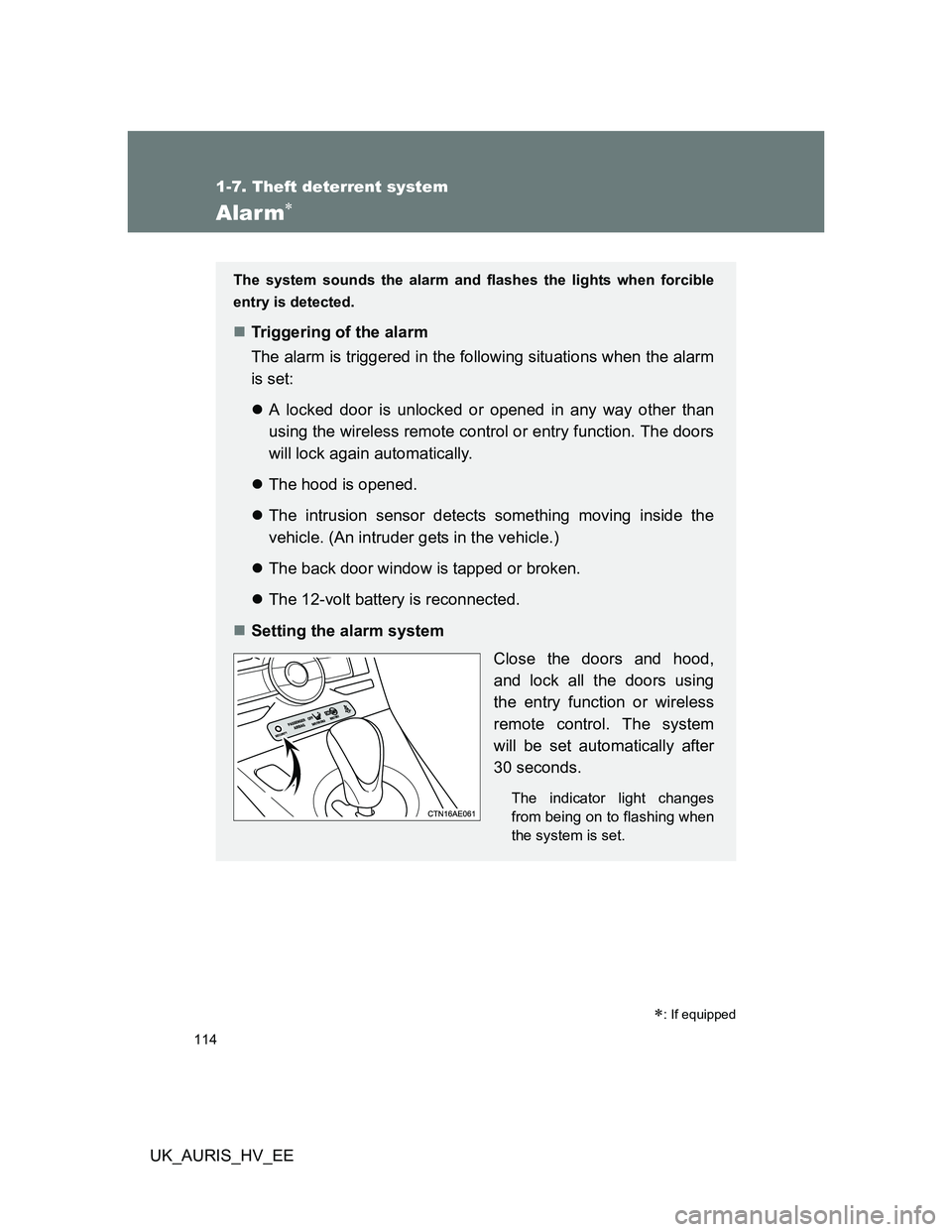
Setting the alarm system
Close the doors and hood,
and lock all the doors using
the entry function or wireless
remote control. The system
will be set automatically after
30 seconds.
The indicator light changes
from being on to flashing when
the system is set.
Page 116 of 524
116 1-7. Theft deterrent system
UK_AURIS_HV_EE
System maintenance
The vehicle has a maintenance-free type alarm system.
Items to check before locking the vehicle
To prevent unexpected triggering of the alarm and vehicle theft, make sure
of the following.
Nobody is in the vehicle.
The windows and moon roof (if equipped) are closed before the alarm is
set.
No valuables or other personal items are left in the vehicle.
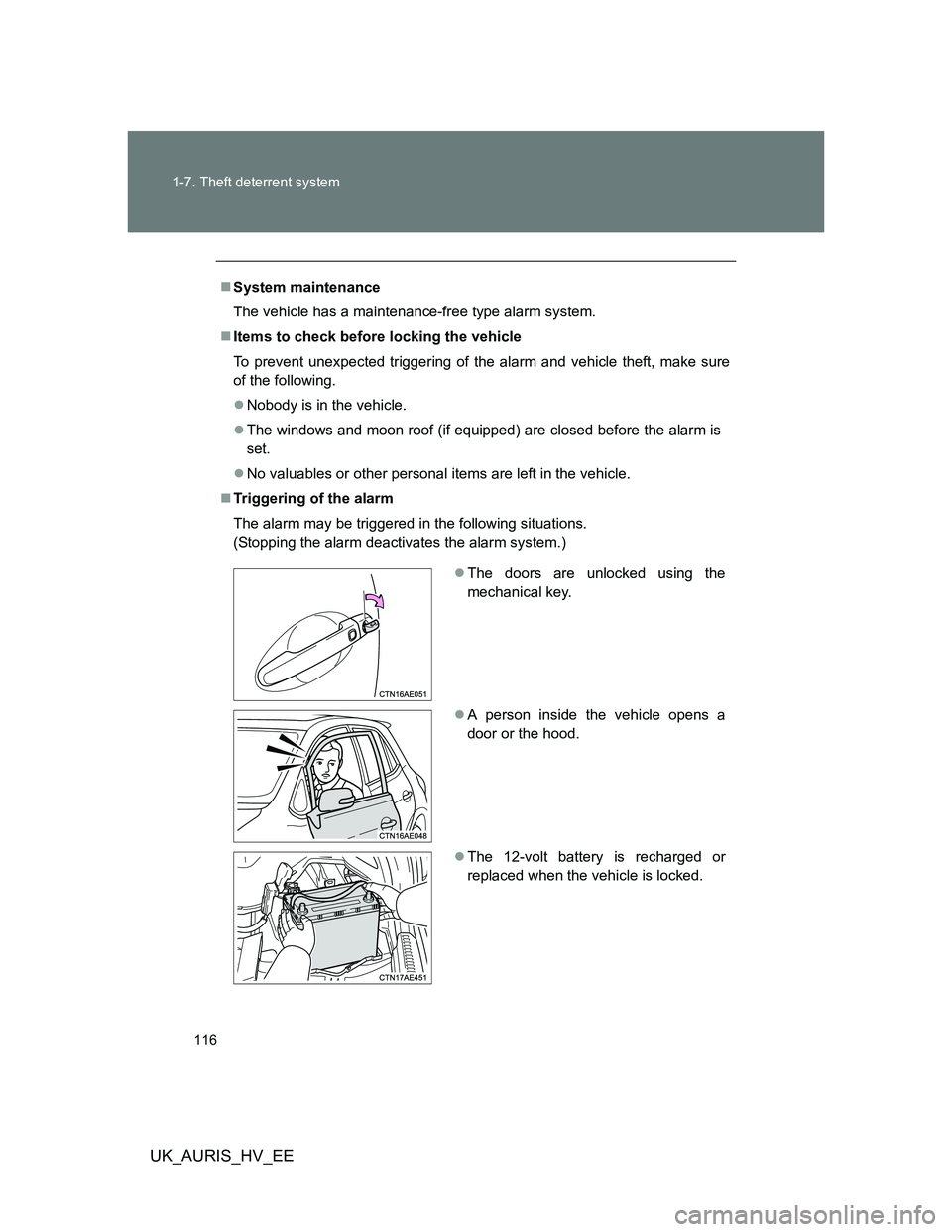
Triggering of the alarm
The alarm may be triggered in the following situations.
(Stopping the alarm deactivates the alarm system.)
The doors are unlocked using the
mechanical key.
A person inside the vehicle opens a
door or the hood.
The 12-volt battery is recharged or
replaced when the vehicle is locked.
Page 117 of 524
117 1-7. Theft deterrent system
1
Before driving
UK_AURIS_HV_EE
Alarm-operated door lock
When the alarm is operating, the doors are locked automatically to pre-
vent intruders.
Do not leave the key inside the vehicle when the alarm is operating, and
make sure the key is not inside the vehicle when recharging or replacing
the 12-volt battery.
Canceling and automatic re-enabling of the intrusion sensor
The alarm will still be set even when the intrusion sensor is canceled.
After the intrusion sensor is canceled, turning the “POWER” switch to ON
mode or unlocking the doors using the wireless remote control door lock
function will re-enable the intrusion sensor.
The intrusion sensor will automatically be re-enabled if the alarm system
is not set within 5 minutes after the intrusion sensor is canceled.
The intrusion sensor will automatically be re-enabled when the alarm
system is deactivated.
(To cancel the intrusion sensor again, press the intrusion sensor “OFF”
switch.)
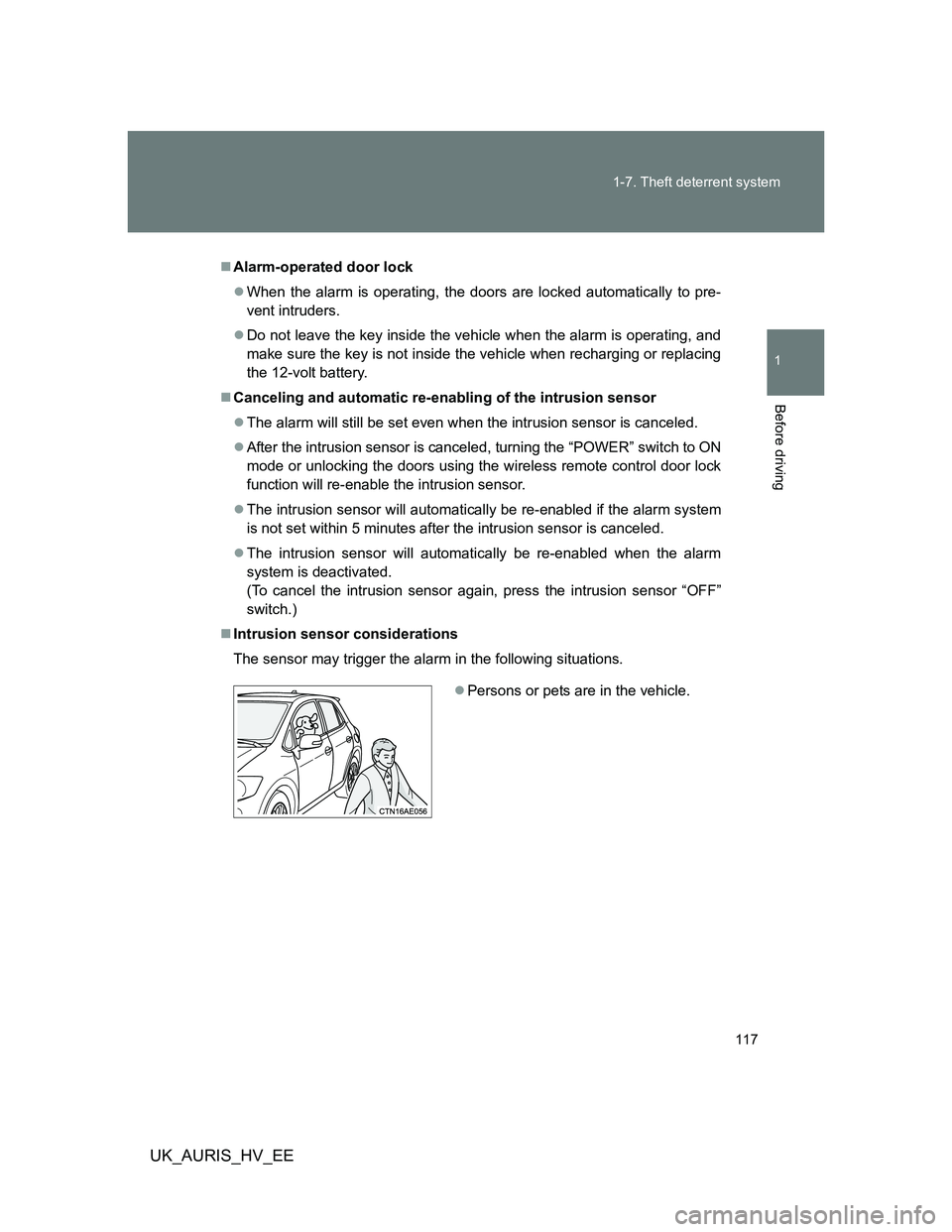
Intrusion sensor considerations
The sensor may trigger the alarm in the following situations.
Persons or pets are in the vehicle.
Page 164 of 524
164 2-1. Driving procedures
UK_AURIS_HV_EE
Operating your vehicle in a foreign country
Comply with the relevant vehicle registration laws and confirm the availability
of the correct fuel. (P. 492)
For efficient use
Select the D position when driving.
In the N position, the gasoline engine operates but electricity cannot be
generated.
The hybrid battery (traction battery) will be discharged requiring unnec-
essary engine power to recharge.
Drive your vehicle smoothly.
Avoid abrupt acceleration and deceleration. Gradual acceleration and
deceleration will make more effective use of the traction motor without
having to use gasoline engine power.
Avoid repeated acceleration.
Repeated acceleration consumes hybrid battery (traction battery) power,
resulting in poor acceleration. Battery power can be restored by driving
with the accelerator pedal slightly released.
Push the P position switch when parking.
In the N position, the hybrid battery (traction battery) does not recharge.
Leaving the N position selected for an extended period of the time may
discharge the hybrid battery. The vehicle cannot run if the hybrid battery
is discharged.
Page 171 of 524
171 2-1. Driving procedures
2
When driving
UK_AURIS_HV_EE
NOTICE
When driving the vehicle
Do not depress the accelerator and brake pedals at the same time during
driving. If the brake pedal is depressed while driving with the accelerator
pedal depressed, driving torque may be restrained.
Do not use the accelerator pedal or depress the accelerator and brake
pedals at the same time to hold the vehicle on a hill.
Avoiding damage to vehicle parts
Do not turn the steering wheel fully in either direction and hold it there for a
long time.
Doing so may damage the power steering motor.
When driving over bumps in the road, drive as slowly as possible to avoid
damaging the wheels, underside of the vehicle, etc.
If you hear a squealing or scraping noise (brake pad wear indicators)
Have the brake pads checked and replaced by any authorized Toyota dealer
or repairer, or another duly qualified and equipped professional, as soon as
possible.
The rotor damage can result if the pads are not replaced when needed.
It is dangerous to drive the vehicle when the wear limits of the brake pads
and/or those of the brake discs are exceeded.
If the vehicle will not shift out of the P position
There is a possibility that the 12-volt battery is discharged. Check the 12-volt
battery in this situation.
Page 175 of 524
175 2-1. Driving procedures
2
When driving
UK_AURIS_HV_EE
If the hybrid system does not start
The immobilizer system may not have been deactivated. (P. 106)
If the “READY” indicator does not come on
If the “READY” indicator does not come on when you press the “POWER”
switch with the shift position in P and the brake pedal pressed, contact any
authorized Toyota dealer or repairer, or another duly qualified and equipped
professional immediately.
When the “POWER” switch indicator flashes in amber
The system may be malfunctioning. Have the vehicle inspected by any
authorized Toyota dealer or repairer, or another duly qualified and equipped
professional, immediately.
Auto power off function
If the vehicle is left in ACCESSORY or ON mode (hybrid system is not oper-
ating) for more than an hour with the shift position in P, the “POWER” switch
will automatically turn off. However, this function cannot entirely prevent 12-
volt battery discharge. Do not leave the vehicle with the “POWER” switch in
ACCESSORY or ON mode for long periods of time when the hybrid system
is not operating.
Operation of the “POWER” switch
When operating the “POWER” switch, one short, firm press is enough. If
the switch is pressed improperly, the hybrid system may not start or the
“POWER” switch mode may not change. It is not necessary to press and
hold the switch.
If an attempt is made to restart the hybrid system immediately after turn-
ing the “POWER” switch off, the hybrid system may not start in some
cases. After turning the “POWER” switch off, wait a few seconds before
restarting the hybrid system.
When leaving the vehicle
If the indicator on the “POWER” switch stays on, the “POWER” switch is not
yet off.
Turn the “POWER” switch off before you leave the vehicle.
Page 176 of 524
176 2-1. Driving procedures
UK_AURIS_HV_EE
Automatic P position selection function
When the shift position is other than P, pressing the “POWER” switch
with the vehicle stopped completely will cause the shift position to
change to P automatically, and then the “POWER” switch will turn off.
When turning the “POWER” switch off from a position other than P, firmly
depress the brake pedal and confirm that the shift position* has changed
to P before slowly releasing the brake pedal.
*: Even after the instrument panel display has been turned off, the shift
position indicator will continue to be displayed for several seconds.
If the P position control system malfunctions, the “POWER” switch will
not be able to be turned off. In such a case, the switch can be turned off
by applying the parking brake.
When the system malfunctions, immediately have your vehicle serviced
by any authorized Toyota dealer or repairer, or another duly qualified and
equipped professional immediately.
When the ambient temperature is low, such as during winter driving
conditions
It may take time until the “READY” indicator comes on.
Sounds and vibrations specific to a hybrid vehicle
P. 3 3
When the hybrid system is malfunctioning
P. 432, 436
Key battery depletion
P. 49, 62
When the electronic key battery is depleted
P. 397
Conditions affecting operation
P. 48, 61
Note for the entry function
P. 5 0
Page 177 of 524
177 2-1. Driving procedures
2
When driving
UK_AURIS_HV_EE
CAUTION
When starting the hybrid system
Always start the hybrid system while sitting in the driver's seat. Do not
depress the accelerator pedal while starting the hybrid system under any cir-
cumstances. Doing so may cause an accident resulting in death or serious
injury.
Stopping the hybrid system in an emergency
If you want to stop the hybrid system in an emergency while driving the vehi-
cle, press and hold the “POWER” switch for more than 3 seconds.
However, do not touch the “POWER” switch while driving except in an emer-
gency. Turning the hybrid system off while driving will not cause loss of
steering or braking control, but the power assist to these systems will be lost.
This will make it more difficult to steer and brake, so you should pull over
and stop the vehicle as soon as it is safe to do so.
NOTICE
To prevent 12-volt battery discharge
Do not leave the “POWER” switch in ACCESSORY or ON mode for long
periods if the hybrid system is not operating.
If the hybrid system is off, but the indicator on the “POWER” switch is illu-
minated, this indicates that the “POWER” switch is still turned on. When
exiting the vehicle, always check that the “POWER” switch is off.
When starting the hybrid system
If the hybrid system becomes difficult to start, have the hybrid system
checked immediately.
Page 178 of 524
178
2-1. Driving procedures
UK_AURIS_HV_EE
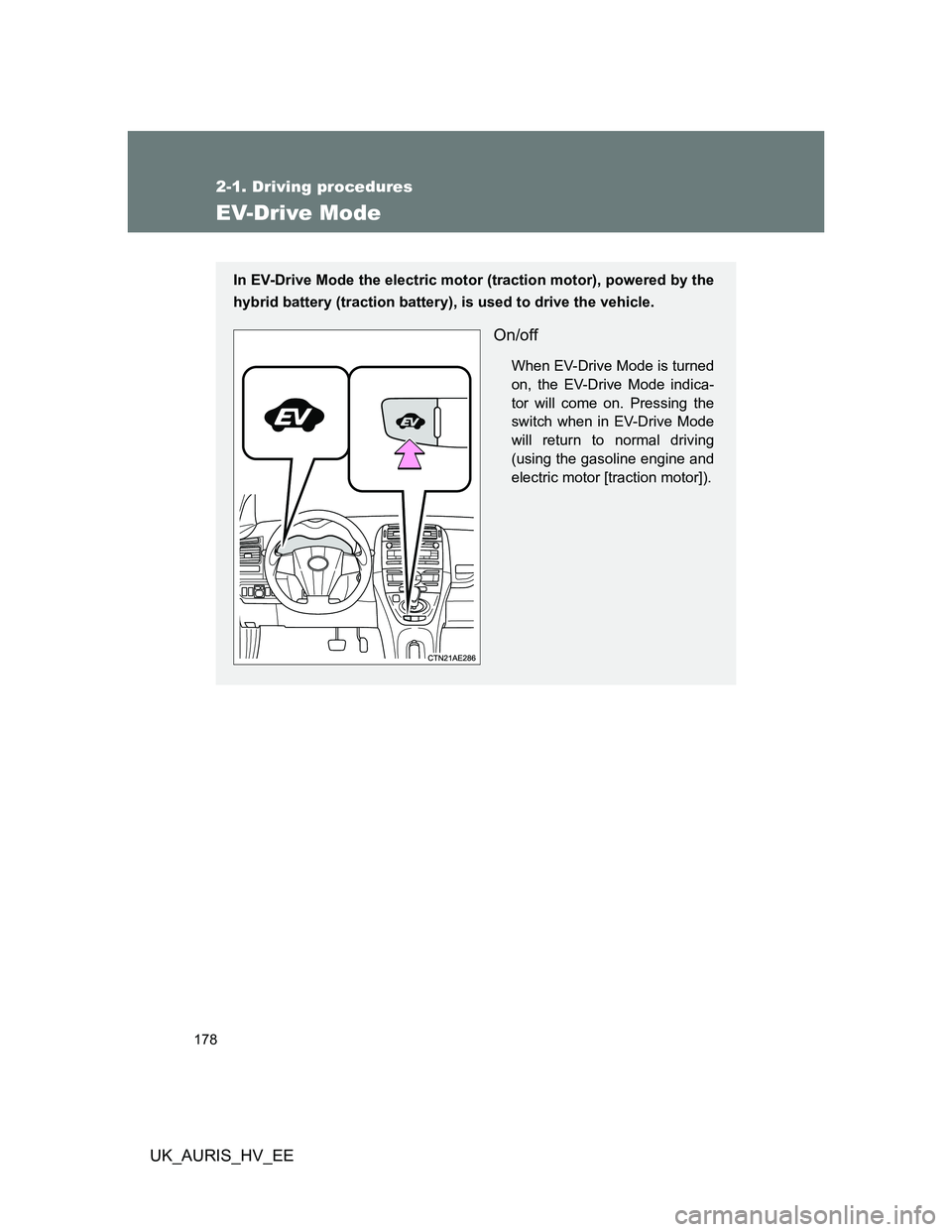
EV-Drive Mode
In EV-Drive Mode the electric motor (traction motor), powered by the
hybrid battery (traction battery), is used to drive the vehicle.
On/off
When EV-Drive Mode is turned
on, the EV-Drive Mode indica-
tor will come on. Pressing the
switch when in EV-Drive Mode
will return to normal driving
(using the gasoline engine and
electric motor [traction motor]).
Page 179 of 524
179 2-1. Driving procedures
2
When driving
UK_AURIS_HV_EE
Situations in which EV-Drive Mode cannot be turned on
The followings are examples of situations under which the EV-Drive Mode
may not be turned on. If it cannot be turned on, a buzzer will sound and a
message will be shown on the multi-information display.
The temperature of the hybrid system is high.
The vehicle has been left in the sun, driven on a hill, driven at high
speeds, etc.
The temperature of the hybrid system is low.
The vehicle has been left in freezing temperatures for a long period of
time etc.
The gasoline engine is warming up.
The hybrid battery (traction battery) is low.
The remaining battery level indicated in the “Energy Monitor” display is
low. (P. 36)
Vehicle speed is high.
The accelerator pedal is depressed firmly or the vehicle is on a hill etc.
The windshield defogger is in use.
Switching to EV-Drive Mode when the gasoline engine is cold
If the hybrid system is started while the gasoline engine is cold, the gasoline
engine will start automatically after a short period of time in order to warm
up. In this case, you will become unable to switch to EV-Drive Mode.
After the hybrid system has started and the “READY” indicator has illumi-
nated, press the “EV” switch before the gasoline engine starts to switch to
EV-Drive Mode.
Automatic cancellation of EV-Drive Mode
When driving in EV-Drive Mode, the gasoline engine may automatically
restart in the following situations. When EV-Drive Mode is canceled, a
buzzer will sound and the EV-Drive Mode indicator will flash and go off.
The hybrid battery (traction battery) becomes low.
The remaining battery level indicated in the “Energy Monitor” display is
low. (P. 36)
Vehicle speed becomes high.
The accelerator pedal is depressed firmly or the vehicle is on a hill etc.