sensor TOYOTA AURIS 2012 (in English) User Guide
[x] Cancel search | Manufacturer: TOYOTA, Model Year: 2012, Model line: AURIS, Model: TOYOTA AURIS 2012Pages: 750, PDF Size: 20.05 MB
Page 154 of 750
1523-2. Opening, closing and locking the doors
UK_AURIS/AURIS_HV_EE (OM12E33E)
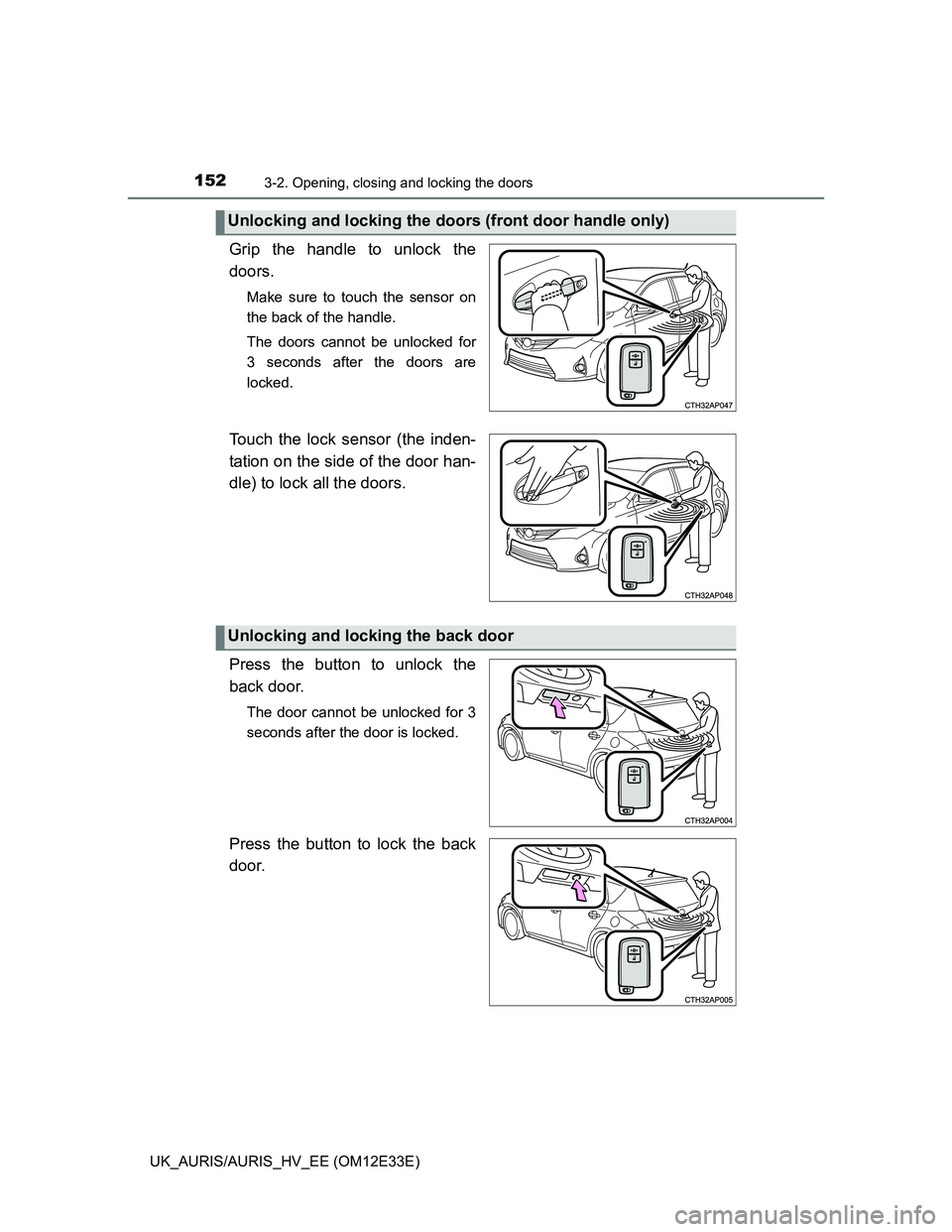
Grip the handle to unlock the
doors.
Make sure to touch the sensor on
the back of the handle.
The doors cannot be unlocked for
3 seconds after the doors are
locked.
Touch the lock sensor (the inden-
tation on the side of the door han-
dle) to lock all the doors.
Press the button to unlock the
back door.
The door cannot be unlocked for 3
seconds after the door is locked.
Press the button to lock the back
door.
Unlocking and locking the doors (front door handle only)
Unlocking and locking the back door
Page 157 of 750
1553-2. Opening, closing and locking the doors
UK_AURIS/AURIS_HV_EE (OM12E33E)
3
Operation of each component
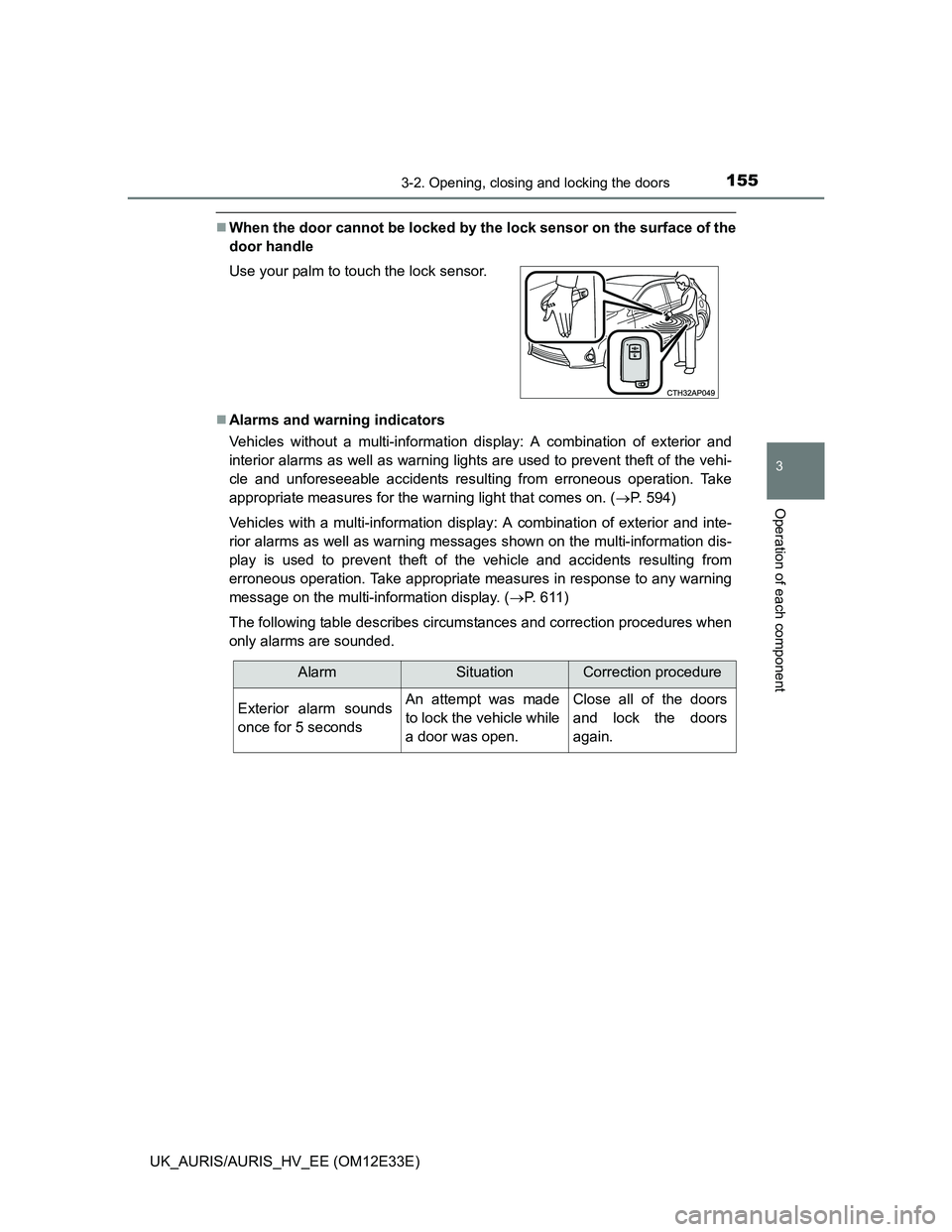
When the door cannot be locked by the lock sensor on the surface of the
door handle
Alarms and warning indicators
Vehicles without a multi-information display: A combination of exterior and
interior alarms as well as warning lights are used to prevent theft of the vehi-
cle and unforeseeable accidents resulting from erroneous operation. Take
appropriate measures for the warning light that comes on. (P. 594)
Vehicles with a multi-information display: A combination of exterior and inte-
rior alarms as well as warning messages shown on the multi-information dis-
play is used to prevent theft of the vehicle and accidents resulting from
erroneous operation. Take appropriate measures in response to any warning
message on the multi-information display. (P. 611)
The following table describes circumstances and correction procedures when
only alarms are sounded. Use your palm to touch the lock sensor.
AlarmSituationCorrection procedure
Exterior alarm sounds
once for 5 secondsAn attempt was made
to lock the vehicle while
a door was open.Close all of the doors
and lock the doors
again.
Page 162 of 750
1603-2. Opening, closing and locking the doors
UK_AURIS/AURIS_HV_EE (OM12E33E)Note for locking the doors
Touching the door lock sensor while wearing gloves may delay or prevent
lock operation. Remove the gloves and touch the lock sensor again.
When the lock operation is performed using the lock sensor, recognition sig-
nals will be shown up to two consecutive times. After this, no recognition
signals will be given.
If the door handle becomes wet while the electronic key is within the effec-
tive range, the door may lock and unlock repeatedly. In that case, follow the
following correction procedures to wash the vehicle:
• Place the electronic key in a location 2 m (6 ft.) or more away from the
vehicle. (Take care to ensure that the key is not stolen.)
• Set the electronic key to battery-saving mode to disable the smart entry &
start system. (P. 157)
If the electronic key is inside the vehicle and a door handle becomes wet
during a car wash, a message may be shown on the multi-information dis-
play and a buzzer will sound outside the vehicle. To turn off the alarm, lock
all the doors.
The lock sensor may not work properly if it comes into contact with ice,
snow, mud, etc. Clean the lock sensor and attempt to operate it again.
Fingernails may scrape against the door during operation of the door han-
dle. Be careful not to injure fingernails or damage the surface of the door.
Note for the unlocking function
A sudden approach to the effective range or door handle may prevent the
doors from being unlocked. In this case, return the door handle to the origi-
nal position and check that the doors unlock before pulling the door handle
again.
Gripping the door handle when wearing a glove may not unlock the door.
If the door handle becomes wet while the electronic key is within the effec-
tive range, the door may lock and unlock repeatedly. In that case, follow the
following correction procedures to wash the vehicle:
• Place the electronic key in a location 2 m (6 ft.) or more away from the
vehicle. (Take care to ensure that the key is not stolen.)
• Set the electronic key to battery-saving mode to disable the smart entry &
start system. (P. 157)
If there is another electronic key in the detection area, it may take slightly
longer to unlock the doors after the door handle is gripped.
Fingernails may scrape against the door during operation of the door han-
dle. Be careful not to injure fingernails or damage the surface of the door.
Page 218 of 750
2163-4. Adjusting the steering wheel and mirrors
UK_AURIS/AURIS_HV_EE (OM12E33E)
Auto anti-glare inside rear view mirror
Responding to the level of brightness of the headlights of vehicles
behind, the reflected light is automatically reduced.
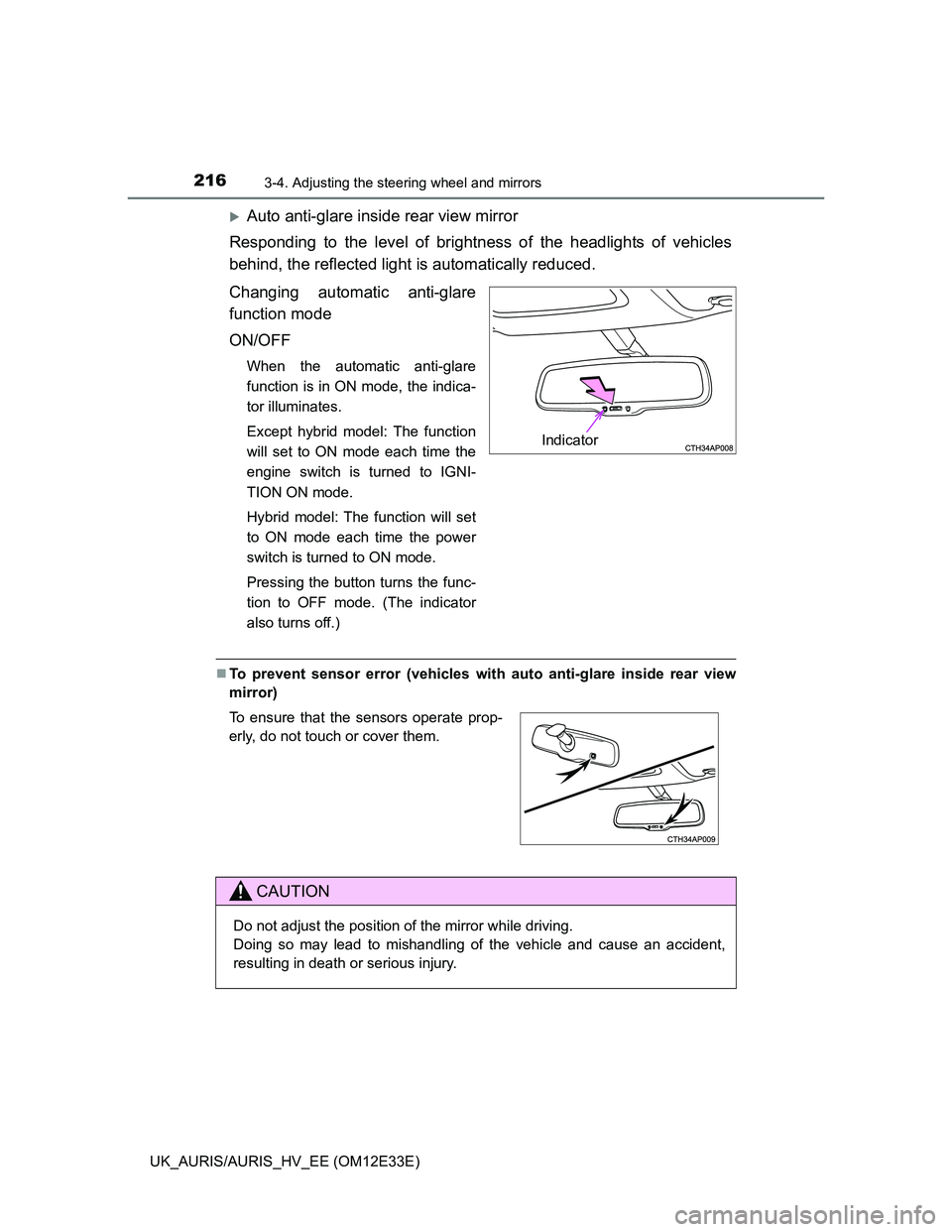
Changing automatic anti-glare
function mode
ON/OFF
When the automatic anti-glare
function is in ON mode, the indica-
tor illuminates.
Except hybrid model: The function
will set to ON mode each time the
engine switch is turned to IGNI-
TION ON mode.
Hybrid model: The function will set
to ON mode each time the power
switch is turned to ON mode.
Pressing the button turns the func-
tion to OFF mode. (The indicator
also turns off.)
To prevent sensor error (vehicles with auto anti-glare inside rear view
mirror)
Indicator
To ensure that the sensors operate prop-
erly, do not touch or cover them.
CAUTION
Do not adjust the position of the mirror while driving.
Doing so may lead to mishandling of the vehicle and cause an accident,
resulting in death or serious injury.
Page 227 of 750
225
4Driving
UK_AURIS/AURIS_HV_EE (OM12E33E)4-1. Before driving
Driving the vehicle ............. 226
Cargo and luggage ............ 243
Trailer towing (except
hybrid model) ................... 244
Trailer towing
(hybrid model).................. 253
4-2. Driving procedures
Engine (ignition) switch
(except hybrid model
[vehicles without a smart
entry & start system])....... 254
Engine (ignition) switch
(except hybrid model
[vehicles with a smart
entry & start system])....... 258
Power (ignition) switch....... 268
EV drive mode ................... 274
Multidrive ........................... 276
Multi-mode Manual
Transmission ................... 281
Manual transmission.......... 286
Hybrid transmission ........... 289
Turn signal lever ................ 297
Parking brake .................... 298
Horn ................................... 2994-3. Operating the lights and
wipers
Headlight switch................. 300
Automatic High Beam ........ 306
Fog light switch .................. 310
Windshield wipers and
washer ............................. 312
Rear window wiper and
washer ............................. 316
4-4. Refueling
Opening the fuel tank
cap ................................... 318
4-5. Using the driving support
systems
Cruise control..................... 322
Speed limiter ...................... 327
Toyota parking
assist-sensor ................... 330
Simple-IPA
(Simple-Intelligent
Parking Assist)................. 336
Stop & Start system ........... 350
Driving assist systems ....... 356
Hill-start assist control........ 362
Diesel particulate filter
system ............................. 364
4-6. Driving tips
Hybrid vehicle driving
tips ................................... 366
Winter driving tips .............. 368
Page 306 of 750
3044-3. Operating the lights and wipers
UK_AURIS/AURIS_HV_EE (OM12E33E)
Daytime running light system
To make your vehicle more visible to other drivers, the front position lights
turn on automatically whenever the engine is started and the parking brake is
released. Daytime running lights are not designed for use at night.
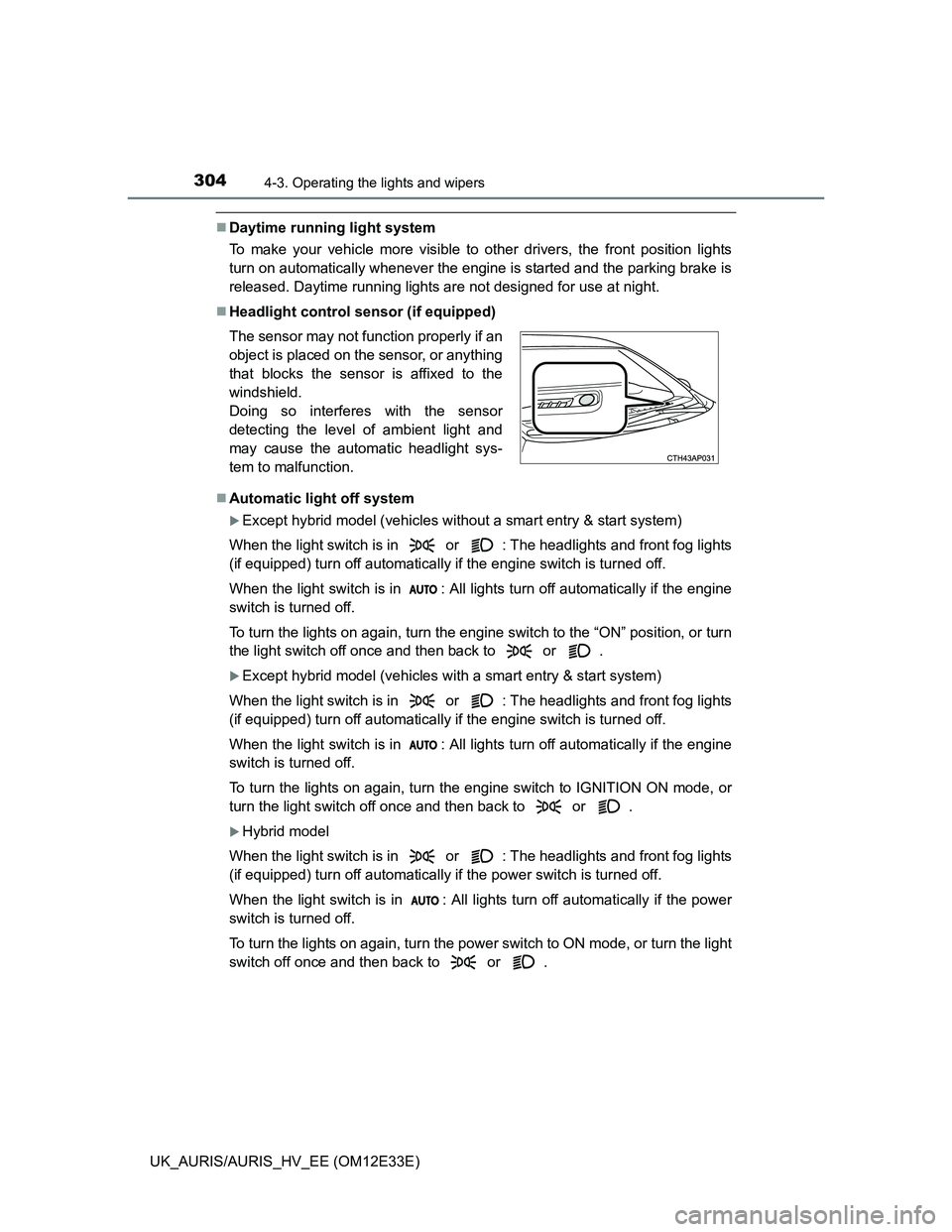
Headlight control sensor (if equipped)
Automatic light off system
Except hybrid model (vehicles without a smart entry & start system)
When the light switch is in or : The headlights and front fog lights
(if equipped) turn off automatically if the engine switch is turned off.
When the light switch is in : All lights turn off automatically if the engine
switch is turned off.
To turn the lights on again, turn the engine switch to the “ON” position, or turn
the light switch off once and then back to or .
Except hybrid model (vehicles with a smart entry & start system)
When the light switch is in or : The headlights and front fog lights
(if equipped) turn off automatically if the engine switch is turned off.
When the light switch is in : All lights turn off automatically if the engine
switch is turned off.
To turn the lights on again, turn the engine switch to IGNITION ON mode, or
turn the light switch off once and then back to or .
Hybrid model
When the light switch is in or : The headlights and front fog lights
(if equipped) turn off automatically if the power switch is turned off.
When the light switch is in : All lights turn off automatically if the power
switch is turned off.
To turn the lights on again, turn the power switch to ON mode, or turn the light
switch off once and then back to or . The sensor may not function properly if an
object is placed on the sensor, or anything
that blocks the sensor is affixed to the
windshield.
Doing so interferes with the sensor
detecting the level of ambient light and
may cause the automatic headlight sys-
tem to malfunction.
Page 307 of 750
3054-3. Operating the lights and wipers
UK_AURIS/AURIS_HV_EE (OM12E33E)
4
Driving
Automatic headlight leveling system (vehicles with discharge head-
lights)
The level of the headlights is automatically adjusted according to the number
of passengers and the loading condition of the vehicle to ensure that the
headlights do not interfere with other road users.
If the “AFS OFF” indicator flashes (if equipped)
It may indicate a malfunction in the system. Contact any authorized Toyota
dealer or repairer, or another duly qualified and equipped professional.
Customization
Settings (e.g. light sensor sensitivity) can be changed.
(Customizable features: P. 719)
NOTICE
To prevent 12-volt battery discharge
Do not leave the lights on longer than necessary when the engine is not
running.
Page 308 of 750
3064-3. Operating the lights and wipers
UK_AURIS/AURIS_HV_EE (OM12E33E)
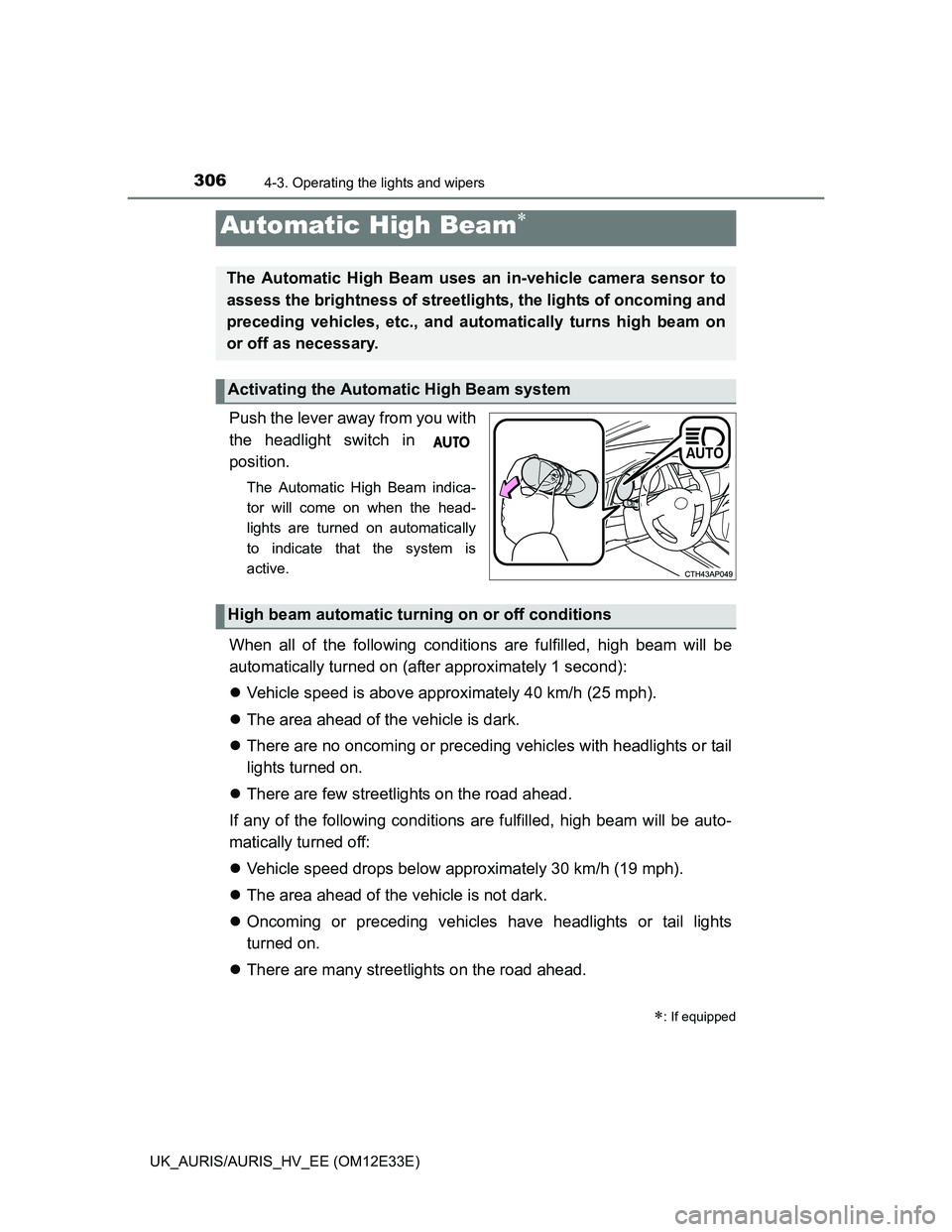
Push the lever away from you with
the headlight switch in
position.
The Automatic High Beam indica-
tor will come on when the head-
lights are turned on automatically
to indicate that the system is
active.
When all of the following conditions are fulfilled, high beam will be
automatically turned on (after approximately 1 second):
Vehicle speed is above approximately 40 km/h (25 mph).
The area ahead of the vehicle is dark.
There are no oncoming or preceding vehicles with headlights or tail
lights turned on.
There are few streetlights on the road ahead.
If any of the following conditions are fulfilled, high beam will be auto-
matically turned off:
Vehicle speed drops below approximately 30 km/h (19 mph).
The area ahead of the vehicle is not dark.
Oncoming or preceding vehicles have headlights or tail lights
turned on.
There are many streetlights on the road ahead.
Automatic High Beam
: If equipped
The Automatic High Beam uses an in-vehicle camera sensor to
assess the brightness of streetlights, the lights of oncoming and
preceding vehicles, etc., and automatically turns high beam on
or off as necessary.
Activating the Automatic High Beam system
High beam automatic turning on or off conditions
Page 309 of 750
3074-3. Operating the lights and wipers
UK_AURIS/AURIS_HV_EE (OM12E33E)
4
Driving
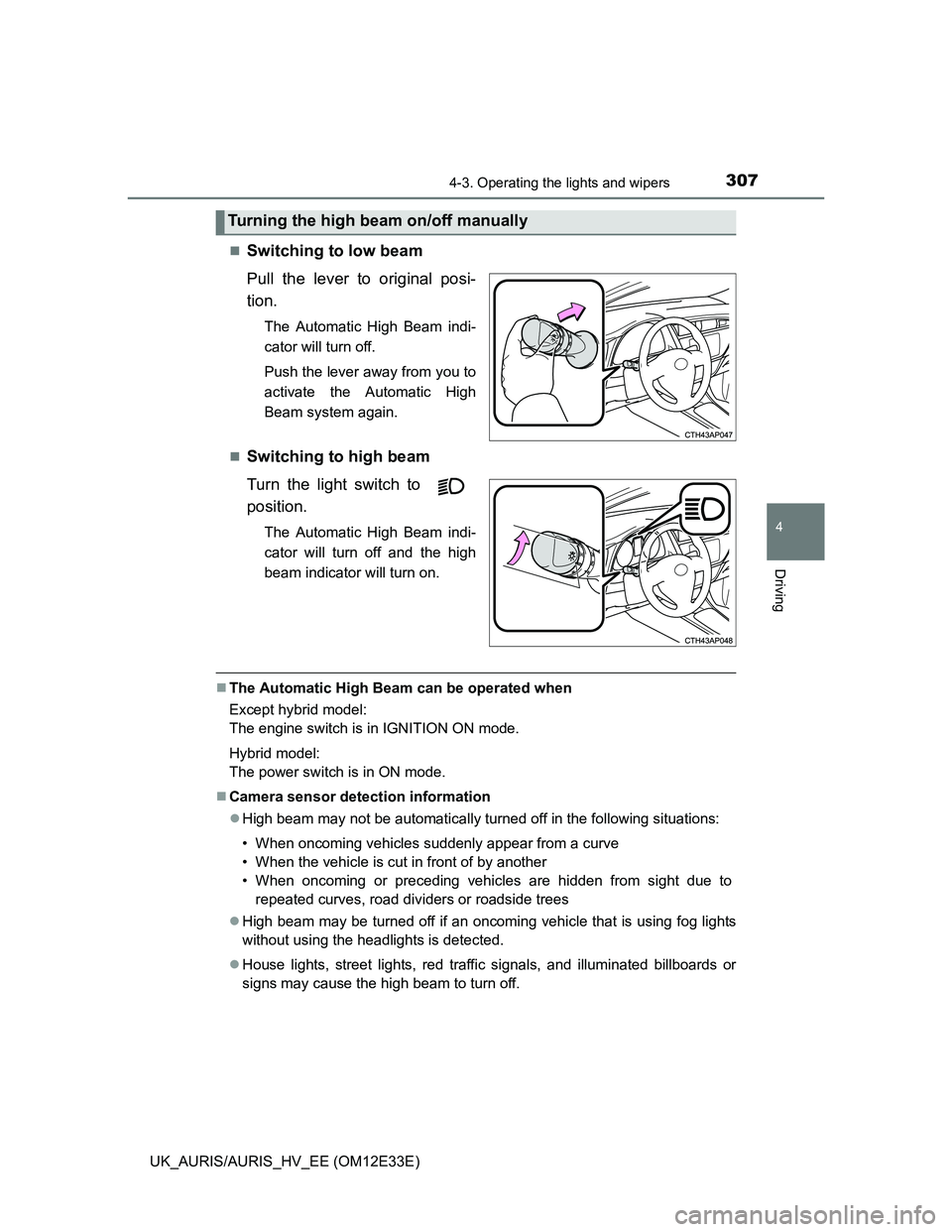
Switching to low beam
Pull the lever to original posi-
tion.
The Automatic High Beam indi-
cator will turn off.
Push the lever away from you to
activate the Automatic High
Beam system again.
Switching to high beam
Turn the light switch to
position.
The Automatic High Beam indi-
cator will turn off and the high
beam indicator will turn on.
The Automatic High Beam can be operated when
Except hybrid model:
The engine switch is in IGNITION ON mode.
Hybrid model:
The power switch is in ON mode.
Camera sensor detection information
High beam may not be automatically turned off in the following situations:
• When oncoming vehicles suddenly appear from a curve
• When the vehicle is cut in front of by another
• When oncoming or preceding vehicles are hidden from sight due to
repeated curves, road dividers or roadside trees
High beam may be turned off if an oncoming vehicle that is using fog lights
without using the headlights is detected.
House lights, street lights, red traffic signals, and illuminated billboards or
signs may cause the high beam to turn off.
Turning the high beam on/off manually
Page 310 of 750
3084-3. Operating the lights and wipers
UK_AURIS/AURIS_HV_EE (OM12E33E)The following factors may affect the amount of time taken to turn high beam
on or off:
• The brightness of headlights, fog lights, and tail lights of oncoming and
preceding vehicles
• The movement and direction of oncoming and preceding vehicles
• When a oncoming or preceding vehicle only has operational lights on one
side
• When a oncoming or preceding vehicle is a two-wheeled vehicle
• The condition of the road (gradient, curve, condition of the road surface
etc.)
• The number of passengers and amount of luggage
High beam may be turned on or off when unexpected by the driver.
In the situations below, the system may not be able to correctly detect the
surrounding brightness levels, and may flash or expose nearby pedestrians
to the high beam. Therefore, you should consider turning the high beams on
or off manually rather than relying on the Automatic High Beam system.
• In bad weather (rain, snow, fog, sandstorms etc.)
• The windshield is obscured by fog, mist, ice, dirt etc.
• The windshield is cracked or damaged.
• The inside rear view mirror or camera sensor is deformed or dirty.
• Surrounding brightness levels are equal to those of headlights, tail lights
or fog lights.
• Vehicles ahead have headlights that are either switched off, dirty, are
changing color, or have are not aimed properly.
• When driving through an area of intermittently changing brightness and
darkness.
• When frequently and repeatedly driving ascending/descending roads, or
roads with rough, bumpy or uneven surfaces (such as stone-paved
roads, gravel tracks etc.).
• When frequently and repeatedly taking curves or driving on a winding
road.
• There is a highly reflective object ahead of the vehicle, such as a sign or
a mirror.
• The vehicle’s headlights are damaged or dirty.
• The vehicle is listing or tilting, due to a flat tire, a trailer being towed etc.
• The driver believes that the high beam may be causing problems or dis-
tress to other drivers or pedestrians nearby.