steering TOYOTA AURIS 2015 (in English) Owner's Guide
[x] Cancel search | Manufacturer: TOYOTA, Model Year: 2015, Model line: AURIS, Model: TOYOTA AURIS 2015Pages: 632, PDF Size: 17.65 MB
Page 205 of 632
2054-2. Driving procedures
Auris Touring Sports_EE (OM12G98E)
4
Driving
Auto power off function
Vehicles with a Multidrive
If the vehicle is left in ACCESSORY mode for more than 20 minutes or IGNI-
TION ON mode (the engine is not running) for more than an hour with the
shift lever in P, the engine switch will automatically turn off.
Vehicles with a manual transmission
If the vehicle is left in ACCESSORY mode for more than 20 minutes or IGNI-
TION ON mode (the engine is not running) for more than an hour, the engine
switch will automatically turn off.
However, this function cannot entirely prevent battery discharge. Do not leave
the vehicle with the engine switch in ACCESSORY or IGNITION ON mode for
long periods of time when the engine is not running.
Electronic key battery depletion
P. 127
Conditions affecting operation
P. 123
Notes for the entry function
P. 124
If the engine does not start
The engine immobilizer system may not have been deactivated. (P. 71)
Contact any authorized Toyota dealer or repairer, or another duly qualified
and equipped professional.
Vehicles with a Multidrive: Check that the shift lever is securely set in P. The
engine may not start if the shift lever is displaced out of P.
Vehicles without a multi-information display
The smart entry & start system indicator light (green) will flash quickly.
Vehicles with a multi-information display
“SHIFT TO P POSITION TO START” will be displayed on the multi-infor-
mation display.
Steering lock
After turning the engine switch off and opening and closing the doors, the
steering wheel will be locked due to the steering lock function. Operating the
engine switch again automatically cancels the steering lock.
Page 206 of 632
2064-2. Driving procedures
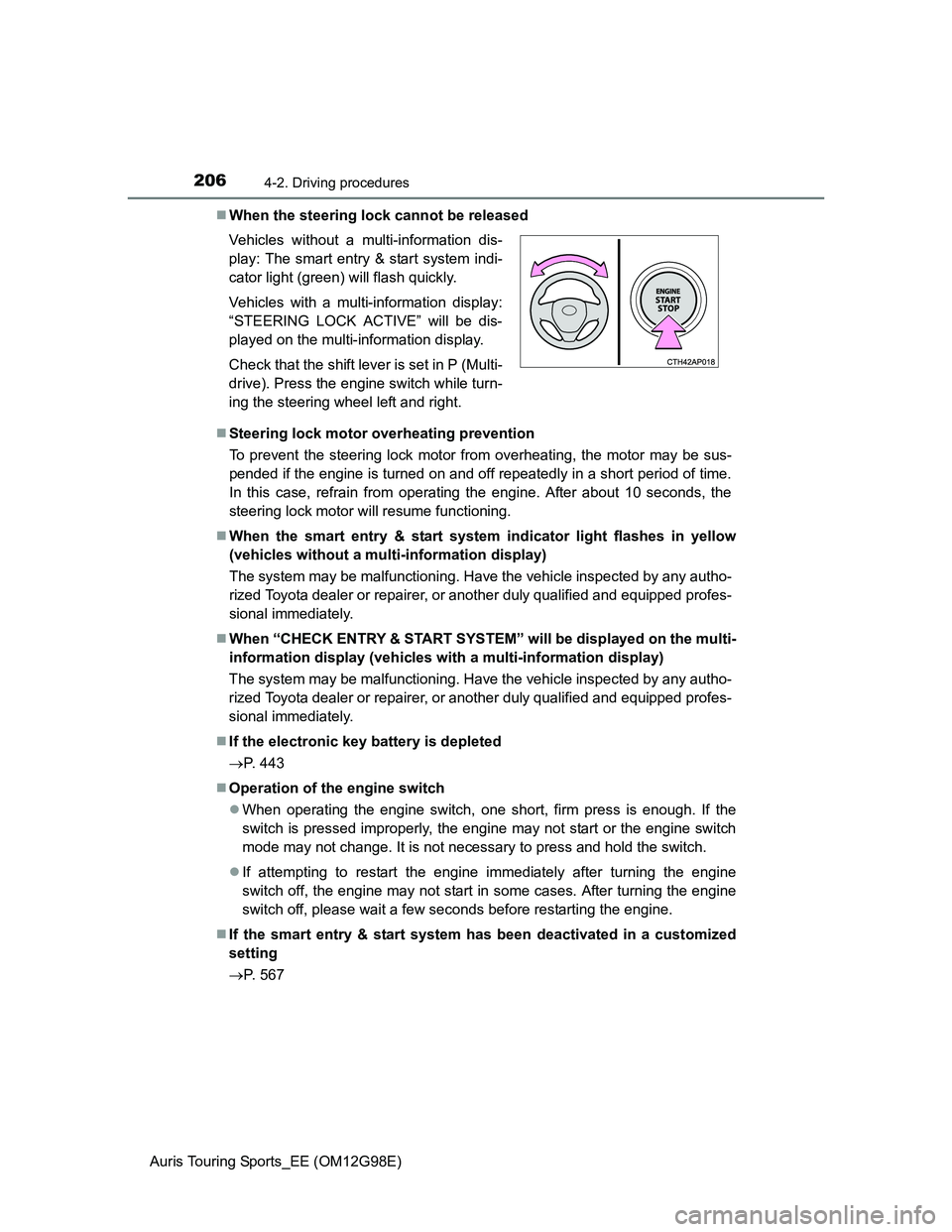
Auris Touring Sports_EE (OM12G98E)When the steering lock cannot be released
Steering lock motor overheating prevention
To prevent the steering lock motor from overheating, the motor may be sus-
pended if the engine is turned on and off repeatedly in a short period of time.
In this case, refrain from operating the engine. After about 10 seconds, the
steering lock motor will resume functioning.
When the smart entry & start system indicator light flashes in yellow
(vehicles without a multi-information display)
The system may be malfunctioning. Have the vehicle inspected by any autho-
rized Toyota dealer or repairer, or another duly qualified and equipped profes-
sional immediately.
When “CHECK ENTRY & START SYSTEM” will be displayed on the multi-
information display (vehicles with a multi-information display)
The system may be malfunctioning. Have the vehicle inspected by any autho-
rized Toyota dealer or repairer, or another duly qualified and equipped profes-
sional immediately.
If the electronic key battery is depleted
P. 443
Operation of the engine switch
When operating the engine switch, one short, firm press is enough. If the
switch is pressed improperly, the engine may not start or the engine switch
mode may not change. It is not necessary to press and hold the switch.
If attempting to restart the engine immediately after turning the engine
switch off, the engine may not start in some cases. After turning the engine
switch off, please wait a few seconds before restarting the engine.
If the smart entry & start system has been deactivated in a customized
setting
P. 567 Vehicles without a multi-information dis-
play: The smart entry & start system indi-
cator light (green) will flash quickly.
Vehicles with a multi-information display:
“STEERING LOCK ACTIVE” will be dis-
played on the multi-information display.
Check that the shift lever is set in P (Multi-
drive). Press the engine switch while turn-
ing the steering wheel left and right.
Page 207 of 632
2074-2. Driving procedures
Auris Touring Sports_EE (OM12G98E)
4
Driving
CAUTION
When starting the engine
Always start the engine while sitting in the driver’s seat. Do not depress the
accelerator pedal while starting the engine under any circumstances.
Doing so may cause an accident resulting in death or serious injury.
Caution while driving
If engine failure occurs while the vehicle is moving, do not lock or open the
doors until the vehicle reaches a safe and complete stop. Activation of the
steering lock in this circumstance may lead to an accident, resulting in
death or serious injury.
Stopping the engine in an emergency
If you want to stop the engine in an emergency while driving the vehicle,
press and hold the engine switch for more than 2 seconds, or press it briefly
3 times or more in succession. (P. 481)
However, do not touch the engine switch while driving except in an emer-
gency. Turning the engine off while driving will not cause loss of steering or
braking control, but the power assist to these systems will be lost. This will
make it more difficult to steer and brake, so you should pull over and stop
the vehicle as soon as it is safe to do so.
Page 219 of 632
2194-2. Driving procedures
Auris Touring Sports_EE (OM12G98E)
4
Driving
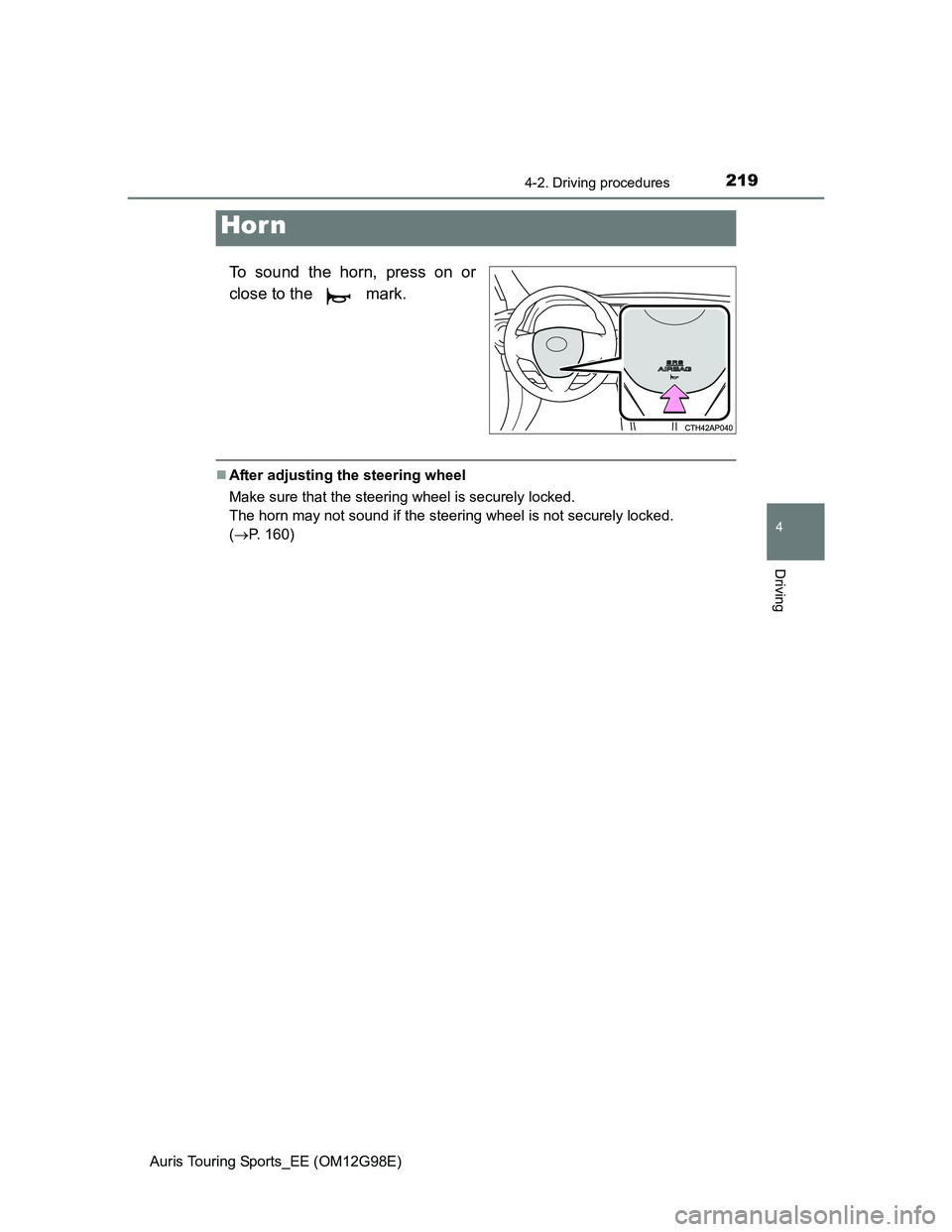
To sound the horn, press on or
close to the mark.
After adjusting the steering wheel
Make sure that the steering wheel is securely locked.
The horn may not sound if the steering wheel is not securely locked.
(P. 160)
Hor n
Page 223 of 632
2234-3. Operating the lights and wipers
Auris Touring Sports_EE (OM12G98E)
4
Driving
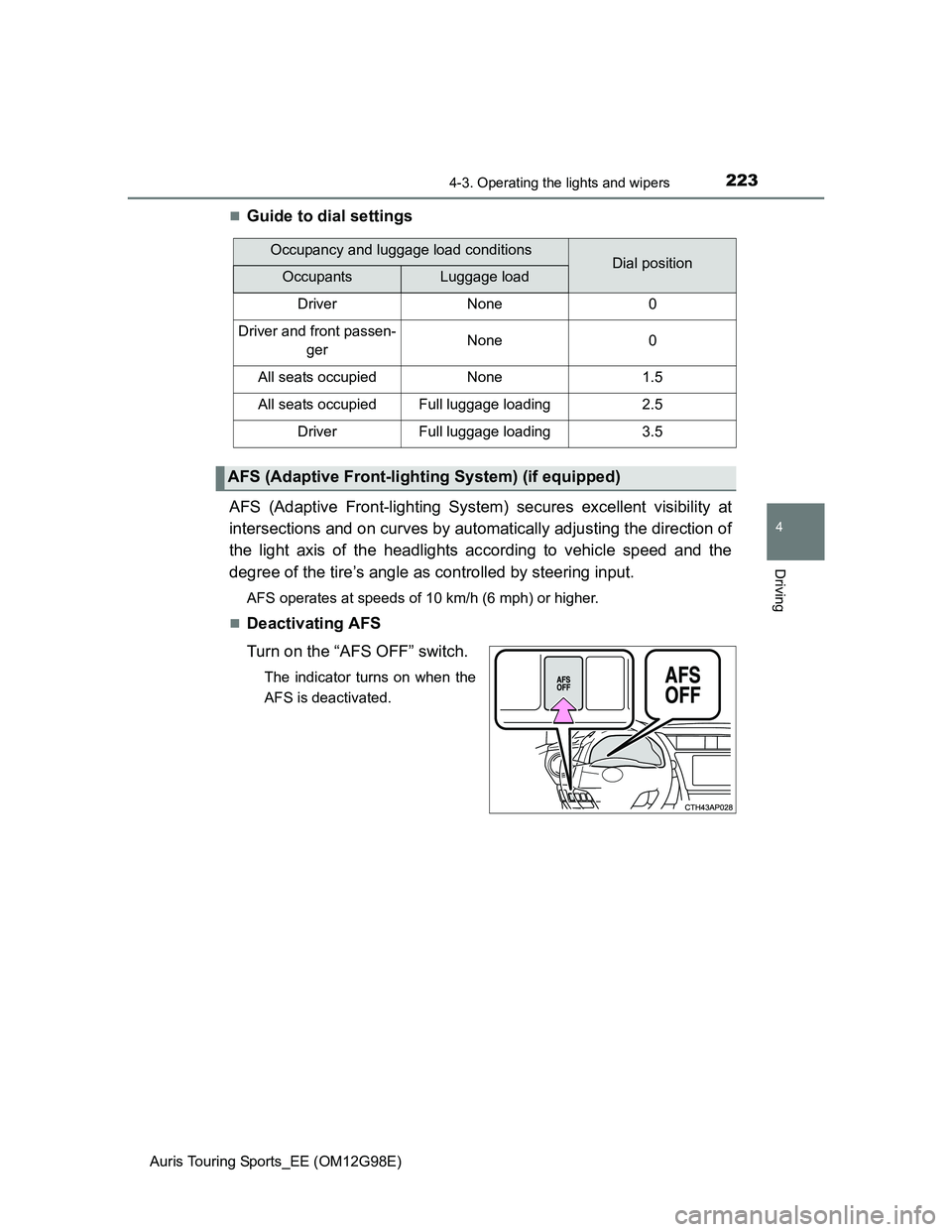
Guide to dial settings
AFS (Adaptive Front-lighting System) secures excellent visibility at
intersections and on curves by automatically adjusting the direction of
the light axis of the headlights according to vehicle speed and the
degree of the tire’s angle as controlled by steering input.
AFS operates at speeds of 10 km/h (6 mph) or higher.
Deactivating AFS
Turn on the “AFS OFF” switch.
The indicator turns on when the
AFS is deactivated.
Occupancy and luggage load conditionsDial positionOccupantsLuggage load
DriverNone0
Driver and front passen-
gerNone0
All seats occupiedNone1.5
All seats occupiedFull luggage loading2.5
DriverFull luggage loading3.5
AFS (Adaptive Front-lighting System) (if equipped)
Page 256 of 632
2564-5. Using the driving support systems
Auris Touring Sports_EE (OM12G98E)
Simple-IPA (Simple-Intelligent Parking
Assist)
: If equipped
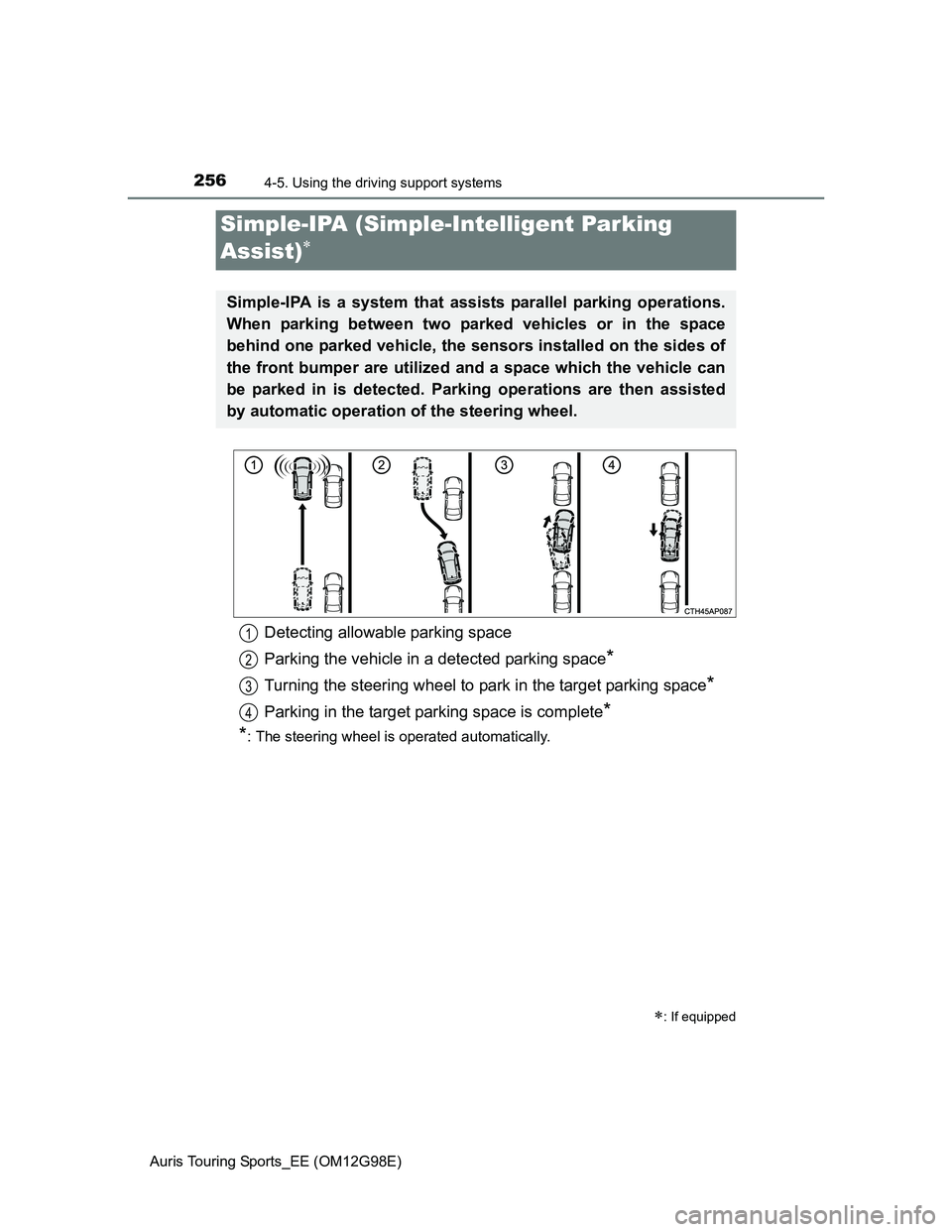
Simple-IPA is a system that assists parallel parking operations.
When parking between two parked vehicles or in the space
behind one parked vehicle, the sensors installed on the sides of
the front bumper are utilized and a space which the vehicle can
be parked in is detected. Parking operations are then assisted
by automatic operation of the steering wheel.
Detecting allowable parking space
Parking the vehicle in a detected parking space
*
Turning the steering wheel to park in the target parking space*
Parking in the target parking space is complete*
*
: The steering wheel is operated automatically.
1
2
3
4
Page 257 of 632
2574-5. Using the driving support systems
Auris Touring Sports_EE (OM12G98E)
4
Driving
Operate Simple-IPA according to the multi-information display and the
buzzer.
The system detects parking spaces on the front passenger’s side of the
vehicle and assists with parking in a detected space.
When parking in a space on the driver’s side of the vehicle, move the turn
signal lever to indicate turning on the driver’s seat side. Leave the turn sig-
nal lever in that position until automatic steering begins.
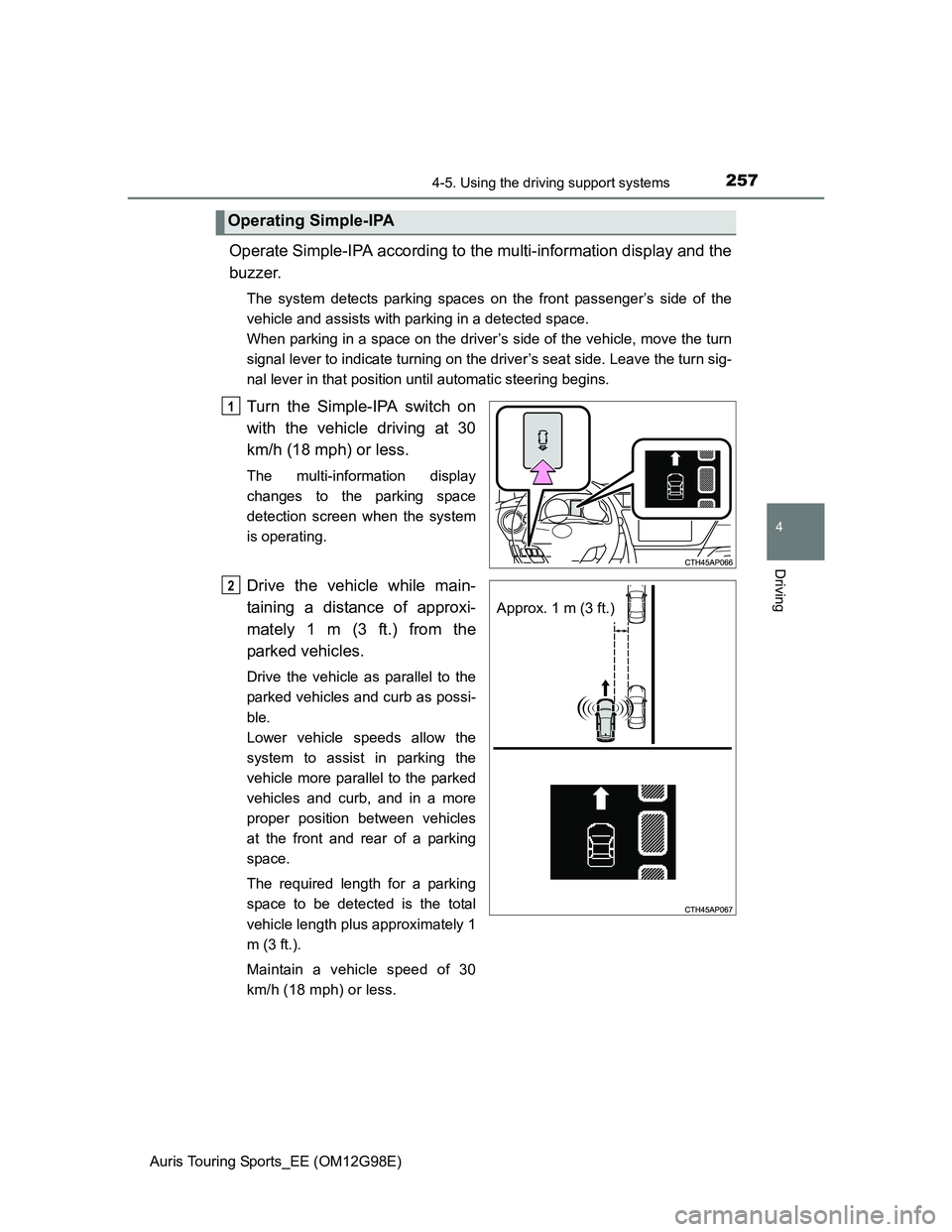
Turn the Simple-IPA switch on
with the vehicle driving at 30
km/h (18 mph) or less.
The multi-information display
changes to the parking space
detection screen when the system
is operating.
Drive the vehicle while main-
taining a distance of approxi-
mately 1 m (3 ft.) from the
parked vehicles.
Drive the vehicle as parallel to the
parked vehicles and curb as possi-
ble.
Lower vehicle speeds allow the
system to assist in parking the
vehicle more parallel to the parked
vehicles and curb, and in a more
proper position between vehicles
at the front and rear of a parking
space.
The required length for a parking
space to be detected is the total
vehicle length plus approximately 1
m (3 ft.).
Maintain a vehicle speed of 30
km/h (18 mph) or less.
Operating Simple-IPA
1
Approx. 1 m (3 ft.)
2
Page 259 of 632
2594-5. Using the driving support systems
Auris Touring Sports_EE (OM12G98E)
4
Driving
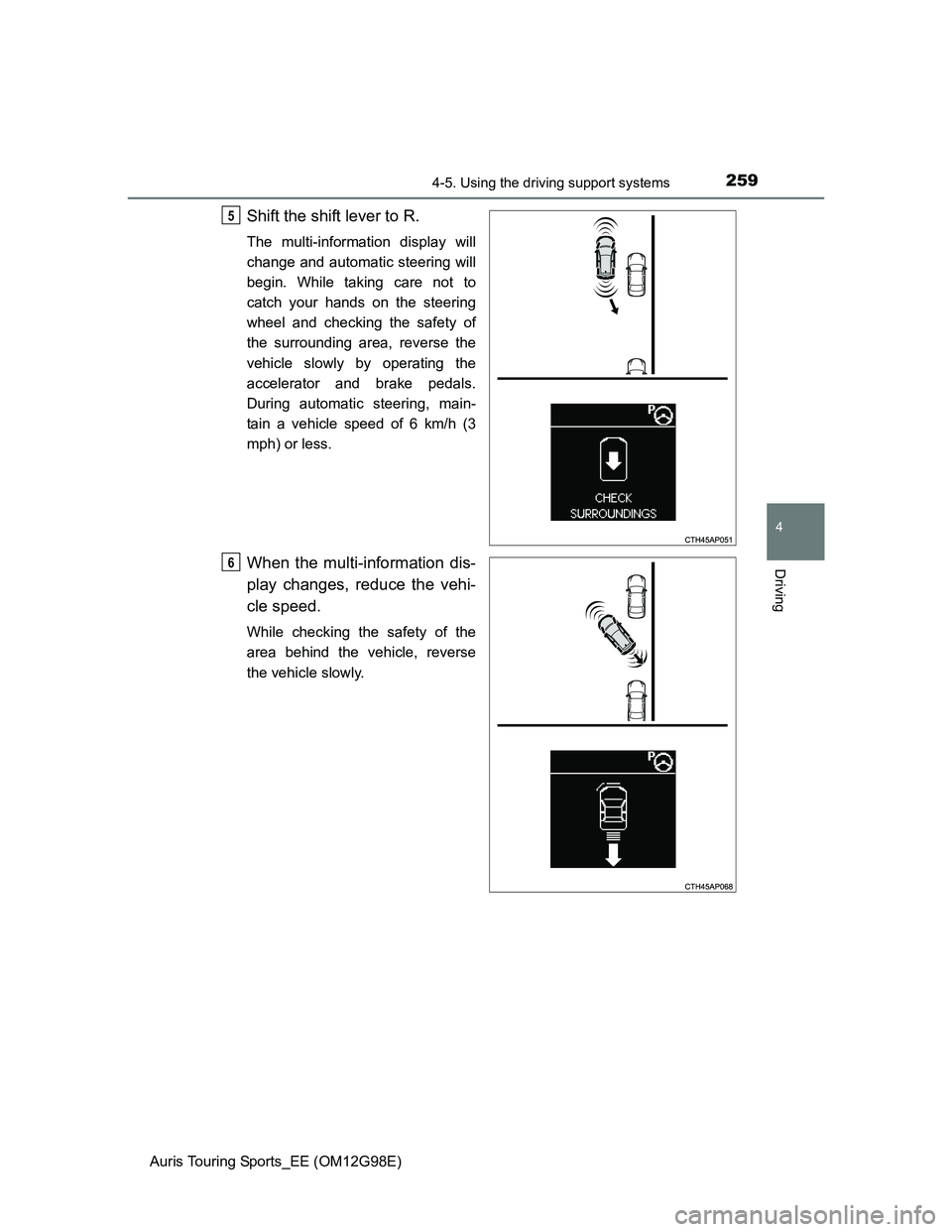
Shift the shift lever to R.
The multi-information display will
change and automatic steering will
begin. While taking care not to
catch your hands on the steering
wheel and checking the safety of
the surrounding area, reverse the
vehicle slowly by operating the
accelerator and brake pedals.
During automatic steering, main-
tain a vehicle speed of 6 km/h (3
mph) or less.
When the multi-information dis-
play changes, reduce the vehi-
cle speed.
While checking the safety of the
area behind the vehicle, reverse
the vehicle slowly.
5
6
Page 260 of 632
2604-5. Using the driving support systems
Auris Touring Sports_EE (OM12G98E)
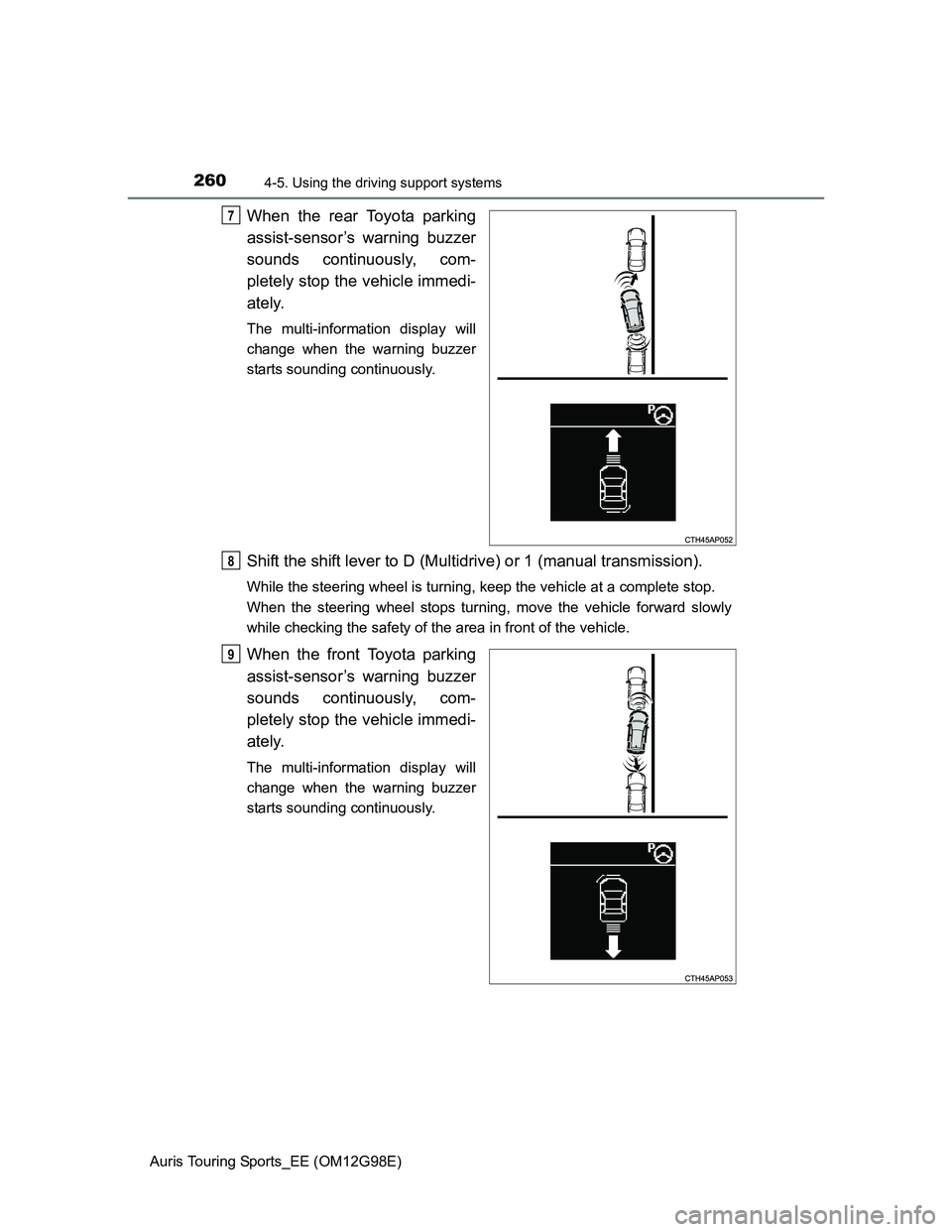
When the rear Toyota parking
assist-sensor’s warning buzzer
sounds continuously, com-
pletely stop the vehicle immedi-
ately.
The multi-information display will
change when the warning buzzer
starts sounding continuously.
Shift the shift lever to D (Multidrive) or 1 (manual transmission).
While the steering wheel is turning, keep the vehicle at a complete stop.
When the steering wheel stops turning, move the vehicle forward slowly
while checking the safety of the area in front of the vehicle.
When the front Toyota parking
assist-sensor’s warning buzzer
sounds continuously, com-
pletely stop the vehicle immedi-
ately.
The multi-information display will
change when the warning buzzer
starts sounding continuously.
7
8
9
Page 261 of 632
2614-5. Using the driving support systems
Auris Touring Sports_EE (OM12G98E)
4
Driving
Shift the shift lever to R.
While the steering wheel is turning, keep the vehicle at a complete stop.
When the steering wheel stops turning, reverse the vehicle slowly while
checking the safety of the area behind the vehicle.
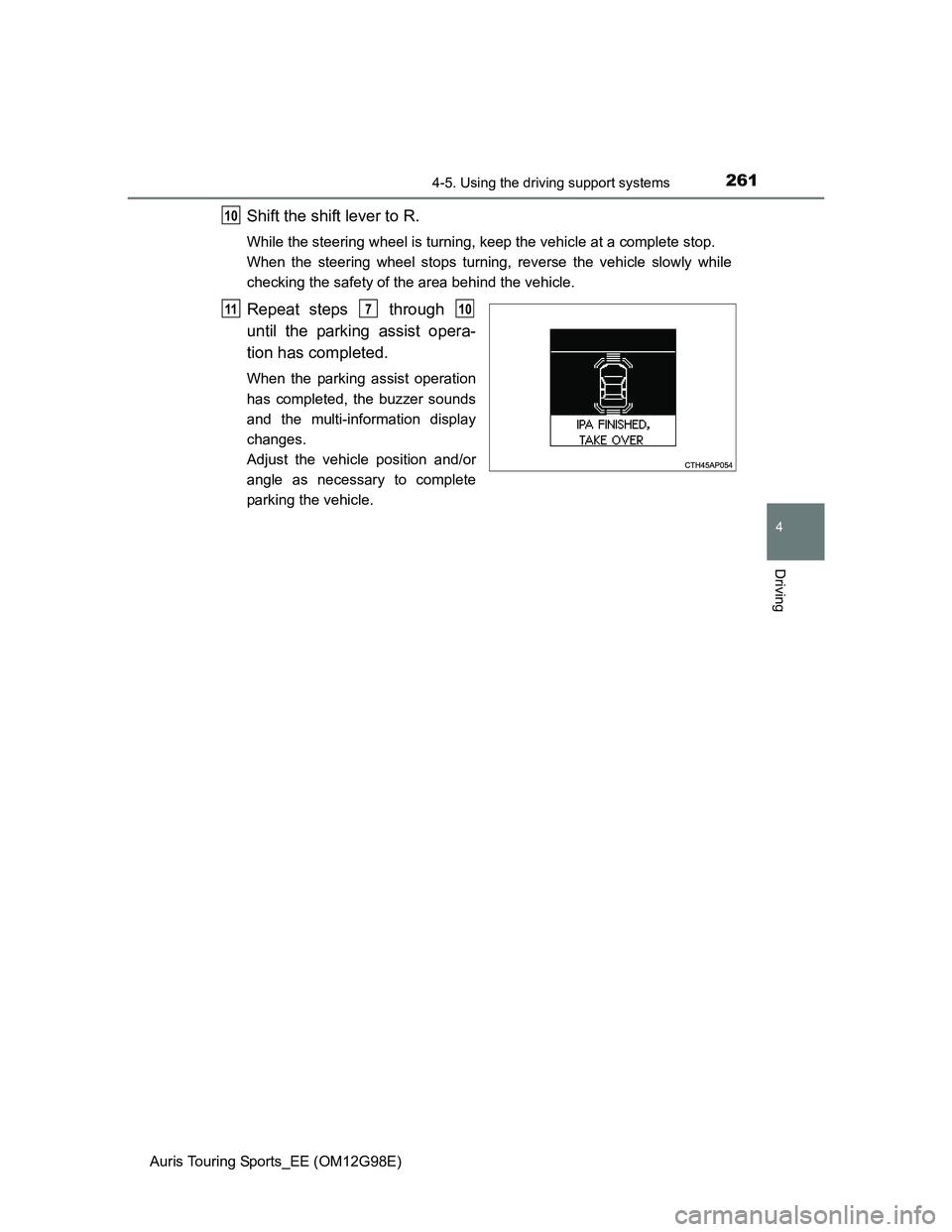
Repeat steps through
until the parking assist opera-
tion has completed.
When the parking assist operation
has completed, the buzzer sounds
and the multi-information display
changes.
Adjust the vehicle position and/or
angle as necessary to complete
parking the vehicle.
10
11710