alarm TOYOTA AURIS 2015 Owners Manual (in English)
[x] Cancel search | Manufacturer: TOYOTA, Model Year: 2015, Model line: AURIS, Model: TOYOTA AURIS 2015Pages: 632, PDF Size: 17.65 MB
Page 2 of 632
TABLE OF CONTENTS2
Auris Touring Sports_EE (OM12G98E)For your information .......................8
Reading this manual.....................12
How to search ..............................13
Pictorial index ...............................14
1-1. For safe use
Before driving.......................30
For safety drive ....................32
Seat belts .............................34
SRS airbags.........................38
Airbag manual on-off
system ...............................48
Safety information for
children ..............................50
Child restraint systems ........51
Installing child restraints ......60
Exhaust gas precautions .....70
1-2. Theft deterrent system
Engine immobilizer
system ...............................71
Alarm ...................................79
Double locking system .........822. Instrument cluster
Warning lights and
indicators........................... 84
Meter (drive monitor
display).............................. 90
Meter (multi-information
display).............................. 95
Eco Driving Indicator ......... 106
Fuel consumption
information ...................... 109
3-1. Key information
Keys .................................. 114
3-2. Opening, closing and
locking the doors
Smart entry & start
system............................. 117
Wireless remote control .... 137
Side doors ......................... 146
Back door .......................... 149
3-3. Adjusting the seats
Front seats ........................ 153
Rear seats ......................... 155
Head restraints .................. 158
1For safety and security
2Instrument cluster
3Operation of each compo-
nent
Page 29 of 632
29
1For safety and security
Auris Touring Sports_EE (OM12G98E)1-1. For safe use
Before driving....................... 30
For safety drive .................... 32
Seat belts ............................. 34
SRS airbags......................... 38
Airbag manual on-off
system ............................... 48
Safety information for
children .............................. 50
Child restraint systems ........ 51
Installing child restraints ...... 60
Exhaust gas precautions ..... 70
1-2. Theft deterrent system
Engine immobilizer
system ............................... 71
Alarm ................................... 79
Double locking system ......... 82
Page 79 of 632
791-2. Theft deterrent system
1
For safety and security
Auris Touring Sports_EE (OM12G98E)
The alarm uses light and sound to give an alert when an intrusion is
detected.
The alarm is triggered in the following situations when the alarm is
set:
A locked door is unlocked or opened in any way other than using
the entry function (if equipped) or wireless remote control. (The
doors will lock again automatically.)
The hood is opened.
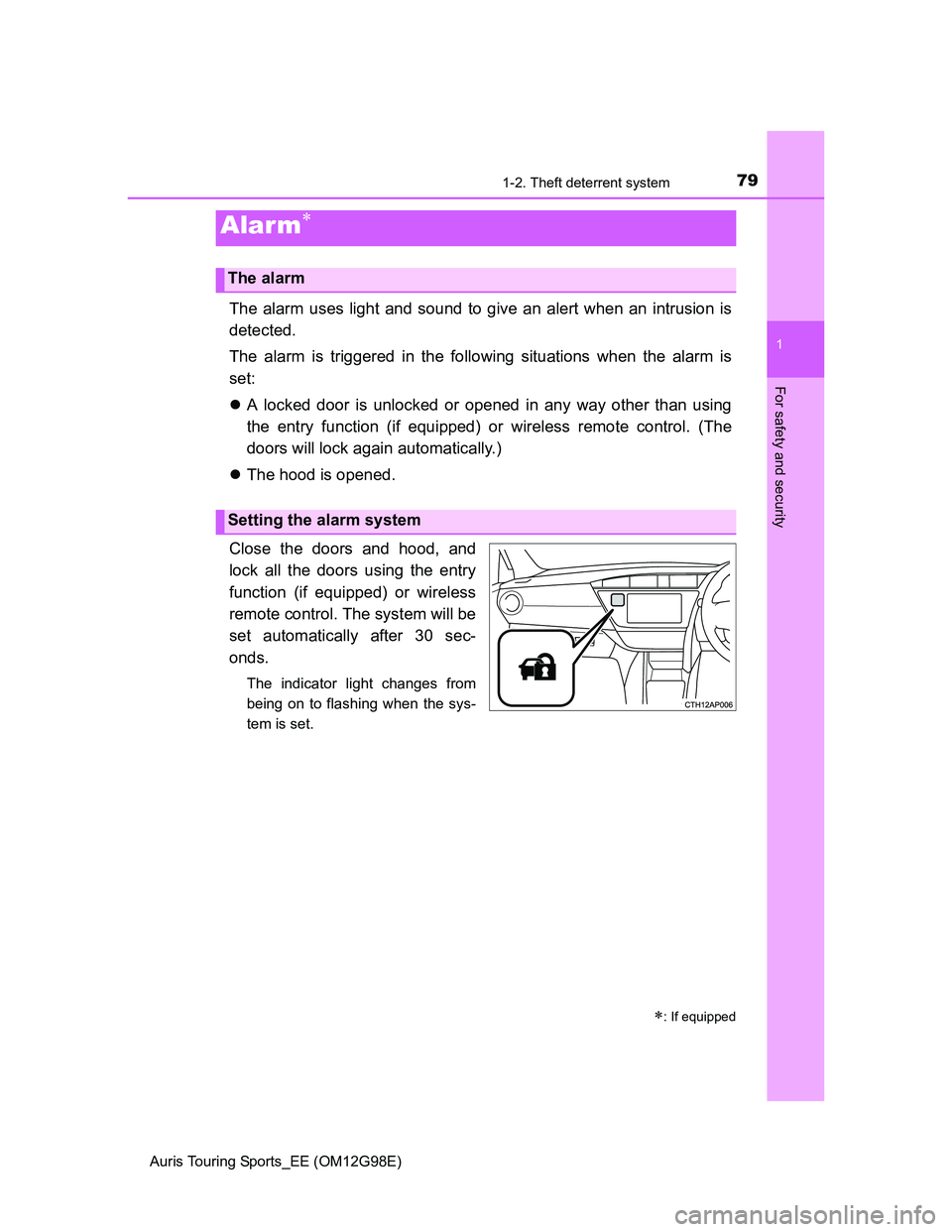
Close the doors and hood, and
lock all the doors using the entry
function (if equipped) or wireless
remote control. The system will be
set automatically after 30 sec-
onds.
The indicator light changes from
being on to flashing when the sys-
tem is set.
Alarm
: If equipped
The alarm
Setting the alarm system
Page 80 of 632
801-2. Theft deterrent system
Auris Touring Sports_EE (OM12G98E)
Do one of the following to deactivate or stop the alarm:
Unlock the doors using the entry function (if equipped) or wireless
remote control.
Start the engine. (The alarm will be deactivated or stopped after a
few seconds.)
System maintenance
The vehicle has a maintenance-free type alarm system.
Items to check before locking the vehicle
To prevent unexpected triggering of the alarm and vehicle theft, make sure of
the following:
Nobody is in the vehicle.
The windows are closed before the alarm is set.
No valuables or other personal items are left in the vehicle.
Deactivating or stopping the alarm
Page 81 of 632
811-2. Theft deterrent system
1
For safety and security
Auris Touring Sports_EE (OM12G98E)Triggering of the alarm
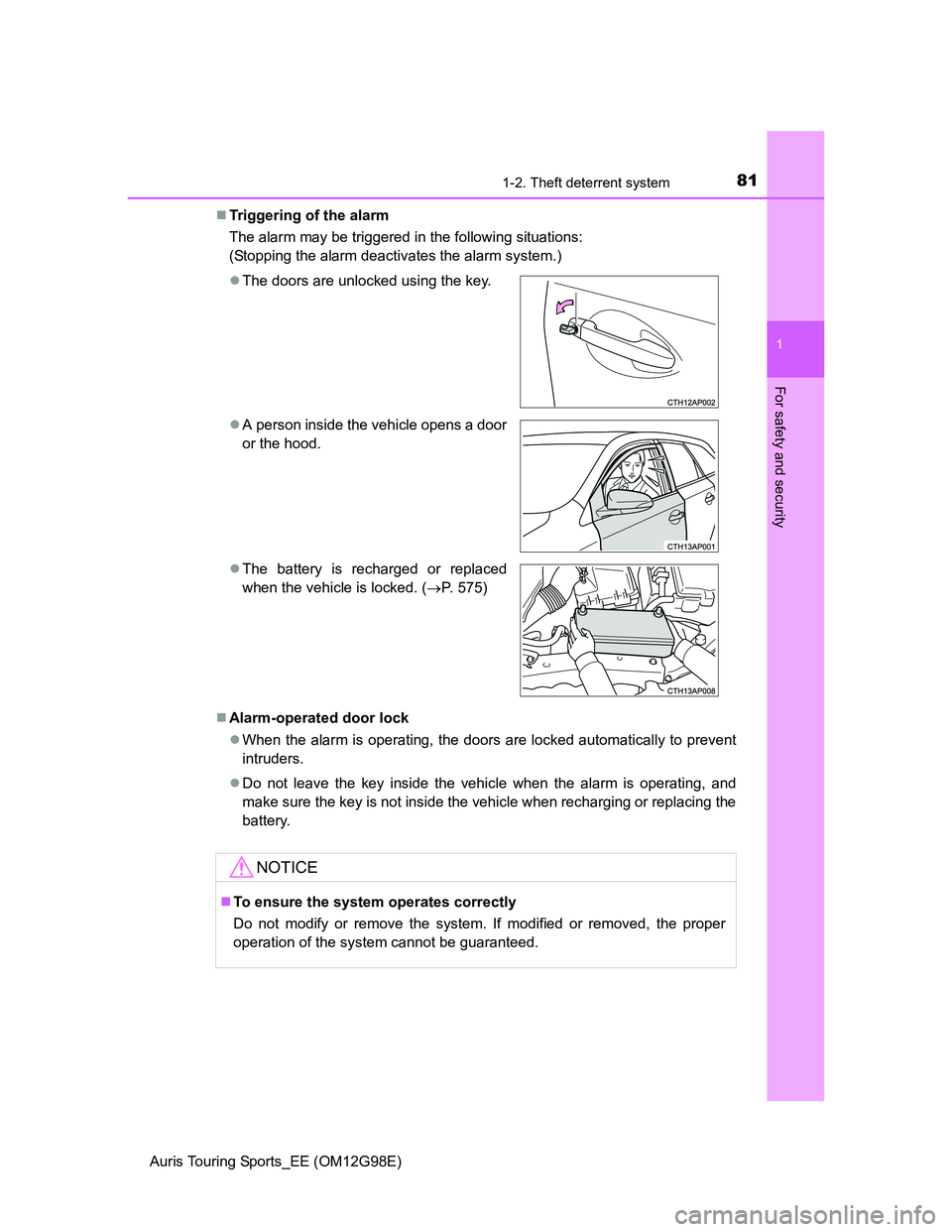
The alarm may be triggered in the following situations:
(Stopping the alarm deactivates the alarm system.)
Alarm-operated door lock
When the alarm is operating, the doors are locked automatically to prevent
intruders.
Do not leave the key inside the vehicle when the alarm is operating, and
make sure the key is not inside the vehicle when recharging or replacing the
battery. The doors are unlocked using the key.
A person inside the vehicle opens a door
or the hood.
The battery is recharged or replaced
when the vehicle is locked. (P. 575)
NOTICE
To ensure the system operates correctly
Do not modify or remove the system. If modified or removed, the proper
operation of the system cannot be guaranteed.
Page 120 of 632
1203-2. Opening, closing and locking the doors
Auris Touring Sports_EE (OM12G98E)
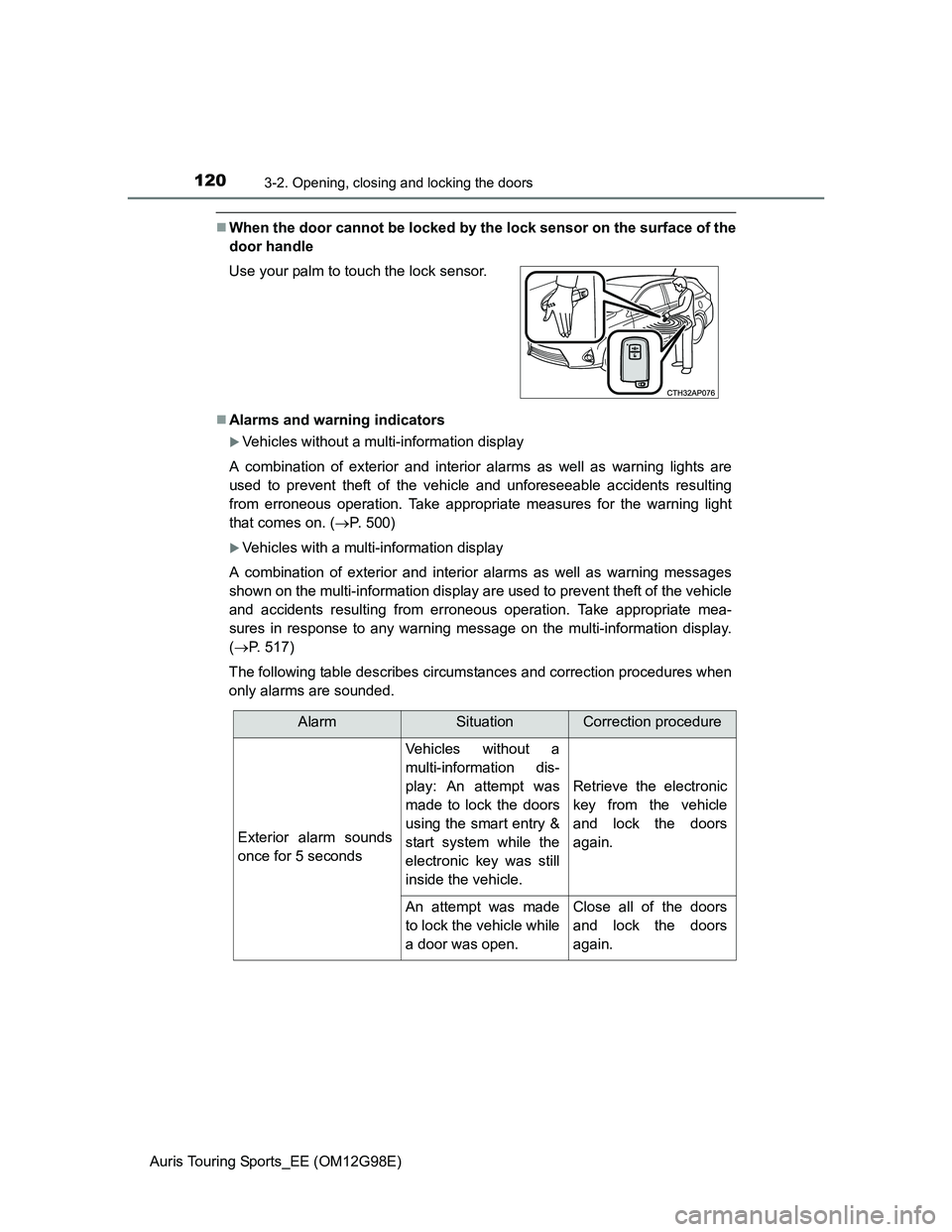
When the door cannot be locked by the lock sensor on the surface of the
door handle
Alarms and warning indicators
Vehicles without a multi-information display
A combination of exterior and interior alarms as well as warning lights are
used to prevent theft of the vehicle and unforeseeable accidents resulting
from erroneous operation. Take appropriate measures for the warning light
that comes on. (P. 500)
Vehicles with a multi-information display
A combination of exterior and interior alarms as well as warning messages
shown on the multi-information display are used to prevent theft of the vehicle
and accidents resulting from erroneous operation. Take appropriate mea-
sures in response to any warning message on the multi-information display.
(P. 517)
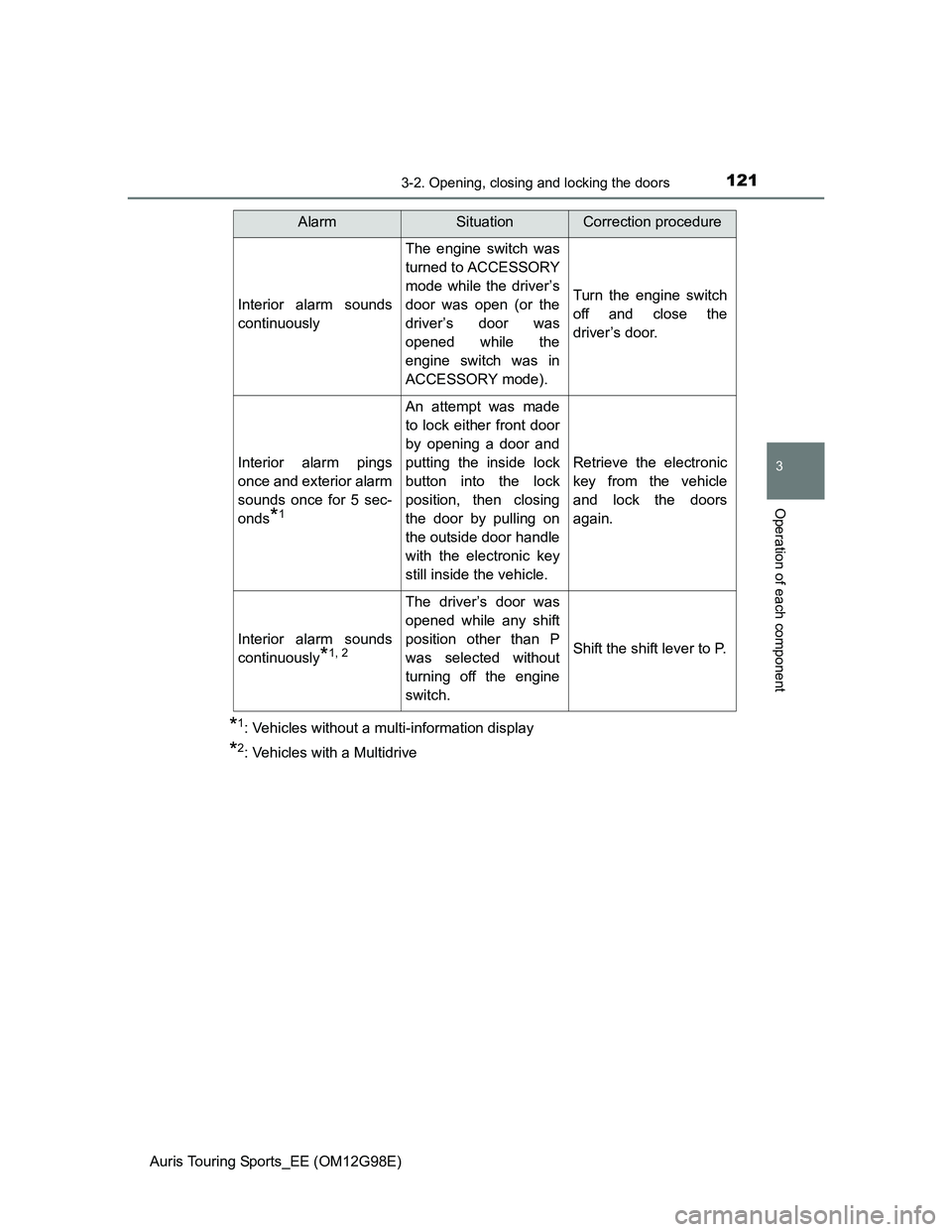
The following table describes circumstances and correction procedures when
only alarms are sounded. Use your palm to touch the lock sensor.
AlarmSituationCorrection procedure
Exterior alarm sounds
once for 5 seconds
Vehicles without a
multi-information dis-
play: An attempt was
made to lock the doors
using the smart entry &
start system while the
electronic key was still
inside the vehicle.
Retrieve the electronic
key from the vehicle
and lock the doors
again.
An attempt was made
to lock the vehicle while
a door was open.Close all of the doors
and lock the doors
again.
Page 121 of 632
1213-2. Opening, closing and locking the doors
Auris Touring Sports_EE (OM12G98E)
3
Operation of each component
*1: Vehicles without a multi-information display
*2: Vehicles with a Multidrive
Interior alarm sounds
continuously
The engine switch was
turned to ACCESSORY
mode while the driver’s
door was open (or the
driver’s door was
opened while the
engine switch was in
ACCESSORY mode).
Turn the engine switch
off and close the
driver’s door.
Interior alarm pings
once and exterior alarm
sounds once for 5 sec-
onds
*1
An attempt was made
to lock either front door
by opening a door and
putting the inside lock
button into the lock
position, then closing
the door by pulling on
the outside door handle
with the electronic key
still inside the vehicle.
Retrieve the electronic
key from the vehicle
and lock the doors
again.
Interior alarm sounds
continuously
*1, 2
The driver’s door was
opened while any shift
position other than P
was selected without
turning off the engine
switch.
Shift the shift lever to P.
AlarmSituationCorrection procedure
Page 125 of 632
1253-2. Opening, closing and locking the doors
Auris Touring Sports_EE (OM12G98E)
3
Operation of each component
Note for locking the doors
Touching the door lock sensor while wearing gloves may delay or prevent
lock operation. Remove the gloves and touch the lock sensor again.
When the lock operation is performed using the lock sensor, recognition sig-
nals will be shown up to two consecutive times. After this, no recognition
signals will be given.
If the door handle becomes wet while the electronic key is within the effec-
tive range, the door may lock and unlock repeatedly. In that case, follow the
following correction procedures to wash the vehicle:
• Place the electronic key in a location 2 m (6 ft.) or more away from the
vehicle. (Take care to ensure that the key is not stolen.)
• Set the electronic key to battery-saving mode to disable the smart entry &
start system. (P. 122)
Vehicles without a multi-information display: If the electronic key is inside
the vehicle and a door handle becomes wet during a car wash, a buzzer will
sound outside the vehicle. To turn off the alarm, lock all the doors.
Vehicles with a multi-information display: If the electronic key is inside the
vehicle and a door handle becomes wet during a car wash, a message may
be shown on the multi-information display and a buzzer will sound outside
the vehicle. To turn off the alarm, lock all the doors.
The lock sensor may not work properly if it comes into contact with ice,
snow, mud, etc. Clean the lock sensor and attempt to operate it again.
Fingernails may scrape against the door during operation of the door han-
dle. Be careful not to injure fingernails or damage the surface of the door.
Page 126 of 632
1263-2. Opening, closing and locking the doors
Auris Touring Sports_EE (OM12G98E)Note for the unlocking function
A sudden approach to the effective range or door handle may prevent the
doors from being unlocked. In this case, return the door handle to the origi-
nal position and check that the doors unlock before pulling the door handle
again.
Gripping the door handle when wearing a glove may not unlock the door.
If the door handle becomes wet while the electronic key is within the effec-
tive range, the door may lock and unlock repeatedly. In that case, follow the
following correction procedures to wash the vehicle:
• Place the electronic key in a location 2 m (6 ft.) or more away from the
vehicle. (Take care to ensure that the key is not stolen.)
• Set the electronic key to battery-saving mode to disable the smart entry &
start system. (P. 122)
If there is another electronic key in the detection area, it may take slightly
longer to unlock the doors after the door handle is gripped.
Fingernails may scrape against the door during operation of the door han-
dle. Be careful not to injure fingernails or damage the surface of the door.
When the vehicle is not driven for extended periods
To prevent theft of the vehicle, do not leave the electronic key within 2 m
(6 ft.) of the vehicle.
The smart entry & start system can be deactivated in advance. (P. 604)
Alarm (if equipped)
Using the smart entry & start system to lock the doors will set the alarm sys-
tem. (P. 79)
To operate the system properly
Make sure to carry the electronic key when operating the system. Do not get
the electronic key too close to the vehicle when operating the system from the
outside of the vehicle.
Depending on the position and holding condition of the electronic key, the key
may not be detected correctly and the system may not operate properly. (The
alarm may go off accidentally, or the door lock prevention function may not
operate.)
If the smart entry & start system does not operate properly
Locking and unlocking the doors: Use the mechanical key. (P. 567)
Starting the engine: P. 568
Page 127 of 632
1273-2. Opening, closing and locking the doors
Auris Touring Sports_EE (OM12G98E)
3
Operation of each component
Electronic key battery depletion
The standard battery life is 1 to 2 years.
If the battery becomes low, an alarm will sound in the cabin when the engine
stops. (P. 500, 517)
As the electronic key always receives radio waves, the battery will become
depleted even if the electronic key is not used. The following symptoms indi-
cate that the electronic key battery may be depleted. Replace the battery
when necessary. (P. 443)
• The smart entry & start system or the wireless remote control does not
operate.
• The detection area becomes smaller.
• The LED indicator on the key surface does not turn on.
To avoid serious deterioration, do not leave the electronic key within 1 m (3
ft.) of the following electrical appliances that produce a magnetic field:
•TVs
• Personal computers
• Cellular phones, cordless phones and battery chargers
• Recharging cellular phones or cordless phones
• Table lamps
• Induction cookers
When the electronic key battery is fully depleted
P. 443
Customization
Settings (e. g. smart entry & start system) can be changed.
(Customizable features: P. 604)
If the smart entry & start system has been deactivated in a customized
setting
Locking and unlocking the doors:
Use the wireless remote control or mechanical key. (P. 137, 567)
Starting the engine and changing engine switch modes: P. 568
Stopping the engine: P. 2 0 1